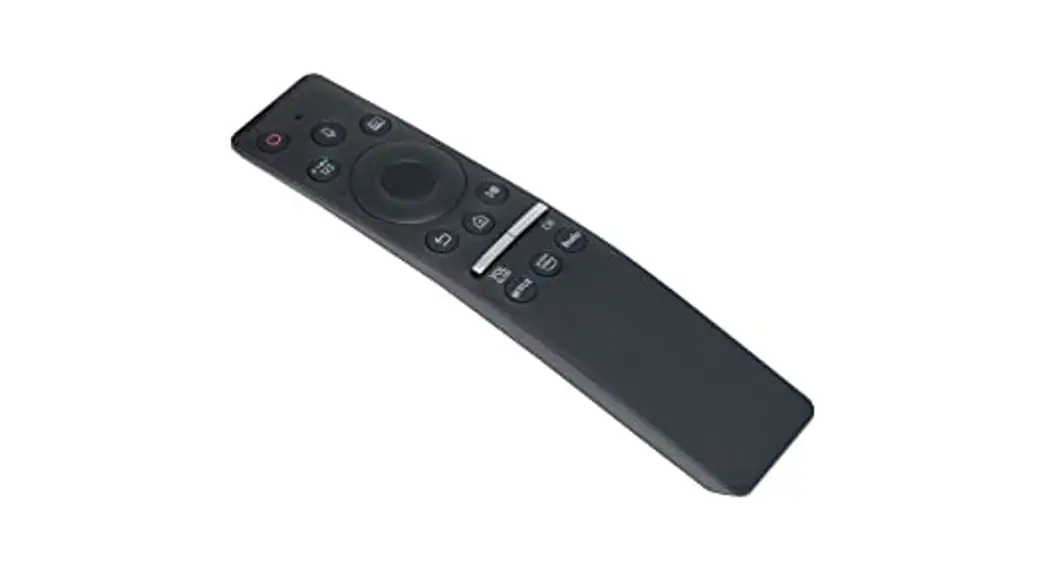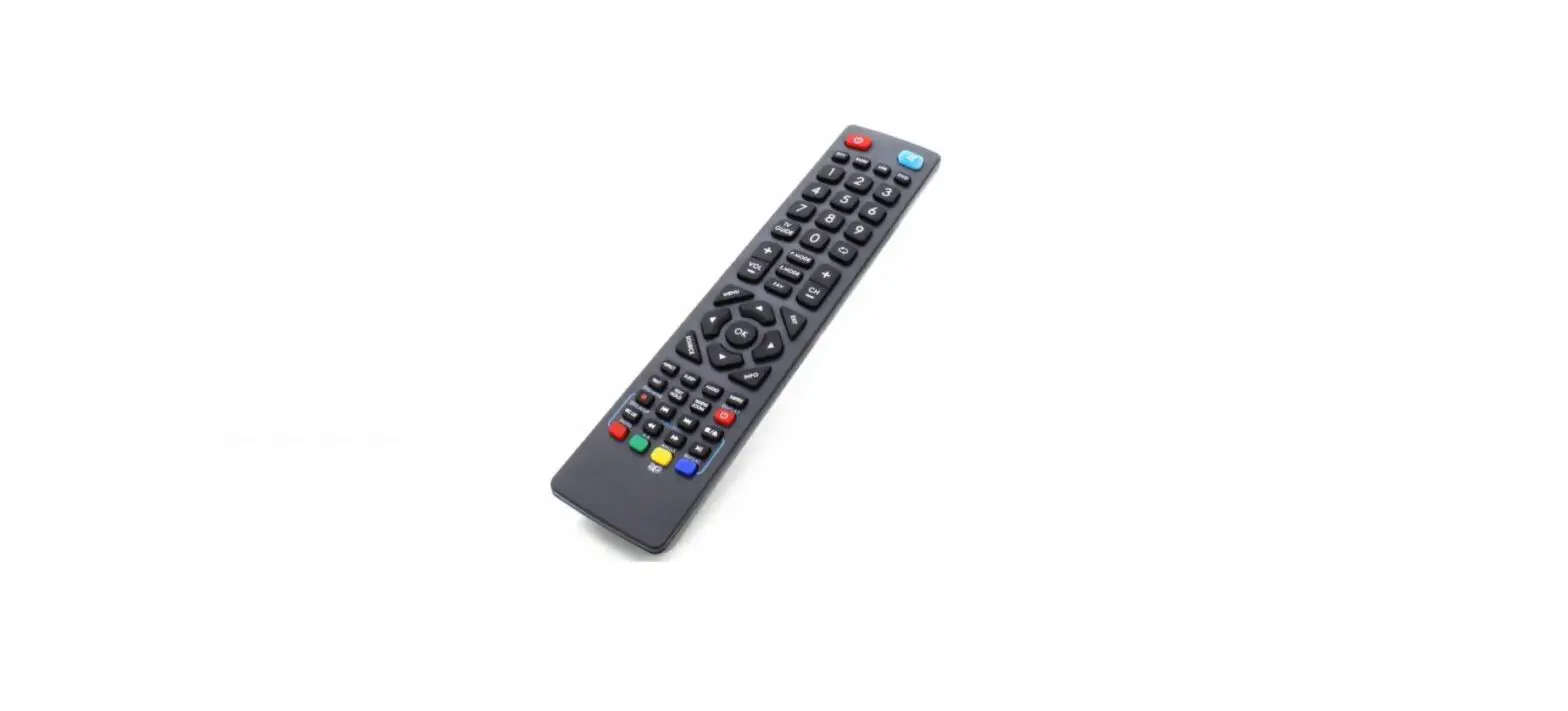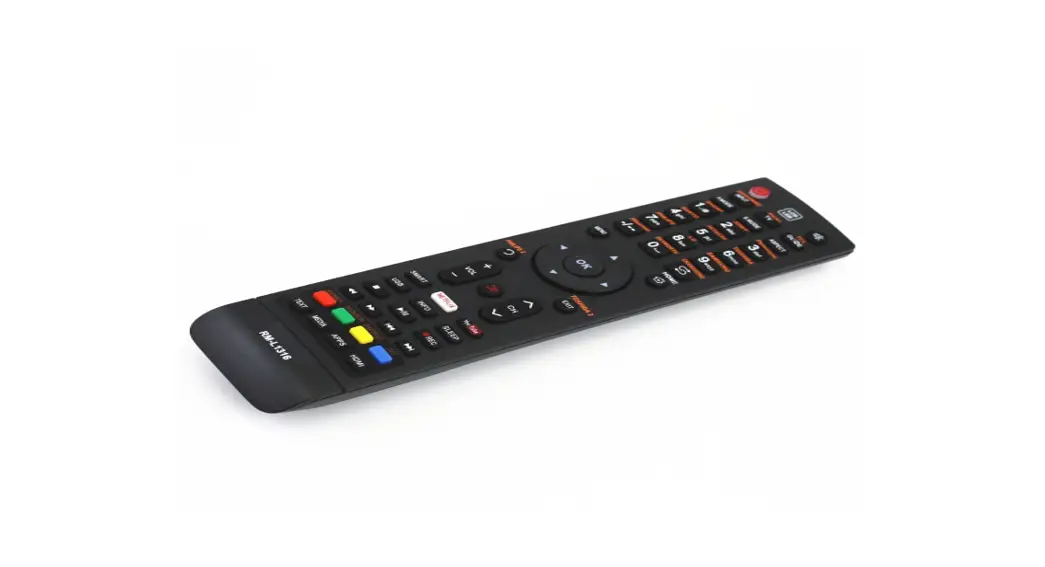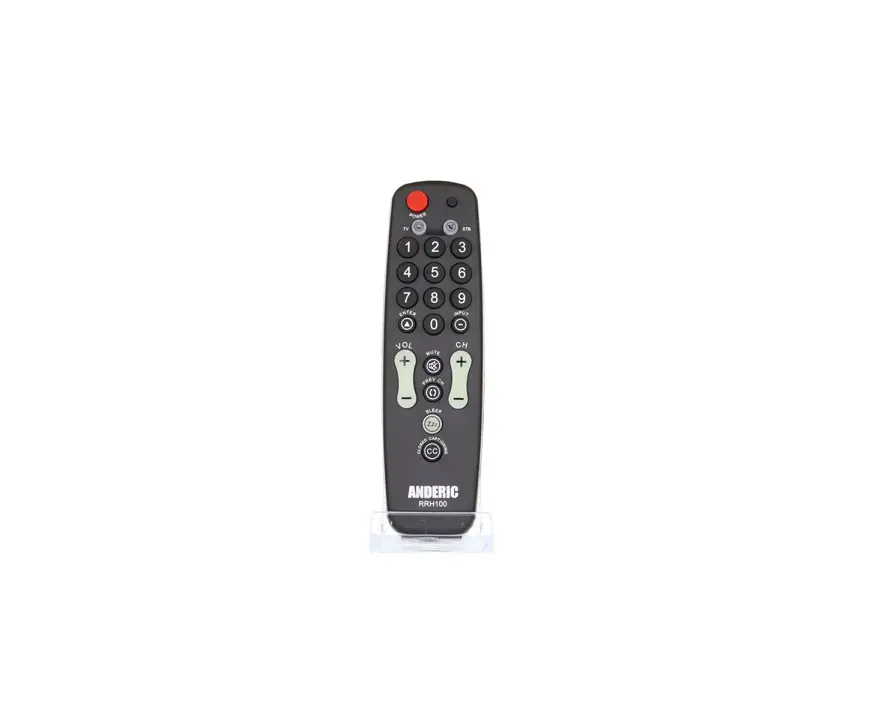
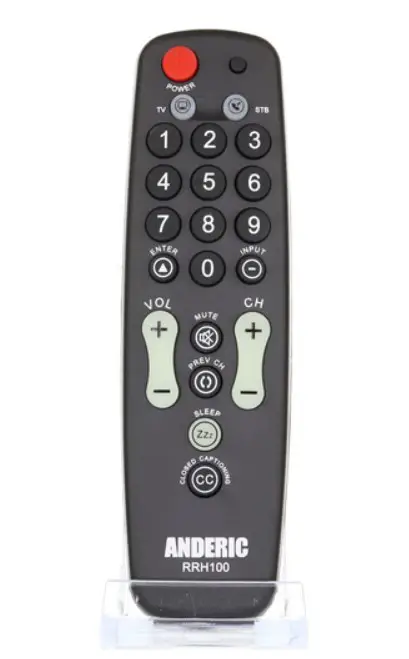
ANDERIC RRHC100 TV Remote Control Instruction Manual

Introduction
We want to thank you for purchasing this Universal Hospitality remote by Anderic®. With the purchase of this remote, you should receive a screw for the battery cover. Battery cover screw is optional; the battery cover does not need the screw to hold it in place. This remote requires two AAA size batteries, not included.
Optional Security Cable Attachment
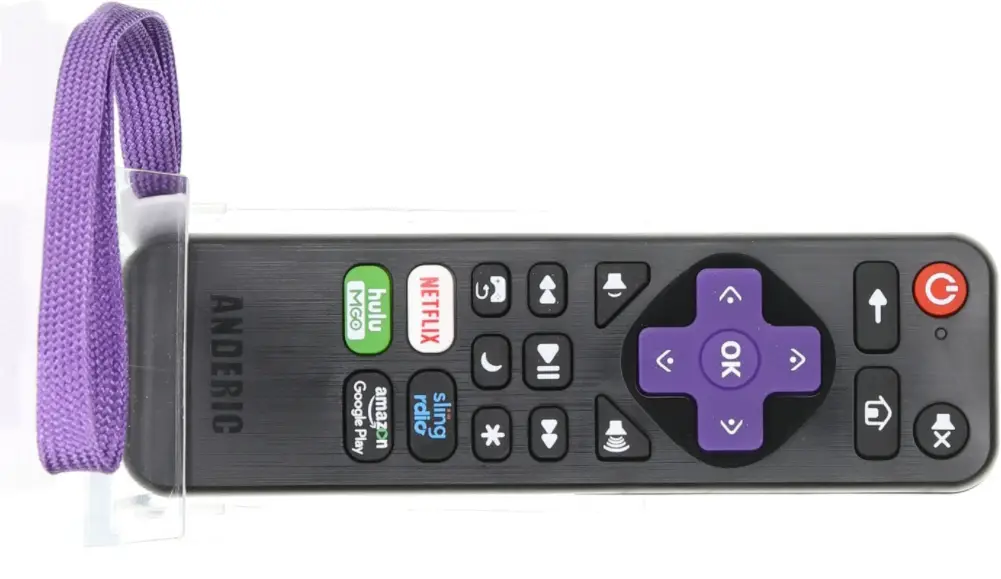
Optional Security Cable available from anderic.com, Part number: CBL01. This cable easily adheres under the battery cover for a secure and flush appearance.
Pre-programmed Codes
This remote is pre-programmed by default to LG and VIZIO TVs under TV mode and DirecTv under STB Mode (Set-Top-Box). If the TV or STB is not one of the brands.
above, you must program the remote using the directions below:
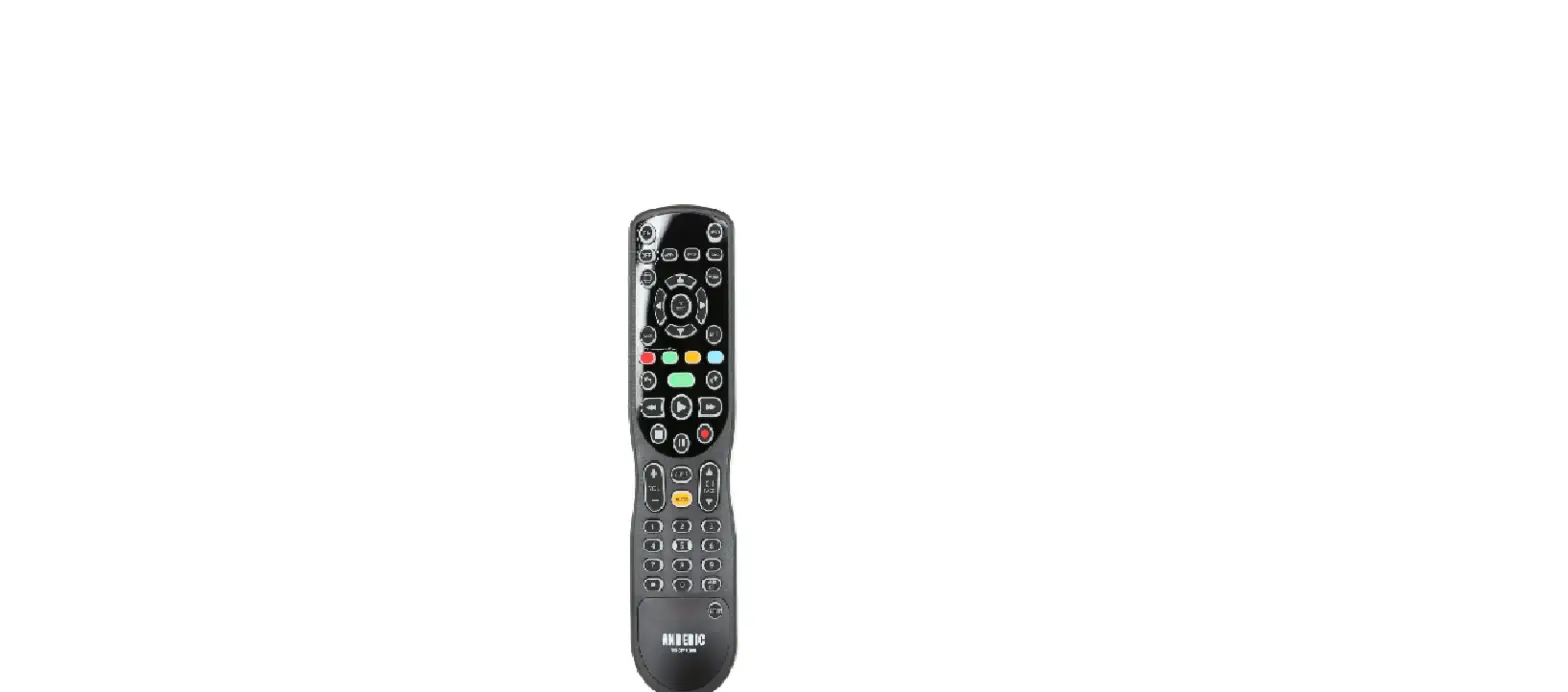
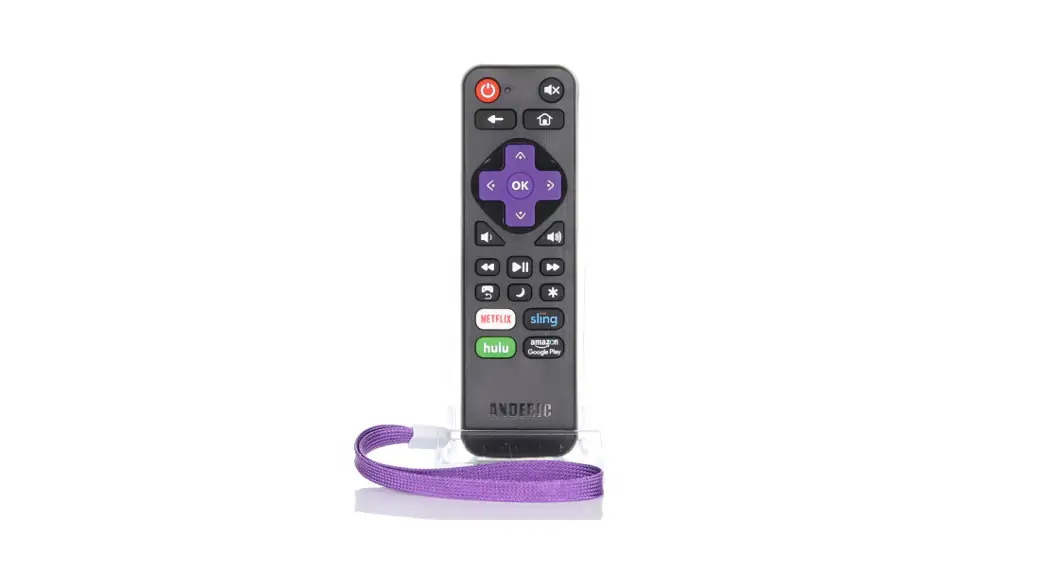
NOTE: If [S] key is not present on your remote, note that it is the unmarked button to the right of the [POWER] key.
Programming the remote: Direct Code Input Method
- Turn on the device you want to control, and find the corresponding brand code from the attached code list.
- Press and release the device mode key you would like to program ([TV] or [STB]).
- Press and hold [S] and [ENTER] keys simultaneously for about three seconds until the indicator light lights and remains on, release both keys.
- Input the four digits If the remote successfully saved the code, the indicator light will go out. If error, the indicator light will blink slowly three times and go out, repeat steps 1-4.
- Check if most keys of remote control can control the device, if not, please restart steps 1-4 using a different code.
- After trying all codes for your brand without success, please try the “Programming the remote – Code Search” method below.
Note: During the programming mode, pressing any button other than number buttons or not pressing any button for 10 seconds will cause the remote to exit programming mode.
Programming the remote: Code Search Method
Note: use this method if your brand is not listed in the codes attached, or if all the codes you tried do not work. This method scans through each code in the database.
Manual search
- Turn on the device you want to
- Press and release the device mode key you would like to program ([TV] or [STB]).
- Press and hold [S] and [ENTER] keys simultaneously for about three seconds until the indicator light lights and remains on, release both keys.
- Repeatedly Press [CH+] to search forwards or [CH-] to search backward; remote will send the code of POWER one by one.
- When the device is turned off, immediately press the [S] button to save and exit. Check if most keys of remote can control the device, if not, please restart from step 1, remote will pick up where it left off in the code database.
Auto search
- Turn on the device you want to
- Press and release the device mode key you would like to program ([TV] or [STB]).
- Press and hold [S] and [ENTER] keys simultaneously for about three seconds until the indicator light lights and remains on, release both keys.
- Press and release [POWER] key, mode indicator light will blink one time and continue to blink every 2 Remote is sending codes of POWER one by one. If to press [CH+] / [CH-] can change the searching direction.
- When the device is turned off, immediately press the [S] button to save and exit. Check if most keys of remote can control the device, if not, please restart from step 1, remote will pick up where it left off in the code database.
Code Display
About: use this method to display the code that is currently programmed.
- Press and release the device mode key ([TV] or [STB]) in which you want to display programmed code, then follow the steps below:
- Press and release keys [MUTE] and [1] simultaneously, then release. The indicator light flashing times represent the first digit of the code. Note: If the digit is 0, the indicator light will not flash.
- Press and release keys [MUTE] and [2] simultaneously, then The indicator light flashing times represent the second digit of the code.
- Press and release keys [MUTE] and [3] simultaneously, then The indicator light flashing times represent the third digit of the code.
- Press and release keys [MUTE] and [4] simultaneously, then The indicator light flashing times represent the fourth digit of the code.
Note: If the digit is 0, the indicator light will not flash.
Single Press Combined POWER Key
About: This allows for powering on/off both your TV and STB (Set-top-box) with one press of the [POWER] button. If enabled, pressing the [POWER] key will send code for power for both units. If disabled, pressing the [POWER] key will only send code for TV. See the steps below.
- Press and hold [S] and [ENTER] keys simultaneously for about three seconds until the indicator light lights and remains on, release both keys.
- Device mode indicator light will light. It doesn’t matter which mode lights. Input code [9] [9] [9] [5].
- Enabled – (0 blinks): If the indicator light turns off directly after inputting the four digits, this indicates that “one key power-off all devices” was successfully enabled;
- Disabled – (2 blinks): If the indicator light blinks 2 times after inputting the four digits, this indicates that “one key power-off all devices” was successfully disabled.
Note: After one key power-off all devices successfully enabled, press [POWER] key, it will send STB Power immediately followed by TV Power code.
STB (set-top-box) Punch-Through Function
About: When enabled, this feature allows assigning the STB-related keys to always send codes programmed under STB mode, no matter what mode the remote currently resides. This feature has been enabled by default. Keys affected are 0 thru 9, Enter, Prev CH, CC, CH+, and CH-.
Follow the steps below to enable or disable this feature.
- Press and hold [S] and [ENTER] keys simultaneously for about three seconds until the indicator light lights and remains on, release both keys.
- Device mode indicator light will light. It doesn’t matter which mode lights. Input code [9] [9] [9] [0].
- Enabled – (0 blinks): If the indicator light turns off directly after inputting the four digits, this indicates that “STB punch-through” was successfully enabled;
- Disabled – (2 blinks): If the indicator light blinks 2 times after inputting the four digits; this indicates that “STB punch-through” was successfully disabled.
TV Punch-Through Function
About: When enabled, this feature allows assigning all TV-related keys to always send codes programmed under TV mode, no matter what mode the remote currently resides. This feature has been enabled by default. The keys affected are Power, VOL+, VOL-, Mute, Input, and Sleep. Follow the steps below to enable or disable this feature.
- Press and hold [S] and [ENTER] keys simultaneously for about three seconds until the indicator light lights and remains on, release both keys.
- Device mode indicator light will light. It doesn’t matter which mode lights. Input code [9] [9] [9] [1].
- Enabled – (0 blinks): If the indicator light turns off directly after inputting the four digits, this indicates that “TV punch-through” was successfully enabled;
- Disabled – (2 blinks): If the indicator light blinks 2 times after inputting the four digits; this indicates that “TV punch-through” was successfully disabled.
Individually assign key punch-through Lock
Note: Before proceeding; the following features must be first DISABLED: “TV Punch-through Function,” “STB punch-through Function,” and “Single Press Combined Power Key.” Applicable to all buttons except for: [S], [TV], [STB]. To re-assign a key to a different mode, you first unlock the key using steps from the Individually Assign Punch-through Unlock section below, then repeat steps 1-4 to reassign it to the correct mode.
About: This allows for individually assigning keys to “punch-through” to the mode of your choosing. After enabling punch-through, the key will always send code for assigned mode no matter what mode the remote currently resides.
- Press and hold [S] and [ENTER] keys simultaneously for about three seconds until the indicator light lights and remains on, release both keys.
- Input the 2 digits code [9] [8].
- Press the button you want to lock.
- Press the device mode button you want to assign it to (e.g. [TV] or [STB]). If successful, the indicator light will turn off directly after pressing the Mode button. Repeat steps 1 – 4 for each button lock.
Individually Assign Punch-through Unlock
- Press and hold [S] and [ENTER] keys simultaneously for about three seconds until the indicator light lights and remains on, release both keys.
- Input the three digits [9] [0] [0],
- Press the button you want to unlock the punch-through, the indicator light will blink one time & turn off.
Device Mode Lock
About: This is used to lock the code for the device so it cannot be re-programmed. After the device is locked, the current code cannot be changed, and any other operation is invalid unless you repeat steps 1-3 to unlock first.
- Press and release the device mode key you would like to lock code for ([TV] or [STB]).
- Press and hold [S] and [ENTER] keys simultaneously for about three seconds until the indicator light lights and remains on, release both keys.
- Input code [9] [9] [9] [9],
- Locked – If the indicator light turns off directly after 4 digits input, it indicates mode successfully locked.
- Unlocked – If the indicator light blinks 2 times and turns off after 4 digits input, it indicates mode successfully
Reset to Factory Default Status – Unchanging 1-Device/2-Device Status
Note: This restores remote to factory default status while keeping the currently programmed
1-Device or 2-Device mode.
- Press and hold [S] and [ENTER] keys simultaneously for about three seconds until the indicator light lights and remains on, release both keys.
- Input code [9] [9] [9] [6]. The indicator light will turn off, indicating that the remote has been reset to factory default status.
Reset to Factory Default Status
- Press and hold [S] and [ENTER] keys simultaneously for about three seconds until the indicator light lights and remains on, release both keys.
- Input code [9] [7] [6] [0]. The indicator light will turn off, indicating that the remote has been reset to factory default status.
Advanced Option: Shift remote to 1-Device; TV only remote.
Note: This feature allows the remote to switch from a 2-Device remote to a 1-Device; TV only remote. STB mode will be deactivated. Remote will be reset to factory defaults for 1-Device.
- Press and hold [S] and [ENTER] keys simultaneously for about three seconds until the indicator light lights and remains on, release both keys.
- Input code [9] [7] [6] [1]. The indicator light will blink 3 times, indicating that the remote has successfully been reset to factory default status and converted to a 1-Device remote.
Advanced Option: Shift remote to 2-Device; TV/STB remote.
Note: This feature allows the remote to switch from a 1-Device remote to a 2-Device; TV and STB enabled remote. Both modes will be activated. Remote will be reset to factory defaults for 2-Device.
- Press and hold [S] and [ENTER] keys simultaneously for about three seconds until the indicator light lights and remains on, release both keys.
- Input code [9] [7] [6] [2]. The indicator light will blink 3 times, indicating that the remote has successfully been reset to factory default status and converted to a 2-Device remote.
LEGAL: Anderic® is a registered trademark of Dan’s Electronics Etc., Inc. All rights reserved. This document is copyrighted.
TV CODES
Note: The following codes can be programmed under TV mode only.
| Admiral | 1917 1927 |
| Advent | 1933 |
| Akai | 1930 1939 1999 2025 |
| AOC | 1964 1985 2029 2032 2073 |
| Apex Digital | 1931 1934 1952 2065 |
| Audiovox | 1926 1937 2011 2012 2021 2035 |
| Aventura | 1922 |
| Broksonic | 1927 2025 |
| Carver | 1915 |
| Celebrity | 1911 |
| Celera | 1934 |
| Changhong | 1934 |
| Citizen | 1916 2025 |
| Coby | 1992 2049 2051 2054 2055 2056 |
| Commercial Solutions | 1971 1910 |
| Crosley | 1911 1915 |
| Curtis | 2057 2070 |
| CurtisMathes | 1910 1915 1916 1917 1919 1926 1930 1996 |
| Daewoo | 1926 1996 |
| Dell | 1957 |
| Denon | 1919 |
| Dumont | 1912 |
| Durabrand | 1922 1923 1927 2087 2088 2120 2121 2122 2123 2124 2125 |
| 2167 2168 2169 2170 2171 | |
| Dynex | 1974 2030 2038 2085 2086 2116 2117 2118 2119 |
| Electroband | 1911 |
| Electrograph | 2009 |
| Electrohome | 1927 1998 |
| Element | 2001 2023 2037 |
| Emerson | 1922 1923 1926 1927 1967 1996 1997 2019 2026 |
| Emprex | 1969 |
| Envision | 1964 1985 2029 2032 |
| ESA | 1939 1922 2026 |
| Funai | 1911 1922 2026 |
| Gateway | 2009 |
| GE | 1910 1913 1923 1926 1971 1981 |
| GFM | 1922 1997 2026 2036 |
| Gibralter | 1912 |
| GoldStar | 1923 |
| Haier | 2007 2008 2050 |
| Hallmark | 1923 |
| Hannspree | 1962 |
| Harman/Kardon | 1915 |
| Havermy | 1917 |
| Hisense | 1931 1995 2033 2058 2089 2090 2091 2092 2093 2126 2127 |
| 2128 2129 2130 2131 2172 2173 2174 2175 | |
| Hitachi | 1994 1919 |
| iLo | 1967 1997 2000 |
| Infnity | 1915 |
| Insignia | 1970 1983 1927 1922 1995 2002 2024 2026 2030 2094 2095 |
| 2096 2097 2098 2099 2101 2102 2103 2104 2105 2106 2107 | |
| 2108 2109 2110 2111 2132 2133 2134 2135 2316 2137 2318 | |
| 2139 2140 2141 2142 2143 2144 2145 2146 2147 2148 2149 | |
| 2167 2176 | |
| Inteq | 1912 |
| JBL | 1915 |
| JCB | 1911 |
| Jensen | 1933 |
| JVC | 1914 1927 1955 1987 2013 2045 |
| KDS | 1977 2001 |
| KLH | 1934 |
| LG | 1970 1971 1912 1923 2059 2066 |
| LXI | 1910 1915 1921 1923 |
| MAG | 1977 2001 |
| Magnavox | 1913 1915 1922 1937 1964 1972 2018 2009 2020 2026 2062 |
| Marantz | 1972 1915 |
| Matsushita | 1924 |
| Maxent | 2009 |
| MB Quart | 2021 |
| Megatron | 1919 1923 |
| Memorex | 1920 1923 1927 1998 2024 |
| MGA | 1920 1923 |
| Midland | 1910 1912 1913 |
| Mitsubishi | 1917 1920 1923 1954 |
| Motorola | 1917 |
| MTC | 1916 |
| NAD | 1921 1923 |
| NEC | 2015 |
| NetTV | 2009 |
| Nexus Electronics | 2037 |
| Nikko | 1923 |
| Norcent | 1931 1964 1985 |
| Olevia | 1953 1961 1989 |
| Optimus | 1924 |
| Optoma | 1962 |
| Optonica | 1917 |
| Orion | 1927 1974 |
| Panasonic | 1913 1924 1959 1973 1975 2045 |
| PARK | 2034 2041 |
| Penney | 1910 1921 1913 1916 1923 |
| Petters | 1979 |
| Philco | 1915 1922 1967 1997 2026 |
| Philips | 1915 1972 2020 2006 2018 2062 2063 |
| Pioneer | 1973 |
| Polaroid | 1934 1958 1977 1979 2001 2011 2012 2035 |
| Portland | 1926 1996 |
| Prima | 1933 |
| Prism | 1913 |
| Proscan | 1910 1971 2044 |
| Proton | 1923 |
| Proview | 1977 2001 |
| Pulsar | 1912 |
| Quasar | 1913 1924 |
| RadioShack | 1910 1923 |
| RCA | 1910 1913 1917 1971 1981 1996 2014 2040 2042 2067 |
| Realistic | 1923 |
| Runco | 1912 |
| Sampo | 2009 |
| Samsung | 1916 1923 1930 1939 1948 2031 |
| Sansui | 1922 1927 1998 2024 2025 |
| Sanyo | 1915 1950 |
| Sceptre | 1945 1952 1963 1986 2081 |
| Scotch | 1923 |
| Scott | 1923 2003 |
| Sears | 1910 1915 1921 1923 1922 |
| Sharp | 1917 1940 |
| Sheng Chia | 1917 |
| Signature | 1915 |
| Sony | 1911 1938 |
| Soundesign | 1923 |
| Soyo | 2017 |
| Spectroniq | 1977 2001 |
| Squareview | 1922 |
| Superscan | 1917 |
| Supreme | 1911 |
| SVA | 1931 2026 |
| Sylvania | 1915 1922 1967 1997 2019 2023 2026 |
| Symphonic | 1922 |
| Syntax | 1953 1961 1989 |
| Tandy | 1917 |
| Technics | 1913 1924 |
| Techwood | 1913 |
| Teknika | 1915 1916 1920 |
| Telefunken | 1930 |
| TMK | 1923 |
| TNCi | 1912 |
| Toshiba | 1916 1921 1959 1980 2025 2028 |
| TVS | 1927 |
| Victor | 1914 |
| Vidikron | 1915 |
| Vidtech | 1923 |
| Viewsonic | 1946 1960 1964 1984 1991 1993 2005 2009 2029 2032 2046 |
| Viore | 2000 2034 2057 2112 2150 2151 2152 2153 2154 |
| Vizio | 2010 1946 2314 |
| Wards | 1910 1911 1912 1913 1915 1916 1921 1923 |
| Waycon | 1921 |
| Westinghouse | 1926 1946 1952 2004 2113 2114 2115 2156 2155 2157 2158 |
| 2159 2160 2161 2162 2163 2155 2164 2165 2166 2177 2178 | |
| White Westinghouse | 1927 1996 |
| Wyse | 1964 |
| Zenith | 1910 1911 1912 1919 1923 1927 1970 1996 |
LG Hospitality Codes
Note: The following codes work with LG STB-2000 set to boxes and can be programmed under TV or STB mode.
| BED 0 | 2314 |
| BED 1 | 2315 |
| BED 2 | 2316 |
| BED 3 | 2317 |
| BED 4 | 2318 |
| BED 5 | 2319 |
| BED 6 | 2320 |
| BED 7 | 2321 |
| BED 8 | 2322 |
| BED 9 | 2323 |
Digital TV Converter Box Codes
Note: The following codes can be programmed under STB mode only.
| Access HD | 2039 |
| Airlink 101 | 2080 |
| Alpha Digital | 2039 |
| AMTC | 2039 |
| Apex Digital | 2072 |
| Artec | 2079 |
| CASTi | 2048 |
| Channel Master | 2061 |
| Coby | 2083 |
| Coship | 2076 |
| Daewoo | 2053 |
| Daytek | 2048 |
| Digital Stream | 2047 |
| Dish Network | 2071 |
| Echostar | 2071 |
| GE | 2060 2068 |
| Goodmind | 2068 |
| Gridlink | 2056 |
| Insignia | 1968 |
| Lasonic | 2056 |
| Magnavox | 1982 |
| Memorex | 2075 |
| MicroGEM | 2078 |
| Philco | 1982 |
| RCA | 2052 2069 |
| Sansonic | 2056 |
| Sunkey | 2084 |
| Sylvania | 1982 |
| Tivax | 2039 |
| Ventura | 2069 |
| Venturer | 2069 |
| Winegard | 2069 |
| Zenith | 1968 |
| Zentech | 2080 |
Cable Box Codes
Note: The following codes can be programmed under STB mode only.
| ABC | 0747 0947 0048 0148 0248 2256 2257 |
| ADELPHIA | 0852 0752 |
| ALLEGRO | 0054 0154 |
| AMERICAST | 0354 2268 |
| Amino | 1988 2016 2305 2306 2307 2308 2309 |
| ANTRONIX | 0448 0548 |
| ARCHER | 0448 0548 0648 0748 |
| AT&T | 0752 |
| APEX | 2304 |
| BELL SOUTH | 0354 2268 |
| Bright House | 1965 2022 |
| Cable One | 1965 2022 |
| CABLETENNA | 0448 |
| CABLEVIEW | 0448 |
| CABLEVISION | 0252 1965 2022 1947 |
| CENTURY | 0748 |
| Charter | 1965 2022 2040 |
| Cisco | 2022 2027 |
| CITIZEN | 0748 |
| COGECO | 0752 |
| COLOR VOICE | 0848 0948 |
| COMCAST | 0752 1965 2022 2027 2082 2254 2275 |
| COMTRONICS | 0049 0149 |
| CONTEC | 0249 |
| Cox | 1965 2022 |
| DIGITAL MUSIC EXPRESS | 0053 |
| Diego | 1951 2040 2270 |
| Director | 2265 |
| DirecTV | 2276 2277 2278 2279 2286 |
| EASTERN | 0349 |
| EVERQUEST | 0049 |
| GARRARD | 0748 |
| CG ELECTRONICS | 0548 |
| General Instrument | 2256 2262 2265 |
| GEMINI | 0255 0549 |
| GE | 0556 2286 |
| GI | 0048 0053 0148 0453 0552 0654 0747 0752 0754 |
| 0952 0947 | |
| HAMLIN | 0649 0747 0749 0849 2258 2261 |
| HITACHI | 0947 |
| ILLICO | 0252 |
| i3 Micro | 1988 |
| Insight | 1965 2022 |
| Knology | 2022 |
| JASCO | 0748 |
| JERROLD | 0552 0747 0148 0453 0947 0048 0653 0254 2256 |
| 2262 2265 |
| MAGNAVOX | 0150 |
| Mediacom | 1965 2022 |
| MEMOREX | 0250 2255 |
| MOTOROLA | 0552 0148 0952 0453 0654 0754 0048 0752 0254 |
| 0947 1965 1951 2027 2262 2265 2270 2271 2273 | |
| MOVIE TIME | 0350 |
| Myrio | 1988 2016 |
| NSC | 0350 |
| OAK | 0249 0550 |
| PACE | 0854 1965 2022 2027 2257 2260 2274 |
| PANASONIC | 0647 0452 2027 2255 2259 2275 |
| PARAGON | 0250 0450 2255 |
| PHILIPS | 0748 0549 0150 0650 0750 0850 2264 2272 |
| PHILIPS-MAGNAVOX | 0152 0055 |
| PIONEER | 0051 0252 0449 0950 2022 2267 2274 |
| Proscan | 2286 |
| PULSAR | 0250 2255 |
| Quasar | 2255 |
| RADIO SHACK | 0152 0055 0154 |
| RCA | 0647 0748 0352 1956 2286 |
| REALISTIC | 0548 |
| REGAL | 0849 2261 2263 |
| REGENCY | 0349 |
| REMBRANDT | 0947 |
| ROGERS | 0252 2022 |
| RUNCO | 0250 2255 |
| SAMSUNG | 0049 0051 |
| SCIENTIFIC ATLANTA | 0451 0351 0252 0155 0852 0248 0251 2022 2257 |
| 2274 | |
| Sejin | 1988 |
| SHAW | 0752 1965 |
| SIGNAL | 0049 |
| SIGNATURE | 0947 |
| SLMARX | 0049 |
| Sony | 1947 2269 |
| SPRUCER | 0647 |
| STANDARD | 0551 |
| STARCOM | 0453 0747 2256 |
| STARGATE | 0049 |
| STAR SIGHT | 0352 |
| STAR TRAK | 0253 |
| Suddenlink | 1965 2022 |
| Supercable | 2262 |
| TANDY | 0651 |
| TELEVIEW | 0049 |
| TEXSCAN | 0551 |
| Thomson | 1956 2027 |
| TIME WARNER | 0252 1965 2022 2040 |
| Tivo | 2082 |
| TOCOM | 0048 0751 0952 0653 |
| Torx | 2256 |
| TOSHIBA | 0250 2255 |
| TV86 | 0350 |
| UNIKA | 0448 0548 0748 |
| UNITED CABLE | 0747 |
| UNIVERSAL | 0054 0448 0548 0648 0748 0851 |
| VIDEOWAY | 0052 |
| VIEWSTAR | 0149 0150 0350 0651 |
| VIDEO TECH | 0656 |
| VIDEOTRON | 0252 |
| WideOpenWest | 2022 |
| ZENITH | 0154 0250 0748 0753 0853 0951 0953 2255 2266 |
| 2268 | |
| ZENITH NETWORK | 0354 |
SAT/DTV/WEBTV Box Codes
Note: The following codes can be programmed under STB mode only.
| AMPLICA | 0159 |
| BELL EXPRESSVU | 0067 0366 0167 0464 |
| CHANNEL MASTER | 0359 0459 0559 |
| CHAPPARAL | 0657 0757 |
| CHEYENNE | 0757 |
| DRAKE | 0857 0059 0360 |
| DREAMBOX | 0663 |
| DIRECTV | 2276 2277 2278 2279 2286 0863 0864 0564 0763 |
| 0963 0259 0260 0263 0962 0664 0065 0265 0465 | |
| 0765 0866 0966 0367 0567 0362 0563 0765 | |
| DISH NETWORK | 0167 0366 0464 0862 0067 0460 0560 0660 2310 |
| 2311 | |
| DISHPRO | 0460 0560 0660 0067 |
| DX ANTENNA | 0458 0859 |
| ECHOSPHERE | 0464 |
| ECHOSTAR | 0167 0366 0464 0862 0067 0460 0560 0660 |
| EXPRESSVU | 0067 0366 0167 0464 |
| FORTEC STAR | 0558 0157 0257 0357 0457 0557 |
| FUJISTSU | 0760 0860 |
| GE | 0265 0566 0365 0863 0966 0666 0766 0866 |
| GEMINI | 0161 |
| GI | 0466 0665 0166 0058 0158 0258 0960 0364 0865 |
| 0965 0066 | |
| GLOBECAST | 0057 |
| GO VIDEO | 0662 |
| HITACHI | 0465 0564 0664 0864 0765 0362 |
| HUGHES NETWORK | 0763 0765 0362 0659 0465 0564 0644 0864 |
| JVC | 0464 0862 |
| KENWOOD | 0461 |
| LUXOR | 0561 |
| MAGNAVOX | 0259 0862 0565 |
| MACOM | 0661 |
| MITSUBISHI | 0765 0864 0465 0564 0664 0362 |
| MOTOROLA | 0466 0463 |
| NORSTAT | 0761 |
| PACE | 0063 0163 0266 |
| PANSAT | 0060 1406 |
| PANASONIC | 0264 0260 0261 |
| PRIMESTAR | 0364 0665 |
| PHILIPS | 0259 0862 0763 0564 0664 0864 0465 0765 0565 |
| 0362 | |
| PHILIPS-MAGNAVOX | 0259 0862 0565 |
| PIONEER | 0062 |
| PROSAT | 0957 |
| PROSCAN | 0265 0365 0666 0966 0766 0866 |
| RCA | 0265 0566 0365 0863 0467 0966 0666 0766 0866 |
| 0411 | |
| REALISTIC | 0358 0961 |
| SAMSUNG | 0061 0959 0962 0263 0563 |
| SHARP | 0062 |
| SKY NETWORK | 0063 0163 0266 |
| SIERRA I II III | 0757 |
| SONY | 0963 0367 0567 0160 0861 |
| STARCHOICE | 0665 0166 0364 |
| STAR SIGHT | 0964 |
| STAR TRAK | 0462 |
| STS | 0458 0658 0758 |
| SUPER GUIDE | 0562 |
| SYLVANIA | 0759 |
| TOSHIBA | 0765 0864 0465 0564 0664 0362 0858 0064 0164 |
| 0764 | |
| ULTIMATE TV | 0966 0567 |
| UNIDEN | 0964 0958 0762 |
| UNITED | 0361 |
| VIDEO CIPHER II | 0059 |
| WEB TV | 0862 0160 |
| ZENITH | 0363 0065 0267 0161 0266 0857 0059 0360 0165 |
Programming/Function Codes
COMBINED POWER 9995
STB PUNCH-THROUGH 9990
TV PUNCH-THROUGH 9991
INDIVIDUAL PUNCH-THROUGH 98 _ [key to assign] _ [mode to assign to
(TV)/(STB)]
INDIVIDUAL KEY UNLOCK 900 _
DEVICE MODE LOCK 9999
RESET TO 1-DEVICE MODE 9761
RESET TO 2-DEVICE MODE 9762
RESET TO FACTORY 9760
 Anderic Official Site | Home | North Carolina