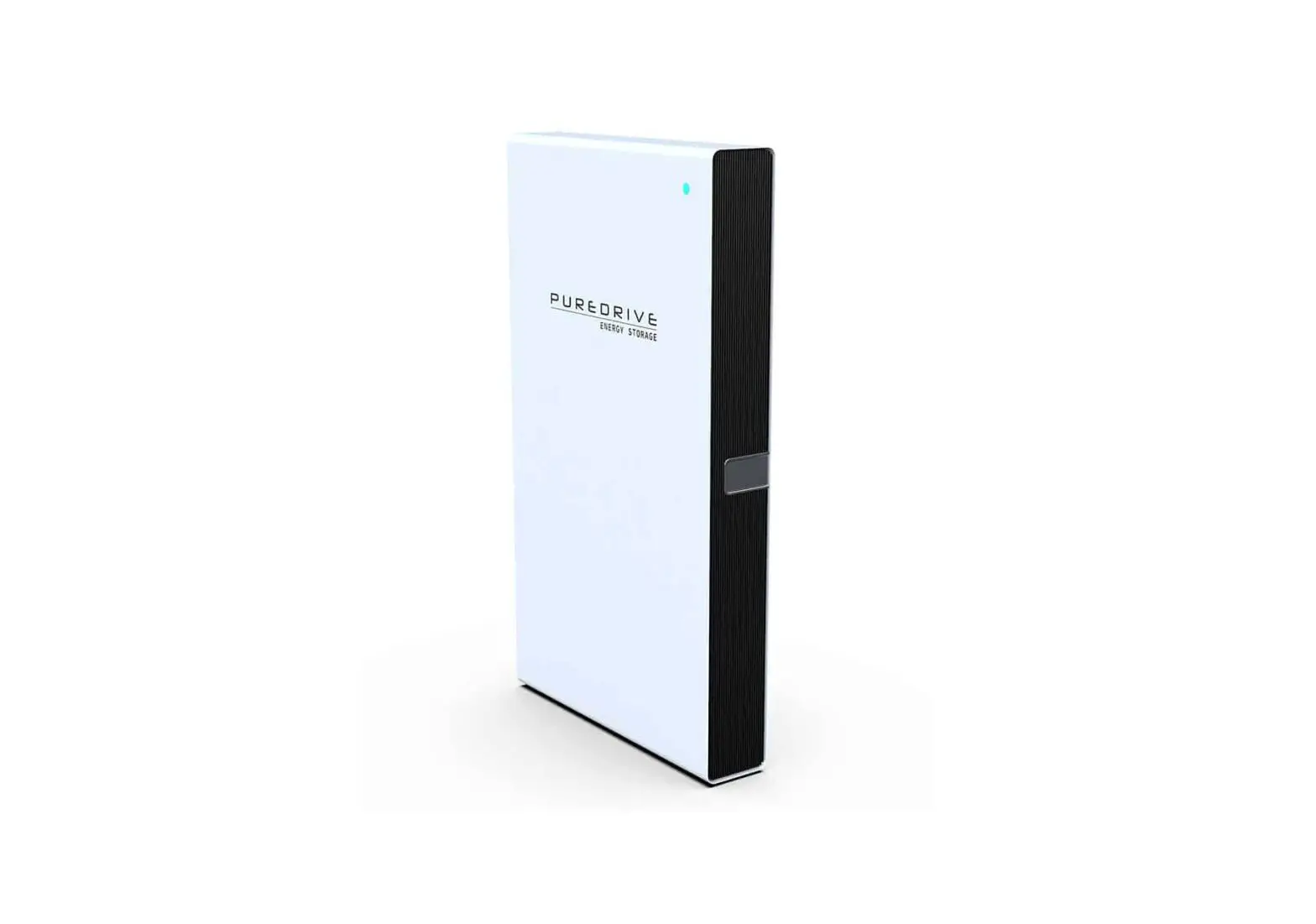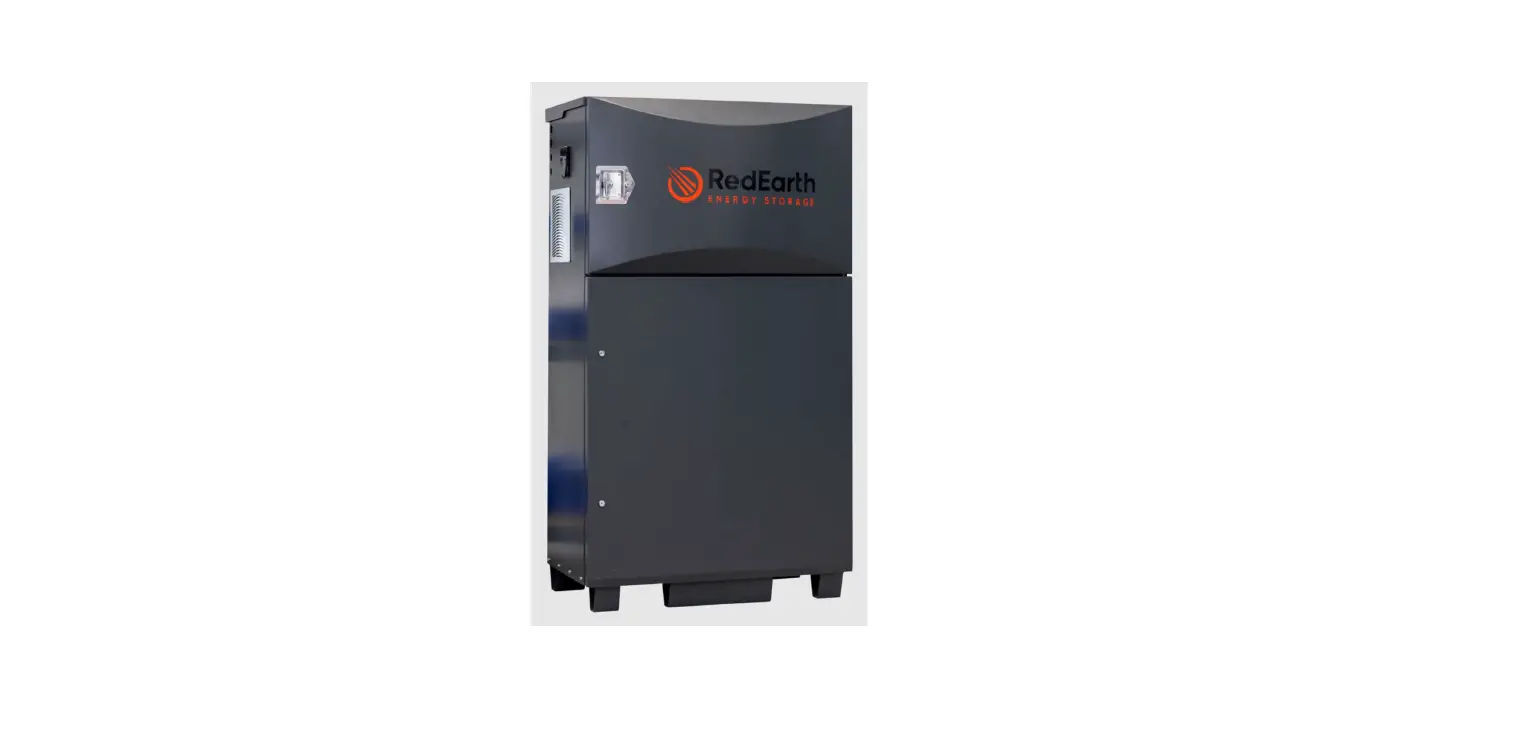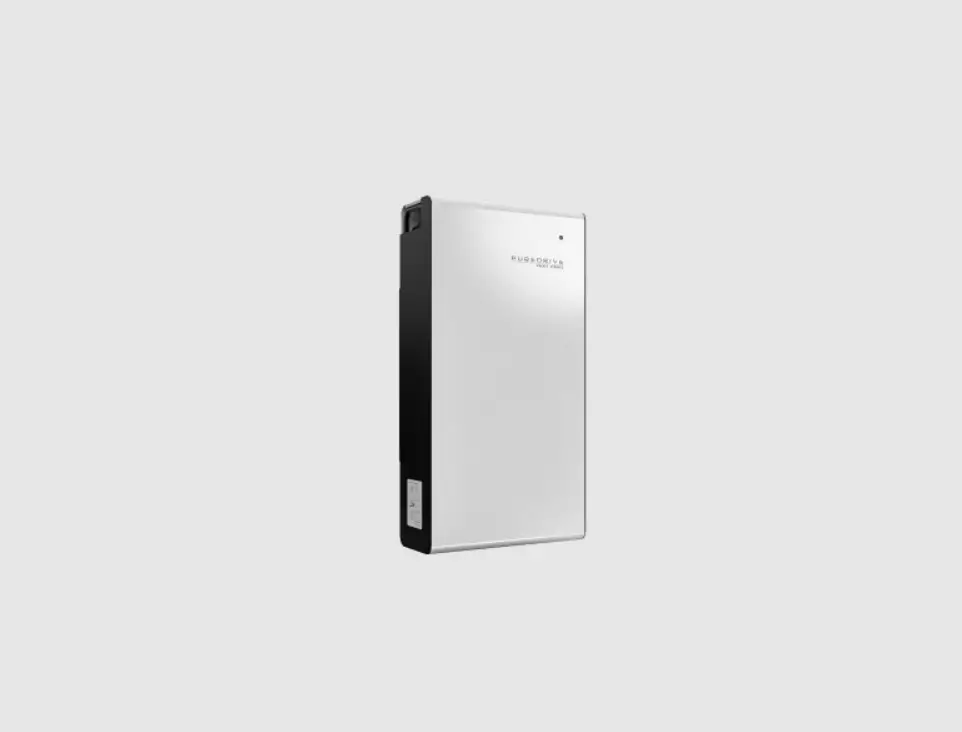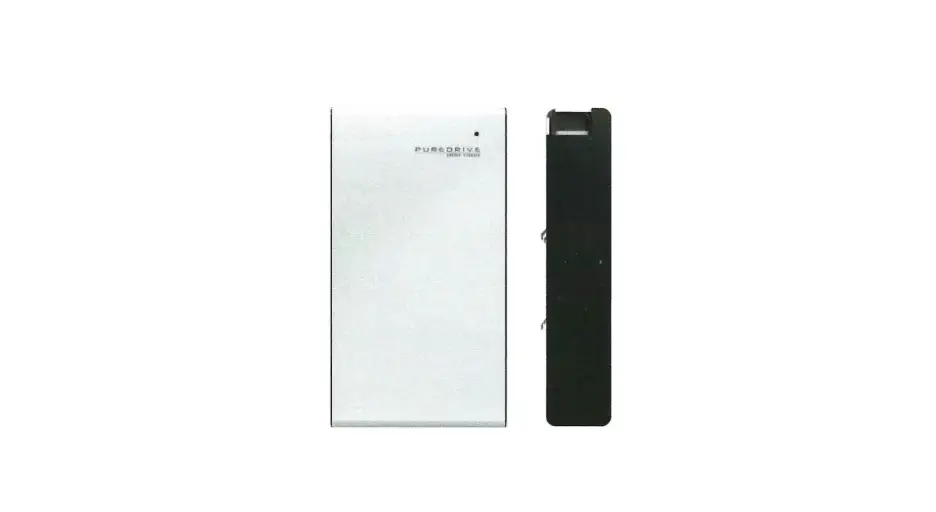

PSII-DC Battery Module
USER MANUAL
Li-LV LFP Battery Module | USER MANUAL
To secure the full 10-year product warranty, ensure your Puredrive PSII-DC battery is installed by a qualified installer.
Warning: Read this entire document before installing or using Puredrive PSII-DC LiFePO4 battery modules. Failure to follow any of the instructions or warnings in this document can result in electrical shock, serious injury, or death – or you may damage the Puredrive Li-LV LiFePO4 battery module, potentially rendering it inoperable..
PRODUCT SPECIFICATIONS
All specifications and descriptions contained in this document are verified to be accurate at the time of printing. However, because continuous improvement is a goal at Puredrive, we reserve the right to make product modifications at any time.
The images provided in this document are for demonstration purposes only. Depending on product version and market region, details may appear slightly different.
ERRORS OR OMISSIONS
To communicate any inaccuracies or omissions in this manual, please send an email to: [email protected]

ELECTRONIC DEVICE: DO NOT THROW AWAY
Proper disposal of batteries is required. Refer to your local codes for disposal requirements (ie. EC N 1013/2006 among European Union).

©2020 Puredrive Energy Ltd. All rights reserved.
All information in this document is subject to copyright and other intellectual property rights of Puredrive Energy Ltd. and its licensors. This material may not be modified, reproduced or copied, in whole or in part, without the prior written permission of Puredrive Energy Ltd. and its licensors. Additional information is available upon request. The following are trademarks or registered trademarks of Puredrive Energy Ltd. in UK and other countries.
All other trademarks contained in this document are the property of their respective owners and their use herein does not imply sponsorship or endorsement of their products or services. The unauthorized use of any trademark displayed in this document or on the product is strictly prohibited.
Important Safety Instructions
SAVE THESE IMPORTANT SAFETY INSTRUCTIONS. Puredrive PSII-DC LiFePO4 battery module installation and repair instructions assume knowledge of high voltage electricity and should only be performed by Puredrive certified installers. Puredrive assumes no liability for injury or property damage due to repairs attempted by unqualified individuals or a failure to properly follow these instructions. These warnings and cautions must be followed when using Puredrive.
SYMBOLS IN THIS DOCUMENT
This manual uses the following symbols to highlight important information:
 Warning Warning | WARNING indicates a hazardous situation which, if not avoided, could result in injury or death. |
 Caution Caution | CAUTION indicates a hazardous situation which, if not avoided, could result in damage to the equipment. |
| Note | NOTE indicates an important step or tip that leads to best results but is not safety or damage related. |
GENERAL INFORMATION
Warning: Read this entire document before installing or using Puredrive PSII-DC battery. Failure to do so or to follow any of the instructions or warnings in this document can result in electrical shock, serious injury, or death, or can damage the battery, potentially rendering it inoperable.
Warning: A battery can present a risk of electrical shock, fire, or explosion from vented gases. Observe proper precautions.
Warning: Puredrive PSII-DC battery installation must be carried out only by Puredrive certified installers, who have been trained in dealing with high voltage electricity.
Warning: Puredrive battery is heavy and challenging to lift.
Warning: Use Puredrive PSII-DC battery only as directed.
Warning: Do not use Puredrive PSII-DC battery if it is defective, appears cracked, broken, or otherwise damaged, or fails to operate.
Warning: Before beginning the wiring portion of the installation, first power off the inverter and then open the AC and DC disconnect switches (if applicable for the installation).
Warning: Do not attempt to open, disassemble, repair, tamper with, or modify Puredrive PSII-DC battery. Puredrive PSII-DC battery is not user serviceable. LiFePO4 battery cells in Puredrive PSII-DC battery are not replaceable. Contact the Puredrive authorised reseller who sold the Puredrive PSII-DC battery for any repairs.
Warning: Do not connect Puredrive PSII-DC battery to alternating current (AC) carrying conductors. Puredrive PSII-DC battery must be wired to either an inverter or a DC combiner panel that is then wired to an inverter. No other wiring configuration may be used.
Warning: Puredrive PSII-DC battery contains components, such as switches and relays, that can produce arcs or sparks.
Warning: To protect Puredrive PSII-DC battery and its components from damage when transporting, handle with care. Do not impact, pull, drag, or step on PuredrivePSll-DC battery. Do not subject Puredrive PSII-DC battery to any strong force. To help prevent damage, leave Puredrive PSII-DC battery in its shipping packaging until it is ready to be installed.
Warning: Do not insert foreign objects into any part of Puredrive PSII-DC battery.
Warning: Do not expose Puredrive PSII-DC battery or its components to direct flame
Warning: Do not install Puredrive PSII-DC battery near heating equipment.
Warning: Do not immerse Puredrive PSII-DC battery or its components in water or other fluids.
Caution: Do not use cleaning solvents to clean Puredrive PSII-DC battery or expose Puredrive PSII-DC battery to flammable or harsh chemicals or vapours.
Caution: Do not use fluids, parts, or accessories other than those specified in this manual, including use of non-genuine Puredrive PSII-DC parts or accessories, or parts or accessories not purchased directly from Puredrive or a Puredrive certified party.
Caution: Do not place Puredrive PSII-DC battery in a storage condition for more than one (1) month, or permit the electrical feed on the Puredrive PSII-DC battery to be severed for more than one (1) month, without placing Puredrive PSII-DC battery into a storage condition in accordance with Puredrive’s storage specifications.
Caution: Do not paint any part of Puredrive PSII-DC, including any internal or external components such as the exterior shell or casing.
Caution: Do not connect Puredrive PSII-DC battery directly to photovoltaic (PV) solar wiring.
Caution: When installing Puredrive PSII-DC battery in a garage or near vehicles. keep it out of the driving path. If possible, install the Puredrive PSII-DC battery on a side wall and/or above the height of vehicle bumpers.
ENVIRONMENTAL CONDITIONS
Warning: Install Puredrive PSII-DC battery at a height that prevents damage from flooding.
Warning: Operating or storing Puredrive PSII-DC battery in temperatures outside its specified range might cause damage to the battery.
Warning: Do not expose the Puredrive PSII-DC battery to ambient temperatures above 60°C (140°F) or below -30°C (-22T).
Caution: Ensure that no water sources are above or near the Puredrive PSII-DC battery, including downspouts. sprinklers, or faucets.
Standard Packing List
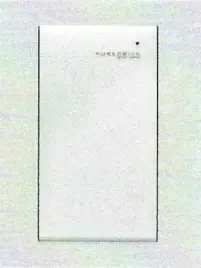
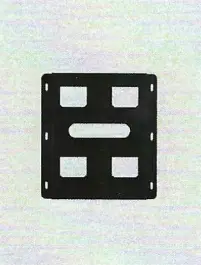
PSII-DC LFP Battery Battery Bracket
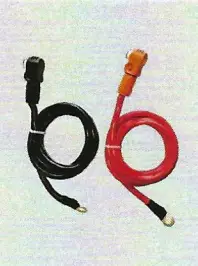

DC Power Cables Battery<–>Inverter Communication Cable Battery<–>Inverter
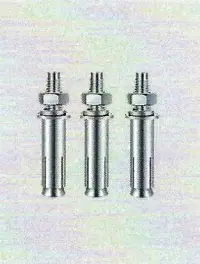
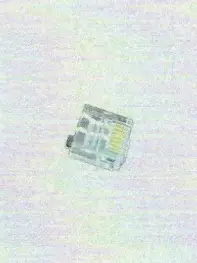
M6 Expansion Bolts Terminator
Mechanical Installation
Single battery installation
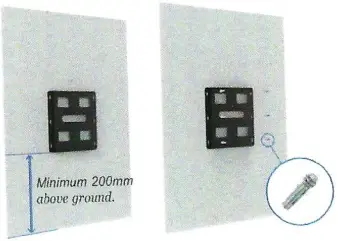
Step-1, Confirm the exact position of battery bracket
Please use M6 expansion bolts to lix 11u. battery bracket on the Wall according to the fixed position.
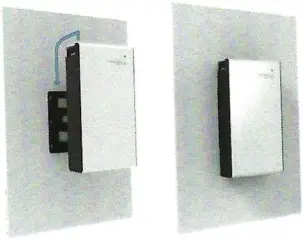
Step-2, Mount the battery module to the battery bracket.
Multiple battery installation
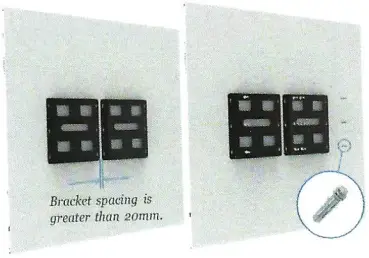
Step-1, Confirm the exact position of battery bracket.
Please use M6 expansion bolts to fix the battery bracket on the wall according to the fixed position.
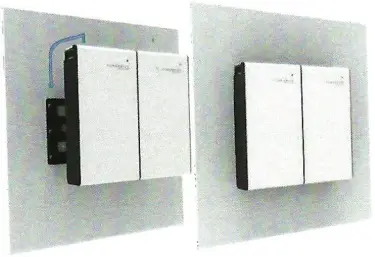
Step-2, Mounting the battery module to the battery bracket.
Electric Connection
Top connection interface
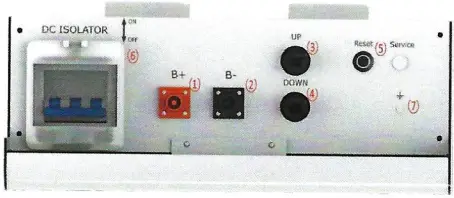
1 Battery<–>Inverter Power Cables(+)
2 Battery<–>inverter Power Cables(-)
3 Communication cables(up)
4 Communication cables(down)
5 Battery reset button
6 DC Isolator
7 Grounding Point
8 Communication cable
9 COM resistor
1. Plug in COM Resistor
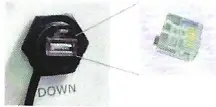
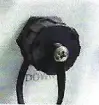
2. Put on a protective cap
Step-3, Cable Connection and COM Resistor
Connect battery power cables and communication cables as shown below.
Plug in the COM resistor to the last communication interface, which is open.
Please note that even with a single battery installation or multi battery installation, COM resistor is required to strength the CAN Bus signal.
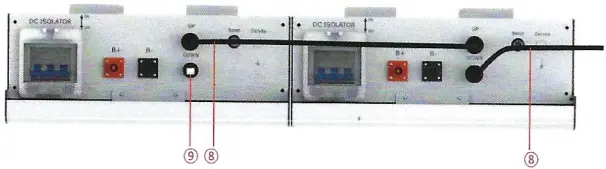
10 Puredrive standard parallel kits withstand maximum 100A current. If you lave a larger load demand, you can choose to configure the DC combiner box.
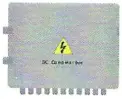
DC combiner box
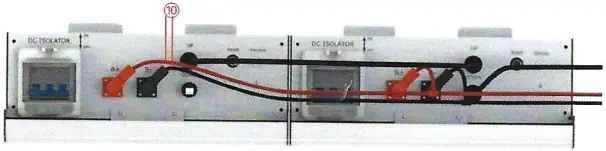
Start the Battery Array
Step-4, please pull on the DC Isolator
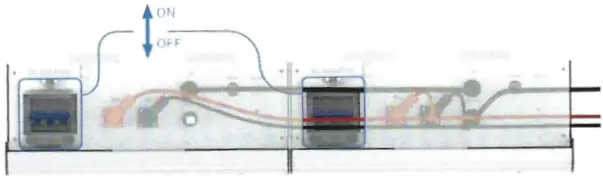
The indicator light is on, showing green, and the machine is on normally.
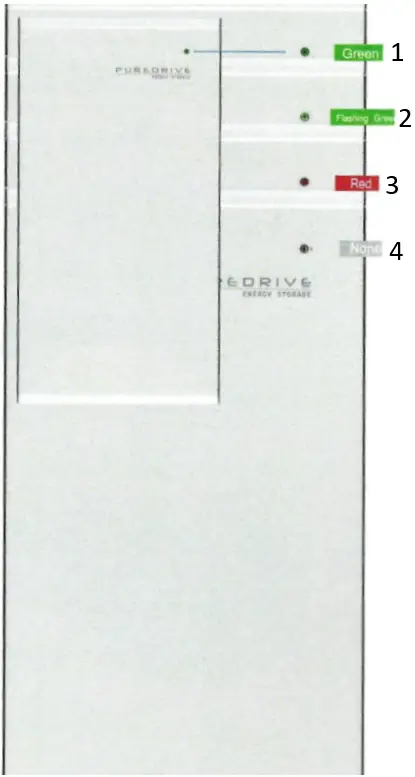
- Normal, 30%<SOC<100%
- Normal, 10%<SOC<30%
- Alarm or Protection
- Power Off or Sleep
System Setting
NORMAL OPERATION
During normal operation, if PSII-DC LFP Battery Modules are installed correctly, the nverter and battery will start communication immediately, then begin to process power commands. See the inverter manual for further configuration instructions.
Warning: Do not operate PSII-DC LFP battery module unless all covers are in place.
Warning: Do not disconnect anything from or add anything to PSII-DC LFP battery module.
Caution: Do not try to communicate with PSII-DC LFP battery module using third party tools or diagnostics.
Caution: Do not lean on, stack anything on top of, or hang anything from PSII-DC LFP battery module or the conduit.
PSII-DC LFP BATTERY MODULE CARE
Keep the top edge of PSII-DC LFP battery module clear of particles to maintain optimal airflow.
To clean PSII-DC LFP Battery Module, use a soft, lint-free cloth. The cloth can be dampened with only water if needed. It should not be dripping.
Caution: Do not use cleaning solvents to clean PSII-DC LFP battery module.
*Puredrive reserves the right to modify the technical datasheet and appearance of the product in the user manual without prior advice to the users.
PSII-DC LFP Battery Module | USER MANUAL
April 2021 Version 1.1