Depthmaster Pacman Re-Edition Dive Watch
Product Information:
- Product Name: DEPTHMASTER Automatic
- Product Components: Hour hand, Minute hand, Seconds hand, Band,
Case, Crown, Date, Dial - Crown Positions: 1. Normal Position, 2. Manual Winding, 3.
Setting the Date, 4. Setting the Time - Power Reserve: 38 hours
Product Usage Instructions:
Manual Winding:
- Turn the crown counterclockwise to position 1 and unscrew the
crown. - To manually wind the movement, twist the crown clockwise
approximately 8-9 times. - Screw in the crown back to the normal position (position
1).
Note: The watch has an automatic winding movement that will wind
itself with daily wear. However, if the watch is not worn for a
certain amount of time and the power reserve is exhausted, manual
winding may be required.
Setting the Date:
- Pull the crown out to position 3.
- Turn the crown counterclockwise to adjust the date. Avoid
setting the date between 9 PM and 3 AM to ensure proper day
change. - Screw in the crown back to the normal position (position
1).
Setting the Time:
- Pull the crown out to position 4.
- Turn the crown counterclockwise to adjust the time.
- Screw in the crown back to the normal position (position
1).
DEPTHMASTER
AUTOMATIC
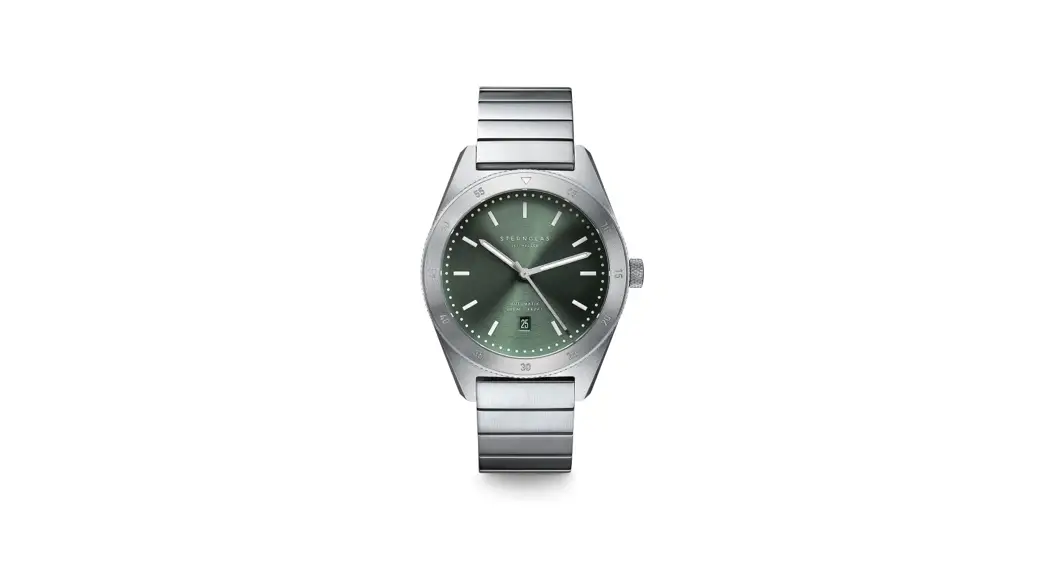
DEPTHMASTER Watch parts
Hour hand Minute hand Seconds hand
1
Band Case
Crown Date
Dial
DEPTHMASTER Crown Position
1
2
3
4
1 Position normal 2 Manual winding 3 Setting the date 4 Setting the time
2
DEPTHMASTER Manual winding
1
2
1. 1 Position turn the crown unclockwise , unscrew crown To 2 position
2. 2 Manual winding
To manually wind the movement twist the crown clockwise approximately 8-9 times and keep wearing .
This an automatic winding movement. with daily wear the movement will wind itself and will not require manual winding. but it is not worn for a certain amount of time, its power reserve (in this model, 38 hours) is exhausted, and the watch stops.
3. Screw in crown back to normal position1 1
3
DEPTHMASTER Setting the date
1. 2 Crown out to the 3 position
12
3
2. Turn the crown counterclockwise for date setting.
Do not set the date between 9 PM and 3 AM, otherwise the day may not change properly.
3. Screw in crown back to normal position 1
4
DEPTHMASTER Setting the time
1. 2 Crown out to the 4 position
1
2
34
2. Turn the crown counterclockwise for date setting.
Do not set the date between 9 PM and 3 AM, otherwise the day may not change properly.
3. Screw in crown back to normal position 1
5