BRATZ Cyber Style Learning Laptop Instruction Manual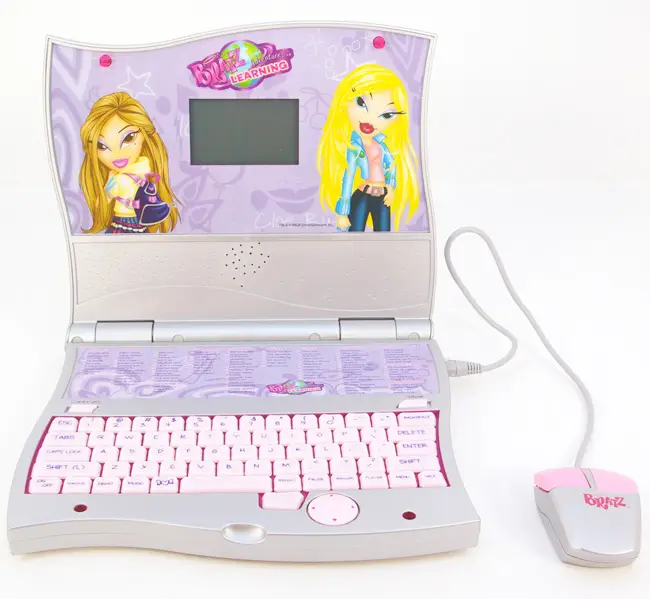
INTRODUCTION
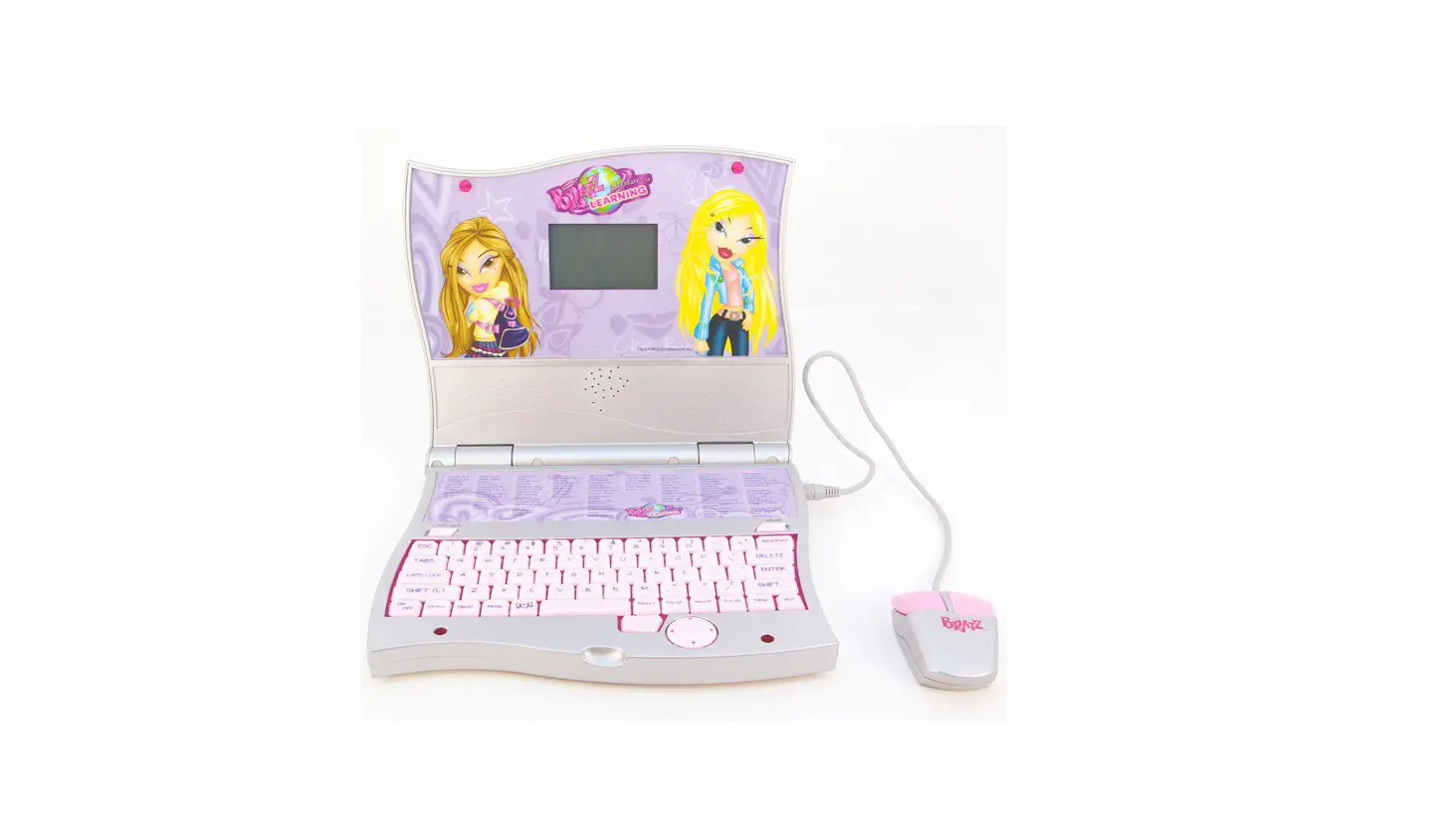
This laptop is packed with tons of school time activities. This real-looking learning device now includes a Backlit LCD screen and features updated graphics and sounds. The full-sized keyboard makes learning much cooler! Answer questions ranging from math and spelling, to music and fashion! This lightweight and stylin’ portable learning tool is sure to entertain and instruct for hours on end!.
CONTENTS
Make sure your Bratz™ Cyber Style Laptop comes with the following items:
- 1 Bratz™ Cyber Style Laptop
- 1 Mouse
- 4 AA “Try Me” Batteries
NOTE: The batteries included in your Bratz™ Cyber Style Laptop are for in-store demonstration. It is
recommended that, prior to playing, fresh alkaline batteries be installed for best performance.
BEFORE YOU BEGIN
- Make sure the unit is turned off.
- Using a Philips screwdriver, unscrew and open the battery cover located on the underside of the laptop.
- Insert 4 x AA batteries with the positive (+) and negative (-) ends facing in the proper direction as indicated inside the battery compartment.
- Replace the cover and tighten the screw.

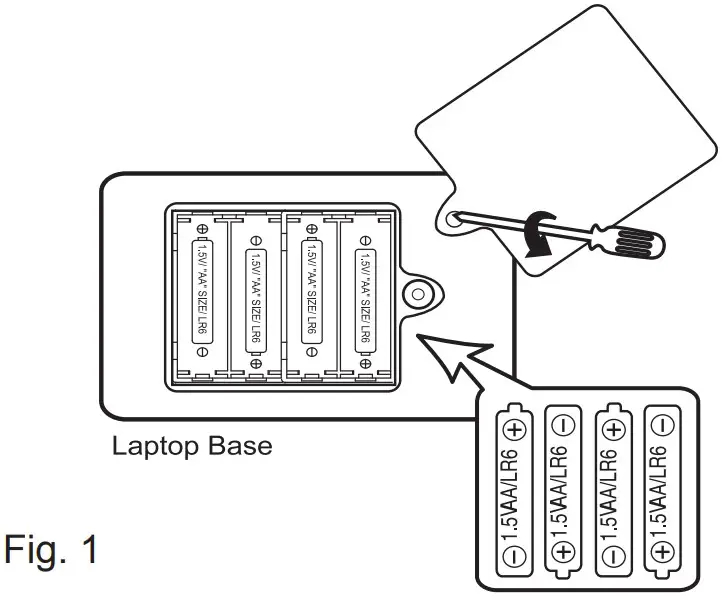
SAFE BATTERY USAGE
- Use alkaline batteries for better performance.
- Non-rechargeable batteries are not to be recharged.
- Rechargeable batteries are to be removed from the toy before being charged.
- Rechargeable batteries are only to be charged under adult supervision.
- Different types of batteries or new and used batteries are not to be mixed.
- Only batteries of the same or equivalent type as recommended are to be used.
- Batteries are to be inserted with the correct polarity.
- Exhausted batteries are to be removed from the toy.
- The supply terminals are not to be short-circuited.
- Do not dispose of the batteries in fire; batteries may leak or explode.
- Batteries should be removed and replaced by an adult.
AC Adapter Connection
An adaptor for your Bratz™ Cyber Style Laptop is not included but should be available at your local electronics store. Ask for an adaptor with a d.c. 6.0V 500mA output with a center positive 4mm diameter plug.
INSTALLING THE ADAPTOR
- With the laptop turned OFF, plug an AC adaptor into the DC power jack on the right side of the laptop.
- Plug the adaptor into the AC wall outlet.
QUICK START
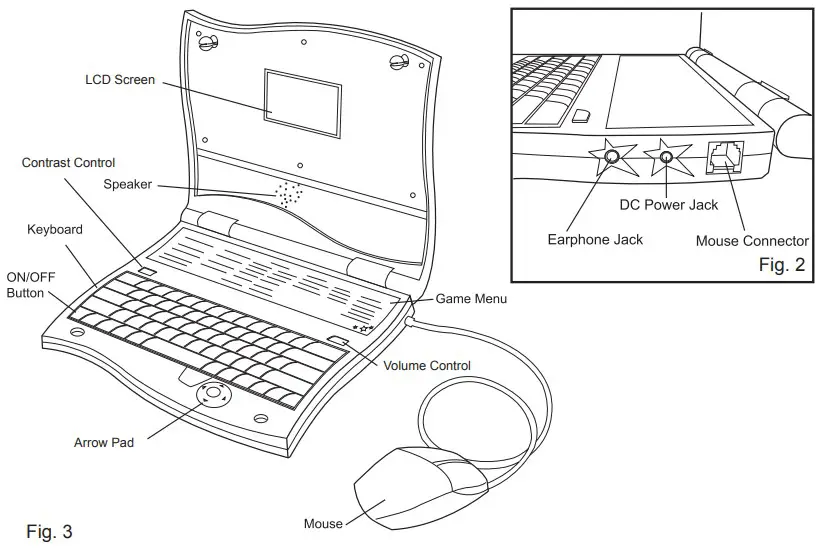
- Plug your Mouse into the Port located on the right side of the Laptop (see Fig. 2).
- Turn the Laptop ‘ON/OFF button located in the lower-left corner of the Keyboard (see Fig. 3).
- Adjust the sound volume and screen contrast levels by using the Volume and Contrast Control switches. (See Fig. 3)
- Enter the 2 Digit Game Code of the Game you wish to play (see GAME CODES).
(NOTE: This does not work in every game.) - If you get stuck on a question, press the ANSWER key and the Laptop will tell you the correct answer (see Fig. 4).
- Once you have selected a Game, the Laptop will tell you how to play.
- While you are playing, you may use the REPEAT button to have the Laptop repeat the question (see Fig. 4).
- If no buttons are pressed for 1 minute, a Screen Saver will activate. If, while the Screen Saver is on, no buttons are pressed for about 1 minute, the Laptop will turn OFF and the Game you were playing will not be saved.
- If you press the Heart Icon, a Screen Saver will be activated (See Fig. 4) and the backlight will turn off.
Press any key to turn the Screen Saver off and reactivate the backlight. - You can turn the Music ON or OFF by pressing the MUSIC button.
- To hear the instructions to a Game, while you are playing, press the HELP button (see Fig. 4).
(NOTE: This does not work in every game.) - If at any time, you want to quit the game, press the ESC or MENU button.
- . If you wish to use a standard set of earphones (not included) with your laptop, you may plug them into the earphone jack located on the side of the laptop (see Fig. 2)
GAME BODE
- SPELLING:
- Spelling Blitz
- Spending And Spelling
- Fix ‘em Up
- Mix It Up
- Pyramid Party
- Kiss N Spell
- Sounds of Silence
- VOCABULARY:
- Flash N Dash
- Wear, Wares, Where?
- Look N Label
- Guessin’ Groove
- Shopping for Synonyms
- Opposites Attract
- The Nose Knows
- Classy Clues
- MATH:
- Add It Up
- Stylin’ Subtraction
- Hot Times
- Dazzlin’ Division
- The Next Trend
- Fraction Funk
- Mod Methods
- Marvelous Measurements
- Time Will Tell
- Greater or Less
- MIND BENDERS:
- Scorchin’ Scavenger Hunt
- Get Down
- Puzzle Party
- Out of Style
- Breakin’ Up
- PL8 Puzzles
- GRAMMAR:
- Bratz vs. dolls
- Punctuation Perfection
- Category Cool
- Awesome Abbreviations
- Cool Contractions
- Perfect Tense
- Words Within Words
- Category Cool: Amped Up
- Crazy Phrases
- MUSIC
- Repeat the Beat
- Note the Notes
- Music Challenge
- Silly Sounds
- Funky Beats
- SPANISH:
- ¿Qué ES?
- Numero Uno Groove-O
- ¿Qué Dijiste?
- ¿Chicas o Chicos?
- ¿Qué Pasa?
- ¡Hablemos!
- Palabra Misterio
- ¡Yo Veo!
- ¿Quien Es?
- STUDY BREAK:
- Munch Munch
- String It Up
- Personality Check
- Lil’ Bratz Advice
- Screen Savers
- Calculator
- WRITING:
- Silly Stories
- Luv Letters
- Homespun Haikus
- Possessive or Plural?
- Charming Cherry Cheeks
- Who Said What
- ART & SCIENCE:
- US Geography
- World Geography
- Trivia
- Doodle
- Stamp Drawing
- TOUCH TYPING:
- Match and Catch
- Typing Teacher
- Word Tiles
- Word Strike
GAMES
The Games listed below are played with a combination of the Arrow Pad (located in the bottom right hand corner of the opened laptop), the Keyboard, and the Mouse. In most cases, the Arrow Pad can be substituted for the Mouse.
SPELLING BLITZ – 01
It’s a speling blitz and you’re invited! Just listen to the word, look at the picture and type in the correct spelling!
SPENDING & SPELLING – 02
It’s gonna cost you to guess the mystery word! You’ve get $5 for each turn and every wrong guess costs you $0.50, so you gotta be careful, cause you need at least $15 to get to the next level!
FIX ‘EM UP! – 03
The only way to fix up these word lists is to identify the misspelled word! Once you’ve clicked on it, it’s gone and the list is fixed, but there’s plenty of misspellings left to find.
MIX IT UP! – 04
The letters have gotten all mixed up, and it’s your job to put them back in the right order! So type the letters the way they’re supposed to be to correct the word and solve the problem!
PYRAMID PARTY – 05
Use the letters on the left side of the screen to build a word pyramid! just fill in the blank space or spaces to make a word out of the letters provided, once you’ve built up a whole pyramid, you move on to the next one!
KISS N’ SPELL – 06
It’s time to kiss those letters good bye! Use the mouse to move your lips underneath the letters, then press the left mouse button to fire. You’ve gotta time it just right to hit the letter you want, but once you,ve caught it, you can start building your word.
SOUNDS OF SILENCE – 07
Look at the picture of the word, then use the mouse to click on the correct spelling.
FLASH ‘N’ DASH – 08
It’s time to rhyme, just use the mouse to click on the words that sound similar!
WEAR WARES WHERE? – 09
Fill in the blank by picking which of the homonyms (words that sound the same) is the right one to complete the sentence.
LOOK ‘N’ LABEL – 10
Use the mouse to click on the word that describes the picture
GUESSIN’ GROOVE – 11
Guessin’ Groove is the totally cool trivia game that gives you a hint to guess the word. If you think you know it, type in the word, if you’re not sure, take a guess!
SHOPPING FOR SYNONYMS – 12
Click on the word in the store window that means the same thing as the word on the bottom of the screen.
OPPOSITES ATTRACT – 13
Click on the word at the bottom of the screen that means the opposite of the one on the top. If you get them all right, Yasmin™ might get to meet a new boyfriend!
THE NOSE KNOWS – 14
Use the mouse to pick the word that describes the picture. But be careful, even though the words sound the same, they mean different things, and only one of them is right!
CLASSY CLUES! – 15
This game is all about clues! The first letter of the word is already filled out. Plus you get 4 moreclues to help you discover the mystery word. But you’ve gotta hurry, because the longer it takes you to solve the word, the fewer points you get!
 mgae.com