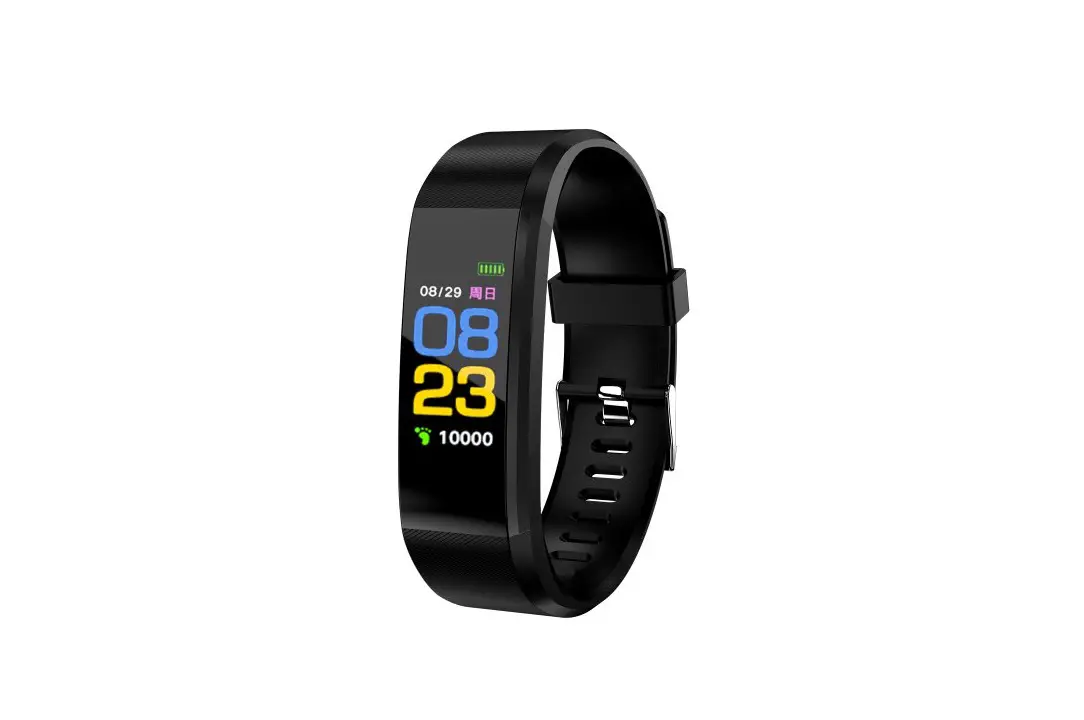
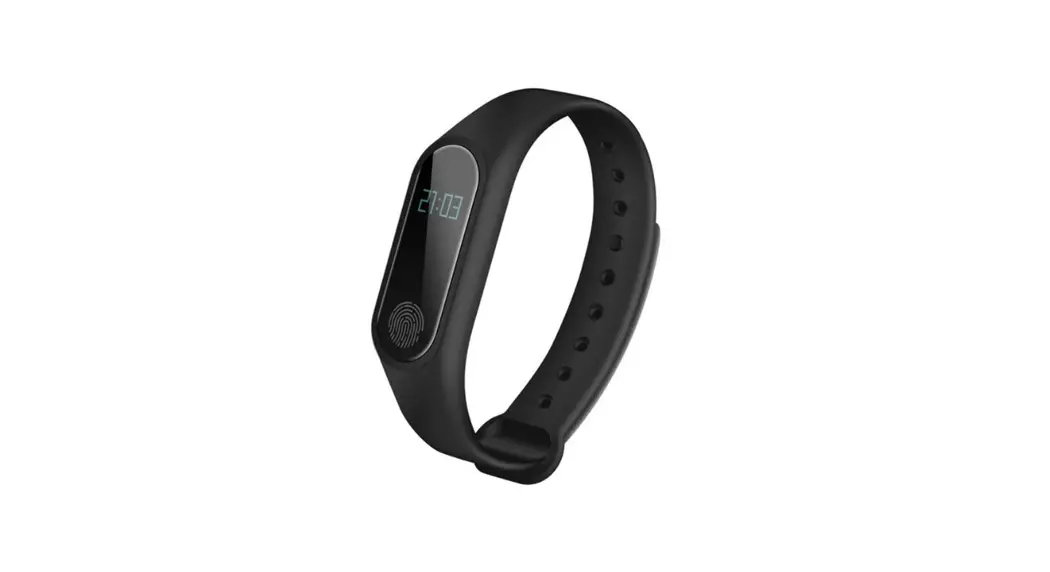
![Veryfitpro [id115u Hr Smart Bracelet] User Manual](https://static-data1.manualsee.com/1/img/453/4010/2019/03/VeryFitPro-ID115U-HR-Smart-Bracelet-FEATURED.png)
 VeryFitPro [ID115U HR Smart Bracelet] User Manual
![VeryFitPro [ID115U HR Smart Bracelet]](data:image/svg+xml,%3Csvg%20xmlns=%22http://www.w3.org/2000/svg%22%20width=%22441%22%20height=%22642%22%3E%3C/svg%3E)
 VeryFitPro [ID115U HR Smart Bracelet] User Manual
![VeryFitPro [ID115U HR Smart Bracelet]](https://static-data1.manualsee.com/1/img/453/4010/2019/03/VeryFitPro-ID115U-HR-Smart-Bracelet.png)
VeryFitPro [ID115U HR Smart Bracelet] User Manual
Working conditions for mobile
- iOS 7.1 & above
![VeryFitPro [ID115U HR Smart Bracelet]-1](data:image/svg+xml,%3Csvg%20xmlns=%22http://www.w3.org/2000/svg%22%20width=%22266%22%20height=%2292%22%3E%3C/svg%3E)
- Android 4.4 & above
![VeryFitPro [ID115U HR Smart Bracelet]-2](data:image/svg+xml,%3Csvg%20xmlns=%22http://www.w3.org/2000/svg%22%20width=%2264%22%20height=%2283%22%3E%3C/svg%3E)
- Support Bluetooth 4.0
![VeryFitPro [ID115U HR Smart Bracelet]-1](https://static-data1.manualsee.com/1/img/453/4010/2019/03/VeryFitPro-ID115U-HR-Smart-Bracelet-1.png)
![VeryFitPro [ID115U HR Smart Bracelet]-2](https://static-data1.manualsee.com/1/img/453/4010/2019/03/VeryFitPro-ID115U-HR-Smart-Bracelet-2.png)
Quick Start Guide
- Download VeryFitPro app
The smart band needs to pair with the smartphone through an app. Before downloading, please refer to the working conditions for mobile.- Way to download 1: Searching the QR code, scan, and download the app.
Please use the QR code Scan tool to scan the following QR code and open the link and download the app. In case there is any problem opening the link, please try to copy the link and open it by the browser. - Way to download 2: Search in the phone market and download.
Please search and download the “VeryFitPro” from App Store or Google play store.![VeryFitPro [ID115U HR Smart Bracelet]-3](data:image/svg+xml,%3Csvg%20xmlns=%22http://www.w3.org/2000/svg%22%20width=%22421%22%20height=%22180%22%3E%3C/svg%3E)
- Way to download 1: Searching the QR code, scan, and download the app.
- Device Activate & Charge
Make sure power is working normally before initial use. In case the device is under low battery, connect the device to the charger. The device will automatically boot up (please connect the USB in the normal DC port (5V-500mA) for charging as below. The host should be separated from the strap when charging).![VeryFitPro [ID115U HR Smart Bracelet]-4](data:image/svg+xml,%3Csvg%20xmlns=%22http://www.w3.org/2000/svg%22%20width=%22354%22%20height=%22344%22%3E%3C/svg%3E)
- Pair the device
Open pair device in the app, please make sure the Bluetooth is ON when pairing the device. When searching and pairing the device, please long press on the screen of the device and activate the device (light on). The app will search the device automatically, choose the device name and connect the device to the app.![VeryFitPro [ID115U HR Smart Bracelet]-5](data:image/svg+xml,%3Csvg%20xmlns=%22http://www.w3.org/2000/svg%22%20width=%22500%22%20height=%22209%22%3E%3C/svg%3E)
![VeryFitPro [ID115U HR Smart Bracelet]-3](https://static-data1.manualsee.com/1/img/453/4010/2019/03/VeryFitPro-ID115U-HR-Smart-Bracelet-3.png)
![VeryFitPro [ID115U HR Smart Bracelet]-4](https://static-data1.manualsee.com/1/img/453/4010/2019/03/VeryFitPro-ID115U-HR-Smart-Bracelet-4.png)
![VeryFitPro [ID115U HR Smart Bracelet]-5](https://static-data1.manualsee.com/1/img/453/4010/2019/03/VeryFitPro-ID115U-HR-Smart-Bracelet-5.png)
How to Use![VeryFitPro [ID115U HR Smart Bracelet]-6](data:image/svg+xml,%3Csvg%20xmlns=%22http://www.w3.org/2000/svg%22%20width=%22247%22%20height=%22227%22%3E%3C/svg%3E)
![VeryFitPro [ID115U HR Smart Bracelet]-6](https://static-data1.manualsee.com/1/img/453/4010/2019/03/VeryFitPro-ID115U-HR-Smart-Bracelet-6.png)
Key Definitions:
Tap: function switch
Long Press: activate, mode switch
Once the device is connected to the app successfully, it will record and analyze your activities and sleep automatically, Touch the click toggle, the display order is as follows
- Normal Mode
![VeryFitPro [ID115U HR Smart Bracelet]-7](data:image/svg+xml,%3Csvg%20xmlns=%22http://www.w3.org/2000/svg%22%20width=%22569%22%20height=%22349%22%3E%3C/svg%3E)
Note: alarm mode and find phone will only be displayed on the screen after switching ON in the APP. - Remote Camera Shoot Mode
![VeryFitPro [ID115U HR Smart Bracelet]-8](data:image/svg+xml,%3Csvg%20xmlns=%22http://www.w3.org/2000/svg%22%20width=%22167%22%20height=%2247%22%3E%3C/svg%3E)
Put the camera shoot ON in the APP, then device enters in remote shoot screen, control remote photograph shooting with following actions: ( lift wrist sense/tap screen) to shoot a picture. - Sport Mode
![VeryFitPro [ID115U HR Smart Bracelet]-9](data:image/svg+xml,%3Csvg%20xmlns=%22http://www.w3.org/2000/svg%22%20width=%22593%22%20height=%22298%22%3E%3C/svg%3E)
- Notification Mode
![VeryFitPro [ID115U HR Smart Bracelet]-10](data:image/svg+xml,%3Csvg%20xmlns=%22http://www.w3.org/2000/svg%22%20width=%22546%22%20height=%22250%22%3E%3C/svg%3E)
![VeryFitPro [ID115U HR Smart Bracelet]-7](https://static-data1.manualsee.com/1/img/453/4010/2019/03/VeryFitPro-ID115U-HR-Smart-Bracelet-7.png)
![VeryFitPro [ID115U HR Smart Bracelet]-8](https://static-data1.manualsee.com/1/img/453/4010/2019/03/VeryFitPro-ID115U-HR-Smart-Bracelet-8.png)
![VeryFitPro [ID115U HR Smart Bracelet]-9](https://static-data1.manualsee.com/1/img/453/4010/2019/03/VeryFitPro-ID115U-HR-Smart-Bracelet-9.png)
![VeryFitPro [ID115U HR Smart Bracelet]-10](https://static-data1.manualsee.com/1/img/453/4010/2019/03/VeryFitPro-ID115U-HR-Smart-Bracelet-10.png)
Notification Mode instruction:
- Under incoming call, message notify mode, the screen will still display the last time text and slide when there is a new notification coming in.
- If there is a call or message come, the device will force into call/message alert mode no matter under whatever other mode, after quit, it returns to the previous mode.
Functions Instruction
Activities Record:
Record daily activities, you could check daily activities including steps, distance, and calorie consumption in the app;
Sleep Monitoring:
The device could automatically recognize your state and monitor the whole sleep progress by analyzing the deep sleep and light sleep hours; Notification Alerts:
Alarm alert, call alert, sedentary alert, etc. by silent vibration;
Anti-Lost:
When the smartphone is beyond the Bluetooth range (5m), the device vibrates to remind.
Remote Camera Control:
Operation on the screen could control remote photograph shooting.
Heart Rate Monitoring:
The device monitors your heart rate status and helps the user make a suitable exercise plan.
Device Data Storage:
The activity data will be cleared every 0:00 am as a cycle, but the device itself could restore 7 days’ data, after 7 days, the data will be cleared. We suggest user to sync data with app at least one time within 7 days during use.
Basic Specifications
- Model: ID115U HR
- CPU: Nordic
- Sensor: Kionix
- HR Sensor: Silicon Labs
- Host Weight: 18g
- Battery Type: Li-ion Polymer Battery
- Battery Capacity: 45mAh
- Data Sync: Bluetooth 4.0
- Working Temperature: -10 C – 45 C
- Dustproof and Waterproof level: IP67
- Standby: more than 7 days
- Frequency bands: 2402-2480MHz
- Maximum output power: 3.65dBm
This product is applied with a professional Bluetooth RF signal and self-developed algorithm, the accuracy of step pedometer could be up to 95%.
This device complies with Part 15 of the FCC Rules. Operation is subject to the following two conditions:
- this device may not cause harmful interference, and
- this device must accept any interference received, including interference that may cause undesired operation.
Changes or modifications not expressly approved by the party responsible for compliance could void the user’s authority to operate the equipment.
This equipment has been tested and found to comply with the limits for a Class B digital device, pursuant to Part 15 of the FCC Rules. These limits are designed to provide reasonable protection against harmful interference in a residential installation. This equipment generates, uses and can radiate radio frequency energy and, if not installed and used in accordance with the instructions, may cause harmful interference to radio communications. However, there is no guarantee that interference will not occur in a particular installation.
If this equipment does cause harmful interference to radio or television reception, which can be determined by turning the equipment off and on, the user is encouraged to try to correct the interference by one or more of the following measures:
- Reorient or relocate the receiving antenna.
- Increase the separation between the equipment and receiver.
- Connect the equipment into an outlet on a circuit different from that to which the receiver is connected.
- Consult the dealer or an experienced radio/TV technician for help.
CAUTION
RISK OF EXPLOSION IF BATTERY IS REPLACED BY AN INCORRECT TYPE. DISPOSE OF USED BATTERIES ACCORDING TO THE INSTRUCTIONS
Correct Disposal of this product. This marking indicates that this product should not be disposed other household wastes throughout
the EU. To prevent possible harm to the environment or humans from uncontrolled waste disposal, recycle it responsibly to promote the sustainable reuse of material resources. To return your used device, please use the return and collection systems or contact the retailer where the product was purchased. They can take this product for environmentally safe recycling.
FAQS
Can’t find the device when pairing the device?
Please make sure the smartphone Bluetooth is ON and the smartphone OS
Android 4.4 & above and iOS 7.1 & above.
Please make sure the device is near the smartphone when pairing (normal 0.5m) and within the normal Bluetooth communication distance range (within 10m).
Please make sure the device is not under a low battery. If there is still a problem after the full charge, please contact us.
Can’t connect the device with the app?
Some smartphone Bluetooth services will be abnormal when rebooted. Please reboot the Bluetooth or reboot the smartphone for pairing the device.
How to Restore Factory Defaults?
Make sure the device is connected with the app, go in the app, enter “Mine-SystemSetting” and choose “Reboot Device”.
How to update the device?
Make sure the device is connected with the app, go in the app “Device”-“ Device update”, and please wait some minutes before the update is done.
Open “VeryFitPro” APP and on the bottom toolbar, go to “Device” tab. 2) Tap “Bind Device” at the bottom of “Device” page and your smart phone starts searching devices. In the list of found devices, tap ID115U/ID115U HR and confirm to connect the device to your smart phone.
General accuracy for distance and speed isn’t terrible, but the VeryFitPro app – see below – is not the greatest when it comes to analysing your runs. There are a few activity summary widgets available on the watch including steps taken, calories burned and distance travelled. The battery life is not bad.
Turn off your smartphone’s Bluetooth for a few seconds, then activate it and try again. Restart your phone and smartwatch. Disconnect the smartwatch from the Bluetooth settings and try a new pairing directly from the app. Reinstall the app and try again.
One of the biggest features of Fit Pro Tracker is be able to communicate within the system via text messages. The system keeps track of who and when you send your text messages to your Leads and Members. Watch this video to select and send a Sms text message.
Yes, you can answer calls on it.
The App is a malware nightmare. Absolute waste of money. Julian Isaacs doesn’t recommend FitPro Watch. it’s a good watch tho the only problem I have with it after a long run or walk the watch is dead or the battery is very low it takes 2 to 3 days to charge full .
Key features include the monitoring exercise, sleep quality monitoring, heart rate monitor, a smart alarm clock to wake up, smart APP reminders
The FitPro™ Smartwatch S5 is IP67 waterproof with level water-resistant for daily use’ and dust resistance. Training and sports in wind and weather, this clock will never let you down.
With VeryFitPro, you can monitor your health straight from your iPhone. This app offers a full range of features that are necessary for any fitness tracker. You can track your runs and walks through an interactive map that accurately displays distance, calories burned, time, and BPM.
You can force-stop Android apps directly from the “Running Services” menu under Developer Settings or directly from the “Battery usage” sub-menu. Under “Running Services,” if you select an app that is using up a lot of RAM, you can select it and simply hit Stop to stop it from running.
The flashing green lights are the heart rate sensors taking a reading. This happen periodically throughout the day/night when Automatically is enabled for the Heart Rate Detection option within the VeryFitPro app.
In order to keep your Fitbit smartwatch or fitness tracker in working shape, you’ll need to regularly clean your band and wrist. This is particularly true when the band has sweat on it after a workout, otherwise it’ll begin to smell.
VeryFitPro is the companion app to the ID line of smartwatches. You will be able to see how many steps you have taken and monitor your heart rate on the application. It also routes your phone’s notifications to the smartwatch.
The best cheap smartwatches can help you stay connected without having to spend much for something you wear on your wrist. As with the best smartwatches, these budget models offer such features as smartphone notifications and some fitness tracking capabilities, such as GPS and heart rate monitors.
For Android users, the Samsung Galaxy Watch Active2 has the best texting capabilities at a moderate price point. Users can respond to texts by dictating a message, using text templates, or using the handwriting-to-text function. It’s also easy to reply to messages with an emoji by simply tapping the emoji option.
Depending on your smart watch, you can make and answer calls right from your wrist! You just need to make sure the watch is connected to your phone through Bluetooth or through a mobile network. With an LTE watch model, you can even handle calls remotely.
Are the green lights on Fitbit harmful?
Is The Green Light On My Fitbit Safe? Many Fitbits include continuous heart rate monitoring that can be viewed on your phone. For the vast majority of people, the green light that provides this heart rate monitoring is perfectly safe.