BoomBoom 50
BoomBoom 50
Product Information
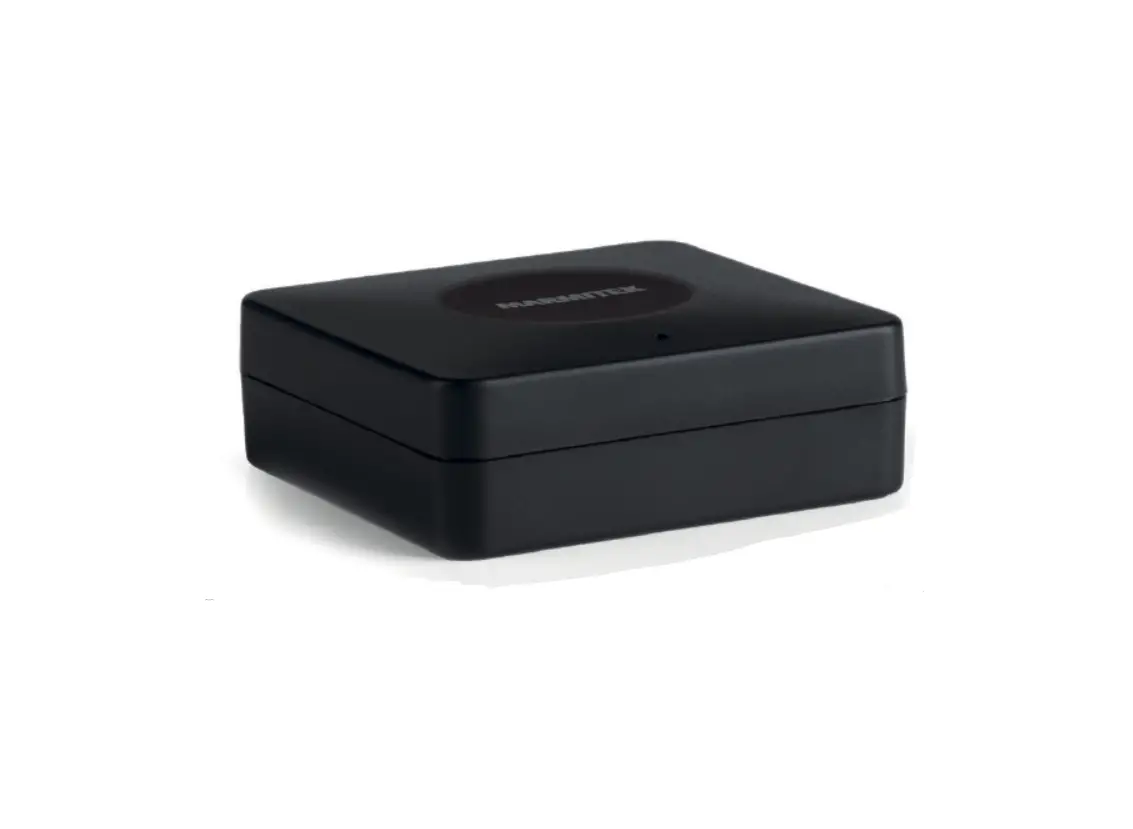
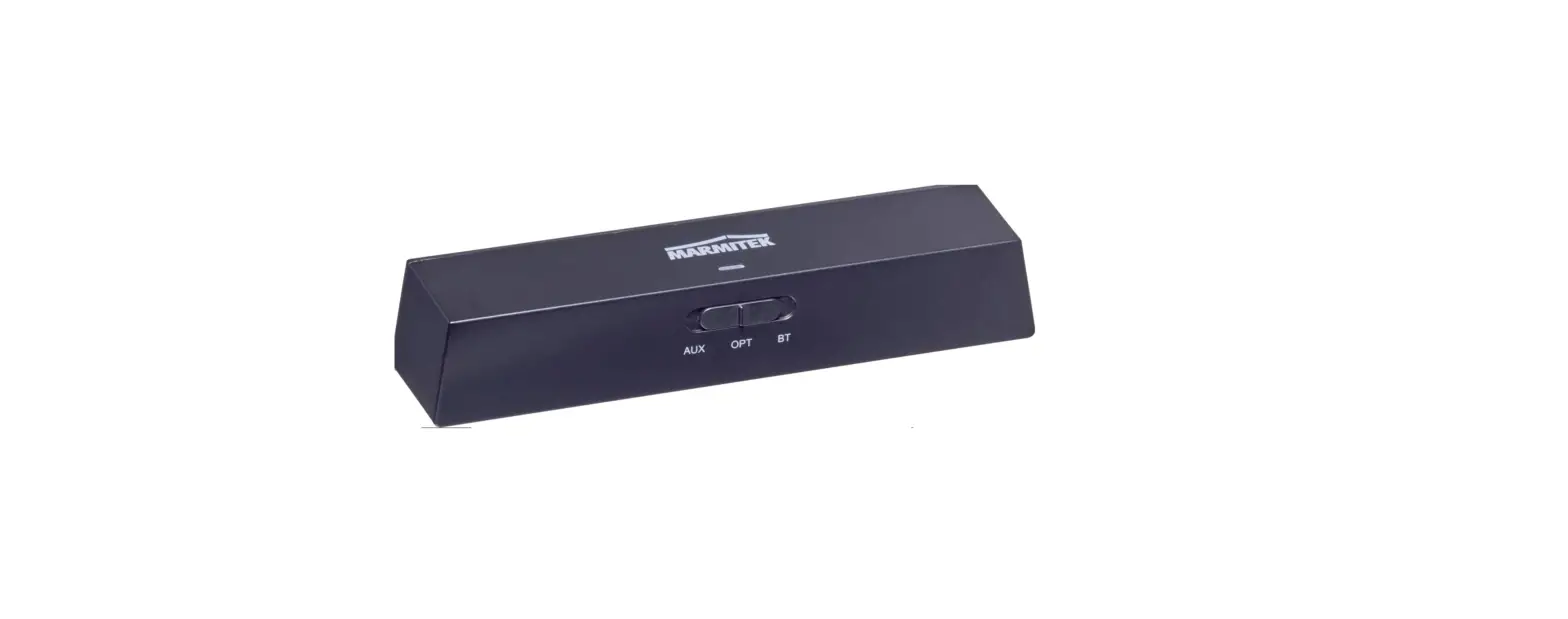
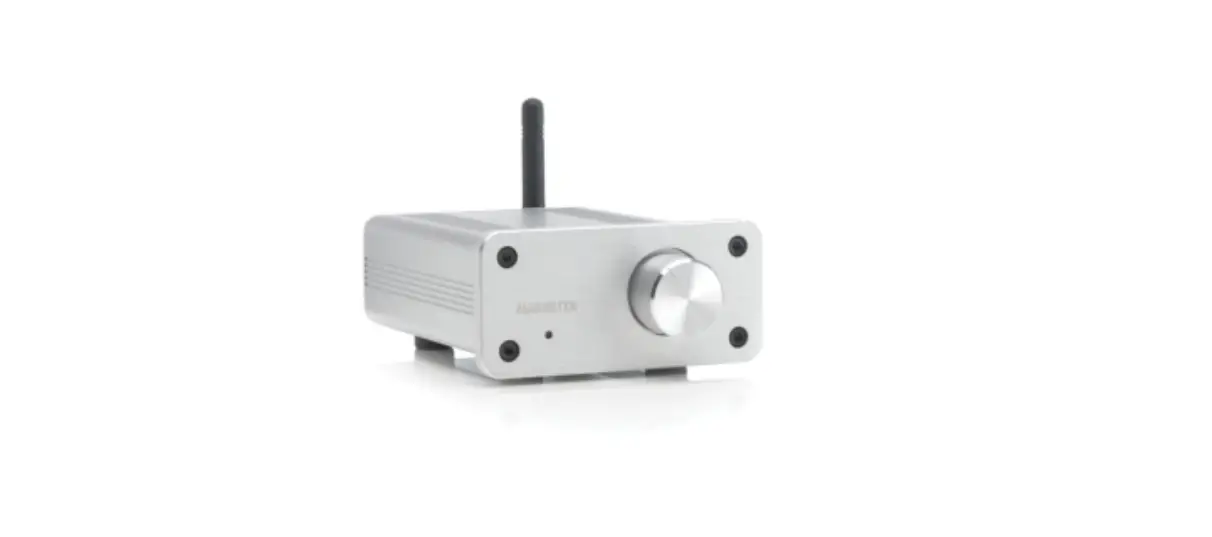
The BoomBoom 50 is a universal Bluetooth wireless stereo audio
transmitter that allows you to listen to TV audio on your Bluetooth
headphones. It can also be used with your Hi-Fi/audio system,
providing superior sound quality. The device is plug & play,
and there is no need to install anything.
Package Contents
- 1 x BoomBoom 50, universal Bluetooth wireless stereo audio
transmitter - 1 x Mini Jack audio cable
- 1 x Mini Jack female to RCA adapter cable
- 1 x Velcro strips
- 1 x USB extension cable
- 1 x set of instructions
Product Usage Instructions
Safety Instructions
Please read the following safety instructions before using the
device:
- This product is for indoor use only.
- Do not use the product in a damp environment or near
water. - Do not expose the product to extremely high or low
temperatures, strong light sources, or direct sunlight. - Keep the product out of reach of children.
- Avoid using headphones/speakers with the volume turned up.
Getting Started
To get started with the BoomBoom 50, follow these steps:
- Connect the Mini Jack audio cable to the BoomBoom 50’s audio
input. - Connect the Mini Jack female to RCA adapter cable to the audio
output (right-left) of your TV or audio system. - Turn on the BoomBoom 50 by using the ON/OFF switch.
- Pair the BoomBoom 50 with your Bluetooth headphones by pressing
the pairing button on the device.
Product Overview
The BoomBoom 50 has the following features:
- USB power connector
- Pairing button
- Audio in
- Mini-jack cable
- Mini-jack adapter cable
Technical Specifications
The BoomBoom 50 has the following technical specifications:
- Bluetooth version: 2.1
- Bluetooth profiles: A2DP, AVRCP
- Range: up to 10 meters
- Audio input: Mini Jack
- Power supply: USB (5V, 500mA)
BoomBoom 50
3 User manual 15 Gebrauchsanleitung 27 Guide utilisateur 39 Modo de empleo 51 Manuale d’istruzioni 63 Gebruiksaanwijzing
2
© MARMITEK
ENGLISH
1 Table of contents
1 Table of contents………………………………………………………. 3 2 Safety instructions…………………………………………………….. 4 3 Your product ……………………………………………………………. 5
3.1 Introduction ……………………………………………………… 5 3.2 Package contents ……………………………………………… 5
4 Product overview………………………………………………………. 6
4.1 LED status……………………………………………………….. 7
5 Getting started …………………………………………………………. 7
5.1 Connecting to your TV or sound system ……………….. 7 5.2 Pairing …………………………………………………………….. 7 5.3 Reconnecting …………………………………………………… 8 5.4 Re-pairing………………………………………………………… 8 5.5 ON / OFF switch ……………………………………………….. 8
6 Product details …………………………………………………………. 9
6.1 Technical specifications……………………………………… 9
7 Frequently asked questions (FAQs) …………………………… 10 8 Notification …………………………………………………………….. 12
8.1 Declaration of Conformity …………………………………. 12 8.2 Recycling……………………………………………………….. 13 8.3 Copyrights ……………………………………………………… 13
BoomBoom 50
3
2 Safety instructions
Please read these instructions thoroughly before you use the device and keep them for future reference.
Only for indoor use. Do not use the product in a damp environment or near water. Do not expose the product to extremely high or low
temperatures, strong light sources or direct sunlight. This product is not a toy. Keep out of reach of children. Avoid using headphones/speakers with the volume turned up
for an extended period of time. Doing so may damage your hearing. It is advisable to keep the volume at a moderate level at all times. Never open the product: the device may contain parts with deadly voltage. Repairs or service should only be performed by qualified personnel. Improper use, self-installed modifications or repairs will void any and all warranties. Marmitek does not accept any product responsibility for incorrect use of the product or use other than for which the product is intended. Marmitek does not accept liability for any consequential damage other than the legal product responsibility.
4
© MARMITEK
ENGLISH
3 Your product
3.1 Introduction
Congratulations on your purchase of the Marmitek BoomBoom 50. This Bluetooth audio transmitter allows you to playback audio from any sound source through headphones or audio receivers that are equipped with Bluetooth technology, without physically connecting your sound source using cables. This may, for instance, be a TV or audio system. You can then control the audio using your sound source or audio receiver. The BoomBoom 50 has a range of approx. 10 metres, enabling limitless enjoyment of your music in the same or adjoining room.
Listen to TV audio on your Bluetooth headphones Get more from your Bluetooth headphones. Enjoy your favourite TV show or music, without bothering
anyone. Read a book undisturbed while your partner or children watch
TV with their headphones on. Superior sound quality. In addition to TV audio, it’s also
suitable for your Hi-Fi/audio system. Plug & Play, no need to install anything.
3.2 Package contents
A. 1 x BoomBoom 50, universal Bluetooth wireless stereo audio transmitter.
B. 1 x Mini Jack audio cable. C. 1 x Mini Jack female to RCA adapter cable. D. 1 x Velcro strips E. 1 x USB extension cable F. 1 x set of instructions
BoomBoom 50
5
4 Product overview
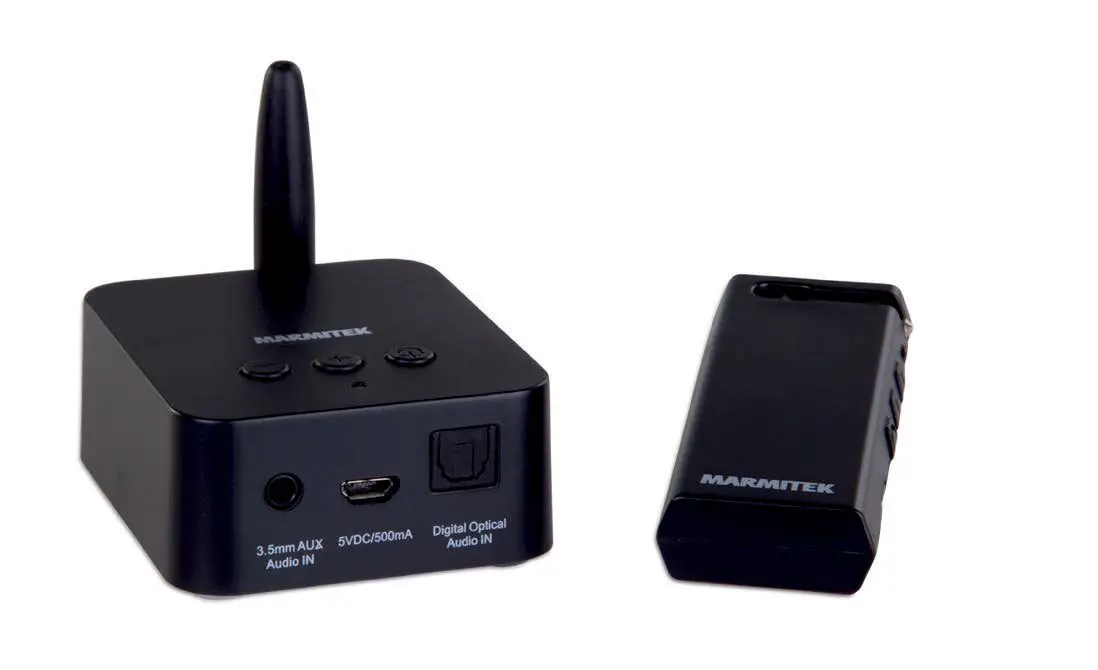
A
USB power connector
Pairing button
Audio in
B
Mini-jack cable This cable is plugged into the BoomBoom 50’s audio input and is then connected to C.
C
Mini-jack adapter cable This cable enables you to connect the BoomBoom 50 to the audio output (right-left) of your TV or audio system.
E
USB extension cable This cable enables you to power the BoomBoom 50.
6
© MARMITEK
ENGLISH
4.1 LED status
LED status Blue LED flashing quick Red/Blue LED flashing Blue LED lit continuously Blue LED flashing slowly
Description Searching for last device Pairing mode Connected Standby
5 Getting started
Please take the following steps before using the product:
Connect the BoomBoom 50 to your TV or audio system Power the BoomBoom 50 Pair the BoomBoom 50 with a Bluetooth-enabled headset or
speaker Enjoy!
We will now explain this step by step.
5.1 Connecting to your TV or sound system
1a TV Plug one end of the mini jack plug cable into your TV’s headphones jack. Your TV speakers are likely to be switched off now and you can adjust the volume using your TV’s remote control (also refer to your TV’s operating instructions).
1b Hi-Fi Use the supplied adapter cord to connect the BoomBoom 50 to an analogue output (AUX OUT, TAPE OUT) on your audio system.
2 Connect the other end of the mini jack plug cable to the BoomBoom 50’s Audio In.
5.2 Pairing
1. Make sure your Bluetooth headphones are close to the BoomBoom 50. The best distance is about 1 metre.
BoomBoom 50
7
2. Put your Bluetooth headphones in pairing mode (please refer to your headphones’ user manual).
3. Connect the BoomBoom 50’s USB connector to a USB port on your TV or possibly use a USB power adapter (not supplied).
4. The BoomBoom 50 will now be automatically paired with your headphones. Once the pairing has been established, the blue LED on the BoomBoom 50 will light up continuously (this may take a while).
5.3 Reconnecting
Whenever the BoomBoom 50 or your headphone has been switched off, the BoomBoom 50 will automatically reconnect as soon as the BoomBoom 50 and the headphones are turned back on again.
5.4 Re-pairing
To re-pair the BoomBoom 50 with another set of Bluetooth headphones. Press and hold the “pairing” button on the BoomBoom 50 for 0.5 seconds. Any previously paired device will be deleted. The BoomBoom 50’s red/blue LED will flash and the BoomBoom 50 will automatically make a connection with a set of Bluetooth headphones that are in pairing mode.
5.5 ON / OFF switch
If you want to turn off the BoomBoom 50, press the button for 2 seconds. Would you like BoomBoom 50 on again, then you press the button for 2 seconds.
8
© MARMITEK
ENGLISH
6 Product details
6.1 Technical specifications
General specifications
DC Power via USB
5V
Input Audio Input
Jack 3.5 mm stereo
Bluetooth Control Supported Bluetooth profiles Supported Codec Audio Latency
Auto Pairing and connection A2DP SBC SBC, 200 ms +/-50 ms
Electric Performance RF Bluetooth version Frequency Frequency Hopping Channels Transmit Power (Class 2) Range (free field)
Bluetooth 3.0 + EDR 2402~2480 MHz 1600 hops/seconds 79 channels 4 dBm (Max) Up to 10 meters with Class 2> <2 connection Up to 30 meters with Class 2> <1 connection
Electrical Performance–audio RL (1kHz tone / A-weight / 2 Vrms)
Audio Input Level (Max)
1.2V (rms)
Frequency response
20 ~ 20 kHz (± 3 dB)
Channel Separation Audio R/L 85 dB
SNR (nominal, Audio RL)
70 dB
total harmonic distortion (nominal, Audio RL) 0.05%
Physical Light Indicator Dimension Weight Operation temperature Storage temperature
2 color LED (Blue/Red) 66 x 33 x 13 mm 30 grams. -10°C ~ +55°C -20°C ~ +60°C
In order to continue improving the product, Marmitek reserves the right to change specifications and/or designs without prior notice.
BoomBoom 50
9
7 Frequently asked questions (FAQs)
I am unable to pair my BoomBoom 50. Please check the following: 1. Ensure that the BoomBoom 50 has been powered on and in
pairing mode state (red / blue LED flashes slowly). 2. Ensure that your headphones are in pairing mode (refer to
your headphones’ user manual). 3. Ensure that the distance between your headphones and the
BoomBoom 50 is not too large and there are no major obstacles between them. 4. To ensure the widest possible range, make sure your BoomBoom 50 is within line of sight and the internal antenna is not positioned near large metal objects.
My BoomBoom 50 is paired, but I don’t hear anything. 1. Ensure that the blue LED on the Boom Boom 50 lights up
continuously. 2. Ensure that the audio cable is properly connected. 3. Ensure that the BoomBoom 50 is connected to the correct
audio output. 4. Ensure that the volume of your audio source is set to a
comfortable listening level. 5. Ensure that the BoomBoom 50 is paired with the correct
headphones.
My connection often drops out. If the connection often drops out, then check whether the BB50 is mounted behind the TV. It turns out in practice that some TVs may block the Bluetooth signal. Extending the USB connection, so the BB50 will just come out from under the TV is often a good solution.
10
© MARMITEK
ENGLISH
I am unable to automatically connect to my headphones. If you do not automatically get a connection to your headset, press the button for 0.5 seconds (the BoomBoom 50 then goes into pairing mode) and put the headset in pairing mode.
Can I only use the BoomBoom 50 with headphones? No, you can use the BoomBoom 50 with any Bluetooth device with audio playback capability. Including, for example, a Bluetooth speaker or a Marmitek BoomBoom 90 Bluetooth music receiver. If attached to your audio system, you can choose whether you want to hear the sound using the audio system and/or your headphones, or through the TV’s speakers.
Whenever I watch TV, audio is out of sync with video. The wireless transmission of audio over Bluetooth may indeed result in some delay (latency). In most cases, this latency is not disturbing, only some of the users may experience this as a nuisance. If you use a media box to watch TV, connect the BoomBoom 50 to the audio output of your media box. This results in reduced latency.
The sound is distorted by a hum or interference If you do not use an adapter to power the BoomBoom 50, but, for example, connect it to your audio system’s USB connector, the resulting ground loop may sometimes cause a hum. In this case, use a USB power adapter (such as the Marmitek USB power adapter). Using a USB port on, for example, a PC may also cause interference.
Do you have any other questions that have not been resolved by the above information? Please go to www.marmitek.com
BoomBoom 50
11
8 Notification
8.1 Declaration of Conformity
Hereby, Marmitek BV, declares that this BoomBoom 50 is in compliance with the essential requirements and other relevant provisions of the following Directives: Directive 2014/53/EU of the European Parliament and of the Council of 16 April 2014 on the harmonisation of the laws of the Member States relating to the making available on the market of radio equipment and repealing Directive 1999/5/EC.
Directive 2011/65/eu of the European parliament and of the council of 8 June 2011 on the restriction of the use of certain hazardous substances in electrical and electronic equipment.
You can read the Declaration of Conformity at http://www.marmitek.com
12
© MARMITEK
ENGLISH
8.2 Recycling
Environmental Information for Customers in the European Union and other European countries with separate collection systems. This symbol on the product or on its packaging indicates that this product shall not be treated as household waste. Instead it shall be handed over to the applicable collection point for the recycling of electrical and electronic equipment. It is your responsibility to dispose of this and other electric and electronic equipment via designated collection facilities appointed by the government or local authorities. Correct disposal and recycling will help prevent potential negative consequences to the environment and human health. For more detailed information about the disposal of your old equipment, please contact your local authorities, waste disposal service, or the shop where you purchased the product.
8.3 Copyrights
Marmitek is a trademark of Vogel’s Holding B.V. All rights reserved. Every effort has been made to ensure that the information in this manual is accurate. Marmitek is not responsible for printing or clerical errors. Copyright and all other proprietary rights in the content (including but not limited to model numbers, software, audio, video, text and photographs) rests with Marmitek B.V. Any use of the Content, but without limitation, distribution, reproduction, modification, display or transmission without the prior written consent of Marmitek is strictly prohibited. All copyright and other proprietary notices shall be retained on all reproductions. Other company and product names mentioned herein may be trademarks of their respective companies. Mention of third-party products is for informational purposes only and constitutes neither an endorsement nor a recommendation. Marmitek assumes no responsibility with regard to the performance or use of these products.
BoomBoom 50
13
Marmitek BV – PO Box 4257 – 5604 EG Eindhoven The Netherlands
14
© MARMITEK
DEUTSCH
1 Inhaltsverzeichnis
1 Inhaltsverzeichnis……………………………………………………. 15 2 Sicherheitshinweise ………………………………………………… 16 3 Ihr Produkt …………………………………………………………….. 17
3.1 Einführung ……………………………………………………… 17 3.2 Verpackungsinhalt …………………………………………… 17
4 Produktübersicht …………………………………………………….. 18
4.1 LED Anzeige ………………………………………………….. 19
5 Los geht’s ……………………………………………………………… 19
5.1 Anschluss an fernseher oder stereoanlage ………….. 19 5.2 Koppeln …………………………………………………………. 20 5.3 Erneut verbinden …………………………………………….. 20 5.4 Erneut koppeln ……………………………………………….. 20 5.5 ON / OFF-schalter …………………………………………… 20
6 Produktinformationen ………………………………………………. 21
6.1 Technische Daten……………………………………………. 21
7 Häufig gestellte Fragen (FAQs) …………………………………. 22 8 Hinweis …………………………………………………………………. 24
8.1 Konformitätserklärung ……………………………………… 24 8.2 Recycling……………………………………………………….. 25 8.3 Urheberrechte ………………………………………………… 26
BoomBoom 50
15
2 Sicherheitshinweise
Lesen Sie diese Gebrauchsanleitung sorgfältig durch, bevor Sie das Gerät in Betrieb nehmen und bewahren Sie diese Anleitung bitte für eventuelle, spätere Bedarfsfälle auf.
Ausschließlich für Verwendung in Innenräumen. Dieses Produkt nicht in einer feuchten Umgebung oder nahe
Wasserquellen verwenden. Setzen Sie dieses Produkt nicht extrem hohen oder
niedrigen Temperaturen, starken Lichtquellen und direkter Sonneneinstrahlung aus. Dieses Produkt ist kein Spielzeug. Außer Reichweite von Kindern halten. Um Gehörschäden zu vermeiden, sollten Sie nicht über längere Zeit mit großer Lautstärke hören! Das Produkt niemals öffnen: Das Gerät kann Teile enthalten, worauf lebensgefährliche Stromspannung steht. Überlassen Sie Reparaturen oder Wartung nur Fachleuten. Bei einer zweckwidrigen Verwendung, selbst angebrachten Veränderungen oder selbst ausgeführten Reparaturen verfallen alle Garantiebestimmungen. Marmitek übernimmt bei einer falschen Verwendung des Produkts oder bei einer anderen Verwendung des Produktes als für den vorgesehenen Zweck keinerlei Produkthaftung. Marmitek übernimmt für Folgeschäden keine andere Haftung als die gesetzliche Produkthaftung.
16
© MARMITEK
DEUTSCH
3 Ihr Produkt
3.1 Einführung
Herzlichen Glückwunsch zum Erwerb des Marmitek BoomBoom 50. Mit diesem Bluetooth Audiosender können Sie den Ton einer Tonquelle auf einem Kopfhörer oder Audioempfänger mit Bluetooth Technologie abspielen, ohne die Tonquelle mit Kabeln anschließen zu müssen. Dabei kann es sich um beispielsweise einen Fernseher oder Stereoanlage handeln. Sie können daraufhin den Ton über Ihre Tonquelle oder Ihren Audioempfänger regeln. Der BoomBoom 50 hat eine Reichweite von ca. 10 Metern, sodass Sie Ihre Musik im selben Raum oder Nebenzimmer genießen können.
Den Ton Ihres Fernsehers mit Ihrem Bluetooth Kopfhörer empfangen. Ziehen Sie mehr Vorteile aus Ihrem Bluetooth Kopfhörer. Genießen Sie Ihr Lieblingsfernsehprogramm oder Ihre Musik,
ohne andere zu stören. Lesen Sie ungestört ein Buch, während Ihr Partner oder Ihre
Kinder mit einem Kopfhörer fernsehen. Vorzügliche Tonqualität. Abgesehen vom Ton des Fernsehers
auch für Ihre HiFi/Stereoanlage geeignet. Plug & Play; Sie brauchen nichts zu installieren.
3.2 Verpackungsinhalt
A. 1 x BoomBoom 50, universeller, drahtloser Bluetooth Stereotonsender.
B. 1 x Mini Buchsenanschluss (female) zum Cinch Übergangskabel
C. 1 x Jack Stereo Kabel D. 1 x Velco Klettbändern E. 1 x USB-Verlängerungskabel F. 1 x Gebrauchsanleitung
BoomBoom 50
17
4 Produktübersicht
A
USBStromanschluss
Kopplungstaste
Audio-in
B
Mini-Jack Kabel Dieses Kabel mit dem Audio-Output des BoomBoom 50 und danach mit D verbinden.
C
Mini-Jack Konverterkabel Mit diesem Kabel schließen Sie den BoomBoom 50 an den Audioausgang (rechts-links) Ihres Fernsehers oder Ihrer Stereoanlage an.
E
USB Speisungskabel Dieses Kabel speist den BoomBoom 50 mit Strom.
18
© MARMITEK
DEUTSCH
4.1 LED Anzeige
LED Anzeige Blaue LED blinkt schnell Rote / blaue LED blinkt Blaue LED leuchtet kontinuierlich Blaue LED blinkt langsam
Beschreibung Suche nach letztem Gerät Koppel-Modus Verbunden
Standby
5 Los geht’s
Befolgen Sie nachfolgende Schritte, um das Produkt in Betrieb zu nehmen:
Schließen Sie den BoomBoom 50 an Ihre Stereoanlage an Speisen Sie den BoomBoom 50 mit Strom Paaren Sie den BoomBoom 50 mit einem Bluetooth
Kopfhörer …und fertig!
Noch einmal alles Schritt für Schritt erklärt.
5.1 Anschluss an fernseher oder stereoanlage
1a TV Schließen Sie eine Seite des Mini Klinkenbuchsenkabels an den Kopfhöreranschluss Ihres Fernsehers an. Die Lautsprecher Ihres Fernsehers werden dann oftmals abgeschaltet und Sie können den Ton mit der Fernbedienung Ihres Fernsehers regeln (sehen Sie auch die Gebrauchsanleitung ihres Fernsehers).
1b Hifi Verwenden Sie das enthaltene Übergangskabel, um den BoomBoom 50 an den Analogausgang (AUX AUS, TAPE AUS) Ihrer Stereoanlage anzuschließen.
2 Schließen Sie die andere Seite des Mini Klinkenbuchsenkabels an den Audio Eingang des BoomBoom 50 an.
BoomBoom 50
19
5.2 Koppeln
1. Bringen Sie Ihren Bluetooth Kopfhörer nahe des BoomBoom 50. Die beste Entfernung beträgt ungefähr 1. Meter.
2. Schalten Sie Ihren Bluetooth Kopfhörer in den Kopplungsmodus (sehen Sie dazu die Gebrauchsanleitung Ihres Kopfhörers)
3. Schließen Sie die USB Steckverbindung des BoomBoom 50 an einen USB Port Ihres Fernsehers an oder verwenden Sie eventuell einen USB Power-Adapter (nicht enthalten).
4. Der BoomBoom 50 wird jetzt mit Ihrem Kopfhörer automatisch Verbindung machen. Nachdem die Verbindung hergestellt wurde, wird die LED am BoomBoom 50 unaufhörlich blau leuchten (das kann eine Weile dauern).
5.3 Erneut verbinden
Wenn der BoomBoom 50 oder Ihre Kopfhörer ausgeschaltet waren, stellt der BoomBoom 50 automatisch wieder eine Verbindung her, nachdem Sie den BoomBoom 50 oder den Kopfhörer wieder eingeschaltet haben.
5.4 Erneut koppeln
Wenn Sie den BoomBoom 50 mit einem anderen Bluetooth Kopfhörer erneut koppeln möchten. Halten Sie die “Pairing” Taste am BoomBoom 50 0,5 Sekunden lang fest. Vormals gekoppelte Geräte werden nun gelöscht. Die Rote/blaue LED am BoomBoom 50 beginnt zu blinken und der BoomBoom 50 wird automatisch eine Verbindung mit einem Bluetooth Kopfhörer, der im Kopplungsmodus ist, herstellen.
5.5 ON / OFF-schalter
Wenn Sie zum Ausschalten des BoomBoom 50 wollen, drücken Sie die Taste für 2 Sekunden. Würden Sie BoomBoom 50 gerne wieder ein, und drücken Sie dann die Taste für 2 Sekunden.
20
© MARMITEK
DEUTSCH
6 Produktinformationen
6.1 Technische Daten
Allgemeine Angaben
DC Speisung über USB
5V
Eingang Audioeingang
3,5 mm Stereo Stecker Anschluss
Bluetooth Verbindung Unterstütztes Bluetooth Profil Unterstützte Codecs Audioverzögerung
Automatisch koppeln und verbinden. A2DP SBC SBC, 200 ms +/-50 ms
Elektrische Ausführung – RF
Bluetooth Version
Bluetooth 3.0 + EDR
Frequenz
2402~2480 MHz
Frequenzsprung
1600 Hops / Sekunde
Kanäle
79 Kanäle
Sendeleistung ( Klasse 2 ) 4 dBm ( Max )
Reichweite (freies Feld)
Bis zu 10 Meter mit Klasse 2> <2-
Anschluss
Bis zu 30 Meter mit Klasse 2> <1-
Anschluss
Elektrische Ausführung Ton (1 kHz Ton / dB(A) / 2 Vrms)
Audio Eingangspegel ( Max ) 1,2V ( rms )
Frequenzbereich
20 ~ 20 kHz (± 3 dB)
Kanalabstand Audio R / L
85 dB
Signal / Rauschverhältnis
70dB.
Gesamte Harmonische
Verzerrung
0.05%
Physikalisch Lichtanzeige Maßangaben (H x B x D) Gewicht Betriebstemperatur Lagertemperatur
2 Farb-LED (Blau / Rot) 66 x 33 x 13 mm 30 gramm -10°C ~ +55°C -20°C ~ +60°C
Hinsichtlich weiterer Produktverbesserungen behält sich Marmitek das Recht vor, Spezifikationen und/oder Entwürfe ohne vorherige Ankündigung zu ändern.
BoomBoom 50
21
7 Häufig gestellte Fragen (FAQs)
Ich kann meinen BoomBoom 50 nicht koppeln. Achten Sie auf Nachfolgendes: 1. Überprüfen Sie, ob der BoomBoom 50 Strom erhält und in
den Pairing-Modus (rot / blaue LED blinkt langsam) eingeschaltet wurde. 2. Überprüfen Sie, ob sich Ihr Kopfhörer im Kopplungsmodus befindet (sehen Sie dazu die Gebrauchsanleitung Ihres Kopfhörers). 3. Halten Sie einen nicht zu großen Abstand zwischen Kopfhörer und BoomBoom 50 ohne große, im Weg stehende Hindernisse, ein. 4. Stellen Sie Ihren BoomBoom 50 für eine größtmögliche Reichweite sichtbar und die eingebaute Antenne nicht nahe großer Metallobjekte auf.
Ich höre nichts, obwohl mein BoomBoom 50 verbunden ist. 1. Überprüfen Sie, ob die blaue LED am BoomBoom 50
kontinuierlich leuchtet. 2. Überprüfen Sie, ob das Audiokabel gut angeschlossen ist. 3. Überprüfen Sie, ob der BoomBoom 50 an den richtigen
Audioausgang angeschlossen ist. 4. Überprüfen Sie, ob der Ton Ihrer Audioquelle auf ein
komfortables Hörniveau eingestellt ist. 5. Überprüfen Sie, ob der BoomBoom 50 mit dem richtigen
Kopfhörer gekoppelt ist.
Die Verbindung fällt dauernd aus. Schauen Sie, wenn die Verbindung häufig ausfällt, ob der BB50 an der Rückseite des Fernsehers montiert ist. Die Erfahrung hat gezeigt, dass manche Fernseher das Bluetooth Signal beträchtlich zurückhalten können. Den USB Anschluss verlängern, sodass der BB50 knapp unterhalb des TV zu sehen ist, ist dann oftmals eine gute Lösung.
22
© MARMITEK
DEUTSCH
Ich kann keine automatische Verbindung mehr mit meinem Kopfhörer herstellen. Führen Sie ein Reset am BoomBoom 50 aus (0,5 Sekunden die Pairing Taste drücken) und stellen Sie den Kopfhörer in den Kopplungsmodus, wenn Sie mit Ihrem Kopfhörer nicht mehr automatisch Verbindung bekommen.
Kann ich den BoomBoom 50 nur für einen Kopfhörer nutzen? Nein. Sie können den BoomBoom 50 mit jedem Bluetooth Gerät, das Ton wiedergibt, verwenden. Also beispielsweise auch einen Bluetooth Lautsprecher, oder den Marmitek BoomBoom 90 Bluetooth Music Receiver. Wenn dieser mit Ihrer Stereoanlage gekoppelt ist, können Sie entscheiden, ob Sie den Ton über die Stereoanlage und/oder Ihren Kopfhörer, oder über die Lautsprecher des Fernsehers empfangen möchten
Wenn ich fernsehe, sind Bild und Ton nicht synchron. Bei der drahtlosen Audioversendung über Bluetooth kann tatsächlich eine Verzögerung auftreten (Latenzzeit). In den meisten Fällen ist diese Verzögerung nicht störend, nur wenige Nutzer empfinden sie als störend. Wenn sie eine Mediabox verwenden, um fern zu sehen, schließen Sie den BoomBoom 50 dann an den Audioausgang Ihrer Mediabox an. Das bewirkt eine kürzere Latenzzeit.
Ich höre ein Brummen und Interferenz Geräusche Wenn Sie den BoomBoom nicht mit einem Adapter speisen, sondern z.B. an den USB Anschluss Ihrer Stereoanlage anschließen, kann das gelegentlich ein Brummen verursachen, da eine Masseschleife entsteht. Verwenden Sie in diesem Fall einen USB Speisungsadapter (z.B. den Marmitek USB Speisungsadapter). Auch ein USB Anschluss von beispielsweise einem PC als Speisung kann Interferenz verursachen.
Sie haben noch Fragen, die im Obigen nicht beantwortet wurden? Schauen Sie dann auf www.marmitek.com
BoomBoom 50
23
8 Hinweis
8.1 Konformitätserklärung
Hiermit erklärt Marmitek BV die Übereinstimmung des Gerätes BoomBoom 50 den grundlegenden Anforderungen und den anderen relevanten Festlegungen der Richtlinien: Richtlinie 2014/53/EU des Europäischen Parlaments und des Rates vom 16. April 2014 über die Harmonisierung der Rechtsvorschriften der Mitgliedstaaten über die Bereitstellung von Funkanlagen auf dem Markt und zur Aufhebung der Richtlinie 1999/5/EG. Richtlinie 2011/65/EU des Europäischen Parlaments und des Rates vom 8. Juni 2011 zur Beschränkung der Verwendung bestimmter gefährlicher Stoffe in Elektro- und Elektronikgeräten.
Sie können die Konformitätserklärung unter http://www.marmitek.com lesen.
24
© MARMITEK
DEUTSCH
8.2 Recycling
Umweltinformation für Kunden innerhalb der Europäischen Union und anderen europäischen Ländern mit einem separaten Sammelsystem für diese Geräte. Das Symbol auf dem Produkt oder seiner Verpackung weist darauf hin, dass dieses Produkt nicht als normaler Haushaltsabfall zu behandeln ist, sondern an einer Annahmestelle für das Recycling von elektrischen und elektronischen Geräten abgegeben werden muss. Es liegt in Ihrer Verantwortung, dieses Gerät und andere elektrische und elektronische Geräte über die dafür zuständigen und von der Regierung oder örtlichen Behörden dazu bestimmten Sammelstellen zu entsorgen. Ordnungsgemäßes Entsorgen und Recyceln trägt dazu bei, potentielle negative Folgen für Umwelt und die menschliche Gesundheit zu vermeiden. Wenn Sie weitere Informationen zur Entsorgung Ihrer Altgeräte benötigen, wenden Sie sich bitte an die örtlichen Behörden oder städtischen Entsorgungsdienste oder an den Händler, bei dem Sie das Produkt erworben haben.
BoomBoom 50
25
8.3 Urheberrechte
Marmitek BV ist ein Warenzeichen von Vogel’s Holding B.V. Alle Rechte vorbehalten. Weitergehende Ansprüche sind ausgeschlossen, insbesondere übernimmt Marmitek BV keine Gewähr für die Richtigkeit des Inhalts dieses Handbuchs. Urheber- und andere Eigentumsrechte am Inhalt (einschließlich aber nicht beschränkt auf, Modellnummern, Software, Audio, Video, Text und Fotos begrenzt) liegt bei Marmitek BV. Jegliche Nutzung von Inhalten, aber ohne Begrenzung, Verteilung, Vervielfältigung, Änderung, Anzeige oder Übermittlung ohne die vorherige schriftliche Erlaubnis von Marmitek ist strengstens untersagt. Alle Urheber- und andere Eigentumsrechte muss auf allen Reproduktionen beibehalten werden. Die Rechte an anderen in diesem Handbuch erwähnten Marken und Produktnamen können bei ihren Inhabern liegen und werden hiermit anerkannt. Die Nennung von Produkten, die nicht von Marmitek sind, dient ausschließlich Informationszwecken und stellt keine Werbung dar. Marmitek übernimmt hinsichtlich der Auswahl, Leistung oder Verwendbarkeit dieser Produkte keine Gewähr.
Marmitek BV PO Box 4257 – 5604 EG Eindhoven – Niederlande
26
© MARMITEK
FRANÇAIS
1 Table des matières
1 Table des matières………………………………………………….. 27 2 Consignes de sécurité……………………………………………… 28 3 Votre produit ………………………………………………………….. 29
3.1 Introduction ……………………………………………………. 29 3.2 Contenu de l’emballage ……………………………………. 29
4 Description du produit ……………………………………………… 30
4.1 Statut du voyant LED……………………………………….. 31
5 Au travail ……………………………………………………………….. 31
5.1 Connexion à votre téléviseur ou à votre chaîne hi-fi. 31 5.2 Connexion ……………………………………………………… 32 5.3 Reconnecter …………………………………………………… 32 5.4 Nouvel appairage ……………………………………………. 32 5.5 Interrupteur marche / arret ………………………………… 32
6 Informations produit ………………………………………………… 33
6.1 Spécifications techniques …………………………………. 33
7 Foire aux questions (FAQ) ……………………………………….. 34 8 Notification …………………………………………………………….. 36
8.1 Déclaration de conformité…………………………………. 36 8.2 Recyclage ……………………………………………………… 37 8.3 Droits d’auteur ………………………………………………… 38
BoomBoom 50
27
2 Consignes de sécurité
Veuillez lire attentivement ce manuel d’utilisation avant d’utiliser l’appareil et conservez-le pour consultation ultérieure si nécessaire.
Ne peut être utilisé qu’à l’intérieur. N’utilisez pas le produit dans un environnement humide ou à
proximité de l’eau. N’exposez pas le produit à des températures extrêmement
élevées ou basses, à des sources de lumière trop fortes ou à la lumière directe du soleil. Ce produit n’est pas un jouet. Tenir hors de portée des enfants. Evitez d’utiliser le casque à fort volume de façon prolongée, vous risqueriez de provoquer des lésions irréversibles de votre système auditif. Il est recommandé de maintenir le volume à un niveau modéré. Ne jamais ouvrir le produit : L’appareil peut contenir des éléments qui sont sous tension très dangereux. Confier les réparations et l’entretien exclusivement à un personnel qualifié. La garantie n’est plus valable en cas d’usage inapproprié, de modifications ou de réparations effectuées par des personnes non agréées. Marmitek se dégage de toute responsabilité en cas d’usage inapproprié du produit ou d’utilisation non conforme à l’usage auquel le produit est destiné. Marmitek se dégage de toute responsabilité en cas de dommage conséquent, autre que la responsabilité civile du fait des produits.
28
© MARMITEK
FRANÇAIS
3 Votre produit
3.1 Introduction
Félicitations pour l’achat du Marmitek BoomBoom 50. Avec ce transmetteur audio Bluetooth vous pouvez écouter l’audio en provenance d’une source audio sur un casque ou un récepteur audio dotés de la technologie Bluetooth, sans avoir besoin de relier votre source audio avec des câbles. Cela peut être par exemple un téléviseur ou un système audio. Vous pouvez ensuite régler le son par le biais de votre source audio ou de votre récepteur audio. Le BoomBoom 50 a une portée d’environ 10 mètres, vous pouvez ainsi régler votre musique sans restriction dans la même pièce ou dans les pièces adjacentes.
Ecoutez le son TV avec votre casque Bluetooth. Profitez au maximum de votre casque Bluetooth. Profitez de vos programmes TV favoris ou de votre musique,
sans déranger les autres. Lisez tranquillement un livre, tandis que votre conjoint ou les
enfants regardent la télévision avec un casque. Qualité du son supérieure. En plus du son TV Audio, convient
également pour votre système audio/Hifi. Plug & Play ; vous n’avez rien à installer.
3.2 Contenu de l’emballage
A. 1 x BoomBoom 50, transmetteur audio stéréo universel Bluetooth sans fil.
B. 1 x Mini Jack mâle vers câble audio Mini Jack mâle C. 1 x Mini Jack femelle vers câble adaptateur RCA D. 1 x VELCO bandes. E. 1 x Câble d’extension USB F. 1 x manuel d’utilisation
BoomBoom 50
29
4 Description du produit
A
Connecteur
d’alimentation
USB
bouton de couplage
Audio
B
Câble mini-jack Connectez ce câble à la entrée audio du BoomBoom 50 et raccordez-le ensuite avec C.
C
Câble adaptateur mini-jack Ce câble vous permet de connecter le BoomBoom 50 à l’entrée audio (droite-gauche) de votre téléviseur ou de votre chaîne hi-fi.
E
Câble d’extension USB Ce câble vous permet de mettre le BoomBoom 50 sous tension.
30
© MARMITEK
FRANÇAIS
4.1 Statut du voyant LED
Etat LED LED bleue clignotante rapide
Rouge / Bleu clignotant LED LED bleu allumé en continu LED bleue clignote lentement
définition Recherche de dispositif de charge mode d’appariement Connecté veille
5 Au travail
Avant de pouvoir utiliser le produit veuillez procéder comme suit :
Connectez le BoomBoom 50 à votre TV Mettez le BoomBoom 50 sous tension Appairez le BoomBoom 50 avec un casque Bluetooth Prenez du bon temps !
Explication de chaque étape.
5.1 Connexion à votre téléviseur ou à votre chaîne hi-fi
1a TV Connectez une extrémité du câble mini-jack dans la prise de casque de votre téléviseur. Les haut-parleurs de votre téléviseur sont alors généralement débranchés et vous pouvez régler le volume avec la télécommande de votre téléviseur (voir également le manuel d’utilisation de votre téléviseur).
1b Hifi Utilisez le câble de raccordement fourni pour connecter le BoomBoom 50 sur une sortie analogique (SORTIE AUX, SORTIE TAPE) de votre chaîne hi-fi.
2 Connectez l’autre extrémité du câble mini-jack dans l’entrée audio du BoomBoom 50.
BoomBoom 50
31
5.2 Connexion
1. Placez votre casque Bluetooth à proximité du BoomBoom 50. La distance optimale est d’environ 1 mètre.
2. Mettez votre casque Bluetooth en mode d’appairage (voir à cet effet le manuel d’utilisation de votre casque).
3. Connectez le connecteur USB du BoomBoom 50 à un port USB de votre téléviseur ou utilisez éventuellement un adaptateur secteur USB (non fourni).
4. Le BoomBoom 50 se connectera maintenant automatiquement à votre casque. Dès que la connexion est établie, la LED sur le BoomBoom 50 reste allumée (cela peut prendre un certain temps).
5.3 Reconnecter
Si le BoomBoom 50 ou votre casque ont été débranchés, le BoomBoom 50 se connecte automatiquement dès que le BoomBoom 50 et le casque sont à nouveau branchés.
5.4 Nouvel appairage
Si vous souhaitez appairer le BoomBoom 50 avec un autre casque Bluetooth. Appuyez pendant 0,5 secondes sur la touche “Pairing” du BoomBoom 50. Les appareils qui étaient appairés sont maintenant effacés. La LED Rouge / Bleu sur le BoomBoom 50 clignote et le BoomBoom 50 se connectera automatiquement avec un casque Bluetooth qui est en mode d’appairage.
5.5 Interrupteur marche / arret
Si vous souhaitez désactiver le BoomBoom 50, appuyez sur le bouton pendant 2 secondes. Voulez-vous BoomBoom 50 à nouveau, puis vous appuyez sur le bouton pendant 2 secondes.
32
© MARMITEK
FRANÇAIS
6 Informations produit
6.1 Spécifications techniques
Spécifications générales
Alimentation DC via USB
5V
Entrée Entrée audio
connecteur stéréo de 3,5 mm
Bluetooth Connexion Profil Bluetooth supporté Codec supporté Ralentissement audio
appairage et connexion automatiques A2DP SBC SBC, 200 ms +/-50 ms
Performance électrique – RF Version Bluetooth Fréquence Sauts de fréquence Canaux Puissance d’émission (classe 2) Portée (en champ libre)
Bluetooth 3.0 + EDR 2402~2480 MHz 1600 hops / seconde 79 canaux 4 dBm ( Max.) Jusqu’à 10 mètres avec classe 2> <2 connexion Jusqu’à 30 mètres avec classe 2> <1 connexion
Performance électrique – audio (tonalité 1 kHz / dB(A) / 2 Vrms)
Niveau d’Entrée Audio ( Max.)
1,2V ( rms )
Plage de fréquence
20 ~ 20 kHz (± 3 dB)
Séparation des Canaux Audio D / G 85 dB
Signal/rapport signal sur bruit
70dB.
Distorsion harmonique totale
0.05%
Physique Voyant Lumineux Dimensions (L x l x H) Poids Température de fonctionnement Température de stockage
LED 2 couleurs (bleu / rouge) 66 x 33 x 13 mm 30 grammes. -10°C ~ +55°C -20°C ~ +60°C
En vue d’améliorer encore plus le produit, Marmitek se réserve le droit de modifier sans préavis les spécifications et/ou la conception.
BoomBoom 50
33
7 Foire aux questions (FAQ)
Je ne peux pas appairer mon BoomBoom 50. Contrôlez les points suivants : 1. Assurez-vous que le BoomBoom 50 a été mis sous tension
et en état de mode d’appairage (LED rouge / bleu clignote lentement). 2. Assurez-vous que votre casque Bluetooth soit en mode d’appairage (voir à cet effet le manuel d’utilisation de votre casque). 3. Assurez-vous que la distance entre votre casque et le BoomBoom 50 ne soit pas trop importante et qu’il n’y ait pas d’obstacles majeurs entre eux. 4. Si vous souhaitez avoir une portée aussi importante que possible, assurez-vous que votre BoomBoom 50 soit visible et que l’antenne intégrée ne soit pas à proximité de gros objets métalliques.
Mon BoomBoom 50 est appairé, mais je n’entends rien. 1. Assurez-vous que la LED bleue sur le BoomBoom 50 reste
allumée. 2. Assurez-vous que le câble audio soit raccordé correctement. 3. Assurez-vous que le BoomBoom 50 soit connecté sur la
bonne sortie audio. 4. Assurez-vous que le volume de votre source audio soit réglé
sur un niveau d’écoute confortable. 5. Assurez-vous que le BoomBoom 50 soit appairé sur le bon
casque.
La connexion est souvent coupée. Si la connexion est souvent coupée, contrôlez si le BB50 n’est pas installé derrière le téléviseur. Il s’avère dans la pratique que certains téléviseurs peuvent retenir considérablement le signal Bluetooth. Une extension de la prise USB est souvent une bonne solution, de sorte que le BB50 ne soit justement plus sous le téléviseur.
34
© MARMITEK
FRANÇAIS
Je ne peux plus me connecter automatiquement à mon casque. Si vous ne pouvez plus obtenir automatiquement une connexion avec votre casque, réinitialisez alors le BoomBoom 50 (appuyez pendant 0,5 secondes sur la touche d’appairage) et mettez le casque en mode d’appairage
Est-ce que je ne peux utiliser le BoomBoom 50 qu’avec un casque ? Non, vous pouvez utiliser le BoomBoom 50 avec n’importe quel appareil Bluetooth qui peut reproduire le son. Donc par exemple avec un Haut-parleur Bluetooth ou avec le récepteur de musique Bluetooth Marmitek BoomBoom 90. Si celui-ci est appairé à votre système audio, vous pouvez choisir d’entendre le son par le biais du système audio et/ou de votre casque ou par le biais des hautparleurs du téléviseur.
Lorsque je regarde la télévision, le son n’est pas synchronisé avec l’image. Lors de la transmission sans fil du son par le biais du Bluetooth, il peut y avoir effectivement un certain retard (latence). Dans la plupart des cas cette latence n’est pas gênante, seuls certains utilisateurs peuvent le ressentir comme gênant. Si vous utilisez une mediabox afin de pouvoir regarder la télévision, connectez le BoomBoom 50 sur la sortie audio de votre mediabox. Cela diminue également le temps de latence.
Il y a un ronflement ou interférence dans le son Si vous n’alimentez pas le BoomBoom 50 par le biais d’un adaptateur de secteur, mais si par exemple vous le connectez sur la prise de connexion USB de votre système audio, cela peut alors parfois provoquer un ronflement, du fait qu’une boucle de terre se produit. Dans ce cas utilisez un adaptateur secteur USB (par exemple l’adaptateur d’alimentation USB Marmitek). Une prise de connexion USB, de par exemple un PC utilisé comme alimentation, peut également provoquer des interférences.
Les informations ci-dessus n’ont pas répondu à vos questions ? Veuillez consulter le site internet www.marmitek.com.
BoomBoom 50
35
8 Notification
8.1 Déclaration de conformité
Par la présente Marmitek BV déclare que l’appareil BoomBoom 50 est conforme aux exigences essentielles et aux autres dispositions pertinentes de la directives: Directive 2014/53/UE du Parlement Européen et du Conseil du 16 avril 2014 relative à l’harmonisation des législations des États membres concernant la mise à disposition sur le marché d’équipements radioélectriques et abrogeant la directive 1999/5/CE. Directive 2011/65/UE du Parlement Européen et du Conseil du 8 juin 2011 relative à la limitation de l’utilisation de certaines substances dangereuses dans les équipements électriques et électroniques.
Vous pouvez lire la déclaration de conformité à http://www.marmitek.com
36
© MARMITEK
8.2 Recyclage
Informations environnementales pour les clients de l’Union européenne et aux autres pays européens disposant de systèmes de collecte sélective. Ce symbole, apposé sur le produit ou sur son emballage, indique que ce produit ne doit pas être traité avec les déchets ménagers. Il doit être remis à un point de collecte approprié pour le recyclage des équipements électriques et électroniques. Il est de votre responsabilité de jeter ce matériel ainsi que tout autre matériel électrique ou électronique par les moyens de collecte indiqués par le gouvernement et les pouvoirs publics des collectivités territoriales. L’élimination et le recyclage en bonne et due forme ont pour but de lutter contre l’impact néfaste potentiel de ce type de produits sur l’environnement et la santé publique. Pour plus d’informations sur le mode d’élimination de votre ancien équipement, veuillez prendre contact avec les pouvoirs publics locaux, le service de traitement des déchets, ou l’endroit où vous avez acheté le produit.
FRANÇAIS
BoomBoom 50
37
8.3 Droits d’auteur
Marmitek est une marque déposée de Vogel’s Holding B.V. Tous droits réservés. Tout a été mis en oeuvre pour que les informations présentées dans ce manuel soient exactes. Marmitek n’est pas responsable des erreurs de reproduction ou d’impression. Les droits d’auteur et tout autres droits de propriété concernant le contenu (comprenant mais pas limités aux numéros de modèle, logiciels, audio, vidéo, textes et photos) appartiennent à Marmitek B.V. Toute utilisation du contenu, mais sans restriction, concernant la distribution, la reproduction, toute modification, la publication ou la diffusion est strictement interdite sans l’autorisation préalable par écrit de Marmitek. Tous les droits d’auteur et autres droits de propriété doivent être respectés pour toutes reproductions. Les autres noms de produits et de sociétés peuvent être des marques de leurs détenteurs respectifs. Les produits commercialisés par des entreprises tierces ne sont mentionnés que pour information, sans aucune intention de préconisation ni de recommandation. Marmitek décline toute responsabilité quant à l’utilisation et au fonctionnement de ces produits.
Marmitek BV – Boîte postale 4257 – 5604 EG Eindhoven Pays-Bas
38
© MARMITEK
1 Contenido
1 Contenido ……………………………………………………………… 39 2 Instrucciones de seguridad……………………………………….. 40 3 El product………………………………………………………………. 41
3.1 Introducción……………………………………………………. 41 3.2 Contenido del embalaje ……………………………………. 41
4 Vista general del producto………………………………………… 42
4.1 Señal LED ……………………………………………………… 43
5 Primeros pasos ………………………………………………………. 43
5.1 Conectar al televisor o al equipo de audio …………… 43 5.2 Emparejar………………………………………………………. 44 5.3 Conectar de nuevo ………………………………………….. 44 5.4 Emparejar de nuevo ………………………………………… 44 5.5 El encendido / apagado ……………………………………. 44
6 Información del product ……………………………………………. 45
6.1 Especificaciones técnicas …………………………………. 45
7 Preguntas frecuentes (FAQs) ……………………………………. 46 8 Notificación ……………………………………………………………. 48
8.1 Declaración de conformidad ……………………………… 48 8.2 Reciclaje………………………………………………………… 49 8.3 Derechos de propiedad intelectual……………………… 50
ESPAÑOL
BoomBoom 50
39
2 Instrucciones de seguridad
Lee este modo de empleo atentamente antes de usar el dispositivo y guárdalo para consultarlo si necesario.
Exclusivamente para el uso en sitios interiores. No use el producto en un ambiente húmedo o en la cercanía
de agua. No exponga el producto a temperaturas extremamente altas
o bajas, fuentes de luz muy potentes o luz solar directa. Este producto no es un juguete. Asegúrese de que está
fuera del alcance de los niños. Evitar el uso de audífonos con niveles de volumen alto por
periodos largos de tiempo. Hacerlo puede dañar su audición. Es recommendable mantener un nivel de volumen moderado en todo momento. Nunca abra el producto: Puede contener piezas que se encuentren bajo una tensión mortal. Deja las reparaciones o servicios a personal experto. En caso de uso indebido o modificaciones y reparaciones montados por su mismo, la garantía se caducará. En caso de uso indebido o inapropiado, Marmitek no acepta ninguna responsabilidad de producto. Marmitek no acepta la responsabilidad para daños consecuenciales que difieren de la responsabilidad de producto legal.
40
© MARMITEK
3 El product
3.1 Introducción
Felicidades por la compra del Marmitek BoomBoom 50. Con este transmisor de audio Bluetooth se puede escuchar el sónido de una fuente de audio con auriculares o un receptor de audio que son equipados con tecnología Bluetooth. La transmisión se realiza inalámbricamente. Fuentes de audio pueden ser por ejemplo un televisor o un equipo de sónido. La intensidad del sónido se puede arreglar tanto en la fuente de audio como en el receptor. El BoomBoom 50 tiene un alcance de más o menos 10 metros. Esto es suficiente para escuchar la música en la habitación en la que está colocada la fuente de audio e incluso en la habitación de al lado.
Escuchar el audio del televisor con auriculares Bluetooth Sacar el mayor provecho de los auriculares Bluetooth. Disfrutar del programa de televisión favorito o de la música
preferida sin molestar a los demás. Leer un libro mientras la pareja o los niños están viendo
televisión con auriculares. Calidad de sónido superior. Apto no solo para el audio del
televisor sino también para el equipo de audio/Hi-Fi. Plug & Play: no requiere instalación.
3.2 Contenido del embalaje
A. 1 x BoomBoom 50, universal transmisor de audio estéreo inalámbrico Bluetooth
B. 1 x Cable de audio Minijack macho a Minijack macho C. 1 x Cable adaptador Minijack hembra a RCA D. 1 x Tiras de Velcro E. 1 x Cable de extensión USB F. 1 x Modo de empleo
ESPAÑOL
BoomBoom 50
41
4 Vista general del producto
A
Conector de
alimentación USB
botón de emparejamiento
de entrada de audio
B
Cable mini-jack Este cable se enchufa en la salida de audio del BoomBoom 50 y se conecta con C.
C
Cable adaptador mini-jack Con este cable el BoomBoom 50 se conecta con de entrada de audio (derecha-izquierda) del tv o equipo de estéreo. E
Cable de extensión USB Este cable suministra electricidad al BoomBoom 50.
42
© MARMITEK
4.1 Señal LED
Señal LED estado LED azul intermitente rápida
Rojo / Azul intermitente LED LED azul iluminado de forma continuada El LED azul parpadea lentamente
Descripción La búsqueda de los dispositivos de carga el modo de asociación conectado
en espera
5 Primeros pasos
Antes de usar el producto, hay que ejecutar los siguientes pasos:
Conectar el BoomBoom 50 con el equipo de TV Conectar el BoomBoom 50 con la alimentación Enlace su BoomBoom 50 con un auricular Bluetooth ¡Disfrutar!
A continuación, los pasos nombrados arriba se explican paso a paso.
5.1 Conectar al televisor o al equipo de audio
1a Televisor Introduce una extremidad del cable Minijack en la salida para auriculares del televisor. En la mayoría de los casos ahora los altavoces del televisor se apagan y el volúmen se controla con el mando a distancia del televisor (vea también el modo de empleo del televisor).
1b Equipo de audio Conecta el BoomBoom 50 con la salida análoga (AUX OUT, TAPE OUT) del equipo de audio usando el cable de adaptador suministrado.
2 Introduce la otra extremidad del cable Minijack en la entrada de audio del BoomBoom 50.
ESPAÑOL
BoomBoom 50
43
5.2 Emparejar
1. Acerca los auriculares Bluetooth al BoomBoom 50. La distanciá ideal es más o menos 1 metro.
2. Pon los auriculares Bluetooth en modo de emparejamiento (vea el modo de empleo de los auriculares).
3. Introduce el conector USB del BoomBoom 50 en uno de los puertos USB del televisor o emplea un adaptador de corriente USB (no suministrado) si hace falta.
4. El BoomBoom 50 establece la conexión con los auriculares automáticamente. Cuando la conexión está establecida, el LED azul del BoomBoom 50 resplandece continúamente (eso puede tardar algunos momentos).
5.3 Conectar de nuevo
Cuando el BoomBoom 50 o los auriculares habían sido apagados, el BoomBoom 50 restablece la conexión automáticamente al encender los dispositivos de nuevo.
5.4 Emparejar de nuevo
Para emparejar el BoomBoom 50 con otros auriculares Bluetooth. Pulsa el botón “pairing” (emparejar) del BoomBoom 50 y déjalo pulsado durante 0,5 segundos. La conexión con los dispositivos ya acoplados se anula. El LED Rojo/azul del BoomBoom 50 empieza a parpadear y el BoomBoom 50 establece la conexión con los auriculares que están en modo de acoplamiento automáticamente.
5.5 El encendido / apagado
Si desea desactivar el BoomBoom 50, pulse el botón durante 2 segundos. ¿Te gustaría BoomBoom 50 de nuevo, a continuación, pulsa el botón durante 2 segundos.
44
© MARMITEK
6 Información del product
6.1 Especificaciones técnicas
Especificaciones generales
Alimentación de corriente
5V por USB
Entrada Entrada de audio
Conector estéreo plug 3,5 mm
Bluetooth Conexión Perfil de Bluetooth Códec Retardo de audio
Empareja y conecta automáticamente A2DP SBC SBC, 200 ms +/-50 ms
Prestación electrónica – RF
Versión de Bluetooth
Bluetooth 3.0 + EDR
Frecuencia
2402~2480 MHz
Salto de frecuencia
1.600 saltos/segundo
Canales
79 canales
Potencia de transmisión (clase 2 ) 4 dBm (como máx.)
Alcance (campo libre)
Hasta 10 metros con la clase 2> <2
conexión
Hasta 30 metros con la clase 2> <1 de
conexión
Prestación electrónica – audio (1 kHz sonido/dB(A)/2 Vrms)
Nivel de entrada de audio (máx) 1,2 V ( rms )
Alcance de frecuencia
20Hz ~ 20 kHz (± 3 dB)
Separación de canales Audio d/i 85 dB
Relación señal/interferencia 70dB.
Distorsión ármonica total
0,05%
Apariencia
Luz de indicación
LED de 2 colores (azul / rojo)
Dimensiones (L x A x A)
66 x 33 x 13 mm
Peso
30 g
Temperatura de funcionamiento-10° C ~ +55° C
Temperatura de almacenamiento -20° C ~ +60° C
Respecto a posibles mejoras Marmitek se reserva el derecho de cambiar las especificaciones y/o diseños sin previo aviso.
ESPAÑOL
BoomBoom 50
45
7 Preguntas frecuentes (FAQs)
No consiguo emparejar el BoomBoom 50. Comprueba los puntos siguientes: 1. Controla si el BoomBoom 50 esté conectado al corriente
(LED parpadea rojo / azul lentamente). 2. Controla si los auriculares estén en modo de acoplamiento
(vea el modo de empleo de los auriculares). 3. Controla si la distancia entre los auriculares y el BoomBoom
50 no sea demasiado grande y si no estén obstaculos colocados entre los dispositivos que pueden estorbar la conexión. 4. Para aprovechar del máximo alcance, el BoomBoom 50 tiene que estar visible y no se deben encontrar grandes objetos de metal cerca de la antena incorporada.
El BoomBoom 50 está emparejado pero no oigo nada. 1. Controla si el LED azul del BoomBoom 50 resplandezca
continúamente. 2. Controla si el cable de audió esté bien enchufado. 3. Controla si el BoomBoom 50 esté conectado con la salida de
audio correcta. 4. Controla si el volúmen de la fuente de audio esté ajustado a
un nivel agradable. 5. Controla si el BoomBoom 50 esté emparejado con los
auriculares que quiere usar.
Mi conexión a menudo se cae. Si la conexión a menudo se cae, verifique si el BB50 está montado detrás del televisor. Resulta en la práctica que algunos televisores pueden bloquear la señal Bluetooth. Ampliación de la conexión USB, por lo que el BB50 se encuentra bajo el televisor es a menudo una buena solución.
46
© MARMITEK
La conexión con los auriculares ya no se establece automáticamente. Si la conexión con los auriculares ya no se establece automáticamente, reinicia el BoomBoom 50 (pulsa el botón “pairing” [emparejar] del BoomBoom 50 y déjalo pulsado durante 0,5 segundos) y pon los auriculares en modo de emparejamiento.
¿Puedo usar el BoomBoom 50 solo con auriculares? No, el BoomBoom 50 se puede usar con cada dispositivo que reproduce sónido. Por ejemplo con un altavoz Bluetooth o con el receptor Bluetooth de música Marmitek BoomBoom 90. Si el último está conectado con el equipo de audio, el sónido se puede escuchar tanto por el equipo de audio y/o los auriculares como también por los altavoces del televisor.
Cuano estoy viendo televisión, el sónido y la imagen no están sincronizados. Cuando el audio se transmite por Bluetooth se puede producir cierto retardo (latencia). En la mayoría de los casos esta latencia no molesta, suele causar problemas a muy pocos usuarios. Cuando usa una mediabox para ver televisión, hay que conectar el BoomBoom 50 con la salida de audio de esta mediabox. De esta manera la latencia también se reduce.
Se oye un zumbido o se produce una interferencia. Cuando el BoomBoom no se alimenta por el adaptador sino por ejemplo por el conector USB del equipo de audio, se puede producir un zumbido. Esto porque se establece una conexión a tierra. En este caso recomendamos emplear un adaptador de alimentación USB. Los conectores USB de por ejemplo un ordenador también pueden causar interferencias.
¿Tiene más o otras preguntas? Visite www.marmitek.com.
ESPAÑOL
BoomBoom 50
47
8 Notificación
8.1 Declaración de conformidad
Marmitek BV declara que este BoomBoom 50 cumple con las exigencias esenciales y con las demás reglas relevantes de la directriz: Directiva 2014/53/UE del Parlamento Europeo y del Consejo de 16 de abril de 2014 relativa a la armonización de las legislaciones de los Estados miembros sobre la comercialización de equipos radioeléctricos, y por la que se deroga la Directiva 1999/5/CE. Directiva 2011/65/UE del Parlamento Europeo y del Consejo de 8 de junio de 2011 sobre restricciones a la utilización de determinadas sustancias peligrosas en aparatos eléctricos y electrónicos.
Puede leer la Declaración de conformidad en http://www.marmitek.com
48
© MARMITEK
8.2 Reciclaje
Información medioambiental para clientes de la Unión Europea y en países europeos con sistemas de tratamiento selectivo de residuos. Este símbolo en el equipo o en su embalaje indica que el presente producto no puede ser tratado como residuos doméstico normal. Debe entregarse en el correspondiente punto de recogida de equipos eléctricos y electrónicos. Es responsabilidad suya desechar este y cualesquiera otros aparatos eléctricos y electrónicos a través de los puntos de recogida que ponen a su disposición el gobierno y las autoridades locales. Al desechar y reciclar correctamente estos aparatos estará contribuyendo a evitar posibles consecuencias negativas para el medio ambiente y la salud de las personas. Si desea obtener información más detallada sobre la eliminación segura de su aparato usado, consulte a las autoridades locales, al servicio de recogida y eliminación de residuos de su zona o pregunte en la tienda donde adquirió el producto.
ESPAÑOL
BoomBoom 50
49
8.3 Derechos de propiedad intelectual
Marmitek es una marca registrada de Vogel’s Holding B.V. Todos los derechos reservados. En la realización de este manual se ha puesto el máximo cuidado para asegurar la exactitud de la información que en él aparece. Marmitek no se responsabiliza de los posibles errores de impresión o copia. Propiedades intelectuales y todos los demás derechos de propiedad al contenido (incluso pero no limitado a números de modelos, software, audio, video, texto y fotos) pertenecen a Marmitek BV. Cada uso del contenido, cada distribución, reproducción, cambio, publicación y envío sin previo aviso en forma escrita por Marmitek es estrictamente prohibido. Todos los derechos de propiedad intelectual y otros derechos de propiedad son aplicables a todas las reproducciones. Los nombres de otras empresas y productos mencionados en este manual pueden ser marcas comerciales de sus respectivas empresas. La mención de productos de terceras partes tiene únicamente propósitos informativos y no constituye aprobación ni recomendación. Marmitek declina toda responsabilidad referente al uso o el funcionamiento de estos productos.
Marmitek BV – Apartado de correos 4257 – 5604 EG Eindhoven Países Bajos
50
© MARMITEK
1 Indice
1 Indice ……………………………………………………………………. 51 2 Precauzioni di sicurezza…………………………………………… 52 3 Il prodotto ………………………………………………………………. 53
3.1 Introduzione …………………………………………………… 53 3.2 Contenuto della confezione ………………………………. 53
4 Panoramica del prodotto ………………………………………….. 54
4.1 Stato LED………………………………………………………. 55
5 Per iniziare …………………………………………………………….. 55
5.1 Collegare al televisore o all’impianto audio ………….. 55 5.2 Accoppiare …………………………………………………….. 56 5.3 Collegare di nuovo…………………………………………… 56 5.4 Accoppiare di nuovo ………………………………………… 56 5.5 Accensione / spegnimento………………………………… 56
6 Informazioni prodotto……………………………………………….. 57
6.1 Specificazioni tecniche …………………………………….. 57
7 Domande frequenti (FAQ) ………………………………………… 58 8 Notifica………………………………………………………………….. 60
8.1 Dichiarazione di conformita ‘ ……………………………… 60 8.2 Riciclaggio ……………………………………………………… 61 8.3 Diritti d’autore …………………………………………………. 61
ITALIANO
BoomBoom 50
51
2 Precauzioni di sicurezza
Leggere attentamente queste istruzioni prima dell’uso di questo prodotto e conservarle per riferimento futuro.
Solo per l’uso interno. Non utilizzare il prodotto in ambienti umidi o in prossimità di
acqua. Non esporre il prodotto a temperature eccessivamente alte o
basse, fonti di luce forte o luce diretta del sole. Questo prodotto non è un giocattolo: tenerlo lontano dalla
portata dei bambini. Al fine di prevenire danni al vostro udito, vi consigliamo di
evitare di usare la cuffia ad un volume elevato per un lungo periodo di tempo. Non aprire mai il prodotto: L’apparecchio può contenere componenti la cui tensione è estremamente pericolosa. Riparazioni o modifiche devono essere effettuate esclusivamente da parte di personale esperto. In caso di utilizzo scorretto, di riparazioni o modifiche apportate personalmente decade qualsiasi garanzia. della responsabilità civile sui prodotti. Marmitek declina ogni responsabilità per i danni derivanti da un utilizzo non appropriato del prodotto o da utilizzo diverso da quello per cui il prodotto è stato creato. Marmitek declina ogni responsabilità per danni consequenziali ad eccezione della responsabilità civile sui prodotti.
52
© MARMITEK
3 Il prodotto
3.1 Introduzione
Congratulazioni con l’acquisto del Marmitek BoomBoom 50. Questo trasmettitore audio Bluetooth vi mette in grado di riprodurre l’audio di una sorgente sonora su cuffie o un ricevitore audio dotato di tecnologia Bluetooth, senza dover collegare la sorgente sonora tramite cavi. Per esempio un televisore o un impianto audio. Si può regolare l’audio via la sorgente sonora o il ricevitore audio. Il BoomBoom 50 è dotato di una portata di circa 10 metri, di modo che sarete in grado di godere la vostra musica nella stessa stanza o in una stanza adiacente.
Ascoltare l’audio della TV con le vostre cuffie Bluetooth Ottenere il massimo dalle vostre cuffie Bluetooth. Godere i vostri programmi TV o la musica preferiti, senza
provocare fastidi ad altri. Leggere indisturbato un libro, mentre il partner o i figli
guardano la TV con le cuffie. Il suono di qualità superiore. Oltre all’audio della TV, anche
adatto all’impianto audio. Plug & Play; non si deve installare nulla.
3.2 Contenuto della confezione
A. 1 x BoomBoom 50, trasmettitore audio stereo senza fili Bluetooth universale.
B. 1 x cavo audio Mini Jack maschio a Mini Jack maschio C. 1 x cavo adattatore Mini Jack femmina a RCA D. 1 x VELCRO strisce. E. 1 x Cavo di prolunga USB F. 1 x Istruzioni per l’uso
ITALIANO
BoomBoom 50
53
4 Panoramica del prodotto
A
Presa per il cavo
di alimentazione
USB
pulsante di accoppiamento
Ingresso audio
B
Cavo Mini-jack Collegare questo cavo all’uscita audio del BoomBoom 50 e poi collegare a C. .
C
Cavo adattatore Mini-jack Con questo cavo si può collegare il BoomBoom 50 all’uscita audio (destra-sinistra) dell’impianto audio o del televisore.
E
prolunga USB Questo cavo consente di alimentare il BoomBoom 50.
54
© MARMITEK
4.1 Stato LED
Stato LED LED blu lampeggiante veloce Red / LED blu lampeggiante LED blu acceso continuamente LED blu lampeggiante lento
Descrizione Ricerca di ultimo dispositivo modalità di accoppiamento Collegato Pausa
5 Per iniziare
Prima della messa in servizio del prodotto, eseguire i seguenti passi:
Collegare il BoomBoom 50 alla TV o al sistema audio Collegare il BoomBoom 50 alla rete elettrica Accoppiare il BoomBoom 50 con un auricolare o un
altoparlante Bluetooth-enabled Buon divertimento!
Qui sotto segue la spiegazione passo per passo.
5.1 Collegare al televisore o all’impianto audio
1a Televisore Collegare un’estremità del cavo del connettore mini jack alla presa per le cuffie del televisore. Spesso gli altoparlanti del televisore sono spenti e si può regolare il volume con il telecomando del televisore (vedere anche gli istruzioni per l’uso del televisore).
1b Impianto audio Utilizzare il cavo adattatore fornito in dotazione per collegare il BoomBoom 50 a un’uscita analogica (USCITA AUX, USCITA TAPE) dell’impianto audio.
2 Collegare l’altra estremità del cavo del connettore mini jack all’ingresso audio del BoomBoom 50.
ITALIANO
BoomBoom 50
55
5.2 Accoppiare
1. Mettere le cuffie Bluetooth vicino al BoomBoom 50. La distanza ottimale è di circa 1 metro.
2. Mettere le cuffie Bluetooth nella modalità di accoppiamento (vedere le istruzioni per l’uso delle cuffie).
3. Collegare il connettore USB del BoomBoom 50 a una porta USB del televisore o eventualmente utilizzare un adattatore di alimentazione USB (non fornito in dotazione).
4. Adesso il BoomBoom 50 si connetterà automaticamente alle cuffie. Una volta stabilita la connessione, il LED del 50 Boom Boom è acceso continuamente (potrebbe richiedere alcuni minuti).
5.3 Collegare di nuovo
Se il BoomBoom 50 o le due paia di cuffie sono stati spenti, il BoomBoom 50 si connetterà automaticamente non appena il BoomBoom 50 e le cuffie sono stati accesi.
5.4 Accoppiare di nuovo
Se si vuole accoppiare di nuovo il BoomBoom 50 con un altro paio di cuffie Bluetooth. Poi mantenere premuto durante 0,5 secondi il tasto “pairing” (accoppiamento) sul BoomBoom 50. Adesso gli apparecchi accoppiati precedentemente sono cancellati. Ora lampeggia il LED blu sul BoomBoom 50 e il BoomBoom 50 si connetterà automaticamente alle cuffie Bluetooth che si trovano nella modalità di accoppiamento.
5.5 Accensione / spegnimento
Se si desidera disattivare il BoomBoom 50, premere il tasto per 2 secondi. Vuoi BoomBoom 50 di nuovo, poi si preme il pulsante per 2 secondi.
56
© MARMITEK
6 Informazioni prodotto
6.1 Specificazioni tecniche
Specifiche generali Alimentatore CC Ingresso Ingresso audio
5V via USB connettore stereo 3,5 mm
Bluetooth Collegamento Profilo Bluetooth supportato Codec supportato Ritardo audio
accoppiare e collegare automaticamente A2DP SBC SBC, 200 ms +/-50 ms
Prestazione elettrica – RF Versione Bluetooth Frequenza Frequency Hopping Canali Potenza di trasmissione Portata (campo libero)
Bluetooth 3.0 + EDR 2402~2480 MHz 1600 salti/secondo 79 canali (classe 2 ) 4 dBm (max.) Fino a 10 metri con classe 2> <2 connessione Fino a 30 metri con classe 2> <1 connessione
Prestazione elettrica – audio (1 kHz tono / dB(A) / 2 Vrms)
Livello d’ingresso audio (max.) 1,2V ( rms )
Portata di frequenza
20Hz ~ 20 kHz (± 3 dB)
Separazione dei canali audio D/S 85 dB
Rapporto segnale/rumore
70dB.
Distorsione armonica totale 0.05%
Costruzione
Spia di indicazione
2 LED di colore (blu / rosso)
Dimensioni (L x L x A)
66 x 33 x 13 mm
Peso
30 grammi
Temperatura di funzionamento -10°C ~ +55°C
Temperatura di immagazzinamento
-20°C ~ +60°C
Al fine di migliorare ulteriormente il prodotto, Marmitek si riserva il diritto di modificare le specifiche e/o il design senza alcun preavviso.
ITALIANO
BoomBoom 50
57
7 Domande frequenti (FAQ)
Non sono in grado di accoppiare il mio BoomBoom 50. Si noti quanto segue: 1. Assicurarsi che il BoomBoom 50 sia stato alimentato
(Lampeggia lentamente LED blu/rosso). 2. Assicurarsi che le cuffie si trovino nella modalità di
accoppiamento (vedere per questo gli istruzioni per l’uso delle cuffie). 3. Assicurarsi che la distanza tra le cuffie e il BoomBoom 50 non sia troppo grande e che non vi siano degli ostacoli tra di loro. 4. Se è richiesta la portata più ampia possibile, assicurarsi che il BoomBoom 50 sia visibile e che l’antenna interna non sia posizionata vicino a grandi oggetti metallici.
Il mio BoomBoom 50 è stato accoppiato, ma non sento niente. 1. Assicurarsi che il LED blu sul BoomBoom 50 sia accesa
continuamente. 2. Assicursi che il cavo audio sia collegato nel modo giusto. 3. Assicurarsi che il BoomBoom 50 sia collegato all’uscita audio
corretta. 4. Assicurarsi che il volume della sorgente audio sia regolato ad
un livello di ascolto confortevole. 5. Assicurarsi che il BoomBoom 50 sia collegato alle cuffie
corrette.
Non posso più fare il collegamento automatico con le cuffie. Se non è possibile ottenere una connessione automatica con le cuffie, si deve ripristinare il BoomBoom 50 (mantenendo premuto durante 0,5 secondi il tasto di accoppiamento) e mettere le cuffie nella modalità di accoppiamento.
La mia connessione scende spesso fuori. Se la connessione scende spesso fuori, quindi verificare se il BB50 è montata dietro il televisore.
58
© MARMITEK
Si scopre che, in pratica, alcuni televisori possono bloccare il segnale Bluetooth. Estendere la connessione USB, in modo che il BB50 sarà appena uscito da sotto il televisore è spesso una buona soluzione.
Posso utilizzare il BoomBoom 50 solo con le cuffie? No, si può utilizzare il BoomBoom 50 con ogni apparecchio Bluetooth che può riprodurre l’audio. Per esempio un altoparlante Bluetooth o il ricevitore audio Bluetooth BoomBoom 90 di Marmitek. Se questo è stato collegato all’impianto audio è possibile scegliere se si desidera ascoltare l’audio attraverso il sistema audio e/o le cuffie, o attraverso gli altoparlanti del televisore.
Se guardo la televisione, l’immagine non è sincronizzata con il suono. Per la trasmissione wireless di audio attraverso Bluetooth, si può verificare infatti un certo ritardo (latenza). Nella maggior parte dei casi questa latenza non dà fastidio, è un disturbo per solo pochi utenti. Se si utilizza un media box per guardare la TV, si deve collegare il BoomBoom 50 all’uscita audio del media box. In tal modo è garantita una latenza più bassa.
C’è un ronzio o interferenza nel suono Se il BoomBoom 50 non è stato alimentato per mezzo di un adattatore di alimentazione, ma per esempio via il collegamento USB dell’impianto audio, questo può causare un ronzio a causa di un anello di terra. In tal caso si deve utilizzare un adattatore di alimentazione USB (per esemio l’adattatore USB di Marmitek). Per esempio anche un collegamento USB di un PC, usato come alimentatore, può causare interferenze.
Avete ancora domande che non abbiano trovato risposta? Visitare il sito www. marmitek.com.
ITALIANO
BoomBoom 50
59
8 Notifica
8.1 Dichiarazione di conformita ‘
Con ciò, Marmitek BV, dichiara che il BoomBoom 50 è conforme ai requisiti essenziali ed alter disposizioni relative alla Direttiva : Direttiva 2014/53/UE del Parlamento Europeo e del Consiglio del 16 aprile 2014 concernente l’armonizzazione delle legislazioni degli Stati membri relative alla messa a disposizione sul mercato di apparecchiature radio e che abroga la direttiva 1999/5/CE. Direttiva 2011/65/UE del Parlamento Europeo e del Consiglio dell’8 giugno 2011 sulla restrizione dell’uso di determinate sostanze pericolose nelle apparecchiature elettriche ed elettroniche.
È possibile leggere la Dichiarazione di Conformità all’indirizzo http://www.marmitek.com
60
© MARMITEK
8.2 Riciclaggio
Informazioni relative all’ambiente per i clienti residenti nell’Unione Europea e in altri paesi europei con sistema di raccolta differenziata. Questo simbolo sul prodotto o sulla confezione indica che il prodotto non deve essere considerato come un normale rifiuto domestico, ma deve invece essere consegnato ad un punto di raccolta appropriato per il riciclo di apparecchi elettrici ed elettronici. È responsabilità del proprietario smaltire sia questi prodotti sia le altre apparecchiature elettriche ed elettroniche mediante le specifi che strutture di raccolta indicate dal governo o dagli enti pubblici locali. Il corretto smaltimento ed il riciclaggio aiuteranno a prevenire conseguenze potenzialmente negative per l’ambiente e per la salute dell’essere umano. Per ricevere informazioni più dettagliate circa lo smaltimento delle vecchie apparecchiature in Vostro possesso, Vi invitiamo a contattare gli enti pubblici di competenza, il servizio di smaltimento rifi uti o il negozio nel quale avete acquistato il prodotto.
ITALIANO
BoomBoom 50
61
8.3 Diritti d’autore
Marmitek è un marchio commerciale di Vogel’s Holding B.V. Tutti i diritti riservati. Marmitek si è impegnata perché le informazioni contenute in questo manuale fossero il più possibile precise. Marmitek declina ogni responsabilità per eventuali errori di stampa. I diritti d’autore e tutti gli altri diritti di proprietà intellettuale sul contenuto (inclusi ma non limitati a numeri di modelli, software, audio, video, testi e fotografie) spettano a Marmitek BV. È strettamente proibito ogni uso del Contenuto, incluse senza limitazioni la distribuzione, riproduzione, modifica, pubblicazione o trasmissione senza previa autorizzazione scritta da parte di Marmitek. Tutti i diritti d’autore e altri diritti di proprietà intellettuale su tutte le riproduzioni devono essere conservati. I nomi di altre società e prodotti qui menzionati potrebbero essere marchi delle rispettive società. La citazione di prodotti di terze parti è a solo scopo informativo e non costituisce alcun impegno o raccomandazione. Marmitek declina ogni responsabilità riguardo l’uso e le prestazioni di questi prodotti.
Marmitek BV – PO Box 4257 – 5604 EG Eindhoven Paesi Bassi
62
© MARMITEK
1 Inhoudsopgave
1 Inhoudsopgave ………………………………………………………. 63 2 Veiligheidsinstructies……………………………………………….. 64 3 Uw product…………………………………………………………….. 65
3.1 Introductie ……………………………………………………… 65 3.2 Inhoud van de verpakking…………………………………. 65
4 Overzicht van het product ………………………………………… 66
4.1 LED status……………………………………………………… 67
5 Aan de slag ……………………………………………………………. 67
5.1 Aansluiten op uw tv of geluidsinstallatie………………. 67 5.2 Koppelen ……………………………………………………….. 68 5.3 Opnieuw verbinden………………………………………….. 68 5.4 Opnieuw koppelen…………………………………………… 68 5.5 In/uit schakelen ………………………………………………. 69
6 Productinformatie ……………………………………………………. 70
6.1 Technische specificaties…………………………………… 70
7 Veelgestelde vragen (FAQs) …………………………………….. 71 8 Kennisgeving …………………………………………………………. 73
8.1 Verklaring van overeenstemming ………………………. 73 8.2 Recycling……………………………………………………….. 74 8.3 Auteursrechten ……………………………………………….. 74
NEDERLANDS
BoomBoom 50
63
2 Veiligheidsinstructies
Lees deze gebruiksaanwijzing zorgvuldig door voordat u het apparaat gaat gebruiken en bewaar deze gebruiksaanwijzing om deze indien nodig te kunnen raadplegen.
Uitsluitend voor gebruik binnenshuis. Gebruik het product niet in een vochtige omgeving of nabij
water. Stel het product niet bloot aan extreem hoge of lage
temperaturen, sterke lichtbronnen of direct zonlicht. Dit product is geen speelgoed. Buiten bereik van kinderen
houden. Te lang luisteren met een te hoog volume kan gehoorschade
veroorzaken. Het product nooit openmaken: de apparatuur kan onderdelen
bevatten waarop levensgevaarlijke spanning staat. Laat reparatie of service alleen over aan deskundig
personeel. Bij oneigenlijk gebruik, zelf aangebrachte veranderingen of
reparaties, komen alle garantiebepalingen te vervallen. Marmitek aanvaardt geen productaansprakelijkheid bij onjuist
gebruik van het product of door gebruik anders dan waarvoor het product is bestemd. Marmitek aanvaardt geen aansprakelijkheid voor volgschade anders dan de wettelijke productaansprakelijkheid.
64
© MARMITEK
3 Uw product
3.1 Introductie
Gefeliciteerd met de aankoop van de Marmitek BoomBoom 50. Met deze Bluetooth audio zender kunt u audio van een geluidsbron, afspelen op een hoofdtelefoon of audio ontvanger, voorzien van Bluetooth technologie, zonder dat u daarvoor uw geluidsbron met kabels aan hoeft te sluiten. Dit kan bijvoorbeeld een tv of audio installatie zijn. U kunt vervolgens de audio via uw geluidsbron of audio ontvanger regelen. De BoomBoom 50 heeft een bereik van ongeveer 10 meter, zodat u onbeperkt van uw muziek in de zelfde of aansluitende ruimte kunt genieten.
Luister naar tv audio met uw Bluetooth hoofdtelefoon Haal meer uit uw Bluetooth hoofdtelefoon. Geniet van uw favoriete tv programma of muziek, zonder
iemand tot last te zijn. Lees ongestoord een boek, terwijl uw partner of kinderen tv
kijken met een hoofdtelefoon. Superieure geluidskwaliteit. Naast tv audio, ook geschikt voor
uw HiFi/audio installatie. Plug & Play; u hoeft niets te installeren.
3.2 Inhoud van de verpakking
A. 1 x BoomBoom 50, universele Bluetooth draadloze stereo audio zender.
B. 1 x Mini Jack male naar Mini Jack male audiokabel C. 1 x Mini Jack female naar tulp verloopkabel D. 1 x Klittenband plakstrip E. 1 x USB verlengkabel F. 1 x gebruiksaanwijzing
NEDERLANDS
BoomBoom 50
65
4 Overzicht van het product
A
USB voedings
aansluiting
Koppel knop
Audio in
B
Mini-jack kabel Deze kabel gaat in de audio ingang van de BoomBoom 50 en daarna verbinden met C.
C
Mini-jack verloopkabel Met deze kabel kunt u de BoomBoom 50 aansluiten op de audio uitgang (rechts-links) van uw tv of geluidsinstallatie.
E
USB verleng kabel Met deze kabel kunt u de BoomBoom 50 van voeding voorzien.
66
© MARMITEK
4.1 LED status
LED status Blauwe led knippert snel
Rood/Bauwe led knippert Blauwe led brand continue Blauwe led knippert langzaam
Description Zoekt laatst gekoppeld apparaat Koppel stand Verbonden Standby
Led status
0,5
1
R R R R B R R B B B B B B
1,5
R R B R R B B
2
R R
B B B B
Description Time in seconds Off
Reset Wait for connection with last device Pairing Connected
5 Aan de slag
Voor u het product in gebruik kunt nemen moeten de volgende stappen ondernomen worden:
Sluit de BoomBoom 50 aan op uw tv of geluidsinstallatie Voorzie de BoomBoom 50 van voeding Koppel de BoomBoom 50 met een hoofdtelefoon of speaker
met Bluetooth Genieten maar! We zullen dit nu stap voor stap aan u uitleggen.
5.1 Aansluiten op uw tv of geluidsinstallatie
1a TV
NEDERLANDS
BoomBoom 50
67
Sluit één kant van het mini jack plug snoer aan op de hoofdtelefoonaansluiting van uw tv. Uw speakers van de tv worden dan vaak uitgezet en u kunt het volume regelen met de afstandsbediening van uw tv (zie ook de gebruiksaanwijzing van uw tv). 1b Hifi Gebruik het meegeleverde verloopsnoer om de BoomBoom 50 aan te sluiten op een analoge uitgang (AUX UIT, TAPE UIT) van uw geluidsinstallatie. 2 Sluit de andere kant van het mini jack plug snoer aan op de audio in van de BoomBoom 50.
5.2 Koppelen
1. Breng uw Bluetooth hoofdtelefoon in de buurt van de BoomBoom 50. De beste afstand is ongeveer 1 meter.
2. Zet uw Bluetooth hoofdtelefoon in de koppel stand (zie hiervoor de gebruiksaanwijzing van uw hoofdtelefoon).
3. Sluit de USB connector van de BoomBoom 50 aan op een USB poort van uw tv of gebruik eventueel een USB poweradapter (niet meegeleverd).
4. De BoomBoom 50 zal nu automatisch verbinding maken met uw hoofdtelefoon. Zodra de verbinding tot stand is gekomen, zal de led op de BoomBoom 50 continue blauw oplichten (dit kan even duren).
5.3 Opnieuw verbinden
Als de BoomBoom 50 of uw hoofdtelefoon uit is geweest, maakt de BoomBoom 50 hier weer automatisch verbinding mee zodra de BoomBoom 50 en de hoofdtelefoon weer zijn ingeschakeld.
5.4 Opnieuw koppelen
Als u de BoomBoom 50 opnieuw wilt koppelen met een andere Bluetooth hoofdtelefoon. Houd gedurende 0,5 seconden de knop ingedrukt op de BoomBoom 50. Het reeds eerder gekoppelde apparaat wordt nu gewist. De rood/blauwe led op de BoomBoom 50 gaat knipperen
68
© MARMITEK
en de BoomBoom 50 zal automatisch verbinding maken met een Bluetooth hoofdtelefoon, die in de koppelstand staat.
5.5 In/uit schakelen
Als u de BoomBoom 50 uit wilt zetten, drukt u 2 seconden op de knop. Wilt u de BoomBoom 50 weer in schakelen, dan drukt u ook 2 seconden op de knop.
NEDERLANDS
BoomBoom 50
69
6 Productinformatie
6.1 Technische specificaties
Algemene specificaties DC Voeding Ingang Audio Ingang
5V via USB 3,5 mm stereo plug connector
Bluetooth Verbinding Ondersteunde Bluetooth profielen Ondersteunde codec Audio vertraging
automatisch koppelen en verbinden. A2DP SBC SBC, 200 ms +/-50 ms
Elektrische Performance – RF Bluetooth versie Frequentie Frequency Hopping Kanalen Zendvermogen ( klasse 2 ) Bereik (vrije veld)
Bluetooth 3.0 + EDR 2402~2480 MHz 1600 hops / seconde 79 kanalen 4 dBm ( Max ) Tot 10 meter met Klasse 2 >< 2 verbinding Tot 30 meter met Klasse 2 >< 1 verbinding
Elektrische Performance – audio (1 kHz toon / dB(A) / 2 Vrms)
Audio Input Level ( Max )
1,2V ( rms )
Frequentiebereik Kanaalscheiding Audio R / L
20Hz ~ 20 kHz (± 3 dB) 85 dB
Signaal/ruisverhouding
70dB.
Totale harmonische vervorming 0.05%
Fysiek Licht Indicator Afmetingen (L x B x H) Gewicht Bedrijfs temperatuur Opslag temperatuur
2 kleuren led (Blauw / Rood) 66 x 33 x 13 mm 30 gram -10°C ~ +55°C -20°C ~ +60°C
Met het oog op verdere verbetering van het product behoudt Marmitek zich het recht voor om specificaties en/of ontwerpen zonder voorafgaande kennisgeving te wijzigen.
70
© MARMITEK
7 Veelgestelde vragen (FAQs)
Ik kan mijn BoomBoom 50 niet koppelen. Let u eens op het volgende: 1. Verzeker u ervan dat de BoomBoom 50 van voeding is
voorzien en in de koppel stand staat (Rood/blauwe led knippert langzaam). 2. Verzeker u er van dat uw hoofdtelefoon in de koppelstand staat (zie hiervoor de gebruiksaanwijzing van uw hoofdtelefoon). 3. Zorg er voor dat de afstand tussen uw hoofdtelefoon en de BoomBoom 50 niet te groot is en er geen grote obstakels tussen staan. 4. Zorg er voor, als u een zo groot mogelijk bereik wilt hebben, dat uw BoomBoom 50 zichtbaar is en de ingebouwde antenne niet in de buurt van grote metalen objecten geplaatst wordt.
Mijn BoomBoom 50 is gekoppeld, maar ik hoor niets. 1. Verzeker u ervan dat de blauwe led op de BoomBoom 50
continue brandt. 2. Verzeker u ervan dat de audio kabel goed is aangesloten. 3. Verzeker u ervan dat de BoomBoom 50 op de juiste audio
uitgang is aangesloten. 4. Verzeker u ervan, dat het volume van uw audio bron op een
comfortabel luisterniveau is ingesteld. 5. Verzeker u ervan dat de BoomBoom 50 met de juiste
hoofdtelefoon gekoppeld is. 6. Sommige Bluetooth apparaten, zoals de BoomBoom 560,
maken wel verbinding, maar staan dan in de pauze stand. Druk even kort op de pauze toets op uw hoofdtelefoon om de audio verbinding weer te horen.
Ik kan niet meer automatisch verbinding maken met mijn hoofdtelefoon. Als u niet meer automatisch een verbinding krijgt met uw hoofdtelefoon, druk dan 0,5 seconden op de knop (de BoomBoom 50 gaat dan weer in de koppelstand) en zet de hoofdtelefoon in de koppel stand. Gaat de led op de BoomBoom 50 na enige tijd van rood/blauw knipperen over op blauw knipperen, druk dan
NEDERLANDS
BoomBoom 50
71
nogmaals op de knop op de BoomBoom 50. Herhaal deze procedure totdat de led continue blauw gaat branden en u verbinding heeft.
Kan ik de BoomBoom 50 alleen met een hoofdtelefoon gebruiken? Nee, u kunt de BoomBoom 50 met elk Bluetooth apparaat gebruiken, dat audio weer kan geven. Dus ook bijvoorbeeld een Bluetooth speaker, of de Marmitek BoomBoom 90 Bluetooth music receiver. Als deze aan uw audio installatie is gekoppeld, kunt u kiezen of u het geluid via de audio installatie en/of uw hoofdtelefoon, of door de speakers van de tv wilt laten horen.
Als ik tv kijk, loopt het geluid niet gelijk met het beeld. Bij het draadloos verzenden van audio via Bluetooth, kan er inderdaad enige vertraging optreden (latency). In de meeste gevallen is deze latency niet storend, slechts enkele gebruikers kunnen dit als storend ervaren. Maakt u gebruik van een mediabox om tv te kunnen kijken, sluit dan de BoomBoom 50 op de audio uitgang van uw mediabox aan. Dat zorgt voor een lagere latency.
Er zit een brom of interferentie in het geluid Als u de BoomBoom 50 niet met een adapter van voeding voorziet, maar bijvoorbeeld aansluit op de USB aansluiting van uw audio installatie, dan kan dit wel eens brom veroorzaken, omdat er een aardlus ontstaat. Gebruik in dat geval een USB voedingsadapter (bijvoorbeeld de Marmitek USB voedingsadapter). Ook een USB aansluiting van bijvoorbeeld een PC als voeding kan voor interferentie zorgen.
Mijn verbinding valt vaak weg. Als de verbinding vaak weg valt, kijk dan eens of de BB50 achter de tv gemonteerd zit. Het blijkt in de praktijk, dat sommige tv’s het Bluetooth signaal behoorlijk tegen kunnen houden. De USB aansluiting verlengen, zodat de BB50 net onder de tv uit komt is dan vaak een goede oplossing.
Heeft u vragen die hierboven niet beantwoord worden? Kijk dan op www.marmitek.com.
72
© MARMITEK
8 Kennisgeving
8.1 Verklaring van overeenstemming
Bij deze verklaart Marmitek BV, dat deze BoomBoom 50 voldoet aan de essentiële eisen en aan de overige relevante bepalingen van Richtlijnen: Richtlijn 2014/53/EU van het Europees Parlement en de Raad van 16 april 2014 betreffende de harmonisatie van de wetgevingen van de lidstaten inzake het op de markt aanbieden van radioapparatuur en tot intrekking van Richtlijn 1999/5/EG. Richtlijn 2011/65/EU van het Europees Parlement en de Raad van 8 juni 2011 betreffende beperking van het gebruik van bepaalde gevaarlijke stoffen in elektrische en elektronische apparatuur.
U kunt de conformiteitsverklaring lezen op http://www.marmitek.com
NEDERLANDS
BoomBoom 50
73
8.2 Recycling
Milieu-informatie voor klanten in de Europese Unie en andere Europese landen met gescheiden inzamelingssystemen. Dit symbool op het product of op de verpakking wijst erop dat dit product niet als huishoudelijk afval mag worden behandeld. Het moet echter naar een inzamelingspunt worden gebracht waar elektrische en elektronische apparatuur wordt gerecycled. U bent zelf verantwoordelijk voor de vernietiging van deze en andere elektrische en elektronische apparatuur via de daarvoor door de landelijke of plaatselijke overheid aangewezen inzamelingskanalen. De juiste vernietiging en recycling van deze apparatuur voorkomt mogelijke negatieve gevolgen voor het milieu en de gezondheid. Voor meer informatie over het vernietigen van uw oude apparatuur neemt u contact op met de plaatselijke autoriteiten of afvalverwerkingsdienst, of met de winkel waar u het product hebt aangeschaft.
74
© MARMITEK
8.3 Auteursrechten
Marmitek is een handelsmerk van Vogel’s Holding B.V. Alle rechten voorbehouden. Deze handleiding is met uiterste zorg samengesteld. Marmitek aanvaardt geen aansprakelijkheid voor druk- of typefouten. Auteursrechten en alle andere eigendomsrechten op de inhoud (inclusief maar niet beperkt tot model nummers, software, audio, video, tekst en foto’s) berust bij Marmitek BV. Elk gebruik van de inhoud, maar zonder beperking, distributie, reproductie, wijziging, openbaarmaking of verzending zonder de voorafgaande schriftelijke toestemming van Marmitek is strikt verboden. Alle auteursrechten en andere eigendomsrechten dienen te worden behouden op alle reproducties. Andere in deze handleiding genoemde bedrijfs- of productnamen kunnen handelsmerken van de desbetreffende bedrijven zijn. Producten van andere fabrikanten worden alleen genoemd ter informatie. Dit betekent niet dat deze producten door Marmitek worden aanbevolen of door Marmitek zijn goedgekeurd. Marmitek aanvaardt geen enkele aansprakelijkheid met betrekking tot de betrouwbaarheid van deze producten.
Marmitek BV – Postbus 4257 – 5604 EG Eindhoven Nederland
NEDERLANDS
BoomBoom 50
75
20629/20210504 | BoomBoom 50TM all rights reserved © MARMITEK
stay connected
marmitek.com
 Marmitek | Smart home and wireless HDMI & audio | since 1997
 Marmitek | Smart home and wireless HDMI & audio | since 1997