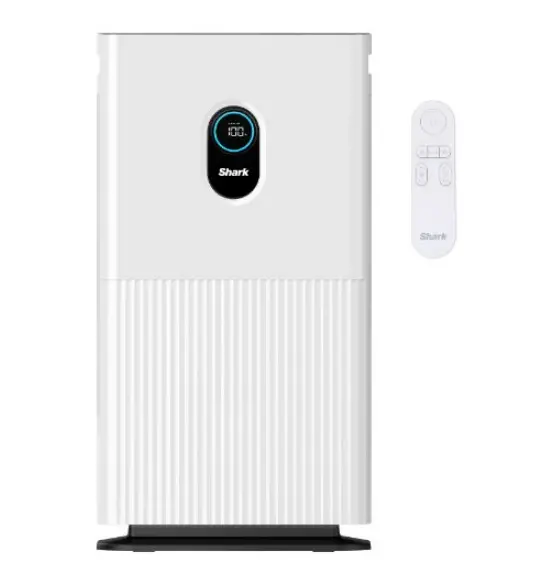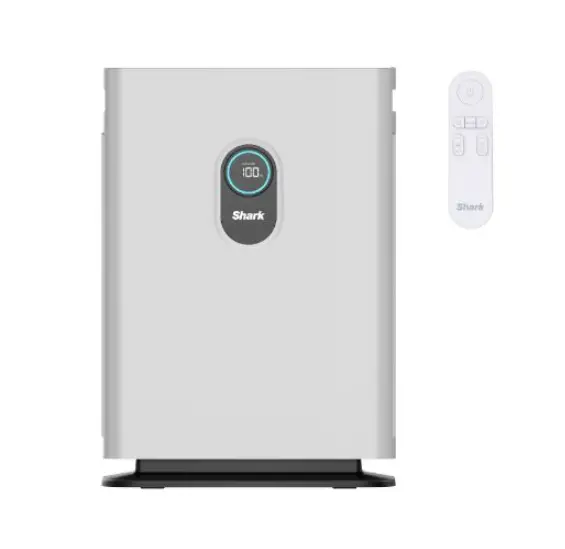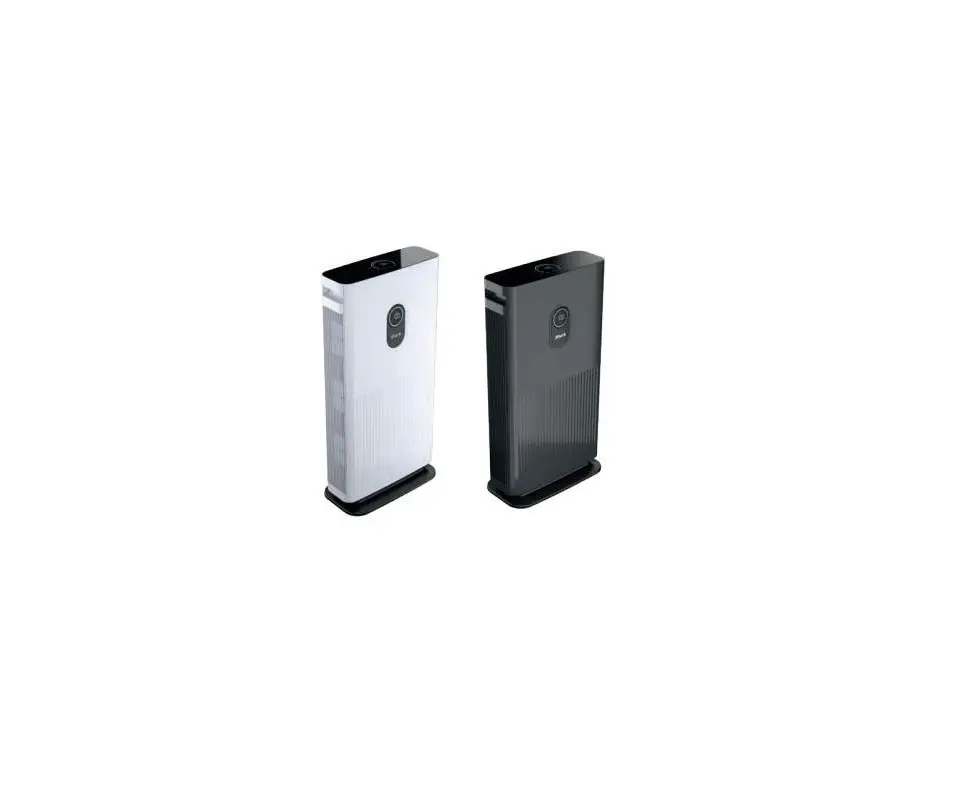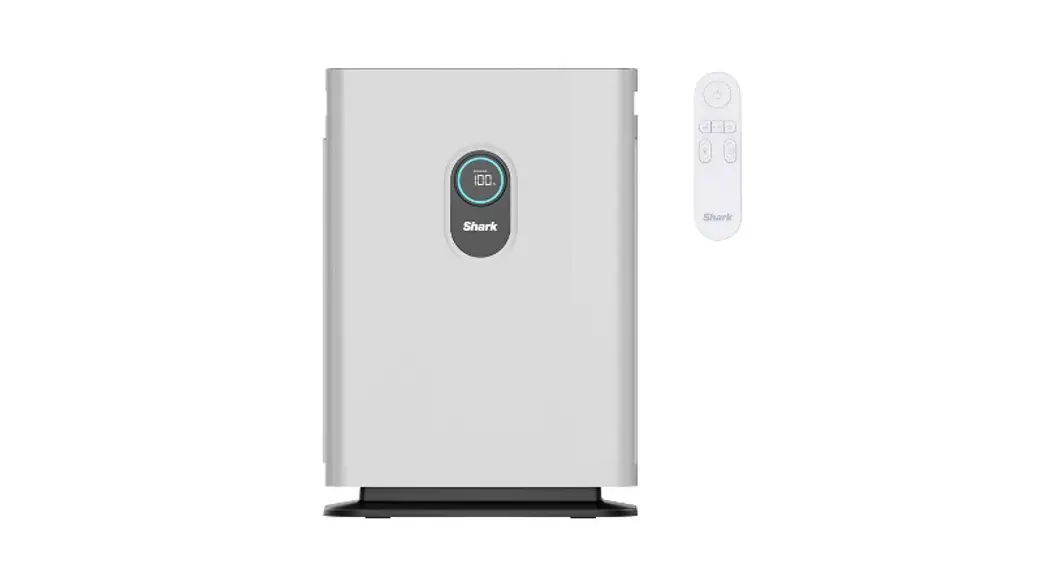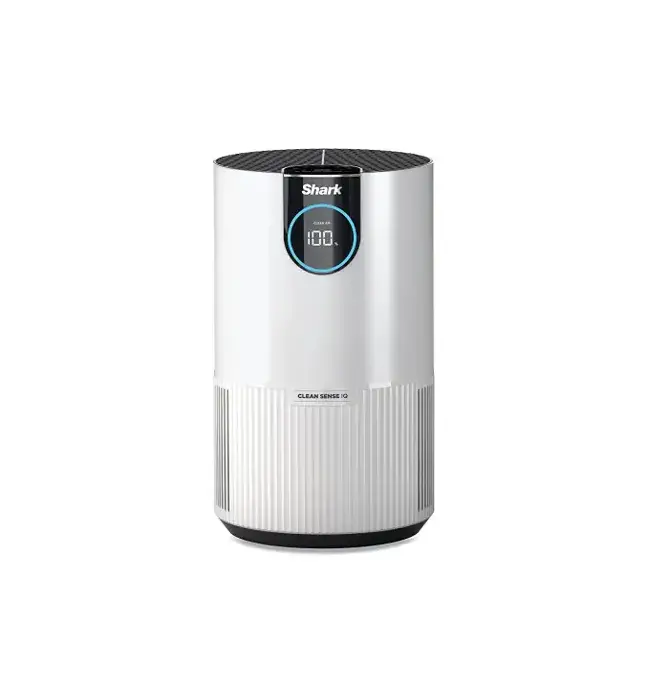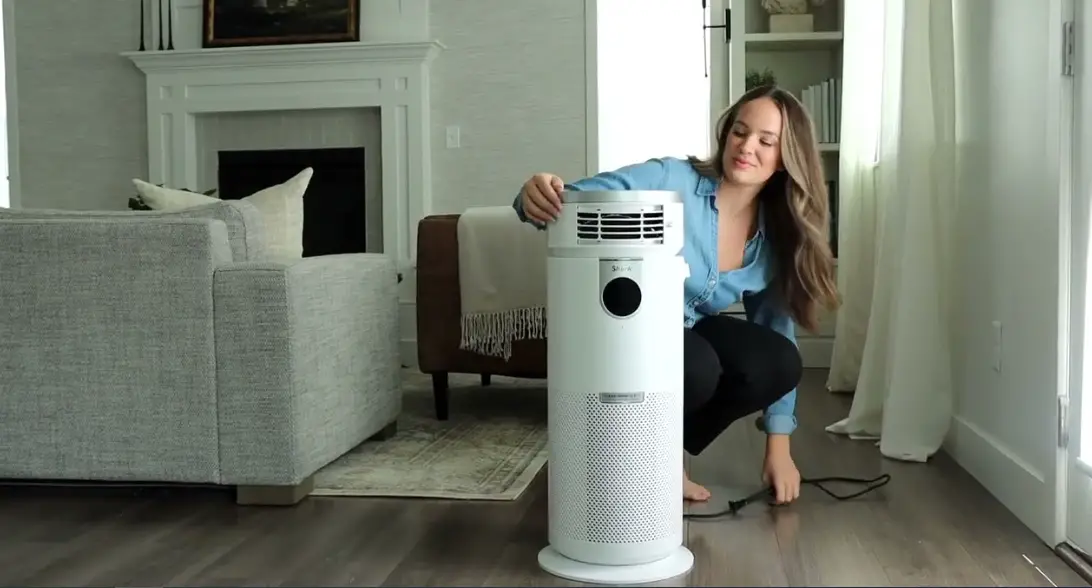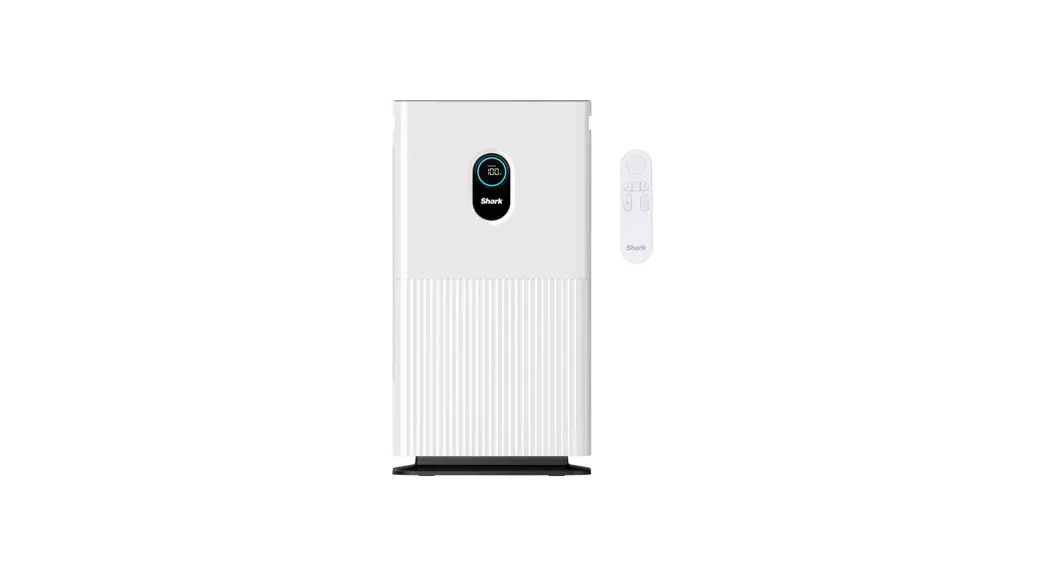

Air Purifier
HE600 series
OWNER’S GUIDE
NOTE: SAVE THESE INSTRUCTIONS. KEEP FOR FUTURE REFERENCE.
IMPORTANT SAFETY INSTRUCTIONS
HOUSEHOLD USE ONLY • READ ALL INSTRUCTIONS BEFORE USE
 | Read and review instructions for operation and use. |
 | Indicates the presence of a hazard that can cause personal injury, death, or substantial property damage if the warning included with this symbol is ignored. |
 | For indoor and household use only. |
When using electrical appliances, basic safety precautions should always be followed, including the following:
Unplug or disconnect the appliance from the power supply before servicing.
WARNING
TO REDUCE THE RISK OF FIRE, ELECTRIC SHOCK OR INJURY:
GENERAL WARNINGS
- DO NOT operate with a damaged cord or plug. Discard or return to an authorized service facility for examination and/or repair.
- DO NOT run cord under carpeting. DO NOT cover the cord with throw rugs, runners, or similar coverings.
DO NOT route cord under furniture or appliances. Arrange cord away from traffic area and where it will not be tripped over. - If the supply cord is damaged, it must be replaced by the manufacturer, its service agent, or similarly qualified persons in order to avoid a hazard.
- This appliance is not intended for use by persons (including children) with reduced physical, sensory or mental capabilities, or lack of experience and knowledge unless they have been given supervision or instruction concerning use of the appliance by a person responsible for their safety.
USE WARNINGS - Children should be supervised to ensure that they DO NOT play with the appliance. Keep the cord out of reach of children.
- Cleaning and user maintenance should not be done by children.
- Prior to cleaning or other maintenance, the appliance must be disconnected from the supply mains.
- DO NOT handle plug or appliance with wet hands.
- DO NOT use without a filter in place.
- Only use Shark ® branded filters and accessories.
- a) DO NOT pull or carry the appliance by the cord or use the cord as a handle.
b) DO NOT unplug by pulling on the cord. Grasp the plug, not the cord.
c) DO NOT stand the appliance on the power cord, close a door on the cord, pull the cord around sharp corners, or leave the cord near heated surfaces. - DO NOT use with any opening blocked; keep free of dust, lint, hair, and anything that may reduce airflow.
- DO NOT use if the airflow is restricted. If the air paths become blocked, turn the appliance off and unplug from the electrical outlet. Remove all obstructions before you plug in and turn on the unit again.
- DO NOT use if the appliance is not working as it should, or has been dropped, damaged, left outdoors, or dropped into water.
- DO NOT place appliances on unstable surfaces such as chairs or tables.
- DO NOT use in the following areas:
a) Wet or damp surfaces
b) Outdoor areas
c) Spaces that are enclosed and may contain explosive or toxic fumes or vapors (lighter fluid, petrol, kerosene, paint, paint thinners, mothproofing substances, or flammable dust). - Turn off all controls before unplugging the appliance.
- Unplug from the electrical outlet when not in use and before any maintenance or cleaning.
- Hand wipes external surfaces with water only. Wiping with cleaning chemicals could damage the unit.
- Make sure the filter is in place after routine maintenance.
REMOTE CONTROL BATTERY WARNINGS - The battery must be disposed of properly, including keeping it away from children, as even used batteries can cause injury. WARNING: Chemical Burn Hazard. Keep batteries away from children.
This product contains a lithium button/coin cell battery. If a new or used lithium button/coin cell battery is swallowed or enters the body, it can cause severe internal burns and can lead to death in as little as 2 hours. Always completely secure the battery compartment. If the battery compartment does not close securely, stop using the product, remove the batteries, and keep it away from children. If you think batteries might have been swallowed or placed inside any part of the body, seek immediate medical attention.
visit www.sharkclean.co.uk/air-purifier-HE400UK/IB or scan here using your smartphone camera
https://www.sharkclean.co.uk/air-purifier-HE600UK/IB
 Remove Enclosed Filter From Packaging Before Operating
SETTING UP YOUR UNIT
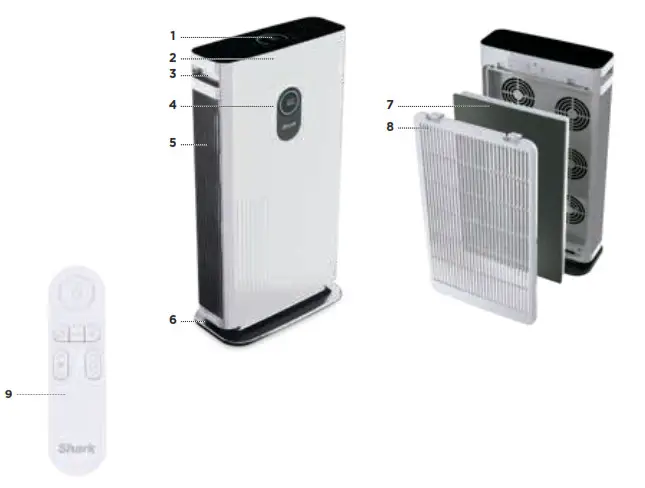
Parts:
| 1. Top Control Panel 2. Front Panel 3. Handles 4. Front Display 5. Air Vents | 6. Purifier Base 7. Filter 8. Filter Cover 9. Remote Control |
TIPS FOR SETTING UP YOUR UNIT
- Make sure the front panel of the unit faces away from the closest wall.
- Do not move the unit while it is running.
Turn off the power and unplug the unit before moving it. - Use the handles on the sides when lifting or moving the air purifier.
- Make sure the vents are not blocked.
- Do not place anything on the air purifier.
- Do not place the air purifier near heaters or radiators.
- Keep the unit out of direct sunlight and away from water or other liquid.
- Keep all nearby doors and windows closed when operating the air purifier.
- Avoid using in very humid environments.
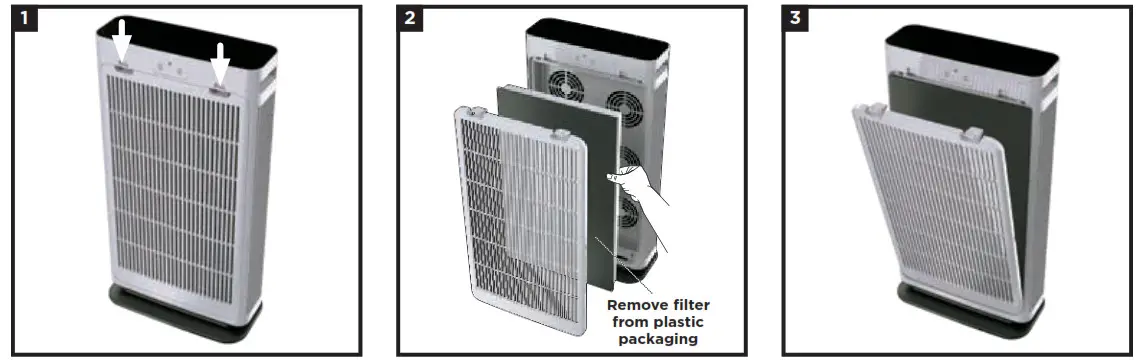
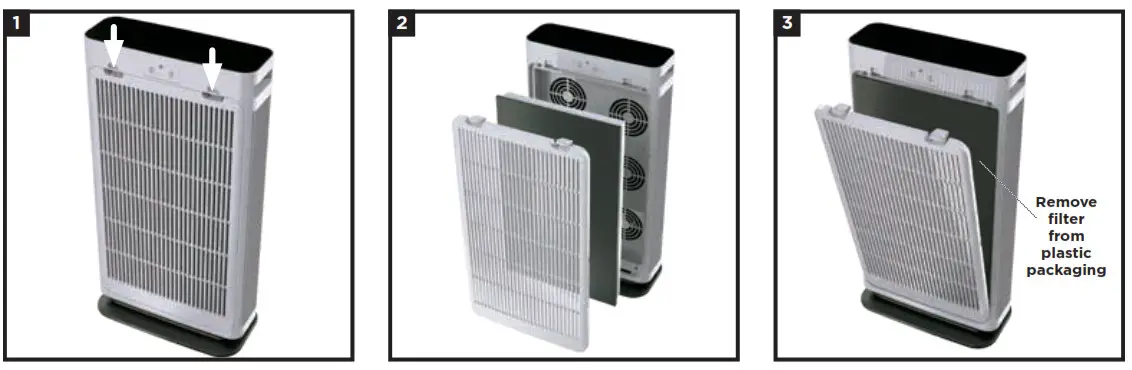
- Before plugging in the unit for the first time, you must remove the filter and take it out of its packaging. First, remove the filter cover from the back of the unit. Press the tabs near the top and pull the cover toward you.
- Remove the filter from the unit. Take the filter out of its sealed plastic packaging. To reinstall it, insert it into the unit.
- With the filter installed, replace the filter cover. Insert the tabs on the bottom of the cover into the slots on the unit. Press the top of the cover, then the sides, until it clicks into place. DO NOT run the air purifier unless the filter is removed from its packaging and installed correctly.

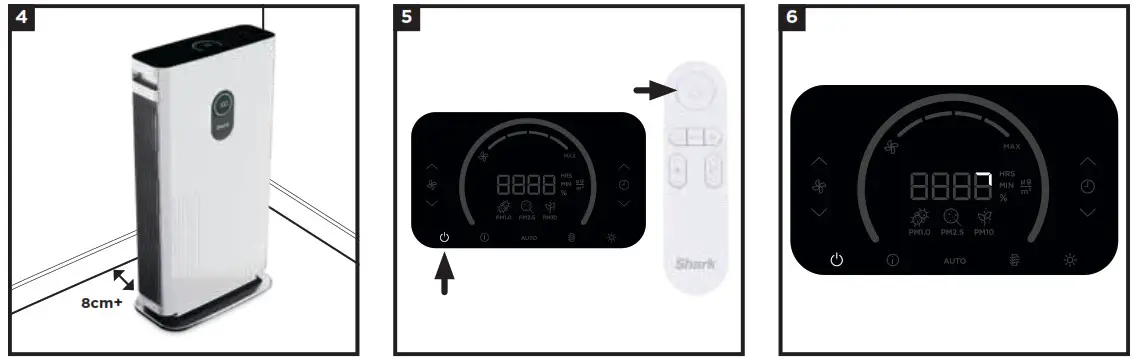
- Set up the unit upright on a level floor. For best results, set it up in the space you spend the most time in, such as the kitchen, living room, or bedroom. Make sure the unit is at least 3 inches (8cm) away from all walls, large objects, or electronics.
- Plug the unit into an electrical outlet and press the power button on the top control panel or on the remote.
- When the unit is powered on, it will begin to analyze the air quality indicated by the rotating lights. After a few seconds, the unit will display the current air quality and you can customize the settings on your unit.
CONTROL PANEL
Your Air Purifier is equipped with digital displays on both the top and front of the unit.
TOP CONTROL PANEL
Displays the current air quality status based on the air info option selected and includes controls that allow you to customize the settings.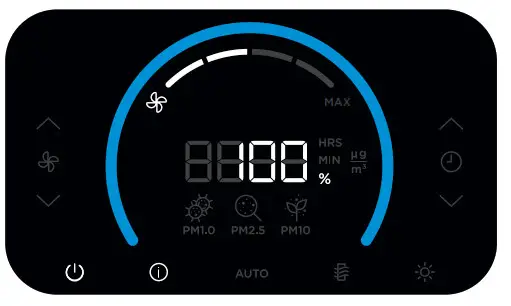
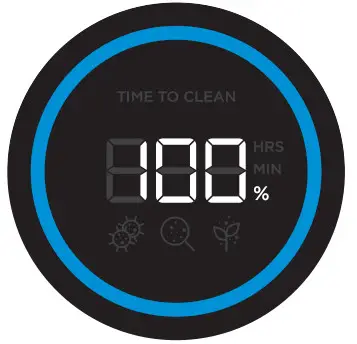
FRONT DISPLAY SCREEN
Displays the current air quality status based on the air info mode selected on the top control panel.
TOP CONTROL PANEL BUTTONS On/Off: Press to turn the power on or off.
 Air Info: Press to switch between air quality display options. See the
Air Info Settings section for more information.Auto Auto Mode: Automatically adjusts fan speed based on air quality.
If air quality decreases, fan speed will increase. When air quality is 100% fans will go into power-saving standby mode. Leave your unit in Auto Mode for optimal filter life and performance. Filter Life: Press to show the remaining filter life in hours. Once the filter has hours remaining, the filter life button will flash to indicate the filter needs to be changed. See Installing and Removing the Filter section for more information.
 Brightness: Adjusts the brightness of both the front display screen and the top control panel. Switch between 3 options: full brightness, partially dim, fully dim.
 Shut-Off Timer: Set the number of hours for the air purifier to run before it automatically shuts off. The timer can be set between 1–12 hours.
 Fan Speed: Adjusts the speed of the fan. Select one of 4 settings: 1 Low, 2 Medium, 3 High, 4 Maximum. Note: If fan speed is manually changed, auto mode will be deactivated. For tips on optimal fan setting, see the Optimising Fan Speed section.
REMOTE CONTROL
Your air purifier includes a remote control that can turn the power on or off, and adjust the settings.
USING THE REMOTE CONTROL
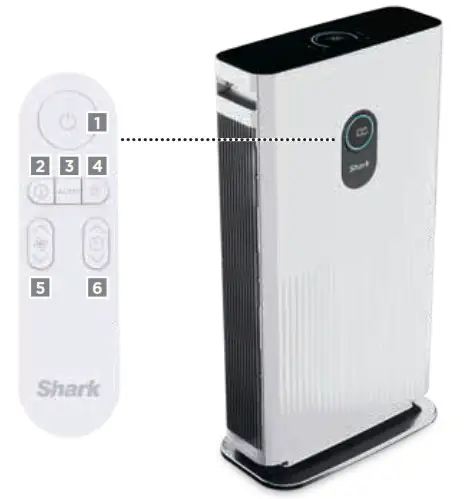
To use the remote control, aim it at the front display screen and press the buttons on the remote. The remote control has a range of 5 meters. For best results, make sure no obstacles are between the remote control and the display screen.
REMOTE CONTROL BATTERY
This remote uses AAA batteries. To replace the battery, follow the steps below.
- With a Phillips-head screwdriver (not included) unscrew the battery tray on the back of the remote.
- Slide-out the battery tray.
- Remove the old battery and dispose of it according to local regulations.
Take additional caution to keep old batteries out of reach of children. - Insert the new battery, making sure the polarities (+) (–) are oriented correctly.
- Reinsert the battery tray and use the screw to completely secure it in place.
Turns the unit on/off.Switch between air quality display options.Auto Enables Auto Mode.Adjusts brightness.Adjusts fan speed.Sets timer.
AIR INFO SETTINGS
The built-in sensor detects your air quality to give you real-time information. Use the button to switch between air quality display options. 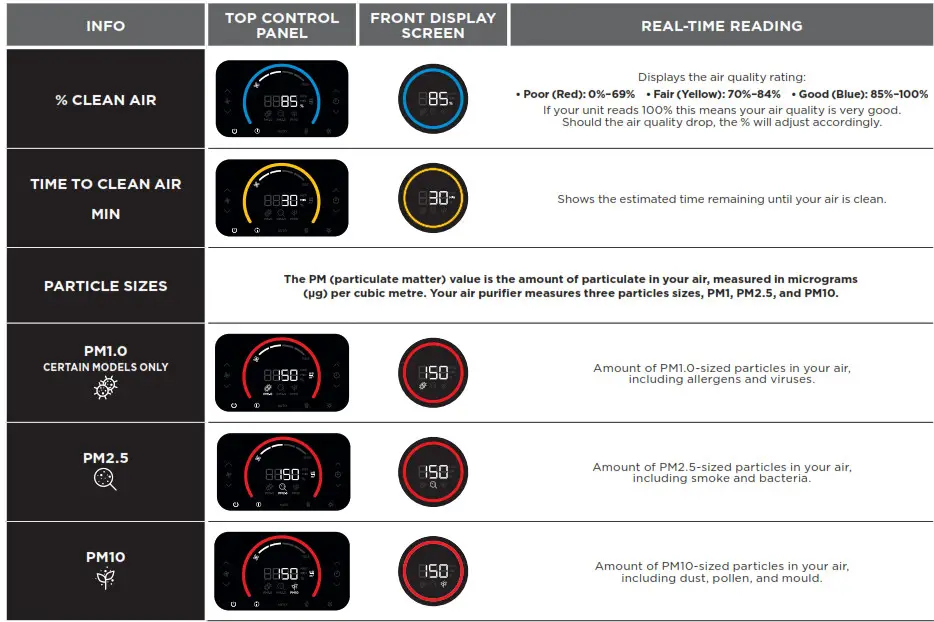
UNDERSTANDING YOUR AIR QUALITY
The ring on the front and top displays will change color as your air quality changes, allowing you to easily monitor your air quality even when you are far from the unit.
A blue ring means your air quality is good, with a low level of particle concentration.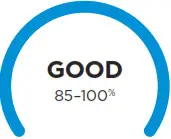
An amber ring means your air quality is fair, with a moderate level of particle concentration. For quicker results, increase the fan speed or select Auto Mode.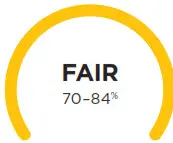
A red ring means your air quality is poor, with a high level of particle concentration. For quicker results, increase the fan speed or select Auto Mode.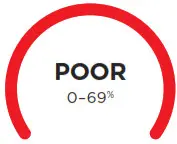
Note: The air quality sensor uses a cumulative particle count across all particle sizes to determine air quality percentage.
OPTIMISING FAN SPEED
Your air purifier is equipped with 4 fan speed settings. Adjust fan speed to optimize your cleaning performance.
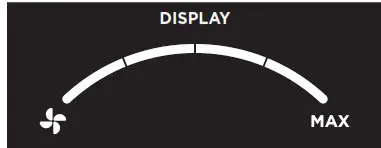
| SPEED | BEST FOR |
| 1 | Quiet Operation |
| 2 | Reducing Odours |
| 3 | Reducing Allergens |
| 4 | Maximum Cleaning |
INSTALLING AND REMOVING THE FILTER
NOTE: Always remove all protective packaging from the filter before installing.
When the filter timer has 0 hours remaining, the button on the top control panel will blink, indicating that it’s time to install a new filter.
- Turn off and unplug the unit before removing or installing filters.
- Remove the back cover from the unit by pressing the tabs at the top (1), then pulling the cover toward you.
- To remove the old filter, pull it out by the tabs at the top and bottom of the filter (2). Discard the old filter in the dustbin.
- Remove all packaging and wrapping from the new filter.
- Insert the new filter, then replace the filter cover. Insert the tabs on the bottom of the cover into the slots on the unit (3). Press the top of the cover, then the sides, until it clicks into place.
- Plug the unit back in and turn on the power. Calibration will begin.
- After installing a new filter, press and hold the
 button on the top control panel for 3 seconds to reset the timer. The unit will beep when the timer is activated.
Disposing of used filters
Filters cannot be cleaned or recycled. After removing a used filter, wrap it in an airtight plastic bag for disposal. As an extra precaution, wear gloves when handling a dirty filter.
MAINTAINING YOUR AIR PURIFIER
NOTE: Always unplug the unit before doing any cleaning or maintenance.
Exterior Cleaning:
For best results, clean the exterior of the unit every two months or as needed. Use a microfibre cloth to remove dust. To sanitize, wipe down the exterior with a microfibre cloth dampened with warm, soapy water. Avoid excess water and abrasive chemical cleaners to prevent damage.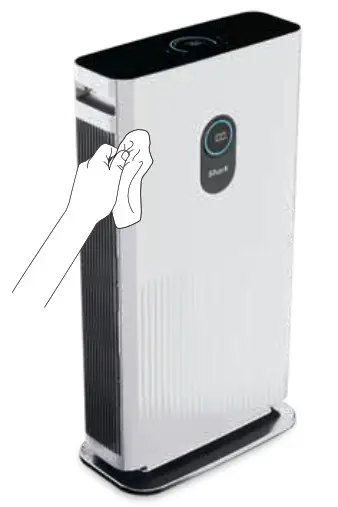
Interior Cleaning:
For best results, clean the interior of the unit every two months or as needed. Remove the filter cover, take out the filter, and use a vacuum cleaner or a microfibre cloth to remove dust and debris from the interior of the unit. DO NOT use abrasive chemical cleaners on the inside of the unit.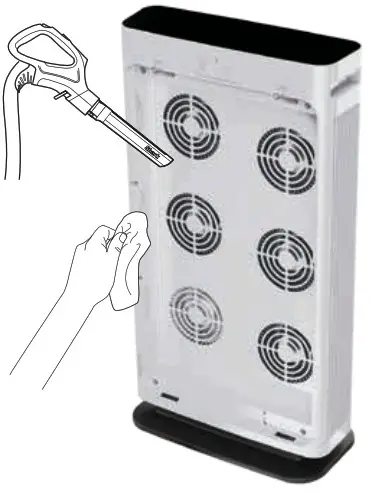
AVAILABLE ACCESSORIES
ORDER ADDITIONAL ACCESSORIES AND REPLACEMENT FILTERS
Additional accessories and replacement filters are available on sharkclean.co.uk.
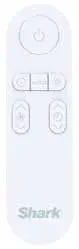
Remote Control
Use the remote control to operate your air purifier from a distance.
SHARK® AIR PURIFIER MULTI-FILTER
Removes 99.97% of particles down to 0.3 microns from the air and is equipped with carbon for protection against household odors and VOCs.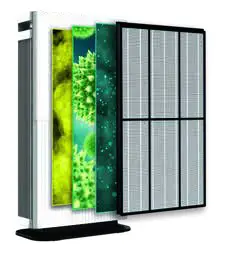
TROUBLESHOOTING
| PROBLEM | SOLUTION |
| My air purifier is not powering on. What should I do? | •Make sure the unit is plugged in and that the outlet works. Press the power button to start air purification. •Make sure the filter cover is properly installed. |
| Why is there no airflow? | •Increase the fan speed on your unit to improve performance. •Make sure that all packaging is removed from the filter and it is properly installed in the unit. •Unplug the unit and clean off any dust or debris from the intake and the air vent areas. |
| Why is my air purifier vibrating or making unusually loud noises? | •Make sure the unit is set up on its base. and on a flat. level space on the floor. |
| Why does my air smell bad? | •If there recently have been odors in the area. such as from cigarettes or food. allow more time for the unit to remove them. •Clean off any dust or debris from the intake and the air vent areas. •The filter may need to be replaced. |
| Can I wash the filter? | •No. the filter is not washable. Keep filter away from water and dispose of it when it is dirty. |
| How do I know when my air purifier is in Auto Mode? | •The AUTO button on the top control panel illuminates when the unit is in Auto Mode. |
 @sharkcleaninguk
 @sharkcleanuk
 @sharkcleanuk
Customer Service
For further assistance, call 0800 8620453.
TWO (2) YEAR LIMITED GUARANTEE
When a consumer buys a product in the UK, they get the benefit of legal rights relating to the quality of the product (your “statutory rights”).
You can enforce these rights against your retailer. However, at Shark® we are so confident about the quality of our products that we give the product owner an additional manufacturer’s guarantee of up to two years – one year as standard, two years on registration. These terms and conditions relate to our manufacturer’s guarantee only – your statutory rights are unaffected.
The conditions below describe the prerequisites and scope of our guarantee. They do not affect your statutory rights or the obligations of your retailer and your contract with them.
Shark® Guarantees
A household appliance like an Air Purifier constitutes a sizeable investment. Your new machine needs to work properly for as long as possible.
The guarantee it comes with is an important consideration – and reflects how much confidence the manufacturer has in its product and manufacturing quality.
Every Shark® machine comes with free parts and labor guarantee. Our customer service helpline (0800 862 0453) is open from 9.00 am to 6.00 pm Monday – Friday. It’s free to call, and you’ll be put straight through to a Shark® representative. You’ll also find online support at www.sharkclean.co.uk.
How do I register my extended Shark® guarantee?
You can register your guarantee online within 28 days of purchase. To save time, you’ll need the following information about your machine:
The date you purchased the machine (receipt or delivery note).
To register online, please visit www.Sharkclean.eu/uk/register-guarantee. Products purchased directly from Shark® are automatically registered.
What is covered by the free Shark® guarantee?
Repair or replacement (at Shark’s discretion) of your Shark® machine, including all parts and labor. A Shark® guarantee is in addition to your legal rights as a consumer.
What are the benefits of registering my free Shark® guarantee?
The key benefit is the additional one-year guarantee. When you register your guarantee we’ll have your details to hand if we ever need to get in touch. If you further agree to receive communications from us, you can also receive tips and advice on how to get the best out of your Shark® Air Purifier and hear the latest news about new Shark® technology and launches.
If you register your guarantee online, you’ll get instant confirmation that we’ve received your details.
How long are new Shark® machines guaranteed for?
Our confidence in our design and quality control means that your new Shark® Air Purifier is guaranteed for a total of up to two years – one year as standard, two years on registration.
Where can I buy genuine Shark® spares and accessories?
Shark® spares and accessories are developed by the same engineers who developed your Shark® Air Purifier. You’ll find a full range of Shark® spares, replacement parts and accessories for all Shark® machines at www.sharkclean.co.uk.
Please remember that damage caused by use of non-Shark® spares is not covered under your guarantee.
What is not covered by the free Shark® guarantee?
- Normal wear and tear of wearable parts, which require regular maintenance and/or replacement to ensure the proper functioning of your unit, are not covered by this guarantee. Replacement parts are available for purchase at sharkclean.co.uk.
- Any unit that has been tampered with or used for commercial purposes.
- Accidental damage and faults caused by negligent use or care, misuse, neglect, careless operation or handling of the Air Purifier which is not in accordance with this Shark® Instruction booklet supplied with your machine.
- Use of parts not assembled or installed in accordance with these instructions.
- Faulty installation (except where installed by Shark®).
- Repairs or alterations carried out by parties other than Shark® or its agents.
PLEASE READ CAREFULLY AND KEEP FOR FUTURE REFERENCE.
This Instruction Guide is designed to help you get a complete understanding of your new Shark® Air Purifier.
| SharkNinja Europe Limited, 3150 Century Way, Thorpe Park, Leeds, LS15 8ZB, UK +44 (0)800 862 0453 www.sharkclean.co.uk | SharkNinja Germany GmbH c/o Regus Management GmbH, Excellent Business Center 10 +11/Stock, Westhafenplatz 1, 60327 Frankfurt am Main, Germany www.sharkclean.eu |
Illustrations may differ from the actual products. We are constantly striving to improve our products; therefore the specifications contained herein are subject to change without notice.
© 2021 SharkNinja Operating LLC. SHARK is a registered trademark of SharkNinja Operating LLC.
HE600UK_IB_MP_210727_Mv2
PRINTED IN CHINA