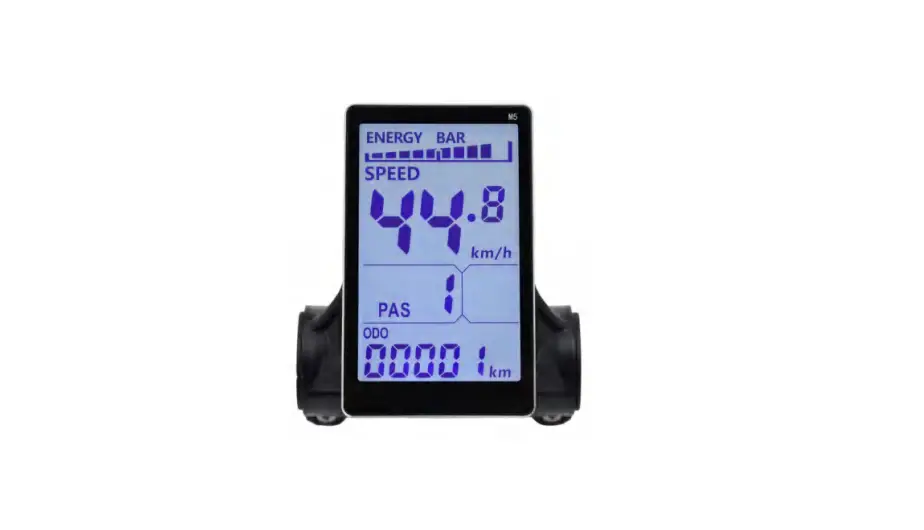
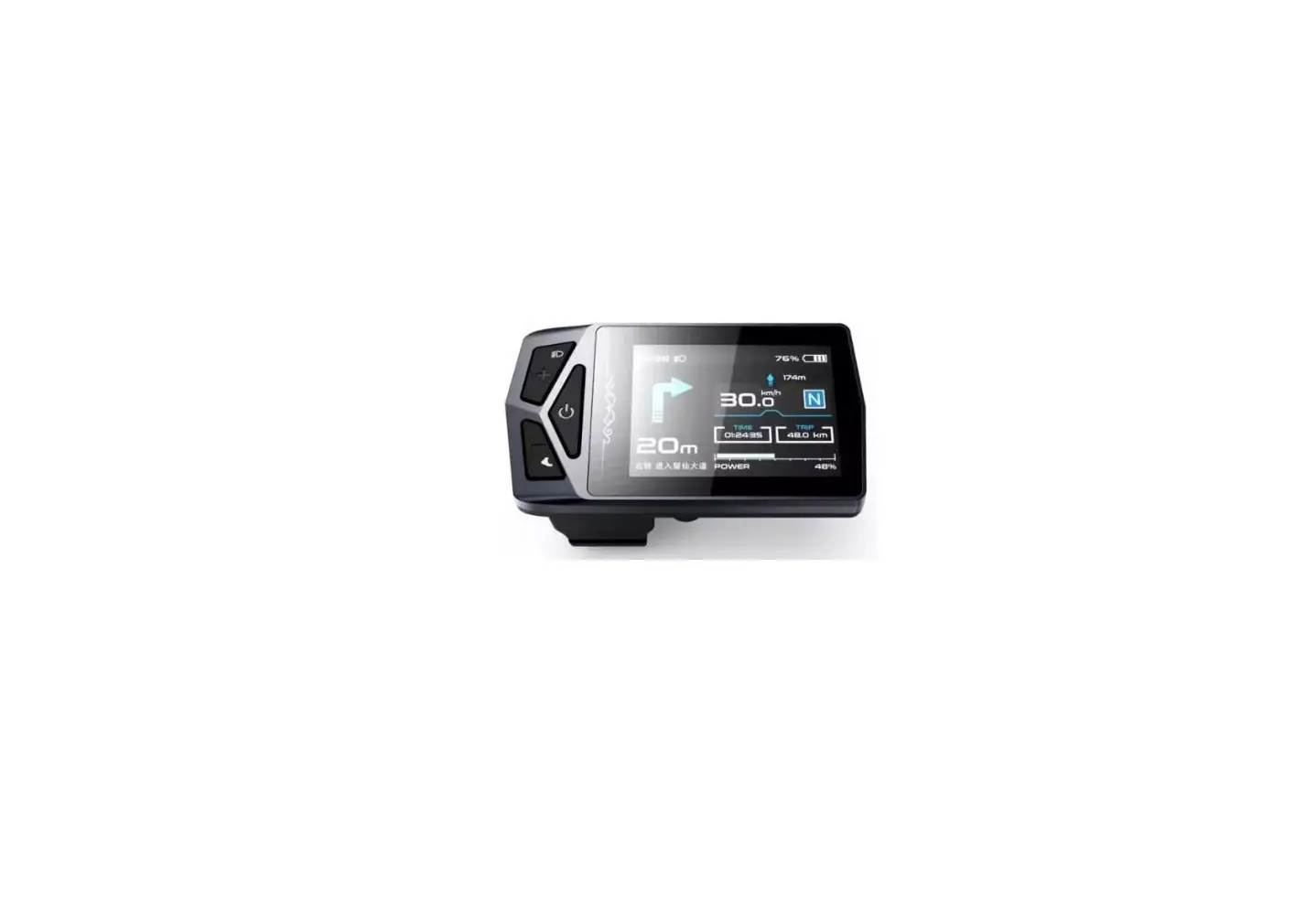
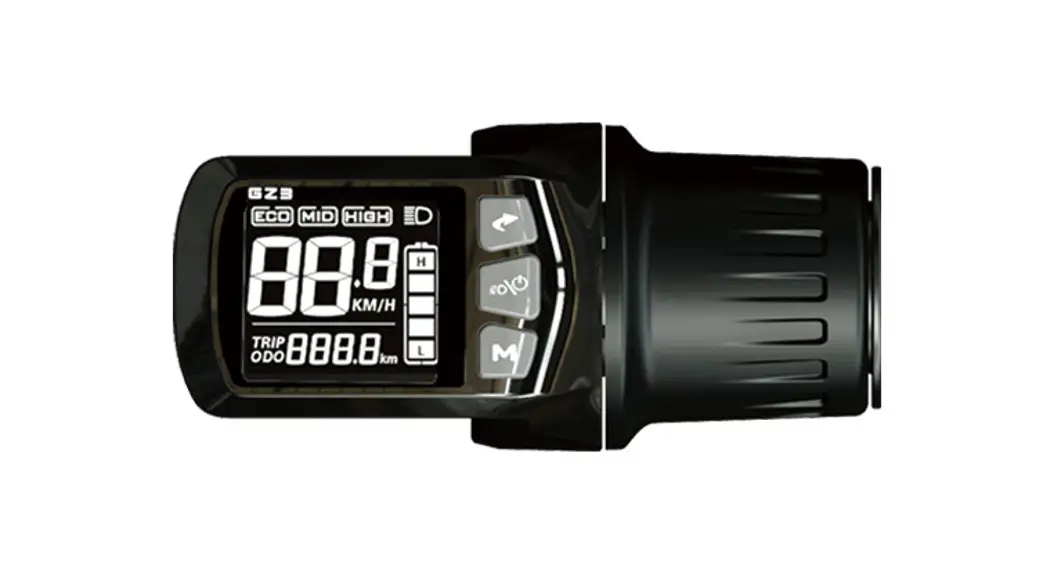
M5 LCD Display
Product Information
Exterior Parameters
| Casing Material | ABS |
|---|---|
| Display Material | High Hardness Acrylic (the same hardness value as tempered glass) |
| Handlebar Ring Diameter Options | 31.8mm with options: 22.2mm /25.4mm / 28.6mm |
Operating Voltage and Connections
Operating Voltage: DC24V / 36V / 48V / 60V / 64V by display
setting. Other operating voltage can be customized.
Functions
Display:
- Speed Display
- PAS Level Display
- Battery Level Display
- Error Indication
- Total Mileage
- Single Mileage
- Single Running Time
Control and Settings:
- Power Switch
- Front Light Control
- 6km/h Inching Control
- Wheel Diameter Setting
- Top Speed Setting
- Auto-Hibernation Interval
- Backlight Brightness Setting
- Voltage Level Setting
Communications Protocol: UART
Display Readings (display at start for 1
second):
- Light Turned on manually or environment-sensed (requires
light-sensitive support) - Battery Level
- Multi-Functions Display:
- Total Mileage: ODO
- Single Mileage: TRIP A
- Current Voltage: VOL
- Operating Current: CUR
- Single Mileage: TRIP B
- Display Booting Time: TM
- Riding Mode:
- Walk: Walking Boost
- Cruise: Constant Speed Cruise
- PAS: Power Assist Level (0-9 Adjustable)
- Speed Display:
- Maximum Speed: MAX
- Average Speed: AVG
- Measuring Unit: MPH or KM/H
The display will calculate the actual travelling speed based on the
wheel diameter and signal data.
- Vehicle Status:
- Error Code and Indications:
(See table below for error codes and indications)
- Error Code and Indications:
- Settings:
- P01: Backlight Brightness (1: darkest; 3: brightest)
- P02: Mileage Unit (0: KM; 1: MILE)
- P03: Voltage Class: 24V / 36V (default) / 48V
- P04: Hibernation Time (0: never, other figures refer to the
hibernation time) Unit: minute - 1/5 Gear Mode
- P06: Wheel Diameter Unit: inch Precision: 0.1
To get accurate speed display, this parameter should be
correct. - P07: Magnet Steel Number for Speed Test Range: 1-100
To get accurate speed display, this parameter should be
correct.
Gearless Motor: the value is the magnet steel number.
Geared Motor: the reduction-gear ratio is required. The value =
magnet steel number*reduction-gear ratio.
For example, magnet steel number is 20, reduction-gear ratio is
4.3. The value input is: - P08: Speed Limit
Range: 0-100km/h, parameter 100 indicates no speed limit.
This parameter limits the max. speed of the vehicle.
For example, input value 25 means the max. speed is 25km/h, the
vehicle travelling speed can only reach the preset value.
Note: The above-mentioned values are measured by metric unit
(kilometers). When the measuring unit is switched to imperial unit
(mile), the speed value displayed on the panel will be
automatically switched to corresponding imperial unit, however the
speed limit value in the imperial unit interface won’t change
accordingly.
Error Codes and Indications
| Error Code (decimal) | Indications |
|---|---|
| 0 | Normal |
| 1 | Reserved |
| 2 | Brake |
| 3 | PAS Sensor Failure (riding mark) |
| 4 | 6km/h Cruise |
| 5 | Real-Time Cruise |
| 6 | Low Battery |
| 7 | Motor Failure |
| 8 | Throttle Failure |
| 9 | Controller Failure |
| 10 | Communications Receiving Failure |
| 11 | Communications Sending Failure |
| 12 | BMS Communications Failure |
| 13 | Light Failure |
| Note | Not Realized |
IMPORTANT: P09-P15 only works under
communications mode.
LCD Display M5 User Manual Latest Version 2016
1. Exterior Parameters Casing Material: ABS Display Material: High Hardness Acrylic (the same hardness value as tempered glass)
Front View
Side View
31.8mm handlebar ring diameter options: 22.2mm /25.4mm / 28.6mm
2. Operating Voltage and Connections
a. Operating Voltage: DC24V / 36V / 48V / 60V / 64V by display setting. Other
operating voltage can be customized.
3. Functions
a. Display
Speed Display, PAS Level Display, Battery Level Display,
Error Indication, Total Mileage, Single Mileage, Single Running Time
Light Signal
b. Control and Settings
Power Switch, Front Light Control, 6km/h Inching Control, Wheel Diameter Setting, Top
Speed Setting, Auto-Hibernation Interval, Backlight Brightness Setting, Voltage Level
Setting
c. Communications Protocol: UART
Display Readings (display at start for 1 second)
Display Details
3.1 Light Turned on manually or environment-sensed (requires light-sensitive support)
3.2 Battery Level
3.3 Multi-Functions Display Total Mileage: ODO Single Mileage: TRIP A Current Voltage VOL Operating Current: CUR
Single Mileage: TRIP B Display Booting Time: TM
3.4 Riding Mode Walk: Walking Boost Cruise: Constant Speed Cruise PAS: Power Assist Level (0-9 Adjustable)
3. 5 Speed Display Maximum Speed: MAX Average Speed: AVG Measuring Unit: MPH or KM/H
The display will calculate the actual travelling speed based on the wheel diameter and signal data.
3.6 Vehicle Status
Error Code and Indications
Error Code (decimal) Indications
0
Normal
1
Reserved
2
Brake
3
PAS Sensor Failure (riding mark)
4
6km/h Cruise
5
Real-Time Cruise
6
Low Battery
7
Motor Failure
8
Throttle Failure
9
Controller Failure
10
Communications Receiving Failure
11
Communications Sending Failure
12
BMS Communications Failure
13
Light Failure
Note Not Realized
3.7 Settings
P01: Backlight Brightness (1: darkest; 3: brightest)
P02: Mileage Unit (0: KM; 1: MILE)
P03: Voltage Class: 24V / 36V (default) / 48V
P04: Hibernation Time (0: never, other figures refer to the hibernation time) Unit: minute
P05: PAS Level 0/3 Gear Mode
1/5 Gear Mode
P06: Wheel Diameter Unit: inch Precision: 0.1
* To get accurate speed display, this parameter should be correct.
P07: Magnet Steel Number for Speed Test Range: 1-100
* To get accurate speed display, this parameter should be correct.
Gearless Motor: the value is the magnet steel number.
Geared Motor: the reduction-gear ratio is required. The value = magnet steel
number*reduction-gear ratio.
For example, magnet steel number is 20, reduction-gear ratio is 4.3. The value input is:
86=20×4.3
P08: Speed Limit
Range: 0-100km/h, parameter 100 indicates no speed limit.
This parameter limits the max. speed of the vehicle.
For example, input value 25 means the max. speed is 25km/h, the vehicle travelling
speed can only reach the preset value.
Deviation: ±1km/h (applies to both PAS and throttle mode).
Note: The above-mentioned values are measured by metric unit (kilometers). When the
measuring unit is switched to imperial unit (mile), the speed value displayed on the panel will
be automatically switched to corresponding imperial unit, however the speed limit value in
the imperial unit interface won’t change accordingly.
IMPORTANT: P09-P15 only works under communications mode.
P09: Zero / Non-zero Start Setting:
0: Zero Start1: Non-zero Start
P10: Drive Mode Setting
0: Power Drive The specific gear of the assist drive decides the assist power value. In
this status the handlebar does not work.
1: Electric Drive The vehicle is driven by the handlebar. In this status the power gear
does not work.
2: Power Drive + Electric Drive Electric drive does not work in zero-start status.
P11: PAS Sensibility
Range: 1-24
P12: Assist Power Intensity Range: 0-5
P13: Power Magnet Steel Number: 5 / 8 / 12pcs
P14: Current Limit Value: 12A by default; Range: 1-20A
P15: Unspecified
P16: ODO Zero-Out: Long press the upper key for 5 seconds and ODO will zero out.
P17:0: Disable cruise, 1: enable cruise. Auto cruise optional (only for Protocol 2)
P18: Display speed ratio adjustment range: 50%~150%,
P19:0 is enabled. 0: with 0 and 1: without 0
P20:0:2 Protocol 1: 5S Protocol 2: Standby 3: standby
4. Keys
Arrangement of keys on the panel:
Introduction of Keys Key operations involve short press, long press and long press of combination keys. Short press is used for short/frequent operations as:
1. Short press the two keys riding.
to change assist power/speed during
2. Short press this key
to switch the readings in the multi-function display
section.
Long press on a single key is used to switch mode/on/off status.
Long press on combination keys to set parameters, which can avoid misoperations (short
press on combination keys is disabled, for it’s easy to induce misoperation and hard to
manipulate).
Detailed Instructions
1. Change Assist Power/ Electric Gear
In assist power mode
Short press
, assist power +1. Short press
, assist power -1.
2. Enable / Disable 6km/h cruise, set real-time cruise and turn on/off the lights
When the vehicle is parked, long press
to enter 6km/h cruise mode. When the
vehicle is travelling, long press
to enter real-time cruise mode.
Long press
to exit the cruise mode when the vehicle is in cruise mode.
Long press
to turn on/off the lights.
4. Turn on/off the LCD Panel
When the display panel is operating, long press
and it will be turned off, otherwise
it will be turned on.
5. Switch Displayed Readings in Multi-Functions Section
Short press
to switch readings shown in the multi-functions section.
6. Set Parameters
Long press
+
to enter the setting interface. Customizable parameters
include: Wheel Diameter (unit: inch); Magnet Steel Number;
Backlight Brightness; Low Voltage Threshold (refer to setting: P01-P14)
In the setting interface, short press
or
to add/minus value to the
parameter, which will blink after modified. After selecting the parameter that needs to be set,
I. a. Long press
to save the current value, and the parameter will stop blinking;
b. Short press
to switch to the next parameter and the previously set value will be
saved at the same time.
II. Press
+
to exit the setting and save the parameters. Without this
operation, the system will automatically exit and save the modified parameters after 10
seconds.