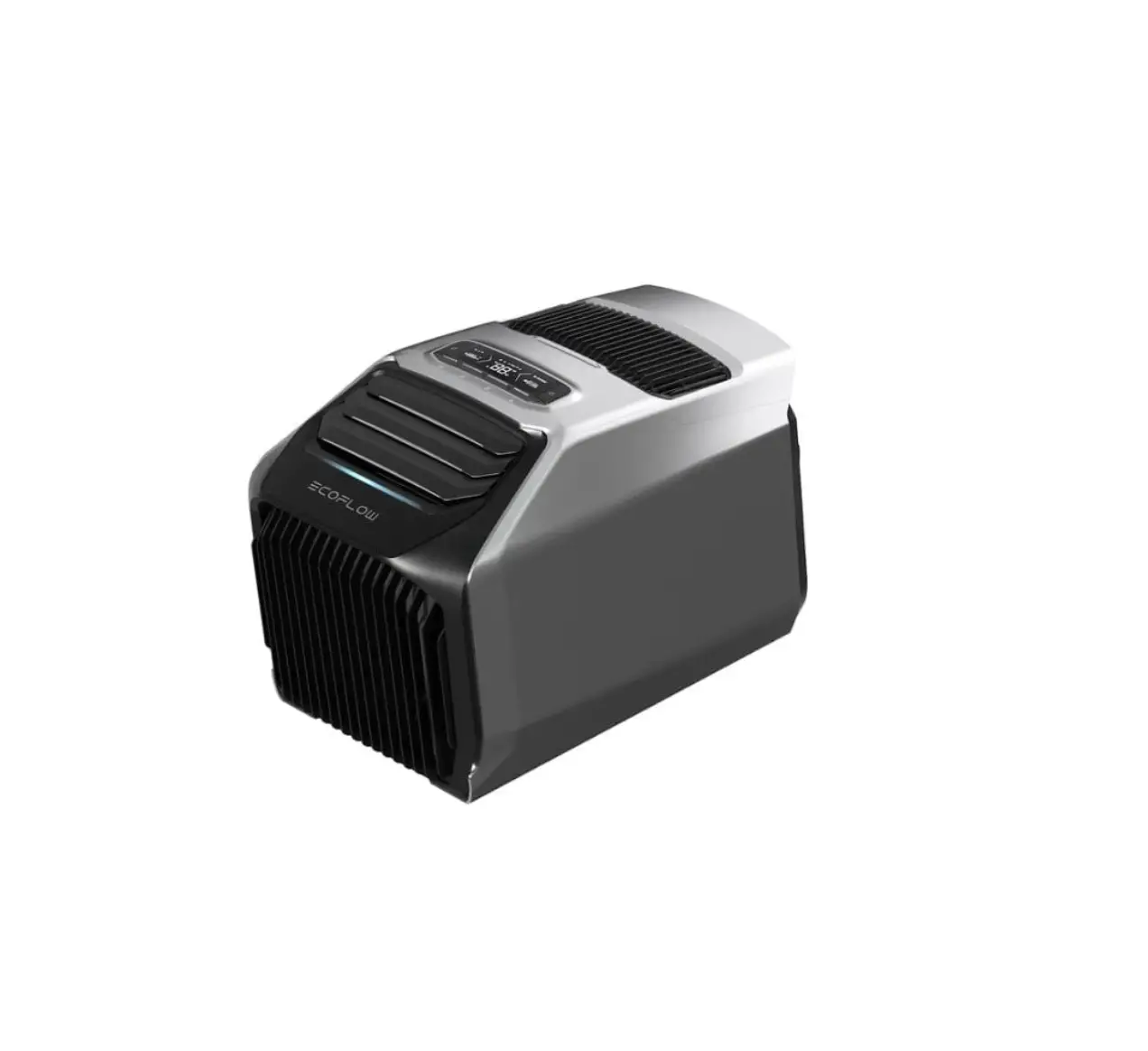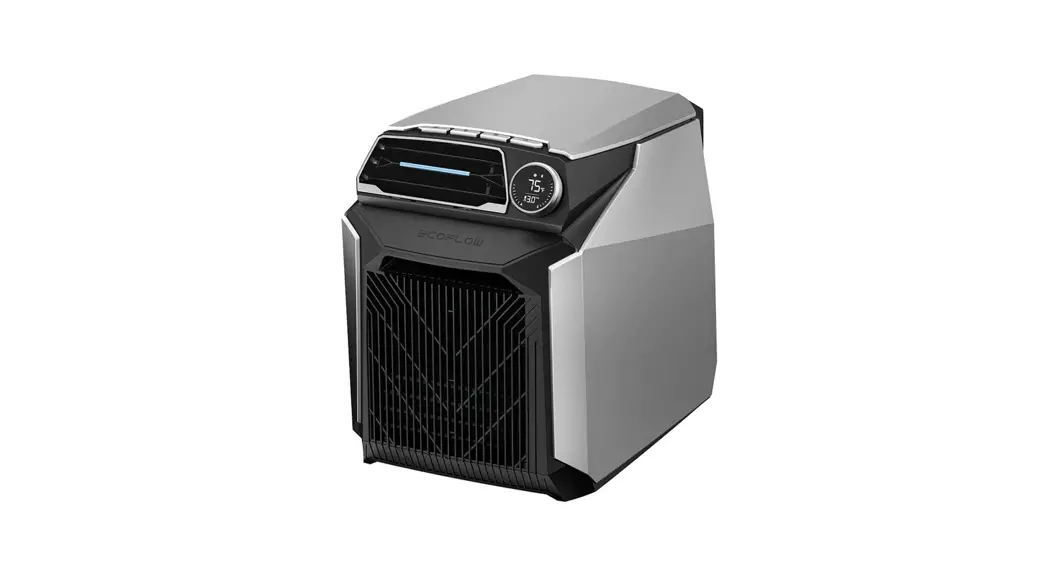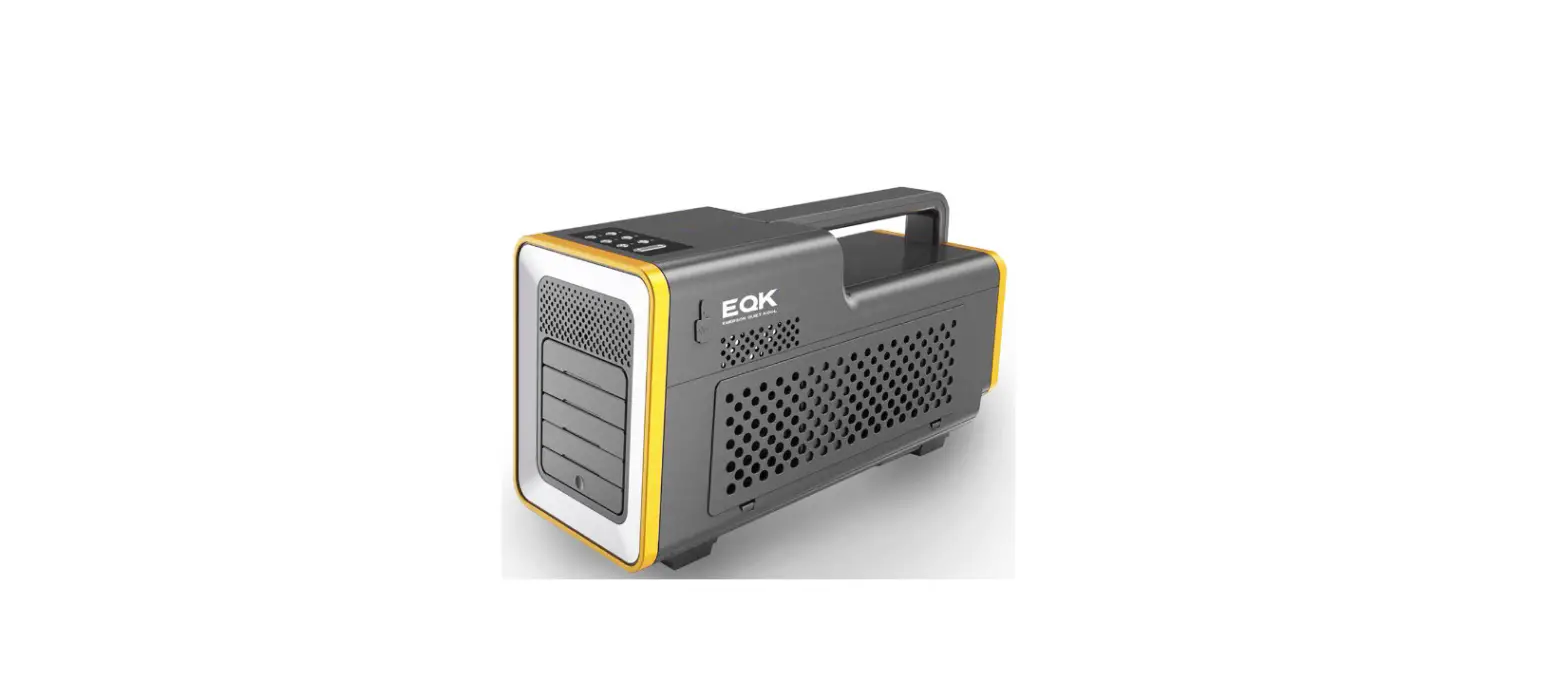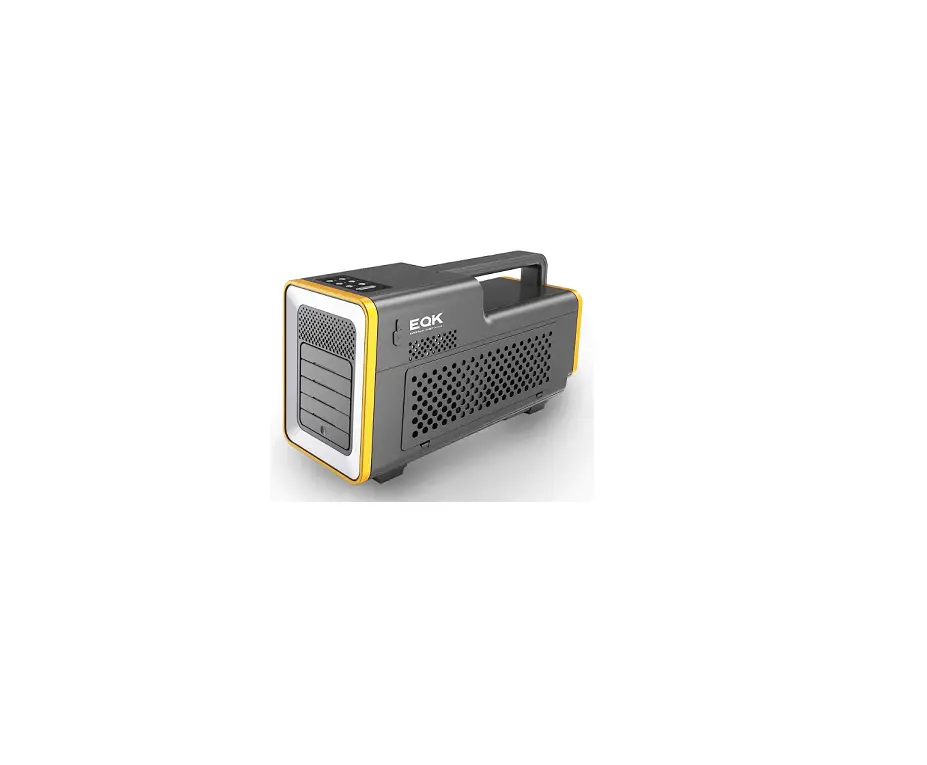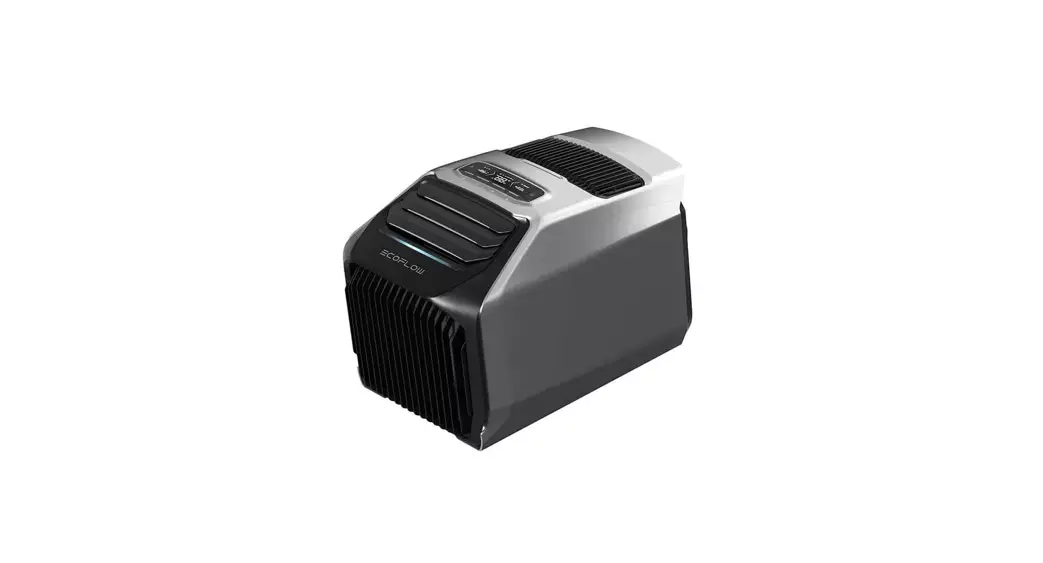
 EcoFlow Wave 2
User Manual V1.0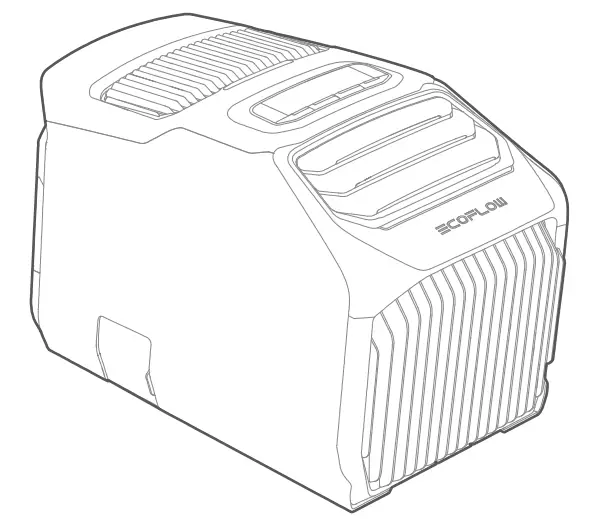
Disclaimer
Please read the product document and ensure that you understand it fully before using the product. After reading this document, keep it for future reference. Improper use of this product may cause serious injury to yourself or others, or cause product damage and property loss. Once you use this product, it is deemed that you understand, approve and accept all the terms and content in this document. EcoFlow is not liable for any loss caused by the user’s failure to use the product in compliance with the Disclaimer and Safety Instructions.
In compliance with laws and regulations, EcoFlow reserves the right to final interpretation of this document and all documents related to the product. This document is subject to changes (updates, revisions, or termination) without prior notice. Please visit EcoFlow’s official website to obtain the latest product information.
 https://www.ecoflow.comisupport/download/wave-2-portable-air-conditioner
Specifications
| Cooling/Heating Specifications | |
| Model | EFKT210 |
| Cooling Capacity/Heating Capacity | 1500/1800W (5100/6100 BTU) |
| Temperature Setting Range | 16°C-30°C (60°F-86°F) |
| Refrigerant | R290 (130g) |
| Air Flow Volume | 290m3/h |
| Cooling/Heating Rated Input (AC) | 550W/600W (AU: 580W/600W)* |
| Cooling/Heating Rated Input (DC) | 495W/540W (AU: 520W/540W)* |
| Maximum Cooling/Heating Power | 700W |
| Input Specifications | |
| AC Input | 100-240V-50/60Hz, 820W max |
| Car Charging Input | 12V/24V=8A, 200W max |
| Solar Input | 11-60V=13A, 400W max |
| External Battery Pack Input | 700W max |
| Other Specifications | |
| No-Drain Function | Supported (in cooling state) |
| Overflow Shutdown Function | Supported |
| IP Rating | IPX4 |
| Noise Level | 44-56dB |
| Permissible Pressure Range (High Pressure/Low Pressure) | 2.24MPa/0.74MPa |
| Ambient Temperature for Operation | 5°C-50°C (41°F-122°F) |
| Ambient Temperature for Storage | -10°C-60°C (14°F-140°F) |
| Energy Rating | |
| Cooling/Heating (AC) | 2.7/3.0 (AU: 2.6/3.0)* |
| Cooling/Heating (DC) | 3.0/3.3 (AU: 2.9/3.3)* |
| General. Information | |
| Net Weight | Approximately 14.5 kg (32.0 lbs) |
| Dimensions (L x W x H) | 518x297x336 mm (20.4 x 11.7 x 13.2 inches) |
*The parameters may vary due to local testing conditions.
 Safety Instruction
Use
- Do not use this product near a heat source (such as fire or heater), and avoid direct exposure to sunlight. Heat may cause flammable liquids to leak or explode.
- If the product catches fire by accident, we recommend that you use fire extinguishers in the following order: water or water mist, sand, fire blanket, dry powder, and carbon
- Keep the product away from any liquid. Do not get the product wet, and try to avoid working in a wet location.
- If the product is wet inside, immediately turn the power off, remove the power cord, and place them in a safe open area. Stay away from the product until it is dry. Please take measures to prevent electric shock when touching it. Do not operate or discard the dry product without authorization. Please contact the customer service to dispose of it
- If there is dirt in any outlets, clean it with a dry cloth.
- Do not use this product in environments with strong static electricity or magnetic fields (such as a thunderstorm).
- Do not touch product outlets with wires or other metal objects, otherwise the product may short circuit.
- Do not put your fingers into the air inlet/outlet.
- Do not disassemble the product or extend any power cord without authorization since this may result in electric shock or even fire.
- If the product components or power cords are damaged, they must be repaired and replaced by the manufacturer, dealer or qualified electrical engineer to avoid hazardous
- Do not place the battery where the air pressure is extremely low, as this may cause flammable liquids to leak or explode.
- Do not stand or sit on the product.
- Do not pile heavy objects on the product.
- Do not obstruct the air inlet/outlet or exhaust pipe during operation.
- During the operation or transportation of the product, please avoid external damages , such as dropping the appliance in order to avoid harming the internal compressor. If the product is tilted (for over 10 minutes) or impacted by a strong external force, immediately turn the power off and remove the power cord. Leave it to stand for at least 2 hours before using.
- Please store the product where it is dry and ventilated, and ensure that the distance between the air inlet/outlet and the wall. is >0.5 m.
- Do not use unofficial components or accessories since they will void your warranty. If they need to be replaced, please purchase them through the official EcoFlow distribution
- Please keep the product out of the reach of pets. Children should not operate this product without supervision.
- Electromagnetic fields created by this product may affect the normal functioning of medical implants or personal medical devices, such as pacemakers, cochlear implants, hearing aids, defibrillators and so on. If you are using these medical devices, please consult the manufacturers about the restrictions on the use of relevant devices to ensure that a safe distance is maintained between this product and the implanted medical devices (such as pacemakers, cochlear implants, hearing aids, defibrillators and so on) during operation.
- This appliance can be used by children aged 8 years and above and persons with reduced physical, sensory or mental capabilities or lack of experience and knowledge if they have been given supervision or instruction concerning use of the appliance in a safe way and understand the hazards involved. Children should not play with the appliance. Cleaning and maintenance should not be done by children without supervision.
 This product should not be disposed with other household wastes throughout the EU. To prevent possible harm to the environment or human health from uncontrolled waste disposal, recycle it responsibly to promote the sustainable reuse of material resources. To return your used device, please use the return and collection systems or contact the retailer where the product was purchased. They can take this product for environmentally safe recycling.
 This product should not be disposed with other household wastes throughout the EU. To prevent possible harm to the environment or human health from uncontrolled waste disposal, recycle it responsibly to promote the sustainable reuse of material resources. To return your used device, please use the return and collection systems or contact the retailer where the product was purchased. They can take this product for environmentally safe recycling.
Grounding Guide
- This product must be grounded. The product may fail when it is charged. The risk of electric shock can be greatly reduced with a ground wire. This product is equipped with a power cord which has a grounding conductor and a ground plug. The ground plug must be connected to a socket with a ground wire in compliance with local. laws.
- Improper ground connection may lead to the risk of electric shock. If you are not sure whether the product is properly grounded, please consult a qualified electrical engineer. Do not modify the plug delivered with the product without authorization. If the plug cannot be used normally, please consult a qualified electrical engineer.
EcoFlow App
Control, monitor and customize your EcoFlow Wave 2 from afar with the EcoFlow app.
 https://download.ecoflow.com/app
What’s in the Box
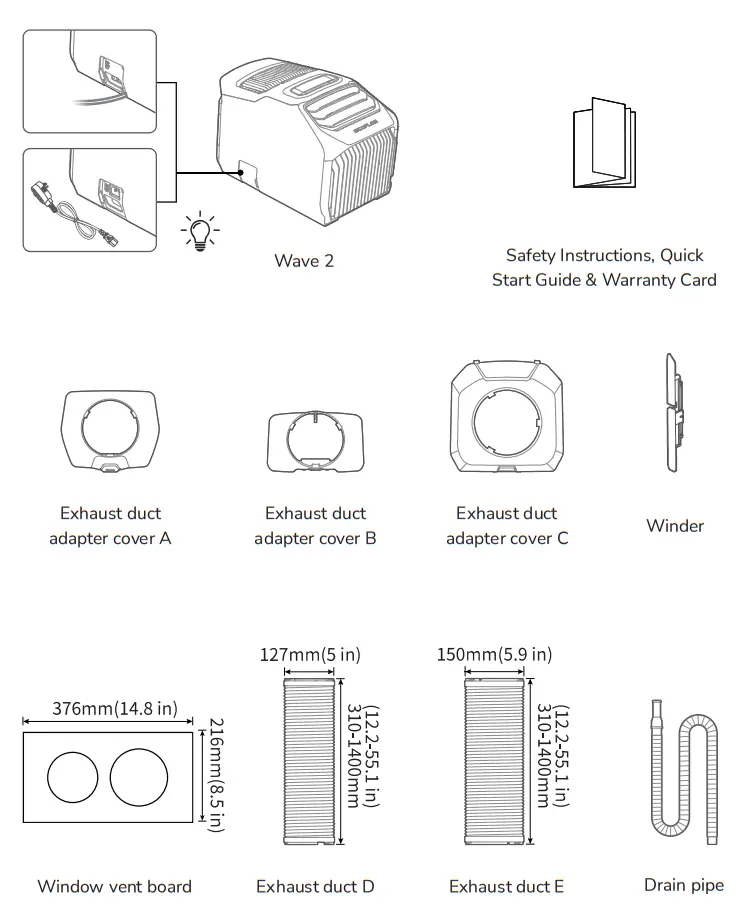
 The type of AC charging cable (pluggable/embedded) varies due to local regulatory requirements. Please refer to the actual product.
Product Details
Overview
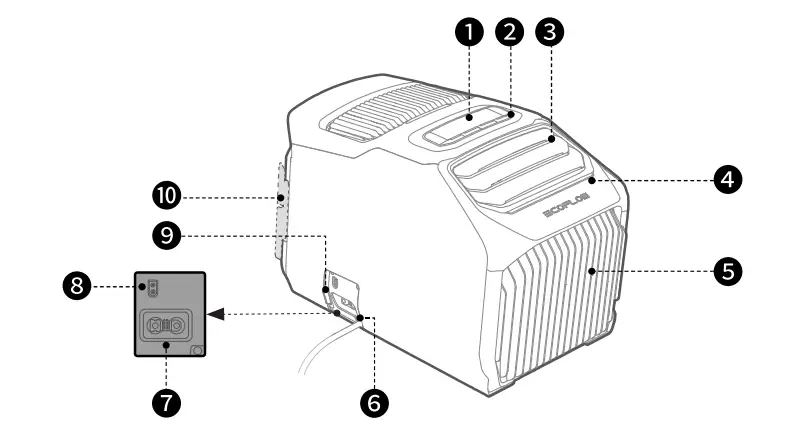
| 1. LCD | 6. AC charging cable |
| 2. Control buttons | 7. Add-on battery socket (XT150) |
| 3. Front air outlet fan blade | 8. Solar/car charging socket (XT60) |
| 4. Ambient light | 9. Charging port cover |
| 5. Front air inlet filter | 10. Winder socket |
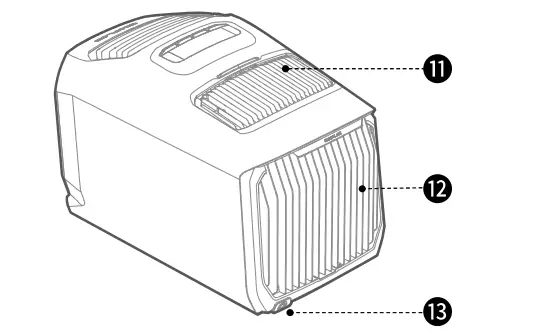
| 11. Rear air outlet | 13. Drainage outlet & drainage outlet connector |
| 12. Rear air inlet filter |
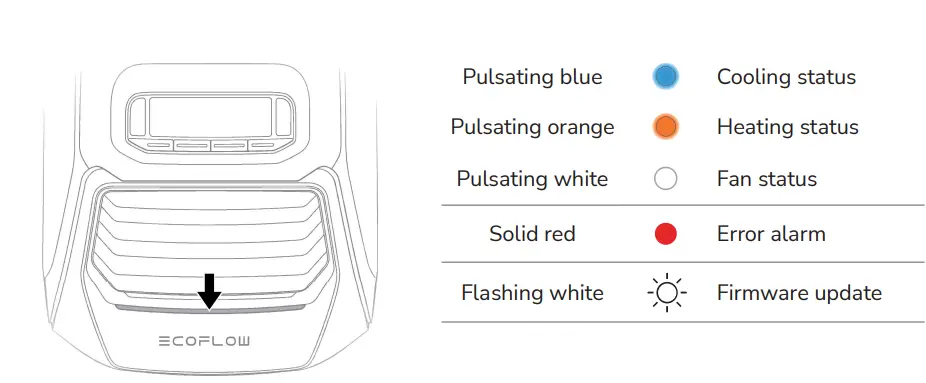
Introduction to Indicator Lights
LCD
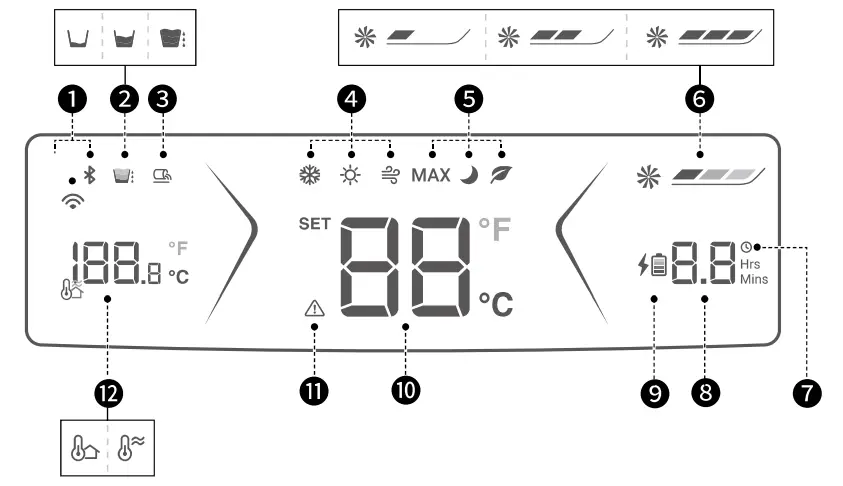
| 1. Wi-Fi/Bluetooth | 7. Timer (Supported in app settings only) |
| 2. Water level indicator | 8. Remaining charge/discharge time |
| 3. External drainage indicator | 9. Add-on battery charging indicator |
| 4. Cooling/Heating/Fan function | 10. Temperature setting/Error code |
| 5. Max/Sleep/Eco mode | 11. Error alarm |
| 6. Fan speed | 12. Ambient/air outlet temperature |
 Refer to Fault Indication and Troubleshooting for error alarm solutions.
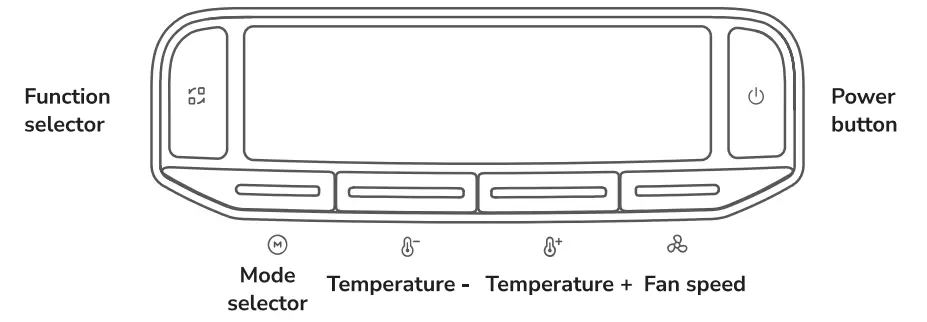
 Power button
Press- Power-on/Standby.
If Wave 2 is idle for 5 minutes, the LCD and ambient light will turn off automatically (The power standby time can be set in the app). Press any button to wake them up.
Press and hold_ Press and hold it for 3 seconds to shutdown.
 Function selector
Press – Switch cooling  /heating
  /fan
/fan  functions.
When switching between cooling and heating, there will be 2 minutes of down time* to protect the device.
Press and hold_ Press and hold it for 3 seconds to reset Wi-Fi  and Bluetooth
  .
.
If reconnection is required, please open the EcoFlow app to reconnect.
* As the operating power may fluctuate during down time, the remaining charge/discharge time is inaccurate. Please recheck it when Wave 2 starts cooling or heating.
M Mode selector (available for cooling/heating only)
Press
Switch max MAX/sleep  /eco
/eco  /custom modes.
In max mode, Wave 2 operates at high fan speed of 16°C (60°F) for cooling or 30°C (86°F) for heating by default, and the temperature or fan speed cannot be changed.
In sleep or eco mode, it operates at low fan speed of 26°C (79°F) for cooling or 20°C (68°F) for heating by default. For eco mode in cooling state, Wave 2 operates for 20 minutes in cooling, then blows air for 10 minutes, and repeats the process.
Press and hold
Press and hold it for 3 seconds to switch real-time ambient temperature  /real-time air outlet temperature
  .
.
 Temperature+ /
 Temperature-
Press
Setting temperature and cooling/heating temperature range: 16°C-30°C (60°F-86°F).
The temperature cannot be set when using the fan function.
Press and hold
Press and hold the Temperature+ and Temperature- buttons for 3 seconds to switch temperature units ºF.
 Fan speed
Press
Fan speed setting (low  /medium
  high
high  )
)
Press and hold
Press and hold it for 3 seconds to enable external drainage function, repeat the process to disable the function.
Getting Started
How to Install
When using the cooling or heating function, please make sure you’ve installed the exhaust duct and adapter cover to Wave 2, otherwise it will affect the air conditioner’s working efficiency. It is recommended that the space is within 20m3 for better working performance.
Indoor Use
When the air conditioner is used in an enclosed space, you can get rid of waste air through the exhaust ducts. The exhaust duct should not be excessively stretched or bent when it is connected to avoid affecting the air conditioner’s working efficiency. 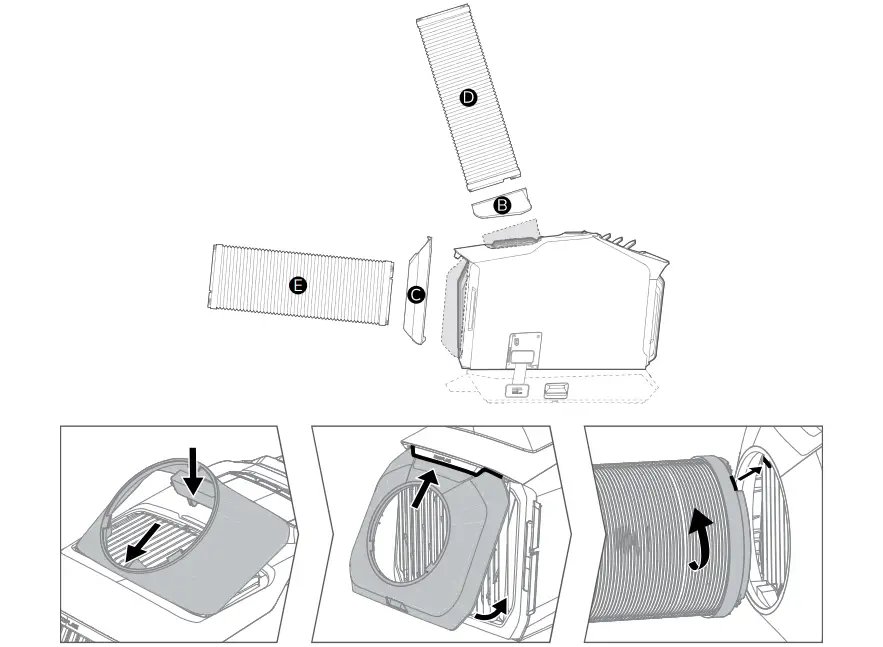
DIY Window Vent Board
A window vent board is included with Wave 2. The board is pre-cut based on the diameters of the exhaust ducts. You can apply it to your truck, RV or home windows, fill the gap between the board and the window, and vent the exhaust air through the ducts. 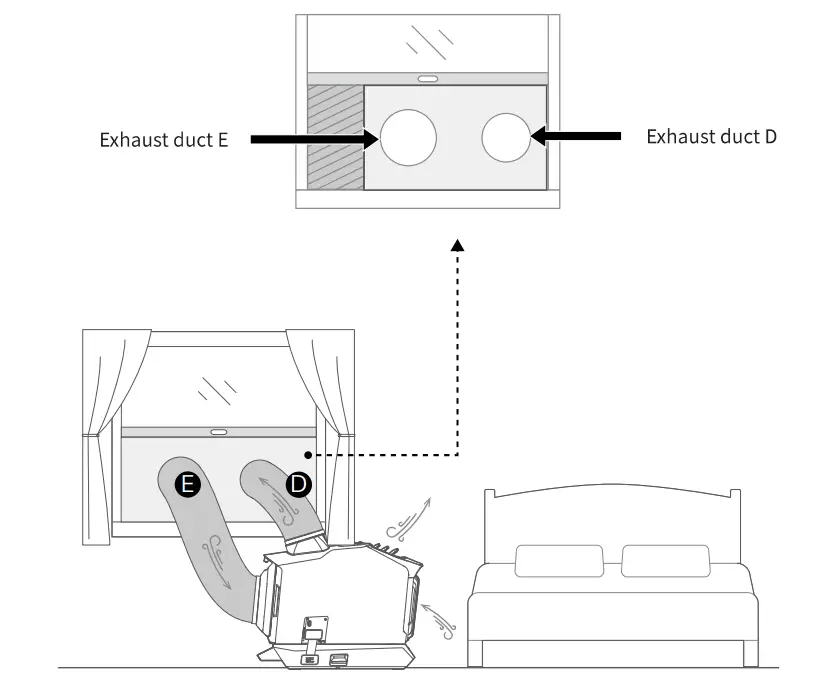
 It is not suggested to use the exhaust duct in rainy and snowy weather to avoid damaging the products.
Outdoor Use
When the interior space is small or noise avoidance is required, Wave 2 can be placed outdoors and deliver cooling or heating through the front air outlet. 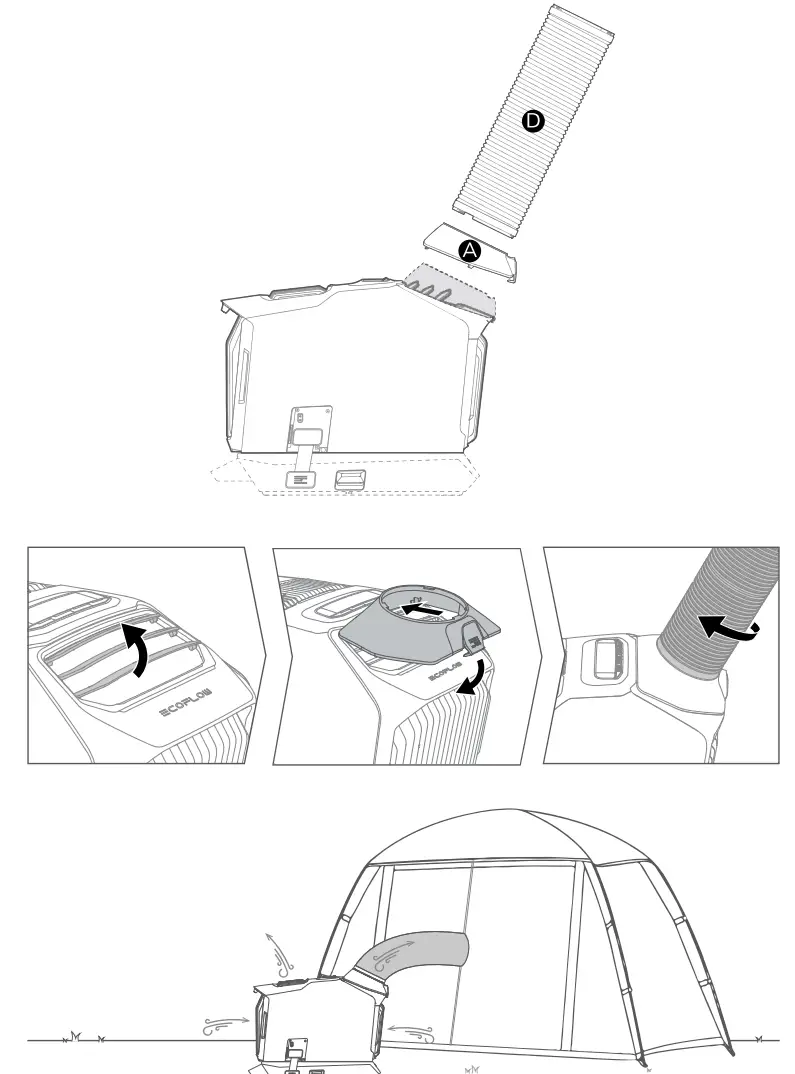
How to Power-on
This product supports multiple power supply methods. Open the charging port cover before using it, then power on. Please close the cover to prevent dust during charging, and wind the AC charging cable around the winder. 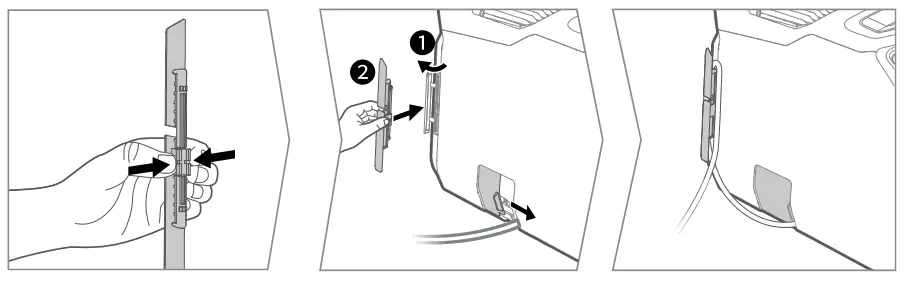
For shutdown, please press and hold the power button before removing the charging cable. Do not directly remove the cable to avoid damaging the battery cell.
AC Outlet
Wave 2 supports an AC voltage from 100-240V. Please use the original AC charging cable and make sure the working current of the outlet should continuously exceed 10A. 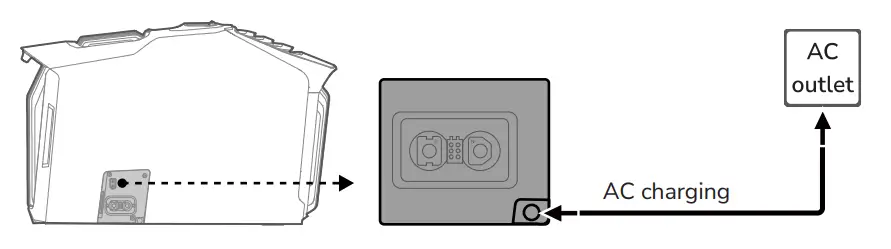
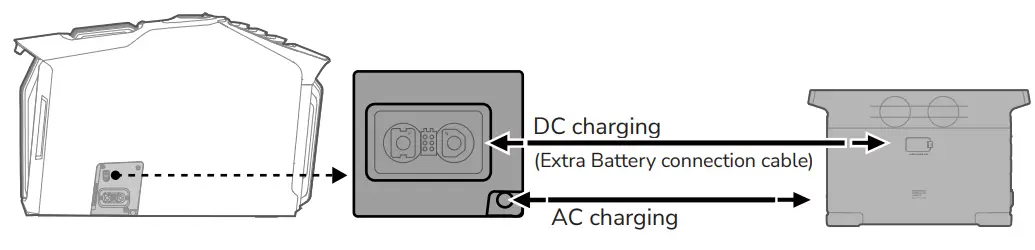
Battery pack
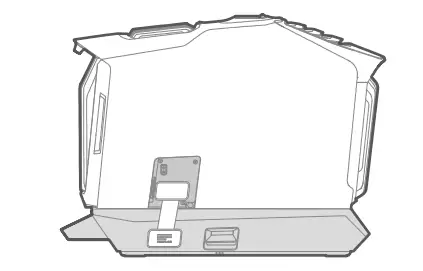
The EcoFlow Wave 2 add-on battery or EcoFlow portable power stations (DELTA and DELTA 2 series are recommended) can be used to supply power to Wave 2. These products and cables can be purchased on official EcoFlow channels.
- Wave 2 Add-on Battery

- EcoFlow portable power stations (XT150 DC output port is recommended)

Solar Panel/Car Charging Port
When charging using a solar panel, please confirm that the output voltage and current of the solar panel is within the specified range (11-60V/13A), and check the solar panel user manual.
When charging using the car charging port, turn on the engine first to avoid a failure to start if the car battery is too low. Wave 2 supports 12V/24V car charging and a maximum charging current of 8A. Make sure that the car charging port and charging cable are securely connected to the cigarette lighter. 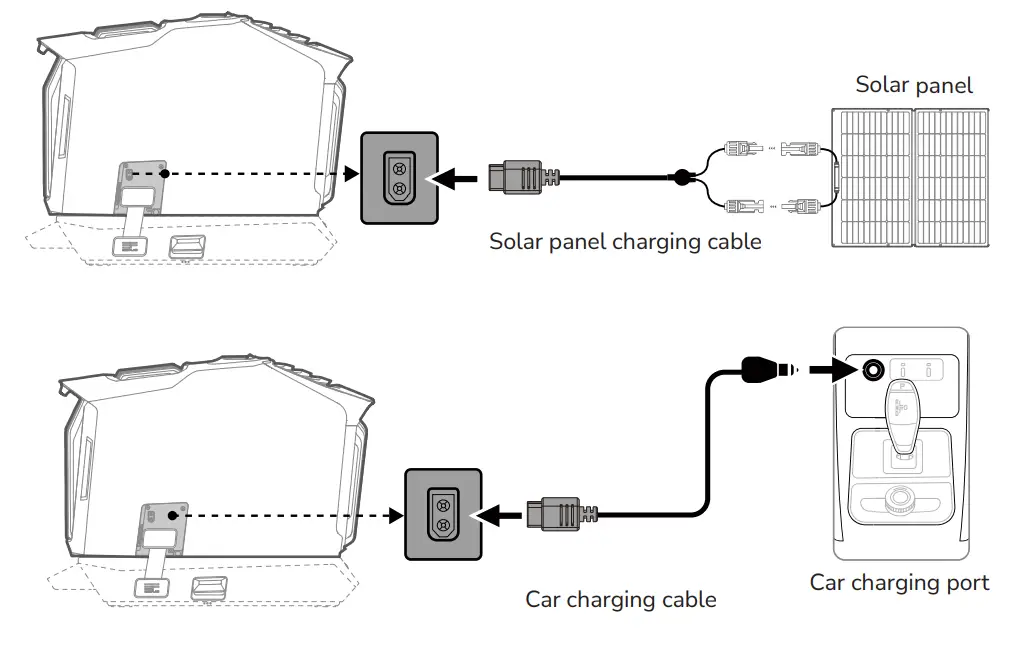
If car or solar panel power is low or voltage is unstable, only fan function will work.
If the cooling/heating function is required, connect the Add-on Battery/portable power station.
How to Drain
Wave 2 has drain-free function. When the cooling function is on, condensation evaporates through flash distillation. When the heating function is in use or the ambient humidity is too high, condensation cannot be drained completely using flash distillation. Check the water level indication on the LCD for more information. When it cannot collect anymore water, Wave 2 will shut down automatically (switch to fan function if it is currently in cooling mode.).
Do not shake or move the air conditioner to avoid water leakage.
External drainage: When the drain pipe is connected to the drainage outlet, press and hold the speed button for 3 seconds, and LCD displays [External drainage indicator]. Press and hold it again to turn off drainage function. If not turned off, the product will continue to drain out when reaching high water level. 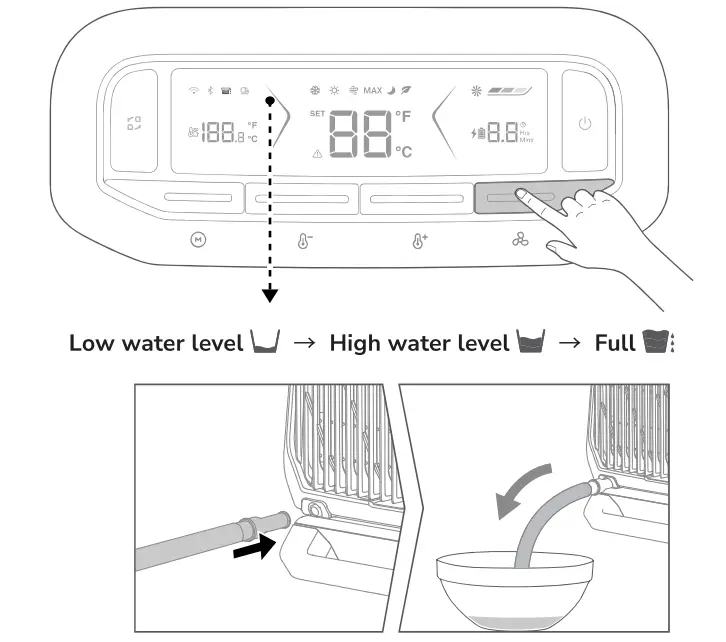
Manual drainage: A small amount of residual water will be left at the bottom of the water tank after external drainage. Please remove the connecter, and tilt the unit back slightly until the condensation is completely drained. 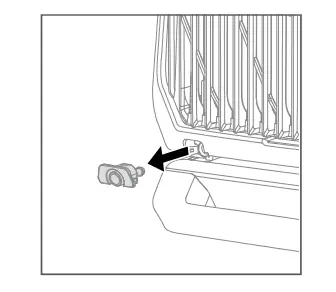
How to Clean
The air inlet may get blocked with large dust particles and impurities in the air during outdoor use. Regularly remove the front and rear air inlet filters, clean them with a damp cloth using a mild detergent, dry them in the air, and then reassemble them. 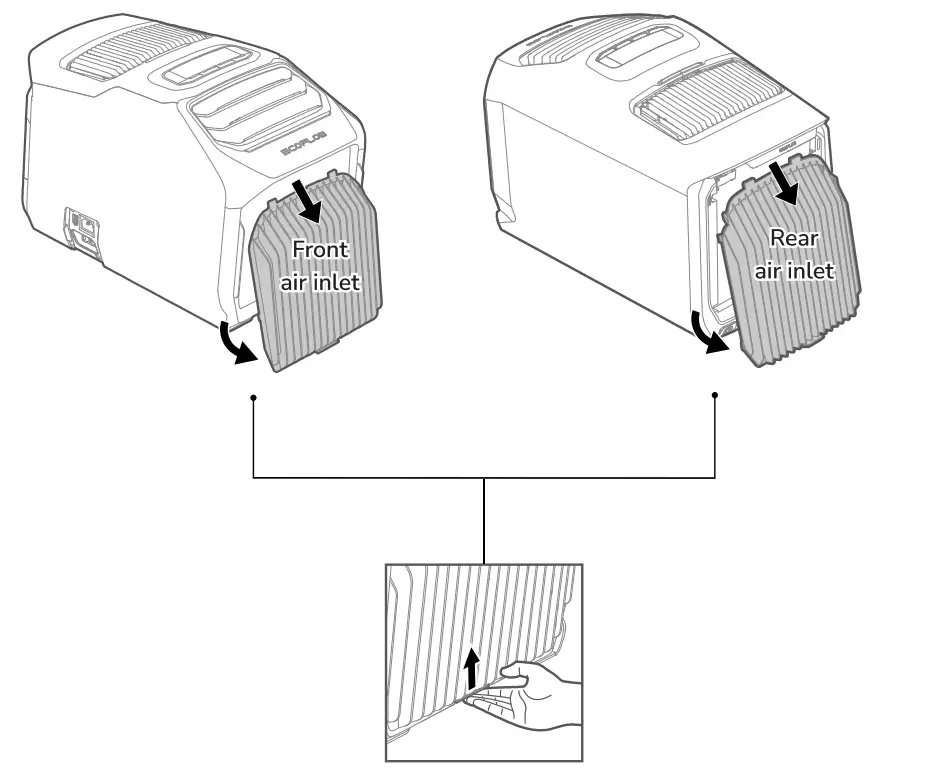
Care and Maintenance
- Please close the socket cover after the unit is stored to prevent dust.
- After the unit is stored after shutdown, manually drain the unit to prevent bacteria breeding in the damp during long-term storage and avoid overflow of water when it is moved next time.
- It is recommended to store this product within the range of ambient temperature range of 20°C-30°C (68°F-86°F), and keep this product away from water sources, heat sources, and metal objects.
 EcoFlow | EcoFlow DE