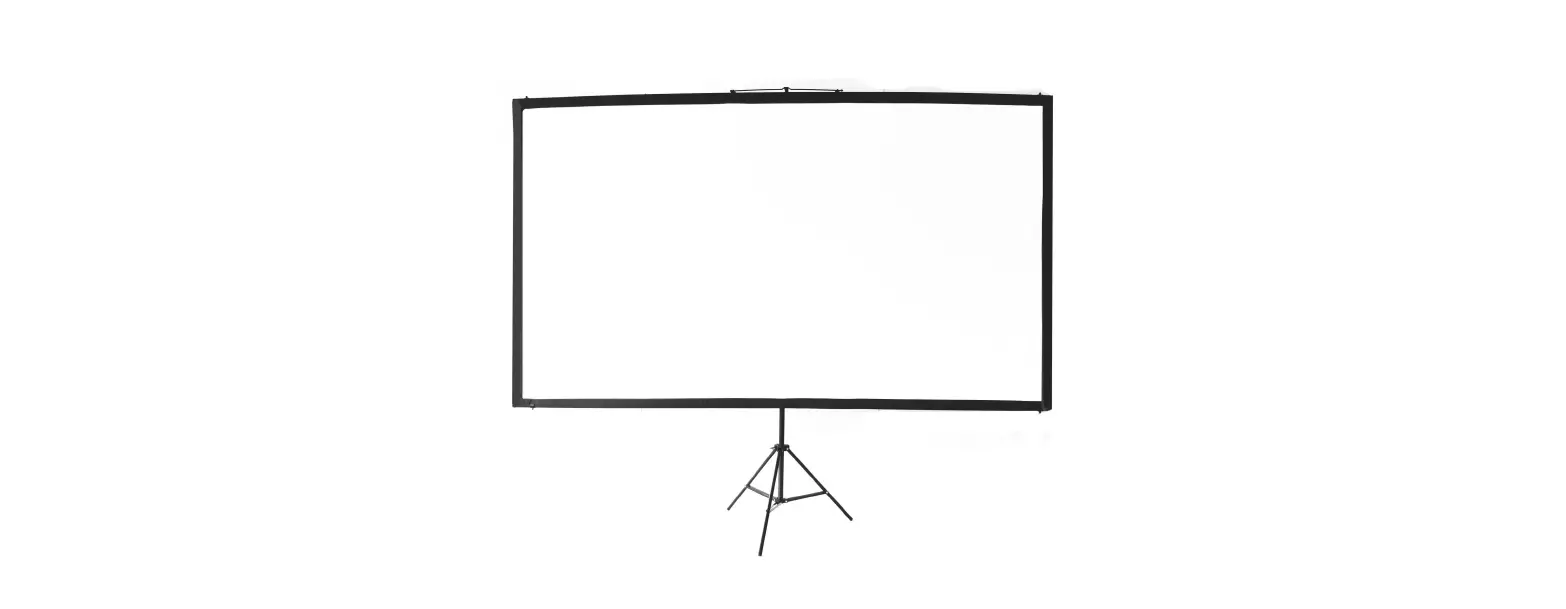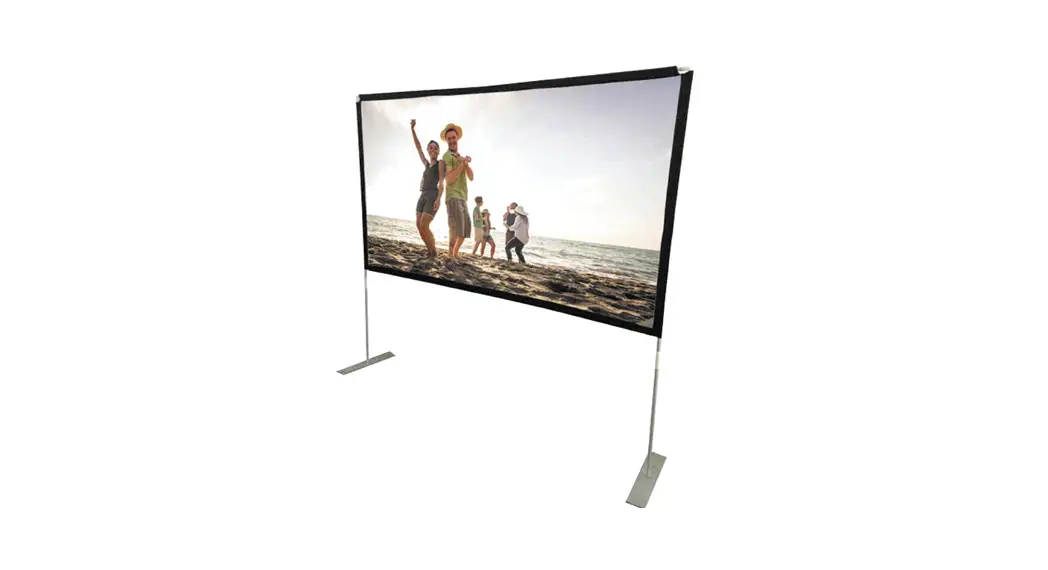
 Portable Projector Screen
Instruction Manual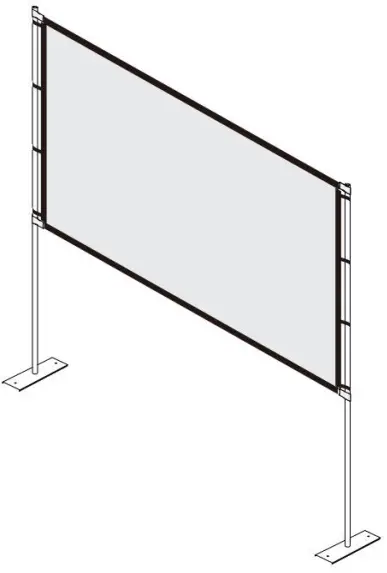
Portable Projector Screen
Warnings
– The warranty will only be valid if you follow the insturctions below carefully! lmproper use and care may cause serious injury and/or damage!
– Make sure the surface you have chosen for installing the screen is flat and secure.
– Please read the following as any damage to the screen surface will impact the image’s quality:
1.Do not touch the screen surface by hand.
2.Do not write or draw on the screen surface.
3.Do not poke the screen surface by finger or edge tools as it may cause scratches or tears.
– Retract the screen after every use.
– Do not pull two sides of the screen fabric by hands, do not fold the screen fabric.
– To prevent unnecessary damage, the operation and maintenance of the screen should be done by adult.
 | Ignoring the safety warnings may lead to injuries or damaging the product. |
 | Retract the screen after every use.Leave it hanging for along period may cause screen fabric loose. |
 | Avoid hanging anything on the screen as it may cause the screen to fall down. |
| The screen should be installed at secure place to avoid any accidents or the screen falling down. |
 | Please contact your local dealer for repair or maintenance, and contact us if you have any further questions. Avoid taking apart the fixtures by yourself. Loose parts may cause the screen fall down. |
Note:
Do not use any detergent or cleaning products to clean the screen surface, please clean it with a soft cloth and lukewarm water.
To the folding creases, please use garment steamer to make the screen smooth.
ASSEMBLY INSTRUCTIONS
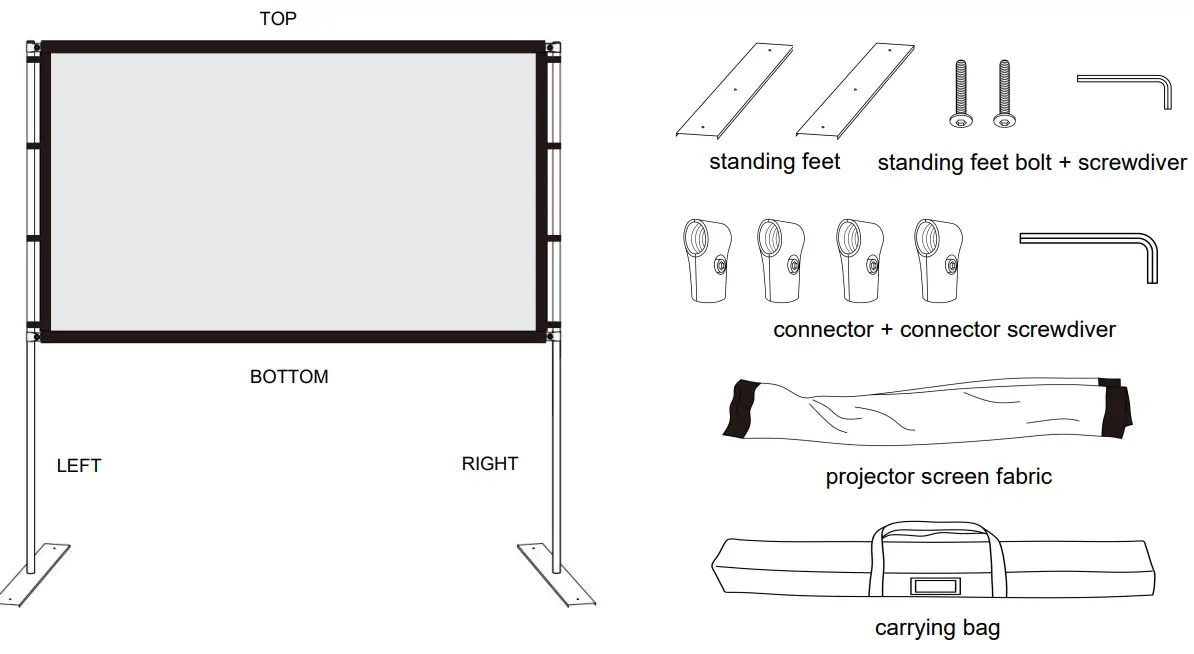
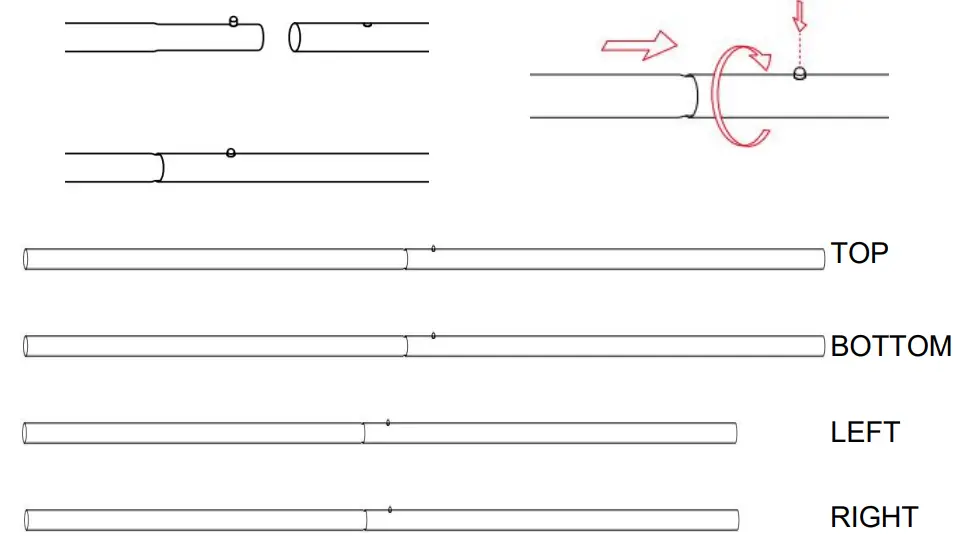
- Press the button snap, assemble the 4 sets poles, top, bottom, left and right.

 Larger size projector screen with stand will have more section poles
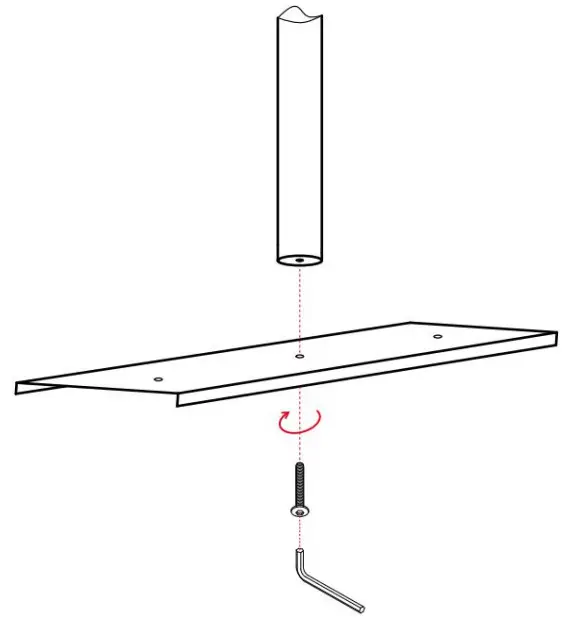
 - Attach the vertical poles (LEFT & RIGHT) to the feet using the included bolts and screwdriver.

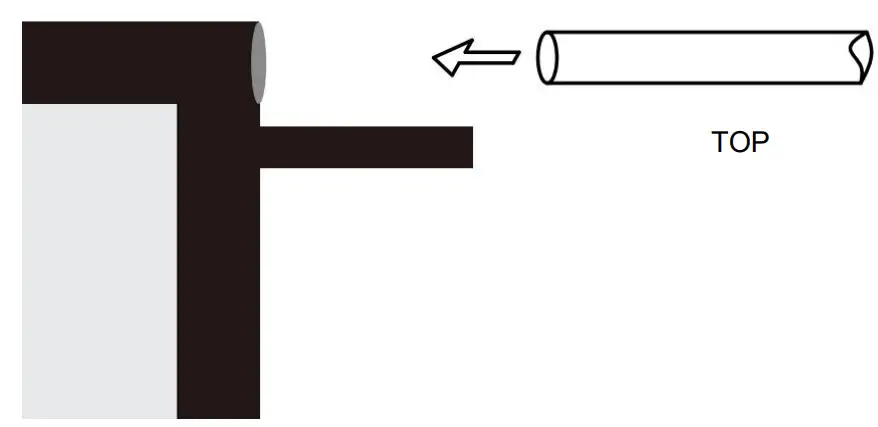
- Slide the horizontal poles (TOP & BOTTOM) through the top and bottom pole pocket.

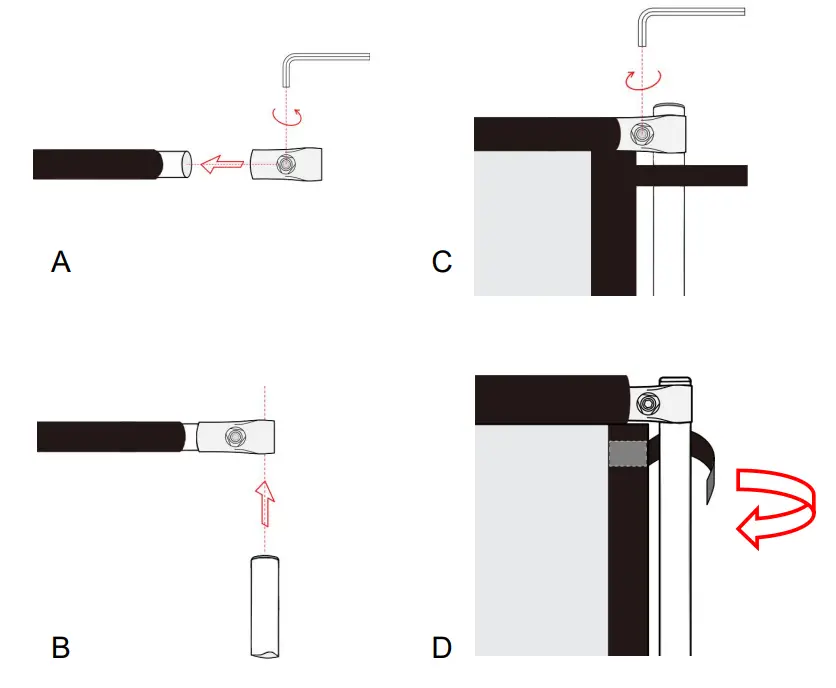
- Attach the horizontal poles (TOP & BOTTOM) to the vertical poles (LEFT & RIGHT) by the metal connectors. Use the velcro on the fabric to fix the vertical poles, make the screen tight and smooth.