 ACCESSORY VISOR
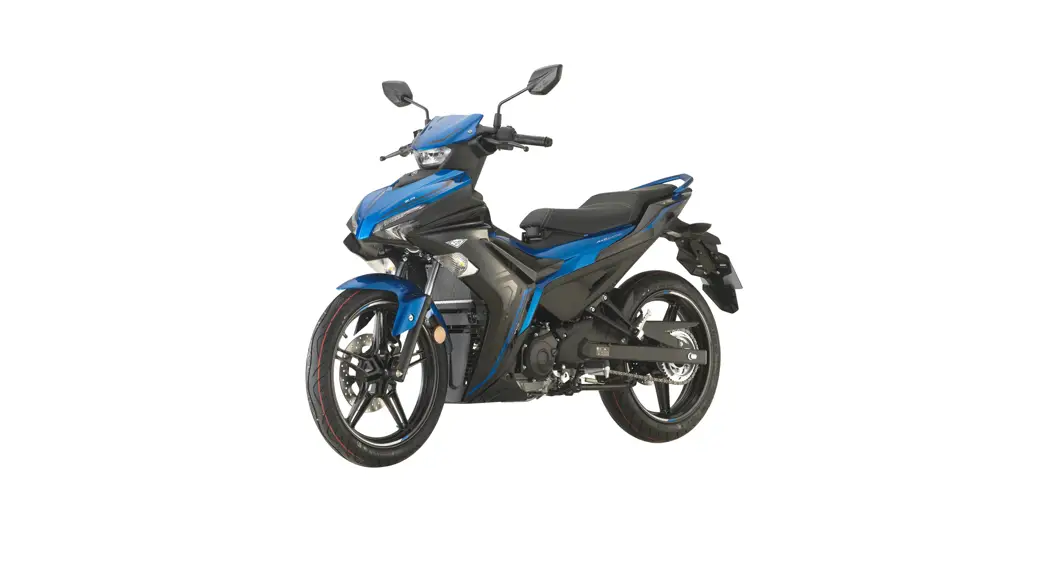
Y16ZR Sports Fashion Edition
User Manual
- VISOR (BAX-F61AA-00-ACC) – 1 pcs
- Ring (BAX-F6249- □□-ACC) – 2 pcs
- DOXOU EMBLEM** – 1 pcs
- CERTIFICATE** – 1 pcs
**For DOXOU version only
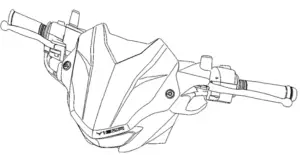 Note: Please remove the existing visor before proceeding to the installation process.
Parts:
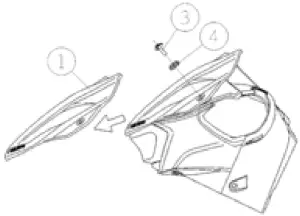
- Visor (BAX-F61AA-00-ACC)
- Cover handle 1 (BAX-F6143-00)
- Bolt, Hex. Socket Button (90111-05817)
- Ring (BAX-F6249- □□-ACC)
After Assembly
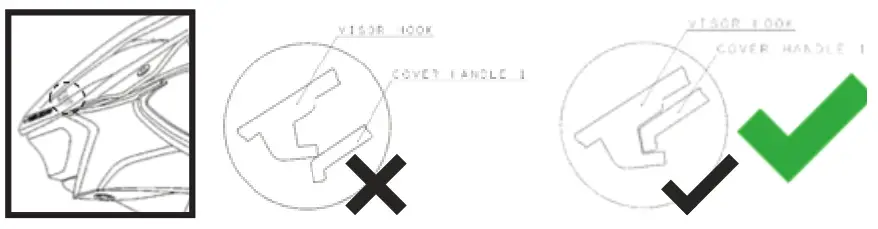
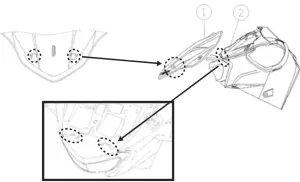
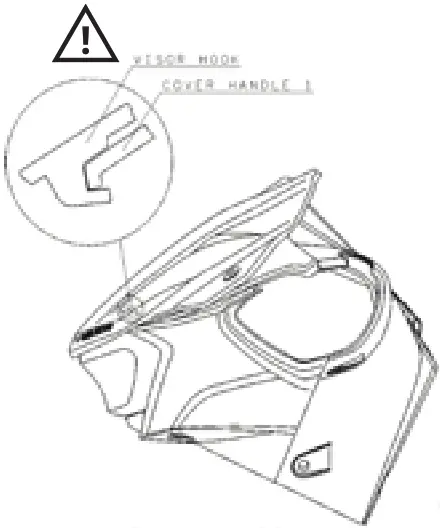
1. Carefully slide visor hook into cover handle 1 slot. Make sure both visor hooks are secured to cover handle 1 before proceeding to the next step.
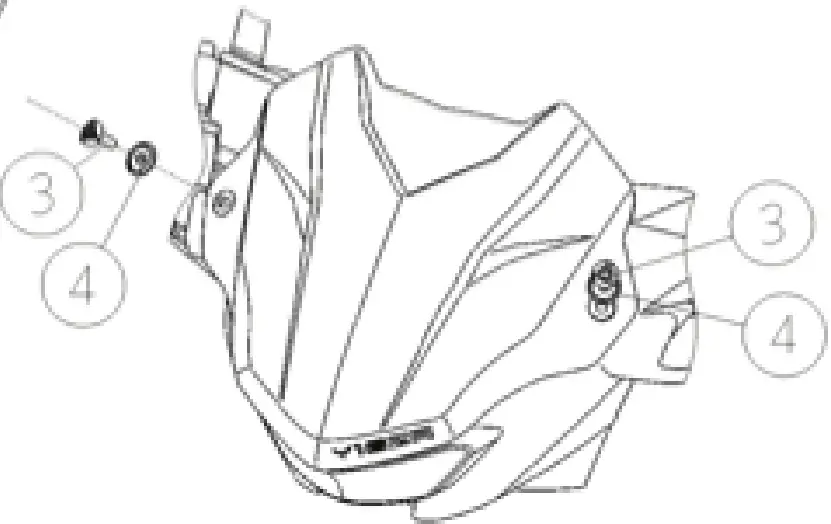
2) Insert Bolt ③ and Ring ④ into the mounting hole.
3) Use size ‘4’ Allen key to tighten BOLT ③. [Tightening torque = 1.5~2.0Nm
- Untighten and remove Bolt ③ and Ring ④ from the visor.
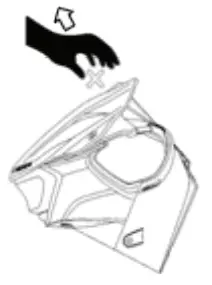
- Slide visor ① forward to remove the visor from the motorcycle.
- Do not pull the visor outwards when disassembly as it will damage the visor hooks.

- Make sure the visor hook is properly slotted into Cover Handle 1 before tightening bolts.

- Do not overtighten or force the Bolts as they could damage the Visor.