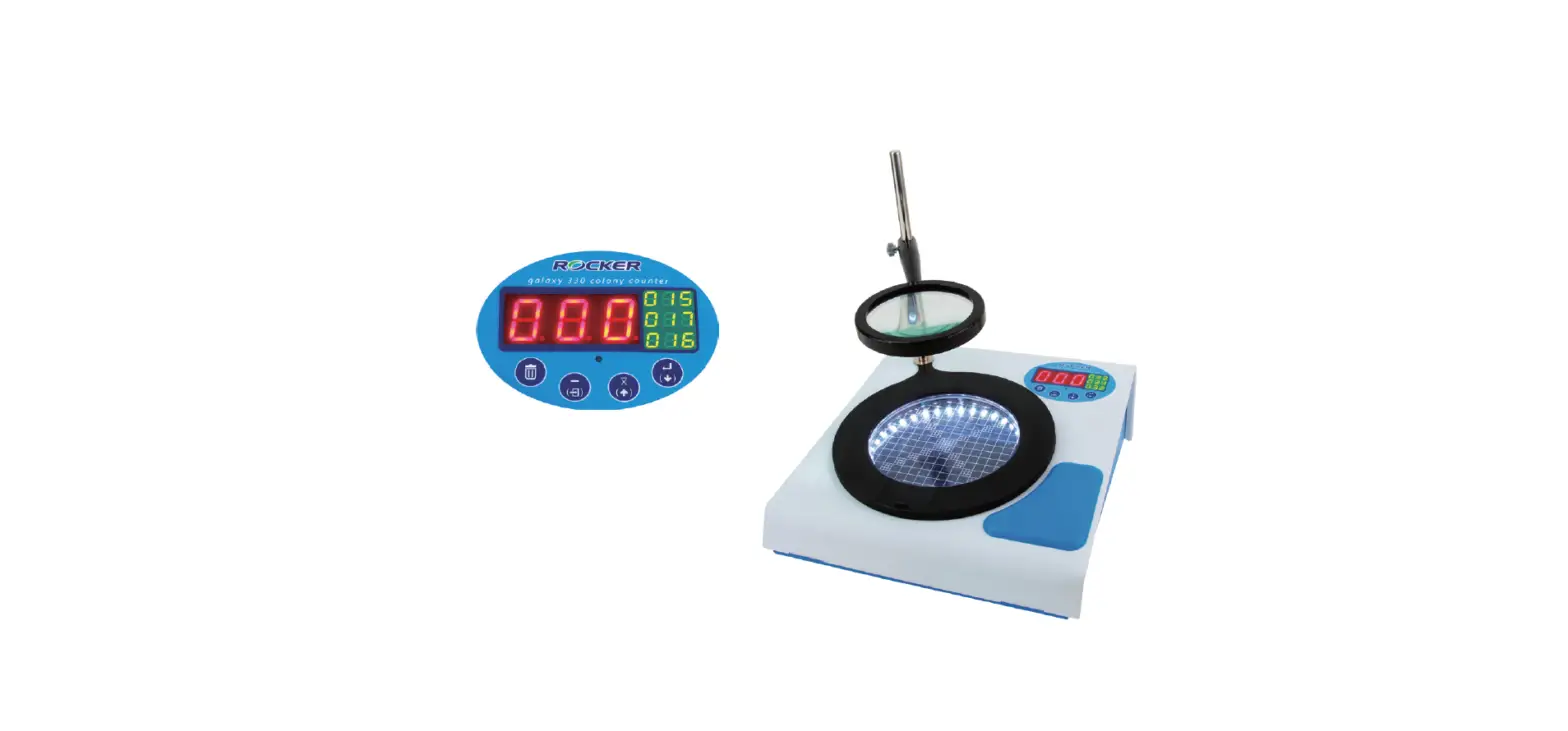

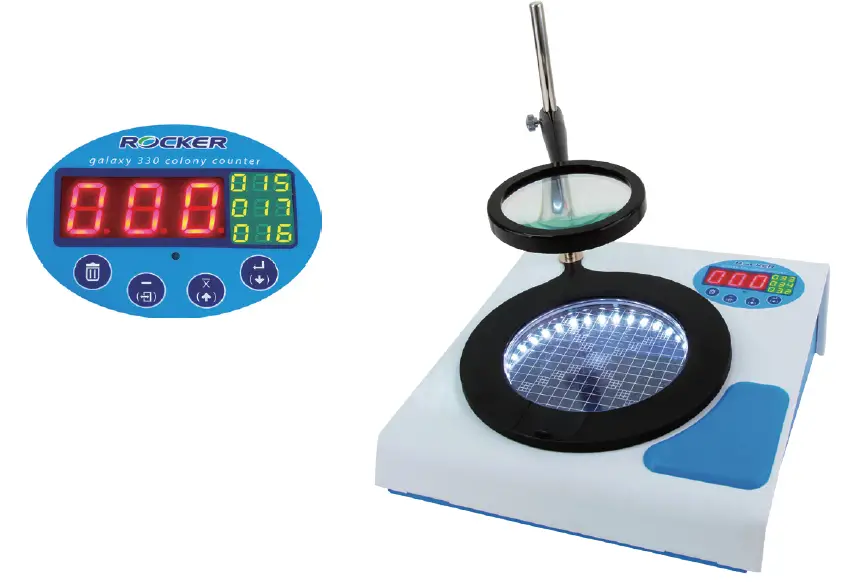
ROCKER Galaxy 330 Colony Counter
Product Information
The Galaxy 330 Colony Counter is a food analysis tool designed to accurately count and analyze colonies in microbiology. It features a pressure sensor design that eliminates the risk of sample contamination and allows users to operate with any marking pens. The device has a 4-display panel that shows up to 4 counts, including the current count and the three most recent counts. It also has user-friendly features such as auto averaging, a back button for counting back when over-counting, and compatibility with Petri dishes of various diameters. The Galaxy 330 has international CE certification and comes with a two-year warranty.
Applications
- Microbiology colony counting
- Total bacteria counting
- Total coliform counting
Optional Galaxy 330 PC Software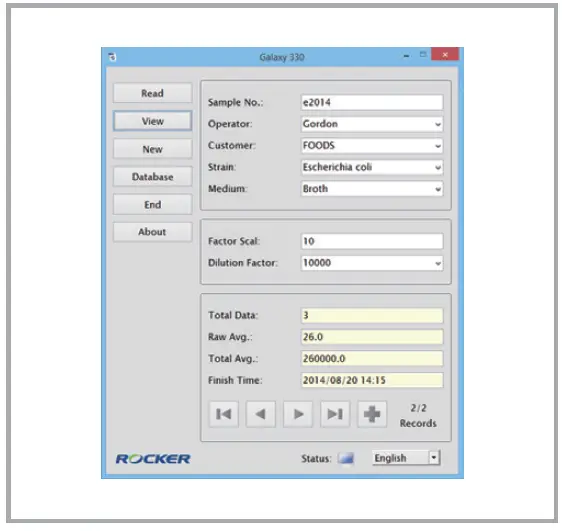
The optional Galaxy 330 PC software can be used to make dilution rate calculations, data tracing, and summary easier. The software allows data to be saved in CSV file format for further analysis.
Specification
- Model: Galaxy 330
- Performance Data: Display Magnification, Petri dish diameter, Storage, Operating function, Illumination, Pressure sensitivity, Acoustical counting signal
- Net weight: 5.6 Kg
- Dimension (LxWxH): 35 x 30 x 37 cm
- Electrical Data: Power input, Max. power output
Ordering Information
There are two options available for ordering the Galaxy 330:
- 175330-01(02) – Galaxy 330 Colony Counter with AC100-240V adaptor, US plug (EU plug)
- 175331-01(02) – Galaxy 330 Colony Counter with software, AC100-240V adaptor, US plug (EU plug)
Additionally, there is a software package available for the Galaxy 330 that includes a 16G USB and connecting cable.
Product Usage Instructions
To use the Galaxy 330 Colony Counter, follow these steps:
- Ensure the device is connected to a power source using the provided AC100-240V adaptor.
- Place the Petri dish with the colonies to be counted on the device’s counting area.
- Adjust the magnification level of the display panel to either 2~3X or 60 mm to 90~150 mm, depending on your preference.
- Press the count button to start counting the colonies. The current count will be displayed on the LED panel.
- If you make a mistake and over-count, press the back button to subtract one from the count.
- To calculate the average of multiple counts, press the auto average button. The device will calculate and display the average count.
- If necessary, reset the count to zero by pressing the zero reset button.
- The LED illumination can be adjusted to provide optimal lighting for counting.
- Ensure that the pressure sensitivity is set appropriately for your marking pen. Adjust it if necessary.
- The device also provides an acoustical counting signal to aid in counting.
For additional functionalities and data analysis, you can use the optional Galaxy 330 PC software. Connect the device to a computer using the provided USB cable and install the software. The software allows for dilution rate calculations, data tracing, and summary in CSV file format.
Features
- Pressure sensor design, no contamination
The pressure sensor design allows users to operate with any marking pen. No worries about the sample being spoiled or contaminated. - 4-display panel
The panel shows up to 4 counts, including the current and the most recent three counting(s). - User-friendly design
- Auto average: Calculating the average of multiple counts with a single press.
- BACK button: Opportunity to count back when over-counting by mistake.
- Compatible with Petri dishes in various diameters.
- International Certification
CE certification - Two-Year Warranty
Applications
Microbiology colony counting
- Total bacteria counting
- Total coliform counting
Ordering Information
- 175330-01(02)
Galaxy 330, Colony Counter with AC100-240V adaptor, US plug (EU plug) - 175331-01(02)
Galaxy 330, Colony Counter with software, AC100-240V adaptor, US plug (EU plug) - 175330-12
Software Package for Galaxy 330
( Include a 16G USB and connecting cable )
(Optional) Galaxy 330 PC software
Use the software and make dilution rate calculation, data tracing and summary easier in csv file format.
Specification
| Model | Galaxy 330 |
| PERFORMANCE DATA | |
| Display | 3-digit, LED panel |
| Magnification | 2~3X |
| Petri dish diameter | 60 mm or 90~150 mm (adjustable) |
| Storage | 100 records |
| Operating function | Average, Zero reset, Count back |
| Illumination | LED (adjustable) |
| Pressure sensitivity | Adjustable |
| Acoustical counting signal | Adjustable |
| Net weight | 5.6 Kg |
| Dimension (LxWxH) | 35 x 30 x 37 cm |
| ELECTRICAL DATA | |
| Power input | DC12V, 0.8A |
| Max. power | 10W |
| Output | USB |
VIDEO
WARRANTY
- 2 YEAR