BR-SL Remote Control
Product Information: BR-SL Remote Control
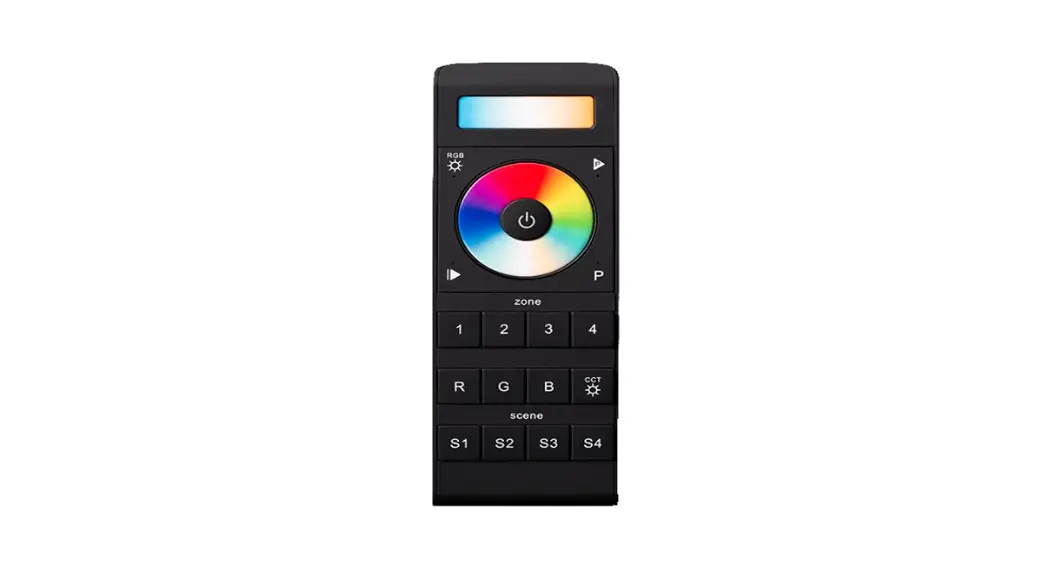
The BR-SL Remote Control is a device that can be used to control
compatible bicolor lights. It is manufactured by Bresser GmbH and
is available with instructions in multiple languages. The remote
control has function lights, a 2-digit display, an ON/OFF button, a
[+] button, a MENU button, and a [-] button. It requires two
AAA/LR03 type batteries (not included) for operation.
Main Features
- Compatible with bicolor lights
- Function lights
- 2-digit display
- ON/OFF button
- [+] and [-] buttons to increase/decrease brightness intensity
and color temperature - MENU button for additional settings
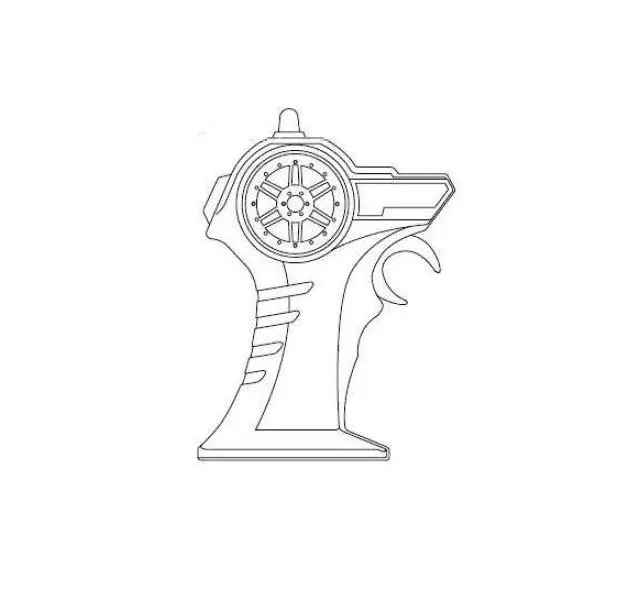
Parts List (Figure 2)
- Function lights (left/red, centre/orange, right/green)
- Display (2-digits), shows the values for brightness, colour
temperature and channel - ON/OFF button
- [+] button
- MENU button
- Battery compartment and cover (on backside)
- [-] button
Product Usage Instructions
Inserting Batteries
- Remove the cover from the battery compartment on the backside
of the remote control. - Insert two batteries into the battery compartment in the
direction of the printed markings. - Re-attach the cover.
- The remote control is now ready for use.
Selecting a Channel & Synchronizing
Make sure that the light you want to work with is switched
on.
Switching the Light On/Off and Adjusting Settings
- If the channel of the remote is set to 00, it can control all
the devices at any channel from 01 to 99 at the same time. - The brightness intensity and color temperature can be
increased/decreased and the devices can be switched on or off by
using the [+] and [-] buttons. - Additional settings can be accessed by pressing the MENU
button. - The display of the remote control has an automatic switch off
function. To reactivate the display, press the ON/OFF button
shortly. - Do not disassemble the device. In the event of a defect,
contact your dealer who will contact the Service Center and arrange
for the return of this device for repair if necessary.
BR-SL REMOTE CONTROL
Remote control for BR-SL LED Lights Remote controol foor BR-SL LED Lichten Fernbedienung für BR-SL LED-Leuchten
Art. No. F004543 · F004544 F004545 · F004546
GB INSTRUCTION MANUAL NL HANDLEIDING DE BEDIENUNGSANLEITUNG
DE
Besuchen Sie unsere Website über den folgenden QR Code oder Weblink um weitere Informationen zu diesem Produkt oder die verfügbaren
Übersetzungen dieser Anleitung zu finden.
GB
Visit our website via the following QR Code or web link to find further information on this product or the available translations of these
instructions.
FR
Si vous souhaitez obtenir plus d’informations concernant ce produit ou rechercher ce mode d’emploi en d’autres langues, rendez-vous sur notre
site Internet en utilisant le code QR ou le lien correspondant.
NL
Bezoek onze internetpagina via de volgende QR-code of weblink, voor meer informatie over dit product of de beschikbare vertalingen van deze
gebruiksaanwijzing.
ES
¿Desearía recibir unas instrucciones de uso completas sobre este producto en un idioma determinado? Entonces visite nuestra página
web utilizando el siguiente enlace (código QR) para ver las versiones
disponibles.
IT
Desidera ricevere informazioni esaustive su questo prodotto in una lingua specifica? Venga a visitare il nostro sito Web al seguente link
(codice QR Code) per conoscere le versioni disponibili.
www.bresser.de/PF004543
GARANTIE · WARRANTY · GARANTÍA · GARANZIA
www.bresser.de/warranty_terms
RECYCLAGE (TRIMAN/FRANCE)
GB INSTRUCTION MANUAL ……………4 NL HANDLEIDING ………………………. 8 DE BEDIENUNGSANLEITUNG ………12
GB
FIG. 1
A
FIG. 2
IMPRINT
GENERAL SAFETY
Bresser GmbH
INFORMATION
Gutenbergstr. 2 46414 Rhede Germany
www.bresser.de
RISK OF MATERIAL DAMAGE!
The manufacturer accepts no liability for damage to property caused by improper or insufficiently safe installation!
Only use the recommended batteries for Errors and technical changes reserved. power supply!
© 2023 Bresser GmbH
Do not touch the device with wet or damp body parts.
All rights reserved.
IMPORTANT NOTE!
VALIDITY NOTE
Do not disassemble the device! In the event of a defect, please contact your
This documentation is valid for the dealer. They will contact the Service
products with the following article Center and can arrange the return of
numbers:
this device for repair if necessary.
F004543, F004544, F004545, F004546 Manual version: 0323
DELIVERY CONTENT (FIG. 1)
Delivery part: Remote control
Remote control (A)
For any inquiries, please state these Additionally needed (not included):
information.
2 pcs. AAA/LR03 type batteries
MAIN FEATURES
· 2.4G wireless remote control
· Connect up to 99 BR-SL LED lights at the same time
· Set and control brightness, light intensity, color temperature and special light effects
· Colored function lights
· Easy to use
PARTS LIST (FIG. 2)
(1) Function lights (left/red, centre/orange, right/ green)
(2) Display (2-digits), shows the values for brightness, colour temperature and channel
(3) ON/OFF button
(4) [+] button
(5) MENU button
(6) Battery compartment and cover (on backside)
(7) [-] button
FUNCTION LIGHTS
· Red/left: brightness setting
· Orange/centre: color temperature setting*
· Green/right: special light effects activated
· no color: channel setting
*only when used with compatible bicolor lights
GB
INSERTING BATTERIES
11. The display of the remote control has an automatic switch off function. To
1. Remove the cover from the battery
reactivate the display, press the On/
compartment on the backside.
Off button shortly.
2. Insert two batteries into the battery 12. In the circumstance that the channel of
compartment in the direction of the printed markings.
the remote is set to “00”, it can control all the devices at any channel from 01
3. Re-attach the cover.
to 99 at the same time. The brightness
4. The remote conbtrol is now ready for use.
intensity and color temperature can be increased/decreased and the
SELECTING A CHANNEL & SYNCHRONIZING
devices can be switched on or off by the remote control.
1. Make sure that the light you are able SWITCHING THE LIGHT ON/
to work with is switched on.
OFF & STANDBY STATUS
2. Press the On/Off button on the remote control shortly to activate the
NOTE: Make sure that the light and the remote control have been correctly
display.
paired up and the same channels are set.
3. Check the currently selected settings 1. Use the ON/OFF switch to switch on
in the light and the remote control. the light and select the correct power
The channel selected on the remote source (if not already done).
control must be the same as the channel set on the light.
NOTE: The ON/OFF function on the remote control will not work if the mains
4. If the channels are incorrectly set, press the MENU button on the remote control. Each time you press the MENU button on the remote control, you switch between setting
power switch on the lamp is switched off.
2. Press the ON/OFF button on the remote control once shortly to activate the remote control.
the brightness, colour temperature 4. Press the ON/OFF button on the
and channel.
remote control for approx. 2-3
5. Select channel setting.
6. The currently set channel is displayed and the channel selection is activated if no function light lights up on the remote control display.
seconds to switch the lamp off (set into standby mode.)
5. Press the ON/OFF button on the remote control shortly again to switch on the light with the remote control.
7. Set the desired channel by pressing the plus [+] or minus [-] buttons on the remote control.
8. Press the MENU button again to
6. The remote control has an automatic switch off function. To reactivate the display, please press the ON/OFF button shortly.
confirm the channel selection and SETTING BRIGHTNESS
to return to the settings for brightness adjustment
menu (basic
(DIMMER)
settings).
NOTE: Make sure that the light and
9. Then check whether the selected the remote control have been correctly
information matches on the paired up and the same channels are set.
remote control and on the device. If 1. Use the ON/OFF switch to switch on
necessary, correct the values on the the light and select the correct power
light as described in section.
source (if not already done).
10. The light is now ready to be operated NOTE: The ON/OFF function on the
via the remote control.
remote control will not work if the mains
power switch on the light is switched off. LED are on, dimmmer is able to be
2. Press the ON/OFF button on the changed. When both, orange and
remote control once shortly to activate green LED are on, flash speed is able
the remote control.
to be changed. When only the green
3. Check that the red status LED on the remote control is on and that the
LED is on, special light effects are able to be changed.
dimming function is activated.
5. Long press the MENU button until the
4. If the dimming function is not set, press the MENU button on the remote control until the red status LED on the
orange LED is on (green LED is off), the remote controller goes to color temperature control.
remote control is on. Each time you COLOR TEMPERATURE*
press the MENU button on the remote NOTE: Make sure that the light and
control, you can switch between the the remote control have been correctly
brightness, color temperature* and paired up and the same channels are set.
channel settings menu.
1. Shortly press the ON/OFF button to
5. Set the desired light output by pressing activate the remote control.
the [+] or [] buttons on the remote ontrol. When a new value is set for the first time, the values on the light are automatically synchronized with the settings of the remote control.
2. Check that the orange status LED on the remote control is on and that the color temperature* set mode is activated.
6. The brightness of the light changes and the selected values for the brightness are shown on the displays of the light and the remote control at the same time.
3. If the color temperature* set mode is not activated, press the MENU button on the remote control until the orange status LED lights up. Each time you press the MENU button on the remote control, you can switch between the
· The brightness can be adjusted in brightness, color temperature* and
steps of 1% from 10 to 99%.
channel setting menu.
· The selected values are applied and 4. The currently set color temperature*
saved by the device immediately.
is shown in shortened form on the
SELECTING COLOR
display of the remote control. For example, 32 means 3,200 K, 44 means
TEMPERATURE* OR
4,400 K and 55 means 5,500 K.
SPECIAL LIGHT EFFECTS
5. Set the desired color temperature* by pressing the [+] or the [] button
CONTROL
on the remote control. When a new
NOTE: Make sure that the light and the remote control have been correctly paired up and the same channels are set.
value is set for the first time, the values for the light are automatically synchronised with the settings of the remote control.
1. Shortly press the ON/OFF button to activate the remote control.
NOTE: The color temperature* can be set in steps of 100 Kelvin from 3,200 to 5,500 Kelvin.
2. Press and hold the MENU button until the green LED is on. The remote control will go to the special effect
The selected values are applied saved by the device immediately.
and
light control mode.
SPECIAL LIGHT EFFECTS
3. Shortly press the MENU button to NOTE: Make sure that the light and change the brightness or the flash the remote control have been correctly speed. When both, red and green paired up and the same channels are set.
*only when used with compatible bicolor lights
GB
1. Shortly press the ON/OFF button to activate the remote control.
2. Long press the MENU button until the green light is on, which goes to the mode of special effect lighting control.
3. Shortly press MENU button to switch to brightness, flash mode or flash speed in loop. When you switch to flash mode, the red and orange indicators are both off. Press [+] and [] button to choose from F1 to F6 flash type settings.
F1: Paparazzi; F2: Fireworks; F3: Bad bulbs; F4: Lightning; F5: TV; F6: SOS
SPECIFICATIONS
Model
Wireless frequency Transmission range Channels Standby time Dimensions (LxWxH) Weight Operating temperature Power supply
RC-01C 2.4G wireless remote control 2.4 GHz up to 50 m (16.4 ft) up to 99 > 1 year 85 x 45 x 55 mm 50 g (without batteries) -10° to 50° C 2 pcs. 1.5V AAA/LR03
LIGHT INTENSITY IN F1-F6 MODE
1. Shortly press MENU button.
2. When both, red and green indicator are on, shortly press [+] or [] button to set the ligght intensity.
FLASH SPEED
1. Shortly press MENU button.
2. When both, orange and red indicator are on, shortly press [+] or [] button to set the flash speed.
CLEANING &
MAINTENANCE
· Only use a dry cloth to clean the exterior of the device. To avoid damaging the electronics, do not use any cleaning fluid.
· Only use the recommended batteries. Always replace weak or empty batteries with a new, complete set of batteries at full capacity. Do not use batteries from different brands or with different capacities.
STORAGE
· Remove the batteries from the unit if it is not used for a longer time.
· Protect the device from dust and moisture and store it in a dry environment.
IMPRINT
ALGEMENE VEILIGHEIDSIN-
Bresser GmbH
FORMATIE
Gutenbergstr. 2 46414 Rhede Duitsland
GEVAAR VAN MATERIËLE SCHADE!
www.bresser.de
De fabrikant is niet aansprakelijk voor materiële schade die ontstaat door
onjuiste of onveilige montage!
Fouten en technische wijzigingen voorbehouden.
Gebruik alleen de aanbevolen batterijen voor de stroomvoorziening!
© 2023 Bresser GmbH Alle rechten voorbehouden.
Raak het apparaat niet aan met natte of vochtige lichaamsdelen.
BELANGRIJKE OPMERKING!
GELDIGHEIDSVERKLARING Demonteer het apparaat niet! Neem in
Deze documentatie geldt voor de producten met de onderstaande artikelnummers:
geval van een defect contact op met uw dealer. Zij nemen contact op met het Service Center en kunnen indien nodig de terugzending van dit apparaat voor
F004543, F004544, F004545, F004546 reparatie regelen.
Versie van de handleiding 0323 Leveringsdeel: Afstandsbediening
LEVERINGSOMVANG (AFB. 1)
Voor vragen, gelieve deze informatie te Afstandsbediening (A)
vermelden.
Extra nodig (niet inbegrepen):
HOOFDKENMERKEN
· 2.4G draadloze afstandsbediening
2 stuks AAA/LR03 type batterijen
ONDERDELENLIJST (FIG. 1-3)
· Sluit tot 99 BR-SL LED lampen tegelijkertijd aan
· Helderheid, lichtintensiteit, kleurtemperatuur en speciale lichteffecten instellen en regelen
· Gekleurde functielichten
· Gemakkelijk te gebruiken
(1) Functielichten (links/rood, midden/oranje, rechts/ groen)
(2) Display (2 cijfers), toont de waarden voor helderheid, kleurtemperatuur en kanaal
(3) AAN/UIT-knop
(4) [+]-knop
MENU-knop
(6) Batterijvak en deksel (aan de achterkant)
(7) []-knop
FUNCTIELICHTEN
· Rood/links: helderheidsinstelling
· Oranje/midden: instelling van de kleurtemperatuur*
· Groen/rechts: speciale lichteffecten geactiveerd
· geen kleur: kanaalinstelling
*alleen bij gebruik met compatibele tweekleurige lampen
NL
BATTERIJEN PLAATSEN
zo nodig de waarden op het lamp zoals beschreven in sectie.
1. Verwijder het deksel van batterijvak aan de achterkant.
het 10. Het lamp is nu klaar voor bediening via de afstandsbediening.
2. Plaats twee batterijen in het batterijvak in de richting van de gedrukte markeringen.
3. Maak het deksel weer vast.
11. Het display van de afstandsbediening
heeft
een
automatische
uitschakelfunctie. Druk kort op de
aan/uit-knop om het display weer te
4. De afstandsbediening is nu klaar voor
activeren.
gebruik.
12. Wanneer het kanaal van de
EEN KANAAL KIEZEN
afstandsbediening is ingesteld op “00”, kan het alle apparaten op elk
EN SYNCHRONISEREN
1. Zorg ervoor dat de lamp waarmee je kunt werken aan is.
kanaal van 01 tot 99 tegelijkertijd bedienen. De lichtsterkte en de kleurtemperatuur kunnen worden verhoogd/verlaagd en de apparaten
2. Druk kort op de On/Off toets van de
kunnen met de afstandsbediening
afstandsbediening om het display te
worden in- of uitgeschakeld.
activeren. 3. Controleer
de
momenteel IN-/UITSCHAKELEN VAN
geselecteerde instellingen in de lamp HET LAMP & STANDBY-
en de afstandsbediening. Het op de afstandsbediening geselecteerde
STATUS
kanaal moet hetzelfde zijn als het op OPMERKING: Zorg ervoor dat de lamp
de lamp ingestelde kanaal.
en de afstandsbediening correct zijn
4. Als de kanalen verkeerd zijn gekoppeld en dat dezelfde kanalen zijn ingesteld, drukt u op de MENU-knop ingesteld.
van de afstandsbediening. Telkens 1. Gebruik de AAN/UIT-schakelaar om
wanneer u op de MENU-knop van de het lamp in te schakelen en selecteer
afstandsbediening drukt, wisselt u de juiste stroombron (als dat nog niet
tussen het instellen van de helderheid, is gebeurd).
de kleurtemperatuur en het kanaal. OPMERKING: De ON/OFF functie op
5. Selecteer kanaalinstelling.
de afstandsbediening werkt niet als
6. Het momenteel ingestelde kanaal de hoofdschakelaar op de lamp is wordt weergegeven en de kanaal- uitgeschakeld.
keuze wordt geactiveerd als er geen 2. Druk eenmaal kort op de toets ON/
functielicht brandt op het display van OFF van de afstandsbediening om de
de afstandsbediening.
afstandsbediening te activeren.
7. Stel het gewenste kanaal in door op 4. Druk gedurende ongeveer 2-3
de plus [+] of min [-] toetsen van de seconden op de ON/OFF toets van de
afstandsbediening te drukken.
afstandsbediening om de lamp uit te
8. Druk nogmaals op de MENU knop schakelen (in stand-by modus).
om de kanaalselectie te bevestigen 5. Druk nogmaals kort op de AAN/UIT-
en terug te keren naar het knop van de afstandsbediening om
instellingenmenu voor het aanpassen het lamp met de afstandsbediening in
van de helderheid (basisinstellingen). te schakelen.
9. Controleer vervolgens of de 6. De afstandsbediening heeft een geselecteerde informatie op de automatische uitschakelfunctie. Om afstandsbediening en op het het display weer te activeren, drukt u apparaat overeenkomen. Corrigeer kort op de ON/OFF knop.
HELDERHEID INSTELLEN KIEZEN VAN KLEURTEM-
(DIMMER)
PERATUUR* OF SPECIALE
OPMERKING: Zorg ervoor dat de lamp LICHTEFFECTENREGELING
en de afstandsbediening correct zijn gekoppeld en dat dezelfde kanalen zijn ingesteld.
OPMERKING: Zorg ervoor dat de lamp en de afstandsbediening correct zijn gekoppeld en dat dezelfde kanalen zijn
1. Gebruik de AAN/UIT-schakelaar om ingesteld.
het lamp in te schakelen en selecteer de juiste stroombron (als dat nog niet is gebeurd).
1. Druk kort op de toets ON/OFF om de afstandsbediening te activeren.
OPMERKING: De AAN/UIT functie op de afstandsbediening werkt niet als de hoofdschakelaar van de lamp is uitgeschakeld.
2. Houd de MENU toets ingedrukt totdat de groene LED brandt. De afstandsbediening gaat naar de speciale lichteffectenregeling.
2. Druk eenmaal kort op de toets ON/ OFF van de afstandsbediening om de afstandsbediening te activeren.
3. Druk kort op de MENU knop om de helderheid of de flitssnelheid te veranderen. Wanneer zowel de rode als de groene LED branden, kan de
3. Controleer of de rode status-LED op dimmer worden gewijzigd. Wanneer
de afstandsbediening brandt en of de zowel de oranje als de groene
dimfunctie is geactiveerd.
LED branden, kan de flitssnelheid
4. Als de dimfunctie niet is ingesteld, worden gewijzigd. Wanneer alleen de
drukt u op de MENU-knop van de groene LED brandt, kunnen speciale
afstandsbediening tot de rode status- lichteffecten worden veranderd.
LED op de afstandsbediening brandt. 5. Druk lang op de MENU-knop totdat de
Telkens wanneer u op de MENU-knop oranje LED oplicht (groene LED is uit),
van de afstandsbediening drukt, kunt de afstandsbediening gaat naar de
u schakelen tussen het menu voor kleurtemperatuurregeling.
helderheid, kleurtemperatuur* en
kanaalinstellingen.
KLEURTEMPERATUUR*
5. Stel de gewenste lichtsterkte in OPMERKING: Zorg ervoor dat de lamp door op de knoppen [+] of [] van en de afstandsbediening correct zijn de afstandsbediening te drukken. gekoppeld en dat dezelfde kanalen zijn Wanneer voor het eerst een nieuwe ingesteld.
waarde wordt ingesteld, worden de 1. Druk kort op de toets ON/OFF om de waarden op het lamp automatisch afstandsbediening te activeren.
gesynchroniseerd met de instellingen van de afstandsbediening.
2. Controleer of de oranje status-LED op de afstandsbediening brandt en
6. De lichtsterkte van de lamp verandert of de ingestelde kleurtemperatuur*
en de geselecteerde waarden voor geactiveerd is.
de lichtsterkte worden tegelijkertijd op de displays van de lamp en de afstandsbediening weergegeven.
3. Als de instelmodus voor de
kleurtemperatuur*
niet
is
geactiveerd, drukt u op de MENU-
· De helderheid kan worden ingesteld knop van de afstandsbediening tot
in stappen van 1% van 10 tot 99%.
de oranje status-LED oplicht. Telkens
· De geselecteerde waarden worden onmiddellijk door het apparaat toegepast en opgeslagen.
wanneer u op de MENU-knop van de afstandsbediening drukt, kunt u schakelen tussen het menu voor helderheid, kleurtemperatuur* en
kanaalinstelling.
*alleen bij gebruik met compatibele tweekleurige lampen
NL
4. De
momenteel
ingestelde
kleurtemperatuur* wordt verkort
weergegeven op het display van de
afstandsbediening. Bijvoorbeeld, 32
betekent 3.200 K, 44 betekent 4.400 K
en 55 betekent 5.500 K.
5. Stel de gewenste kleurtemperatuur* in door op de [+] of de [-] toets van de afstandsbediening te drukken. De waarden voor het lamp worden automatisch gesynchroniseerd met de instellingen van de afstandsbediening.
OPMERKING: De kleurtemperatuur* kan worden ingesteld in stappen van 100 Kelvin van 3.200 tot 5.500 Kelvin.
De geselecteerde waarden worden onmiddellijk door het apparaat toegepast en opgeslagen.
SPECIALE LICHTEFFECTEN
OPMERKING: Zorg ervoor dat de lamp en de afstandsbediening correct zijn gekoppeld en dat dezelfde kanalen zijn ingesteld.
1. Druk kort op de toets ON/OFF om de afstandsbediening te activeren.
2. Druk lang op de MENU-knop totdat het groene llicht brandt, waarmee u naar de modus van de speciale lichteffecten gaat.
3. Druk kort op de MENU knop om over te schakelen naar helderheid, flitsmodus of flitssnelheid in een lus. Wanneer u overschakelt naar de flitsstand, zijn de rode en oranje indicators beide uit. Druk op de [+] en [] knop om te kiezen uit de F1 tot F6 instellingen voor het flitstype.
F1: Paparazzi / F2: Vuurwerk F3: Slechte lampen. F4: Bliksem; F5: TV; F6: SOS
LICHTINTENSITEIT IN F1-F6 MODUS
1. Druk kort op de MENU-knop.
2. Wanneer zowel de rode als de groene indicator branden, drukt u kort op de [+] of [] knop om de lichtintensiteit in te stellen.
FLITSSNELHEID
1. Druk kort op de MENU-knop.
2. Wanneer zowel de oranje als de rode indicator branden, druk dan kort op de [+] of [] knop om de flitssnelheid in te stellen.
REINIGING EN ONDER-
HOUD
Gebruik alleen een droog doekje om de buitenkant van het apparaat schoon te maken. Om beschadiging van de elektronica te voorkomen, mag u geen reinigingsvloeistof gebruiken.
· Gebruik alleen de aanbevolen batterijen. Vervang zwakke of lege batterijen altijd door een nieuwe, volledige set batterijen met maximale capaciteit. Gebruik geen batterijen van verschillende merken en soorten of met verschillende capaciteiten.
OPSLAG
· Verwijder de batterijen uit het apparaat als deze langere tijd niet worden gebruikt.
· Bescherm het apparaat tegen stof en vocht en bewaar het in een droge omgeving.
SPECIFICATIES
Model
Draadloze frequentie Transmissiebereik Kanalen Standby tijd Afmetingen (LxBxH) Gewicht Bedrijfstemperatuur Stroomvoorziening
RC-01C 2,4G draadloze afstandsbediening 2,4 GHz tot 50 m (16,4 ft) tot 99 > 1 jaar 85 x 45 x 55 mm 50 g (zonder batterijen) -10° tot 50° C 2 stuks 1,5V AAA/LR03
IMPRESSUM
ALLGEMEINE SICHERHEIT-
Bresser GmbH
SINFORMATIONEN
Gutenbergstr. 2 46414 Rhede
GEFAHR VON SACHSCHÄDEN!
Germany www.bresser.de
Für Sachschäden, die durch eine nicht sachgemäße oder nicht ausreichend sichere Montage verursacht werden,
übernimmt der Hersteller keine
Irrtümer und technische Änderungen Haftung!
vorbehalten.
Verwenden Sie nur die empfohlenen
Batterien für die Stromversorgung!
© 2023 Bresser GmbH Alle Rechte vorbehalten.
Berühren Sie das Gerät nicht mit nassen oder feuchten Körperteilen.
GÜLTIGKEITSHINWEIS
WICHTIGER HINWEIS!
Bauen Sie das Gerät nicht auseinander!
Diese Dokumentation ist gültig für Wenden Sie sich im Falle eines Defekts
die Produkte mit den nachfolgend bitte an Ihren Fachhändler. Er nimmt
aufgeführten Artikelnummern:
mit dem Service-Center Kontakt auf und
F004543, F004544, F004545, F004546 kann das Gerät ggf. zwecks Reparatur
Anleitungsversion: 0323
einschicken.
Teil der Lieferung: Fernbedienung
LIEFERUMFANG (FIG. 1)
Bei Rückfragen geben Sie bitte diese Informationen an.
Fernbedienung (A) Zusätzlich benötigt (nicht enthalten):
HAUPTEIGENSCHAFTEN
2 Stck. Batterien vom Typ AAA/LR03
· 2.4G-Funkfernbedienung
· Anschluss von bis zu 99 BR-SL LEDLeuchten gleichzeitig
· Einstellen und steuern von Helligkeit, Lichtintensität, Farbtemperatur und speziellen Lichteffekten
· Farbige Funktionsleuchten
· Einfach zu bedienen
TEILELISTE (FIG. 2)
(1) Funktionsleuchten (links/rot, Mitte/orange, rechts/grün)
(2) Display (2-stellig), zeigt die Werte für Helligkeit, Farbtemperatur und Kanal an
(3) EIN/AUS-Taste
(4) [+] Taste
(5) MENÜ-Taste
(6) Batteriefach und Deckel (auf der Rückseite)
(7) [] Taste
FUNKTIONSLEUCHTEN
· Rot/links: Helligkeitseinstellung
· Orange/Mitte: Einstellung der Farbtemperatur*
· Grün/rechts: spezielle Lichteffekte aktiviert
· keine Farbe: Kanaleinstellung
*nur bei Verwendung mit kompatiblen Bicolor-Leuchten
GB
BATTERIEN EINLEGEN
Gerät übereinstimmen. Korrigieren Sie gegebenenfalls die Werte an der
1. Entfernen Sie die Abdeckung vom Leuchte wie im Abschnitt beschrieben.
Batteriefach auf der Rückseite.
10. Die Leuchte ist jetzt bereit, um über
2. Legen Sie zwei Batterien in Richtung
die Fernbedienung gesteuert zu
der aufgedruckten Markierungen in das Batteriefach ein.
3. Die Abdeckung wieder anbringen.
werden.
11. Das Display der Fernbedienung verfügt über eine automatische
4. Die Fernbedienung ist jetzt einsatzbereit.
Abschaltfunktion. Um das Display
EINEN KANAL AUSWÄHLEN
wieder zu aktivieren, drücken Sie kurz die Ein-/Aus-Taste.
UND SYNCHRONISIEREN
12. Wenn der Kanal der Fernbedienung
1. Vergewissern Sie sich, dass die Leuchte, mit dem Sie arbeiten möchten, eingeschaltet ist.
auf ,,00″ eingestellt ist, können alle Geräte auf jedem Kanal von 01 bis 99 gleichzeitig gesteuert werden. Die Helligkeitsintensität und die
2. Drücken Sie kurz die Ein-/Aus-Taste
Farbtemperatur können erhöht/
auf der Fernbedienung, um das
verringert werden und die Geräte
Display zu aktivieren.
können mit der Fernbedienung ein-
3. Überprüfen Sie die aktuell gewählten
oder ausgeschaltet werden.
Einstellungen für die Leuchte die Fernbedienung. Der auf
und der
LEUCHTE EIN-/AUSSCHALTEN
Fernbedienung gewählte Kanal muss UND BEREITSCHAFTSSTATUS
mit dem an der Leuchte eingestellten Kanal übereinstimmen.
HINWEIS: Vergewissern Sie sich, dass Leuchte und Fernbedienung korrekt
4. Wenn die Kanäle falsch eingestellt gekoppelt wurden und dieselben Kanäle
sind, drücken Sie die MENU-Taste eingestellt sind.
auf der Fernbedienung. Jedes Mal, wenn Sie die MENU-Taste auf der Fernbedienung drücken, wechseln Sie zwischen der Einstellung der Helligkeit, der Farbtemperatur und
1. Verwenden Sie den Ein-/Aus-Schalter, um das Licht einzuschalten und die richtige Stromquelle auszuwählen (falls noch nicht geschehen).
des Kanals.
HINWEIS: Die Ein-/Aus-Funktion der
5. Wählen Sie die Kanaleinstellung aus.
Fernbedienung funktioniert nicht, wenn der Netzschalter an der Lampe
6. Der aktuell eingestellte Kanal wird angezeigt und die Kanalauswahl ist aktiviert, wenn auf dem Display der Fernbedienung keine Funktionsanzeige aufleuchtet.
ausgeschaltet ist.
2. Drücken Sie die Ein-/Aus-Taste auf der Fernbedienung einmal kurz, um die Fernbedienung zu aktivieren.
7. Stellen Sie den gewünschten Kanal ein, indem Sie die [+] oder [] Taste auf der Fernbedienung drücken.
8. Drücken Sie erneut die MENU-Taste, um die Kanalauswahl zu bestätigen und zum Einstellungsmenü für die Helligkeitsanpassung zurückzukehren (Grundeinstellungen).
4. Drücken Sie die Ein-/Aus-Taste auf der Fernbedienung für ca. 2-3 Sekunden, um die Lampe auszuschalten (in den Standby-Modus versetzen).
5. Drücken Sie die Ein-/Aus-Taste auf der Fernbedienung erneut kurz, um das Licht mit der Fernbedienung einzuschalten.
9. Prüfen Sie anschließend, ob die ausgewählten Informationen auf der Fernbedienung und auf dem
6. Die Fernbedienung hat eine automatische Abschaltfunktion. Um das Display wieder zu aktivieren, drücken Sie bitte kurz die Ein-/Aus–Taste.
HELLIGKEIT EINSTELLEN WAHL DER STEUERUNG FÜR
(DIMMER)
DIE FARBTEMPERATUR*
HINWEIS: Vergewissern Sie sich, dass ODER FÜR SPEZIELLE LICHT-
Leuchte und Fernbedienung korrekt gekoppelt wurden und dieselben Kanäle
EFFEKTE
eingestellt sind.
HINWEIS: Vergewissern Sie sich, dass
1. Verwenden Sie den Ein-/Aus-Schalter, Leuchte und Fernbedienung korrekt um das Licht einzuschalten und die gekoppelt wurden und dieselben Kanäle richtige Stromquelle auszuwählen eingestellt sind.
(falls noch nicht geschehen).
1. Drücken Sie kurz die Ein-/Aus-Taste,
HINWEIS: Die Ein-/Aus-Funktion der um die Fernbedienung zu aktivieren.
Fernbedienung funktioniert nicht, 2. Halten Sie die MENU-Taste gedrückt,
wenn der Netzschalter der Leuchte bis die grüne LED leuchtet. Die
ausgeschaltet ist.
Fernbedienung wechselt in den
2. Drücken Sie die Ein-/Aus-Taste auf der Fernbedienung einmal kurz, um die
Modus zur Steuerung für spezielle Lichteffekte.
Fernbedienung zu aktivieren.
3. Drücken Sie kurz die MENU-
3. Vergewissern Sie sich, dass die rote Taste, um die Helligkeit oder die
Status-LED an der Fernbedienung Blitzgeschwindigkeit zu ändern.
leuchtet und dass die Dimmfunktion Wenn sowohl die rote als auch
aktiviert ist.
die grüne LED leuchten, kann
4. Wenn die Dimmfunktion nicht eingestellt ist, drücken Sie die MENUTaste auf der Fernbedienung, bis die rote Status-LED auf der Fernbedienung leuchtet. Jedes Mal, wenn Sie die MENU-Taste auf der Fernbedienung drücken, können Sie zwischen dem
der Dimmung geändert werden.
Wenn sowohl die orange als auch
die grüne LED leuchten, kann die
Blitzgeschwindigkeit
geändert
werden. Wenn nur die grüne LED
leuchtet, können spezielle Lichteffekte
geändert werden.
Menü für Helligkeit, Farbtemperatur* 5. Drücken Sie die MENU-Taste lange, bis
und Kanaleinstellungen wechseln.
die orange LED leuchtet (die grüne LED
5. Stellen Sie die gewünschte Lichtleistung ein, indem Sie die Tasten
ist aus). Die Fernbedienung wechselt zur Farbtemperatursteuerung.
[+] oder [] auf der Fernbedienung FARBTEMPERATUR*drücken. Wenn zum ersten Mal ein neuer Wert eingestellt wird, werden die Werte an der Leuchte
HINWEIS: Vergewissern Sie sich, dass Leuchte und Fernbedienung korrekt gekoppelt wurden und dass dieselben
automatisch mit den Einstellungen der Fernbedienung synchronisiert.
6. Die Helligkeit der Leuchte ändert sich und die ausgewählten Werte für die Helligkeit werden gleichzeitig auf den Displays der Leuchte und der Fernbedienung angezeigt.
Kanäle eingestellt sind.
1. Drücken Sie kurz die Ein-/Aus-Taste, um die Fernbedienung zu aktivieren.
2. Vergewissern Sie sich, dass die orange Status-LED auf der Fernbedienung leuchtet und dass der eingestellte Modus für die Farbtemperatur*
· ·
Die Helligkeit kann in Schritten von 1% von 10 bis 99% eingestellt werden.
Die ausgewählten Werte werden sofort vom Gerät übernommen und gespeichert.
aktiviert ist.
3. Wenn die Farbtemperatur* nicht aktiviert ist, drücken Sie die MENUTaste auf der Fernbedienung, bis die orange Status-LED aufleuchtet.
Jedes Mal, wenn Sie die MENU-Taste
*nur bei Verwendung mit kompatiblen Bicolor-Leuchten
GB
auf der Fernbedienung drücken, können Sie zwischen dem Menü für Helligkeit, Farbtemperatur* und Kanaleinstellung wechseln.
4. Die aktuell eingestellte Farbtemperatur* wird in verkürzter Form auf dem Display der Fernbedienung angezeigt. Beispielsweise steht 32 für 3.200 K, 44 für 4.400 K und 55 für 5.500 K.
5. Stellen Sie die gewünschte Farbtemperatur* ein, indem Sie die Taste [+] oder [] auf der Fernbedienung drücken. Wenn zum ersten Mal ein neuer Wert eingestellt wird, werden die Werte für das Licht automatisch mit den Einstellungen der Fernbedienung synchronisiert.
HINWEIS: Die Farbtemperatur* kann in Schritten von 100 Kelvin von 3.200 bis 5.500 Kelvin eingestellt werden.
Die ausgewählten Werte werden sofort vom Gerät übernommen und gespeichert.
SPEZIELLE LICHTEFFEKTE
HINWEIS: Vergewissern Sie sich, dass Leuchte und Fernbedienung korrekt gekoppelt wurden und dass dieselben Kanäle eingestellt sind.
1. Drücken Sie kurz die Ein-/Aus-Taste, um die Fernbedienung zu aktivieren.
2. Halten Sie die MENU-Taste lange gedrückt, bis das grüne Licht leuchtet. Dadurch wird der Modus zur Steuerung der speziellen Lichteffekte aktiviert.
3. Drücken Sie kurz die MENU-Taste, um zwischen Helligkeit, Blitzmodus oder Blitzgeschwindigkeit in Dauerschleife zu wechseln. Wenn Sie in den Blitzmodus wechseln, sind sowohl die rote als auch die orange Anzeige aus. Drücken Sie die Tasten [+] und [], um zwischen den Blitztyp-Einstellungen F1 bis F6 zu wählen.
F1: Paparazzi; F2: Feuerwerk; F3: Schlechte Glühlampen; F4: Blitz; F5: TV; F6: SOS
2. Wenn sowohl die rote als auch die grüne Anzeige leuchten, drücken Sie kurz die Taste [+] oder [–], um die Lichtintensität einzustellen.
BLITZGESCHWINDIGKEIT
1. Drücken Sie kurz die MENU-Taste.
2. Wenn sowohl die orange als auch die rote Anzeige leuchten, drücken Sie kurz die Taste [+] oder [], um die Blitzgeschwindigkeit einzustellen.
REINIGUNG UND WAR-
TUNG
· Reinigen Sie das Gerät nur äußerlich mit einem trockenen Tuch. Verwenden Sie keine Reinigungsflüssigkeit, um eine Beschädigung der Elektronik zu vermeiden.
· Benutzen Sie nur die empfohlenen Batterien. Ersetzen Sie schwache oder verbrauchte Batterien immer durch einen komplett neuen Satz Batterien mit voller Kapazität. Verwenden Sie keine Batterien unterschiedlicher Marken, Typen oder unterschiedlich hoher Kapazität.
AUFBEWAHRUNG
· Entfernen Sie die Batterien aus dem Gerät, wenn es längere Zeit nicht benutzt wird!
· Schützen Sie das Gerät vor Staub und Feuchtigkeit und lagern Sie es in einer trockenen Umgebung.
TECHNISCHE DATEN
Modell
Drahtlose Frequenz Übertragungsbereich Kanäle Standby-Zeit Maße (LxBxH) Gewicht Betriebstemperatur
RC-01C 2.4G kabellose Fernbedienung 2,4 GHz bis zu 50 m (16,4 ft) bis zu 99 > 1 Jahr 85 x 45 x 55 mm 50 g (ohne Batterien) -10° bis 50° C
LICHTINTENSITÄT IM MODUS F1-F6
1. Drücken Sie kurz die MENU-Taste.
Service
DE AT CH BE
Bei Fragen zum Produkt und eventuellen Reklamationen nehmen Sie bitte zunächst mit dem Service-Center Kontakt auf, vorzugsweise per E-Mail.
E-Mail:
Telefon*: +49 28 72 80 74 210
BRESSER GmbH Kundenservice Gutenbergstr. 2 46414 Rhede Deutschland
*Lokale Rufnummer in Deutschland (Die Höhe der Gebühren je Telefonat ist abhängig vom Tarif Ihres Telefonanbieters); Anrufe aus dem Ausland sind mit höheren Kosten verbunden.
NL BE
Als u met betrekking tot het product vragen of eventuele klachten heeft kunt u contact opnemen met het service centrum (bij voorkeur per e-mail).
E-Mail:
Telefoon*: +31 528 23 24 76
BRESSER Benelux Smirnoffstraat 8 7903 AX Hoogeveen The Netherlands
*Het telefoonnummer wordt in het Nederland tegen lokaal tarief in rekening gebracht. Het bedrag dat u per gesprek in rekening gebracht zal worden, is afhankelijk van het tarief van uw telefoon provider; gesprekken vanuit het buitenland zullen hogere kosten met zich meebrengen.
GB IE
Please contact the service centre first for any questions regarding the product or claims,
preferably by e-mail.
E-Mail:
Telephone*: +44 1342 837 098
BRESSER UK Ltd. Suite 3G, Eden House Enterprise Way Edenbridge, Kent TN8 6HF Great Britain
*Number charged at local rates in the UK (the amount you will be charged per phone call will depend on the tariff of your phone provider); calls from abroad will involve higher costs.
FR BE
Si vous avez des questions concernant ce produit ou en cas de réclamations, veuillez prendre contact avec notre centre de services (de préférence via e-mail).
E-Mail:
Téléphone*: 00 800 6343 7000
BRESSER France SARL Pôle d’Activités de Nicopolis 314 Avenue des Chênes Verts 83170 Brignoles France
*Prix d’un appel local depuis la France ou Belgique
ES PT
Si desea formular alguna pregunta sobre el producto o alguna eventual reclamación, le rogamos que se ponga en contacto con el centro de servicio técnico (de preferencia por e-mail).
E-Mail:
Teléfono*: +34 91 67972 69
BRESSER Iberia SLU c/Valdemorillo,1 Nave B P.I. Ventorro del Cano 28925 Alcorcón Madrid España
*Número local de España (el importe de cada llamada telefónica dependen de las tarifas de los distribuidores); Las llamadas des del extranjero están ligadas a costes suplementarios..
GB
GB
Bresser GmbH Gutenbergstraße 2 46414 Rhede · Germany www.bresser.de
@BresserEurope
Errors and technical changes reserved. · Fouten en technische wijzigingen voorbehouden. Irrtümer und technische Änderungen vorbehalten. Manual_F004543-F004544-F004545-F004546_Remote-Control_en-nl-de_BRESSER_v032023b
 IBERIA.COM en United States - the best prices for Iberia flights - Iberia USA
 Bresser | Startseite | Expand Your Horizon mit BRESSER