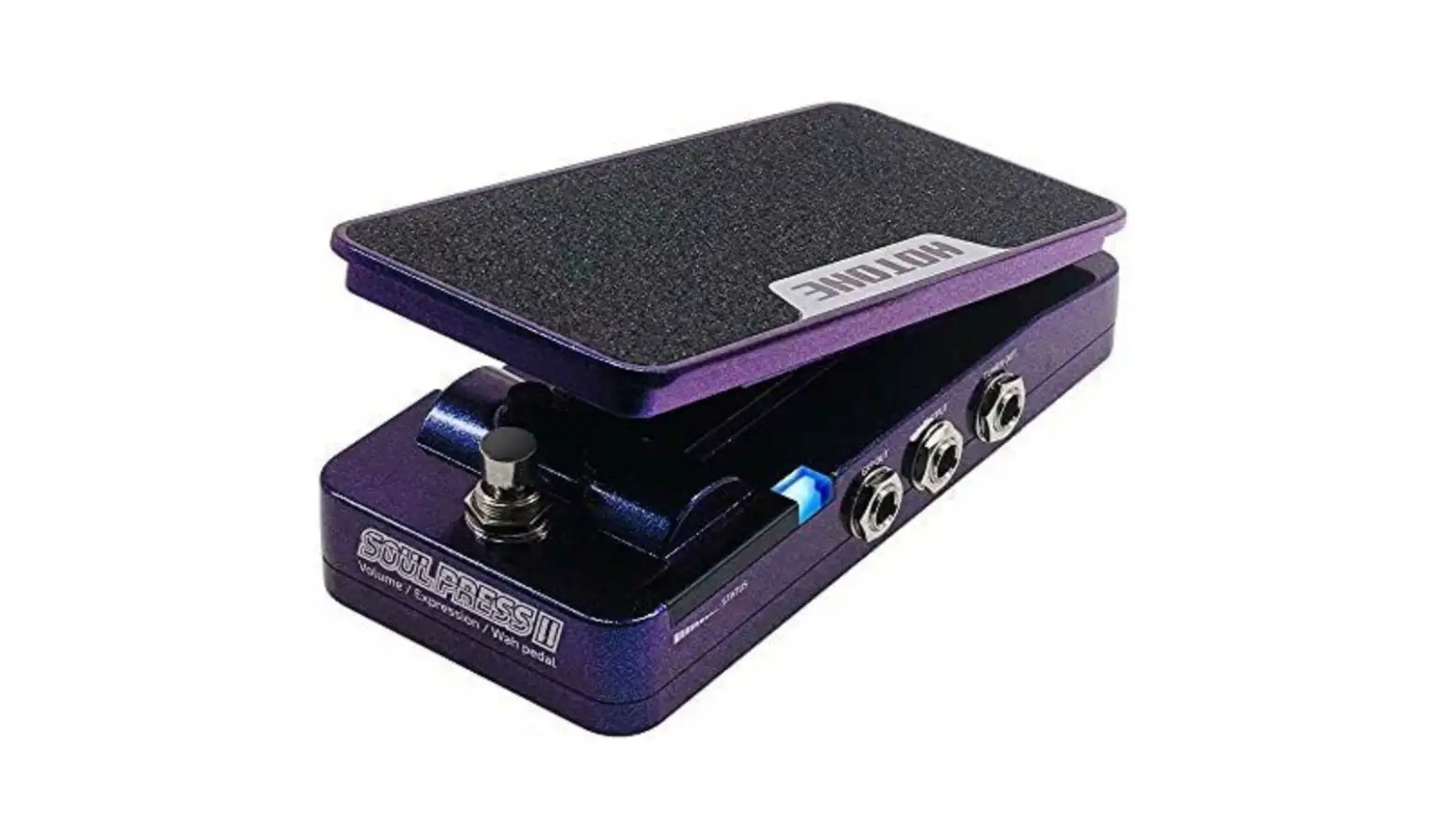
HOTONE SP-20 SOUL PRESS II Effect Pedal User Manual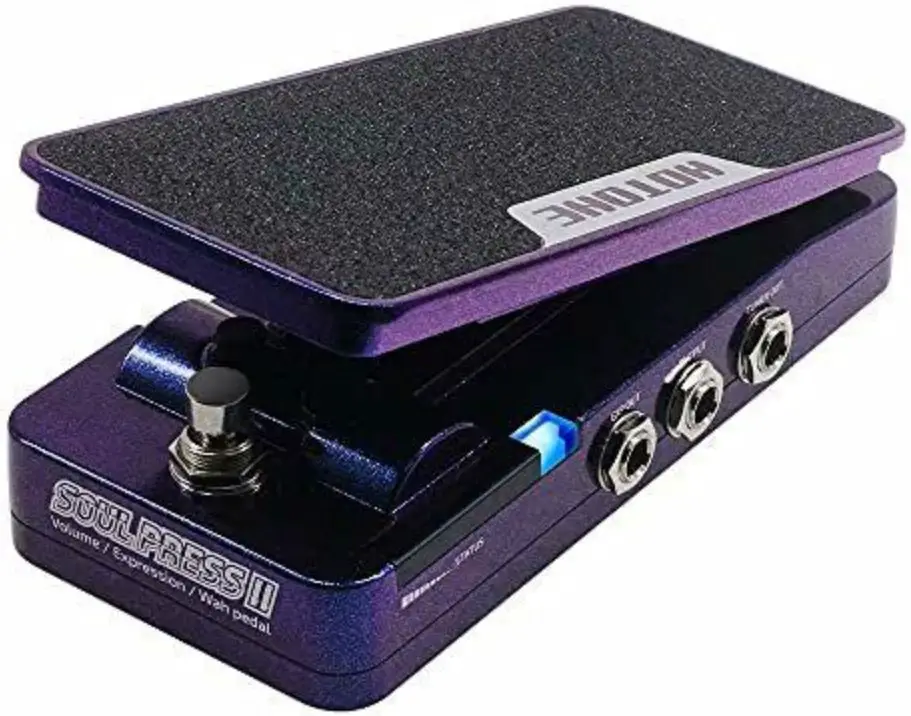
Description
INPUT:
1/4″mono audio jack, for connecting guitar.
MODE:
- V—Volume mode, for use as volume pedal.
- W—Wah mode, for use as a wah pedal.
- V/W—Switchable volume/wah mode, combining volume and wah pedals in one
TONE:
For selecting wah filter frequency range.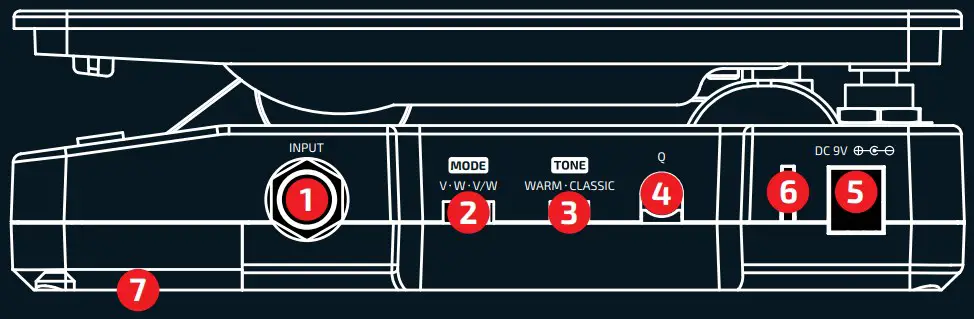
Q:
For adjusting wah filter frequency width.
DC IN:
Plug in 9V DC adapter (center negative).
LED
| MODE | LED Color |
| V | Green |
| W | Blue |
| V/W | Green/Blue |
Battery Compartment:
For holding a 9V battery.
Panel
Foot switch:
Switch between on/off status or active volume /wah in V/W mode (Soul Press II cannot be bypassed in V/W mode).
STATUS:
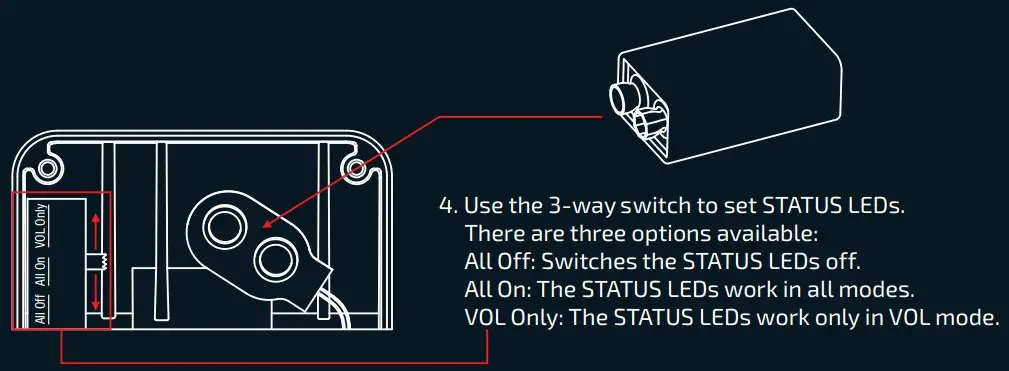
A set of LEDs showing the current pedal position. You can set the LEDs on demand by the 3-way switch hidden in the battery compartment.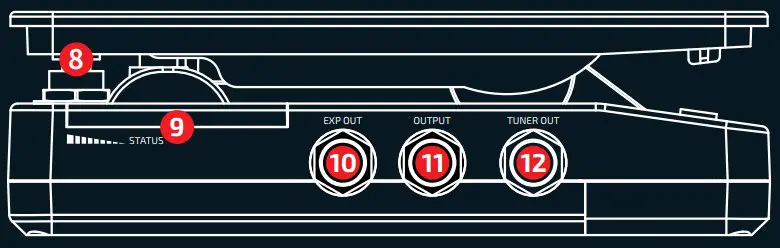
EXP OUT:
1/4” TRS jack, for connecting to another device with EXP control IN jack. EXP out works in any mode.
When used as an expression pedal, Soul Press II can work without a power supply.
OUTPUT:
1/4″mono audio jack, for connecting to one other gear.
TUNER OUT:
1/4″ mono audio jack, for connecting tuner. Perfect for Hotone Skyline Tuner.
Battery Installation & STATUS Setting Specifications

- Remove two screws from the battery compartment with a phillips screwdriver.
- Remove the battery compartment cover.
- Install a 9V battery

Specifications
- Pot Resistance (EXP out): 10kΩ
- Input Impedance: 1MΩ
- Output Impedance: 100Ω
- Wah Range Selector:
- WARM—290Hz to 1.4kHz
- CLASSIC—360Hz to 1.8kHz
- Current Consumption: Max 30mA
- Dimensions: 81mm (W) x 162mm (D) x 51mm (H)
- Weight: 500g
In the interest of product improvement, the specifications and/or the content of products (including but not limited to appearances, packaging design, manual content, accessories, size, parameters and display screen), are subject to change without prior notice. Please check with local supplier for exact offers. Specifications and features (including but not limited to appearances, colors and size) may vary by model owing to environmental factors, and all images are illustrative.
 Home - Hotone Audio