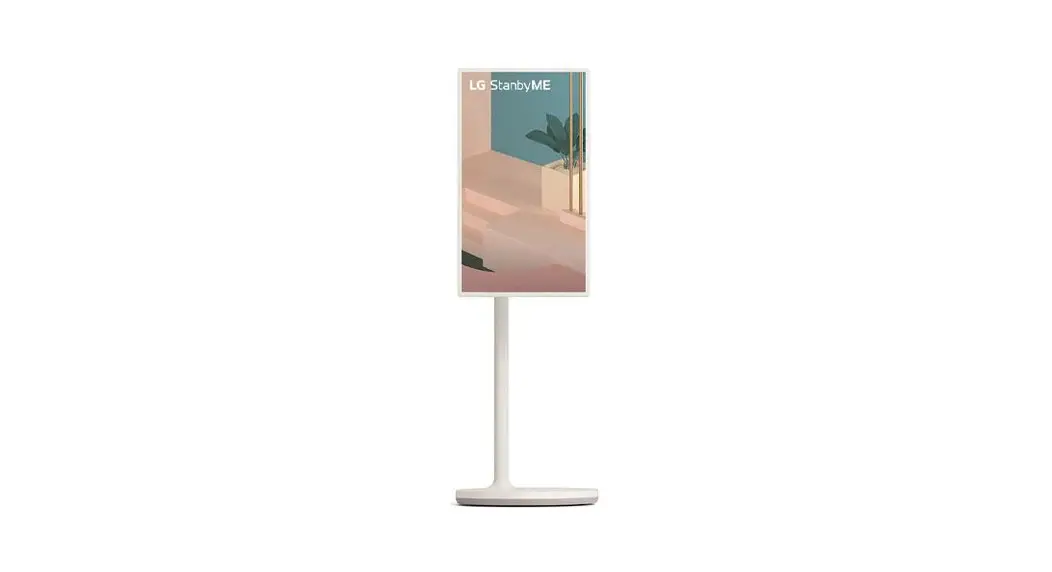
 ART10 StanbyME Wireless LCD TV
Instruction Manual
Disassembly

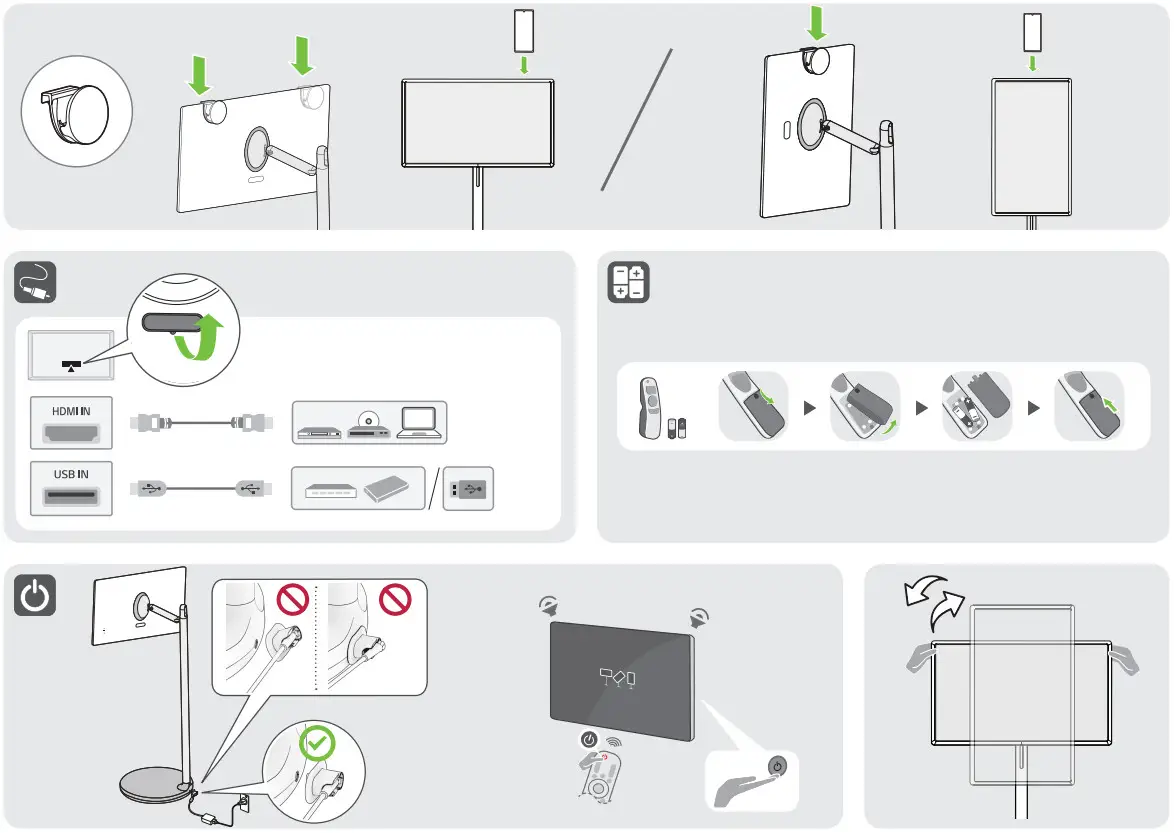
- Position the screen vertically.

- Push the top of the screen lightly in the direction of the arrow to disassemble a part of the cover space.
 ※ Caution
Avoid pushing it hard.
There is a risk of damage. - Use a wedge or pull it with your hand to completely disassemble the cover.

- Position the screen horizontally and disassemble the cable holder screw.

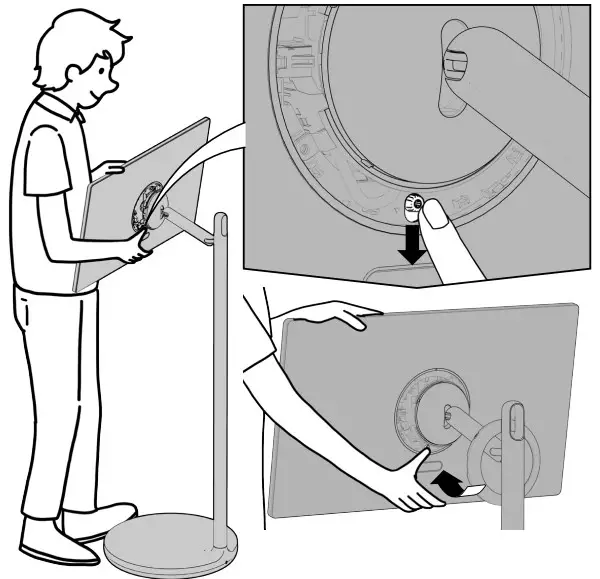
- Lower the rear lever and push the bottom of the screen forward, as shown in the figure.

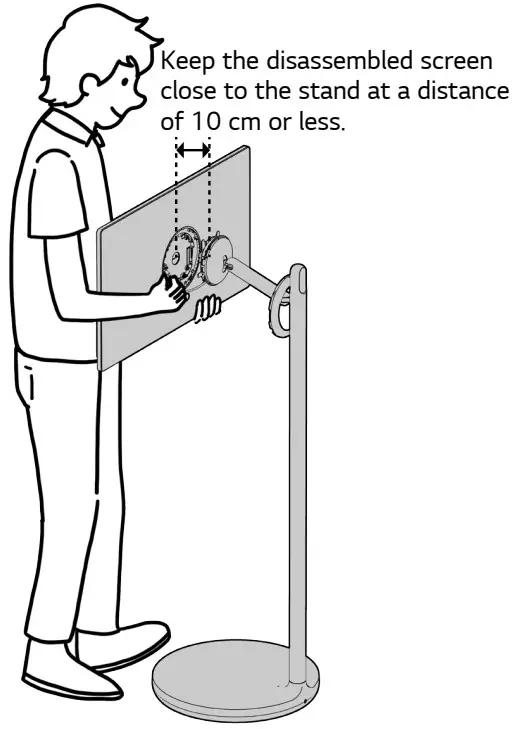
- Lift the screen, separate the top of the screen, and hold the screen.

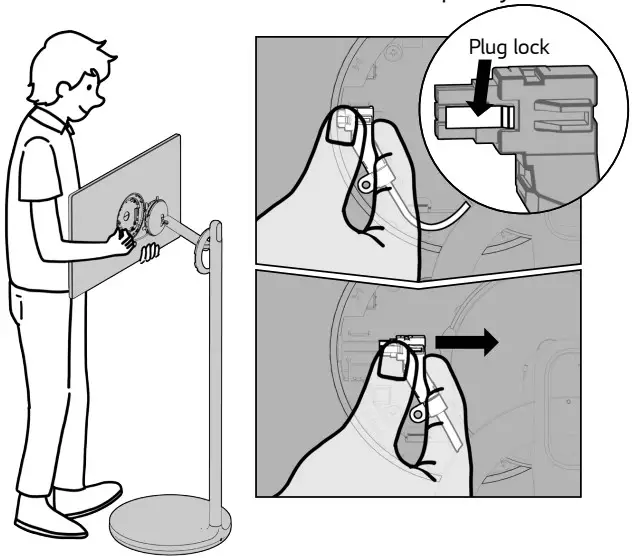
- Press the plug lock, push it in the direction of the arrow, and then disassemble the screen completely.

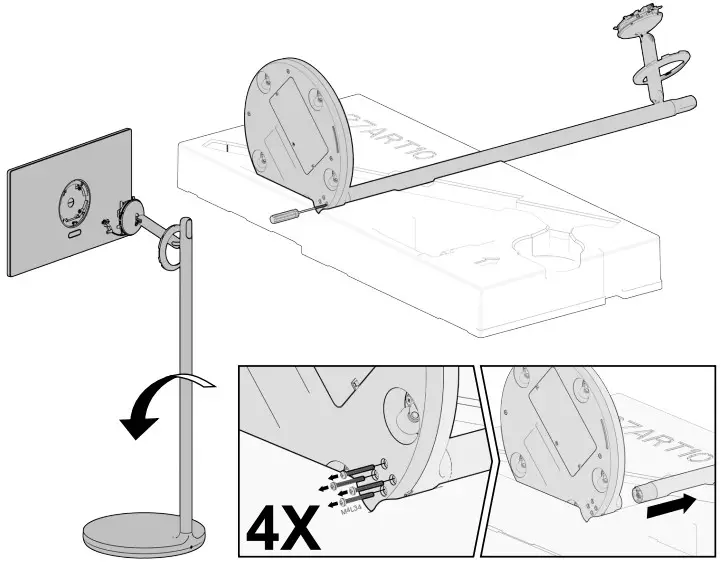
- Lay the stand on the box packaging, remove the four screws, and then disassemble the stand bar.

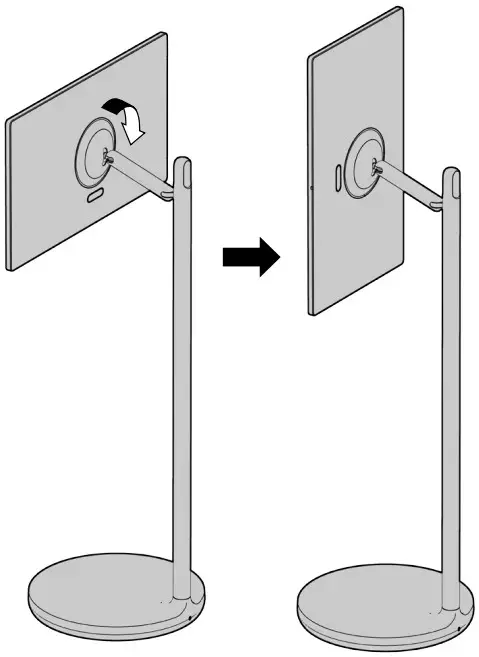
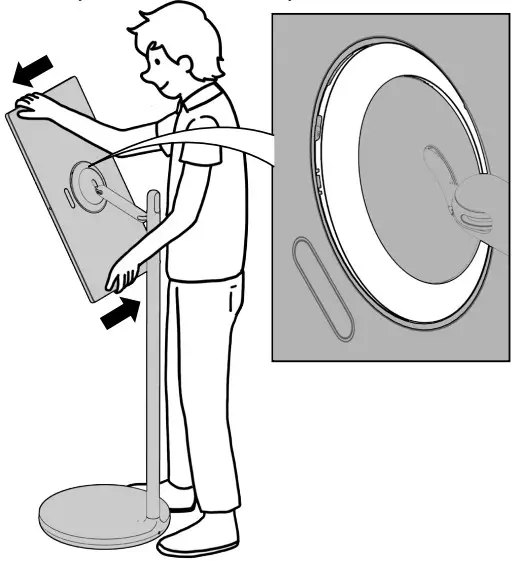 ※ Caution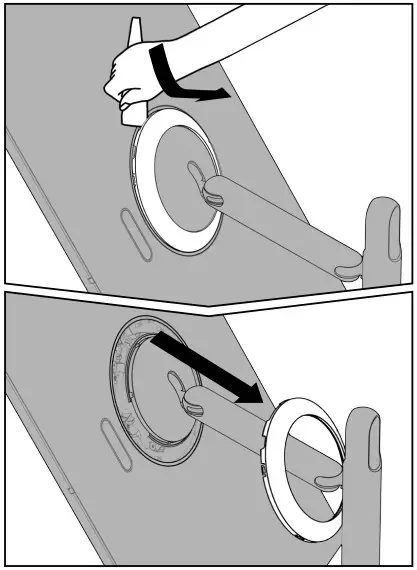
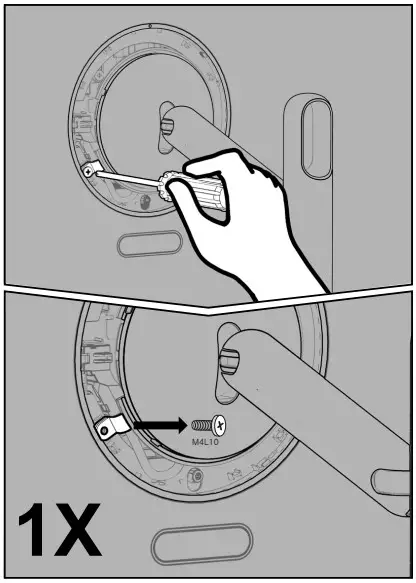
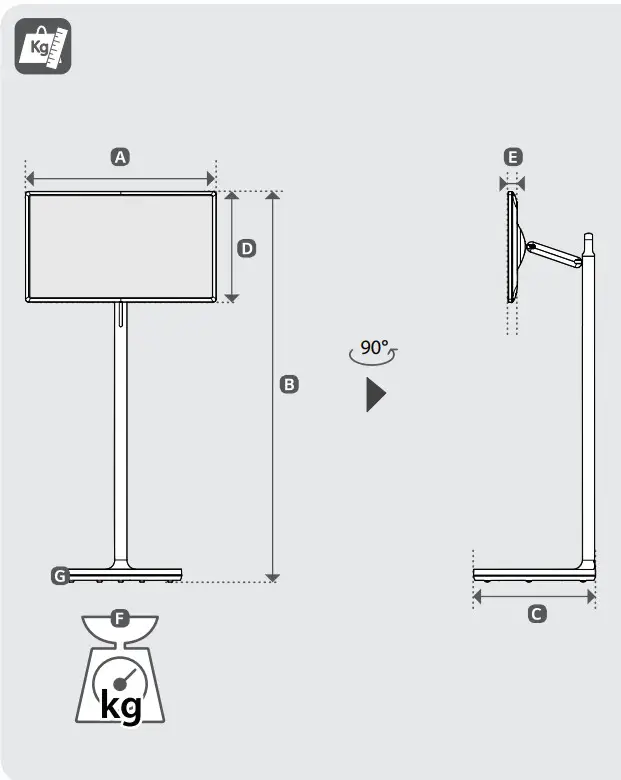
| A | B | C | D | E | F | F-G | |
| (mm) | (kg) | ||||||
| 27ART10AKPL | 621 | Max. 1265 | 397 | 361 | 29.9 | 17.5 | 4.8 |
| 1065 Min. | |||||||
| Power requirement | 19 V  4.0 A 4.0 A | ||||||
 Read Safty and Reference.
 Depending on model

 LG Electronics & Home Appliances | Shop Now | LG USA