Pro Series Audio Interface Single Passive Direct Box
Product Information
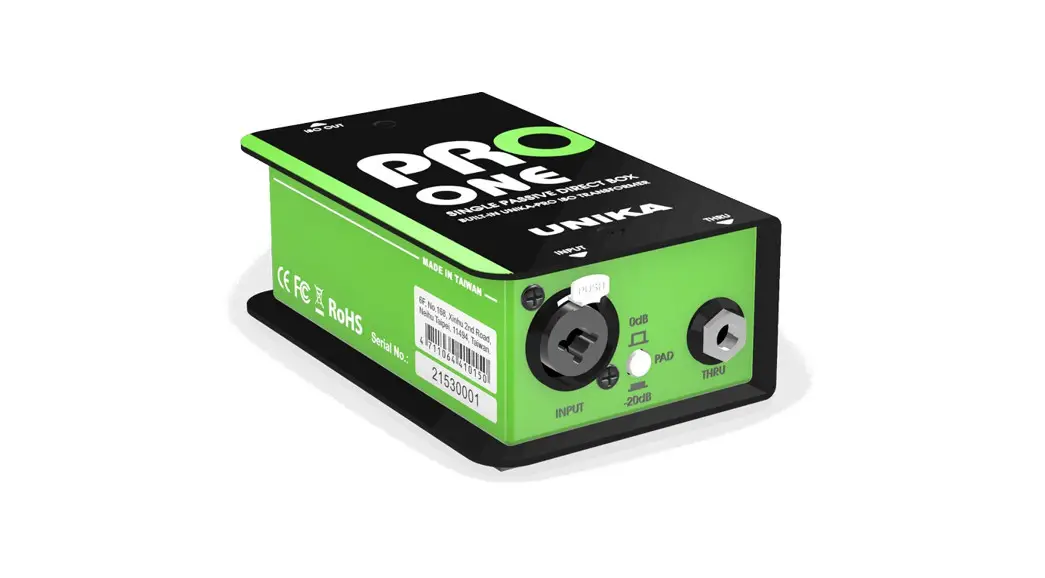
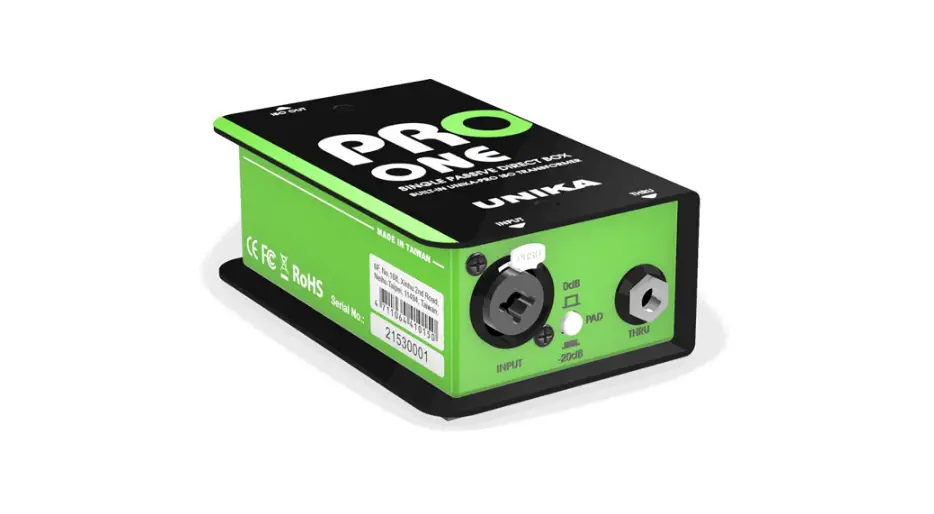
The UNiKA PRO ONE is a passive single-channel DI box designed
and made in Taiwan. It is a part of the PRO SERIES AUDIO INTERFACE.
The DI box does not require battery installation or phantom power
to operate.
The PRO ONE features a balanced/unbalanced combo socket on the
input and a TRS through out for convenient direct signal passage to
the instrument amplifier. It also includes a 0/-20dB attenuation
switch suitable for various audio signals with high and low
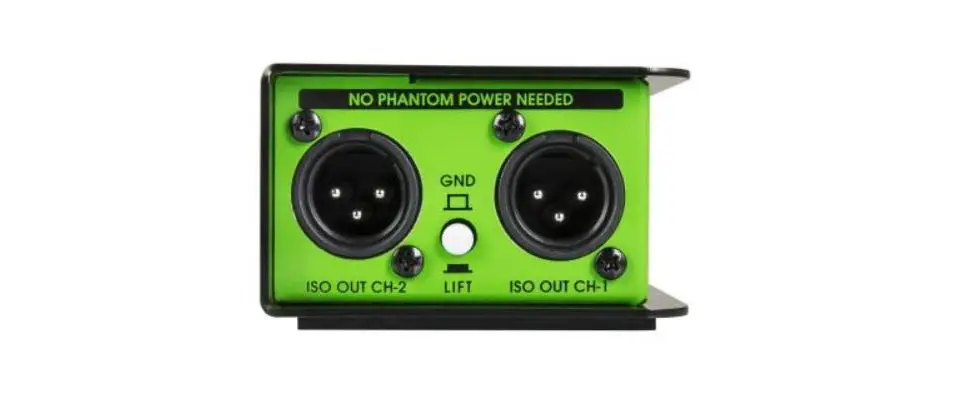
impedance. The output terminal is equipped with a GND/LIFT button
to quickly eliminate ground noise.
Product Usage Instructions
General Precautions Before Use
- Read the user manual carefully before using the product.
- If using a mixer to connect to the interface, turn off the
mixer power and +48V phantom power before connecting. Then, turn on
the power and phantom power after inserting the signal cables. - For passive models, do not turn on the phantom power to avoid
leakage or damage to the equipment. - If using a model with a volume knob, turn the volume knob to
the minimum. - Avoid plugging or unplugging wires arbitrarily during use to
prevent signal loss.
Connection Guide
Connect the UNiKA PRO ONE as follows:
- Connect the audio source to the input of the DI box using a
balanced/unbalanced combo socket. - Connect the output of the DI box to the instrument amplifier
using a TRS cable.
Eliminating Ground Loop Noise
If experiencing ground loop noise, follow these steps:
- Press the GND/LIFT button on the output terminal of the DI
box.
Specifications
For detailed specifications of the UNiKA PRO ONE, please refer
to the product manual or visit the UNiKA website.
If you require further installation or operation guidance,
please contact UNiKA’s dealer or distributor directly, or send an
email to [email protected] for assistance.
USER MANUAL
PRO ONE PRO SERIES AUDIO INTERFACE SINGLE PASSIVE DIRECT BOX DESIGN & MADE IN TAIWAN
Index
GENERAL PRECAUTION BEFORE USE PRODUCT OVERVIEW CAUTION PARAMETER TEST CONDITIONS FEATURES APPLICATIONS APPEARANCE PARTS & FUNCTIONS INPUT PAD ATTENUATION ELIMINATING GROUND LOOP NOISE CONNECTION GUIDE SPECIFICATIONS
UNiKA Electronic Co., Ltd.
www.unikapro.com 6F, No.168, Xin-Hu 2nd Rd. Nei-Hu District, Taipei City. 11494. Taiwan, R.O.C.
+886 2 27933017 +886 2 27928264 [email protected]
UNiKA PRO ONE User Manual
GENERAL PRECAUTION BEFORE USE
Thank you for purchasing the UNiKA PRO SERIES AUDIO INTERFACE. Before using, please read this manual carefully and pay attention to every detail that you must pay attention to. If you use a mixer to connect to this interface, please turn off the mixer power and +48V phantom power before connecting, and then turn on the power and phantom power after inserting the signal cables. For passive models, please do not turn on the phantom power to avoid leakage or damage the equipment.
If using a model with a volume knob, turn the volume knob to the minimum. During use, please do not plug or unplug the wires arbitrarily to avoid signal loss. Please refer to the following instructions for the soldering method of the plugs to ensure the expected level and keep the signal smooth.
If you need further installation or operation guidance, please directly contact UNiKA’s dealer or distributor, or write to the following mail address for help:
[email protected]
PRODUCT OVERVIEW
PRO ONE is a passive single-channel DI box. No need to install battery or provide phantom power to make it work.
PRO ONE has a built-in UNiKA-PRO EI9AE3R3 1.25:1 isolation transformer, which has a special copper foil layer and a dedicated ground layer, which allows this device to restore high signal/noise ratio and dynamic sound, and can avoid unnecessary leakage caused by radio frequency interference, ground interference and potential difference. PRO ONE is particularly suitable for electronic musical instruments, recording studios and fixed installation projects that do not use mixers. It converts high-impedance signals into low-impedance balanced signals, which facilitates extending the wiring distance and blocking interference.
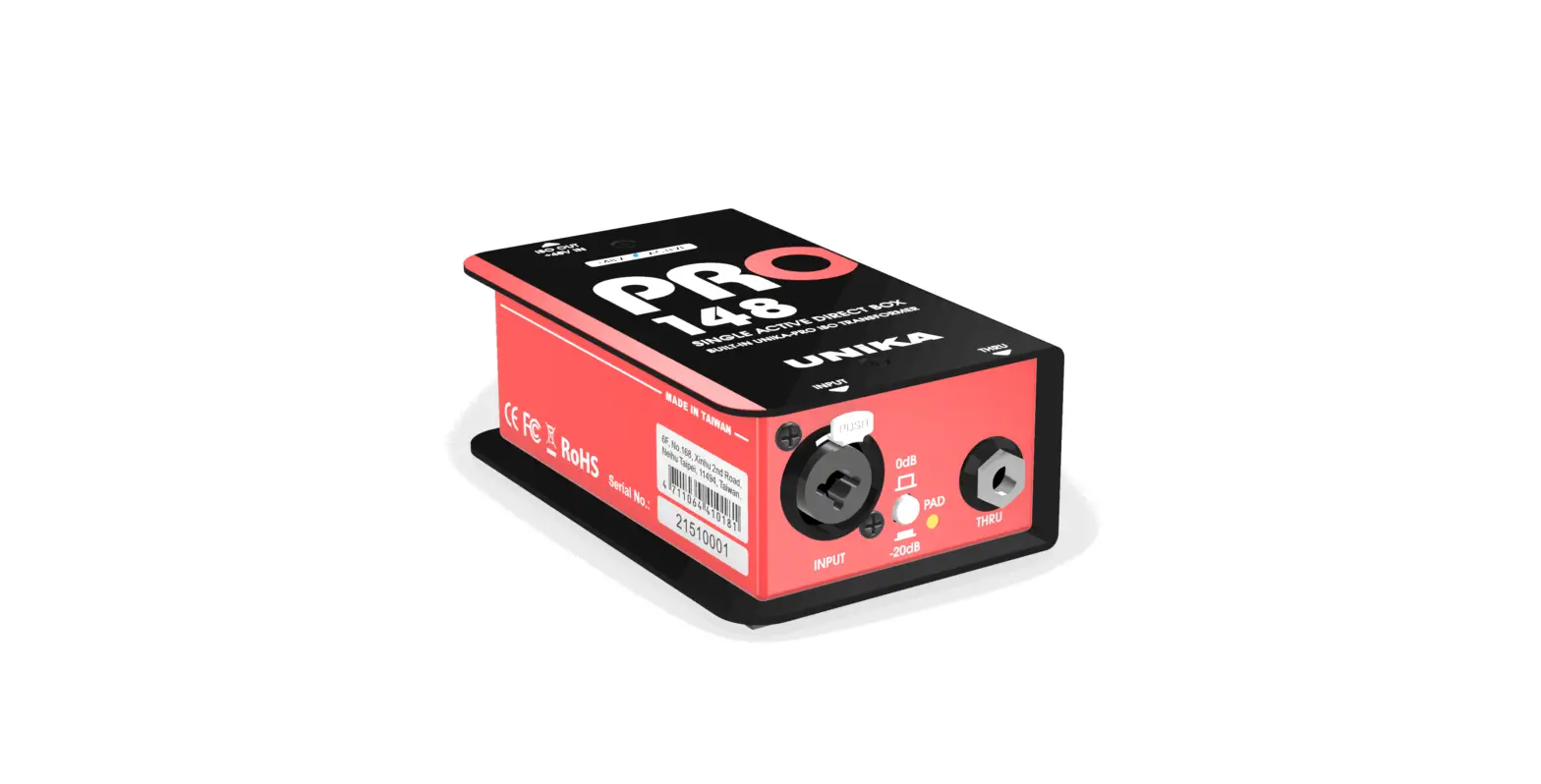
The PRO ONE uses a balanced/unbalanced combo socket on the input, and a TRS through out is convenient for musician to pass the direct signal to the instrument amplifier. In addition, it is equipped with a 0/-20dB attenuation switch, which is suitable for various types of audio signals with high and low impedance. The output terminal is also equipped with a GND/LIFT button to quickly eliminate ground noise.
1
UNiKA PRO ONE User Manual
CAUTION
This product has undergone rigorous inspection before leaving the factory. If customers encounter failures during use, please contact your local dealer or distributor for replacement or repairing, do not disassemble the case or replace parts by yourself, which will invalidate the warranty. For details, please refer to the warranty regulations in the enclosed warranty card, and fill in the details, and get a valid stamp or signature of the dealer or distributor.
PARAMETER TEST CONDITIONS
In the development and manufacturing process, Audio Precision’s 2700 series and 500 series are used to test and verify electrical characteristics.
FEATURES
· Built-in UNiKA-PRO EI9AE3R3 1.25:1 isolation transformer · The input socket uses Combo jack · Use TRS jack as through out terminal · There is 0dB/-20dB input signal attenuation switch · The output is equipped with a GND/LIFT switch
APPLICATIONS
· Convert unbalanced signals of various audio equipment into balanced signals, such as the headphone or line output of computers, play deck or mobile devices.
· Convert the unbalanced signal of the electronic musical instrument into a balanced signal and send it to the mixer.
· Isolate the leakage and hum be generated by potential when two different systems are connected but powered by separate power system or power generator.
2
UNiKA PRO ONE User Manual
APPEARANCE PARTS & FUNCTIONS
Signal output: XLR terminal, isolated balanced output of the Transformer.
Output grounding/floating switch: when the switch is not pressed,the first pin (PIN-1) of XLR is grounded. PIN-1 will be disconnected from ground after pressing. This button should depend on the system.
Used in the situation, in order to isolate the ground loop noise or leakage.
Signal input: One combo jack be able to input balance and unbalance signal by TRS/TS and XLR plug.
PAD input attenuation switch: Provide 0/-20dB two option, when inputting signals of various impedances and levels.
It can be attenuated by 20dB to avoid overload or clipping.
Signal through out: Convenient for musicians musical instrument speakers or other DI and peripheral equipment.
3
UNiKA PRO ONE User Manual
INPUT PAD ATTENUATION
The most widely used DI box is to connect electronic musical instrument, sound source of A/V equipment and computers, convert their output signals into balanced signals, and then extend the transmission distance. The most ideal state is to set the attenuator to 0dB position (button up). For some high-level output signals, you can press the button to make the signal is attenuated by 20dB to avoid clipping caused by signal overload. When the button is pressed, the PAD indicator on the right will light up.
ELIMINATING GROUND LOOP NOISE
The built-in channel independent balanced isolation transformer has solved the potential difference leakage problem. When the system causes a ground loop due to poor wiring, the noise can be eliminated through the GND/LIFT button. The GND/LIFT button determines whether pin 1 of the output XLR is grounded, grounded when it bounces, and disconnected from ground when pressed.
4
UNiKA PRO ONE User Manual CONNECTION GUIDE
Output from computer or musical instrument to INPUT
Output via THRU OUT to musical instrument amplifiers
Connect the balanced wire from ISO OUT to the mixer
5
UNiKA PRO ONE User Manual
CONNECTION GUIDE
XLR-Female connector
21 3
XLR-Male output jack
12 3
1-Shield pin 2-Hot pin 3-Cold pin
XLR-TRS Combo input
2-Signal Hot + 3-Signal Cold –
1-Ground
XLR-¼”TRS Combo socket for direct input
The unbalanced connection, pin-2 is hot, pin-3 is shield paralleled with pin-1.
Tip-Signal Hot Ring-Signal Cold
Sleeve-Shield
TRS Balance plug
Tip-Signal Sleeve-Shield TS Unbalance plug
6
UNiKA PRO ONE User Manual
SPECIFICATIONS
(Specifications are subject to change without notice.)
PRO ONE Circuit principle Input connector Thru connector Input pad switch Output connector Output GND/LIFT switch Input impedance Output impedance Max. input level before clipping Max Output level Frequency response S/N ratio @20Hz~20KHz un-weight T.H.D. @1KHz 0dBV output Transformer Ratio Chassis Surface finished Dimension (W x D x H) Weight Shipping weight Packing per carton Shipping dimension per carton
Passive/Transformer balance output 1 x Combo 1 x TRS 0/-20dB push button 1 x Male XLR through ISO Transformer Push button 1K / 0dB & -20dB 50 +22dB +22dB 20Hz-20KHz, -0.3/+0dB >120dB <0.02% 1.25:1 1.6mm/1.2mm steel cabinet and chassis Durable complex painting 78 x 124 x 46 mm 0.55kg 0.58kg 20pc/12.20kg 305 X 283 X 195 mm
7