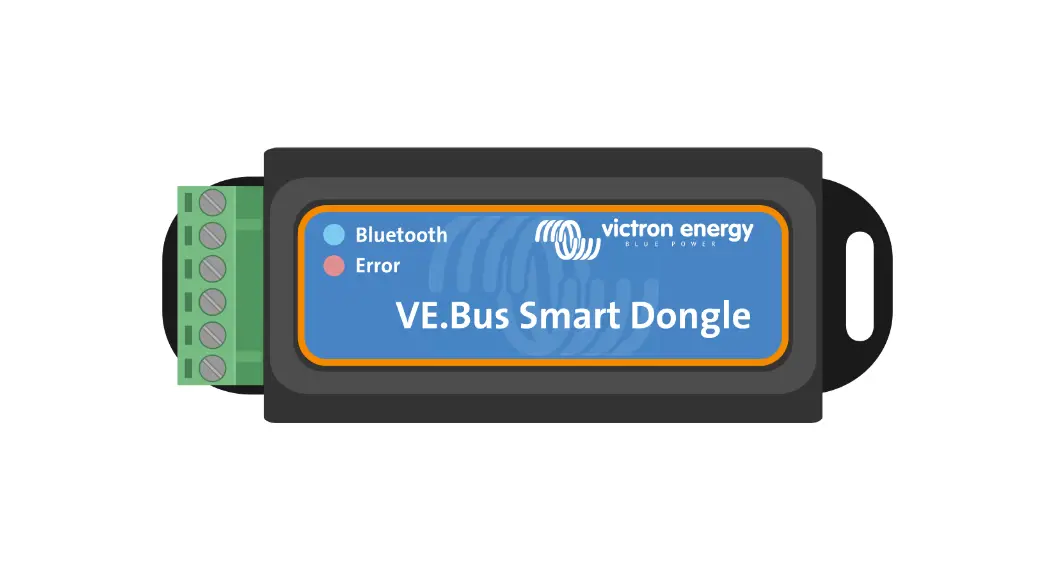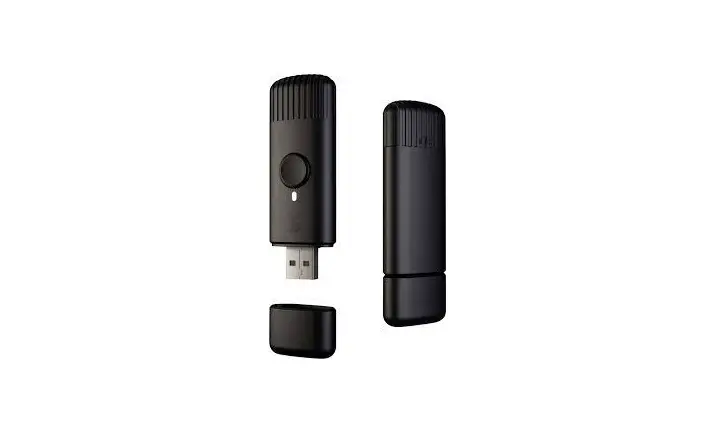
twinkly TMD01USB Smart App-Controlled Lights USB Music Dongle
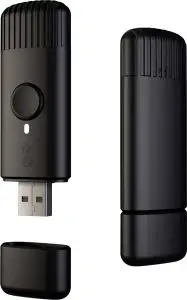
Works only with Twinkly App, in combination with Twinkly devices



Class A Disclaimer
This equipment has been tested and found to comply with the limits for a Class A digital device, pursuant to Part 15 of the FCC Rules. These limits are designed to provide reasonable protection against harmful interference in a residential installation. This equipment generates, uses and can radiate radio frequency energy and, if not installed and used in accordance with the instructions, may cause harmful interference to radio communications. However, there is no guarantee that interference will not occur in a particular installation. If this equipment does cause harmful interference to radio or television reception, which can be determined by turning the equipment off and on, the user is encouraged to try to correct the interference by one or more of the following measures:
- Reorient or relocate the receiving antenna
- Increase the separation between the equipment and receiver.
- Connect the equipment into an outlet on a circuit different from that to which the receiver is connected.
- Consult the dealer or an experienced radio/television technician for help.
 The crossed-out wheeled bin symbol indicates that the item should be disposed of separately from household waste. The item should be handed in for recycling in accordance with local environmental regulations for waste disposal.
 This device is designed for indoor use only. Protect the device from extreme temperatures, direct sunlight, strong vibrations, excessive humidity, liquids, flammable gases, vapors or solvents.
 LEDWORKS Srl Via Tortona 37 – 20139 Milano – Italy
Technical informations
| Power IN | USB 5Vcc, 500mA max |
| Wi-Fi | 802.11 b/g/n |
| Frequency | 2,4 GHz |
| Range | max. 10 m |
| Bluetooth | Bluetooth v4.2 BR/EDR and BLE |
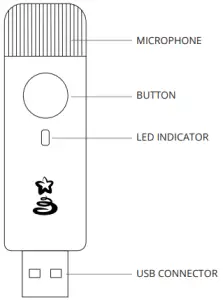
Flashing Green: Power on, Not connected
Continuous Blue: Home Wi-Fi network mode, connected
Flashing Blue: Home Wi-Fi network connection in progress
Flashing Red: Home Wi-Fi network, unable to connect
Light Blue: SETUP MODE (Bluetooth ON)
Yellow: Firmware Update in progress
Continuous Red: General error Flashing White: Reset procedure in progress Solid White: Reset procedure complete
Setup device
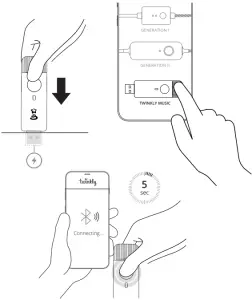
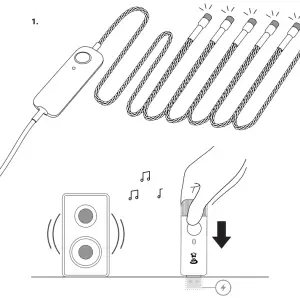
- Plug Twinkly Music to the USB power outlet closest to the music source.
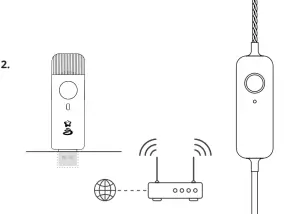
- Launch Twinkly App and go to Menu > Devices > Add another device. Select Twinkly music and follow the instructions on the App.
- Once the App has found the Twinkly Music device, proceed to connect it with your home/office WiFi from the list of available networks (to which your other Twinkly devices are connected)

Reset device
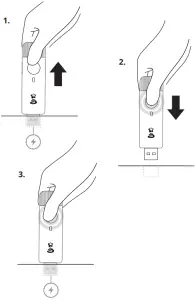
- Unplug Twinkly Music from the power outlet.
- Press and hold the button on the Twinkly music. While holding the button, plug back in the power outlet.
- Keep holding the button until the LED indicator becomes solid white, then release the button.

Operation
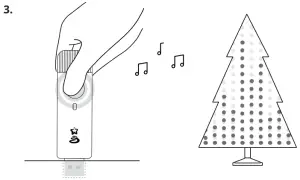
- Turn on your Twinkly lights and plug Twinkly Music device close to a source of sound (i.e. loudspeaker, etc).

- Make sure all the devices are connected to the same WiFi.

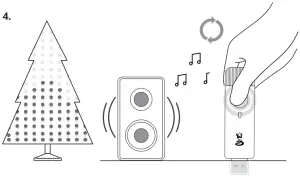
- Press Twinkly Music button to activate music-driven effects.

- Press Twinkly Music button again to change music driver until the best effect is obtained.



LEDWORKS Srl
Via Tortona 37 – 20139 Milano – Italy