 User Manual
Smart Resistance Band
Rally X3 Pro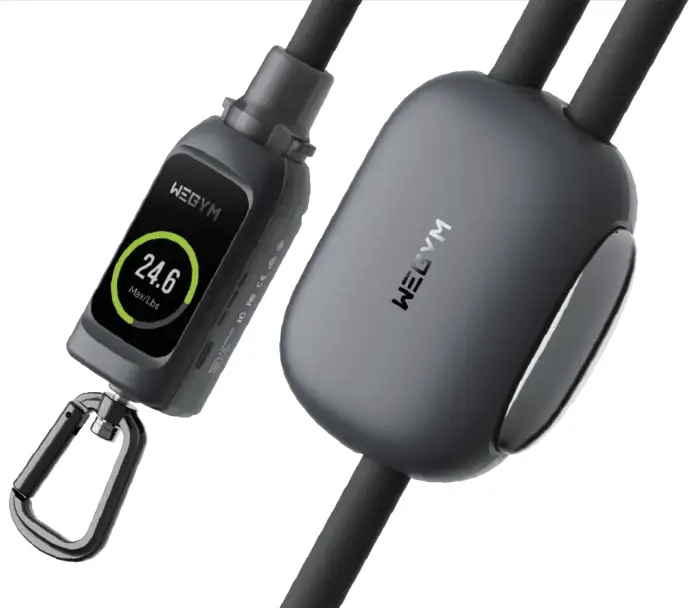
Product Parameters
| Name | Smart Resistance Band | Bluetooth Version | BLE5.1 |
| Model | Rally X3 Pro | Bluetooth Physical Range | 33 FEET |
| User Safety Resistance | 10~110Lbs | Capacity | Lithium ion 3.7V, 300mAh/580mAh |
| Maximum Resistance | 120Lbs | Dimensions | 1.4 “, 240 x240 Resolution (Touch Screen) |
| Charge Time | 2 Hours | Playtime | About 9 Hours |
| Connectivity | Android iOS | Ambient temperature | 14°F TO 122°F |
| Input Port | TYPE-C | Bluetooth Frequency | 2.4GHz |
| Dc Input | 5V | ||
Implementation standards:
Q/OSL-JS01-2021 GB 4943.1-2011
*Safety Tips: Please use a standard 5V wall charger with safety certification.
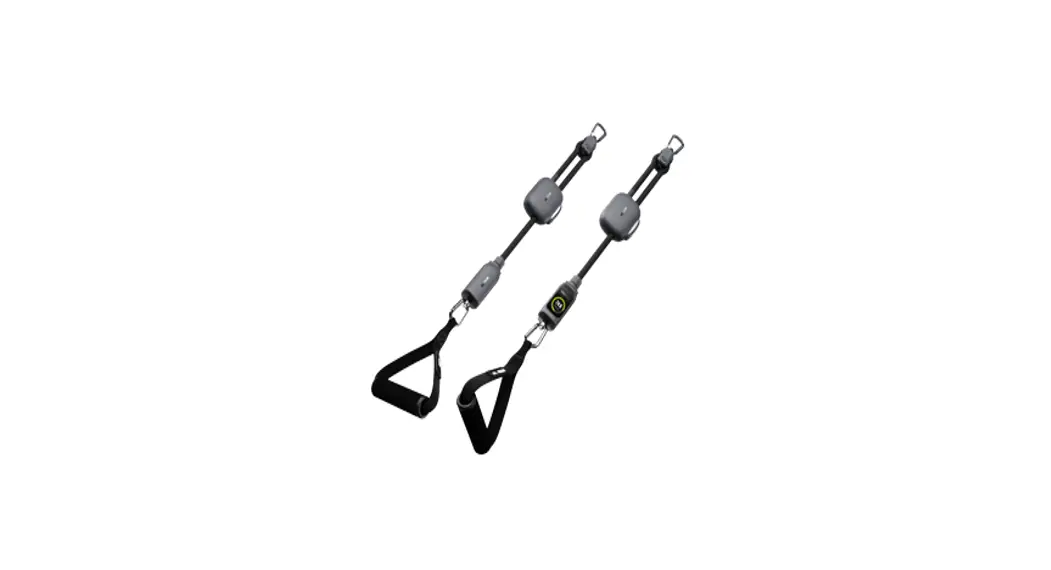
Product Composition
A. Resistance Bands
1. Carabiner
2. Pulley
3. Resistance Adjuster
4. Resistance Band
5. Smart Sensor (with screen)
6. Smart Sensor
7. Power Button
8. Speaker
9. TYPE – C Charging Port
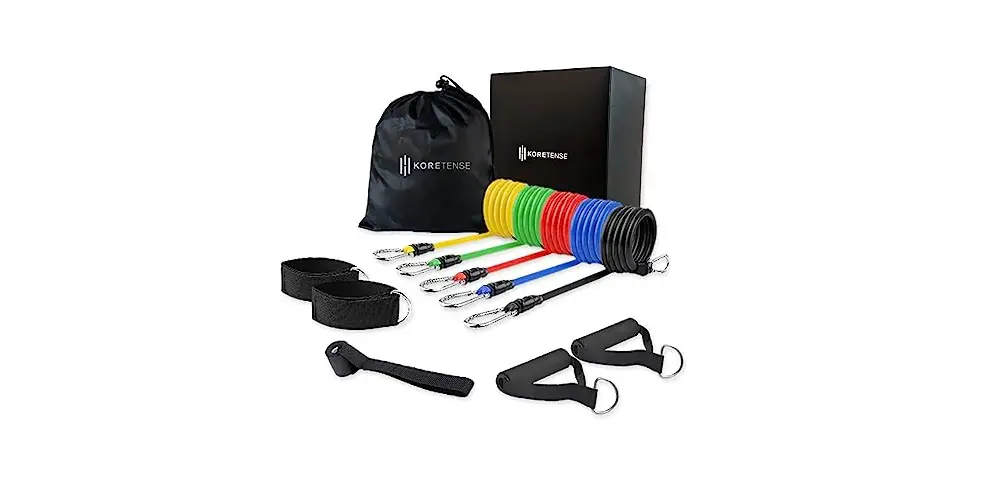
B. Hand Grip X2
C. Wrist Band X2
D. Ankle Band X2
E. Door Anchor
F. Object Anchor
G. Carrying Bag
H. Charging Cable
I. Warning Card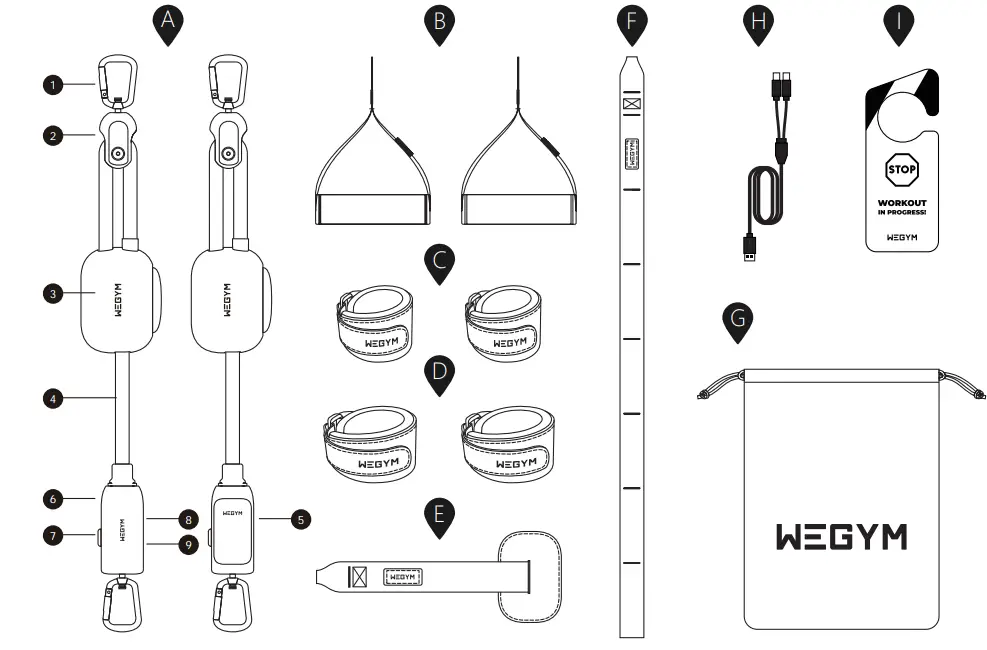
Note: Please ensure you have all accessories.
Pairing Instructions
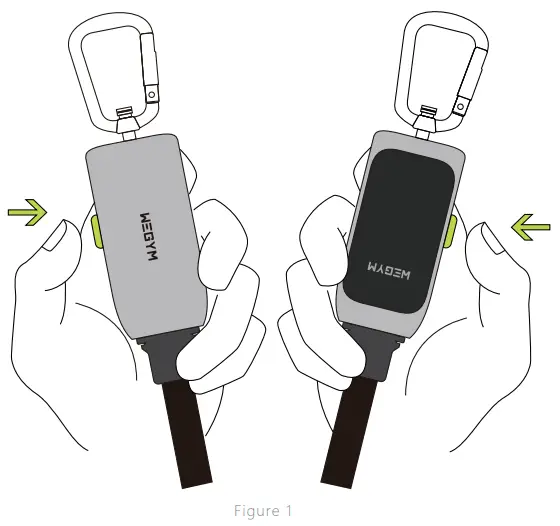
- Power on: Short press the power button.
- Pairing: You will need to pair your device when using it for the first time.
To pair, simply long press the power button on both devices for 3 seconds to enter pairing mode, after pairing successfully, the pairing icon will be lit up on the display. If the pairing fails, repeat this step. (Figure 1) - Screen on/screen off Short press the power button.
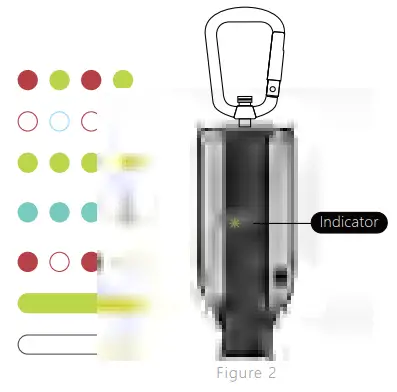
Sensor Indicator Status
| Charging | Red-green blinking |
| Pairing | Fast red-blue blinking |
| Paired | Green light blinking |
| App Connected Successfully | Jade-green blinking |
| Low Battery | Fast red blinking |
| Charged | Green steady |
| Sleep Mode | No blinking |
Operational Tips:
Not selecting an operation or using the bands within 30 seconds of the screen turning on will result in the screen automatically turning off.
Not selecting an operation or using the bands after the screen has turned off will result in your device automatically turning off after 15 minutes.
After the initial pairing, you should not need to pair it again.
Connecting the App
Search for “WeGym” in your App store or simply scan the QR code to download and install the App
Before installing the App make sure the:
- Your phone is connected to a Wi-Fi network or cellular network.
- Your phone has Bluetooth turned on.
After installation has been completed, open the App and set up your WeGym account by following prompts:
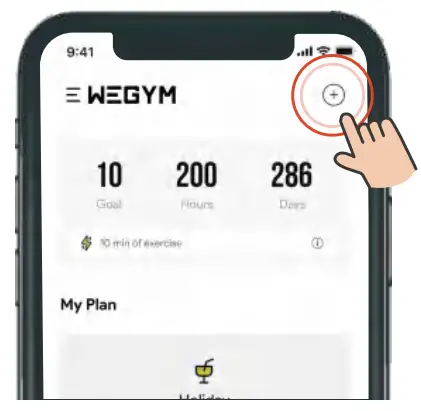 | 1. On the homepage tap the “+” icon in the top right-hand corner. |
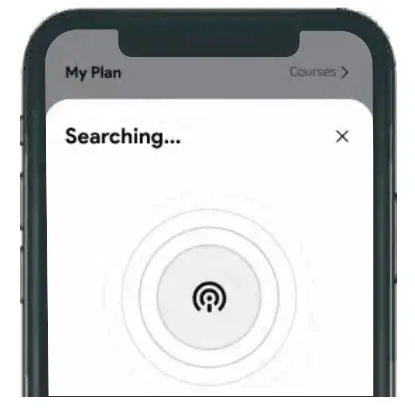 | 2. Your smartphone will automatically search using Bluetooth. |
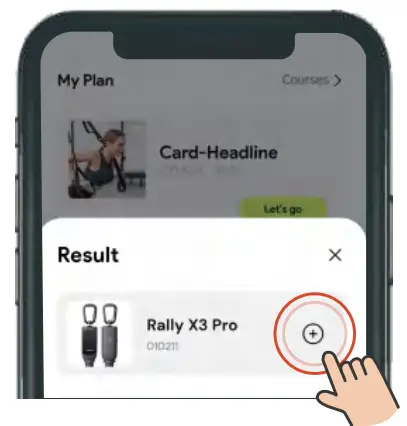 | 3. Your device should appear. Select it to connect. |
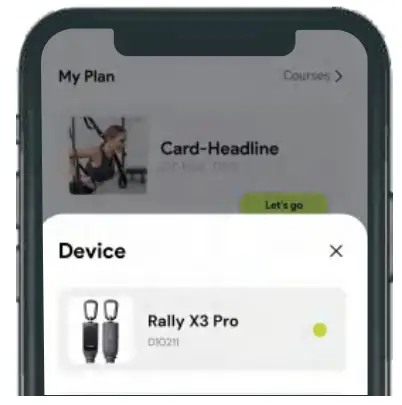 | 4. Your device should successfully connect. |
Indicator Icons
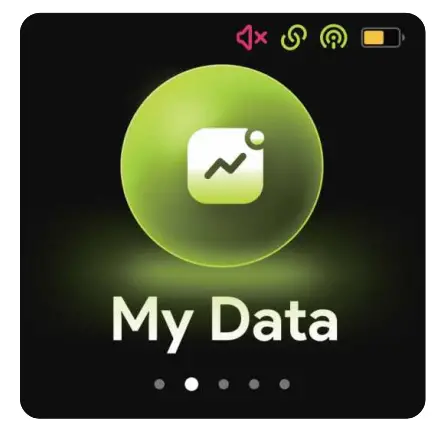
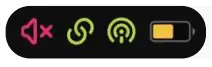 | The status bar indicator icon |
 | Silent mode |
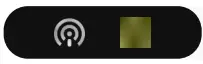 | App not connected/App connected |
 | Device not paired/Device paired |
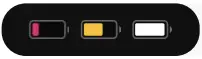 | Battery status |
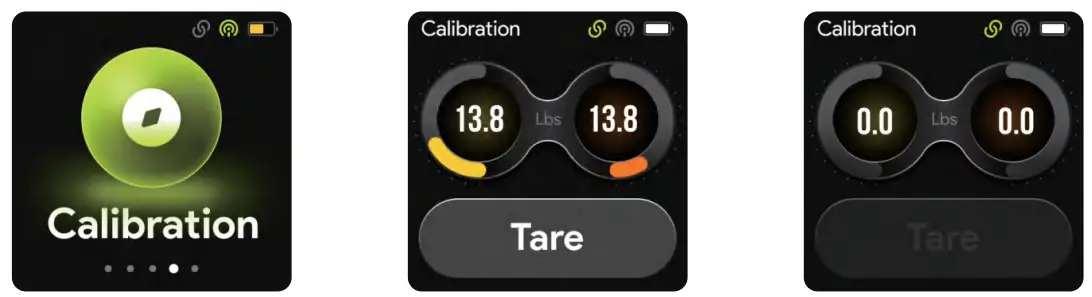
Tare
If the value is not zero when the device is stationary and not stretched, please take your device as following steps:
- Tap the Tare button when the device is not being used or stretched.
- The device will automatically resume to zero.
How to Use with Door Anchor
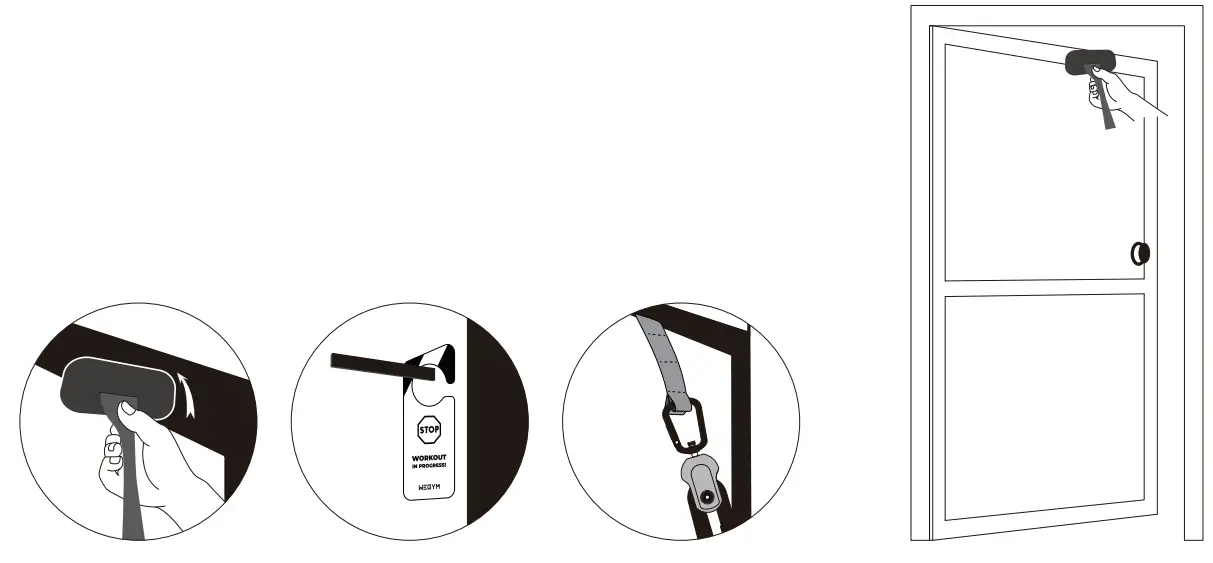
- Place the door anchor at the top, middle, and bottom of the door, close the door and lock it.
- Please close and lock the door and hang the attached warning card.
- Ensure the carabiner of the band is fastened with the door anchor.
How to Use Ankle and Wrist Bands
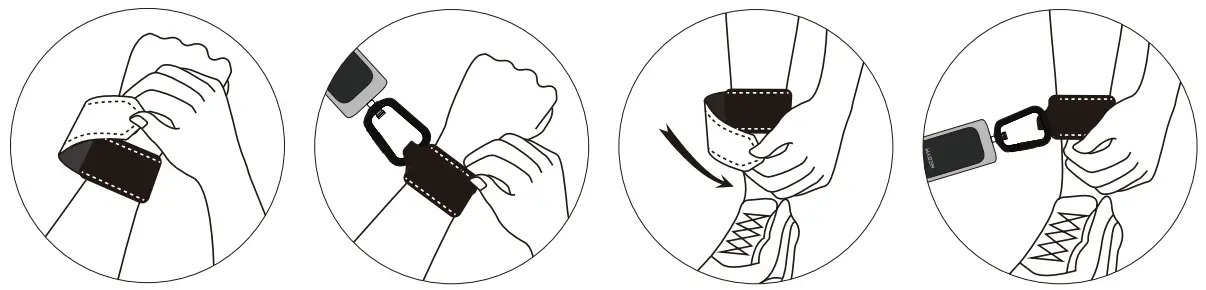
- Put on the ankle/wrist bands around your ankle/wrist, and securely fasten the velcro strap.
- Securely attach the carabiner to the loop of the ankle/wristband.
* Before use, make sure the carabiner is properly and securely fastened to the wristband. Pull the resistance band hard to ensure that the device is securely connected.
How to Use the Object Anchor
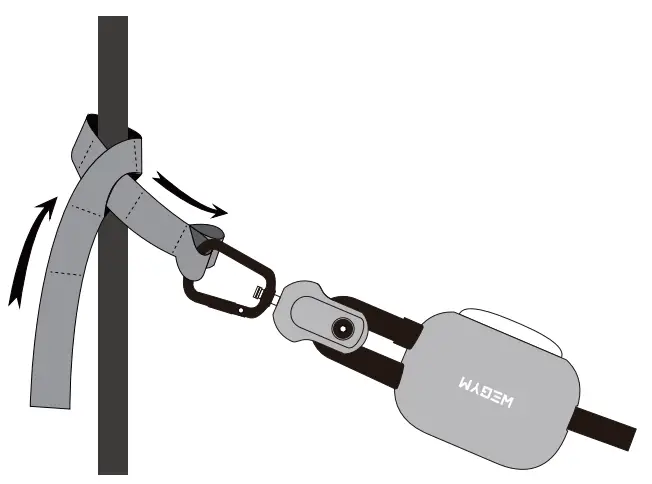
- Tighten the Object Anchor in the fixing position, pass one end of the object anchor through the fixing ring and pull it tightly, then lock the carabiner of the resistance
band into the buckle of the object anchor. To prevent danger during movement, please ensure the fixed point can withstand your pulling weight. - After fastening the resistance band, pull the fixed point and the band to ensure that the carabiner is properly fastened to the object anchor.
*Make sure the carabiner is properly and securely fastened to the object anchor buckle.
Safety Instructions
- Please don’t continue exercising if you feel pain or discomfort.
- Please don’t use the device if your hands are greasy, wet, or overly sweaty.
- Please don’t push yourself too far beyond your comfort zone.
- Please don’t use the device if a band or any other element is damaged.
- Please don’t allow children under the age of 16 to use the device.
- Please don’t stretch the bands more than 2.5 times.
- Please don’t expose the device to direct sunlight, rain, or snow.
- Please don’t leave the device exposed outdoors for an extended period of time.
- Please don’t use strong chemical agents or cleaners, which may discolor or damage your device.
- Please don’t bend or yank the plug or power cord from the electrical outlet.
- Please don’t download and install any firmware from an unauthorized provider. This may cause the device to malfunction or become incompatible, which would void the product warranty.
- Please don’t use the device if any of the components are worn or damaged.
- Please don’t use an anchoring point that causes excessive friction or wear to the device.
- Please don’t expose your device to high temperatures.
FCC STATEMENT :
This device complies with Part 15 of the FCC Rules. Operation is subject to the following two conditions:
- This device may not cause harmful interference, and
- This device must accept any interference received, including interference that may cause undesired operation.
Warning: Changes or modifications not expressly approved by the party responsible for compliance could void the user’s authority to operate the equipment.
NOTE: This equipment has been tested and found to comply with the limits for a Class B digital device, pursuant to Part 15 of the
FCC Rules. These limits are designed to provide reasonable protection against harmful interference in a residential installation. This equipment generates uses and can radiate radio frequency energy and, if not installed and used in accordance with the instructions, may cause harmful interference to radio communications. However, there is no guarantee that interference will not occur in a particular installation. If this equipment does cause harmful interference to radio or television reception, which can be determined by turning the equipment off and on, the user is encouraged to try to correct the interference by one or more of the following measures:
Reorient or relocate the receiving antenna.
Increase the separation between the equipment and the receiver.
Connect the equipment to an outlet on a circuit different from that to which the receiver is connected.
Consult the dealer or an experienced radio/TV technician for help.
RF warning statement:
The device has been evaluated to meet the general RF exposure requirements. The device can be used in portable exposure conditions without restriction.