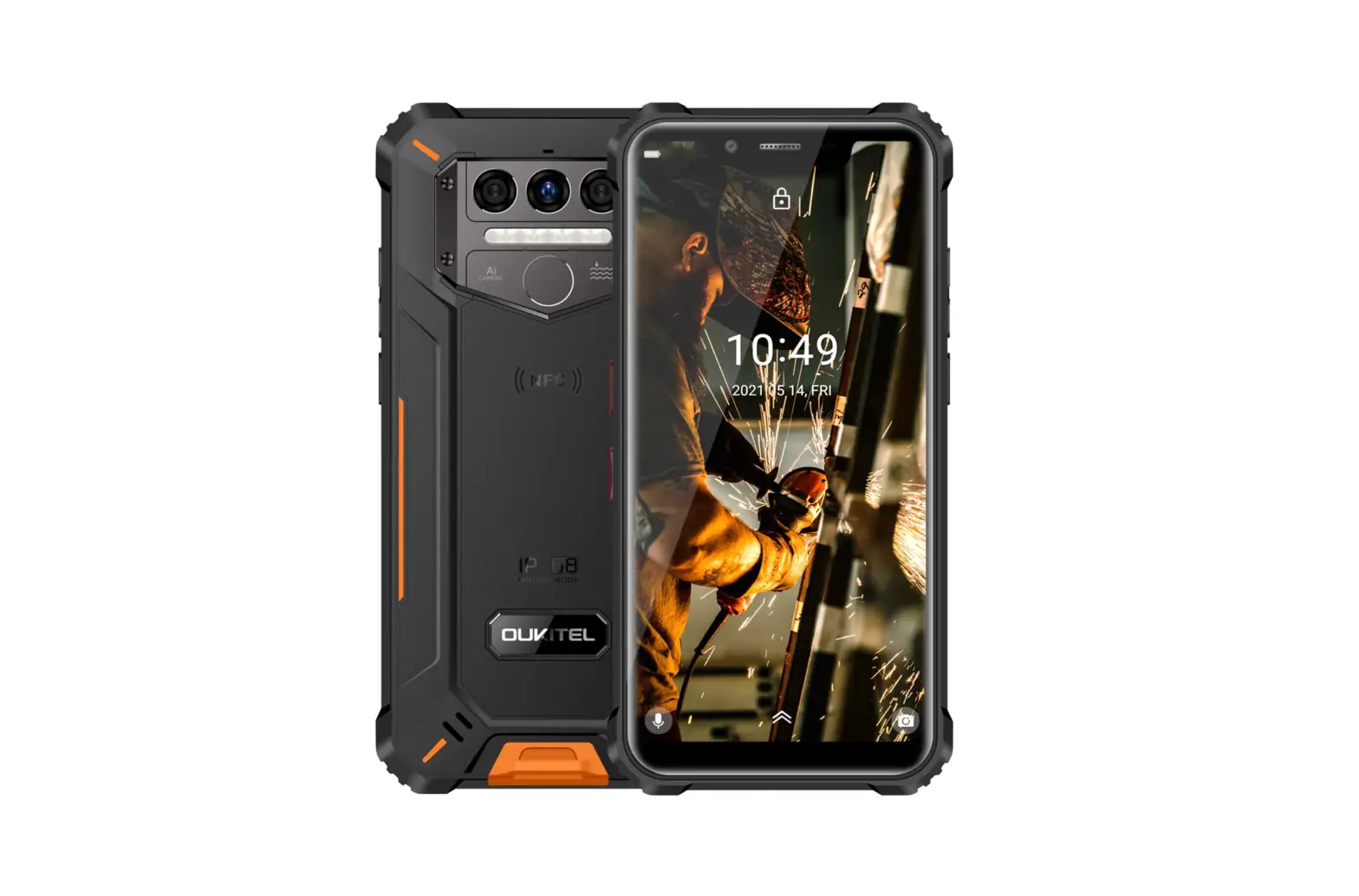
motorola MDFE Rugged Smartphone User Guide
Let’s get started
Before using your phone, please read the legal, safety, and regulatory information provided with your product.
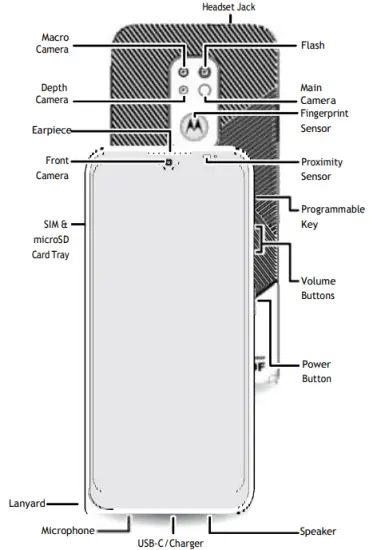
Put in the cards & power on
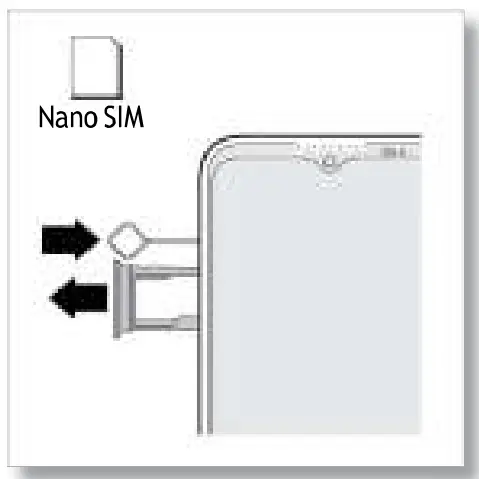
- Insert the SIM tool into the tray hole to pop out the tray. Make sure you use the correct size SIM card and don’t cut the SIM card.

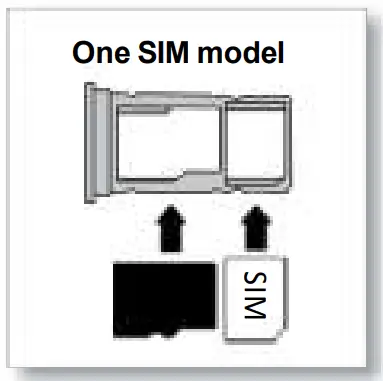
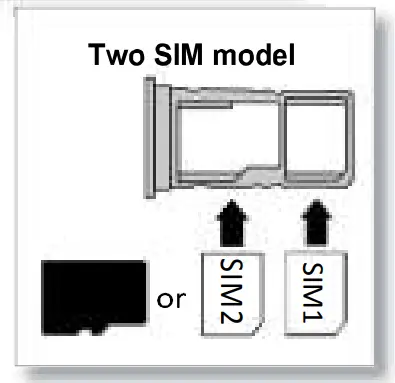
- Insert the SIM card(s) with the gold contacts down, then gently push the tray into the slot.

Add a microSD card for additional storage*.
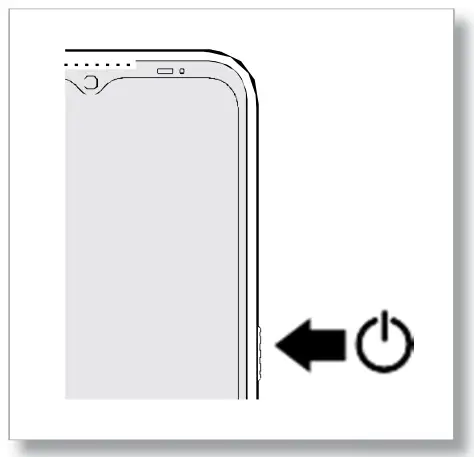
- Press and hold the Power button, then follow the prompts to get started.

*microSD card is optional, sold separately.

Help & more
Get answers, updates, and info:
- Help is here: From the Home screen, swipe up and tap Settings > Help to learn how to use your phone and get support.
- Get more: Get software, user guides, and more at www.motorola.com/mydefy
- Get apps: Tap Play Store to browse and download apps.
Legal information. This guide provides important legal, safety, and regulatory information that you should read before using your product.
For the complete legal information, from the Home screen swipe up and tap Settings > , then type Legal information, or visit www.motorola.com/device-legal.
Battery safety. To prevent possible burning and injury, the battery in your phone should only be removed by a Motorola-approved service center or similar skilled personnel.
If your phone becomes unresponsive, press and hold the Power button until the screen goes dark and your phone restarts.
Charge your phone using a compatible Motorola charger. Use of other chargers is not recommended. Don’t charge your phone in temperatures below -25°C or above 55°C. For more, see the “Legal information” section of this guide, or visit www.motorola.com/device-legal.
Warning about high volume usage. To prevent possible hearing damage, do not listen at high volume levels for long periods.
Disposal & recycling. For help recycling products and packaging responsibly, visit www.motorola.com/recycling.
Class 1 Laser. This device is classified as a Class 1 Laser product, which is safe in normal use per IEC60825-1:2007 and IEC60825-1:2014. This device complies with 21 CFR 1040.10 and 1040.11, except for deviations pursuant to Laser Notice 50, dated June 24, 2007.Do not attempt to modify or disassemble.
Extreme heat or cold. Don’t use your phone in temperatures below -25°C or above 55°C. Don’t store/transport your phone in temperatures below -20°C or above 60°C.
SAR information (on e-label). To view specific absorption rate (SAR) values for this phone, from the Home screen swipe up and tap Settings > , then type Regulatory, or visit www.motorola.com/sar.
Legal disclaimers. Features, services and applications are network dependent and may not be available in all areas; additional terms/ charges may apply. Features, functionality, and other product specifications, as well as the information contained in this guide, are based upon the latest available information and believed to be accurate at the time of printing. Motorola reserves the right to correct or change any information without notice.
Arbitration. Your purchase is governed by a binding arbitration clause. For more information and how to opt-out, see the legal guide that came with your phone.
Specific Absorption Rate (SAR)(ICNIRP) YOUR PHONE MEETS
INTERNATIONAL GUIDELINES FOR EXPOSURE TO RADIO WAVES.
The highest SAR values under the ICNIRP guidelines to your phone
model are:
Head SAR: 1.103 W/kg
Body-worn: SAR 1.494 W/kg
Limb SAR: 3.166 W/kg
Supported frequencies and power. This phone is capable of operation on the following frequencies, subject to location and network availability.
Model: XT2083-9
| Operating mode | Frequency range MHz / Band | Maximum nominal transmit power (conducted) dBm |
| Bluetooth | 2400 – 2483.5 | 20 |
| WLAN2.4 G | 2400 – 2483.5 | 20 |
| WLAN 5G Band1 | 5150 – 5250 | 23 |
| WLAN 5G Band2 | 5250 – 5350 | 23 |
| WLAN 5G Band3 | 5470 – 5725 | 23 |
| WLAN 5G Band4 | 5725 – 5850 | 14 |
| GPS/GLONASS Galileo/ | 1559 – 1610 | N/A |
| NFC | 13.56 | -19.79 dBuA/m@10m |
| GSM | 2/3/5/8 | 33/30 |
| UMTS | 1/2/5/8/19 | 24 |
| LTE | 1/2/3/5/7/8/18/19/20/ 26/28/38/40/41 | 23 |
Copyright & trademarks. MOTOROLA, the Stylized Motorola Logo and the Stylized M Logo are trademarks or registered trademarks of Motorola Trademark Holdings, LLC, and are used under license. All other trademarks are the property of their respective owners.
© 2020 Motorola Mobility LLC. All rights reserved.
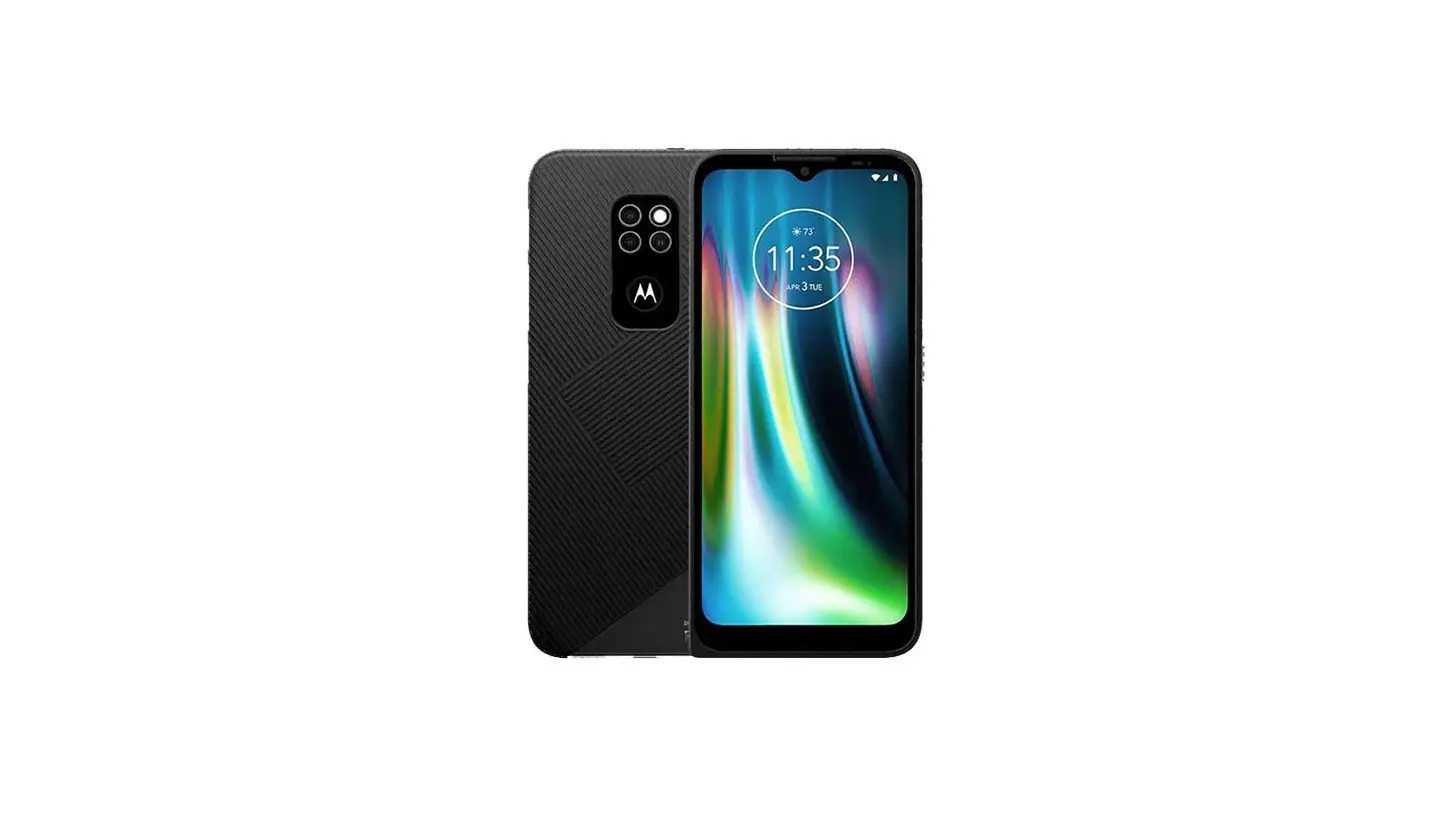
Product ID: Motorola Defy (Model XT2083-9)
Manual Number:
Printed in China