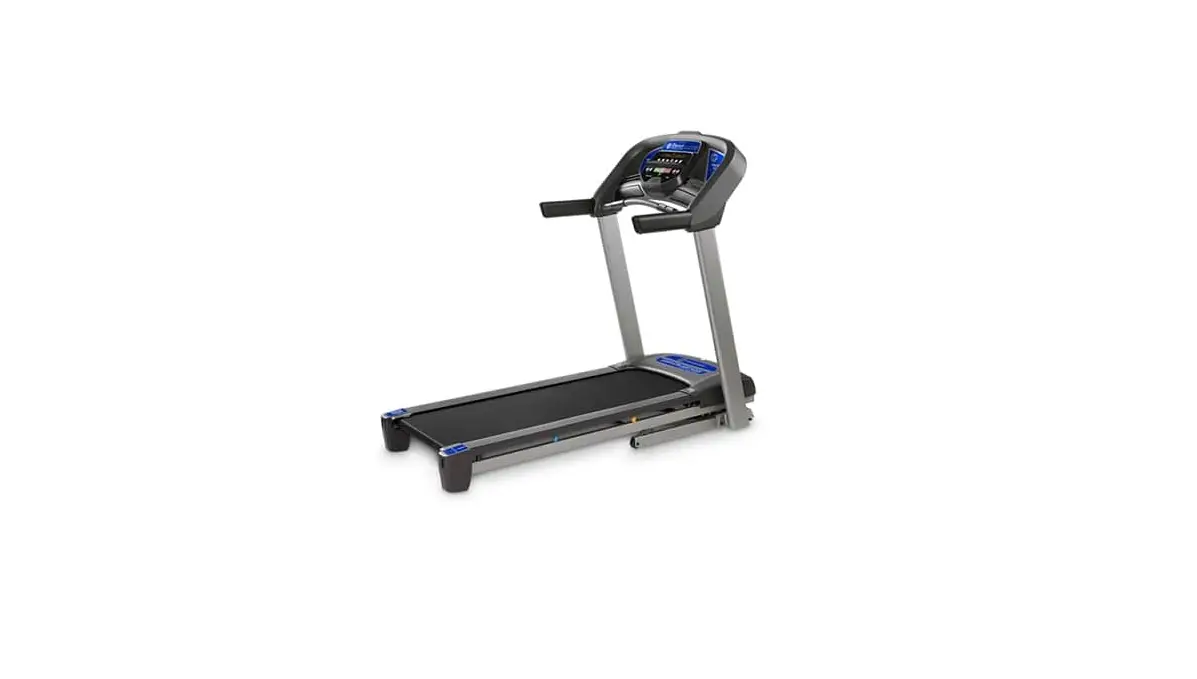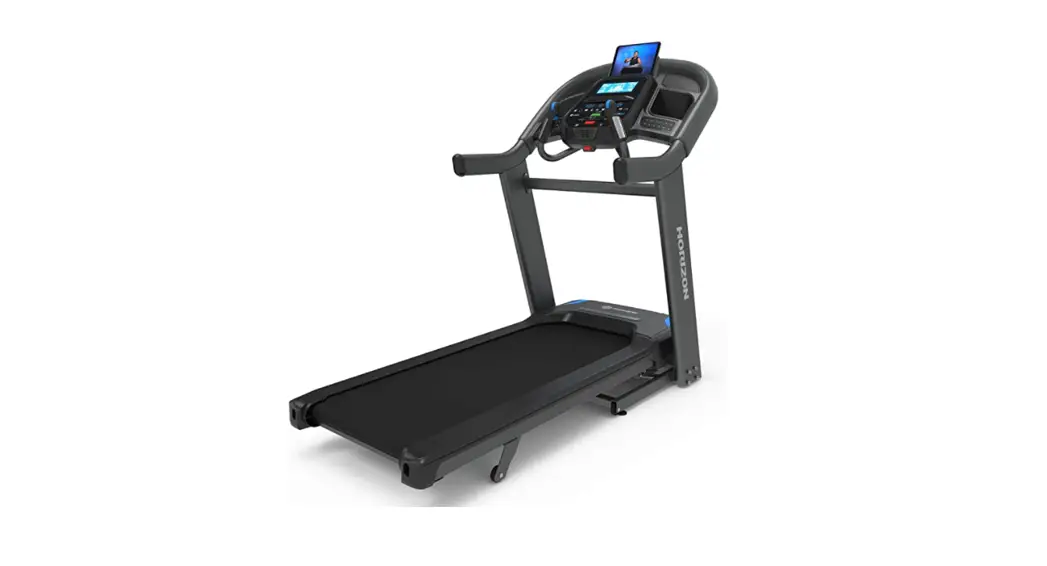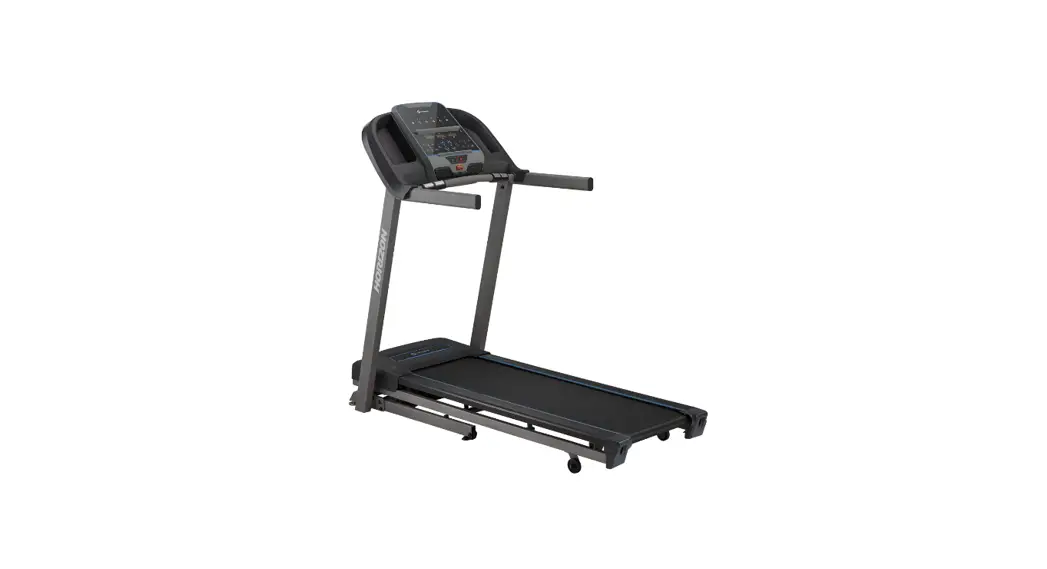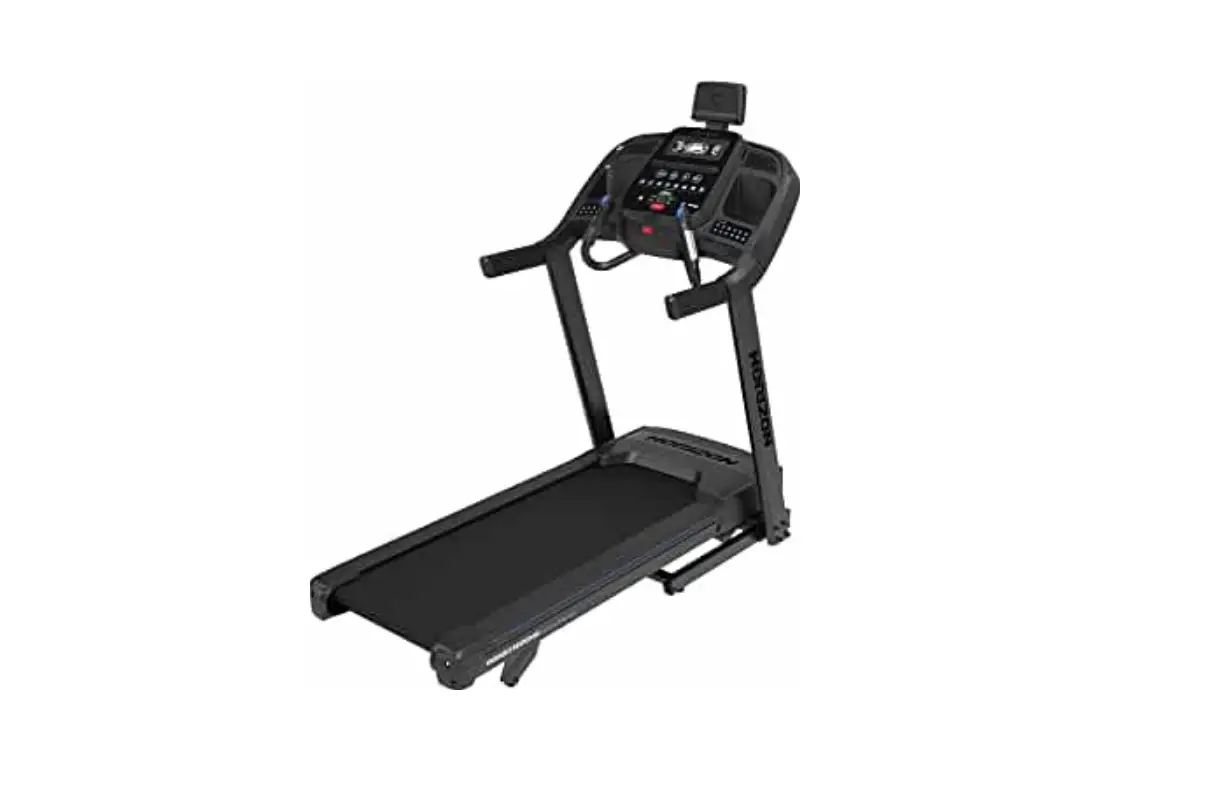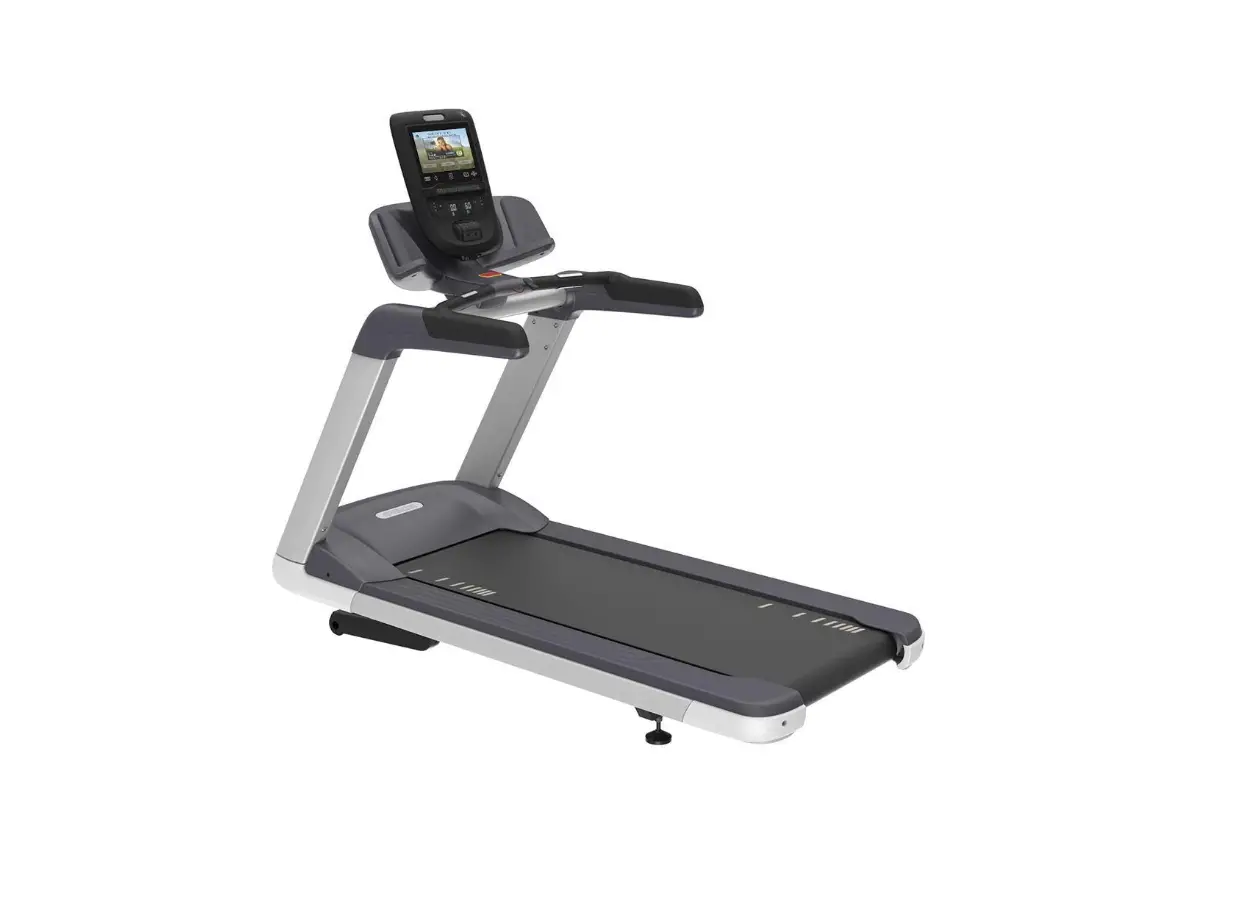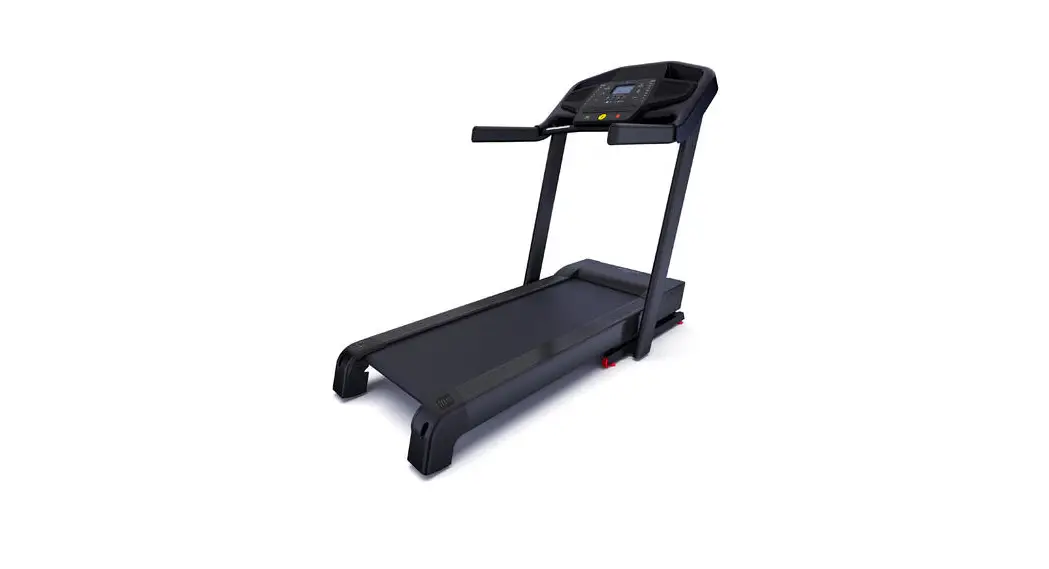

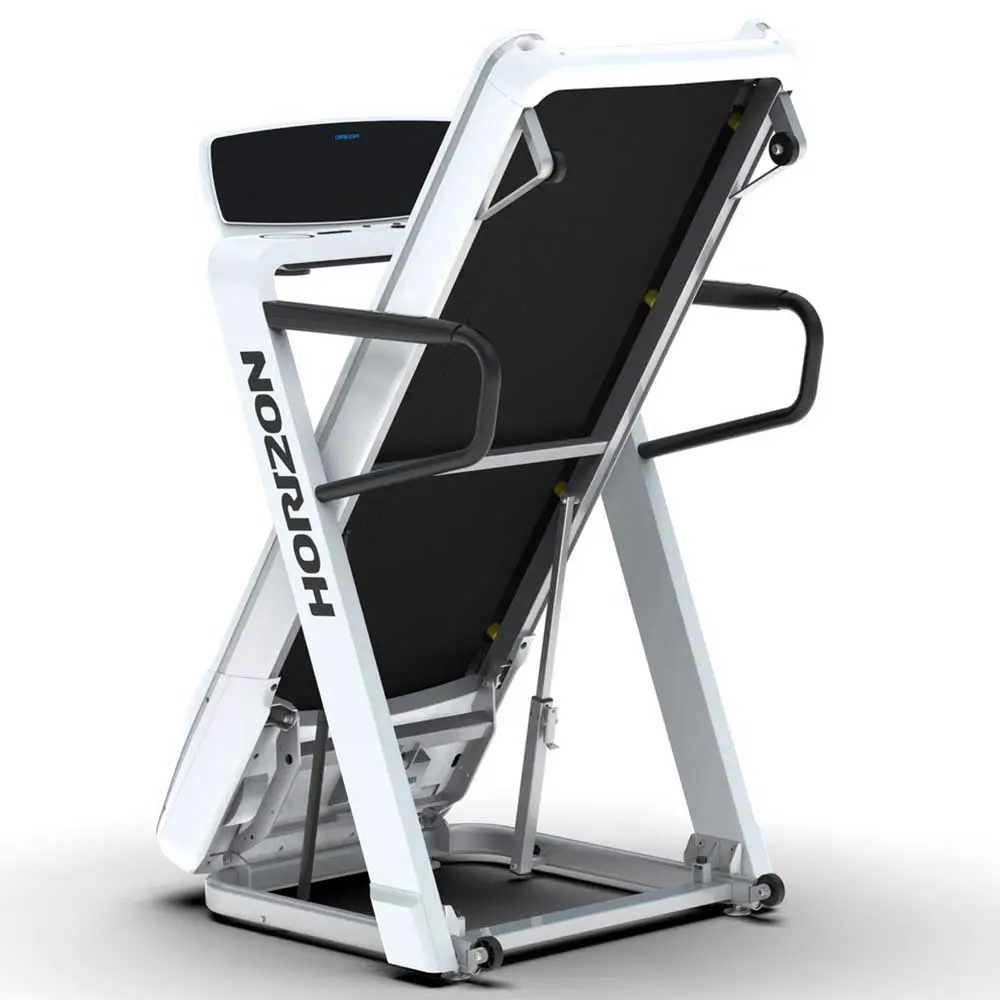
HORIZON Omega Z 3.0 HP Treadmill Weight Tolerance
Warning:
- Read the TREADMILL GUIDE before using this OPERATION GUIDE.
TREADMILL OPERATION
This section explains how to use your treadmill’s console and programming.
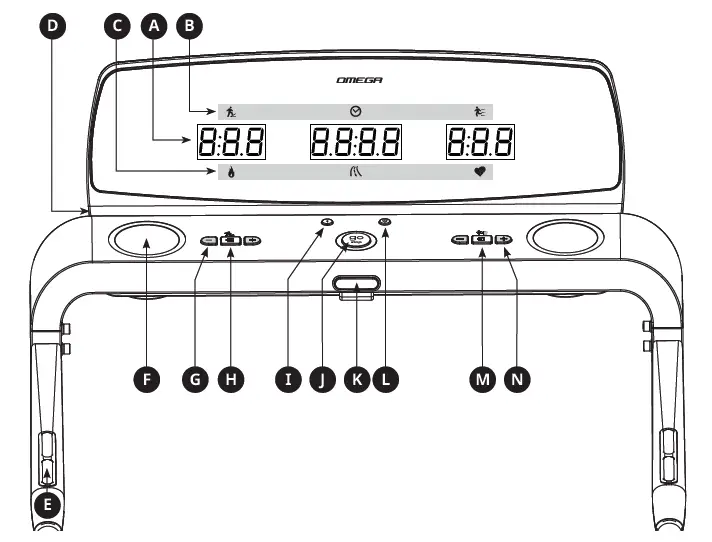
OMEGA Z CONSOLE OPERATION
Note: There is a thin protective sheet of clear plastic on the overlay of the console that should be removed before use.
- A) LED DISPLAY WINDOWS: Time, Speed, Incline, Distance, Calories, Heart Rate
- B) LED INDICATOR: Incline, Time, Speed
- C) LED INDICATOR: Calories, Distance, Heart Rate
- D) ACCESSORY TRAY: Holds personal equipment
- E) HEART RATE SENSOR: Hold the sensor in the both side of handlebar to get your heart rate data
- F) WATER BOTTLE HOLDER: Holds water bottle
- G) INCLINE INSTANT KEY: Press to increase or decrease incline range
- H) ENTER/CHANGE DISPLAY: Press to confirm the setting. Press to change the display from Speed, Time, Incline to Heart Rate, Distance, Calories during workout
- I) BLUETOOTH CHEST BELT CONNECTION: Press and hold for 3 seconds to connect Bluetooth chest belt
- J) GO/PAUSE/STOP: Press to start exercise, during workout press to pause/end your workout. Hold for 3 seconds to reset the console
- K) SAFETY KEY POSITION: Enables treadmill when safety key is inserted
- L) ENERGY SAVER MODE: Press to quickly enter sleep mode. Under sleep model, press any key to wake the console up
- M) ENTER/CHANGE DISPLAY: Press to confirm the setting. Press to change the display from Speed, Time, Incline to Heart Rate, Distance, Calories during workout
- N) SPEED INSTANT KEY: Press to increase or decrease speed range
DISPLAYS WINDOW


TIME: Shown as minutes : seconds. View the time remaining or the time elapsed in your workout.
SPEED: Shown as KM/H. Indicates how fast the running belt is moving.
CALORIES: Total calories burned or remaining for your workout.
DISTANCE: Shown as KM. Indicates distance traveled or distance remaining during your workout.
INCLINE: Shown as percent.
HEART RATE: Shown as BPM (beats per minute). Used to monitor your heart rate (displayed when contact is made with both pulse grips).
GETTING STARTED
- Check to make sure no objects are placed on the belt that will hinder the movement of the treadmill.
- Plug in the power cord and turn the treadmill ON.
- Stand on the side rails of the treadmill.
- Attach the safety key clip to part of your clothing making sure that it is secure and will not become detached during operation. Insert the safety key into the safety keyhole in the console.
- Select user, U1-U4 using + and – key and press
 to confirm
 to confirm
A) QUICK START
Simply press GO to begin working out. Time will count up from 0:00. The speed will default to 0.8 km/h. Incline will default to 0%.
B) SELECT A PROGRAM
- Select a PROGRAM using – + and press
- Set workout program information using – + and press after each selection.
- Press GO to begin workout.
NOTE: You can adjust the speed and incline levels during your workout.
C) FINISHING YOUR WORKOUT
When your workout is complete, your workout information will stay displayed on the console for 30 seconds.
TO CLEAR CURRENT SELECTION
To clear the current program selection or screen, press and hold STOP for 3 seconds.
PROGRAM INFORMATION
| P1 | P2 | P3 | ||||||
| PULSE TRAIN | CALORIES | INTERVALS | ||||||
| PUL1 | PUL2 | PUL3 | PUL4 | P2.1 | P2.2 | P2.3 | P3.1 | P3.2 |
| Pulse 1 | Pulse 2 | Pulse 3 | Pulse 4 | 300K | 500K | 700K | Speed Intervals | Peak Intervals |
| P4 | P5 | P6 | P7 | P8 | ||||
| PERFORMANCE | HEART RATE | STEPS | DISTANCE | CUSTOM | ||||
| P4.1 | P5.1 | P5.2 | P6.1 | 6.2 | P7.1 | P7.2 | P7.3 | P8.1 |
| Weight Loss | Target HR | %Target HR | 5000 | 10000 | 1K | 5K | 10K | Custom 1 |
P1: PULSE TRAIN: This workout requires you to wear a wireless heart rate strap.
PROGRAM SETUP – Once you choose to run the Pulse Train program,
- Use +/- keys to change age ; Press
- Hold the handrail for 30 seconds and release, your Resting Heart Rate(RHR) will appear and be recorded; Press
The results of the last three RHR measurements will be displayed on three led windows respectively, in accordance with rules shown by below chart.1 RHR_3rd RHR_2nd RHR_1st 2 RHR_3rd RHR_2nd RHR_4th 3 RHR_3rd RHR_5th RHR_4th 4 RHR_6th RHR_5th RHR_4th Your current measurement will flash three times each time after you releasing your hands. And then compare with your last measurement. If your current measurement is lower than last measurement, ‘good’ will appear in the middle LED.
For example:
Suppose RHR_3rd = 73, RHR_2nd = 71, RHR_4th = 74, LED display as below: Suppose RHR_3rd = 73, RHR_2nd = 71, RHR_4th = 72, LED display as below:
- Use +/- keys to select the training mode (PUL1-PUL4) ; Press
- Use +/- keys to change and set time ; Press
- Use +/- keys to change and set speed ; Press
- Use +/- keys to change and set incline ; Press
- Character “Go” appears; Press “Go” button to start your workout.
- It will run 3 minutes warm-up, then run the main training mode program and finally run 3 minutes cool down.
PROGRAM LOGIC – Program segments are defined by different Target Heart Rate Range.
Formula:
THR = (220 – Age – RHR) * R% + RHR; where, THR is Target Heart Rate, RHR is Resting Heart Rate Program
 Suppose RHR_3rd = 73, RHR_2nd = 71, RHR_4th = 72, LED display as below:
| Segment | R% Range | LED color | ||
| Warm Up 3mins | >=30% | <40% | Upper half red flash 3 times | |
| Main Training Mode | PUL1 | >=40% | <50% | Green |
| PUL2 | >=50% | <65% | Yellow | |
| PUL3 | >=65% | <80% | Red | |
| PUL4 | >=80% | <95% | Red + Flash | |
| Cool Down 3mins | >=30% | <40% | Lower half blue flash 3 times | |
| Others | Blue | |||
During main training mode, the speed and incline will be automatically adjusted to keep you in your favourite Target Heart Rate Range (THRR).
| Heart Rate | Function | Vary |
| 20+ under THRR | every 10 seconds | Incline + 0.5% & Speed + 0.3 |
| 12 – 19 under THRR | every 20 seconds | Incline + 0.5% & Speed + 0.3 |
| 6 – 11 under THRR | every 30 seconds | Incline + 0.5% |
| +/- 5 of THRR | No Change | |
| 6 – 11 over THRR | every 30 seconds | Incline – 0.5% |
| 12 – 19 over THRR | every 20 seconds | Incline – 0.5% & Speed – 0.3 |
| 20 – 24 over THRR | every 10 seconds | Incline – 0.5% & Speed – 0.3 |
| 25+ over THRR | Program stop | Cool Down start |
Five minutes after main training mode activation, if you manually increases the speed by more than 5km/hr or increases the incline by more than 5%, this situation will be considered as the current training mode level is lower than your expectation, and the program will jump to the next higher level.
After main training mode activation, if you manually decreases the speed by more than 3km/hr or decreases the incline by more than 3%, this situation will be considered as the current training mode level is higher than your expectation, and the program will jump to the next lower level. If it is already in the PUL1, go directly to the cool down mode.
P2: CALORIES: Set goals for burning calories with three workouts. Choose from 300, 500, 700. User sets starting speed and incline levels. Calories burned are calculated using weight input of user profile.
P3: INTERVALS: An effective fat-burning workout that helps you improves your fitness level. Choose from speed intervals, peak intervals.
| Speed Intervals – Speed only | |||||||
| Segment | Warm Up | 1 | 2 | Cool Down | |||
| Time | 4:00 Mins | 90 sec | 30 sec | 4:00 Mins | |||
| Level 1 | Speed(MPH) | 1 | 1.5 | 2 | 4 | 1.5 | 1 |
| Speed(KMH) | 1.6 | 2.4 | 3.2 | 6.4 | 2.4 | 1.6 | |
| Level 2 | Speed(MPH) | 1 | 1.5 | 2 | 4.5 | 1.5 | 1 |
| Speed(KMH) | 1.6 | 2.4 | 3.2 | 7.2 | 2.4 | 1.6 | |
| Level 3 | Speed(MPH) | 1.3 | 1.9 | 2.5 | 5 | 1.9 | 1.3 |
| Speed(KMH) | 2 | 3 | 4 | 8 | 3 | 2 | |
| Level 4 | Speed(MPH) | 1.3 | 1.9 | 2.5 | 5.5 | 1.9 | 1.3 |
| Speed(KMH) | 2 | 3 | 4 | 8.8 | 3 | 2 | |
| Level 5 | Speed(MPH) | 1.5 | 2.3 | 3 | 6 | 2.3 | 1.5 |
| Speed(KMH) | 2.4 | 3.7 | 4.8 | 9.6 | 3.7 | 2.4 | |
| Level 6 | Speed(MPH) | 1.5 | 2.3 | 3 | 6.5 | 2.3 | 1.5 |
| Speed(KMH) | 2.4 | 3.7 | 4.8 | 10.4 | 3.7 | 2.4 | |
| Level 7 | Speed(MPH) | 1.8 | 2.6 | 3.5 | 7 | 2.6 | 1.8 |
| Speed(KMH) | 2.8 | 4.1 | 5.6 | 11.2 | 4.1 | 2.8 | |
| Level 8 | Speed(MPH) | 1.8 | 2.6 | 3.5 | 7.5 | 2.6 | 1.8 |
| Speed(KMH) | 2.8 | 4.1 | 5.6 | 12 | 4.1 | 2.8 | |
| Level 9 | Speed(MPH) | 2 | 3 | 4 | 8 | 3 | 2 |
| Speed(KMH) | 3.2 | 4.8 | 6.4 | 12.8 | 4.8 | 3.2 | |
| Level 10 | Speed(MPH) | 2 | 3 | 4 | 8.5 | 3 | 2 |
| Speed(KMH) | 3.2 | 4.8 | 6.4 | 13.6 | 4.8 | 3.2 | |
| Peak Intervals-Speed and Incline changes | |||||||
| Segment | Warm Up | 1 | 2 | Cool Down | |||
| Time | 4:00 Mins | 90 sec | 30 sec | 4:00 Mins | |||
| Level 1 | Speed(MPH) | 1 | 1.5 | 2 | 4 | 1.5 | 1 |
| Speed(KMH) | 1.6 | 2.4 | 3.2 | 6.4 | 2.4 | 1.6 | |
| Incline | 1 | 1.5 | 0.5 | 1.5 | 1.5 | 0 | |
| Level 2 | Speed(MPH) | 1 | 1.5 | 2 | 4.5 | 1.5 | 1 |
| Speed(KMH) | 1.6 | 2.4 | 3.2 | 7.2 | 2.4 | 1.6 | |
| Incline | 1.5 | 2.5 | 3 | 6.5 | 2.5 | 1.5 | |
| Level 3 | Speed(MPH) | 1.3 | 1.9 | 2.5 | 5 | 1.9 | 1.3 |
| Speed(KMH) | 2 | 3 | 4 | 8 | 3 | 2 | |
| Incline | 2 | 3 | 4 | 7.5 | 3 | 2 | |
| Level 4 | Speed(MPH) | 1.3 | 1.9 | 2.5 | 5.5 | 1.9 | 1.3 |
| Speed(KMH) | 2 | 3 | 4 | 8.8 | 3 | 2 | |
| Incline | 2 | 3 | 4 | 8.5 | 3 | 2 | |
| Level 5 | Speed(MPH) | 1.5 | 2.3 | 3 | 6 | 2.3 | 1.5 |
| Speed(KMH) | 2.4 | 3.7 | 4.8 | 9.6 | 3.7 | 2.4 | |
| Incline | 2.5 | 3.5 | 4.5 | 9 | 3.5 | 2.5 | |
| Level 6 | Speed(MPH) | 1.5 | 2.3 | 3 | 6.5 | 2.3 | 1.5 |
| Speed(KMH) | 2.4 | 3.7 | 4.8 | 10.4 | 3.7 | 2.4 | |
| Incline | 2.5 | 3.5 | 4.5 | 10 | 3.5 | 2.5 | |
| Level 7 | Speed(MPH) | 1.8 | 2.6 | 3.5 | 7 | 2.6 | 1.8 |
| Speed(KMH) | 2.8 | 4.1 | 5.6 | 11.2 | 4.1 | 2.8 | |
| Incline | 2.5 | 4 | 5.5 | 10.5 | 4 | 3 | |
| Level 8 | Speed(MPH) | 1.8 | 2.6 | 3.5 | 7.5 | 2.6 | 1.8 |
| Speed(KMH) | 2.8 | 4.1 | 5.6 | 12 | 4.1 | 2.8 | |
| Incline | 3 | 4 | 5.5 | 11.5 | 4 | 3 | |
| Level 9 | Speed(MPH) | 2 | 3 | 4 | 8 | 3 | 2 |
| Speed(KMH) | 3.2 | 4.8 | 6.4 | 12.8 | 4.8 | 3.2 | |
| Incline | 3 | 4.5 | 6 | 12 | 5 | 3 | |
| Level 10 | Speed(MPH) | 2 | 3 | 4 | 8.5 | 3 | 2 |
| Speed(KMH) | 3.2 | 4.8 | 6.4 | 13.6 | 4.8 | 3.2 | |
| Incline | 3 | 4.5 | 6 | 12 | 5 | 3 | |
P4: PERFORMANCE: Includes Weight Loss. Promote weight loss by increasing and decreasing the speed and incline, while keeping you in your fat burning zone.
| Weight Loss – Speed and Incline changes | |||||||||||||
| Segment | Warm Up | 1 | 2 | 3 | 4 | 5 | 6 | 7 | 8 | Cool Down | |||
| Time | 4:00 Mins | 30 sec | 30 sec | 30 sec | 30 sec | 30 sec | 30 sec | 30 sec | 30 sec | 4:00 Mins | |||
| Level 1 | Speed(MPH) | 1 | 1.5 | 2 | 2.5 | 3 | 3.5 | 4 | 3.5 | 3 | 2.5 | 2.3 | 1.5 |
| Speed(KMH) | 1.6 | 2.4 | 3.2 | 4 | 4.8 | 5.6 | 6.4 | 5.6 | 4.8 | 4 | 3.7 | 2.4 | |
| Incline | 0 | 0.5 | 1.5 | 1.5 | 1 | 0.5 | 0.5 | 0.5 | 1 | 1.5 | 0.5 | 0 | |
| Level 2 | Speed(MPH) | 1.3 | 1.9 | 2.5 | 3 | 3.5 | 4 | 4.5 | 4 | 3.5 | 3 | 2.6 | 1.8 |
| Speed(KMH) | 2 | 3 | 4 | 4.8 | 5.6 | 6.4 | 7.2 | 6.4 | 5.6 | 4.8 | 4.1 | 2.8 | |
| Incline | 0 | 0.5 | 1.5 | 1.5 | 1 | 0.5 | 1 | 0.5 | 1 | 1.5 | 0.5 | 0 | |
| Level 3 | Speed(MPH) | 1.5 | 2.3 | 3 | 3.5 | 4 | 4.5 | 5 | 4.5 | 4 | 3.5 | 3 | 2 |
| Speed(KMH) | 2.4 | 3.7 | 4.8 | 5.6 | 6.4 | 7.2 | 8 | 7.2 | 6.4 | 5.6 | 4.8 | 3.2 | |
| Incline | 0.5 | 1 | 2 | 2 | 1.5 | 1 | 1 | 1 | 1.5 | 2 | 1 | 0.5 | |
| Level 4 | Speed(MPH) | 1.8 | 2.6 | 3.5 | 4 | 4.5 | 5 | 5.5 | 5 | 4.5 | 4 | 3.4 | 2.3 |
| Speed(KMH) | 2.8 | 4.1 | 5.6 | 6.4 | 7.2 | 8 | 8.8 | 8 | 7.2 | 6.4 | 5.4 | 3.7 | |
| Incline | 0.5 | 1 | 2 | 2 | 1.5 | 1 | 1 | 1 | 1.5 | 2 | 1 | 0.5 | |
| Level 5 | Speed(MPH) | 2 | 3 | 4 | 4.5 | 5 | 5.5 | 6 | 5.5 | 5 | 4.5 | 3.8 | 2.5 |
| Speed(KMH) | 3.2 | 4.8 | 6.4 | 7.2 | 8 | 8.8 | 9.6 | 8.8 | 8 | 7.2 | 6.1 | 4 | |
| Incline | 1 | 1.5 | 2.5 | 2.5 | 2 | 1.5 | 1.5 | 1.5 | 2 | 2.5 | 1.5 | 1 | |
| Level 6 | Speed(MPH) | 2.3 | 3.4 | 4.5 | 5 | 5.5 | 6 | 6.5 | 6 | 5.5 | 5 | 4.1 | 2.8 |
| Speed(KMH) | 3.7 | 5.4 | 7.2 | 8 | 8.8 | 9.6 | 10.4 | 9.6 | 8.8 | 8 | 6.5 | 4.5 | |
| Incline | 1 | 1.5 | 2.5 | 2.5 | 2 | 1.5 | 1.5 | 1.5 | 2 | 2.5 | 1.5 | 1 | |
| Level 7 | Speed(MPH) | 2.5 | 3.8 | 5 | 5.5 | 6 | 6.5 | 7 | 6.5 | 6 | 5.5 | 4.5 | 3 |
| Speed(KMH) | 4 | 6.1 | 8 | 8.8 | 9.6 | 10.4 | 11.2 | 10.4 | 9.6 | 8.8 | 7.2 | 4.8 | |
| Incline | 1.5 | 2 | 3 | 3 | 2.5 | 2 | 2 | 2 | 2.5 | 3 | 2 | 1.5 | |
| Level 8 | Speed(MPH) | 2.8 | 4.1 | 5.5 | 6 | 6.5 | 7 | 7.5 | 7 | 6.5 | 6 | 4.9 | 3.3 |
| Speed(KMH) | 4.5 | 6.5 | 8.8 | 9.6 | 10.4 | 11.2 | 12 | 11.2 | 10.4 | 9.6 | 7.8 | 5.3 | |
| Incline | 1.5 | 2 | 3 | 3 | 2.5 | 2 | 2 | 2 | 2.5 | 3 | 2 | 1.5 | |
| Level 9 | Speed(MPH) | 3 | 4.5 | 6 | 6.5 | 7 | 7.5 | 8 | 7.5 | 7 | 6.5 | 5.3 | 3.5 |
| Speed(KMH) | 4.8 | 7.2 | 9.6 | 10.4 | 11.2 | 12 | 12.8 | 12 | 11.2 | 10.4 | 8.5 | 5.6 | |
| Incline | 2 | 2.5 | 3.5 | 3.5 | 3 | 2.5 | 2.5 | 2.5 | 3 | 3.5 | 2.5 | 2 | |
| Level 10 | Speed(MPH) | 3.3 | 4.9 | 6.5 | 7 | 7.5 | 8 | 8.5 | 8 | 7.5 | 7 | 5.6 | 3.8 |
| Speed(KMH) | 5.3 | 7.8 | 10.4 | 11.2 | 12 | 12.8 | 13.6 | 12.8 | 12 | 11.2 | 9 | 6.1 | |
| Incline | 2 | 2.5 | 3.5 | 3.5 | 3 | 2.5 | 2.5 | 2.5 | 3 | 3.5 | 2.5 | 2 | |
P5: HEART RATE:
HEART RATE ZONE INCLUDES TARGET HR, % TARGET HR:
A workout designed to keep you in your specified heart rate zone. This workout requires you to wear a wireless heart rate strap.
TARGET HEART RATE:
The first step to knowing the right intensity for your training is to find out your maximum heart rate (max HR=220-age). This age-based method provides an average statistical prediction of your max heartrate. For example, a 30 year old person’s max HR is 220 – 30 =190 bpm. In this case, 190 bpm is the target maximum heart rate. Incline ranges vary automatically based on your heart rate changes during the workout.
% TARGET HR:
There are 3 percentage values can be chosen, %55 (weight management and active recovery), %70 (moderately long workouts) and %85 (fit persons and for athletic training). Target heart rate is calculated by (220-age) x %HR. For example, a 30 year-old person would like to run for weight management and active recovery (%55), target heart rate is (220-30) x 55% = 105 bmp.
| Heart Rate | Function | Vary |
| 12+ under THR | every 3 seconds | Speed + 0.1 |
| 7 – 11 under THR | every 5 seconds | Speed + 0.1 |
| 4 – 6 under THR | every 8 seconds | Speed + 0.1 |
| +/- 3 of THR | No Change | |
| 4 – 6 over THR | every 8 seconds | Speed – 0.1 |
| 7 – 11 over THR | every 5 seconds | Speed – 0.1 |
| 12 – 15 over THR | every 3 seconds | Speed – 0.1 |
| 16 – 24 over THR | every 2 seconds | Speed – 0.1 |
| 25+ over THR | Program END | P6: STEPS: Promotes health with the help of two training programmes calculated based on average step length. Choose between 5,000 and 10,000 steps. You set the starting speed and incline yourself. P7: DISTANCE: Push yourself and progress with the help of five different stretch workouts. Choose between 1K, 5K and 10K. P8: CUSTOM: For an optimal workout with an individual combination of speed, incline and time. The ultimate in personal programming. Time-based goal setting. Automatic storage of individual training data. You set this program as follows: 1. Select CLR with the +/- buttons to create a new custom program. Press 2. S_1 (first segment) appears in the display. Press 3. Select time interval with the +/- buttons (max. 15 time intervals with a length of 30 minutes per interval). Press 4. Select speed with the +/- buttons (max. 20km/h). Press ) 5. Use the +/- buttons to select incline (max. 12%). Press 6. S_2 appears in the display. Repeat steps 2-5 until the desired number of segments is reached and start the program with GO. APP CONNECTION Your Horizon machine is Bluetooth ready, allowing you to use Bluetooth technology to wirelessly connect your device to your Horizon treadmill. Using the free downloadable fitDisplay app will enable you to control your treadmill’s operating functions via your device. You can find more Horizon machine compatible apps on Horizon website. |
P6: STEPS: Promotes health with the help of two training programmes calculated based on average step length. Choose between 5,000 and 10,000 steps. You set the starting speed and incline yourself.
P7: DISTANCE: Push yourself and progress with the help of five different stretch workouts. Choose between 1K, 5K and 10K.
P8: CUSTOM: For an optimal workout with an individual combination of speed, incline and time. The ultimate in personal programming. Time-based goal setting. Automatic storage of individual training data.
You set this program as follows: 1. Select CLR with the +/- buttons to create a new custom program. Press 2. S_1 (first segment) appears in the display. Press 3. Select time interval with the +/- buttons (max. 15 time intervals with a length of 30 minutes per interval). Press 4. Select speed with the +/- buttons (max. 20km/h). Press ) 5. Use the +/- buttons to select incline (max. 12%). Press 6. S_2 appears in the display. Repeat steps 2-5 until the desired number of segments is reached and start the program with GO.
APP CONNECTION
Your Horizon machine is Bluetooth ready, allowing you to use Bluetooth technology to wirelessly connect your device to your Horizon treadmill. Using the free downloadable fit Display app will enable you to control your treadmill’s operating functions via your device. You can find more Horizon machine compatible apps on Horizon website.
This machine has a special feature called Energy Saver mode. This mode is NOT automatically activated. When Energy Saver mode is activated, the display will automatically enter standby mode (Energy Saver mode) after 15 minutes of inactivity. This feature saves energy by disabling most power to the machine until a key is pressed on the console.
Waste Disposal
VISION Fitness / HORIZON Fitness / TEMPO Fitness / TREO Fitness products are recyclable. At the end if its useful life please dispose of this article correctly and safely (local refuse sites).