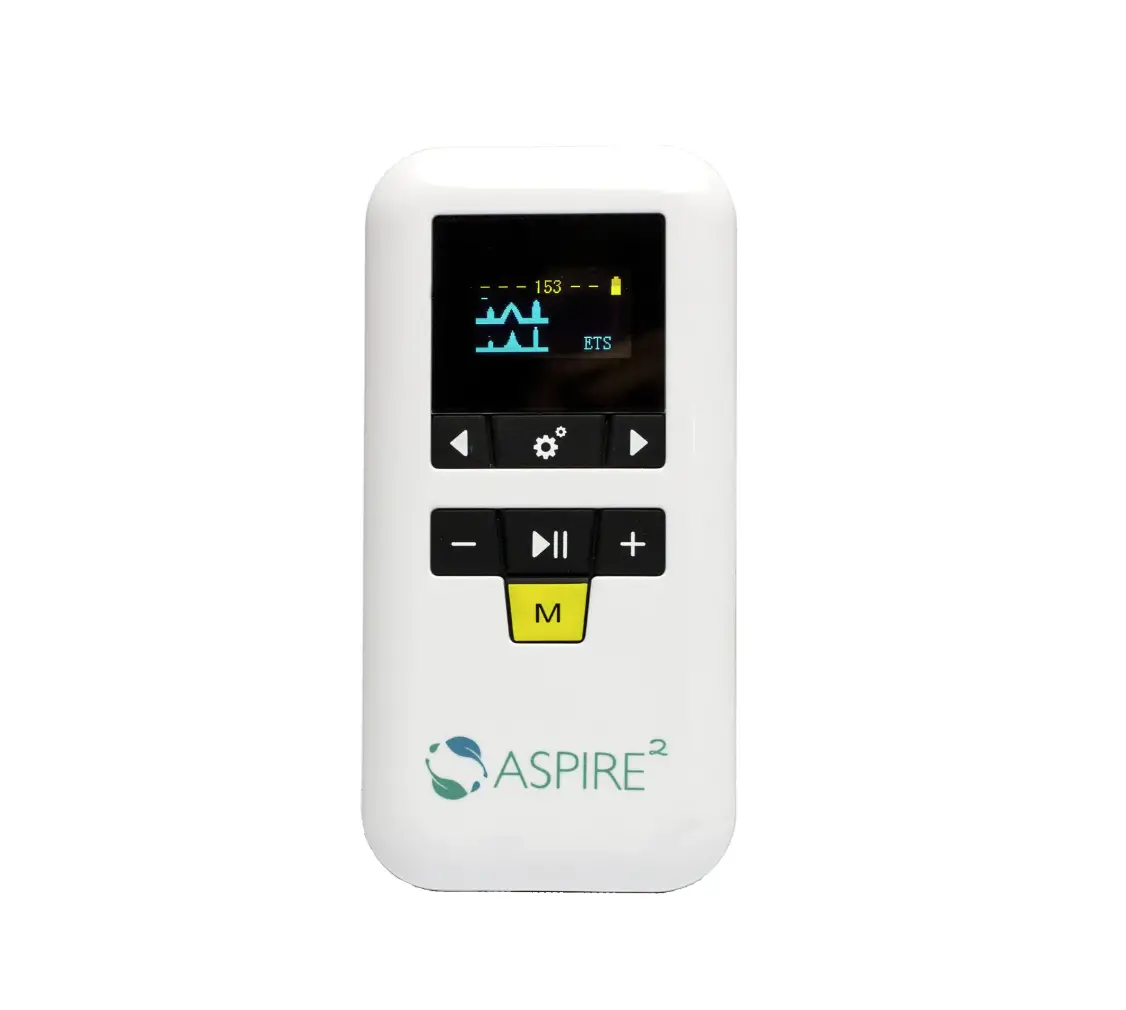
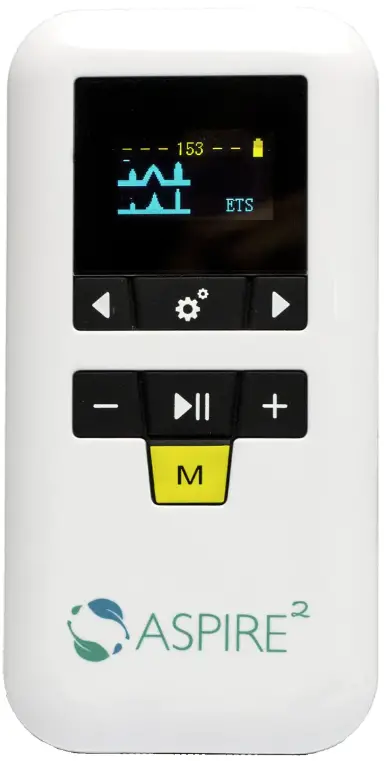
Spectramed 01AS80 ASPIRE 2 sEMG/NMES/ETS +BLE iOS 6.0.0 App Included
DOWNLOADING THE APP
Download XFT-SEMG app from the App Store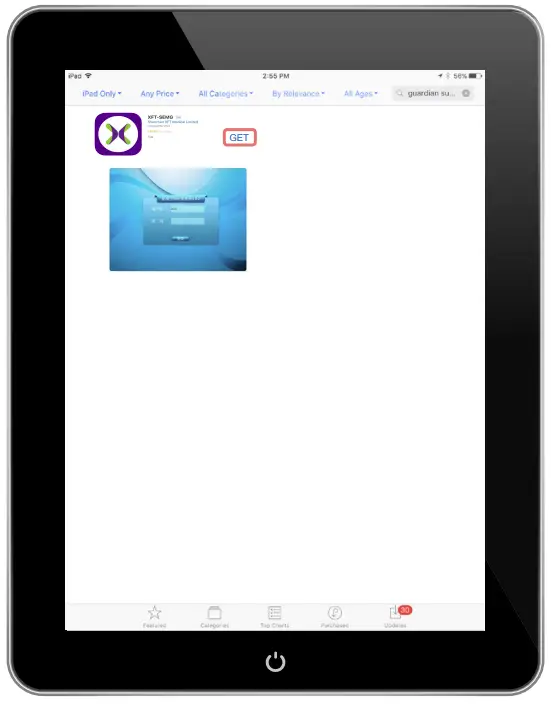
Access the XFT-SEMG app by clicking “OPEN” from the download screen or by clicking the app icon.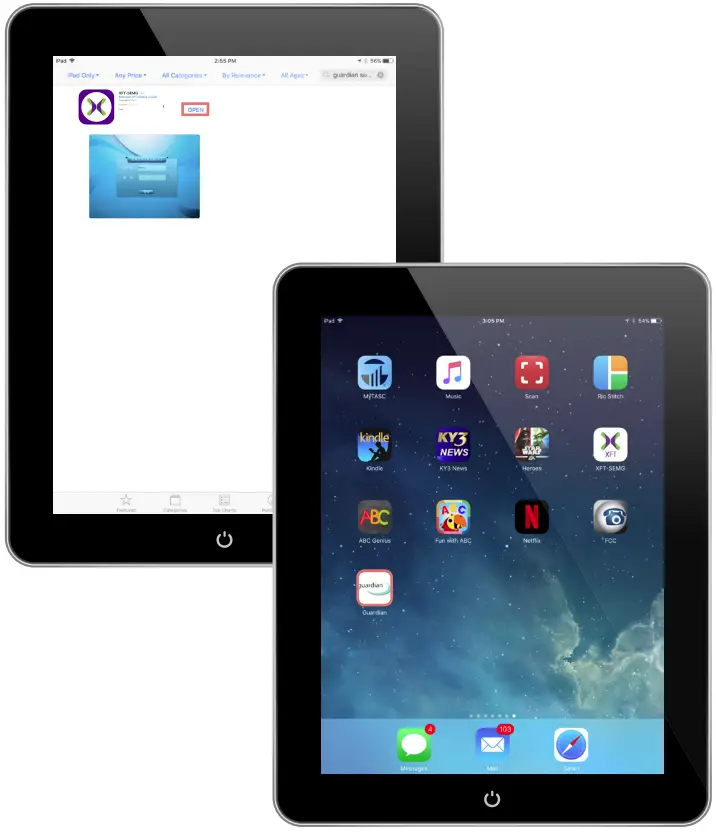
LOGGING INTO THE APP
Leave username as admin and CLICK LOGIN.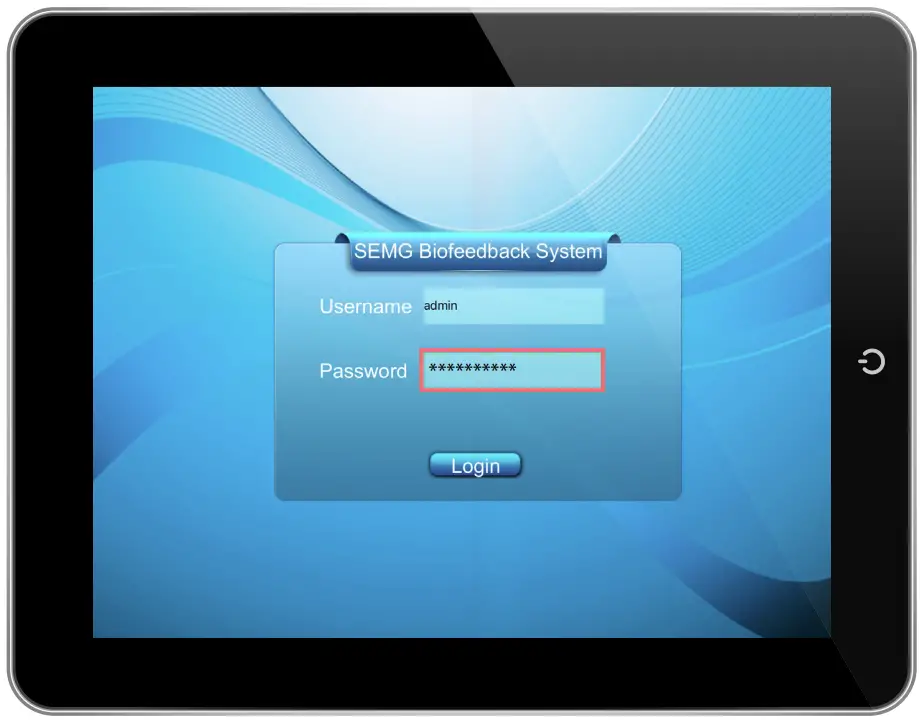
FUNCTIONS: SYNCING THE ASPIRE2 DE VICE AND IPAD
Select the Bluetooth icon from the Functions menu.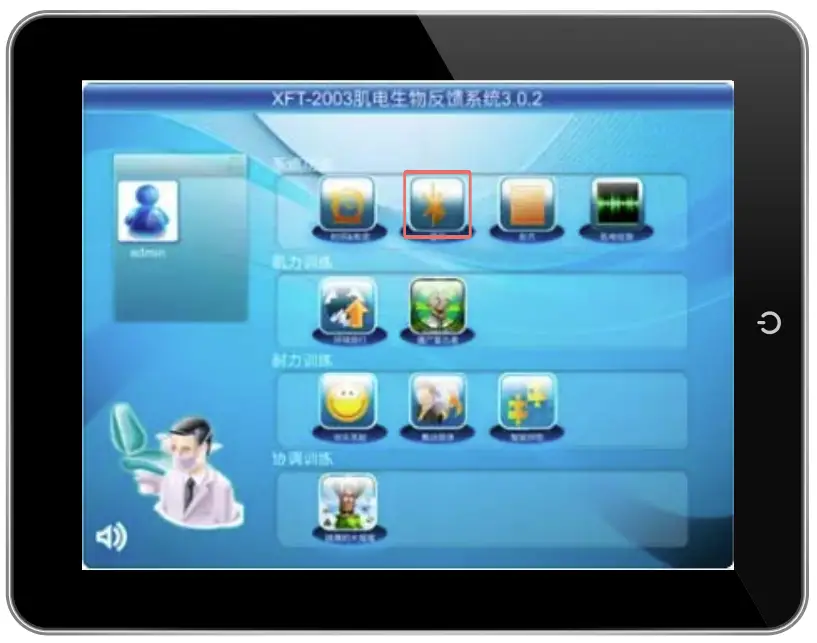
Click Connect to sync to your Aspire2 device.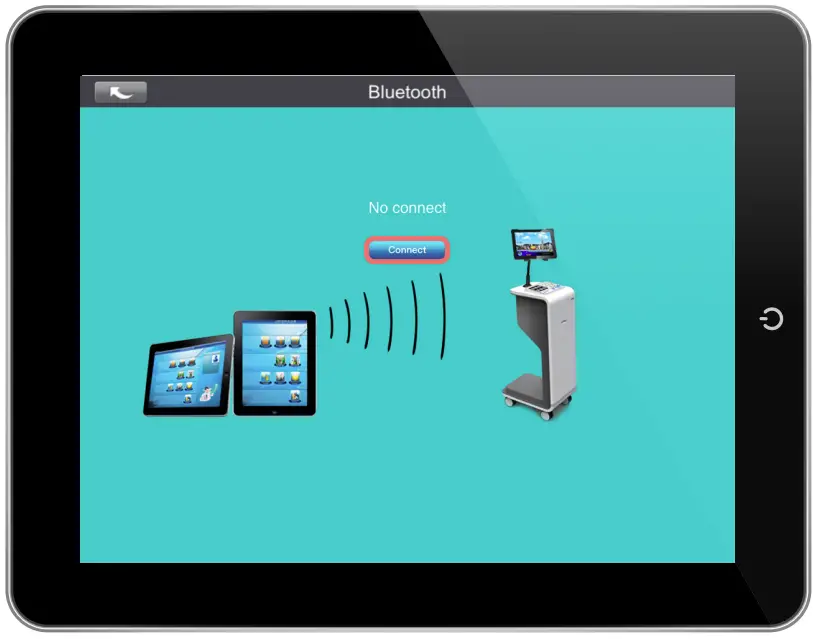
Select the clock icon from the Functions menu.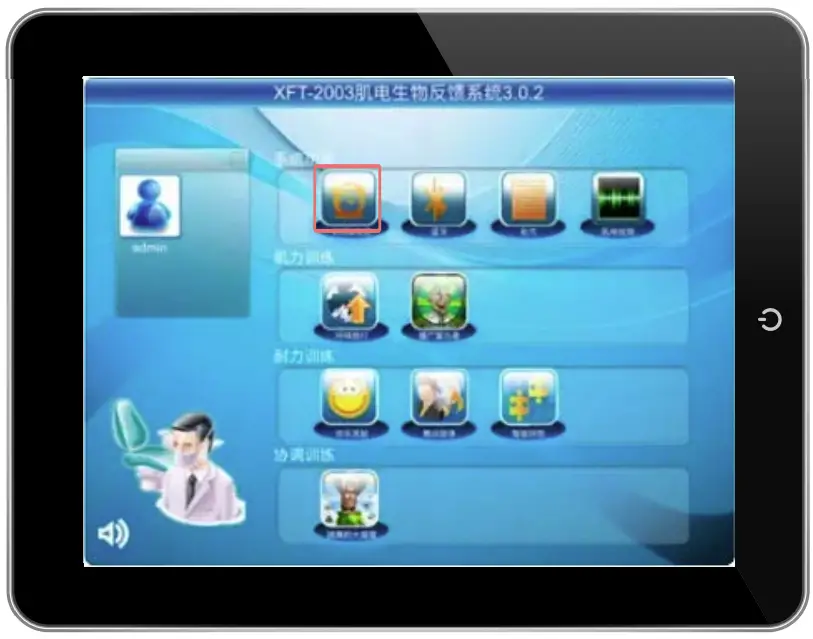
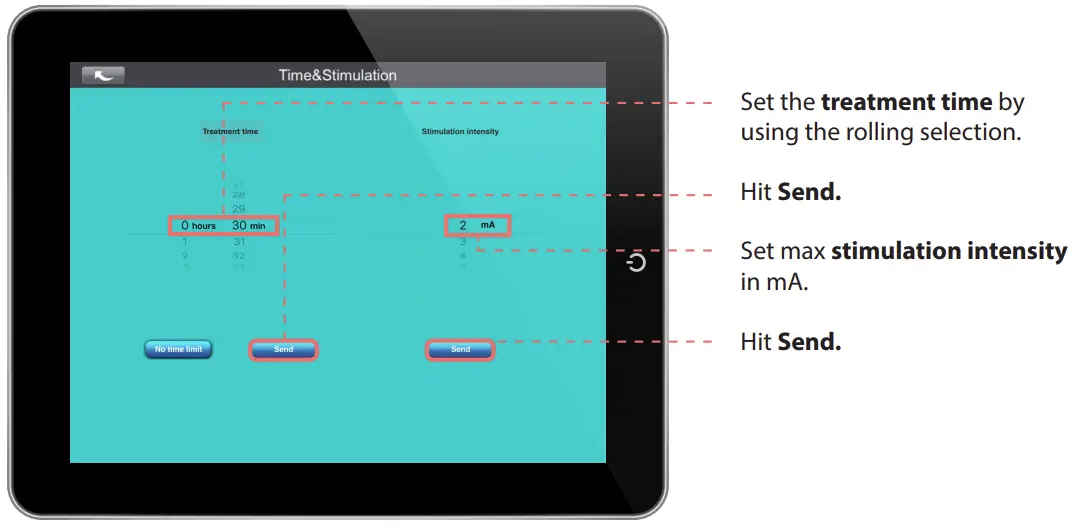
FUNCTIONS: PRESCRIPTION
Select the prescription icon from the Functions menu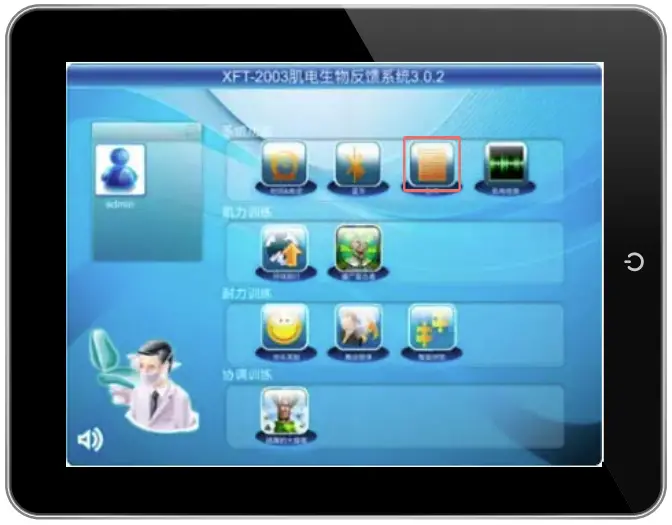
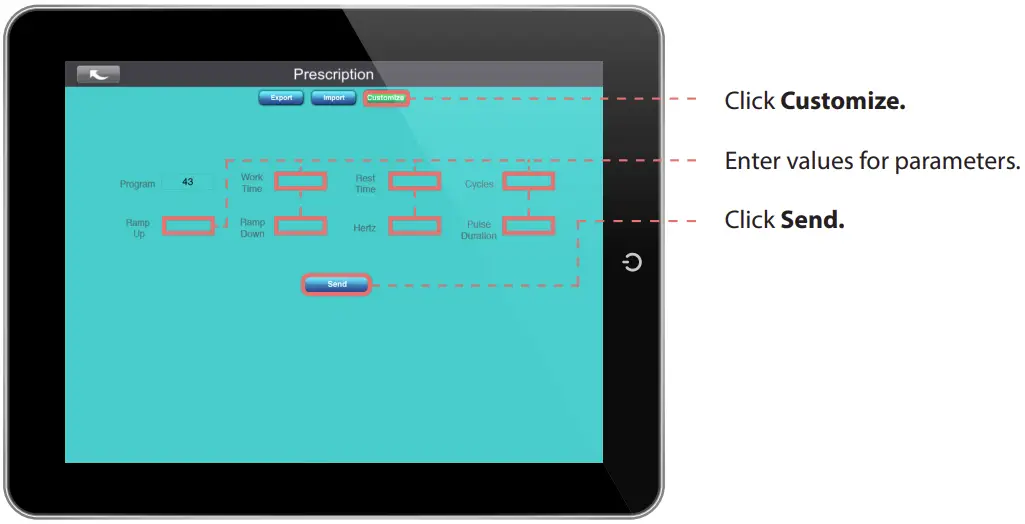
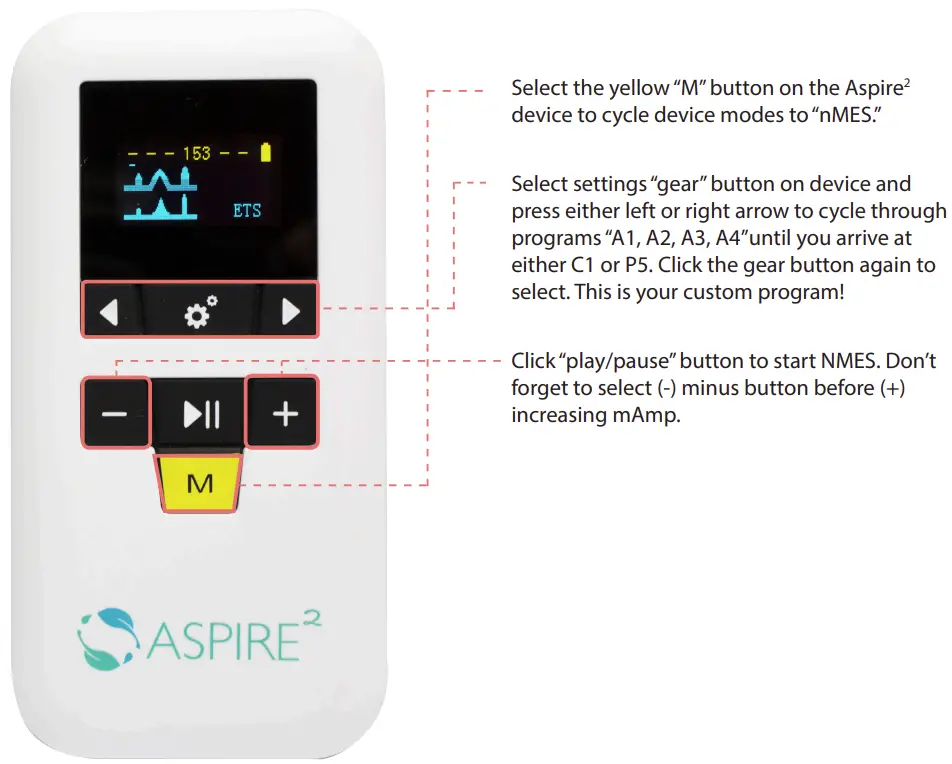
FUNCTIONS: EMG TEST
Select the EMG graph icon from the Functions menu.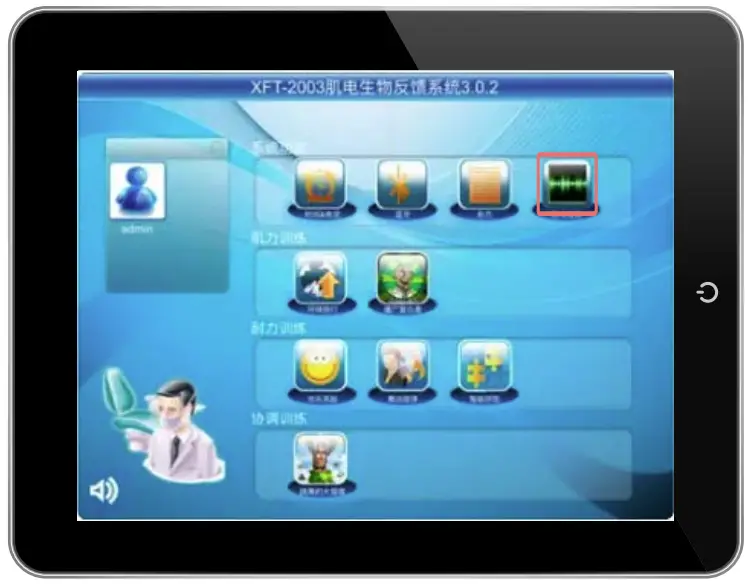
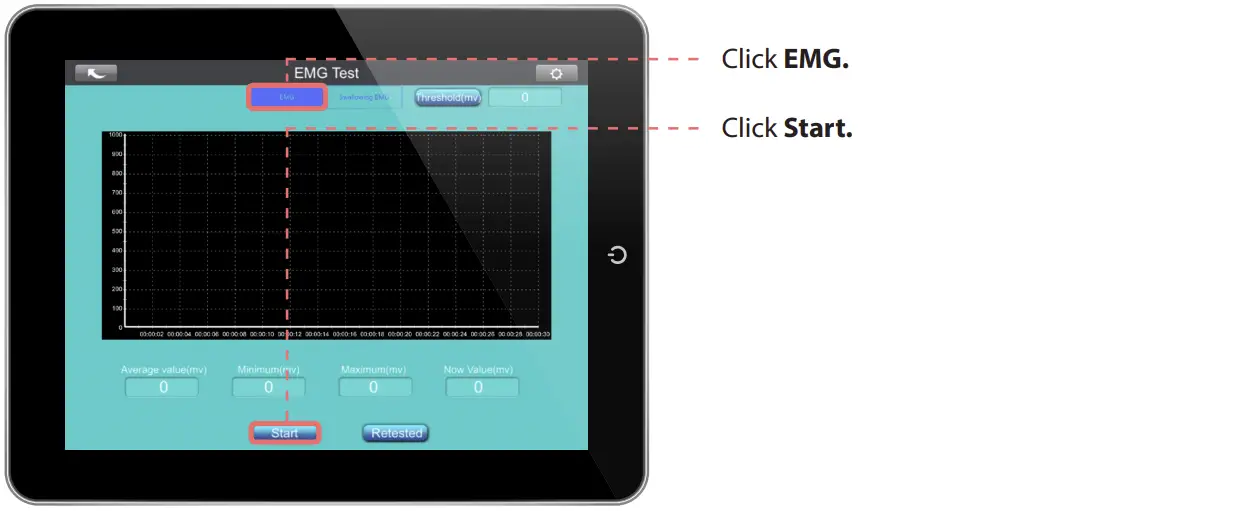
Threshold value will appear on the top right.
Values will display under graph.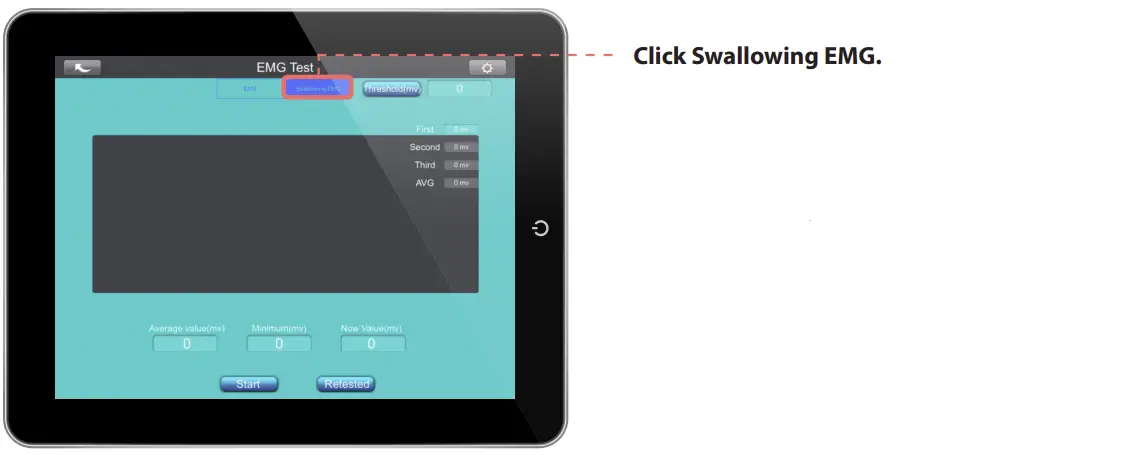
Ask the patient to swallow 3 times.
Threshold value will appear on the top right.
Values will display under graph.
Note: Bolus presented must stay consistent across trials to compare data
EXERCISE
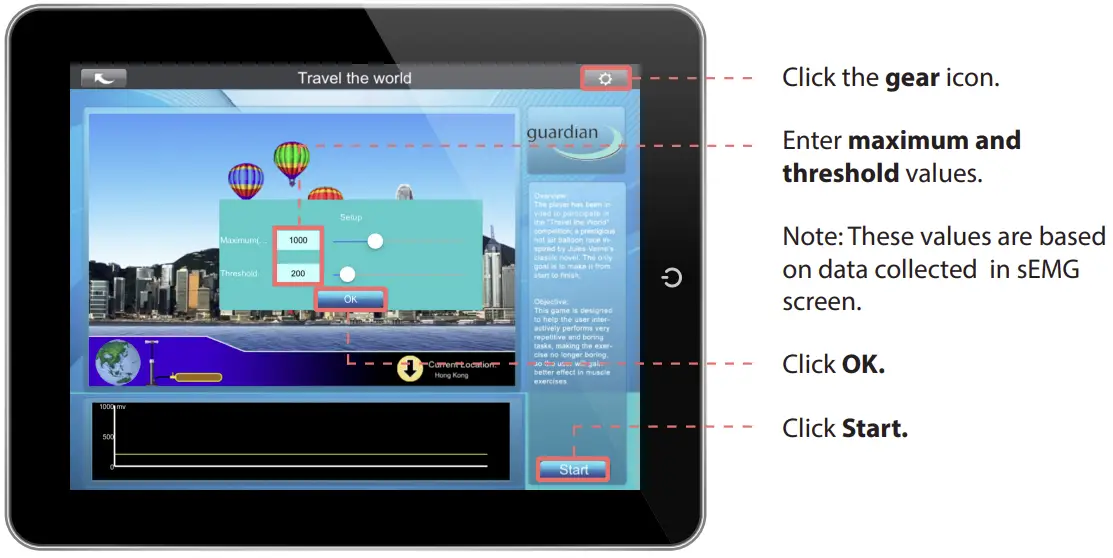
Select desired exercise from the Force Exercise, Endurance Exercise, or Coordination Exercise category.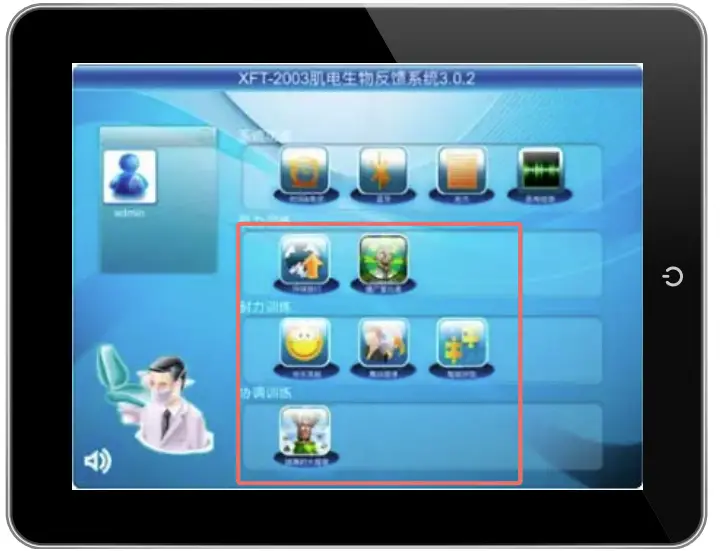



![Astus Eld Ios & Astus User Manual [etl Electronique]](https://static-data1.manualsee.com/1/img/431/123102/2021/04/Astus-ELD-iOS-amp-Astus-FEATURED-1568x766.png "Astus Eld Ios & Astus User Manual [etl Electronique]")