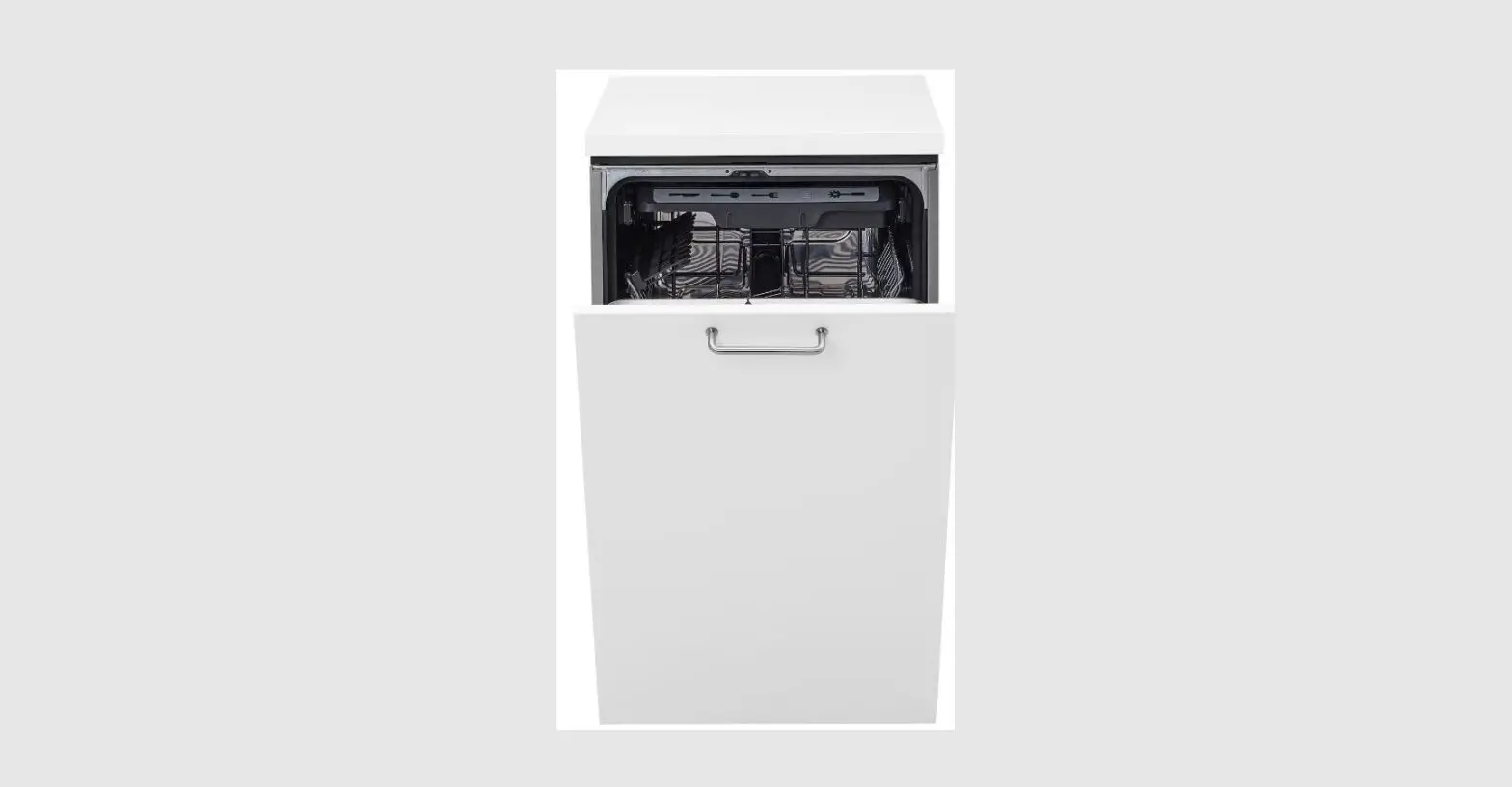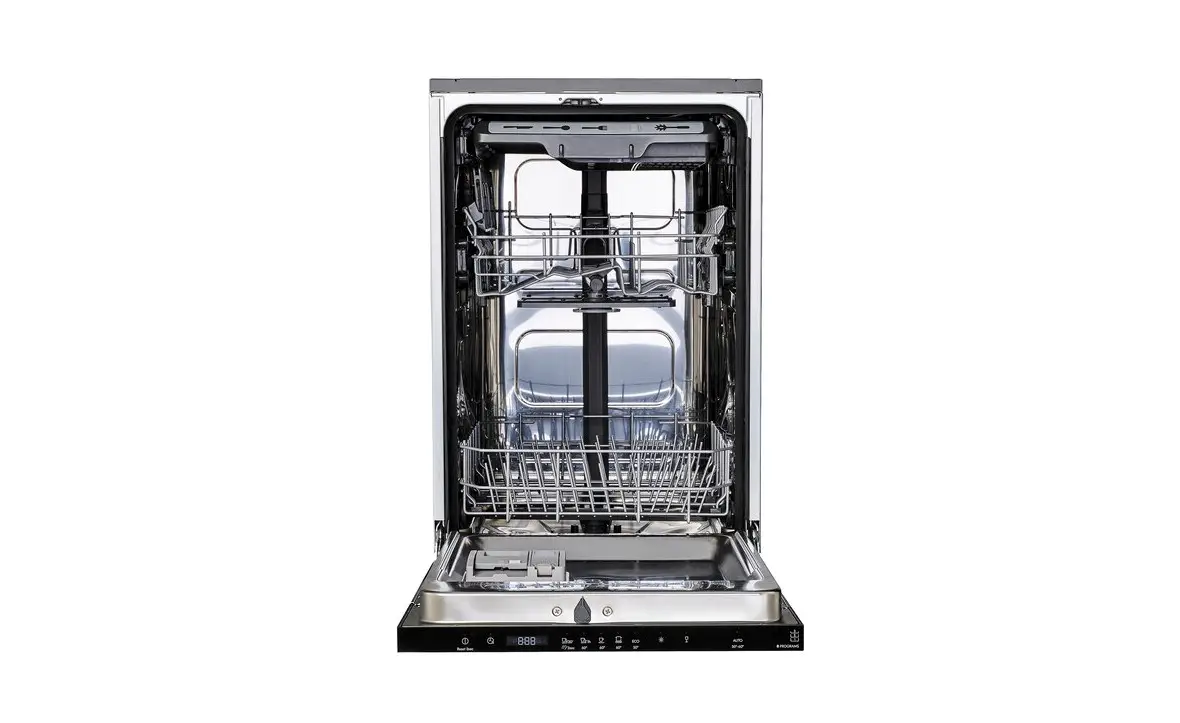
 104.755.02 MEDELSTOR Integrerad Diskmaskin
Instruction Manual
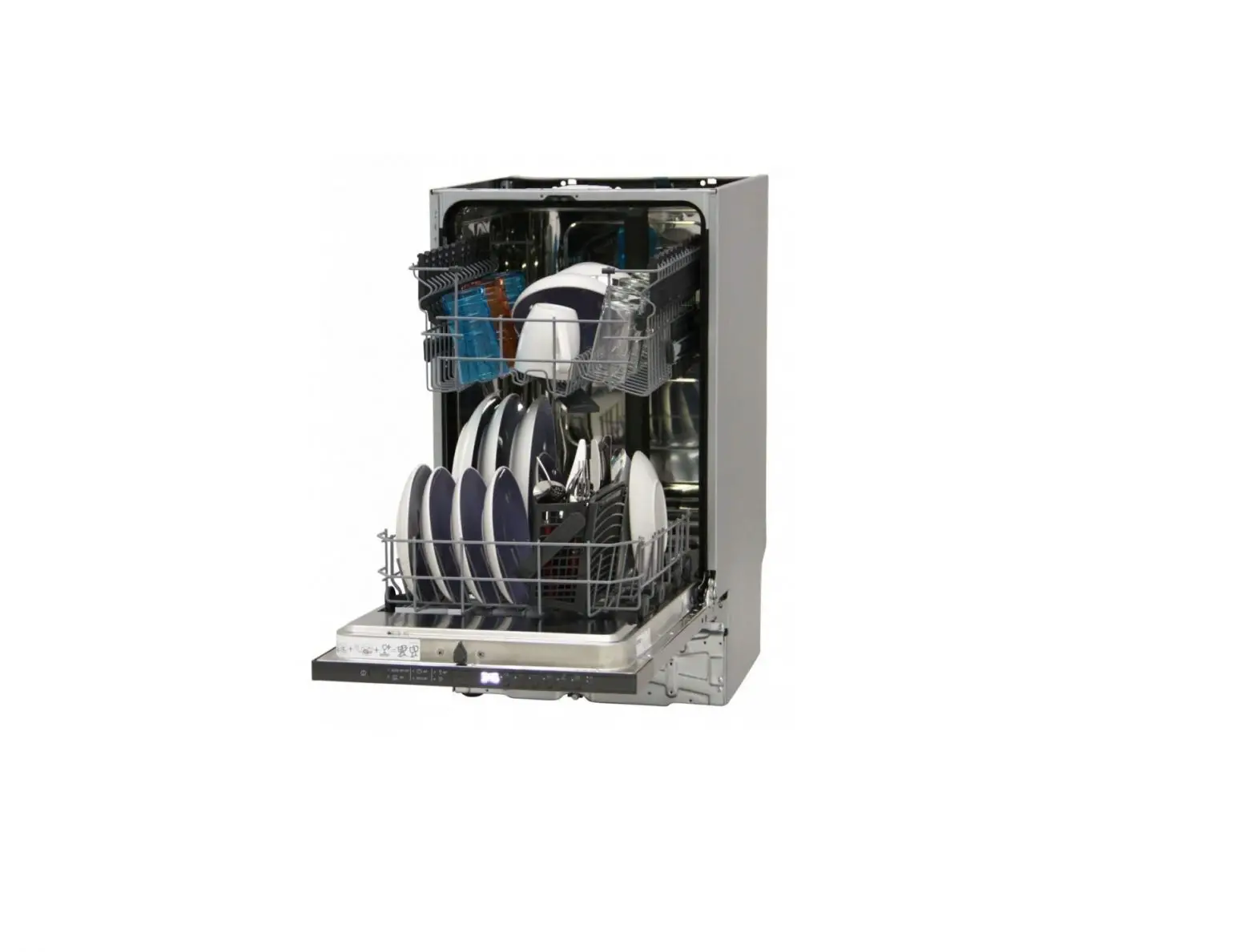
Product description
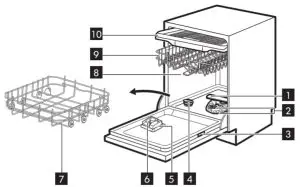
| 1 Lower spray arm | 6 Detergent dispenser |
| 2 Filters | 7 Lower basket |
| 3 Rating plate | 8 Upper spray arms |
| 4 Salt container | 9 Upper basket |
| 5 Rinse aid dispenser | 10 Cutlery drawer |
Beam-on-Floor
Beam-on-Floor is a light displayed on the floor below the appliance door.
- When a program starts, the white light is on and stays on for the duration of the program.
- When the program is completed, the white light is off.
- When the appliance has a malfunction, the white light flashes.
 Beam-on-Floor is off when the appliance is deactivated.
 Beam-on-Floor is off when the appliance is deactivated.
To download the full version visit www.ikea.com
Control panel

| 1 On/Off button / Reset button | 4 Programme buttons |
| 2 Delay start button | 5 Option buttons |
| 3 Display | 6 AUTO program button |
Display
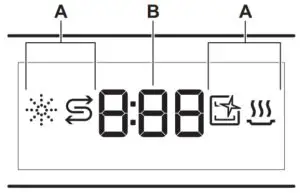
A. Indicators
B. Time indicator
Indicators
| Indicator | Description |
 | Rinse aid indicator. It is on when the rinse aid dispenser needs refilling. |
 | Salt indicator. It is on when the salt container needs refilling. |
 | Machine Care indicator. It is on when the appliance needs internal cleaning with the Machine Care program. |
 | Drying phase indicator. It is when a program with the drying phase is selected. It flashes when the drying phase operates. |
Programs overview
| Program | Dishwasher load | Degree of soil | temperature Temp (°C) | Time (min) | Options | AutoOpen |
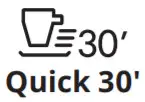 | Crockery, cutlery | Fresh soil | 50 | 30 |  | √ |
 Rinse & Hold Rinse & Hold | All types of load | MI degrees of soil | Coldwater | 15 | × | × |
 60 Minutes 60 Minutes | Crockery. cutlery | Fresh, lightly dried-on soil | 60 | 60 | | √ |
 90 Minutes 90 Minutes | Crockery, cutlery. pots, pans | Normal, lightly dried on soil | 60 | 90 | | √ |
 Intensive Intensive | Crockery, cutlery, pots, pans | Normal to heavy, dried-on soil | 60 | 160 | | √ |
 EC01) EC01) | Crockery, cutlery, pots, pans | Normal, lightly dried on soil | 50 | 240 | | √ |
 AUTO AUTO | Crockery, cutlery. pots, pans | All | 50 – 60 | 120 – 170 | × | √ |
| Machine Care | For cleaning the appliance interior. Refer to “Cleaning and Maine- nance”. | 70 | 60 | × | √ | |
1) This program offers the most efficient use of water and energy consumption for crockery and cutlery with normal soil. This is the standard program for test institutes. This program is used to assess compliance with the Ecodesign Commission Regulation (EU) 2019/2022.
Options
You can adjust the program selection to your needs by activating options.
Power CleanPower Clean improves the dishwashing results of the selected program. The option increases the wash temperature and duration.
Gentle / Glass Gentle / Glass prevents delicate load, glassware in particular, from damaging. The option prevents rapid changes in the dishwashing temperature of the selected program and reduces it to 45 °C.
Basic settings
| Num- ber | Setting | Setting value | Water hardness | |
| mmo1/1 | German degrees (°d H) | |||
| 1 | Water softener | 10 | 8.4 – 9.0 | 47 – 50 |
| 9 | 7.6 – 8.3 | 43 – 46 | ||
| 8 | 6.5 – 7.5 | 37 – 42 | ||
| 7 | 5.1 – 6.4 | 29 – 36 | ||
| 6 | 4.0 – 5.0 | 23 – 28 | ||
| 5 1) | 3.3 – 3.9 | 19 – 22 | ||
| 4 | 2/6/32 | 15 -18 | ||
| 3 | 1.9 – 2.5 | 11 – 14 | ||
| 2 | 0/ – 1.8 | 4-10 | ||
| 1 2) | <0.7 | <4 | ||
| 2 | Rinse aid level | OA – 8A | ||
| 3 | End sound | lb (on) / Ob (off) | ||
| 4 | Auto door open | lo (on) / Oo (off) | ||
| 5 | Key tones | 1F (on) / OF (off) | ||
| 6 | Latest programme selection | 1H (on) / 0H (off) | ||
- Factory setting.
- Do not use salt at this level.
Setting mode
| Button | Description |
 | Previous button. Press to switch between the basic settings and to change their values. |
 | OK button. Press to enter the selected setting and to confirm changing its value. |
 | Next button. Press to switch between the basic settings and to change their values. |
How to change a setting
- Press and hold simultaneously
 and
and  for about 3 seconds to enter setting mode.
• The lights: ,
,  and
and are on.
• The display shows the current value of the first available setting. 2. Press Previous or Next to select the setting. - Press Previous or Next to select the setting.
The display shows the current setting value (a digit and the dedicated letter). - Press OK to enter the setting.
The current setting value flashes. - Press Previous or Next to change the value.
- Press OK to confirm the setting value.
• The new setting value is saved.
• The appliance returns to the basic settings list. - Press and hold simultaneously and for about 3 seconds to exit the setting mode.
 and
and  for about 3 seconds to enter setting mode.
 ,
, The appliance switches to the program selection.
Auto Open
AutoOpen improves the drying results with less energy consumption. The appliance door opens automatically during the drying phase and remains ajar.
 Caution! Do not try to close the appliance door within 2 minutes after automatic opening. This can cause damage to the appliance.Caution! If children, pets, or people with disabilities have access to the appliance, deactivate AutoOpen. The automatic opening of the door may pose a danger and expose possible hazards inside the appliance (such as knives, sharp objects, chemicals).
Before first use
Make sure that the current level of the water softener is adjusted to the hardness of the water supply.
Use the program Quick 30′ to remove residues from the manufacturing process.
- Pour 1 liter of water into the salt container.
- Put 1 kg of salt in the salt container.
Use rough salt designed for dishwashers only. - Fill the rinse aid dispenser.
- Open the water tap.
- Select the programme Quick 30′ and close the dishwasher door to start it. Do not use detergent and do not put dishes in the baskets.
 Caution! Water and salt may come out of the salt container when you fill it. After you fill the salt container, immediately start a program to prevent corrosion.If you do not use the appliance, close the water tap.
Troubleshooting
If you encounter an issue with your appliance, check the “Troubleshooting” chapter in the full version of the User Manual available on: www.ikea.com.
Technical information
| Product type | Fully integrated dishwasher | |
| Dimensions | Width / height / depth (mm) | 446 / 818 – 898 / 550 |
| Electrical connection 1) | Voltage (V) | 220 – 240 |
| Frequency (Hz) | 50 | |
| Water supply pressure | Min. / max. bar (MPa) | 0.5 (0.05) / 10 (1.0) |
| Water supply | Cold water or hot water 2) | max 60 °C |
| Capacity | Place settings | 10 |
- Refer to the rating plate for other values.
- If the hot water comes from an alternative source of energy, (e.g. solar panels, aeolian energy), use the hot water supply to decrease energy consumption.
Link to the EU EPREL database
The QR code on the energy label supplied with the appliance provides a web link to the registration of this appliance in the EU EPREL database. Keep the energy label for reference together with the user manual and all other documents provided with this appliance.
It is possible to find information related to the performance of the product in the EU EPREL database using the link https://eprel.ec.europa.eu and the model name and product number that you can find on the rating plate of the appliance. Refer to the chapter “Product description”. For more detailed information about the energy label, visit www.theenergylabel.eu.
To download the full version visit www.ikea.com

21552
AA-2316389-1
© Inter IKEA Systems B.V. 2021