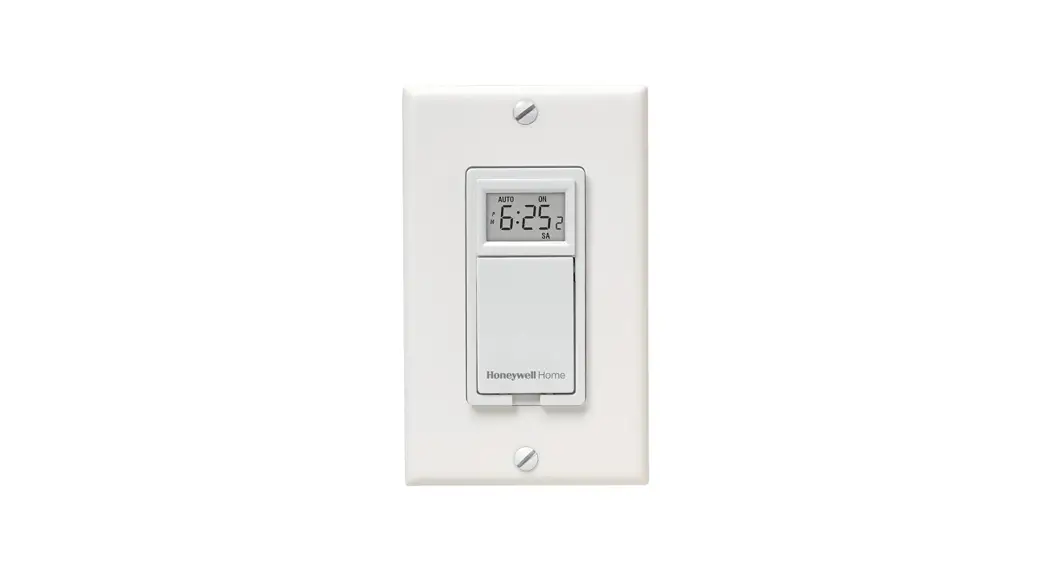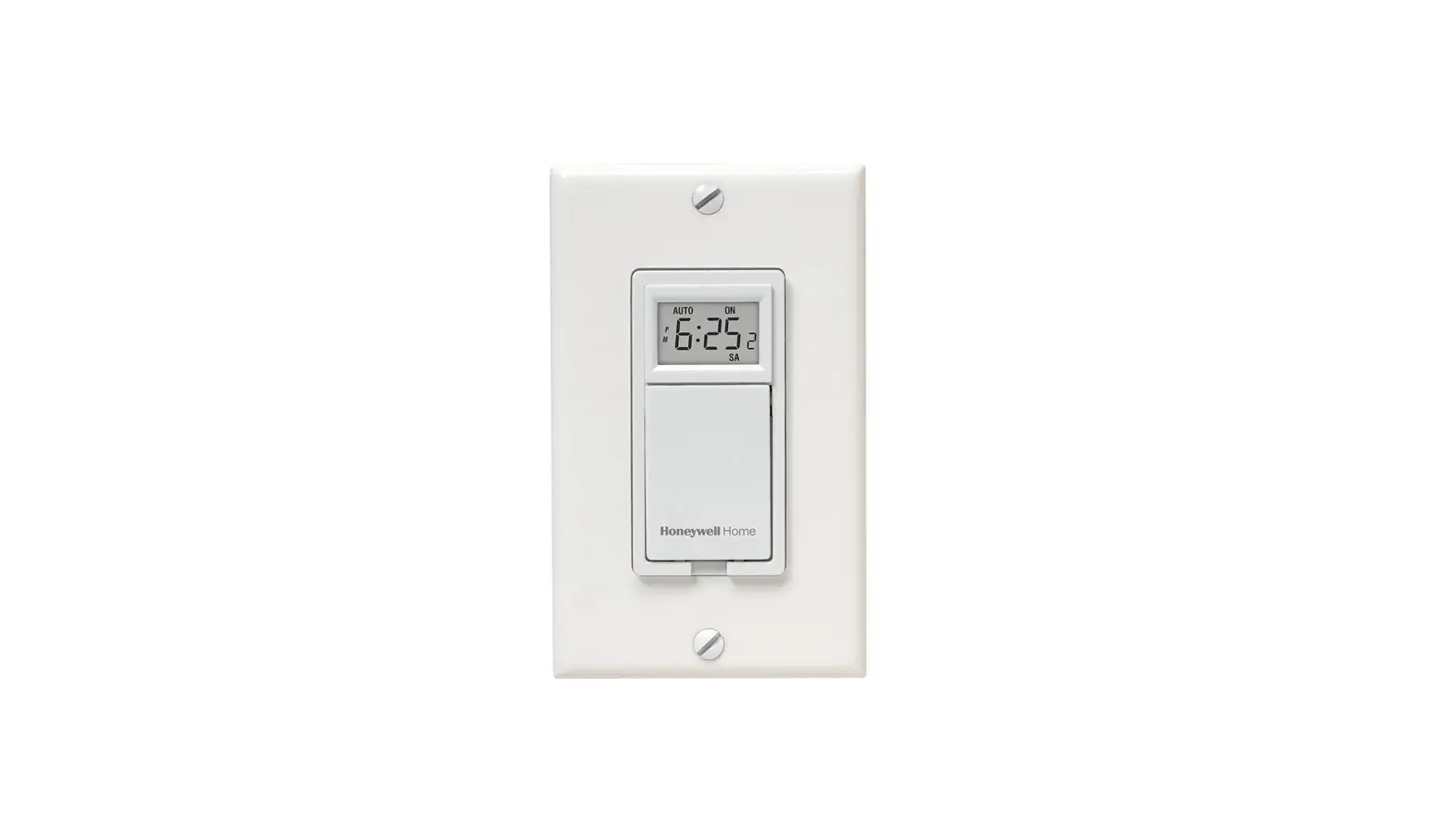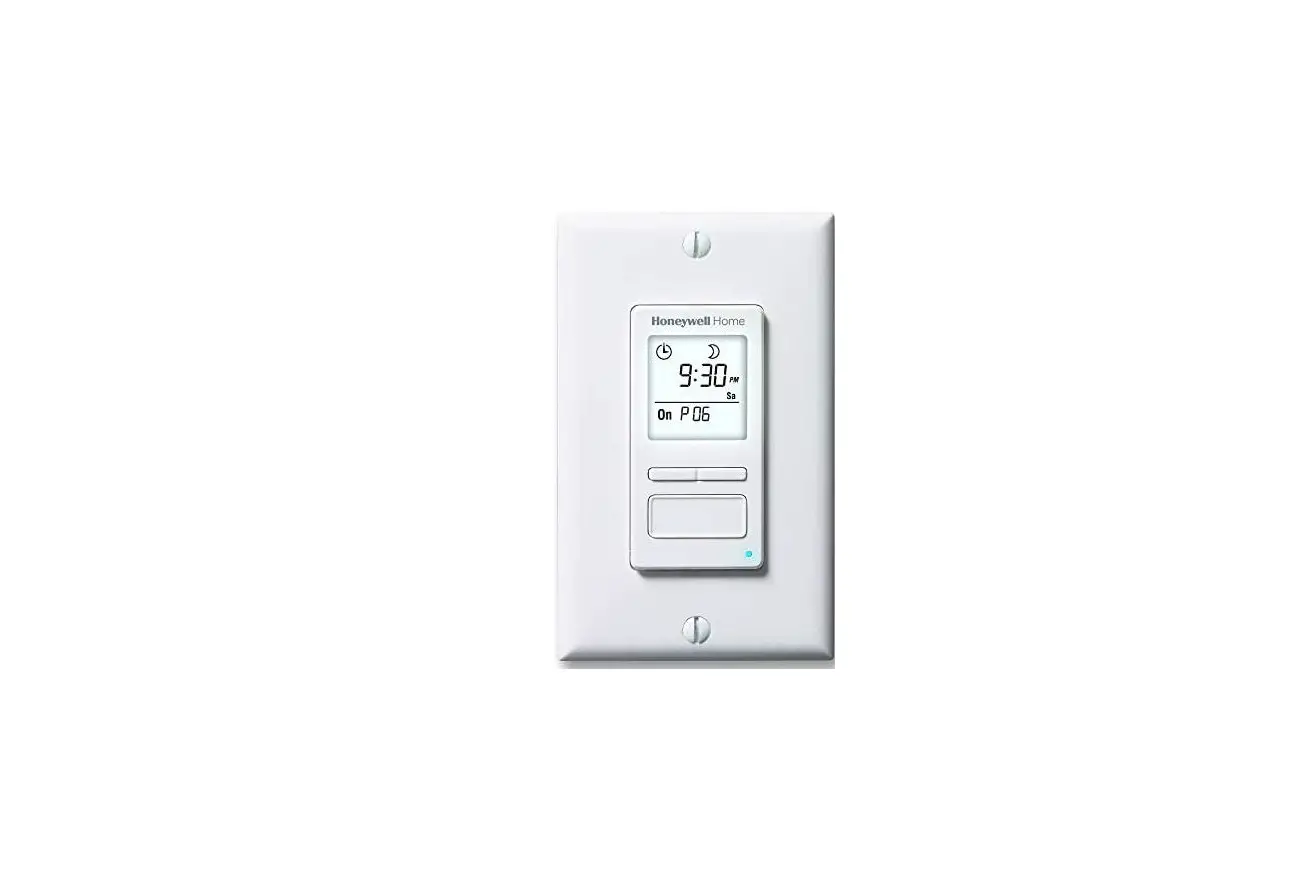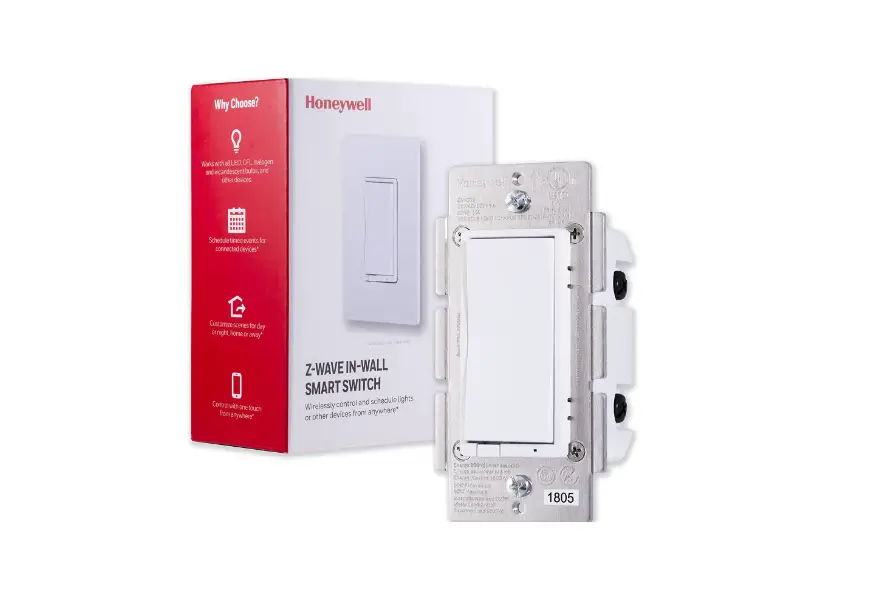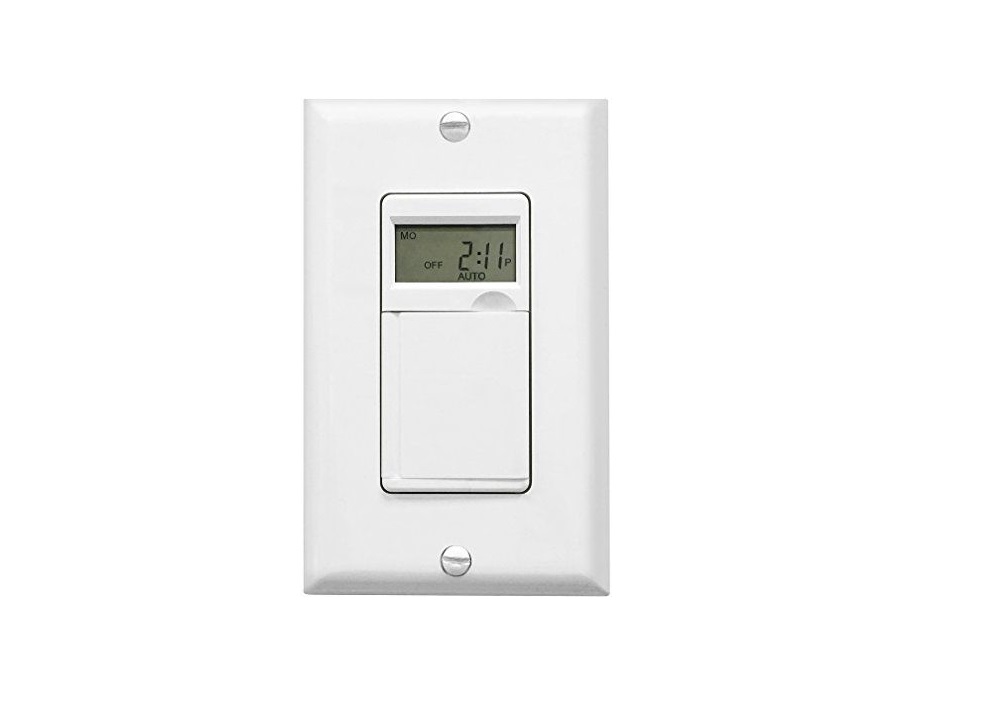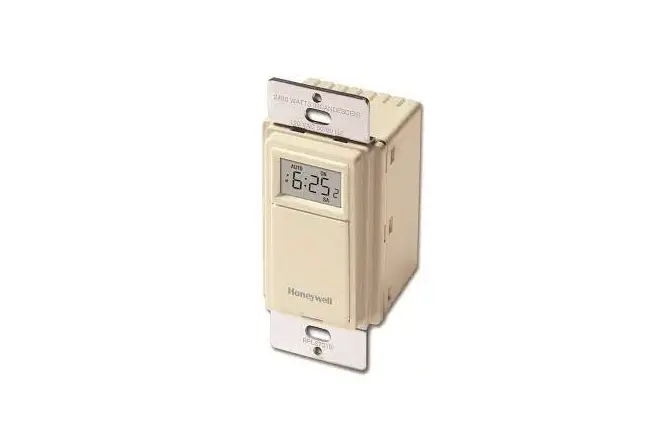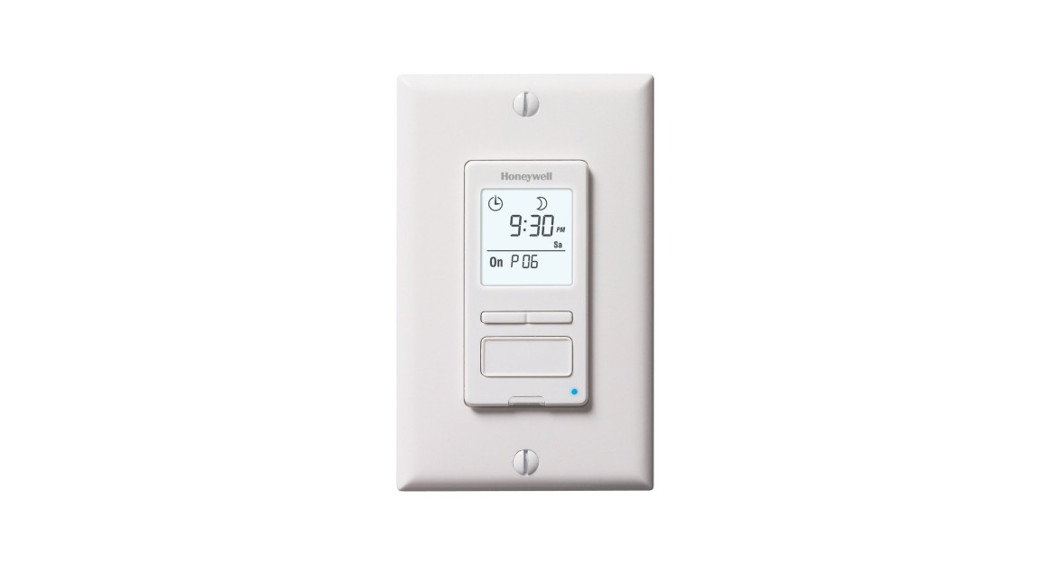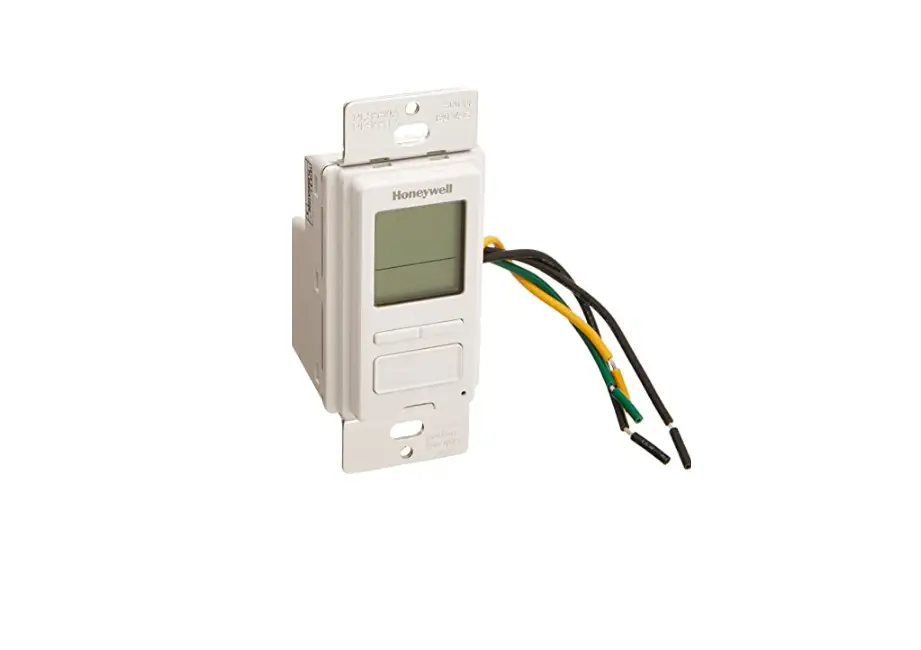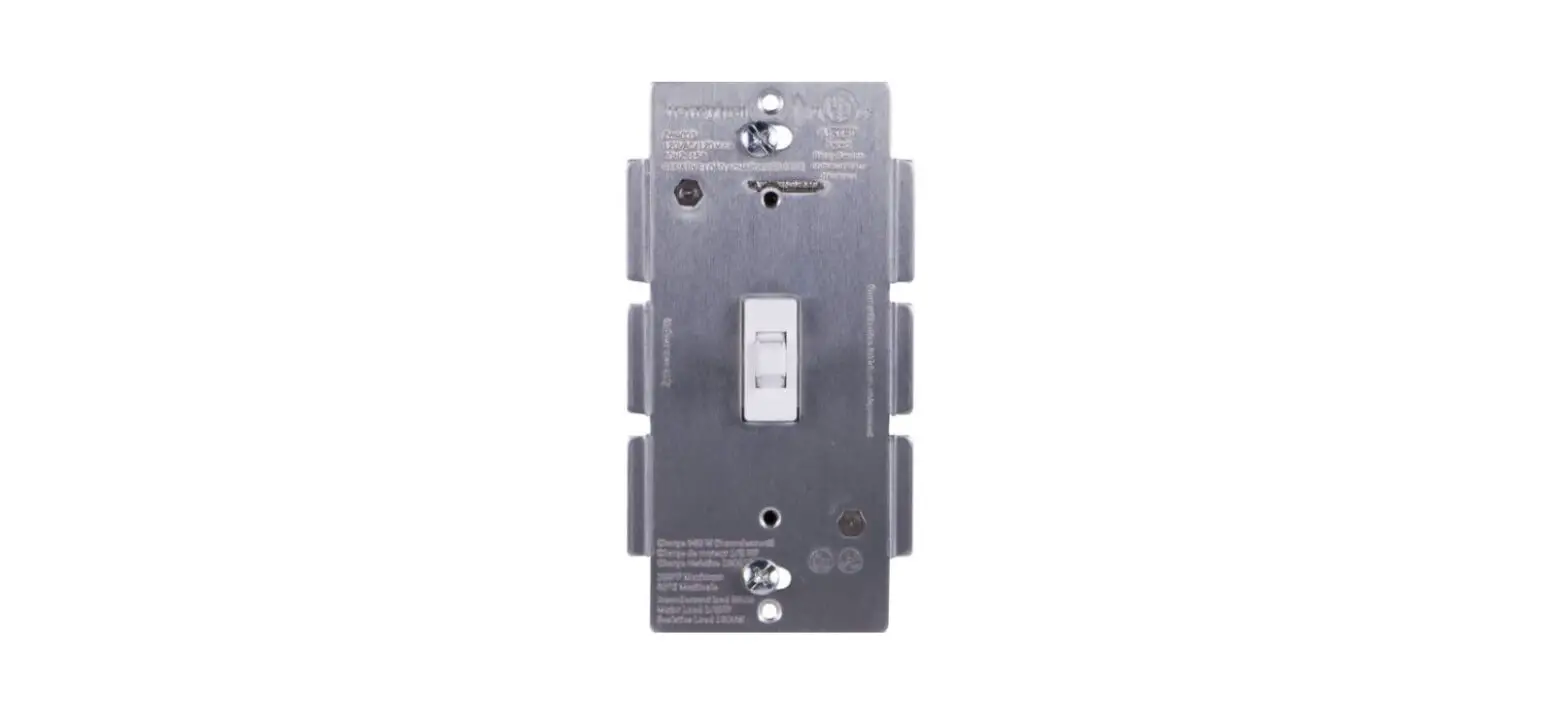
 RPLS540A/RPLS541A
User guide
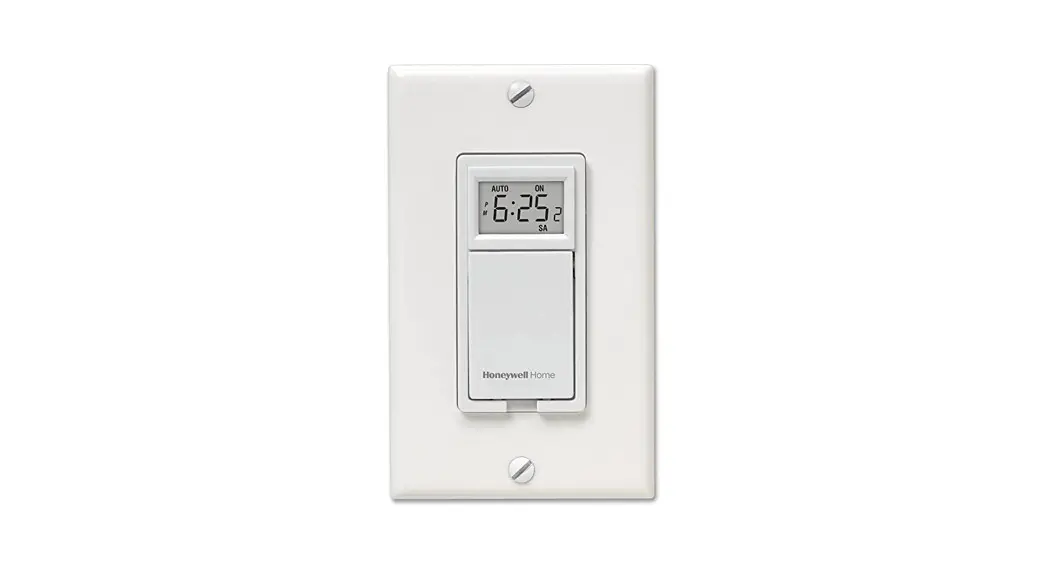
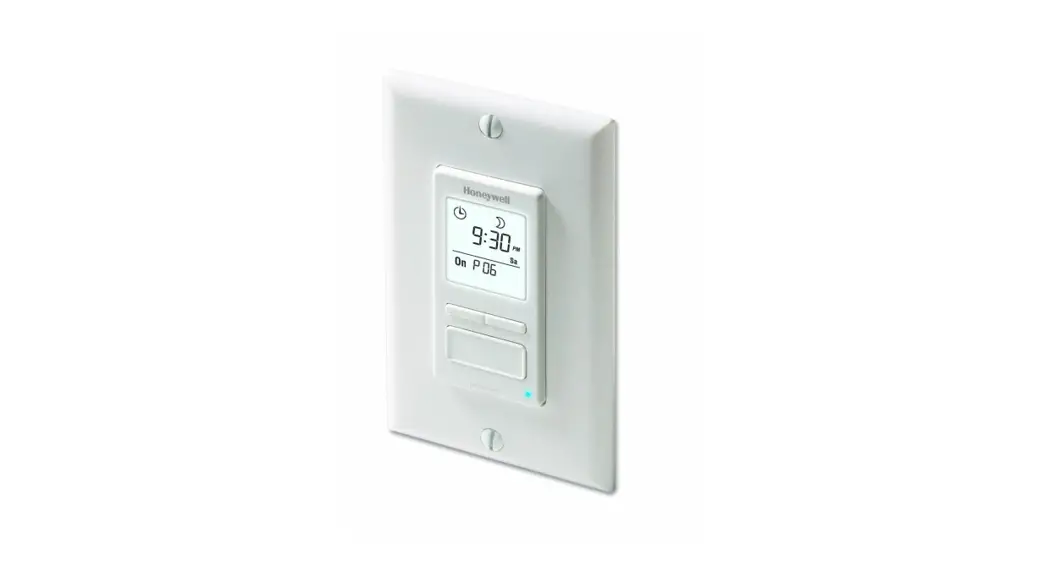
7-day Solar Programmable Wall Switch
Applications
The RPLS540A/RPLS541A programmable wall switch can be used in a single-switch or 3-way installation with the following types of lighting:
- Incandescent
- Halogen
- Low-voltage halogen with transformer
- Fluorescent
The RPLS540A/RPLS541A switch cannot be used with a load of less than 40 W or more than 500 W.
Installation
- Cut power at the circuit breaker to avoid electric shock.
- Remove the existing switch. (For a 3-way installation, identify and label the wire connected to the “common” screw.)
- Install the new switch.
- Apply power at the circuit breaker.
WARNING: Disconnect power to the switch when replacing a light bulb (see section 4).
SINGLE-SWITCH INSTALLATION
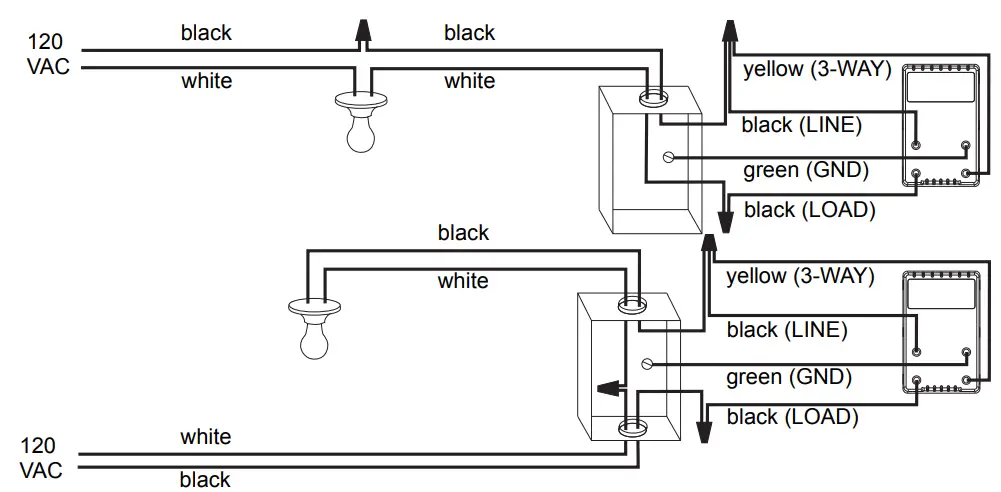 Connect the LINE and 3 WAY wires to the line (120 V) wire and LOAD wire to the load. Connect the GND wire to a ground screw inside the electrical box.
EXISTING 3-WAY INSTALLATION
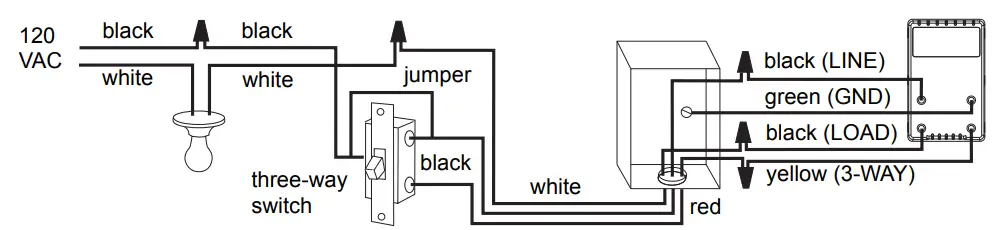
Connect the LOAD wire on the RPLS540A/RPLS541A to the “common” wire, which you identified when removing the old switch. Connect the GND wire to a ground screw inside the electrical box. Connect the LINE and 3-WAY wires to the two remaining wires. At the other 3-way switch, connect the jumper wire between the “common” screw and the screw where the LINE wire of the RPLS540A/RPLS541A is connected.
NEW 3-WAY INSTALLATION
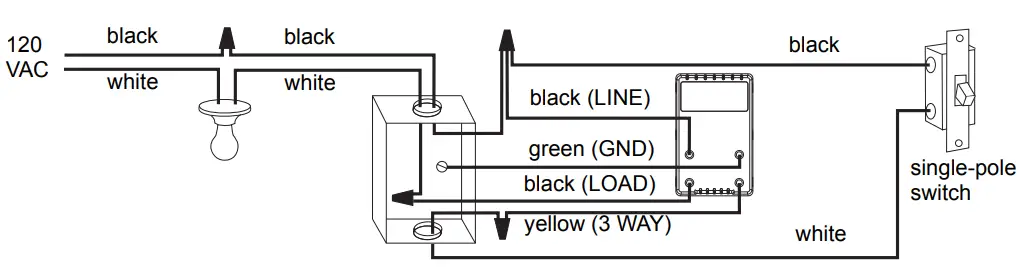
Quick Start-up
Set the time and date before using the switch for the first time.
The RPLS540A/RPLS541A will turn the lights on at sunset and turn them off at 11:00 pm by default. If these settings are appropriate for you, you only need to set the time and date (see shaded zone in the menu flowchart sheet). If the switch’s sunset time does not correspond to the actual sunset time, see sections 5.3.3 and 5.3.4.
Operation
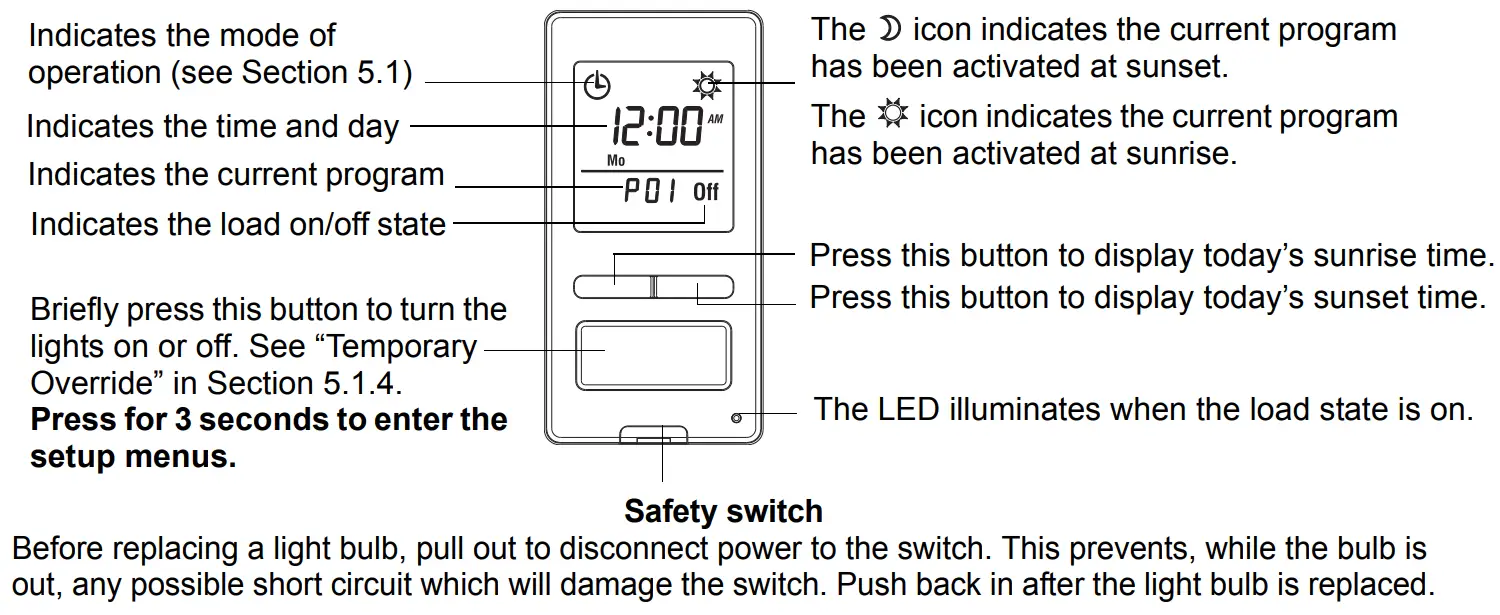
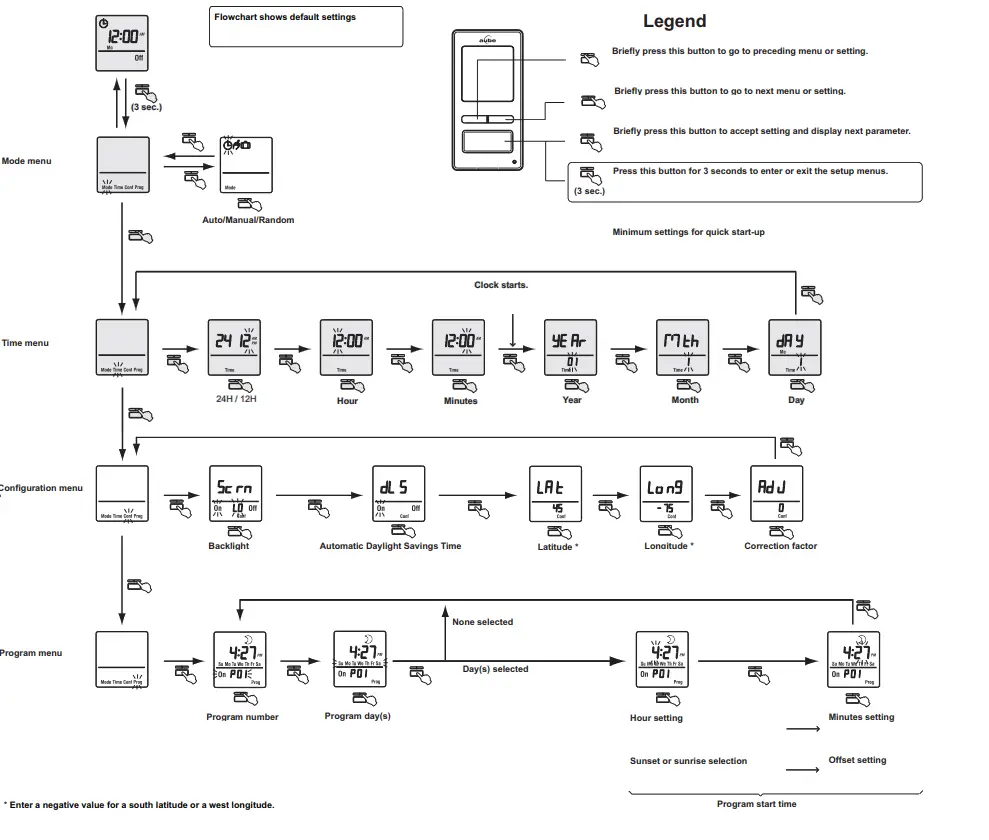
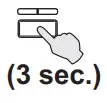 Press the main button for 3 seconds to enter the setup menus. Refer to the menu flowchart sheet on how to navigate the menus.
5.1 Mode Menu
Use the Mode menu to select one of the three modes of operation (see sections 5.1.1 to 5.1.3).
5.1.1 Manual Mode
In Manual mode, the RPLS540A/RPLS541A operates like a regular switch. To turn the lights on or off, briefly press the main button. The icon appears when the switch is in Manual mode.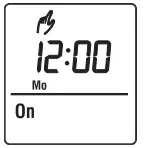 5.1.2 Automatic Mode
In Automatic mode, the RPLS540A/RPLS541A turns the lights on or off according to the set programs (see Section 5.4). The icon as well as the current program number are displayed.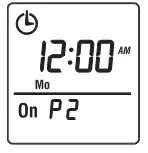 5.1.3 Random Mode
In Random mode, the RPLS540A/RPLS541A has no specific times to turn the lights on or off. This mode is designed to give the impression the house is occupied during your absence. It is similar to the Automatic mode except there is no fixed program. The programs are automatically set to different times by the RPLS540A/RPLS541A every day.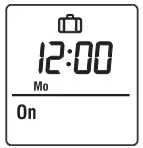 The icon appears when the switch is in Random mode.
The first “On” program occurs at sunset. Each “On” program lasts between 1 hour and 1 hour and 30 minutes; each “Off” program lasts between 15 and 30 minutes. The last “Off” program occurs between 10:30 pm and midnight.
5.1.4 Temporary Override
When the RPLS540A/RPLS541A is in Automatic or Random mode, you can press the main button at any time to override the default state for the current program. The lights will turn off if they are on and vice versa.
The icon (On or Off) of the new state flashes to indicate that the state is temporary. The new state is maintained until you press the main button again or till the next “On” or “Off” program.
5.2 Time Menu
The time display flashes on the screen when the time has not yet been set or after a 4-hour power outage. Use the Time menu to select the time format (12-hour or 24-hour) and to set the clock and date.
NOTE: The date is used to determine the sunset and sunrise times.
5.3 Configuration Menu (Conf)
Use the Configuration menu to set the following parameters (see sections 5.3.1 to 5.3.4).
5.3.1 Backlight mode (SCRN)
The screen is lit at high intensity for 8 seconds when you press any button. The rest of the time, depending on the backlight mode selected, the screen behaves as follows:
Scrn Off: The screen is not lit.
Scrn On HI: The screen is lit at high intensity.
Scrn On LO: The screen is lit at low intensity (default mode).
5.3.2 Automatic Daylight Savings Time Changeover (DLS)
When automatic daylight savings time changeover is on (DLS On), the RPLS540A/RPLS541A changes to daylight savings time (summer time) at 2:00 am on the second Sunday of March and changes back to normal time (winter time) at 2:00 am on the first Sunday of November. This function is enabled (DLS On) by default.
5.3.3 Latitude and Longitude Coordinates (LAT and LONG)
The coordinates are used to turn the lights on at sunset and off at sunrise. The latitude is set to +45 and longitude to -75 by default. These settings provide approximate sunset and sunrise times for most North American cities. To obtain your city’s coordinates (or those of a nearby city), see the coordinates table. You can also obtain this information at www.geonames.org or with a Global Positioning System (GPS) device. The accuracy of the sunset and sunrise times depends on the accuracy of the coordinates you enter for your city. NOTE: Enter a negative value for a south latitude or a west longitude.
5.3.4 Correction Factor (ADJ)
If your city’s time zone is based on political or economic boundaries instead of its coordinates, your lights might switch on or off too early or too late with respect to sunrise and sunset. In this case, apply a correction factor (+1 or -1 hour; refer to addendum). Otherwise, leave it at 0 (default value).
5.4 Program Menu (Prog)
Use the Program menu to set the programs; i.e. the times you want the lights to turn On or Off when the switch is in Automatic mode. To set a program, proceed as follows:
- Select a program number (see section 5.4.1)
- Set the day(s) of the program (see section 5.4.2)
- Set the program start time (see section 5.4.3)
5.4.1 Selecting a program number
You can set up to 7 “On” programs (“P01 On” to “P07 On”) and 7 “Off” programs (“P01 Off” to “P07 Off”).
Select an “On” program to set when to turn the lights on. Select an “Off” program to set when to turn the lights off.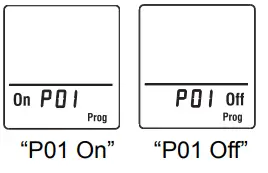
5.4.2 Setting the day(s) of the program
After selecting a program, set the day(s) of the program. You can select a specific day, all 7 days or “none”. Choose “none” for any unused program.
5.4.3 Setting the program start time
After setting the day(s) of the program, set its start time. You can select either a specific time, the sunset time or the sunrise time:
- To select a specific time:
(1) Advance to the hour setting and select the hour.
(2) Advance to the minutes setting and select the minutes. - To select sunset or sunrise time:
(1) Advance to the hour setting and select the sunset time or sunrise time. (When you scroll, the sunset time andsunrise time
 appear between 11 pm and 12 am.)
(2) To enter an offset (from -70 to +70 minutes in 10-minute increments) between the sunset or sunrise time and the program start time, advance to the minutes setting and change the minutes. - EXAMPLE: If the sunset time is 6:13 pm and you change the minutes to display 6:43 pm, you have entered a delay of 30 minutes. If, later in the year, the sunset time is 4:01 pm, the program will start at 4:31 pm.
- NOTE: When you enter an offset,
 appears along withor when you display the sunset or sunrise time. To remove the offset, display the sunset or sunrise time and change the minutes until disappears.
 time andsunrise time
 appear between 11 pm and 12 am.)
5.4.4 Examples
Example 1: The lights turn on at sunset and off at 11:00 pm every day (default setting).
| Program | Days | Time | Program | Days | Time |
| P01 On | All 7 days | sunset | P01 Off | All 7 days | 11:00 pm |
| P02 On to P07 On | None | — | P02 Off to P07 Off | None | — |
Example 2: The lights turn on at sunset and off at sunrise every day.
| Program | Days | Time | Program | Days | Time |
| P01 On | All 7 days | sunset | P01 Off | All 7 days | sunrise |
| P02 On to P07 On | None | — | P02 Off to P07 Off | None | — |
Example 3: The lights turn on at 8:00 pm every day and turn off at 10:00 pm every day except on Saturday night when they turn off at 1:00 am.
| Program | Days | Time | Program | Days | Time |
| P01 On | All 7 days | 8:00 pm | P01 Off | Sunday (Su) | 10:00 pm |
| P02 On | None | — | P02 Off | Monday (Mo) | 10:00 pm |
| P03 On | None | — | P03 Off | Tuesday (Tu) | 10:00 pm |
| PO4 On | None | — | PO4 Off | Wednesday (We) | 10:00 pm |
| P05 On | None | — | P05 Off | Thursday (Th) | 10:00 pm |
| P06 On | None | — | P06 Off | Friday (Fr) | 10:00 pm |
| P07 On | None | — | P07 Off | Sunday (Su) | 1:00 am |
Be careful about overlapping!
For example, if you set “P01 Off” at 10:00 pm for all 7 days and set “P02 Off” to 11:00 pm for Saturday, on Saturday, the lights will turn off at 10:00 pm, not 11:00 pm since “P01 Off” is set to an earlier time than “P02 Off”.
Reset to Default Settings
To return the switch to its default settings, simultaneously press both main and left buttons and hold. The software version will appear for 5 seconds.
RST will appear for the next 5 seconds. Release the buttons when all segments appear on the screen. The switch is now reset (see default settings in the menu flowchart).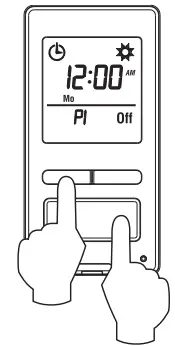
Troubleshooting
| The screen is blank. | • A light bulb is burned out. • The safety switch is pulled out (see section 4). |
| The display is faded or irregular. | • The load is less than 40 W. • The ambient temperature is either below or above the switch’s operating temperature. |
| The metal plate is hot. | This is normal with high loads (maximum of 500 W). |
| The sunset or sunrise time is inaccurate. | • The date or time is wrong (see section 5.2). • The longitude or latitude is wrong (see section 5.3.3). • The correction factor is wrong (see section 5.3.4). • You have entered an offset (see section 5.4.3). |
Specifications
Supply: 120 VAC, 60 Hz
Minimum load: 40 watts
Maximum load: 500 watts
Operating temperature range: -15 °C to 50 °C (5 °F to 122 °F)
Storage temperature range: -40 °C to 60 °C (-40 °F to 140 °F)
Power outage: The screen is blank. Only the time must be set if the outage lasts more than 4 hours; all other settings and programs are permanently saved
Latitude range: from -65° to +65°
Solar table precision: +/- 11 min. (within ±60° latitude)
Certification: UL (c UL us)
 Warranty
Honeywell warrants this product, excluding battery, to be free from defects in the workmanship or materials, under normal use and service, for a period of one (1) year from the date of purchase by the consumer. If at any time during the warranty period the product is determined to be defective or malfunctions, Honeywell shall repair or replace it (at Honeywell’s option). If the product is defective,
(i) return it, with a bill of sale or other dated proof of purchase, to the place from which you purchased it, or
(ii) call Honeywell Customer Care at 1-800-468-1502. Customer Care will make the determination whether the product should be returned to the following address: Honeywell Return Goods, Dock 4 MN10-3860, 1885 Douglas Dr N, Golden Valley, MN 55422, or whether a replacement product can be sent to you.
This warranty does not cover removal or reinstallation costs. This warranty shall not apply if it is shown by Honeywell that the defect or malfunction was caused by damage which occurred while the product was in the possession of a consumer.
Honeywell’s sole responsibility shall be to repair or replace the product within the terms stated above. HONEYWELL SHALL NOT BE LIABLE FOR ANY LOSS OR DAMAGE OF ANY KIND, INCLUDING ANY INCIDENTAL OR CONSEQUENTIAL DAMAGES RESULTING, DIRECTLY OR INDIRECTLY, FROM ANY BREACH OF ANY WARRANTY, EXPRESS OR IMPLIED, OR ANY OTHER FAILURE OF THIS PRODUCT. Some states do not allow the exclusion or limitation of incidental or consequential damages, so this limitation may not apply to you. THIS WARRANTY IS THE ONLY EXPRESS WARRANTY HONEYWELL MAKES ON THIS PRODUCT. THE DURATION OF ANY IMPLIED WARRANTIES, INCLUDING THE WARRANTIES OF MERCHANTABILITY AND FITNESS FOR A PARTICULAR PURPOSE, IS HEREBY LIMITED TO THE ONE-YEAR DURATION OF THIS WARRANTY.
Some states do not allow limitations on how long an implied warranty lasts, so the above limitation may not apply to you. This warranty gives you specific legal rights, and you may have other rights which vary from state to state.
If you have any questions concerning this warranty, please write Honeywell Customer Relations, 1985 Douglas Dr, Golden Valley, MN 55422 or call 1-800-468-1502. In Canada, write Retail Products ON15-02H, Honeywell Limited/Honeywell Limitée, 35 Dynamic Drive, Scarborough, Ontario M1V4Z9.
 Customer Assistance
If you have any questions about your light switch, go to http://yourhome.honeywell.com, or call Honeywell Customer Care toll-free at 1-800-468-1502.
RPLS540A/RPLS541A
Menu flowchart
Legend
Longitude/Latitude/Correction factor
If your city is not listed below, use a nearby city or refer to the website “www.geonames.org”.
| CANADA | |||
| City / Ville | Lat. | Long. | Adj. |
| ABBOTSFORD | 49 | -122 | 0 |
| BANFF | 51 | -115 | 1 |
| BARRIE | 44 | -80 | 0 |
| BURNABY | 49 | -122 | 0 |
| CALGARY | 51 | -114 | 1 |
| CAPE BRETON | 46 | -60 | 0 |
| CH ICOUTIM I | 48 | -71 | 0 |
| DAWSON | 64 | -139 | 1 |
| EASTMAIN | 52 | -78 | 0 |
| EDMONTON | 53 | -113 | 1 |
| FORT SEVERN | 56 | -87 | 1 |
| HALIFAX | 44 | -63 | 0 |
| HAMILTON | 49 | -112 | 0 |
| IQALUIT | 63 | -68 | 0 |
| INUKJUAK | 58 | -78 | 0 |
| KELOWNA | 50 | -119 | 0 |
| KITCHENER | 43 | -80 | 0 |
| LONDON | 42 | -81 | 0 |
| MISTASSINI | 50 | -73 | 0 |
| MONTREAL | 45 | -73 | 0 |
| NIAGARA | 43 | -79 | 0 |
| OSHAWA | 43 | -78 | 0 |
| OTTAWA – GATINEAU | 45 | -75 | 0 |
| QUEBEC | 46 | -71 | 0 |
| REGINA | 50 | -104 | 1 |
| RICHMOND | 49 | -123 | 0 |
| ROUYN-NORANDA | 48 | -79 | 0 |
| SASKATOON | 52 | -106 | 1 |
| SEPT-ILES | 50 | -66 | -1 |
| SHERBROOKE | 45 | -71 | 0 |
| ST. ANTHONY | 51 | -55 | 0 |
| ST CATHARINES | 43 | -79 | 0 |
| SAINT JOHN (NB) | 45 | -66 | 0 |
| ST. JOHN’S (NFLD) | 47 | -52 | 0 |
| SUDBURY | 46 | -81 | 0 |
| THUNDER BAY | 48 | -89 | 1 |
| TORONTO | 43 | -79 | 0 |
| TROIS-RIVIERES | 46 | -72 | 0 |
| VANCOUVER | 49 | -123 | 0 |
| VICTORIA | 49 | -123 | 0 |
| WHITEHORSE | 60 | -135 | 1 |
| WINDSOR | 42 | -83 | 1 |
| WINNIPEG | 49 | -97 | 0 |
| YELLOWKNIFE | 62 | -114 | 1 |
| USA | |||
| City | Lat. | Long. | Adj. |
| ABILENE | 32 | -99 | 1 |
| ALBUQUERQUE | 35 | -106 | 0 |
| ALLENTOWN | 40 | -75 | 0 |
| AMARILLO | 35 | -101 | 1 |
| ANCHORAGE | 61 | -149 | 1 |
| ATLANTA | 33 | -84 | 1 |
| AUSTIN | 30 | -97 | 0 |
| BAKERSFIELD | 35 | -119 | 0 |
| BALTIMORE | 39 | -76 | 0 |
| BATON ROUGE | 30 | -91 | 0 |
| BEAUMONT | 30 | -94 | 0 |
| BILLINGS | 45 | -108 | 0 |
| BIRMINGHAM | 33 | -86 | 0 |
| BOISE | 43 | -116 | 1 |
| BOISE CITY | 36 | -102 | 1 |
| BOSTON | 42 | -71 | 0 |
| BROWNSVILLE | 25 | -97 | 0 |
| BUFFALO | 42 | -78 | 0 |
| CEDAR RAPIDS | 41 | -91 | 0 |
| CHARLOTTE | 35 | -80 | 0 |
| CHATTANOOGA | 35 | -85 | 1 |
| CHEYENNE | 41 | -104 | 0 |
| CHICAGO | 41 | -87 | 0 |
| CINCINNATI | 39 | -84 | 1 |
| CLEVELAND | 41 | -81 | 0 |
| COLOMBUS | 39 | -82 | 0 |
| COLORADO SPRINGS | 38 | -104 | 0 |
| CORPUS CHRISTI | 27 | -97 | 0 |
| DALLAS | 32 | -96 | 0 |
| DENVER | 39 | -104 | 0 |
| DES MOINES | 41 | -93 | 0 |
| DETROIT | 42 | -83 | 1 |
| DULUTH | 46 | -92 | 0 |
| EL PASO | 31 | -106 | 0 |
| ERIE | 42 | -80 | 0 |
| EUGENE | 44 | -123 | 0 |
| EVANSVILLE | 37 | -87 | 0 |
| FLINT | 43 | -83 | 1 |
| FORT LAUDERDALE | 26 | -80 | 0 |
| FORT WAYNE | 41 | -85 | 1 |
| FRESNO | 36 | -119 | 0 |
| GRAND RAPIDS | 42 | -85 | 1 |
| GREAT FALLS | 47 | -111 | 0 |
| GREENSBORO | 36 | -79 | 0 |
| HAMPTON | 37 | -76 | 0 |
| HARTFORD | 41 | -72 | 0 |
| HONOLULU | 21 | -157 | 0 |
| HOUSTON | 29 | -95 | 0 |
| HUNTSVILLE | 34 | -86 | 0 |
| INDIANAPOLIS | 39 | -86 | 1 |
| JACKSON | 32 | -90 | 0 |
| JACKSONVILLE | 30 | -81 | 0 |
| KANSAS CITY | 39 | -94 | 0 |
| KNOXVILLE | 35 | -83 | 1 |
| LAKEWOOD | 39 | -105 | 0 |
| USA | |||
| City | Lat | Long. | Adj. |
| LANSING | 42 | -84 | 1 |
| LAREDO | 27 | -99 | 1 |
| LAS VEGAS | 36 | -115 | 0 |
| LEXINGTON | 38 | -84 | 1 |
| LINCOLN | 40 | -96 | 0 |
| LITTLE ROCK | 34 | -92 | 0 |
| LONG BEACH | 33 | -118 | 0 |
| LOS ANGELES | 34 | -118 | 0 |
| LOUISVILLE | 38 | -85 | 1 |
| LUBBOCK | 33 | -101 | 1 |
| MACON | 32 | -83 | 1 |
| MADISON | 43 | -89 | 0 |
| MEMPHIS | 35 | -90 | 0 |
| MIAMI | 25 | -80 | 0 |
| MILWAUKEE | 43 | -87 | 0 |
| MIINEAPOLIS | 44 | -93 | 0 |
| MOBILE | 30 | -88 | 0 |
| MODESTO | 37 | -120 | 0 |
| MONTGOMERY | 32 | -86 | 0 |
| NASHVILLE | 36 | -86 | 0 |
| NEW ORLEANS | 29 | -90 | 0 |
| NEW YORK | 40 | -74 | 0 |
| NORFOLK | 36 | -76 | 0 |
| OKLAHOMA CITY | 35 | -97 | 0 |
| OMAHA | 41 | -95 | 0 |
| ORLANDO | 28 | -81 | 0 |
| OVERLAND PARK | 38 | -94 | 0 |
| OXNARD | 34 | -119 | 0 |
| PEORIA | 40 | -89 | 0 |
| PHILADELPHIA | 40 | -75 | 0 |
| PHOENIX | 33 | -112 | 0 |
| PITTSBURG | 40 | -79 | 0 |
| PLANO | 33 | -96 | 0 |
| PORTLAND | 45 | -122 | 0 |
| PROVIDENCE | 41 | -71 | 0 |
| RALEIGH | 35 | -78 | 0 |
| RAPID CITY | 44 | -103 | 1 |
| RENO | 39 | -119 | 0 |
| RICHMOND | 37 | -77 | 0 |
| ROAN OKE | 37 | -79 | 0 |
| ROCHESTER | 43 | -77 | 0 |
| ROCKFORD | 42 | -89 | 0 |
| SACRAMENTO | 38 | -121 | 0 |
| SALT LAKE CITY | 40 | -111 | 0 |
| SAN ANTONIO | 29 | -98 | 1 |
| SAN DIEGO | 32 | -117 | 0 |
| SAN FRANCISCO | 37 | -122 | 0 |
| SANTA ROSA | 38 | -122 | 0 |
| SAVANNAH | 32 | -81 | 0 |
| SEATTLE | 47 | -122 | 0 |
| SHREVEPORT | 32 | -93 | 0 |
| SOUTH BEND | 41 | -86 | 0 |
| SPOKANE | 47 | -117 | 0 |
| SPRINGFIELD (IL) | 39 | -89 | 0 |
| SPRINGFIELD (MA) | 42 | -72 | 0 |
| USA | |||
| City | Lat. | Long. | Adj. |
| SPRINGFIELD (MO) | 37 | -93 | 0 |
| ST. LOUIS | 38 | -90 | 0 |
| SYRACUSE | 43 | -76 | 0 |
| TALLAHASSEE | 30 | -84 | 1 |
| TAMPA | 27 | -82 | 0 |
| TOLEDO | 41 | -83 | 1 |
| TOPEKA | 39 | -95 | 0 |
| TUCSON | 32 | -110 | 0 |
| TULSA | 36 | -95 | 0 |
| VIRGINIA BEACH | 36 | -75 | 0 |
| WACO | 31 | -97 | 0 |
| WASHINGTON DC | 38 | -77 | 0 |
| WICHITA | 37 | -97 | 0 |
| WINSTON-SALEM | 36 | -80 | 0 |
| YONKERS | 40 | -73 | 0 |
| YOUNGSTOWN | 41 | -80 | 0 |
| MEXICO | |||
| Ciudad | lat. | Long. | Adj. |
| TIJUANA | 32 | -117 | 0 |
| NOGALES | 31 | -111 | 0 |
| CIUDAD JUAREZ | 31 | -106 | 0 |
| MATAMOROS | 26 | -97 | 0 |
| NUEVO LAREDO | 27 | -99 | 1 |
| MONTERREY | 25 | -100 | 1 |
| CHIHUAHUA | 28 | -106 | 0 |
| MAZATLAN | 23 | -106 | 0 |
| TAMPICO | 22 | -98 | 1 |
| ZACATECAS | 22 | -102 | 1 |
| LEON | 21 | -101 | 1 |
| LA PAZ | 24 | -110 | 0 |
| MEXICO CITY | 19 | -99 | 1 |
| PUEBLA | 19 | -98 | 1 |
| GUADALAJARA | 20 | -103 | 1 |
| OAXACA | 17 | -96 | 0 |
| ACAPULCO | 16 | -100 | 1 |
| CANCUN | 21 | -86 | 0 |
| MERIDA | 21 | -89 | 0 |
| PUERTO RICO | |||
| Ciudad | lat. | Long. | Adj. |
| SAN JUAN | 18 | -66 | 0 |
| REPUBLICA DOMINICANA | |||
| Ciudad | Lat. | Long. | Adj. |
| SANTO DOMINGO | 18 | -70 | 1 |
RPLS540A/RPLS541A
Printed in USA
2010-05-17
 GeoNames
 Honeywell Home | Smart Home Comfort and Security