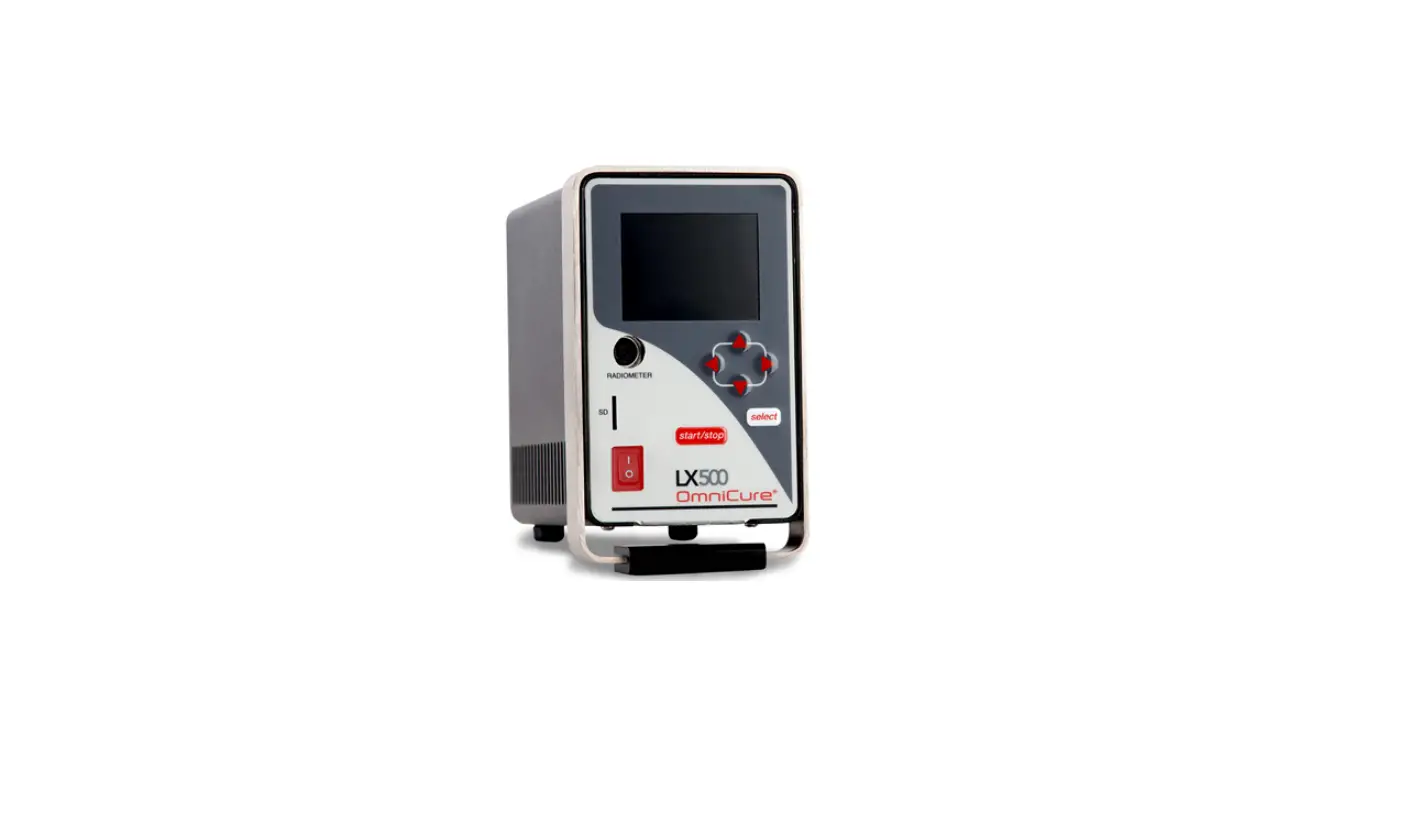
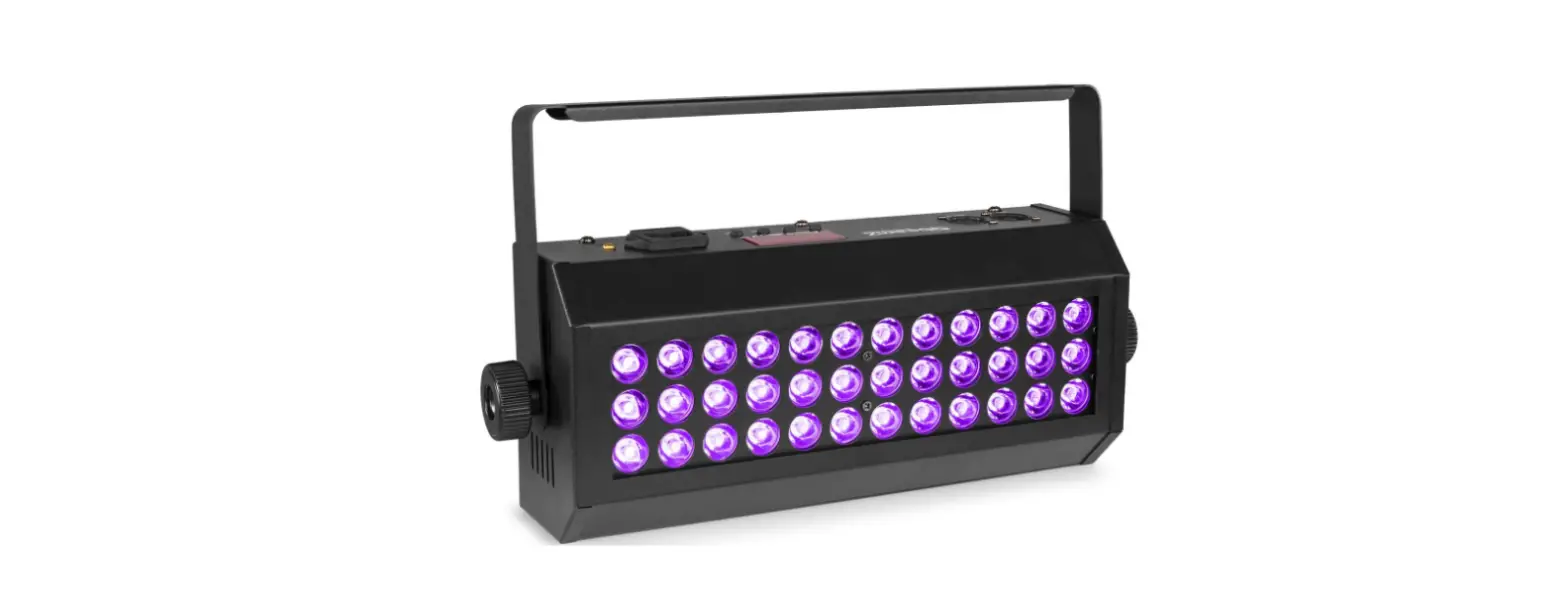
LX500 Series LED UV Curing
OmniCure® LX500 Series
LED UV Curing Solutions
Applicable for the following UV LED Head Controller models:
Model LX500-2 V2 (supports up to two LED Heads) LX500-4 V2 (supports up to four LED Heads)
LX500-2 (supports up to two LED Heads) LX500-4 (supports up to four LED Heads)
Part Numbers 010-00520R 010-00521R
010-00369R 010-00375R
Installation/Reference Guide
Excelitas Canada Inc. 2260 Argentia Road Mississauga (ON) L5N 6H7 Canada +1 905.821.2600 www.excelitas.com
035-00628R Rev 2
OmniCure® LX500 Series
UV Curing Solutions
Installation/Reference Guide 035-00628R Excelitas Canada Inc. 2022 All rights reserved
No part of this publication may be reproduced, transmitted, transcribed, stored in a retrieval system or translated into any language in and form by any means without the prior written consent of Excelitas Canada Inc. every effort has been made to ensure information in this manual is accurate, however, information in this manual is subject to change without notice and does not represent a commitment on the part of the authors.
Trademarks:
OmniCure® is a trademark of Excelitas Canada Inc. All rights reserved. All other product names are trademarks of their respective owners. All product or software photos shown are for reference only and are subjected to change without notice.
Made in Canada. Doc. No. 035-00628R
http://www.excelitas.com/omnicure Excelitas Canada Inc. 2022 All rights reserved
ii
03053-5x-x0x0x6x2R8,Rrev.1
OmniCure® LX500 Series
UV Curing Solutions
Table of Contents
1 Introduction ………………………………………………………………………………………………………. 1
2 Safety Precautions/ User Warnings ………………………………………………………………………….. 2
2.1 Glossary of Symbols………………………………………………………………………………………………………………………………2 2.2 Safety Precautions ………………………………………………………………………………………………………………………………..2
3 Optical Safety Data ……………………………………………………………………………………………… 4
4 Getting Started…………………………………………………………………………………………………… 5
4.1 Package Contents ………………………………………………………………………………………………………………………………… 5 4.2 UV LED Controller and Head Images ……………………………………………………………………………………………………… 8
5 Installing the Hardware ………………………………………………………………………………………… 9
5.1 General Installation ………………………………………………………………………………………………………………………………. 9 5.2 Clamp Installation and Removal …………………………………………………………………………………………………………….. 9 5.3 Changing Lenses ………………………………………………………………………………………………………………………………… 10 5.4 Storing LED Head and Lens Assemblies ……………………………………………………………………………………………….. 10 5.5 Installation Component Images……………………………………………………………………………………………………………. 10
6 Operation………………………………………………………………………………………………………… 12
6.1 Powering Up and Powering Down………………………………………………………………………………………………………… 12 6.2 Understanding the Controller Display…………………………………………………………………………………………………… 13 6.3 Closed Loop Feedback………………………………………………………………………………………………………………………… 16 6.4 Defining Exposure Parameters …………………………………………………………………………………………………………….. 16 6.5 Running an Exposure from the Controller……………………………………………………………………………………………… 19 6.6 Using the PC Interface with USB Connection ………………………………………………………………………………………… 19 6.7 Interfacing with a PLC …………………………………………………………………………………………………………………………. 19 6.8 Using the Foot Pedal …………………………………………………………………………………………………………………………… 21
7 Troubleshooting …………………………………………………………………………………………………23
7.1 Symptoms and Possible Causes …………………………………………………………………………………………………………… 23 7.2 Error Codes…………………………………………………………………………………………………………………………………………24
8 Care and Maintenance ………………………………………………………………………………………… 26
8.1 Cautions and Handling…………………………………………………………………………………………………………………………26 8.2 Cleaning Materials ………………………………………………………………………………………………………………………………26 8.3 Cleaning the LED Head and Lens Assembly ………………………………………………………………………………………….. 27 8.4 Cleaning the Controller……………………………………………………………………………………………………………………….. 27 8.5 Calibrating a UV LED Head………………………………………………………………………………………………………………….. 27 8.6 Viewing Log Files ………………………………………………………………………………………………………………………………..28 8.7 SD Cards…………………………………………………………………………………………………………………………………………….28
9 Technical Specifications………………………………………………………………………………………..32
9.1 Environmental Conditions …………………………………………………………………………………………………………………… 32 9.2 Controller Specifications……………………………………………………………………………………………………………………… 32 9.3 UV LED Head Specifications………………………………………………………………………………………………………………… 33
10 Regulatory Compliance ………………………………………………………………………………………. 34
10.1 Product Safety and Electromagnetic Compatibility: ………………………………………………………………………………. 34 10.2 China RoHS ……………………………………………………………………………………………………………………………………….. 35 10.3 WEEE Directive ……………………………………………………………………………………………………………………………………37
http://www.excelitas.com/omnicure Excelitas Canada Inc. 2022 All rights reserved
iii
03053-5x-x0x0x6x2R8,Rrev.1
OmniCure® LX500 Series
UV Curing Solutions
11 Warranty …………………………………………………………………………………………………………. 38
11.1 Checking Your Warranty Status …………………………………………………………………………………………………………… 38 11.2 Replacement UV LED Module Warranty……………………………………………………………………………………………….. 38 11.3 Returning your LX500 System to Excelitas Technologies for Service ……………………………………………………….. 38
12 Contact Information …………………………………………………………………………………………… 40
Figures
Figure 1 UV LED Head Controller (front)…………………………………………………………………………………………………………………..8 Figure 2 UV LED Head Controller (back)…………………………………………………………………………………………………………………..8 Figure 3 UV LED Head…………………………………………………………………………………………………………………………………………….8 Figure 4 Lens/LED Head Connection …………………………………………………………………………………………………………………….. 10 Figure 5 Recommended Clamp Position………………………………………………………………………………………………………………….11 Figure 6 Typical Installation Applications…………………………………………………………………………………………………………………11 Figure 7 Extension Rod Application …………………………………………………………………………………………………………………………11 Figure 8 PLC Connector (looking at Controller)……………………………………………………………………………………………………….. 19 Figure 9 PLC digital output equivalent circuit ………………………………………………………………………………………………………….. 21
Tables
Table 1 PLC Connector Pin Out ……………………………………………………………………………………………………………………………… 21 Table 2 Error Codes ………………………………………………………………………………………………………………………………………………25 Table 3 Environmental Conditions …………………………………………………………………………………………………………………………. 32 Table 4: Controller Specifications ………………………………………………………………………………………………………………………….. 33
http://www.excelitas.com/omnicure Excelitas Canada Inc. 2022 All rights reserved
iv
03053-5x-x0x0x6x2R8,Rrev.1
OmniCure® LX500 Series
UV Curing Solutions
1 Introduction
The OmniCure® LX500 series represents a new standard in UV LED Curing. It gives you the power, control, and reliability never before available in such a form factor, providing configuration flexibility to suit any application for end users and integrators alike.
The UV LED Head Controller allows optical output to be controlled manually via touch pad control, or by PLC or PC (Virtual COM Port) USB interface. The UV LEDs are enclosed within the UV LED Head which provides excellent spectral and power output. The UV LED Head has a typical lifetime in excess of 20,000 hours of accumulated ‘on’ time.
The output power emission of the available UV LED Head is adjustable in 1% increments from 5% to 100% to provide light for your application. In order to set your OmniCure LX500 series at specific irradiance levels (W/cm2), we suggest running trials to optimize the results for the UV cured glues and adhesives used.
In the Excelitas Technologies family of UV LED light systems, all systems offer the same high level of innovation, quality and reliability that our customers have come to expect. OmniCure® has combined next generation optical engineering, state-of-the art electronics and fibre-optics to produce sophisticated technologies that employ light. Today, OmniCure® is a leading developer of light-based systems for sectors ranging from manufacturing to biomedicine, and is unmatched in commitment to quality and service.
This manual covers the following models:
LX500-2 V2 LX500-4 V2
010-00520R 010-00521R
LX500-2 LX500-4
010-00369R 010-00375R
Excelitas Technologies recommends reading this guide to discover all features of the OmniCure® LX500 series systems, and how to use them.
Note: Refer to OmniCure® LED Head Assembly Specification Guide 035-00730R, 035-00638R for LED Head specifications.
http://www.excelitas.com/omnicure Excelitas Canada Inc. 2022 All rights reserved
1
03053-5x-x0x0x6x2R8,Rrev.1
OmniCure® LX500 Series
UV Curing Solutions
2 Safety Precautions/ User Warnings
2.1 Glossary of Symbols
Caution risk of danger consult accompanying documents.
Risk Group WARNING: UV emitted from this product. Avoid eye and skin exposure to unshielded product. WARNING: Possibly hazardous optical radiation emitted from this product. Do not stare into operating lamp.
Input/ Output Signals
Input Signal
CAUTION, Hot Surface
CAUTION, Risk of Electrical Shock
2.2 Safety Precautions
This series of cautions and warnings relate to the installation, operation and maintenance of the OmniCure® LX500System. They are also presented throughout this Installation/Reference Guide as applicable.
WARNING Do not stare directly at the light emitted from the LED array. This may be harmful, resulting in eye injury. Always use UV protective eyewear as indicated below. Additionally, protect any exposed skin with appropriate clothing or shielding as required. Warning: UV protective eyewear must meet the following recommended optical specifications: · Spectral range; 350-440nm · Optical Density 6 Warning: Should the OmniCure® LX500 System be used in a manner not specified by Excelitas Technologies, the protection provided by the equipment may be impaired. The UV LED Head operation can be affected if handled incorrectly. Never touch the protective lens cover assembly of the UV LED Head. The presence of skin oils may result in a decrease in system performance. Always ensure the power supply is turned off prior to disconnecting or re-connecting the UV LED Head.
http://www.excelitas.com/omnicure Excelitas Canada Inc. 2022 All rights reserved
2
03053-5x-x0x0x6x2R8,Rrev.1
OmniCure® LX500 Series
UV Curing Solutions
Warning: Monitoring the system during automated operation: The level of UV energy supplied by the OmniCure® LX500 System is sufficient to ignite flammable substances. Therefore, when the unit is operated unattended in an automated environment, an alarm function must be provided by the user to indicate a malfunction in the associated equipment used. During installation the appropriate measures must be included to prevent any such occurrence.
Warning: Always use this product with the external power supply and power cord set provided. Ensure the external power supply cord is connected to a grounded 3-pin outlet only. Any substitution of these components will invalidate regulatory certification of this product and may impair operating safety.
http://www.excelitas.com/omnicure Excelitas Canada Inc. 2022 All rights reserved
3
03053-5x-x0x0x6x2R8,Rrev.1
OmniCure® LX500 Series
UV Curing Solutions
3 Optical Safety Data
IEC 62471: Photobiological Safety of Lamps and Lamp Systems Resulting Classification and Labelling
http://www.excelitas.com/omnicure Excelitas Canada Inc. 2022 All rights reserved
4
03053-5x-x0x0x6x2R8,Rrev.1
OmniCure® LX500 Series
UV Curing Solutions
4 Getting Started
4.1 Package Contents
Your package contains the following:
· UV LED Head Controller LX500-2 V2 2-Channel(010-00520R) or LX500-4 V2 4-Channel(010-00521R) or LX500-2 2-Channel(01000369R) or LX500-4 4-Channel(010-00375R)
· Door lock jumper (018-00648R) · DC power supply (290-00041R) · UV protective eyewear (854-00001R)
Carefully unpack the unit and store the packing material for future use.
In addition to the Controller, you will require one to four LED Heads and Lenses, depending on your configuration. Other optional components are available that may be sourced separately or may be purchased from Excelitas Technologies. Check with Excelitas Technologies to determine the appropriate components for your requirements. The following table provides the part numbers of component parts:
Item V3 LED Heads 365nm x 55mm UV HEAD HDMI V3 365nm x 125mm UV HEAD HDMI V3 385nm x 55mm UV HEAD HDMI V3 385nm x 125mm UV HEAD HDMI V3 395nm x 55mm UV HEAD HDMI V3 395nm x 125mm UV HEAD HDMI V3 405nm x 55mm UV HEAD HDMI V3 405nm x 125mm UV HEAD HDMI V3 MAX LED Heads 365nm x 55mm LED UV Head, Inc Clamp Sub Assembly 365nm x 125mm LED UV Head, Clamp Assembly Not included 385nm x 55mm LED UV Head, Inc Clamp Sub Assembly 385nm x 125mm LED UV Head, Clamp Assembly Not included 400nm x 55mm LED UV Head, Inc Clamp Sub Assembly Lenses 3mm focusing lens for 365nm/385nm 6mm focusing lens for 365nm/385nm 8mm focusing lens for 365nm/385nm 10mm focusing lens for 365nm/385nm 12mm focusing lens for 365nm/385nm 5mm Cylindrical Lens for 365nm/385nm 90 deg Adapter, 6mm spot, 365nm/385nm 90 deg Adapter, 8mm spot, 365nm/385nm 90 deg Adapter, 10mm spot, 365nm/385nm 3mm focusing lens for 400nm 6mm focusing lens for 400nm
http://www.excelitas.com/omnicure Excelitas Canada Inc. 2022 All rights reserved
Part Number
019-00398R 019-00399R 019-00400R 019-00401R 019-00402R 019-00403R 019-00404R 019-00405R
019-00286R 019-00287R 019-00288R 019-00289R 019-00293R
810-00053R 810-00054R 810-00060R 810-00061R 810-00066R 810-00078R 810-00083R 810-00084R 810-00085R 810-00062R 810-00063R
5
03053-5x-x0x0x6x2R8,Rrev.1
OmniCure® LX500 Series
UV Curing Solutions
8mm focusing lens for 400nm 10mm focusing lens for 400nm Extension Cables Extension cables: 1m Extension cables: 3m Extension cables: 5m Extension cables: 10m Accessories Mounting clamp Foot pedal switch assembly LS100 Light Sensor – Irradiance LS100P Light Sensor Power OmniCure® Light Meter System (LM2011/LS100) Beam Positioning Kit Calibration Kit Irradiance Calibration Kit Power
810-00064R 810-00065R
018-00642R 018-00643R 018-00644R 018-00645R
019-00288R 014-00070R 019-00237R 019-00297R 010-00281R 019-00131R 019-00299R 019-00300R
A micro SD card is useful (but not supplied by Excelitas) to save log files for monitoring or to save settings files for future re-use.
http://www.excelitas.com/omnicure Excelitas Canada Inc. 2022 All rights reserved
6
03053-5x-x0x0x6x2R8,Rrev.1
OmniCure® LX500 Series
UV Curing Solutions
The following table can be used as a reference to determine compatibility between different versions of controllers and LED Heads:
LED Head/ Controller Compatibility Matrix
010-00520R 010-00521R 010-00369R 010-00375R 010-00369R 010-00375R
V3 Heads
MAX Heads
Controller Part No. -> Firmware Version -> 019-00398R – 365nm x 55mm 019-00399R – 365nm x 125mm 019-00400R – 385nm x 55mm 019-00401R – 385nm x 125mm 019-00402R – 395nm x 55mm 019-00403R – 395nm x 125mm 019-00404R – 405nm x 55mm 019-00405R – 405nm x 125mm 019-00286R – 365nm x 55mm 019-00287R – 365nm x 125mm 019-00288R – 385nm x 55mm 019-00289R -385nm x 125mm 019-00293R – 400nm x 55mm
Compatible Limited Compatibility Not Compatible
1.0.7 (or Higher)
1.0.6
Notes: ·
·
010-00375R LX500-4 4-Channel Controller (with Firmware 1.0.7 or higher) can support a maximum of 2 V3 UV LED Heads
Refer to OmniCure® LED Head Assembly Specification Guide 035-00730R, 035-00638R for LED Head specifications and related accessories
http://www.excelitas.com/omnicure Excelitas Canada Inc. 2022 All rights reserved
7
03053-5x-x0x0x6x2R8,Rrev.1
OmniCure® LX500 Series
UV Curing Solutions
4.2 UV LED Controller and Head Images
Note: LX500-4 shown.
Display
Radiometer connection
MicroSD card slot
Power switch
Selection arrows
Select item highlighted in display
Start/stop exposure
Connect PLC controller or
door lock jumper
USB connection for
Power supply connection
Figure 1 UV LED Head Controller (front)
Figure 2 UV LED Head Controller (back)
Figure 3 UV LED Head
http://www.excelitas.com/omnicure Excelitas Canada Inc. 2022 All rights reserved
8
03053-5x-x0x0x6x2R8,Rrev.1
OmniCure® LX500 Series
UV Curing Solutions
5 Installing the Hardware
5.1 General Installation
1. Determine the desired UV LED Head location and position based on the results of a series of testing and trials.
2. Determine the working location of the Controller, ensuring access to the AC power source does not cause any possible obstruction with the power cable connection from the source to the controller. The main power switch is located on the front panel of the unit. The unit should be placed so that the switch is convenient for the operator to access.
3. If you are not integrating with an existing controller, ensure the door lock jumper is connected.
4. Connect the UV LED Head cable to the rear of the Controller. Only use Excelitas extension cables to extend the reach of the UV LED Head.
5. If using a foot pedal switch, connect it to the corresponding input on Controller (e.g. Head 1, FP 1). Refer to Figure 2.
6. Install the supplied installation clamp to the existing fixture using either the 3 metric threaded screw holes or the 3 imperial threaded screw holes. The two end faces of the installation bracket are identified for metric and imperial thread sizes. Though the clamp can be located in any position on the head, for optimum heat dissipation resulting in optimum performance it is recommended that the clamp position on the head is as per Figure 5.
7. Install the UV LED Head into the installation clamp and secure its location/position by tightening the hex screw. Refer to Figure 6 for typical installation applications.
8. Attach the appropriate lens and remove the protective cap. To remove the cap, pull the cap-hat — do not rotate the LED head or cap. When not in use, reinstall the cap by holding the cap-hat and pushing it back over the head. This will prevent any contamination to the lens when the head is not used for more than one day. Refer to Figure 4.
9. If you are not integrating with an existing controller, connect the door lock jumper between pins 24 and 25 (refer to Table 1). This jumper can be connected to your UV protective enclosure to prevent accidental UV exposure during operation. Closed contact enable UV LED Head(s) output Open contact disable UV LED Head(s) output.
10. Connect the AC power cord in to the power supply and to a properly grounded AC outlet. For safe operation, only use the power cord supplied or one with an equivalent rating, shield, and approvals.
11. Connect the power supplies DC barrel connector to the back of the Controller.
Note: The UV LED Head connectors are locking. To disconnect them from the Controller, squeeze the tab on the plastic shell.
5.2 Clamp Installation and Removal
1. Ensure the clamp locking screw (M4 x 10, Allen key size 3mm) is loose before slipping the clamp into the LED lens and head assembly.
2. Slide the clamp over the lens housing and onto the head and tighten the locking screw. For optimal performance and ease of changing lenses, position the clamp so the bottom face is located between the lens housing crease and the reference line (first circular groove) on the head body. Refer to Figure 4 and Figure 5.
3. To remove the clamp loosen the locking screw and slide the clamp off the lens and head assembly.
http://www.excelitas.com/omnicure Excelitas Canada Inc. 2022 All rights reserved
9
03053-5x-x0x0x6x2R8,Rrev.1
OmniCure® LX500 Series
UV Curing Solutions
5.3 Changing Lenses
Do not use any mechanical tool when removing or replacing the lens/housing. Hand tighten only, do not over tighten as this will make the assembly difficult to remove. The lens and housing are one subassembly. Do not attempt to remove the lens from the housing. Ensure the system is off and the head has cooled to room temperature before changing the lens.
Holding the head firmly unscrew the lens housing and replace with desired replacement lens. Refer to Figure 4. It is recommended to clean the replacement lens thoroughly prior to replacement. Refer to Section 8.3 Cleaning the LED head and Lens assembly. When not in use, place protective cap over the lens.
5.4 Storing LED Head and Lens Assemblies
When not in use, store the head and lens assembly individually wrapped in a clean, lint free bag in a safe, dry place. Never store multiple unwrapped head and lens assembly in the same bag, as they may become damaged if they come in contact with each other.
5.5 Installation Component Images
Reference line (first circular groove)
Lens
Place protective cap over the lens
LED Head, threaded lens housing Figure 4 Lens/LED Head Connection
http://www.excelitas.com/omnicure Excelitas Canada Inc. 2022 All rights reserved
10
03053-5x-x0x0x6x2R8,Rrev.1
OmniCure® LX500 Series
UV Curing Solutions
Clamp
Bottom of clamp should be between threaded housing crease and the reference line
Figure 5 Recommended Clamp Position
Figure 6 Typical Installation Applications
Extension rod for use with standard optical fixtures
Figure 7 Extension Rod Application
http://www.excelitas.com/omnicure Excelitas Canada Inc. 2022 All rights reserved
11
03053-5x-x0x0x6x2R8,Rrev.1
OmniCure® LX500 Series
UV Curing Solutions
6 Operation
6.1 Powering Up and Powering Down
CAUTION: Ensure that the Controller is turned “OFF” before connecting or disconnecting UV LED Heads. WARNING: Before running an exposure, make sure all operators in the area are wearing appropriate eye protection or the UV LED Heads are behind a UV blocking enclosure.
1. Ensure that the UV LED Head is securely mounted in the desired orientation, the UV LED Head is connected to the back of the Controller, and the PLC remote door lock jumper is properly installed. Refer to Figure 2 and Section 5, “Installing the Hardware”.
2. Verify that the Controller power supply is connected to a properly grounded AC outlet. Warning Do not use inadequate detachable power cords. Please refer power technical specification for more detailed information
3. Turn the Controller power switch to “ON” (refer to Figure 1). 4. The LCD screen will turn on and the Excelitas Technologies logo and the software version number will appear.
A warning message may appear indicating that the Head is not in the same unit/head port position it was used in previously. At this message press Select to clear the warning message or power off and correct the connections. 5. When the title screen for the LX500 disappears and the Main Control Panel is displayed, the system is ready for use. The Main Control Panel shows the current state of any connected UV LED Heads.
Caution the UV LED Head can become very hot; avoid handling until the UV LED Head has cooled (approx. 5 min) or use protective gloves. Before connecting or disconnecting any UV LED Heads, ensure that the Controller is turned “OFF”.
To power down the unit, turn the Controller power switch to “OFF”.
Note : The main power switch is located on the front panel. The unit should be placed so the switch is convenient for the operator to access.
http://www.excelitas.com/omnicure Excelitas Canada Inc. 2022 All rights reserved
12
03053-5x-x0x0x6x2R8,Rrev.1
OmniCure® LX500 Series
UV Curing Solutions
6.2 Understanding the Controller Display
Status Bar
Menu
The top left corner of the display shows the menu icon, which allows you to switch between screens. When nothing else on the screen is selected, the menu icon is. The status bar may also display the following icons:
indicates that the PLC door pin is open and LED exposures have been disabled.
indicates that the front panel interface has been locked out. To lock the front panel, use the PLC inputs or PC command. (Lock status is not stored between power cycles)
(up or down arrow) indicates that the unit is in count up or countdown mode.
Press Select at any time to display the menu. Use the arrows to change selection, then press Select.
http://www.excelitas.com/omnicure Excelitas Canada Inc. 2022 All rights reserved
13
03053-5x-x0x0x6x2R8,Rrev.1
OmniCure® LX500 Series
UV Curing Solutions
Main Control Panel
StepCure
Displays upon start-up; shows current state of each connected UV LED Head (displays two or four channels depending on Controller model). The timer for each channel is how long (in seconds) the UV LED Head will remain on when an exposure is triggered. If the timer is displaying 0.0 seconds then the unit is in “count up” mode and the UV LED Head will remain on for as long as the enable signal is present. If in count up mode, the timer value cannot be changed. The intensity is represented by both a numerical value and a bar graph. If calibrated for irradiance, the number will be a decimal without a `W’, if a decimal number with a W is shown, the head is calibrated for power mode. The color of the intensity bar will be same as the color code on the UV LED Head. The intensity will be displayed as a percentage for un-calibrated heads or in W/cm2 or W for calibrated heads (refer to Section 8.5, “Calibrating a UV LED Head”). Closed loop feedback will be engaged for intensities below 100%. When closed loop feedback (CLF) is on, an icon will appear beside the intensity bar for that channel. The CLF icon appears when CLF is actively controlling the output of the head. If the CLF icon disappears before the completion of an exposure, then CLF has reached the upper limit it can adjust for and is no longer functional. If CLF usage is desired, it is recommended that you use an intensity of 80% or less. The bottom of the screen shows the last event. If you have an SD card installed this event will be saved to a log file. (refer to Section 8.6, “Viewing Log Files”). When the system experiences an alarm, the alarm icon beside the Head number will turn red and an alarm message will pop up.
Use to control the UV LED Head operation for sequence programming and S2000 compatibility. For more information, see Section 6.4,”Defining Exposure Parameters”.
http://www.excelitas.com/omnicure Excelitas Canada Inc. 2022 All rights reserved
14
03053-5x-x0x0x6x2R8,Rrev.1
OmniCure® LX500 Series
UV Curing Solutions
Settings
LED Head Information
Displays current system statistics. If necessary, use the arrow keys to select and change any field.
· Time and Date · PLC Delay Timing and Head association
add a positive or negative delay to the Programmable Sync Out pin. By default, the PLC delay timing is off, pressing the right arrow button will flash the head the PLC delay is to be associated with. Press up or down to change the head association. The PLC delay timing is adjustable in 10ms increments from 0ms to +/-30,000ms. · PLC Logic invert the PLC input and output signal logic. Only the door lock logic is not inverted. Note: When changing, the interface will lock due to the signal flip. Ensure you can control the PLC lock signal before toggling this setting. Can be corrected via PC interface. · Language switch the language displayed on the LCD screen. Currently only English is supported.
Displays current programming for each connected UV LED Head:
· WL wavelength in nm · Hours accumulated operational hours · Cal Hr Number of calibrated hours
remaining. · Temp present temperature in °C · Max maximum allowable temperature (in
ºC) before an alarm is triggered · Detect detects the presence of a UV LED
Head in that channel: – NC Not connected at startup – Lost Head disconnected during use – OK Head connected and communicating · Error Error code (“0” indicates no error). Refer to Section 7.2, “Error Codes”. · Mode indicates if channel is in count up or countdown mode. Use the arrows to select and edit this field. All values will change simultaneously as the LX500 only support one count mode for all Heads.
http://www.excelitas.com/omnicure Excelitas Canada Inc. 2022 All rights reserved
15
03053-5x-x0x0x6x2R8,Rrev.1
OmniCure® LX500 Series
UV Curing Solutions
Calibration
Used to initiate and display the calibration process. Horizontal access is the intensity percentage setting, vertical access automatically scales and is the corresponding irradiance in W/cm2 or power in W.
See Section 8.5, “Calibrating a UV LED Head”.
SD Card Maintenance
Displays contents of inserted SD card. The LX500 uses three files: two log files (refer to Section 8.6, “Viewing Log Files”) and a settings file (refer to Section 6.4, “Defining Exposure Parameters”). Save allows the current settings to be saved to the default filename. When you select files you will see a menu depending on the type of file that allow you to load settings, update the firmware, or delete files. To open a directory, highlight it and press Select. If in a sub directory, press Select on …. to go up a level. Only five subdirectories deep is supported by the LX500. The Usage bar shows the capacity of the SD card; the middle number reflects the current free space on the card.
6.3 Closed Loop Feedback
This symbol means that the LED is currently being closed loop feedback controlled. Every time an intensity adjustment is made, whether by front panel or PC control, a new set-point must be acquired. This occurs 500ms after the LED is turned on, and is used during every subsequent exposure. If your exposure timer is less than 500ms, this set-point will never be obtained. Once the intensity adjustment limit is reached, CLF will be disabled due to an inability to increase the output intensity. When this symbol is displayed, CLF is active on the associated channel.
6.4 Defining Exposure Parameters
Programming an exposure
Use the Main Control Panel to change the timer or intensity for each UV LED Head:
· Use the arrow keys to highlight the field you wish to change. The text in the highlighted field will turn red. · Press Select to select the field you wish to change. Selected fields will begin to flash. · Use the up and down arrow keys to change the value of the field. Holding down an arrow key will increase how fast
the value changes.
Programming multiple steps or multiple heads
Use the StepCure screen to configure input signals to trigger a step profile of one or more heads. StepCure allows for:
http://www.excelitas.com/omnicure Excelitas Canada Inc. 2022 All rights reserved
16
03053-5x-x0x0x6x2R8,Rrev.1
OmniCure® LX500 Series
UV Curing Solutions
· Running a sequence of exposures on one head, at varying times and intensities. · Running a sequence of exposures on multiple heads, at varying times and intensities. · Running parallel exposures on multiple heads, each can be at a different time and intensity. · Programming multiple programs for the same head from different trigger sources. · Setting which head will be controlled by the S2000 command set.
Note: If no head is programmed to respond to the S2000 command set, sending S2000 commands will return errors.
Note :
For customer interfaces designed around the S2000 lamp based system migrating to the LX5
system, the S2000 command set is compatible with the LX5 via the PC USB interface. Please contact
Excelitas for more information regarding the S2000 Command Set.
Note: A StepCure program can only be run by using the trigger source specified. If another trigger source (not assigned in the StepCure screen to a program) is triggered, the head will run the profile specified on the main control screen.
Note: StepCure ONLY functions if the unit is in countdown mode. If the unit is in count up mode, StepCure will not function. (Exception is S2000 command set setting.)
For each step define the following:
· # which UV LED Head is being controlled · Time the exposure time in seconds · Level the intensity of exposure, this will inherit the current status of the head connected. If the level is to be an
irradiance, calibrate the head using an LS100, then set the irradiance value. If the level is to be a power, calibrate the head using an LS100P, then set the power value. If the StepCure program level differs from the connected head, an error will occur during StepCure execution. · Dwell the delay in seconds until the next step is performed · Src the source (input signal) which will trigger this step.
To clear any line, select the value in the # field and, using the arrow buttons, cycle down until it is blank.
Example 1: Setting up a step profile
#
Time
Level
Dwell
Src
1
1
1.5
75
0.1
PLC1
2
1
5.0
100
2.0
PLC1
3
1
2.0
50
0.1
PLC1
A signal on the PLC pin “Enable 1” will turn on head 1 for 1.5s at 75%, then off for 0.1s, then 100% for 5.0s, then off for 2.0s, then 50% for 2.0s.
Example 2: Controlling multiple heads with one input control signal
#
Time
Level
Dwell
Src
1
1
1.0
80
0.1
Fp2
2
2
1.5
65
0.1
Fp2
3
3
0.5
99
0.1
Fp2
4
4
10.0
25
0.1
Fp2
A signal on the foot pedal #2 connector will trigger an 80% exposure on head 1 for 1.0s, then a 65% exposure for 1.5s on head 2, then a 99% exposure on head 3 for 0.5s and then a 25% exposure on head 4 for 10.0s. There will be a 0.1s delay between each step.
Example 3: Controlling multiple heads simultaneously with one input control signal
http://www.excelitas.com/omnicure Excelitas Canada Inc. 2022 All rights reserved
17
03053-5x-x0x0x6x2R8,Rrev.1
OmniCure® LX500 Series
UV Curing Solutions
#
Time
Level
Dwell
Src
1
1
1.0
80
0.1
Fp1
2
2
1.5
65
P
Fp1
3
3
0.5
99
P
Fp1
A signal on foot pedal #1 will run heads 1, 2 and 3 simultaneously.
Note: “P” will run the head at the same time as the above step
Note: If using the PLC Output, ensure that the head the PLC output is associated with is the first one listed in the parallel step. For the example above, the PLC output maybe associated with head 1, but not with heads 2 or 3.
Example 4: Repeating a step cure program
#
Time
Level
Dwell
Src
1
1
1.0
80
0.1
Fp1
2
2
1.5
65
P
Fp1
3
3
0.5
99
0.1
Fp1
4
R
Repeat 2 Times
Fp1
A signal on foot pedal #1 will run heads 1, 2 simultaneously, then head 3.
Note: “P” will run the head at the same time as the above step
Note: Pressing up button when changing Head #, after head 4 is R for repeat. A cycle maybe repeated 2 to 10 times. Ensure the trigger source selected is correct for the program you wish to repeat.
Example 5: Using the S2000 command set
#
Time
Level
Dwell
Src
1
1
—
—
—
PC
2
2
—
—
—
PC
Heads #1 and #2 will respond to the S2000 command set. When querying parameters, the values for head #1 will be returned only. Setting parameters will occur for both heads.
Saving and Reusing Settings
Exposure settings are saved after running one exposure. StepCure settings are saved when exiting the StepCure screen.
Alternatively, to save the current exposure settings for future re-use, go to the SD Card Maintenance screen and press Save. A settings file will be created on the SD card with the name LX5SET.csv.
If a settings file already exists on the SD card, the LX500 detects it and, if the settings file is different than the present settings on the LX500, you will be asked if you want to load the saved settings on start up.
To manually load a settings file, scroll down to it in the file list on the SD Card Maintenance screen and press Select.
Tip: You can create a settings file on a PC and load onto an SD card. Refer section 8.7 SD Cards for the proper format for a settings file.
http://www.excelitas.com/omnicure Excelitas Canada Inc. 2022 All rights reserved
18
03053-5x-x0x0x6x2R8,Rrev.1
OmniCure® LX500 Series
UV Curing Solutions
6.5 Running an Exposure from the Controller
1. Set the timer and/or intensity on the Main Control Panel, or use the StepCure screen to set up multiple step exposure parameters. Refer to Section 6.4, “Defining Exposure Parameters”.
2. Press Start/Stop on the front panel of the Controller to trigger an exposure.
All LEDs are in either count up or countdown mode:
· If the arrow in the status bar is pointing up, the unit is in count up mode. Each UV LED Head will be on until you press Start/Stop again or one of the other input control signals is toggled.
· If the arrow in the status bar is pointing down, the unit is in countdown mode. Each UV LED Head will be on for the duration of the set timer for that channel on the Main Control Panel screen.
6.6 Using the PC Interface with USB Connection
The LX500 can be commanded via a virtual RS-232 serial port. The serial port communication settings are not adhered to and instead communication occurs at the USB 2.0 speed of 12Mbps. All serial commands are available in an SDK which is available upon request.
The LX500 complies with the S2000 command set. Use the StepCure screen to select which LEDs will respond to this command set. To do this, the first row is the LED #, set the last row to PC. Refer to Section 6.4, “Defining Exposure Parameters”.
6.7 Interfacing with a PLC
PLC Input Signal Requirements
Signal Enable 1-4 Front Panel Lock Count Up/Down Door Lock Sync Out+ to Sync Out Alarm+ to Alarm Programmable Sync Out+ to Programmable Sync Out –
PLC Connector Pin-Out
Max. Voltage 5.0V
27V 27V
Max. Current 2mA (source)
100mA (sink) 500mA (sink)
Figure 8 PLC Connector (looking at Controller) Refer to chart below for the pinout on the LX500 system. The connector type used is DB25 Female.
Pin No. 1
Signal Name Enable 2
Description Shorting signal to GND will trigger channel 2 / 4.
http://www.excelitas.com/omnicure Excelitas Canada Inc. 2022 All rights reserved
19
03053-5x-x0x0x6x2R8,Rrev.1
OmniCure® LX500 Series
UV Curing Solutions
Pin No. 2
Signal Name Enable 4
3
Front Panel Lock
4
GND
5
SYNCOUT1 –
6
SYNCOUT2 –
7
SYNCOUT3 –
8
SYNCOUT4 –
9
Programmable Sync
Output –
10
ALARM (-)
11
GND
12
Reserved
13
EMPTY
14
Enable 1
15
Enable 3
16
Count Up/Down
17
GND
18
SYNCOUT1 +
19
SYNCOUT2 +
20
SYNCOUT3 +
21
SYNCOUT4 +
Description Leaving signal floating will not trigger channel 2 / 4. Logic for the signal can be inverted in the Settings screen. This signal is edge triggered. The function of this signal can be modified in the StepCure screen. Shorting signal to GND will lock out the front panel Leaving signal floating will leave the front panel unlocked Logic for the signal can be inverted in the Settings screen. This signal is edge triggered.
When the UV LED Head connected to channel 1-4 is on, pins are active. When the UV LED Head connected to channel 1-4 is off, pins are open. Logic for the signal can be inverted in the Settings screen. When the UV LED head connected to channel 1 is on, pin is open. When the UV LED head connected to channel 1 is off, pin is open. A positive and negative delay can be programmed for these pins in the Settings screen. When the LX500 has an error, pin is active. When the LX500 does not have an error, pin is open. Logic for the signal can be inverted in the Settings screen.
Not in use Shorting signal to GND will trigger channel 1 / 3. Leaving signal floating will not trigger channel 1 / 3. Logic for the signal can be inverted in the Settings screen. This signal is edge triggered. The function of this signal can be modified in the StepCure screen. Shorting signal to GND will set system to “count up” mode Leaving signal floating will set system to “countdown” Logic for the signal can be inverted in the Settings screen. This signal is edge triggered
When the UV LED Head connected to channel 1-4 is on, pins are active. When the UV LED Head connected to channel 1-4 is off, pins are open. Logic for the signal can be inverted in the Settings screen.
http://www.excelitas.com/omnicure Excelitas Canada Inc. 2022 All rights reserved
20
03053-5x-x0x0x6x2R8,Rrev.1
OmniCure® LX500 Series
UV Curing Solutions
Pin No. Signal Name
Description
22
Programmable Sync
When the UV LED head connected to channel 1 is on, pin
Output +
is active.
When the UV LED head connected to channel 1 is off, pin
is open.
A positive and negative delay can be programmed for
these pins in the Settings screen.
23
ALARM (+)
When the LX500 has an error, pin is active. When the LX500 does not have an error, pin is open.
Logic for the signal can be inverted in the Settings screen.
24
GND
25
Door Lock
Shorting signal to GND will enable all channels Leaving signal floating will disable all channels
Table 1 PLC Connector Pin Out
Integrating Monitoring with External Circuitry
All inputs and outputs from the PLC interface are opto-isolated. The digital outputs are implemented using NPN logic. The equivalent circuit is shown in Figure 9 below.
R 33 Output +
Optoisolator
Output –
Figure 9 PLC digital output equivalent circuit
Running an Exposure
Optionally, use the StepCure screen (refer to Section 6.4, “Defining Exposure Parameters”) to override the default action of the PLC Enable 1-4 signal described below.
All LEDs are in either count up or countdown mode:
· If the arrow in the status bar is pointing up, the unit is in count up mode. The UV LED Head connected to channel 1-4 will be on for as long as the PLC Enable signal is held low or one of the other input control signals is toggled. Use count up mode when using an external timer for control of the LX500.
· If the arrow in the status bar is pointing down, the unit is in countdown mode. The UV LED Head connected to channel 1-4 will be on for the duration of the set timer for that channel on the Main Control Panel screen.
Note: Pulses must be longer than 10ms.
6.8 Using the Foot Pedal
The foot pedal does not disable the Start/Stop button and can be used simultaneously with the Start/Stop button on the front panel in any mode or setting. However, the Start/Stop button overrides all foot pedal configurations.
1. Connect the foot pedal to the port that corresponds with the UV LED Head on the back of the Controller (refer to Figure 2).
2. Use the StepCure screen (refer to Section 6.4 “Defining Exposure Parameters”) to set up the exposure parameters and, optionally, to override the default action described below.
3. Press the foot pedal to trigger an exposure.
All LEDs are in either count up or countdown mode:
http://www.excelitas.com/omnicure Excelitas Canada Inc. 2022 All rights reserved
21
03053-5x-x0x0x6x2R8,Rrev.1
OmniCure® LX500 Series
UV Curing Solutions
· If the arrow in the status bar is pointing up, the unit is in count up mode. The UV LED Head connected to channel 1-4 will be on for as long as the foot pedal signal is held low or one of the other input control signals is toggled.
· If the arrow in the status bar is pointing down, the unit is in countdown mode. The UV LED Head connected to channel 1-4 will be on for the duration of the set timer for that channel on the Main Control Panel screen.
http://www.excelitas.com/omnicure Excelitas Canada Inc. 2022 All rights reserved
22
03053-5x-x0x0x6x2R8,Rrev.1
OmniCure® LX500 Series
UV Curing Solutions
7 Troubleshooting
When a system error occurs an alarm notification will appear on the Controller display. When head error occurs the error code will be displayed on the LED Head Information screen (refer to Section 7.2, “Error Codes”). When an error occurs, the current active exposure will be terminated immediately. On any head level error condition, the alarm PLC output will be activated. The alarm output will clear when all active alarms have been cleared, this may require a power reset to clear the error. If problems persist beyond these troubleshooting points, please contact Excelitas Technologies Service Department (refer to Section 12, “Contact Information”).
7.1 Symptoms and Possible Causes
Service to be completed by qualified Excelitas Technologies personnel only!
Always wear optical safety glasses while troubleshooting. Never put hands or fingers in front of the lens. Serious personal injury may result.
Do not place any potentially combustible materials (e.g. paper, card, etc.) in front of the LED Head. Risk of fire and damage to the UV LED Head may result.
If the controller fails to power up or function properly: · Make sure the AC power cord is securely connected to a grounded (earthed mains socket) functional 3-pin outlet. · Make sure the power supply cord is securely connected into the DC IN connector on the rear of the controller unit.
If the UV LED head fails to turn on · Unsure that the Door Lock Jumper is securely connected to the PLC Connector. If you are providing your own PLC
signals, ensure that Pins 24 and 25 are shorted together. · Unsure the UV LED heads are securely connected to the back of the unit. Warning: turn off unit before plugging and
unplugging the UV LED heads. · Unsure that the StepCure screen is filled in properly or left blank. · If you are using the start/stop button, ensure that the front panel has not been locked out from the PLC interface. If
the front panel is locked out, a lock symbol will appear on the status bar. If the UV LED head gets a temperature fault
· Ensure the ambient air temperature does not exceed 35C. · If you are using the 55mm length heads, ensure that the clamp assembly is securely fitted.
If the light intensity is too low: · Verify that the lens of the UV LED Head has been properly cleaned. Ensure Power is off. · Verify that the intensity level of the UV LED Head is set to correct level.
http://www.excelitas.com/omnicure Excelitas Canada Inc. 2022 All rights reserved
23
03053-5x-x0x0x6x2R8,Rrev.1
OmniCure® LX500 Series
UV Curing Solutions
7.2 Error Codes
Error Bit 1 (1)
Bit 2 (2) Bit 3 (4) Bit 4 (8)
Bit 5 (16) Bit 6 (32) Bit 7 (64)
Bit 8 (128)
Err1
Err2
Err3
Err4 Err5
Description The head(X) has exceeded the allowable operating temperature. (error code will remain present until cleared, however the head will be operative again when the temperature is below the maximum allowable). The channel select button is not required to clear this error. Subsequent triggers will clear the alarm if the temperature of the LED has recovered to below the over-temperature cut-off threshold. (This applies to the front panel Start/Stop button, Foot Pedal, and PLC I/O Start/Stop inputs). The head(X) has a short circuit.
The head (X) has been disconnected after power on. (The head will remain disabled until the power is cycled). The head is open circuit. (The head will remain disabled until the power is cycled).
The 1-wire memory chip for head (X) has an error. (The head will remain disabled until the power is cycled). No temperature reading from head (X). (The head will be deactivated until the power is cycled). Head is in a different controller serial # or different head connector position.
Intensity setting in the StepCure profile exceeds the capability of the head. Only occurs when the head is calibrated, and the StepCure setting is an irradiance or power setting. This also can occur if the setting in StepCure is an irradiance setting, and the head is calibrated in power, or vice versa. Internal hardware error
Internal Communication failure
Non-Volatile Memory error
Not used Inadequate system performance
Solution · Check position of clamp location on the head. Refer to Figure 5. · Check emission mode setting. · Check timing mode setting. · Check lens cleanliness.
· Check LED head to controller connections.
· Check LED head to controller connections.
· Check LED head to controller connections.
· Check LED head wire for damage.
· Check LED head to controller connections.
· Check LED head to controller connections.
· Power off unit and plug into controller serial # and head position specified by error message.
· Press select to clear this error and accept the new connection.
· Adjust the intensity setting in the StepCure profile.
· Recalibrate the head, ensure that the peak intensity is found prior to calibration.
· Reset system. · If error code persists contact
service center. · Reset system. · If error code persists contact
service center. · Reset system. · If error code persists contact
service center. · Not used · The system cannot keep up with
the control inputs, slow down the control inputs for proper operation.
http://www.excelitas.com/omnicure Excelitas Canada Inc. 2022 All rights reserved
24
03053-5x-x0x0x6x2R8,Rrev.1
OmniCure® LX500 Series
UV Curing Solutions
Table 2 Error Codes * X = LED Input Ch1, Ch2, Ch3, Ch4
http://www.excelitas.com/omnicure Excelitas Canada Inc. 2022 All rights reserved
25
03053-5x-x0x0x6x2R8,Rrev.1
OmniCure® LX500 Series
UV Curing Solutions
8 Care and Maintenance
Note: Excelitas Technologies recommends incorporating the cleaning of the LX500 system into the user/operator cleaning and maintenance schedule.
8.1 Cautions and Handling
Caution: Routine maintenance should only be completed by qualified personnel to avoid risk of injury/electrical shock to the end user. No user serviceable components are located within the UV LED Head enclosure. Warning: Use UV radiation eye and skin protection during servicing if access to the UV LED modules is required
during operation. Risk Group 3 (IEC62471) WARNING: UV emitted from this product. Avoid eye and skin exposure to unshielded product. CAUTION: Possibly hazardous optical radiation emitted from this product. Do not stare into operating lamp. CAUTION UV: Hazardous visible radiation is emitted from this product. Eye or skin irritation may result from
exposure. Use appropriate shielding. Ensure power supply is disconnected prior to making any changes to cabling configurations. Operate the unit in a well-ventilated area with at least 5 inches (12cm) clearance on both sides of the Controller unit for proper air flow. Avoid physical shocks or jarring of the LED Head, especially while the unit is operating. The lens assembly includes a coated lens and lens holder. Improper handling and cleaning practices can damage surfaces or coatings. Note that damage to the surface of the glass or coating can degrade the Controller’s performance. Follow proper handling and cleaning technique. Always handle the head and lens assembly by the metal body; never touch the optical window assembly with your fingertips. The moisture or oils on your fingertips can damage the coating of the glass in the optical window assembly. Fingerprints left on an optical surface for an extended period of time can become a permanent stain. Even if you are wearing gloves, avoid touching the optical surface. Never handle the glass lens/ window with metal implements or tweezers. When not in use, store LED Head and Lens assemblies as described in Section 5.4, “Storing LED Head and Lens Assemblies”. Place protective cap over the lens.
8.2 Cleaning Materials
**CAUTION** Before using any solvent, consult the manufacturer’s Materials Safety Data Sheets (MSDS) and your internal Health and Safety Advisor for proper handling and storage.
· Pressurized gas (filtered dry nitrogen) · Lint-free lens tissue, lint-free cotton swabs, lint or powder-free gloves or finger cots. · An organic solvent, such as reagent-grade isopropyl alcohol, reagent-grade acetone, or lens cleaning solution.
http://www.excelitas.com/omnicure Excelitas Canada Inc. 2022 All rights reserved
26
03053-5x-x0x0x6x2R8,Rrev.1
OmniCure® LX500 Series
UV Curing Solutions
8.3 Cleaning the LED Head and Lens Assembly
**WARNING** Ensure power is OFF and the UV LED Head is cool before attempting any cleaning procedure.
Regular cleaning of the optical surface is recommended for optimal performance. Wear powder free latex gloves or finger cots suitable for the cleaning solution selected to protect hands from solvents and prevent window from contamination. Refer to the MSDS for guidance. Blow off dirt and dust with pressurized air on front glass surface. Use a lens tissue folded into quarters or a lint-free cotton swab. Saturate the lens tissue or swab with organic solvent as indicated in Section 8.2, “Cleaning Materials”. Using a new saturated tissue; clean LED Head by gently wiping the surface with a continuous stroke in one direction. Note: Never apply a dirty tissue or swab to the UV LED Head. Note: Never face the LED head upwards before the solvent has evaporated.
8.4 Cleaning the Controller
**CAUTION** Do not use any alcohol- or acetone-based solutions to cleaning the controller housing.
Ensure the controller is in the off position and the power supply is unplugged. Use a mild soap solution as the cleaning media. Dampen a clean lint free cloth, tissue or swab with the mild soap solution and wipe the exterior of the housing. Avoid excessive moisture when wiping in the air vent areas. Using a new dampened tissue (or pre-saturated tissue), clean the optical window by gently wiping the surface with one continuous stroke in one direction. Note: Never apply a dirty tissue or swab to the optical window of the controller. Inspect the window to verify no residue is present.
8.5 Calibrating a UV LED Head
**CAUTION** Do not stare directly at the light emitted from the LED array. This may be harmful, resulting in eye injury. Always use UV protective eyewear.
The calibration process requires an Excelitas Technologies LS100 radiometer, or an LS100P radiometer. The LS100 is an irradiance only sensor that will calibrate the heads in W/cm2. The LS100P is a power only sensor that will calibrate the heads in W. Ensure the usage of the proper sensor for your application.
To calibrate the UV LED Heads connected to the LX500 controller:
1. Securely fixture the UV LED head you wish to calibrate.
http://www.excelitas.com/omnicure Excelitas Canada Inc. 2022 All rights reserved
27
03053-5x-x0x0x6x2R8,Rrev.1
OmniCure® LX500 Series
UV Curing Solutions
2.Plug the LS100 or LS100P into the Radiometer connector on the front panel of the Controller (refer to Figure 1).
3. Ensure the Door Jumper connector is securely connected the PLC connector.
4. Position the HeadLS100 over the LS100/LS100P sensor.
5. For best results make sure the UV LED output is centered on the LS100 aperture.
6. On the Calibration screen, use the arrow keys to choose the appropriate Head number, then press Select The Calibration Preparation Screen will appear. This screen allows for alignment of the head with the sensor, ability to clear the calibration, and cancelling out of the screen if only a radiometer was desired.
7. Press the start/stop button to turn on and off the head. Only the head selected for calibration will turn on and off. The head must be turned on in this screen before a calibration can occur, a reference reading is required for the calibration process. If the maximum intensity box is empty, the calibration will not be accessible.
8. The current LS100 reading in W/cm2, or LS100P reading in W, will appear along with the Maximum LS100/LS100P reading detected since this screen was entered. Use these values to ensure that the LS100 sensor is in the optimal position.
9. The up/down arrows can be used to increase or decrease the current set intensity of the head selected.
10. When properly aligned, pressed the Start Cal button to begin calibration.
11. The calibration can be cleared, also the screen can be exited with no modification to the current calibration. If either of these options are selected, the head will be turned off.
The progress of the calibration can be seen on the graph. Do not remove the LS100/LS100P while the UV LED head is being calibrated.
Once the calibration complete message appears, the calibration is complete. The intensity displayed on the “Main Control Panel” will be in W/cm2 if calibrated with an LS100. If calibrated with an LS100P, the main control panel will show a decimal number and W for watts.
If a UV LED Head is moved to a different channel or unit, the calibration will be cleared. However the calibration will return if that head is plugged back into the original channel, as long as the head has not exceeded its calibration hours. Calibration hours will continue to decrement even when connected to a controller and/or head port it was not calibrated for.
The calibration information will be cleared after 100 hours.
The Calibration Preparation screen can also be used to clear the calibration of any head.
8.6 Viewing Log Files
The LX500 maintains two log files on a user-supplied micro SD card inserted on the front of the Controller (refer to Figure 1). If no SD card is inserted, no log file is generated or updated. All log files are automatically created in the root directory of the SD card, when an SD card is present.
· Log File (LX5-LOG.CSV) This log file is updated each time the unit is turn off or on, settings are changed or a calibration has been performed. Each entry will have a time stamp. If there is no log file on an SD card, the LX5 will create one.
· Calibration Log File (LX5CALLG.CSV) If an SD card is present during a calibration, a calibration log file will be created. All SD card files are in an Excel-compatible .csv format.
8.7 SD Cards
SD cards must be formatted as FAT12, FAT16 or FAT32 to be used in the LX500 system. The SD card system will save 2 different log files, setting files and firmware update files. Firmware update files have an EEC file extension; all other files are in a csv (Comma Separated Values) file format which is Microsoft Excel compatible.
http://www.excelitas.com/omnicure Excelitas Canada Inc. 2022 All rights reserved
28
03053-5x-x0x0x6x2R8,Rrev.1
OmniCure® LX500 Series
UV Curing Solutions
Settings File
The settings file consists of two parts, The first row is the titles for the general settings, followed by the actual settings. The third row is the header for the StepCure section, followed by the StepCure rows. StepCure can have a maximum of 32 rows.
Item
Description
General Settings
Date
The day the file was created, if created manually, enter today’s date.
Time
The time the file was created, if created manually, enter present time.
LX500 SN
The serial number of the LX500 that the file was created on. If manually creating the file, enter 1.
Version
The version of the file, enter 0 for the current units.
Hd 1 Exp
The exposure time for head #1 in seconds.
Hd 1 Pwr
The intensity percentage of head #1.
Hd 1 Irr
The irradiance of head #1, only used if the head is calibrated, in W/cm2.
Hd 1 Cnt
The count up or down mode, enter 0 for down, 1 for up, all heads will be assigned the same value.
Hd 2 Exp
The exposure time for head #2 in seconds.
Hd 2 Pwr
The intensity percentage of head #2.
Hd 2 Irr
The irradiance of head #2, only used if the head is calibrated, in W/cm2.
Hd 2 Cnt
The count up or down mode, enter 0 for down, 1 for up, all heads will be assigned the same value.
Hd 3 Exp
The exposure time for head #3 in seconds.
Hd 3 Pwr
The intensity percentage of head #3.
Hd 3 Irr
The irradiance of head #3, only used if the head is calibrated, in W/cm2.
Hd 3 Cnt
The count up or down mode, enter 0 for down, 1 for up, all heads will be assigned the same value.
Hd 4 Exp
The exposure time for head #4 in seconds.
Hd 4 Pwr
The intensity percentage of head #4.
Hd 4 Irr
The irradiance of head #4, only used if the head is calibrated, in W/cm2.
Hd 4 Cnt
The count up or down mode, enter 0 for down, 1 for up, all heads will be assigned the same value.
PLC Invert
The logic for the PLC input, 0 is normal, 1 is inverted.
PLC Delay
The delay time for the PLC synch output, in ms, enter from -30000 to 30000.
Language
The language code for the system, currently only English is supported, enter 0 for the English language.
StepCure Settings
Row #
The row # for the StepCure entry, not all rows must be filled, they can be skipped. Duplicate row number entries will result in the last entry being the only one used.
Hd #
The LED head # from 1 -> 4 for which the step is applicable to.
Exp Time
The exposure time in seconds.
Intensity
The intensity setting, in percentage.
Dwell
The dwell time for the step in seconds, enter 0 if the step is to run concurrently with the previous step.
Source
The source identifier, 0 None, violates step 1 Foot Pedal 1
http://www.excelitas.com/omnicure Excelitas Canada Inc. 2022 All rights reserved
29
03053-5x-x0x0x6x2R8,Rrev.1
OmniCure® LX500 Series
UV Curing Solutions
Item
Repeat Calibration
Log File
Description 2 Foot Pedal 2 3 Foot Pedal 3 4 Foot Pedal 4 5 PLC Input 1 6 PLC Input 2 7 PLC Input 3 8 PLC Input 4 9 PC
The number of times the program is to be repeated from 2>10.
The calibration type the intensity value is for. If 0, the intensity value is % setting. If 1 the intensity value is irradiance in W/cm2. If 2, the intensity value is power in W.
The log file is auto generated; the title row has the description for the columns as well as the following table:
Item
Description
Date
Date the log entry was added.
Time
Time the log entry was added.
Description
An English text description of the event.
Hd 1 Status
Error code for the head, see the error code description table for numbers to description.
Hd 1 Time
The exposure time setting in seconds.
Hd 1 Pwr
If a decimal number, the irradiance in W/cm2, if a whole number, the percentage setting.
Hd 1 Cnt
The exposure time count in seconds, that the head was in when the event occurred. E.g. if 5.0, it had 5.0 seconds remaining on the exposure.
Hd 1 Temp
The temperature of the head when the event occurred.
Hd 2 Status
Error code for the head, see the error code description table for numbers to description.
Hd 2 Time
The exposure time setting in seconds.
Hd 2 Pwr
If a decimal number, the irradiance in W/cm2, if a whole number, the percentage setting.
Hd 2 Cnt
The exposure time count in seconds that the head was in when the event occurred. E.g. if 5.0, it had 5.0 seconds remaining on the exposure.
Hd 2 Temp
The temperature of the head when the event occurred.
Hd 3 Status
Error code for the head, see the error code description table for numbers to description.
Hd 3 Time
The exposure time setting in seconds.
Hd 3 Pwr
If a decimal number, the irradiance in W/cm2, if a whole number, the percentage setting.
Hd 3 Cnt
The exposure time count in seconds that the head was in when the event occurred. E.g. if 5.0, it had 5.0 seconds remaining on the exposure.
Hd 3 Temp
The temperature of the head when the event occurred.
Hd 4 Status
Error code for the head, see the error code description table for numbers to description.
Hd 4 Time
The exposure time setting in seconds.
Hd 4 Pwr
If a decimal number, the irradiance in W/cm2, if a whole number, the percentage setting.
Hd 4 Cnt
The exposure time count in seconds, that the head was in when the event occurred. E.g. if 5.0, it had 5.0 seconds remaining on the exposure.
Hd 4 Temp
The temperature of the head when the event occurred.
System Status The error code for the system, see the error code descriptions for number to description.
http://www.excelitas.com/omnicure Excelitas Canada Inc. 2022 All rights reserved
30
03053-5x-x0x0x6x2R8,Rrev.1
OmniCure® LX500 Series
UV Curing Solutions
Calibration Log File
The calibration log file keeps a record of all calibration performed on the system. Each time a calibration is performed a new record is added to the log file.
Item Date Time LX500 SN Hd # LS100 SN Cal Due Hd SN Wavelength
Gain and %
Tmp 1 Tmp 2 Cal Err LS100 Err Status
Description Date the calibration log entry was added. Time the calibration log entry was added. The serial number of the LX500 that the calibration was performed on. The head number that was calibrated. The serial number of the LS100 sensor that was used for the calibration. The calibration due date of the LS100 sensor that was used for the calibration. The serial number of the LED head that was calibrated. The wavelength of the LED head that was calibrated, also the wavelength the LS100 sensor was set to for the calibration. The 10 gain settings and intensity percentages that were used for the calibration. The % vs irradiance reading is what generates the graph. The gain numbers are for Excelitas internal purposes only. The LED head temperature when the calibration was started, in °C The LED head temperature when the calibration completed, in °C The error code from the calibration module, if 0, no errors occurred. The error code from the LS100 module, if 0, no errors occurred. Passed Calibration completed successfully. Failed Calibration failed, see Cal Err and LS100 Err for error codes.
http://www.excelitas.com/omnicure Excelitas Canada Inc. 2022 All rights reserved
31
03053-5x-x0x0x6x2R8,Rrev.1
OmniCure® LX500 Series
UV Curing Solutions
9 Technical Specifications
9.1 Environmental Conditions
Ambient Temperature Altitude Atmospheric Pressure Relative Humidity: Installation Category Pollution Degree
Temperature Relative Humidity Atmospheric Pressure
Operating Conditions 15ºC to 35ºC 2000m max. 700 to 1060 hPa 15% to 85% (non-condensing) II 2
Transport and Storage Conditions -10 to +60ºC 10% to 100% (non-condensing) 500 to 1060 hPa
Table 3 Environmental Conditions
9.2 Controller Specifications
Specification Connectable Heads Display Mode Control Timer
Level Start/Stop Radiometer Connector microSD Card
USB
Foot Pedal
External Control
Method
External Input
External Output
Operating Voltage
AC Power Input
1 to 4 individual LED heads. LCD TFT 2.4″ Display Mode and UP/Down button to control the display mode. Programmable trigger, adjustable countdown range from 999.9s to 0.1, in 0.1s intervals or user selectable timing via trigger level. Adjustable output modes: 5%-100% Start/Stop button to control start or stop the LED Emission. Compatible with LS100 for output calibration Save/load settings, save event or calibration log. (Supports Fat12, FAT16 and FAT32 file systems). USB control Foot pedal to control start or stop the LED Emission. PLC Start/Stop, lock out front panel, count up/down
Emissions, Alarm
Controller Supply Input: 010-00520R – LX500-2 V2: 12 VDC, 2.5A max 010-00521R – LX500-4 V2: 12 VDC, 5.0A max 010-00369R LX500-2: 12 VDC, 1.5A max 010-00375R LX500-4: 12 VDC, 3.0A max Input to AC adaptor: 100-240VAC , 50/60Hz, 0.21/0.085A for LX500-2 0.41/0.17A for LX500-4.
http://www.excelitas.com/omnicure Excelitas Canada Inc. 2022 All rights reserved
32
03053-5x-x0x0x6x2R8,Rrev.1
OmniCure® LX500 Series
UV Curing Solutions
Ambient Temperature/Humidity Range
Controller: 15°C to 35°C, 85% max. (non condensing). Table 4: Controller Specifications
9.3 UV LED Head Specifications
Refer to OmniCure® LED Head Assembly Specification Guide 035-00638R, 035-00730R for LED Head specifications.
The peak wavelength of the UV LED Head +/- 5nm.
The UV LED Head is capable of responding to PLC control signals in less than 1ms.
The UV LED Head stability during close loop feedback is ±3%
The UV LED Head calibration accuracy is ±5% or ±0.25W/cm2 whichever is greater for irradiance and ±5% or ±0.01W whichever is greater for power.
http://www.excelitas.com/omnicure Excelitas Canada Inc. 2022 All rights reserved
33
03053-5x-x0x0x6x2R8,Rrev.1
OmniCure® LX500 Series
UV Curing Solutions
10 Regulatory Compliance
10.1 Product Safety and Electromagnetic Compatibility:
The LX5 Series has been tested and found to comply with product safety and electromagnetic compatibility requirements. For a complete list of tests and for certification details, please contact your OmniCure representative or visit https://www.excelitas.com/product-category/omnicure-led-spot-uv-curing-systems-and-accessories
CE Marking
Council Directive 2014/35/EU Council Directive 2014/30/EU Council Directive 2012/19/EU Council Directive 2011/65/EU as amended by (EU) 2015/863
Low Voltage Directive EMC Directive WEEE Directive RoHS
This is a class A product. In a domestic environment, this product may cause radio interference in which case the user may be required to take adequate measures.
FCC Class A Digital Device or Peripheral Information to User
Note:
This equipment has been tested and found to comply with the limits for a Class A digital device, pursuant to Part 15 of the FCC Rules. These limits are designed to provide reasonable protection against harmful interference when the equipment is operated in a commercial environment. This equipment generates, uses, and can radiate radio frequency energy and, if not installed and used in accordance with the instruction manual, may cause harmful interference to radio communications.
http://www.excelitas.com/omnicure Excelitas Canada Inc. 2022 All rights reserved
34
03053-5x-x0x0x6x2R8,Rrev.1
OmniCure® LX500 Series
UV Curing Solutions
Operation of this equipment in a residential area is likely to cause harmful interference in which case the user will be required to correct the interference at their own expense. WARNING Changes or modifications not expressly approved by Excelitas Technologies could void the user’s authority to operate the equipment.
10.2 China RoHS
The symbol above indicates that this product is in compliance with China RoHS requirements. Hazardous Substances
Part Name
Printed Circuit Board Assemblies
Lead (Pb)
X
Mercury (Hg)
Cadmium (Cd)
Hexavalent Chromium
(Cr (VI))
Polybrominated biphenyls (PBB)
O
O
O
O
Polybrominated diphenyl ethers
(PBDE)
O
This table is compiled according to SJ/T 11364. O : Indicates that the content of the hazardous substance in all homogeneous materials of the part is below the limit requirement of GB/T 26572. X : Indicates that the content of the hazardous substance in at least one of the homogeneous materials of the part exceeds the limit requirement specified by GB/T 26572.
(Pb)
(Hg)
(Cd)
(Cr (VI))
(PBB)
(PBDE)
X
O
O
O
O
O
SJ / T 11364
http://www.excelitas.com/omnicure Excelitas Canada Inc. 2022 All rights reserved
35
03053-5x-x0x0x6x2R8,Rrev.1
OmniCure® LX500 Series
UV Curing Solutions
OGB / T 26572 X GB / T 26572
http://www.excelitas.com/omnicure Excelitas Canada Inc. 2022 All rights reserved
36
03053-5x-x0x0x6x2R8,Rrev.1
OmniCure® LX500 Series
UV Curing Solutions
10.3 WEEE Directive
The symbol above indicates that this product should not be disposed of along with municipal waste, that the product should be collected separately, and that a separate collection system exists for all products that contain this symbol within member states of the European Union. The equipment that you bought has required the extraction and use of natural resources for its production. It may contain hazardous substances that could impact health and the environment. In order to avoid the dissemination of those substances in our environment and to diminish the pressure on the natural resources, we encourage you to use the appropriate take-back systems. Those systems will reuse or recycle most of the materials of your end life equipment in a sound way. The crossed-out wheeled bin symbol indicated above invites you to use those systems. If you need more information on the collection, reuse and recycling systems, please contact your local or regional waste administration.
http://www.excelitas.com/omnicure Excelitas Canada Inc. 2022 All rights reserved
37
03053-5x-x0x0x6x2R8,Rrev.1
OmniCure® LX500 Series
UV Curing Solutions
11 Warranty
Excelitas Technologies warrants the original purchaser for a period of one (1) full year, calculated from the date of purchase, that the equipment sold is free from defects in material and workmanship.
In the event of a claim under this warranty, the equipment is to be sent postage and carriage paid to the Excelitas Technologies Service Centre. Returned equipment will not be received without a Return Authorization (RA) Number, issued by the appropriate Service Centre.
In order for us to serve you better, include a written description of the fault and the name and telephone number of a contact person who may be contacted for additional service related questions.
Any claims for units received with defects in material or workmanship must be reported to an authorized Excelitas Technologies Service Centre within 30 days from the original date of receipt and returned within 30 days of reporting to a an authorized Excelitas Technologies Service Centre. Excelitas Technologies will repair or replace these reported defects free of charge. The equipment must be sent postage and carriage paid.
Package the equipment in its original shipping case or as appropriate to prevent damage during transport.
In the case of damage caused by wear and tear, careless handling, neglect, by the use of force or in the case of interventions and repairs not carried out by an Excelitas Technologies Authorized Service Centre, the warranty ceases to be valid. This warranty may not form the basis for any claims for damages, in particular not for compensation of consequential damages.
This warranty is not transferable.
**WARNING** There are no field serviceable parts within the equipment. Opening the equipment will void the warranty.
11.1 Checking Your Warranty Status
The UV LED heads have a life expectancy of 10,000 hours. There are no alarms or warnings when a UV LED head exceeds 10,000 hours. You can check the operational hours for each head in the LED Head Information Screen.
11.2 Replacement UV LED Module Warranty
If the LX500 system fails to power up during the warranty period of 10,000 operational hours, the UV LED Module will be replaced under warranty. In the event of a claim under this guarantee, the UV LED Head and/or LX500 Controller is to be sent postage and carriage paid, including a description of the fault, to the nearest appropriate Excelitas Technologies Service Centre. Returned equipment will not be received without a Return Authorization (RA) Number, issued by a Service Centre. This warranty is non-transferable.
In the case of damage caused by careless handling, neglect, by the use of force or in the case of interventions and repairs not carried out by an Excelitas Technologies Service Centre Service Centre to the LX500 system, the guarantee ceases to be valid.
11.3 Returning your LX500 System to Excelitas Technologies for Service
Please make a note of the problem encountered, the steps followed to isolate the problem and the result of any trouble shooting steps taken. Contact the nearest Excelitas Technologies Service Centre to obtain a Return Authorization Number so that repairs may be completed quickly and efficiently or fill up a service request contact form on Excelitas Technologies’ website: https://www.excelitas.com/ox_service_request_form.
Enclose details of the problem with the unit and return both to the Excelitas Technologies Service Centre. The unit should be returned in its original packaging if possible.
http://www.excelitas.com/omnicure Excelitas Canada Inc. 2022 All rights reserved
38
03053-5x-x0x0x6x2R8,Rrev.1
OmniCure® LX500 Series
UV Curing Solutions
Include a phone number and contact person who may be reached for any additional service-related questions.
http://www.excelitas.com/omnicure Excelitas Canada Inc. 2022 All rights reserved
39
03053-5x-x0x0x6x2R8,Rrev.1
OmniCure® LX500 Series
UV Curing Solutions
12 Contact Information
Excelitas Canada Inc. 2260 Argentia Road Mississauga, Ontario L5N 6H7 CANADA Tel.: +1 905 821-2600 Toll: +1 800 668-8752 (USA and Canada) Fax: +1 905 821-2055 https://www.excelitas.com/product-category/omnicure-led-spot-uv-curing-systems-and-accessories https://www.excelitas.com/ox_service_request_form https://www.excelitas.com/omnicure-x-cite-inquiries
Technical Assistance: [email protected] https://www.excelitas.com/ox_service_request_form
For a complete listing of Authorized OmniCure Distributors and Service Centres, please go to https://www.excelitas.com/dealer-search
http://www.excelitas.com/omnicure Excelitas Canada Inc. 2022 All rights reserved
40
03053-5x-x0x0x6x2R8,Rrev.1
 Homepage | Excelitas