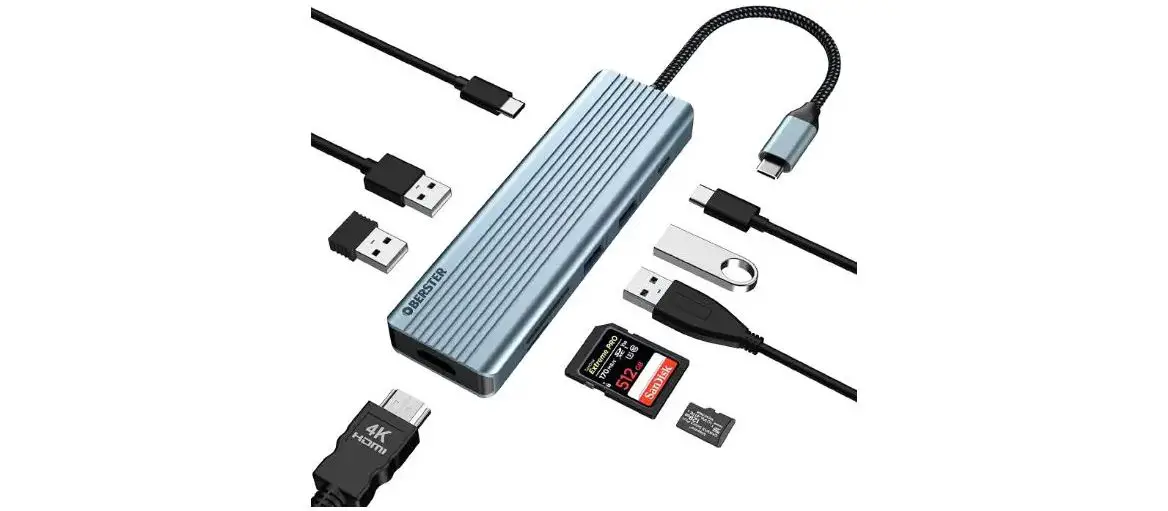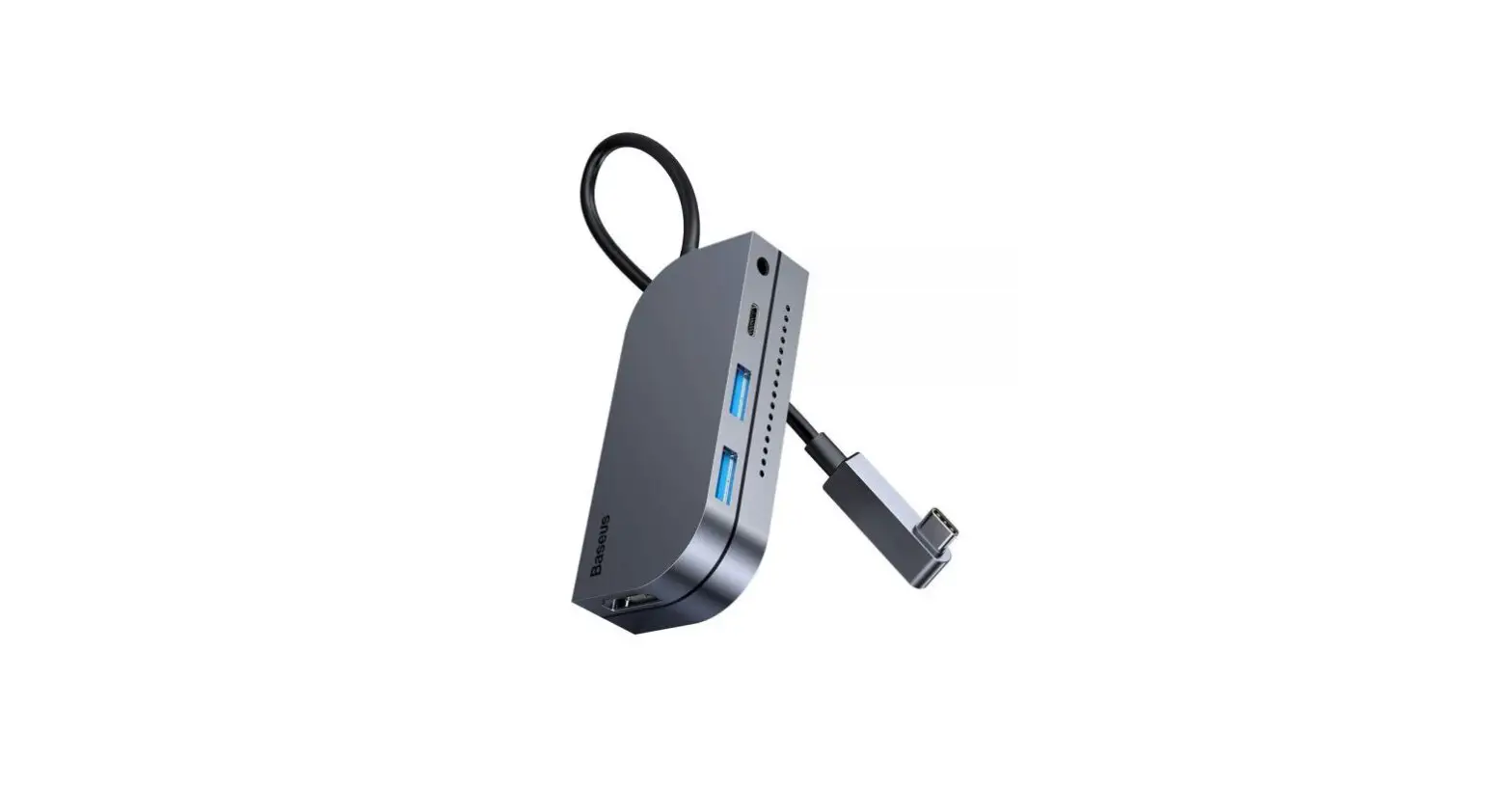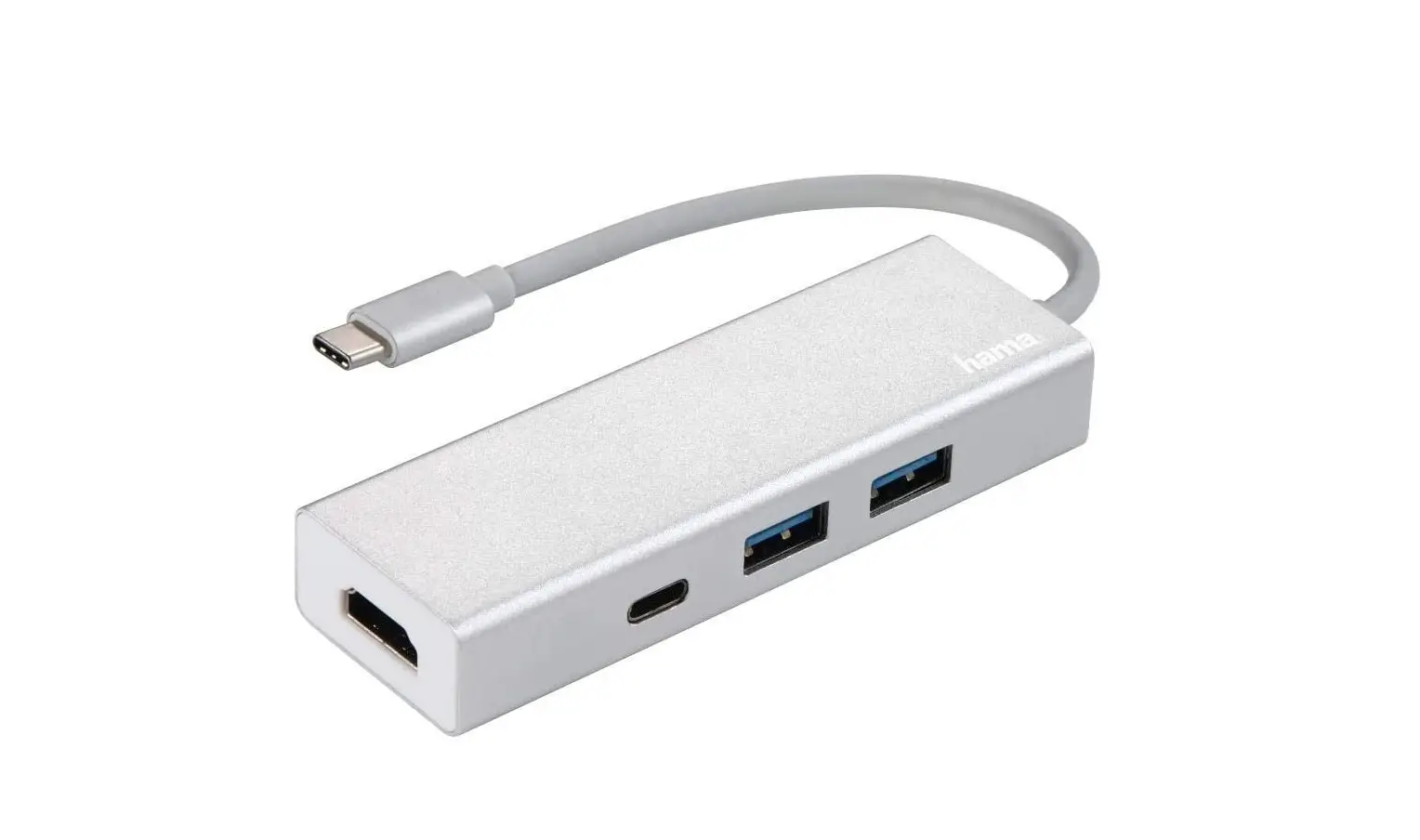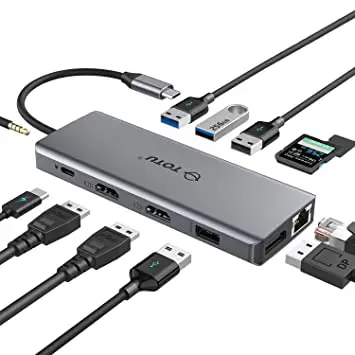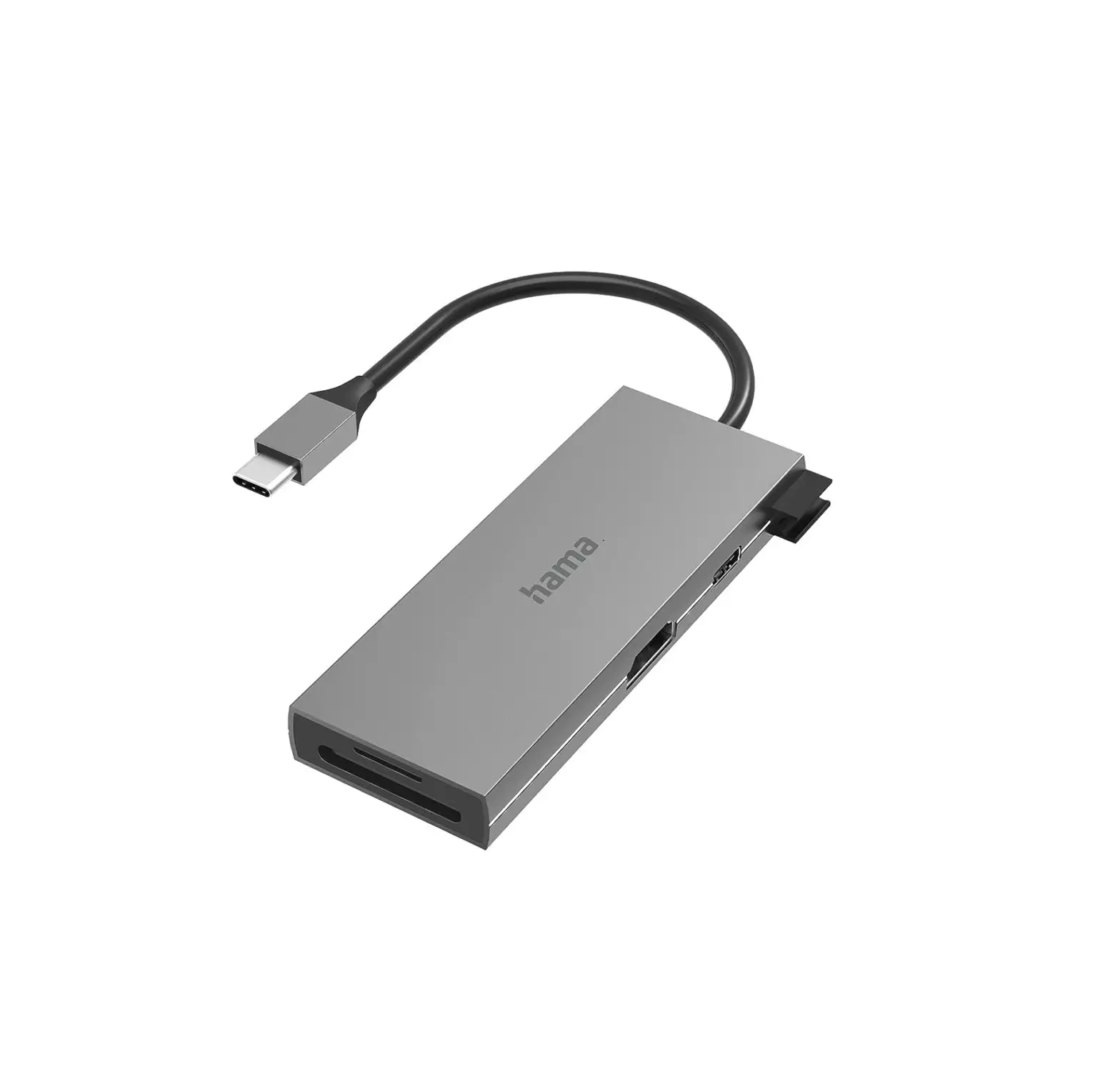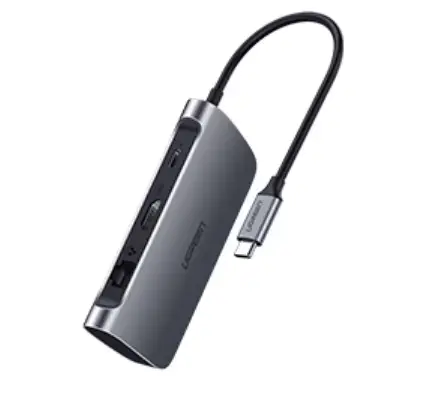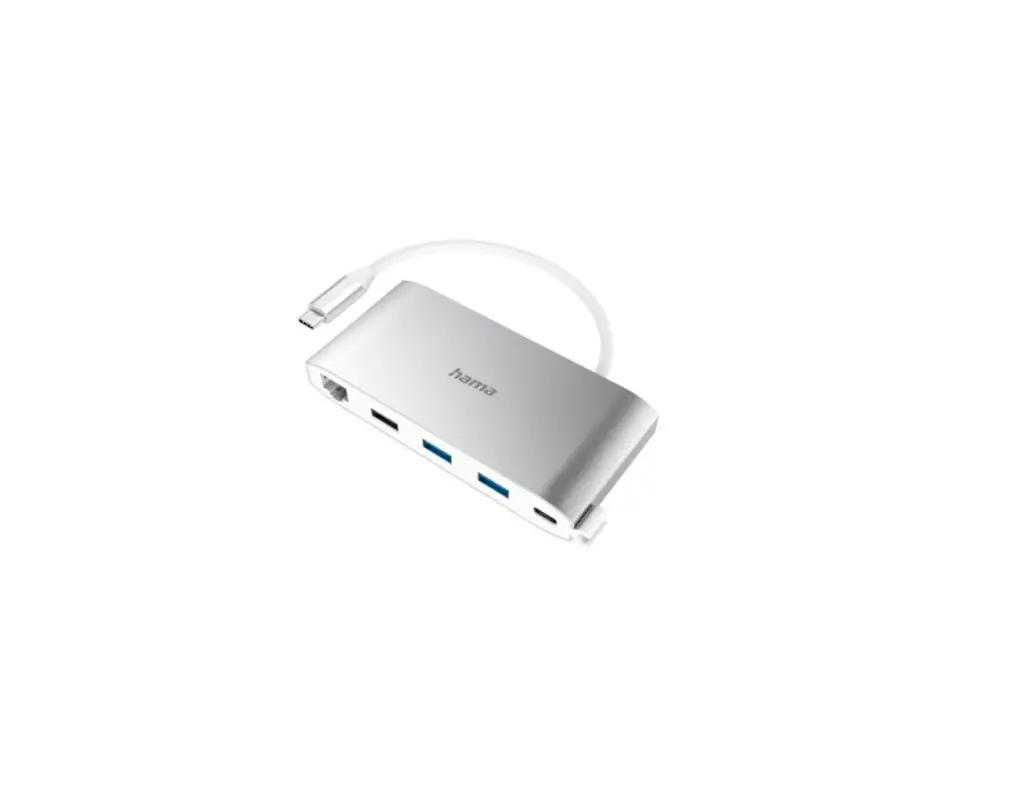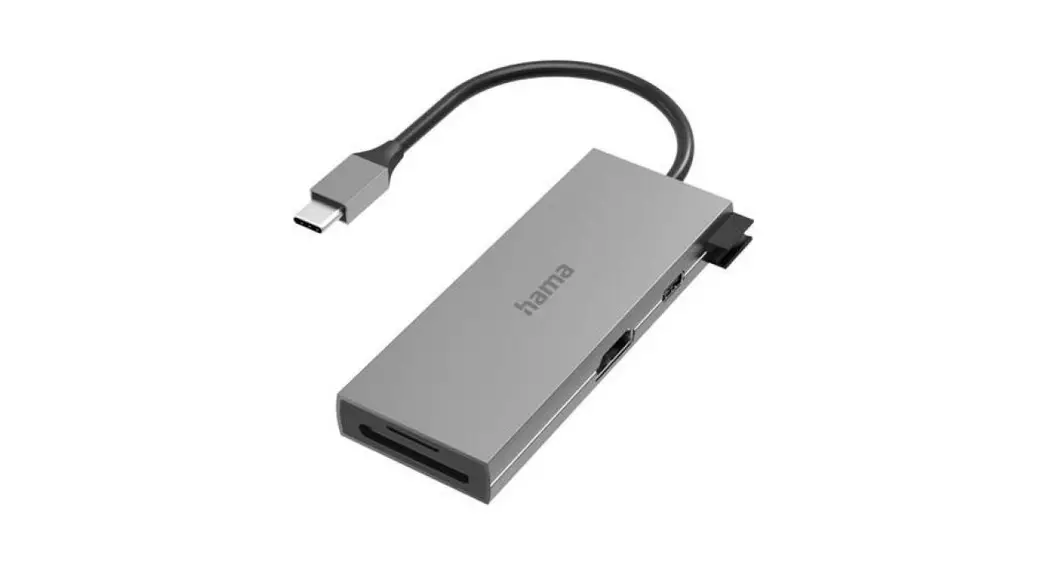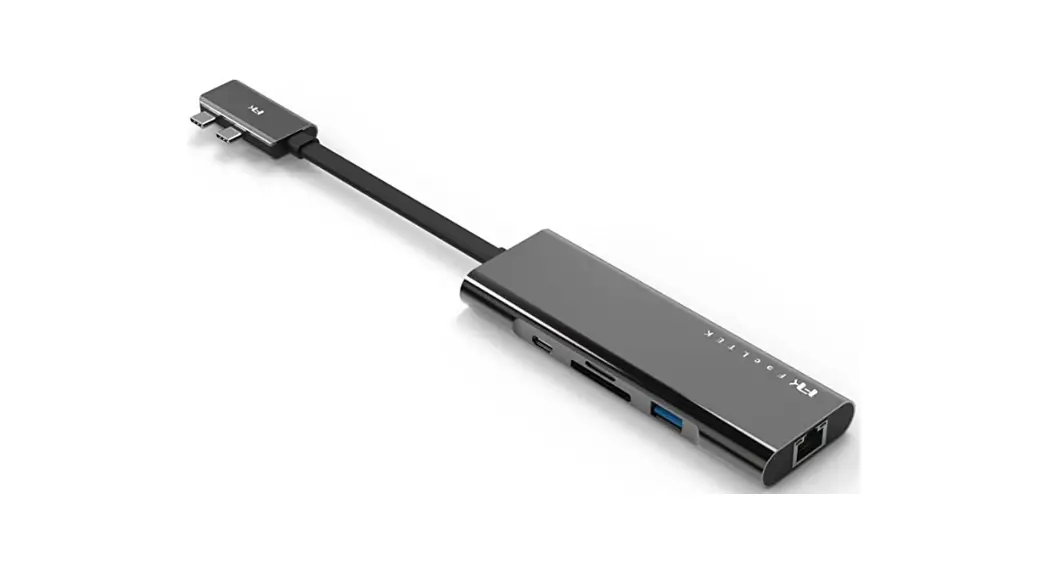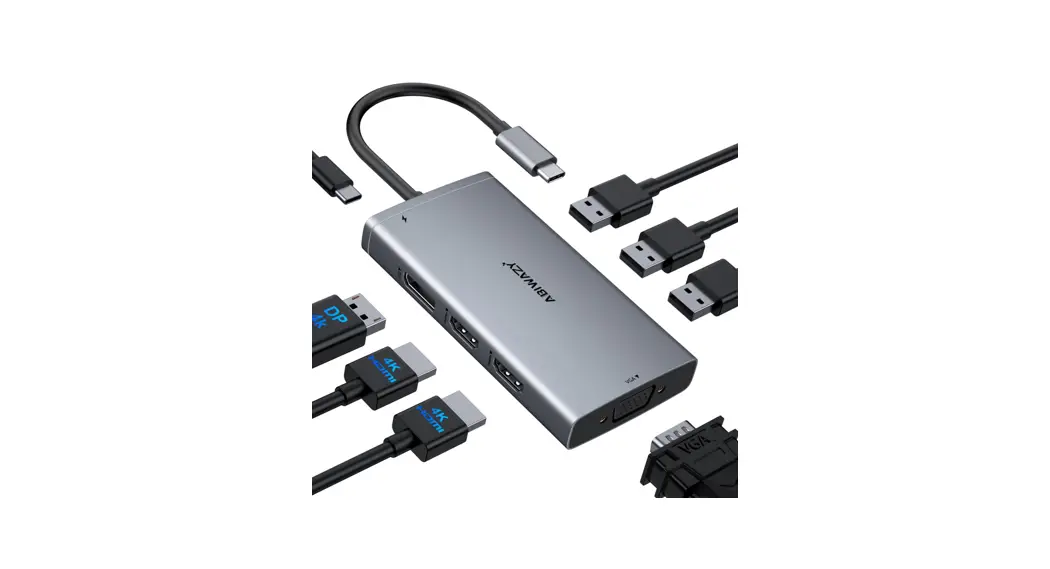
 ABIWAZY 8 IN1 USB C Hub(B0B67NNWHB)
Instruction Manual
B0B67NNWHB 8-in-1 USB C Hub
Important Notice:
Only if your laptop’s built-in USB C port (Can’t be used with usb to usb c converter) is fully functional port which support Data transfer & Video Display & PD charging, you can use the full functions of our docking station, such as Thunderbolt 3/4, USB4, Type C 3.1/3.2 Gen 2 with Power Delivery & DisplayPort.
If you aren’t sure what functions the built-in usb c port of your computer supports, we suggest you contact your computer supplier for help.
Please Read It Before Purcharse :
Please confirm which functions of Built-in USB-C port on your laptop Supports.
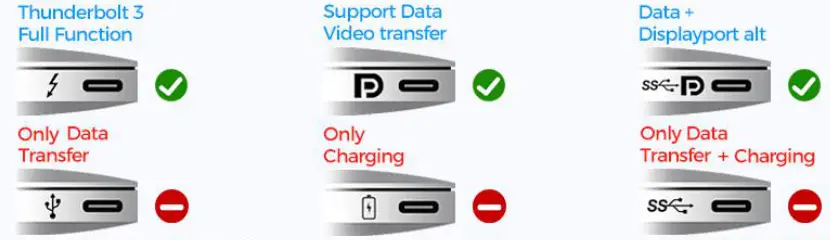
If you are not sure which functions of built-in usb-c port on your laptop Supports, please feel free to confirm us: [email protected].
| Compatibility List (Not full List) | |
| Brand | Laptops |
| Hp | HP Elitebook 830 840 G5/G6/G7/G8/Spectre Laptop 13-af001TU/ Spectre x360 13t/ Spectre folio (13t-ak000cto)/ Spectre 360 laptop/ Specter x369; Elitebook 840 G5 series/ Elitebook X2/ Elitebook x360 1030 G3/ Elitebook 745 G6/ 2018 HP Elite 800 G4; Envy Geforce mx250/ Envy x360 Laptop (15z-ds100); Z book 15u G3/ Zbook 17 G4; Zbook 15 g6 |
| Dell | Dell XPS 9380/ XPS 13 9365/ XPS 15 2018/ XPS 13 9300/ New XPS 15 with i7 dedicated video card 64GB of ram and 2TB SSD; Latitute 7280/ Latitude 5310 2-in-1; Precision 7730/ Precision 7750; Laptop 5590. |
|
Lenovo | Lenovo Yoga 9/Yoga 720-13IKB/ Yoga 730/ Yoga 900-13ISK/ Yoga 910/ Yoga 920/ Yoga 930/ Yoga 940-14IIL; 3rd generation Thinkpad Yoga; Yoga15 Thinkpad Ultrabook Pro; Thinkpad E590/ Thinkpad P72/ Thinkpad T470/ Thinkpad X1 Carbon (2019 model); Flex 14 IML (81XG); Legion Y530; Lenovo C930/ T480s/ X390. |
| Surface | Microsoft Surface Book 2/ Surface Go/ Surface Laptop 3; Surface Pro 7. |
| Huawei | Huawei Macbook Mate10/ Mate10 pro/ Mate20/ Mate20 pro / Mate30/ Mate30Pro. |
| OTHER | Google Slate (2019); Chromebook C340-15; SanDisk Cruise Glide; Razer Blade 2017 (gtx 1060); Pixel book go 2019/2020. |
| Apple | MacBook/ MacBook Pro (2020/2019/2018/2017/2016); Macbook Air 2018-2020, Mac mini 2018-2020; iPad Pro 2018; iMac 27. Please note: M1 Chip MacBook Only Support 1 Monitor. |
Not Compatibility List
(Not full List)
Dell Chromebook 5190, Dell Latitude 3390, Dell inspiron 5379;
All HP Pavillion x360, HP Elitebook x360 1030 G2, HP ENVY, model U110nr, HP ProBook 650 G2, HP Elitebook 840 G3, HP Probook 455 G4,HP Laptop 17-cn1008cy;
Lenovo Yoga Flex 5, Lenovo IdeaPad 330S-151KB(Type 81F5), Lenovo IdeaPad S340, Lenovo Tab 4; lenovo Ideapad 3 (15″), Lenovo Flex 5-15ITL05 Laptop (ideapad) – Type 82HT; lenovo ideapad 2in1 14
ASUS 202C Chromebook, Asus zenpad z10, ASUS ZenBook Duo UX481 14″,Asus Vivobook 17;Acer chromebook, model CB515-1HT-C2AE;
Acer Aspire E15, Acer nitro 5
iPhone; Ps4; Nintendo switch;
Samsung Galaxy Tab A8 /A10e, Samsung Galaxy Tab S3/4, Samsung Galaxy Tab E, Samsung Galaxy s5/s6/s7 or older verision, Samsung Galaxy Tab A LTE 8, Samsung Galaxy a7/a8/a10 e/a20/a50/j7 Prime;
Google Pixel, Google pixel book 2, Pixel2,Pixel xl,Pixel C;
LG G6/K8/K20/K30/Stylo 5/4/G7 thin Q, LGGoogleNexus5X/6P;
Oneplus 2/3/3T/5T/6/6T/7/7T/7T Pro;
Motorola G7/G6/G5/Zplay/Z3;
ZTE/ZTE max pro/ZTE Blade X Max/zxon 7;
Blu vivo xl,blu vivo 5r,blu g9 pro;
Honor view 10;
Alcatel 7;
Sony xperia xz
Notices:
If you can’t find your laptop on the list, please let us know, we are happy to help you check if this docking station is compatible with your device. Or you can contact your laptop supplier to check which functions supports for your laptop’s built-in USB C Port.
Voice of the Customer
- Does not work with my computer. /Not comparable with my system.
Our docking stations are compatible with every computer with a fully functional USB-C port.
Please check which Functions supports by your Laptop’s built-in USB C port first, only if your laptop’s built-in USB C port is fully functional port which support Data transfer & Video Display & PD charging, you can use the full functions of our docking station.
Below types of USB C port are Fully
Funcitonal Port:
Thunderbolt 3/4; USB Type C 3.1 Gen 2 with Power Delivery & DisplayPort; USB Type C 3.2 Gen 2 with Power Delivery & DisplayPort.
If you have any problem with the type of your laptop’s usb c, you can refer to your laptop’s manual and contact us. NOTE: This hub only works for Thunderbolt3/4 and USB Type-C 3.1/3.2 Gen 2 port with DisplayPort.
NOT full compatible with all USB C ports.
Please make sure the USB C on the laptop support video output or DP Alt Mode. - ⭐ Why there are no pictures of the external monitors when I connect the monitors via the HDMI or VGA or DP port of this docking station.
A. First, please check which functions with supports for Your Laptop’s Built-in USB C Port. If the type of the built-in USB C port of your laptop isn’t the Fully Funcitonal port, then the HDMI,VGA, 3.5mm Jack of the hub doen’t work for your laptop.
B. When triple display, check the order of inserting the hub: first insert hdmi1, wait for the display to be successful, then insert DP, wait for the display to be successful, and then insert HDMI 2.
C. Power up your laptop before connecting an external hard drive or multiple devices to the hub.D. Try using another laptop to test if it works.
D. After trying this methods still not working, it may belong to a single product exception, please contact us. - It is not a dock. It’s a hub. Docks usually supply power. This is just a hub to connect peripherals. /Does not come with power supply.
The docking station support power delivery. USB C 3.0 Power Delivery
Fast charging your USB-C laptops
⭐ Please Note:- Please make sure your laptop’s USB C port supports Power Delivery Protocol. For the laptop with its own “round hole,slim tip” AC charging interface are not supported since the USB C port is not supported Power Delivery Protocol.
- Please use at least 65W power adapter to charge your laptop via this hub, using lower power charger may cause a low charging warning.
- Since some Dell & HP Laptops have their own AC adapter and AC charging port, they do not allow third-party chargers to charge their laptops. If you use other methods to charge the computer, the computer will prompt an error. (HP/ThinkPad/Dell xps 13 laptop’s usb c port won’t allow this adapter to charge your laptop.)
- Can only charge for laptop,not support output charging for mobile devices such as cell phones.
- This laptop docking station dual monitor is not included the power charger & charging cable!
- Gets really hot./The unit gets very hot when in use.
The hub temperature will heat up when it works. 0℃ – 50 ℃ is the normal and reasonable range. It’s a normal situation for all hubs on the market, not a quality problem, please feel relieved about usage. Hope this can help. If you still have questions, please feel free to contact us. - Did not work for my keyboard and mouse. / Keyboard & mouse have lag time when using the hub.
Are your mouse and keyboard wireless?
When a USB 3.0 device is working, it will cause noise and interfere with devices such as a wireless mouse/key board operating at 2.4Ghz. Intel has also confirmed this issue. For all hubs, this is an unresolved problem curr ently. What we can do is to reduce the noise interference to the 2.4Ghz channel, product itself has been shiel ded but it cannot completely block the interference.
Have you try the methods below to decrease the interference?- Keep the wireless mouse/keyboard as close as possible to the mouse/keyboard receiver.
- Or keep the receiver is as far away as possible from the USB 3.0 device. Use extended usb2.0 cable to plug y our wireless mouse keyboard receiver or if you have another hub, you can plug the hubs into the sides of the computer, one hub with usb 3.0 device, another with the mouse/keyboard receiver.
- Use cabled mouse,keyboard.
After trying this methods still not working, please let us know.We will make a further step to help you.
- When I plug the USB docking station to my laptop, the computer loses its speaker audio sound. Is that normal? or what do I need to do to get the speaker sound?
Sound Please select the speaker you want to output. Tf the speaker does not work, please try to switch to different output devices, and plug in and unplug the 3.5mm jack cable repeatedly to reactivate the player
 - Does this usb c hub support dual 4k monitors at the same time?
Yes, support.
When Dual HDMI and DP display simultaneously(The final display resolution depends on the bandwidth of the laptop graphics card, the monitor specification, and the video cable):
For DP1.4 laptops, the resolution of HDMI 1/DP is up to 4K@60Hz, HDMI 2 is up to 4K@59Hz;
For DP1.2 laptops, the resolution of HDMI 1/DP is up to 4K@59Hz, HDMI 2 is up to 4K@29Hz. - Why can’t my Mac laptop extend the display screen to the monitors?
For Mac OS, due to apple system restrictions the docking station could only support to extend one monitor, the other monitors could only copy the monitor you extend. - Why does one of monitor resolution become lower than 1920 x 1080@60Hz, when I extend 3 monitors from my windows laptop?
In normal, when you connect 3 monitors, all of three monitor will output 1080P resolution. However, it may happen that one of the monitor screen resolution is lower than 1920 x 1080@60Hz on Windows Laptop DP 1.2. - When I plug in or plug out on this docking station, hdmi or VGA monitors go black for 2–4 seconds and then recover? Is this normal?
Please do not worry and be patient waiting for it. It is a process of EDID (Extended Display Identification Data) communication, which may blackout screen for a few seconds. The recovery time depends on laptop and monitor (1 minute at max).  They sent a used product
Reviewed in the United States on June 16, 2022 Verified Purchase
The Amazon shipping package was in good shape but the product box was open and ripped, and was small for the product. It was also scratched. The manual was crinkled. It was clearly repackaged, though maybe the wrong package. Our products are delivered by Amazon. So we have absolutely no idea what kind of product we will give you.
If you encounter this problem, please contact us immediately and we will provide you with your most satisfactory answer.- Worked for 29 days. I’m Lucky it died 1 day before the return period ended.
Reviewed in the United States on June 5, 2022 Verified Purchase
It worked great for a while. Bumping the device would make the monitors flicker but I was able to run my work computer and personal gaming computer on the same monitors and save so much space on my desk
Today it died and nothing I do seems to be able to fix it. It can detect the USB ports but it cannot detect my monitors at all One person found this helpful
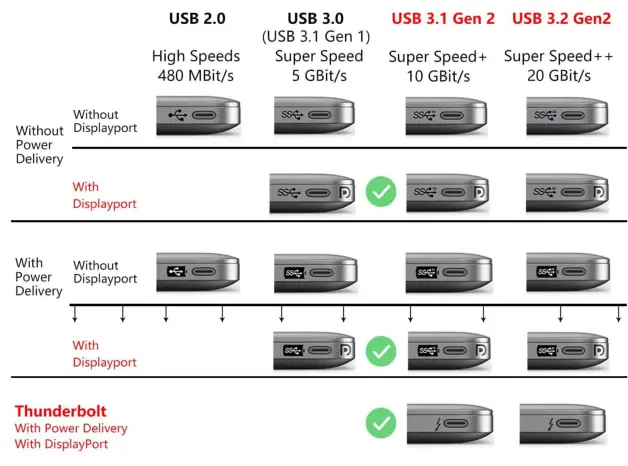 NOTE: This hub only works for Thunderbolt3/4 and USB Type-C 3.1/3.2 Gen 2 port with DisplayPort.
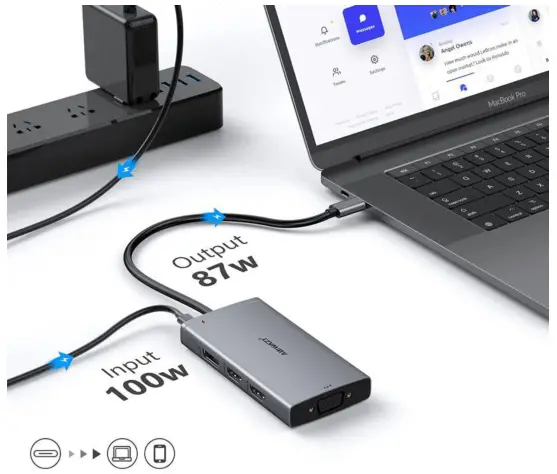 USB C 3.0 Power Delivery
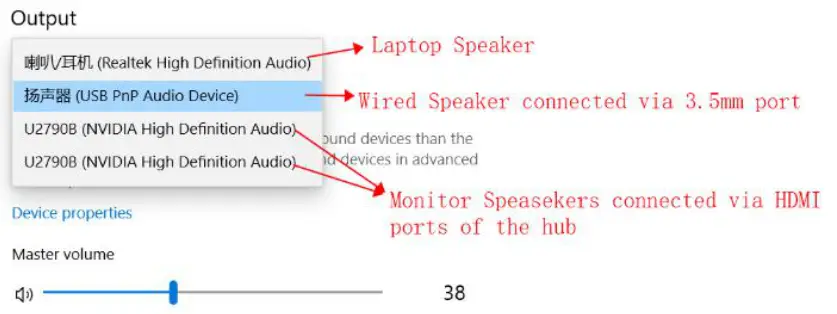 Please select the speaker you want to output. Tf the speaker does not work, please try to switch to different output devices, and plug in and unplug the 3.5mm jack cable repeatedly to reactivate the player
 They sent a used product
 Our products are delivered by Amazon. So we have absolutely no idea what kind of product we will give you.
If you are experiencing screen flicker, due to graphics card and bandwidth limitations, please try lowering the resolution before raising it to solve the problem.
After trying this methods still not working, please let us know. We will make a further step to help you.
If you have any questions about the quality of the product, please contact us immediately and we will provide you with the most satisfactory answer within 24 hours.
USB C Hub – Resolution For Windows
| Status | Picture Showed | Port | Resolution of Connected Monitors |
| Single Display | 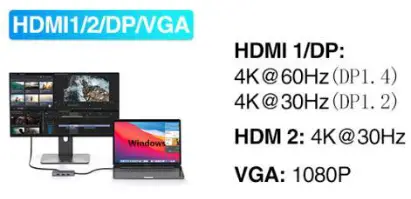 | HDMI 1/DP | Host Laptop (DP1.4): Max 4K 60HZ Host Laptop (DP1.2): Max 4K 30HZ |
| HDMI 2 | Max support: 4K 30HZ | ||
| VGA | Max support: 1080P | ||
| Dual Display 1 | 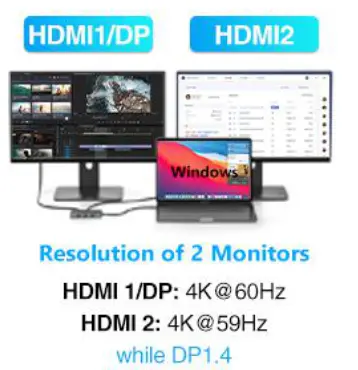 | HDMI 1/DP +HDMI 2 | HDMI 1/DP: 4K@60Hz(DP1.4) 4K@59Hz(DP1.2) HDMI 2: 4K@59Hz(DP1.4) 4K@29Hz(DP1.2) |
| Dual Display 2 | 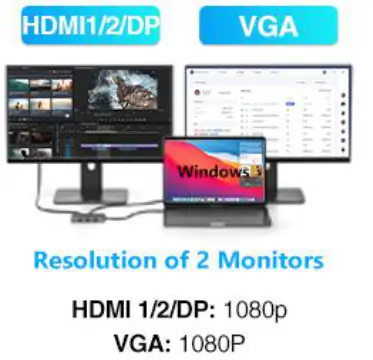 | HDMI 1/2/DP+VGA | Max support: 2 x 1080P |
| Triple Display | 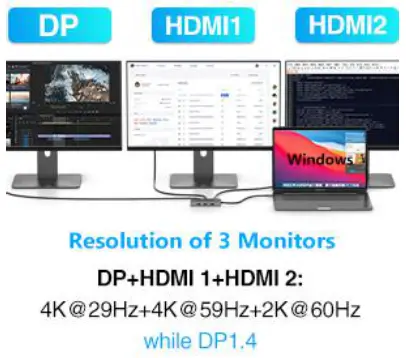 | 1 H1+H2+DP | 4K@29Hz+4K@59Hz+2K@60Hz(DP1.4) 4K@29Hz+4K@29Hz+2K@60Hz(DP1.2) |
| ② H1/2+DP+VGA | Max support: 3 x 1080P | ||
| Quad Display | 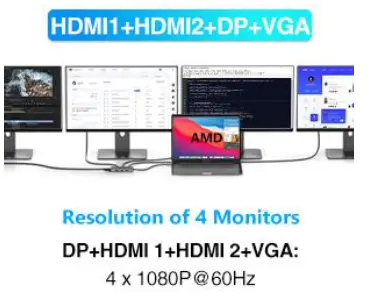 | HDMI 1+HDMI 2+DP+VGA | Max support: 4 x 1080P (Intel graphics card hosts a black screen -ABCD) |
For Windows – Intel Graphics Laptop, Only Provides Triple Display Stream Outputs Simultaneously
Windows Triple Display
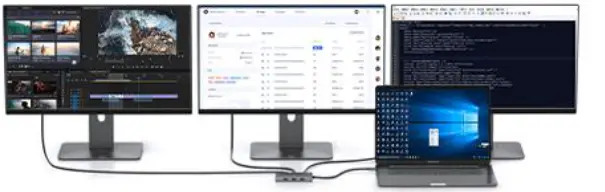
Extend Mode
Right click desktop>Graphic Stetting >Display> Extend Display
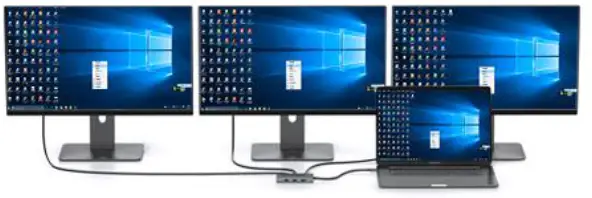
Mirror Mode
Right click desktop>Graphic Stetting > Display> Mirror Display
Mac OS Not Triple Display
Extend Mode
Guide:Apple logo System Preferences> Display>Mirror Display(Yes or No)
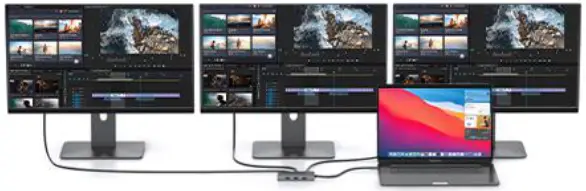 Mirror Mode
Guide:Apple logo System Preferences> Display>Mirror Display(Yes or No)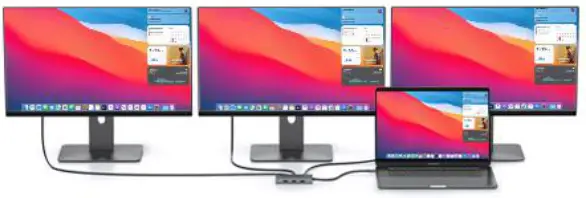
 Notices:
- For Intel Graphics Laptop,only provides Three Display data stream outputs at the same time.
- For Windows laptop on DP1.2 ,limited by the laptop’s brandwidth and configuration,1 or 2 monitors resolution will be lower than 1080P,the final resolution depends on different laptops and connected monitors
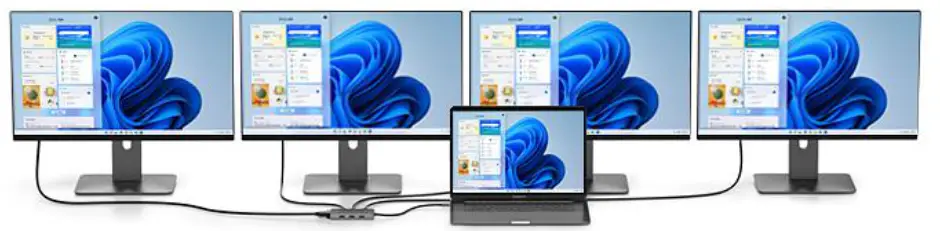
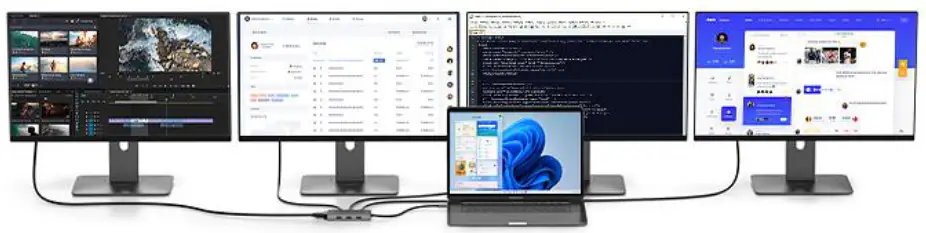
Four Display For Windows Laptop
HDMI1 +HDMI2+DP+VGA:1080P
Mirror Mode:
A To A+A+A+A
 Extend Mode:
A To B+C+D+E
Notices:
- For Intel Graphics Laptop,only provides Three Display data stream outputs at the same time.
- For Windows laptop on DP1.2 only can connect max up to 2 monitors,and limited by the laptop’s bandwidth,1 or 2 monitor resolution will be lower than 1080P when Multiple Display,the final resoution depends on different laptop configurations and connected nonitors.
USB C Hub – Resolution For Mac
| For Mac Laptop , Doesn’t Support Extend Mode(MST) Dual or Triply Display | |||
| Status | Picture Showed | Port | Resolution of Connected Monitors |
| Single Display | 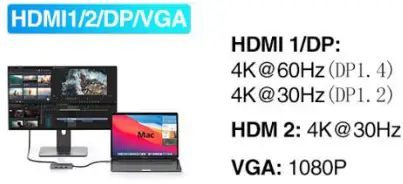 | HDMI 1/DP | Host Laptop (DP1.4): Max 4K 60HZ Host Laptop (DP1.2): Max 4K 30HZ |
| HDMI 2 | Max support: 4K 30HZ | ||
| VGA | Max support: 1080P | ||
| Dual display1 | 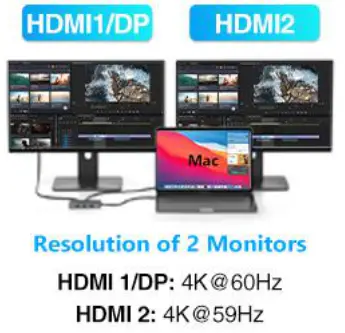 | HDMI 1/DP | HDMI 1/DP: 4K@60Hz(DP1.4) 4K@59Hz(DP1.2) |
| HDMI 2 | HDMI 2: 4K@59Hz(DP1.4) 4K@29Hz(DP1.2) | ||
| Dual display 2 | 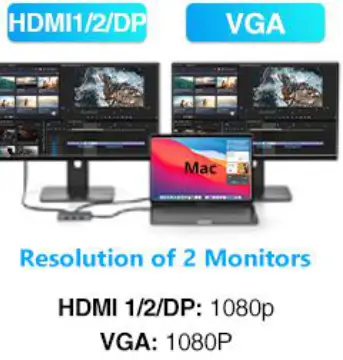 | HDMI 1/2/DP | Max support: 1080P |
| VGA | Max support: 1080P | ||
| Triple Display | 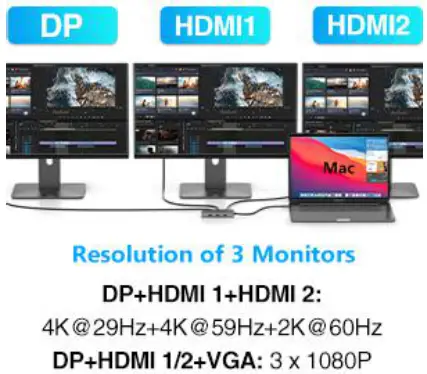 | ① H1+H2+DP | 4K@29Hz+4K@59Hz+2K@60Hz |
| ② H1/2+DP+VGA | Max support: 3 x 1080P | ||
| Quad Display | 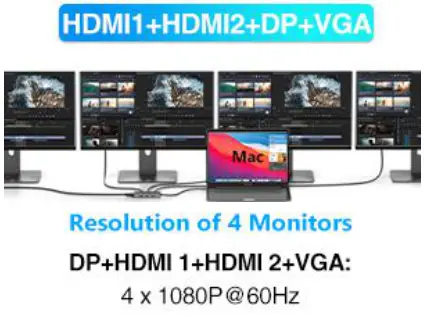 | HDMI 1+HDMI 2+DP+VGA | Max support: 4 x 1080P |
Mirror & Non-Mirror Mode For Mac OS
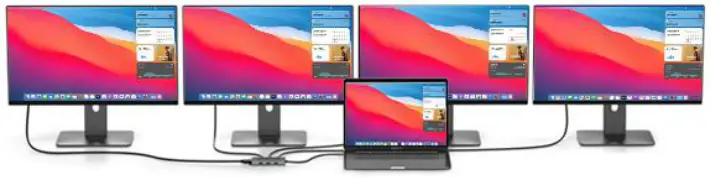
Mirror Mode
HDMI1 +HDMI2+DP+VGA
 Non-Mirror
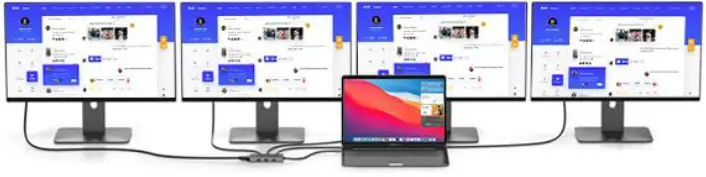
Mode(Mac Extend Mode)
 Please Note
Mac OS does not support MST
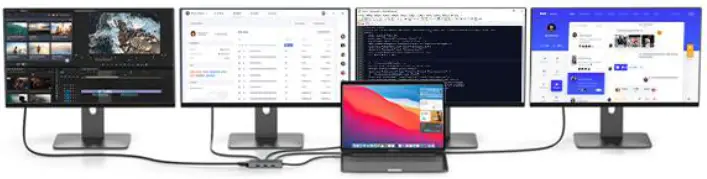
×All MacBook only support Mirror Mode: AA,AAA,AAAA and Extend Mode : AB,ABB,ABBB. Not support A-B+C or A-B+C+D(which only support for windows laptop).