 Unbreakable

INSTRUCTION MANUAL
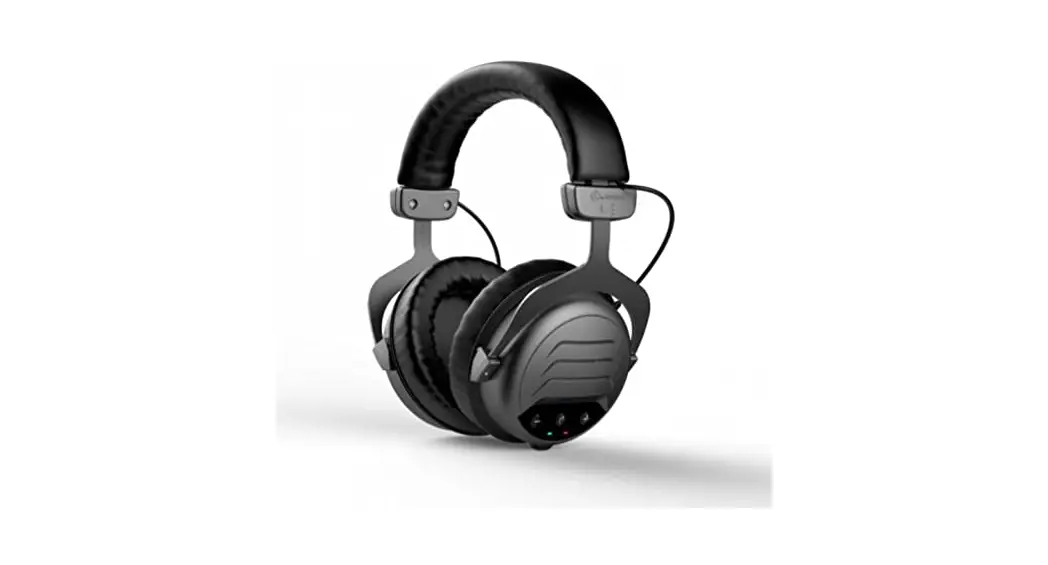
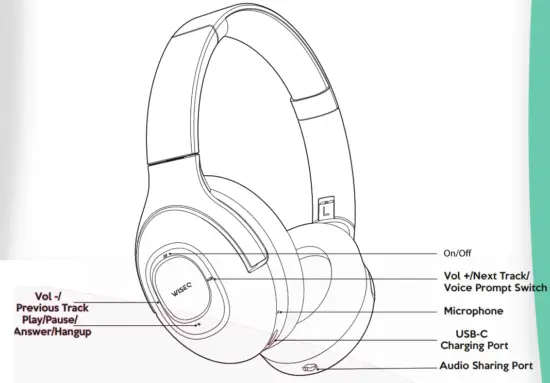
KEY FUNCTIONS
LED INDICATOR
| READY TO CONNECT DEVICE | LED INDICATOR FLASHES RED & BLUE |
| STAND-BY MODE | LED INDICATOR IS CONSTANT BLUE |
| PLAYING MUSIC | LED INDICATOR FLASHES BLUE |
| INCOMING CALL | LED INDICATOR FLASHES RAPIDLY BLUE |
| LOW BATTERY | LED INDICATOR FLASHES RAPIDLY RED |
| CHARGING MODE | LED INDICATOR IS CONSTANT RED WHEN THE BATTERY IS LOW, THE LED INDICATOR WILL SWITCH OFF ONCE THE HEADPHONE IS FULLY CHARGED |
POWER ON
Press and hold the power button for two seconds. The LED indicator will flash blue and red. This indicates that the headphone is ready to connect.
CONNECTING WITH BLUETOOTH
Once the device has been switched on, the LED indicator will flash red and blue. The headphone is then ready to connect with any Bluetooth device Open Bluetooth in the settings of the audio device and select: ‘WISEQ HERO’ Your device will connect with the headphone.
POWER OFF
When the headphone needs to be switched off, press and hold the power button for two seconds. The LED indicator will flash red and the device will be switched off.
FAST CHARGING
By charging the headphone with the USB-C cable (provided in the package), the headphone is suitable for high-speed charging. 10 minutes of charging equals 1 hour of use. The headphone is fully charged within 90 minutes.
ADDITIONAL FEATURES
BATTERY DISPLAY
When the headphone is connected with Bluetooth, the audio device usually indicates the battery status. This way you will always know when to charge the headphone. In addition, the LED indicator on the headphones flashes red when the headphone is on low battery.
CONNECTIVITY
The headphone can be connected to any smart device. This applies to laptops, smartphones, game consoles, smartwatches, and tablets. The headphone is compatible with any operating system such as Windows, iOS, and Android.
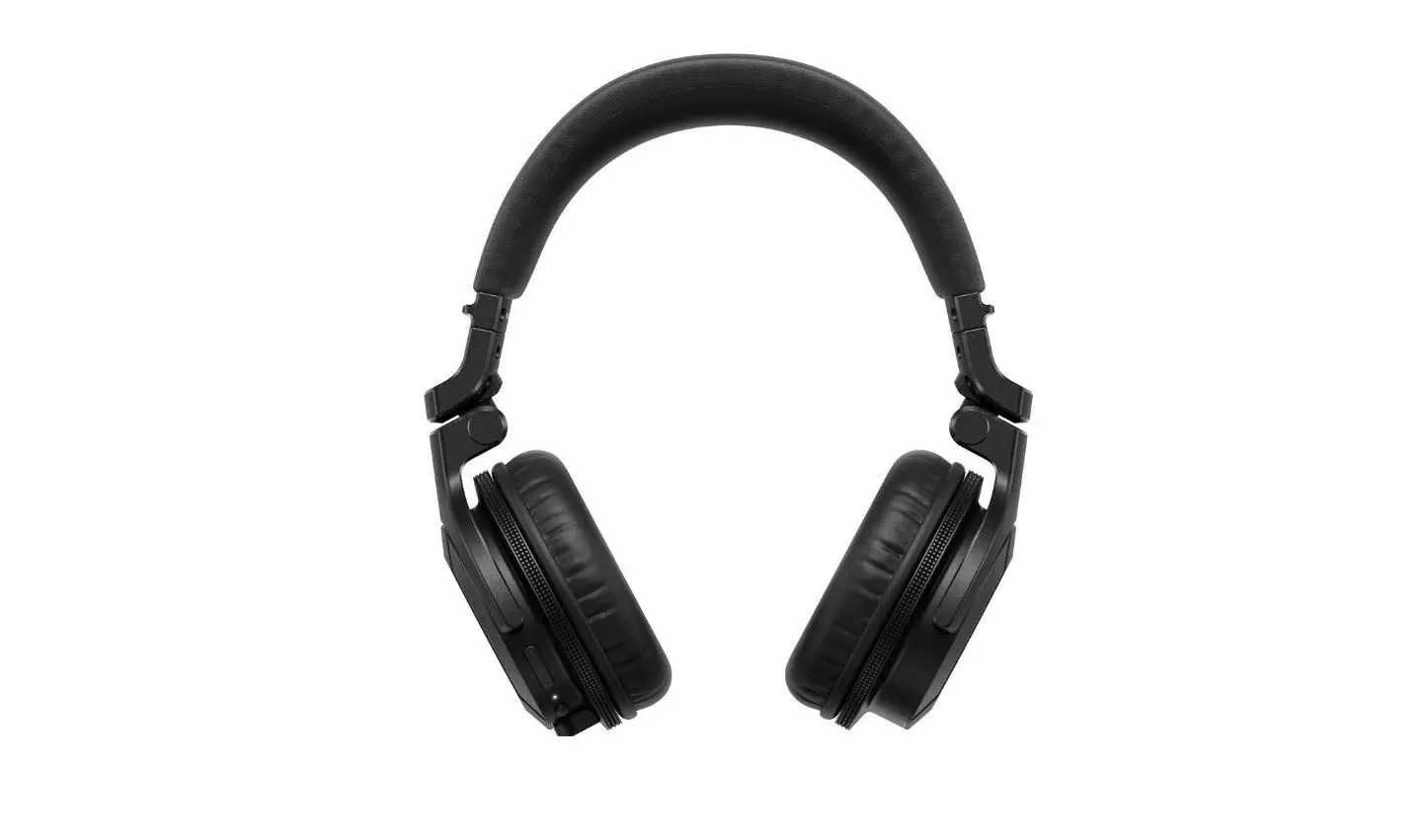
FLEXIBLE HEADBAND
The headband of the headphone is made of flexible materials with high stain resistance. This means the headphone is flexible and will return to its original fit
ADJUST VOLUME: Press the `+’ or the `-‘ button once to adjust the volume as suited.
MUSIC SELECTION:
Hold `+’ to play the next song.
Hold `-‘ to play the previous song.
MULTI-FUNCTION KEY TO PLAY / PAUSE / OR MAKE PHONE CALL PAUSE:
Press the power button once to pause the music.
PLAY: Press the power button once to pause the music.
ACCEPT INCOMING CALLS:
Press the power button to answer an incoming phone call.
END PHONE CALL
Press the power button again to end the phone call. The music will resume automatically.
AUTOMATICALLY CONNECT WITH THE DEVICE
When switched on, the headphone will automatically connect to the last paired audio device, this only works when the device is within range of the headphone and transmitting Bluetooth.
PRODUCT SPECIFICATIONS
| BLUETOOTH VERSION | 5.0 |
| TRANSMISSION DIS- DANCE | 20 METERS (UP TO 100 METERS IN OPEN SPACE |
| PLAYTIME | 45 HOURS |
| MAX. VOLUME | 93dB ± 3dB |
| SPEAKER DIMENSION | 30mm |
| BLUETOOTH PROTOCOL | A2DP / AVRCP / SMP / HFP |
| IMPEDANCE | 320 ± 15% |
| FREQ. RESPONSE | 20Hz – 20,000HZ |
| CHARGING VOLT. | 5V |
| MAXIMUM INPUT | 10 mW |
| BATTERY | 500 mAh |
IMPORTANT SAFETY INFORMATION
This product complies with all safety standards and regulations.
Do not open/repair the device or expose it to moisture/liquids/cold/heat. The product is made of high-quality materials and parts that can be recycled and reused.
 This symbol means that the product contains batteries that comply with EU Directive 2013/56/EU, which cannot be disposed of with normal household waste.
 To avoid possible hearing damage, do not listen at a high volume level for long periods of time. Adjust the volume to a safe level.
WARRANTY CONDITIONS:
In the event of a defect, return the product to our reseller with a description of the failure, proof of purchase, and all accessories.
• During the warranty period., you will receive a new product from the reseller Of available). Contact WISEQ if any accessories are missing (manual, software, or parts). Warranty will be void in cases of opened products, water damage, physical damage, misuse, or modification. repair by unauthorized persons. carelessness and using the product for other purposes than its intended use.
EXCLUSIONS OF WARRANTY:
- Damage caused by accidents or disasters, such as fire. floods. earthquakes. war. vandalism or theft.
- Incompatibility with other hardware/software which doesn’t meet the minimum system requirements.
- Damage to accessories such as batteries and fuses. WISEQ will not be liable for any consequential or incidental damages, including any loss of business profits or other damages. arising out of the use of its product. For further safety information, please visit the website: www.wiseq.nUsafetyinformation
DECLARATION OF CONFORMITY
 RoHs EN60950-1 (A1:2010+Al2:2011+A2)faSE0
 Koptelefoons en accessoires van WISEQ - Turn music into magic