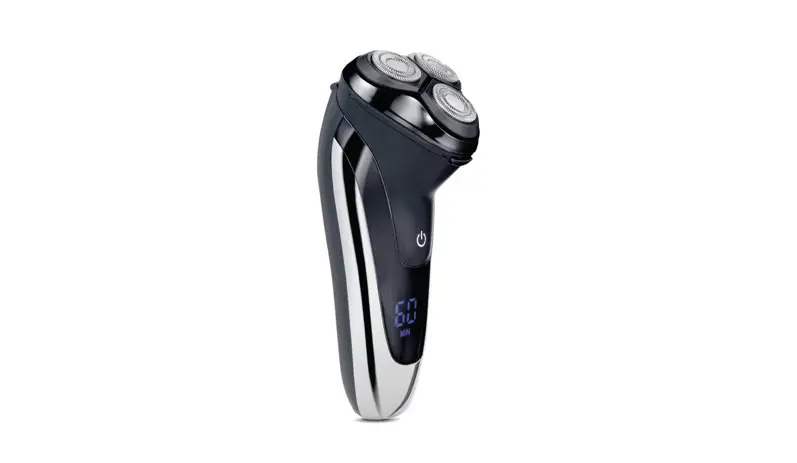
MS-2227 Cordless Rotary Shaver
Product Information
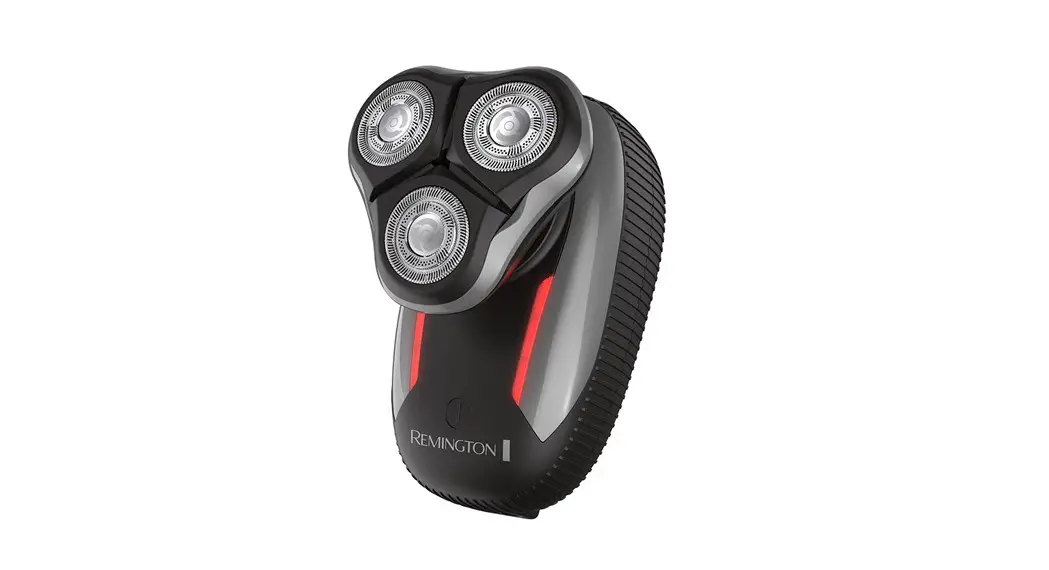
The Cordless Rotary Shaver is a wireless shaver designed for
personal use. The model number of the shaver is MS-2227. The shaver
has a charging time of approximately 2 hours and a working time of
approximately 1 hour.
Technical Specifications
| Part number | Model | Power source | Charging time | Working time |
|---|---|---|---|---|
| N/A | MS-2227 | Battery | Approximately 2 hours | Approximately 1 hour |
Safety Instructions
- Read the instruction manual carefully before using the
device. - The device is intended for personal use only.
- The device is intended for shaving purposes only.
- Do not use or charge the device near water, over a sink, in a
pool, or any other body of water. - Do not use the device if it is damaged or malfunctioning.
- Do not use the device while it is charging.
- Keep the device away from excessive heat, direct sunlight, and
fire. - Dispose of the device according to local regulations.
- Keep plastic bags, boxes, and styrofoam packaging out of reach
of children.
Package Contents
- Cordless Rotary Shaver
- Plastic head cover
- Cleaning brush
- Instruction manual
Product Usage Instructions
Charging
Before first use or if the device has not been used for several
months, charge the device. The charging time is approximately 2
hours. Do not charge the device for more than 24 hours. When fully
charged, the device can be used for approximately 1 hour.
- Make sure the device is turned off.
- Plug in the USB charging cable.
- Do not charge the shaver near water or any other body of water
to avoid electric shock. - Do not use the device while it is charging.
- Do not charge non-rechargeable batteries.
Turning On/Off
To turn on the device, press the power button. The blue battery
symbol will light up. To turn off the device, press the power
button again. The blue battery symbol will turn off.
Using the Shaver
Do not use the device while it is charging. For best results,
use the device on a clean and dry face.
Using the Rotary Shaver
- Remove the plastic head cover from the shaver.
- Turn on the device.
- The blue battery symbol will light up.
Using the Trimmer
- To extend the trimmer, press the trimmer release button.
Cleaning and Maintenance
Refer to chapter 8 of the instruction manual for cleaning and
maintenance instructions.
BEZPRZEWODOWA
GOLARKA ROTACYJNA
CORDLESS ROTARY SHAVER
INSTRUKCJA | INSTRUCTION MANUAL
BEZPRZEWODOWA
GOLARKA ROTACYJNA
Model: MS-2227
SPIS TRECI
1 UYCIE ZGODNIE Z PRZEZNACZENIEM . . . . 4 2 DANE TECHNICZNE . . . . . . . . . . . . . . . . . . . . . . 4 3 ZASADY BEZPIECZNEGO UYTKOWANIA . . 5 4 OBJANIENIE SYMBOLI . . . . . . . . . . . . . . . . . . 7 5 BUDOWA . . . . . . . . . . . . . . . . . . . . . . . . . . . . . . . . . 8 6 ZAWARTO ZESTAWU . . . . . . . . . . . . . . . . . . . 10 7 UYTKOWANIE . . . . . . . . . . . . . . . . . . . . . . . . . . . 10 8 CZYSZCZENIE I KONSERWACJA . . . . . . . . . . 14 9 NAPRAWA . . . . . . . . . . . . . . . . . . . . . . . . . . . . . . . 15 10 PRZECHOWYWANIE I TRANSPORT . . . . . . . . 15 11 UTYLIZACJA . . . . . . . . . . . . . . . . . . . . . . . . . . . . . 16 12 DEKLARACJA CE . . . . . . . . . . . . . . . . . . . . . . . . . 17 13 GWARANCJA . . . . . . . . . . . . . . . . . . . . . . . . . . . . . 17
3
1 UYCIE ZGODNIE Z PRZEZNACZENIEM
Bezprzewodowa golarka rotacyjna to nowoczesne urzdzenie do golenia na sucho dla wspólczesnego, nawet wymagajcego mczyzny. Elastyczna technologia dostosowywania si do konturów twarzy – trzy obrotowe glowice wykonane w technologii 4D 360° s niezalenie wychylne w rónych kierunkach, dziki czemu doskonale dopasowuj si do wszystkich nierównoci twarzy i zapewniaj maksymalny komfort golenia bez podraniania skóry. Wysuwany trymer pozwala na szybkie i latwe konturowanie mskiego zarostu. Zintegrowany akumulator pozwala na bezprzewodow prac przez 60 min po pelnym naladowaniu za pomoc 100 cm przewodu USB.
To urzdzenie jest przeznaczone tylko do prywatnego uytku i nie moe by uywane do celów profesjonalnych.
Przestrzeganie instrukcji zapewnia bezpieczne uytkowanie urzdzenia.
2 DANE TECHNICZNE
Nr partii Model Zasilanie
Ladowanie
POJM220227 MS-2227 akumulator Li-ion ICR14500 3 .7 V ; 600 mAh, 2,22 Wh przewód USB 5 V , 1 A
4
Czas ladowania ok. 2 godziny
Czas pracy
ok. 1 godzina
3 ZASADY BEZPIECZNEGO UYTKOWANIA
1 . Przed uyciem naley przeczyta cal instrukcj. 2 . Nie uywaj urzdzenia do celów niezgodnych z jego
przeznaczeniem. 3 . Urzdzenie jest przeznaczone wylcznie do uytku
prywatnego . 4 . Urzdzenie jest przeznaczone wylcznie do golenia
i przycinania wlosów naturalnych czlowieka– nie wolno stosowa do wlosów sztucznych lub sierci zwierzt. Uywanie produktu do celów innych ni zgodne z przeznaczeniem spowoduje uniewanienie gwarancji. 5 . Urzdzenie nie jest zabawk. Dzieci nie powinny bawi si urzdzeniem. 6 . Urzdzeniemoebyuywaneprzezdziecistarszeni8lat,jeeli s one pod nadzorem osoby doroslej lub korzystaj z urzdzenia bezpiecznie, zgodnie z instrukcj obslugi i rozumiej zagroenia. Urzdzenie moe by uywane przez osoby o ograniczonej zdolnoci fizycznej, czuciowej lub psychicznej lub osoby o braku dowiadczenia i wiedzy, jeli pozostaj one pod nadzorem lub korzystaj z urzdzenia bezpiecznie, zgodnie z instrukcj obslugi oraz rozumiej zagroenia. 7 . Czyszczenie i konserwacja urzdzenia nie moe by wykonywana przez dzieci bez nadzoru osoby doroslej. 8 . Zachowaj ostrono podczas uytkowania urzdzenia. 9 . Urzdzenie moe by ladowane bezpiecznym, niskim napiciem zgodnym z oznaczeniem na urzdzeniu.
5
10 . Regularnie sprawdzaj przewód zasilajcy USB czy nie jest uszkodzony. Jeli jest uszkodzony naley go zutylizowa.
11 . Nie uywaj i nie czy urzdzenia podczas ladowania. 12 . Nie uywaj urzdzenia, jeli jest uszkodzone lub dziala
w sposób nieprawidlowy. 13 . Nie uywaj urzdzenia, jeli wczeniej upadlo ono
z wysokoci, wykazuje widoczne oznaki uszkodzenia. 14 . Nie uywaj urzdzenia na skórze podranionej, zadrapanej,
zranionej, z wysypk, wypryskami lub wystajcymi pieprzykami. 15 . Glowica golarki sluy tylko i wylacznie do golenia zarostu na twarzy . 16 . Podczas golenia, nie uywaj adnych plynów do golenia, mydla i innych podobnych produktów. 17 . Nie pozostawiaj wlczonego urzdzenia bez nadzoru. 18 . Po zakoczeniu golenia wylacz urzdzenie. 19 . Za kadym razem po uyciu, oczy urzdzenie. 20 . Ostrzeenie! Przed przystpieniem do czyszczenia w wodzie, odlcz golark od przewodu zasilajcego. 21 . Nigdy nie zanurzaj urzdzenia ani przewodu USB w wodzie ani innych plynach. 22 . Nie wolno podejmowa prób otwierania korpusu lub demontau jakichkolwiek czci urzdzenia. Wewntrz nie znajduj si adne czci przeznaczone do naprawy. 23 . Przed utylizacj urzdzenia naley zleci fachowcowi wyjcie z niego akumulatora. Przewód zasilajcy USB musi by odlczony od urzdzenia podczas wyjmowania akumulatora. Akumulator naley zutylizowa w bezpieczny sposób. 24 . Przechowuj urzdzenie i jego akcesoria w miejscu niedostpnym dla dzieci oraz zwierzt.
6
25 . Zachowaj instrukcj oraz, jeli to moliwe, równie opakowanie.
26 . Jeli urzdzenie jest przekazywane innym osobom, instrukcja obslugi równie musi zosta przekazana.
27 . Elektroniczna wersja instrukcji obslugi dostpna jest pod adresem http://instrukcje.vershold.com
4 OBJANIENIE SYMBOLI
Przeczytaj instrukcj.
Zalecane uytkowanie wewntrz pomieszcze.
Produkt zgodny z wymaganiami dyrektyw Unii Europejskiej.
Utylizacja urzdze elektrycznych i elektronicznych patrz punkt UTYLIZACJA w niniejszej instrukcji.
Utylizacja baterii patrz punkt UTYLIZACJA w niniejszej instrukcji.
Znak towarowy, który oznacza, e producent wniósl wklad finansowy w budow i funkcjonowanie systemu odzysku i recyklingu odpadów opakowaniowych.
7
Oznaczenie materialu, z którego wykonane jest opakowanie tektura falista.
Ochrona przed strumieniem wody plyncej z rónych kierunków z wydajnoci do 100 litrów na minut
Segreguj odpady oznakowanie wskazujce potrzeb segregacji odpadów.
Oznaczenie pojemnika, do którego
powinno trafi opakowanie
PAPIER
PAPIER.
Oznaczenie pojemnika, do którego powinna trafi folia PLASTIK/ METAL.
Symbole w wydruku monochromatycznym tylko pogldowo.
5 BUDOWA
1 . Plastikowa oslona glowicy golarki 2 . Glowica golarki 3 . Przycisk otwierania glowicy golarki 4 . Wlcznik/wylcznik 5 . Wskanik wietlny
a) Sygnalizujcy naladowanie i prac urzdzenia (niebieski)
b) Sygnalizujcy ladowanie urzdzenia (czerwony) 6 . Gniazdo ladowania
8
7 . Trymer 8 . Przycisk odblokowania trymera 9 . Przewód zasilajcy USB 10 . Pdzelek
1 27
8 3
4
5a 5
5b
6 9
10
9
6 ZAWARTO ZESTAWU
Ilo
Element
1
Bezprzewodowa golarka rotacyjna
1
Plastikowa oslona glowicy golarki
1
Przewód zasiljcy
1
Pdzelek
1
Instrukcja obslugi
Otwórz opakowanie i ostronie wyjmij urzdzenie. Sprawd, czy produkt jest kompletny i bez uszkodze. Upewnij si, e czci z tworzyw sztucznych nie s pknite, a przewód USB nie jest uszkodzony. Jeli stwierdzisz, e brakuje czci bd s uszkodzone, nie uywaj urzdzenia, lecz skontaktuj si ze sprzedawc. Zachowaj opakowanie lub
zutylizuj zgodnie z lokalnymi przepisami.
Uwaga! Dla bezpieczestwa dzieci prosz nie zostawia swobodnie dostpnych czci opakowania (torby plastikowe, kartony, styropian itp.). Niebezpieczestwo uduszenia!
7 UYTKOWANIE
7.1 LADOWANIE
Przed pierwszym uyciem lub gdy urzdzenie nie bylo uywane przez kilka miesicy, naley je naladowa. Czas ladowania wynosi okolo 2 godzin. Nie naley ladowa dluej ni 24 godzin.
10
Przy pelnym naladowaniu urzadzenie pracuje okolo 1 godziny.
Urzdzenie powinno by ladowane w warunkach otoczenia: 5 °C – 45 °C
1 . Upewnij si, e urzadzenie jest wylczone. 2 . Podlcz wtyk przewodu zasilajcego USB
do gniazda ladowania golarki, a kocówk USB do zasilacza z gniazdem USB 5 V i wydajnoci prdowej co najmniej 1 A (zasilacz nie jest elementem zestawu) . 3 . Po podlczeniu do ródla zasilania czerwony wskanik wietlny, sygnalizujcy ladowanie urzdzenia, zawieci si. 4 . Po okolo 2 godzinach urzdzenie bdzie naladowane. 5 . Gdy urzdzenie zostanie naladowane wskanik wietlny sygnalizujcy naladowanie zawieci si na niebiesko. 6 . Po zakoczeniu procesu ladowania, odlcz przewód USB od ródla zasilania i od urzdzenia.
Uwaga! Nie wolno ladowa golarki w pobliu wody, nad wann, basenem, pod prysznicem, nad umywalk lub innym zbiornikiem wodnym. Moliwo poraenia prdem elektrycznym.
Nie korzystaj z urzdzenia podczas ladowania.
Wskazówki bezpieczestwa dotyczce baterii: · Nie wyrzucaj zuytych akumulatorów do mietnika, lecz do specjalnych pojemników na zuyte baterie.
·
Nie ladowa baterii nieprzeznaczonych do
ladowania (nie bdcych akumulatorami).
11
·
Nie zwiera zacisków zasilajcych.
·
Nigdy nie naley stosowa zuytych
akumulatorów w polczeniu z nowymi.
·
Nigdy nie naley naraa akumulatorów na
bezporednie dzialanie ródel ciepla takichjak
nadmierne naslonecznienie, grzejnik, ogie.
·
Niebezpieczestwo wybuchu!
Akumulatory nie mog by demontowane,
wrzucane do ognia lub zwierane.
· Polknicie akumulatorów moe by miertelne!
Trzymaj akumulatory z dala od dzieci i zwierzt
domowych. Natychmiast zwró si po pomoc
medyczn, jeli polkniesz akumulator.
7.2 WLCZANIE/ WYLCZANIE
1 . Aby wlczy naley nacisn wlcznik/wylcznik. Niebieski wskanik wietlny (symbol baterii) zacznie si wieci.
2 . Aby wylczy naley nacisn wlcznik/wylcznik. Niebieski wskanik wietlny (symbol baterii) zganie.
7.3 UYCIE Uwaga! Nie uywa urzdzenia, gdy jest podlczone do ladowania. Uwaga! Urzdzenie najlepiej pracuje na czystej i suchej twarzy .
12
Uwaga! Nie uywa na podranionej lub skaleczonej skórze. Uwaga! Urzdzenie bdzie dziala okolo 1 godziny po pelnym naladowaniu.
GOLARKA DO TWARZY 1 . Zdejmij plastikow oslon z glowicy golarki, jeli jest. 2 . Wlcz urzdzenie. 3 . Niebieski wskanik wietlny (symbol baterii) zacznie
wieci. 4 . Przyló golark do twarzy pod ktem 90° i lekko
przycinij oraz ruchami w linii prostej lub okrnymi zacznij goli. 5 . Drug rk delikatnie nacignij skór twarzy w celu latwiejszego i dokladniejszego golenia. 6 . Wraz z uplywem czasu, gdy skóra przywyknie do golarki, przycinij j mocniej do skóry twarzy. 7 . Po zakoczeniu uytkowania oczy golark wedlug wskazówek w rozdziale 8. Czyszczenie i konserwacja .
TRYMER Za pomoc trymera mona wykonturowa dluszy zarost, wyrówna/dostrzyc okolice uszu, baków lub karku. Strzyenie i poslugiwanie si trymerem wymaga praktyki, dlatego podczas pierwszego uycia zaleca si ostrono.
1 . Aby wysun trymer, nacinij przycisk odblokowania trymera .
2 . Wlcz urzdzenie. 3 . Przyló trymer delikatnie do skóry.
13
4 . Przesuwaj trymer delikatnie wzdlu zarostu, który chcesz konturowa.
5 . Powtórz czynno jeli jest taka potrzeba. 6 . Trymer oczy wedlug wskazówek zawartych
w rozdziale 8. Czyszczenie i konserwacja .
8 CZYSZCZENIE I KONSERWACJA
8.1 GLÓWNE ZASADY
Wlaciwe i regularne czyszczenie zapewnia bezpieczestwo uytkowania oraz przedlua ywotno urzdzenia. Zaleca si czyszczenie urzdzenia po kadym uyciu. Uwaga! Nie czyci urzdzenia podczas ladowania! Uwaga! Nie zanurza urzdzenia w wodzie ani innych plynach. Uwaga! Nie stosowa do czyszczenia adnych silnych rodków chemicznych, alkalicznych, ciernych lub dezynfekujcych, gdy mog szkodliwie wplywa na powierzchni urzdzenia.
8.2 CZYSZCZENIE GOLARKI I TRYMERA
Ostrzeenie! Przed przystpieniem do czyszczenia w wodzie, odlcz urzdzenie od ródla zasilania. Glowic golarki do twarzy naley otworzy w tym celu nacinij przycisk otwierania glowicy golarki (3). Plucz pod biec wod lub uyj pdzelka.
14
Uwaga! Pamitaj aby temperatura wody nie przekraczala 40°C. Pozostaw do calkowitego wyschnicia. Po osuszeniu naló na golark plastikow oslon i odló urzdzenie w bezpieczne miejsce. Uwaga! Czyszczc glowic golarki za pomoca pdzelka, naley uy krótszej kocówki oraz wykonywa ruchy w przód i w tyl, gdzie wlosie swobodnie wchodzi midzy ostrza . Aby wyczyci trymer – wylcz urzdzenie. Otwórz trymer naciskajc przycisk odblokowania trymera (8). Dokladnie wyczy pod biec wod lub za pomoc pdzelka. Osusz rcznikiem i pozostaw do calkowitego wyschnicia. Zamknij trymer.
9 NAPRAWA
Urzdzenie nie zawiera czci serwisowanych przez uytkownika. Nie naprawiaj urzdzenia samodzielnie. Zawsze zlecaj napraw fachowcowi. Jeli przewód USB jest uszkodzony naey go zutylizowa zgodnie z lokalnymi przepisami.
10 PRZECHOWYWANIE I TRANSPORT
Zalecane jest przechowywanie urzdzenia w oryginalnym opakowaniu. Zawsze przechowuj urzdzenie w suchym, wentylowanym miejscu, niedostpnym dla dzieci. Chro urzdzenie przed wibracjami i wstrzsami podczas transportu .
15
11 UTYLIZACJA
Materialy z opakowania naley zabezpieczy przed dziemi, gdy stanowi ródlo zagroenia. Utylizacji opakowania naley dokona zgodnie z przepisami lokalnymi. Wlaciwa utylizacja urzdzenia: 1 . Zgodnie z dyrektyw WEEE 2012/19/UE symbolem
przekrelonego kolowego kontenera na odpady oznacza si wszelkie urzdzenia elektryczne i elektroniczne podlegajce selektywnej zbiórce. 2 . Po zakoczeniu uytkowania nie wolno usuwa niniejszego produktu razem z odpadami komunalnymi, lecz naley go odda do punktu zbiórki i recyklingu urzdze elektrycznych i elektronicznych. 3 . Skladniki niebezpieczne znajdujce si w sprzcie elektronicznym i elektrycznym wplywaj negatywnie na rodowisko i zdrowie ludzi. 4 . Zastosowane w urzdzeniu tworzywa nadaj si do powtórnego uycia zgodnie z ich oznaczeniem. Dziki powtórnemu uyciu, wykorzystaniu materialów lub innym formom wykorzystania zuytych urzdze wnosz Pastwo istotny wklad w ochron naszego rodowiska. 5 . Informacji o wlaciwym punkcie usuwania zuytych urzdze elektrycznych i elektronicznych udzieli Pastwu administracja gminna lub sprzedawca urzdzenia.
16
6 . Zuyte, calkowicie rozladowane baterie i akumulatory musz by wyrzucane do specjalnie oznakowanych pojemników, oddawane do punktów przyjmowania odpadów specjalnych lub sprzedawcom sprztu elektrycznego lub elektronicznego.
12 DEKLARACJA CE Urzdzenie zostalo zaprojektowane, wyprodukowane i wprowadzone na rynek zgodnie z wymaganiami Dyrektyw Nowego Podejcia i dlatego wyrób zostal oznakowany znakiem CE oraz zostala wystawiona dla niego deklaracja zgodnoci udostpniana organom nadzorujcym rynek.
13 GWARANCJA
W celu reklamacji produktu naley dostarczy urzdzenie do Punktu Obslugi Klienta w dowolnym sklepie sieci Biedronka . Wszystkie pytania i problemy zwizane z funkcjonowaniem wyrobu, zgloszeniem reklamacji mona kierowa na poniszy adres e-mail:
· [email protected] · lub kontaktowa si telefonicznie: +48 667 090 903
Informacje o statusie naprawy mona uzyska kontaktujc si z serwisem. Serwis gwarancyjny i pogwarancyjny urzdze prowadzi firma QUADRA-NET Sp. z o.o.
· tel. 61/853 44 44 tel . kom . 664 44 88 00
· email: [email protected] www: www.quadra-net.pl
17
Twoja opinia jest dla nas wana. Oce nasz produkt pod adresem: www.vershold.com/opinie Producent (Gwarant): VERSHOLD POLAND Sp . z o .o . Ul. wirki i Wigury 16A, 02-092 Warszawa, Polska Wyprodukowano w Chinach
18
Karta gwarancyjna Stempel . . . . . . . . . . . . . . . . . . . . . . . . . . . . . . . . . . . . . . . . . . . . . . . . . . . . . . . . . . . . . . . . . . . . . . . . . . . . . . . . . . . . . . . . . Data sprzeday……………………………………………………………………. Podpis…………………………………………………………………………………. Nazwa sprztu……………………………………………………………………. Model sprztu…………………………………………………………………….. Nr seryjny lub nr partii…………………………………………………………..
Ogólne warunki gwarancji
1 . Gwarant niniejszego produktu gwarantuje, e w okresie 36 miesicy (akumulatory 6 miesicy) od daty zakupu produktu, potwierdzonej prawidlowo wypelnion kart gwarancyjn, produkt bdzie, wedle uznania Gwaranta, podlegal:
a) bezplatnejnaprawieprzezGwaranta,zzastrzeeniem, e zdemontowane, uszkodzone lub wadliwe czci produktu w celu zapewnienia bezpieczestwa Klienta staj si wlasnoci Gwaranta,
b) wymianie produktu na nowy w miejscu zakupu produktu, w zwizku z czym uszkodzony lub wadliwy produkt staje si wlasnoci Gwaranta,
c) zwrotowi w zamian za zwrot ceny za zakupiony produkt, w zwizku z czym uszkodzony lub wadliwy produkt staje si wlasnoci Gwaranta.
2 . Za produkt uszkodzony uwaa si taki produkt, który nie spelnia funkcji okrelonych w instrukcji obslugi, a przyczyn tego stanu jest wewntrzna wlaciwo urzdzenia.
3 . Uprawniony do gwarancji jest zobowizany dostarczy urzdzenie do Punktu Obslugi Klienta w danym sklepie w celu reklamacji sprztu. Przy realizacji uprawnie z tytulu gwarancji naley okaza prawidlowo wypelnion kart gwarancyjn lub paragon/faktur zakupu oraz wskaza moliwie dokladny opis wady urzdzenia, w szczególnoci zewntrzne objawy wady urzdzenia1.9
4 . Karta gwarancyjna bez piecztki, daty sprzeday, podpisu sprzedawcy jest niewana.
5 . Gwarancja nie obejmuje produktów z uszkodzeniami mechanicznymi nie powstalymi z winy producenta lub dystrybutora, a w szczególnoci z powodu wadliwego uytkowania lub wyniklymi w nastpstwie dzialania sily wyszej.
6 . Gwarancj nie s objte produkty, w których usunita zostala plomba zabezpieczajca, chyba, e dokonal tego uprawniony pracownik serwisu.
7 . Punkt naprawczy doloy wszelkich stara, aby dokona naprawy w terminie 21 dni. Termin ten moe ulec przedlueniu do 1 miesica w przypadku zaistnienia potrzeby zakupu czci zapasowych, którymi nie dysponuje aktualnie punkt naprawczy.
8 . Zaleca si reklamowanie sprztu kompletnego celem usprawnienia dziala serwisowych.
9 . Niniejsza gwarancja na sprzedany towar konsumpcyjny nie wylcza, nie ogranicza ani nie zawiesza uprawnie kupujcego wynikajcych z przepisów o rkojmi za wady rzeczy sprzedanej zgodnie z postanowieniami Kodeksu Cywilnego z dnia 23 kwietnia 1964 roku (Dz.U.2014.121).
10 . Zasig ochrony gwarancyjnej obejmuje terytorium Rzeczpospolitej Polskiej.
20
CORDLESS
ROTARY SHAVER
Model: MS-2227
TABE OF CONTENTS
1 INTENDED USE . . . . . . . . . . . . . . . . . . . . . . . . . . . 22 2 TECHNICAL SPECIFICATIONS . . . . . . . . . . . . . 22 3 SAFETY INSTRUCTIONS . . . . . . . . . . . . . . . . . . 23 4 EXPLANATION OF SYMBOLS . . . . . . . . . . . . . . 25 5 OVERVIEW . . . . . . . . . . . . . . . . . . . . . . . . . . . . . . . 26 6 SET CONTENTS . . . . . . . . . . . . . . . . . . . . . . . . . . 28 7 USE . . . . . . . . . . . . . . . . . . . . . . . . . . . . . . . . . . . . . . 28 8 CLEANING AND MAINTENANCE . . . . . . . . . . . 32 9 REPAIR . . . . . . . . . . . . . . . . . . . . . . . . . . . . . . . . . . 33 10 HANDLING AND STORAGE . . . . . . . . . . . . . . . . 33 11 DISPOSAL . . . . . . . . . . . . . . . . . . . . . . . . . . . . . . . 34 12 CE DECLARATION . . . . . . . . . . . . . . . . . . . . . . . . 34 13 WARRANTY . . . . . . . . . . . . . . . . . . . . . . . . . . . . . . 35
21
1 INTENDED USE
The cordless rotary shaver is an advanced dry shaving device for a modern, demanding man. It features a flexible technology of adaptation to the face contour: the three 4D 360° rotating heads independently tilt in all directions, so they perfectly adapt to facial irregularities and provide maximum shaving comfort without irritating the skin. The retractable trimmer allows to quickly and easily contour the facial hair. The integrated rechargeable battery can be used without a cord for up to 60 minutes when fully charged using the 100 cm long USB cord .
This device is intended for private use only and should not be used for professional purposes .
Compliance with the instructions ensures safe use of the device .
2 TECHNICAL SPECIFICATIONS
Lot number Model
POJM220227 MS-2227
Power source
Li-Ion battery ICR14500 3 .7 V , 600 mAh, 2 .22 Wh
Charging interface USB cable, 5 V , 1 A
Charging time
Approx. 2 hours
Operation time Approx. 1 hour
22
3 SAFETY INSTRUCTIONS
1 . Read the whole manual before using the product. 2 . Do not use the device for any non-intended purposes . 3 . The device is intended for private use only . 4 . The device is intended only for shaving and trimming
natural human hair it must not be used for artificial or animal hair . Using the product for any non-intended purposes will void the warranty. 5 . The device is not a toy. Children should not play with it. 6 . The device may be used by children older than 8 years if they are under the supervision of an adult or use the device safely, in accordance with these instructions, and understand the risks. The device may be used by persons with limited physical, sensory or mental capacity or persons with a lack of experience and knowledge if they remain under supervision or use the device safely, in accordance with these instructions, and understand the risks. 7 . Children may not clean or maintain the device without the supervision of an adult . 8 . Be careful when using the device. 9 . The device can be charged with safe low voltage according to the marking on the device. 10 . Regularly check the USB power supply cord for damage. If it is damaged, it should be disposed of. 11 . Do not use or clean the device while charging. 12 . Do not use the device if it is damaged or malfunctions . 13 . Do not use the device if it has fallen from a considerable height or if it shows signs of damage.
23
14 . Do not use the device on skin with irritation, rashes, scratches or any other injuries, pimples or protruding moles .
15 . The shaver head is used only for shaving facial hair . 16 . Do not use any shaving lotions, soap or any other such
products when shaving. 17 . Do not leave the device unattended when it is on. 18 . Turn off the device after shaving . 19 . Clean the device after each use . 20 . Caution! Before cleaning the shaver in water,
disconnect it from the power cord. 21 . Never immerse the device or the USB cable in water or
any other liquid. 22 . Do not attempt to open the body or disassemble any
part of the device. It does not contain any serviceable parts . 23 . Before disposing of the device, have a competent person remove the battery from it. The USB power cord must be disconnected from the device before removing the battery. The battery must be disposed of safely . 24 . Keep the device and its accessories out of the reach of children and animals . 25 . Keep this guide and, if possible, the packaging. 26 . If the device is passed on to another person, this guide must come with it. 27 . An electronic version of this guide is available at http:// instrukcje.vershold.com.
24
4 EXPLANATION OF SYMBOLS
Read the instructions .
Indoor use advised .
Product compliant with requirements prescribed in the applicable European Union directives . Disposal waste of electrical and electronic equipment see the DISPOSAL section of this manual .
Disposal of batteries see the DISPOSAL section of this manual .
Symbol indicating that the manufacturer has made a financial contribution to the development and operation of a packaging materials recovery and recycling system .
Designation of the packaging material corrugated cardboard.
Protection against water jets coming from any direction at a rate of up to 100 liters per minute
25
Sort your waste symbol indicating the necessity to sort waste.
Symbol of the relevant waste bin for
PAPIER
the paper box PAPER.
Symbol of the relevant waste bin for plastic waste PLASTIC/METAL.
Symbols in monochrome printout only for illustration.
5 OVERVIEW
1 . Plastic shaver head guard 2 . Shaver head 3 . Shaver head opening button 4 . On/Off switch 5 . Indicator light
a) of having been charged and when in operation (blue)
b) of being charged (red) 6 . Charging socket 7 . Trimmer 8 . Trimmer unlock button 9 . USB power cord 10 . Brush
26
1 27
8 3
4
5a 5
5b
6 9
10
27
6 SET CONTENTS
QTY
Element
1
Cordless Rotary Shaver
1
Plastic shaver head guard
1
USB power cord
1
Brush
1
Instruction Manual
Open the packaging and carefully take out the device. Make sure that the set is complete and that its components are undamaged. Check if the plastic parts are intact as well as USB cord . If any part is damaged or missing, contact the dealer and do not use the product. Keep the packaging or recycle it in accordance with local regulations.
Caution! For safety, keep the packaging parts (plastic bags, cardboard boxes, Styrofoam etc.) out of children’s reach. Risk of suffocation
7 USE
7.1 CHARGING
The shaver must be charged before the first use or when it has not been used for a few months. The charging time is about 2 hours. Do not charge the shaver longer than 24 hours .
28
When fully charged, the device will work for about 1 hour. The device should be charged in an ambient temperature of 5-45 °C . 1 . First make sure the device is turned off. 2 . Plug the USB power cord into the shaver
charging socket and the other end into a 5 V , min. 1 A, power supply unit with a USB socket (not included). 3 . When connected to a power source, the red charging indicator light is on . 4 . The device will be charged within about 2 hours. 5 . When the device is charged, the color of the indicator light changes to blue. 6 . When the charging is complete, disconnect the USB cord from the power source and from the shaver.
Caution! Do not charge the shaver near, in or over a bathtub, pool, shower, sink or any other body of water to avoid electric shock. Do not use the device while charging.
Safety tips for batteries: · Do not put the used batteries in a rubbish bin, but in special containers for spent batteries.
·
Do not recharge batteries not designed for
that purpose (non-rechargeable batteries).
·
Do not short-circuit the battery terminals.
·
Never insert used batteries together with new
ones .
29
·
Never expose batteries to direct heat sources,
such as excessive sunlight, heaters or fire.
·
Explosion hazard! Batteries must not be
dismantled, put into fire, or short-
circuited .
· Swallowing a battery may have fatal consequences!
Keep batteries away from children and pets. Seek
medical assistance immediately if a battery is
swallowed.
7.2 TURNING THE DEVICE ON/OFF
1 . To turn the shaver on, press the On/Off switch. The blue indicator light (the battery symbol) will light up.
2 . To turn the device off, press the On/Off switch again. The blue indicator light (battery symbol) will turn off.
7.3 USE Caution! Do not use the device while it is charging. Note: The device works best on clean and dry skin. Caution! Do not use the shaver on irritated or injured skin. Note: The fully charged device will work for up to 1 hour.
SHAVER 1 . Remove the plastic cover from the shaver head, if
applied . 2 . Turn on the device .
30
3 . The blue indicator light (battery symbol) will light up. 4 . Apply the shaver to your face at an angle of 90°, press
lightly to the skin and start shaving, working back and forth or in circular movements . 5 . Gently stretch the skin with the other hand for easier and more accurate shaving . 6 . After several days, when the skin gets used to the shaver, you may press it harder to the skin. 7 . When you have finished shaving, clean the device according to the chapter 8 . ,,Cleaning and maintenance” instructions .
TRIMMER Using trimmer you can contour a longer stubble, shear up the hair near the ears, sideburns or neck. Handling of the trimmer requires practice, so caution is advised during the first use.
1 . To extend the trimmer, press the trimmer unlock button.
2 . Turn on the device . 3 . Apply the trimmer gently to the skin. 4 . Move the trimmer carefully along the growth you want
to contour . 5 . Repeat if necessary . 6 . Clean the trimmer according to the ,,Cleaning and
maintenance” instructions .
31
8 CLEANING AND MAINTENANCE
8.1 MAIN PRINCIPLES
Proper and regular cleaning ensures safety of use and prolongs the lifespan of the device . It is recommended to clean the device after each use . Caution! Do not clean the device while charging! Caution! Do not immerse the device in water or any other liquid. Caution! Do not use any strong acidic, alkaline, abrasive or disinfecting agents for cleaning to avoid damaging the surface of the device .
8.2 CLEANING THE SHAVER AND TRIMMER
Caution! Disconnect the device from the power source before cleaning it in water. Open the shaving head by pressing the button (3). Rinse the head under running water or use a brush. Caution! The water should not be warmer than 40°C. Leave the device to dry completely . After drying, put the plastic cover on the shaver head and store the device in a safe place . Note: To clean the shaver head with the brush, use the shorter tip. Move the brush back and forth, ensuring that the bristles reach the blades. To clean the trimmer, turn off the device and open the
32
trimmer by pressing the unlock button (8). Clean thoroughly under running water or with the brush. Dry with a towel and leave to dry completely. Close the trimmer .
9 REPAIR The device does not contain any user-serviceable parts. Do not attempt to repair the device on your own. Always have a specialist perform repairs . Regularly inspect the power adapter cord for damage. If the USB cable and the charging station become damaged, dispose of them .
10 HANDLING AND STORAGE Keep the device in a dry and well-ventilated place inaccessible to children. Protect the device against vibration and shock during transport . It is recommended that the device be stored in its original packaging.
33
11 DISPOSAL
Keep the packaging materials out of children’s reach, as the materials can pose a hazard. The packaging should be disposed of in accordance with local regulations . Correct disposal of the device: 1 . According to the WEEE Directive 2012/19/EU, the
crossed-out wheelie bin symbol is used to label all electric and electronic devices requiring segregation. 2 . Do not dispose of the spent product with domestic waste: hand it over to an electric and electronic device collection and recycling center . 3 . Hazardous components in electronic and electrical equipment have a negative impact on the environment and human health . 4 . Plastics contained in the device can be recycled in accordance with the specific marking. By recycling materials and spent equipment you will help to protect the environment . 5 . Information on electric and electronic devices collection centers is available from local government agencies or from the vendor . 6 . Worn out and dead batteries must be discarded in specially marked containers, delivered to special waste collection points or to electronic equipment vendors.
12 CE DECLARATION
The device has been designed, manufactured and placed on the market in accordance with the requirements of the
34
“New Approach” Directives and therefore the product has been CE marked and has been issued with a declaration of conformity made available to market regulators.
13 WARRANTY
In order to claim a product, submit the device to the Customer Service Desk at any Biedronka store. Should you have any questions or issues related to product operation or complaint submission, send them to the following e-mail address:
· [email protected] · or contact us by phone: +48 667 090 903 Information on the repair status may be obtained by contacting the relevant service desk. Warranty and post-warranty service is provided by QUADRANET Sp. z o. o. · tel. 61/853 44 44
mobile: 664 44 88 00 · e-mail: [email protected]
www: www.quadra-net.pl Your opinion is important to us . Evaluate our product at: www.vershold.com/opinie.
Manufacturer (Warrantor): VERSHOLD POLAND Sp. z o. o. ul. wirki i Wigury 16A, 02-092 Warsaw, Poland Made in China
35
Warranty card Stamp . . . . . . . . . . . . . . . . . . . . . . . . . . . . . . . . . . . . . . . . . . . . . . . . . . . . . . . . . . . . . . . . . . . . . . . . . . . . . . . . . . . . . . . . . . . . . . . Date of sale . . . . . . . . . . . . . . . . . . . . . . . . . . . . . . . . . . . . . . . . . . . . . . . . . . . . . . . . . . . . . . . . . . . . . . . . . . . . . . . . . . . . . Signature . . . . . . . . . . . . . . . . . . . . . . . . . . . . . . . . . . . . . . . . . . . . . . . . . . . . . . . . . . . . . . . . . . . . . . . . . . . . . . . . . . . . . . . . . Appliance name . . . . . . . . . . . . . . . . . . . . . . . . . . . . . . . . . . . . . . . . . . . . . . . . . . . . . . . . . . . . . . . . . . . . . . . . . . . . . Appliance model . . . . . . . . . . . . . . . . . . . . . . . . . . . . . . . . . . . . . . . . . . . . . . . . . . . . . . . . . . . . . . . . . . . . . . . . . . . . . Serial No . or lot No . . . . . . . . . . . . . . . . . . . . . . . . . . . . . . . . . . . . . . . . . . . . . . . . . . . . . . . . . . . . . . . . . . . . . . . . .
General Terms and Conditions of the Warranty
1 . The Warrantor for this product warrants that within 36 months (6 months for the accumulator) from the product purchase date confirmed with a duly completed warranty card, the product will be, at the discretion of the Warrantor, subject to:
a) free repair to be performed by the Warrantor, with the reservation that removed, damaged or faulty parts of the product shall become the property of the Warrantor in order to ensure the Customer’s safety,
b) replacement with a new product at the point of product purchase, as a result of which the damaged or faulty product shall become the property of the Warrantor,
c) return in exchange for reimbursement of the product’s purchase price, as a result of which the damaged or faulty product shall become the property of the Warrantor
2 . A damaged product means a product failing to provide the features described in the Instruction Manual due to intrinsic properties of the device .
3 . The Beneficiary under the warranty shall deliver the appliance to the Customer Service Point at a given store
36
in order to submit a complaint about the equipment. When asserting your rights under warranty, you need to present a duly completed warranty card or a purchase receipt/invoice together with an as detailed as possible description of the device’s defect, in particular of the external manifestations of the defect. 4 . A warranty card without the vendor’s stamp and signature and without the sale date is invalid. 5 . The warranty excludes products with physical damage other than that caused by the manufacturer or distributor, including specifically any damage resulting from incorrect usage or force majeure . 6 . The warranty excludes products without the tamperproof seal, unless an authorized Service employee has removed the seal . 7 . The Service shall endeavour to complete the repair within 21 days. The said time limit may be extended to 1 month in the event that spare parts currently unavailable at the Service must be purchased. 8 . To facilitate the repair, the product should be submitted to the Service complete with all its original components . 9 . This warranty for the sold consumer product does not exclude, restrict or suspend any rights of the Buyer related to laws and regulations concerning warranty for defects in sold items pursuant to the provisions of the Civil Code of 23 April 1964 (Journal of Laws Dz.U.2014.121). 10 . The warranty shall be applicable within the territory of the Republic of Poland.
37
hoffen.com.pl #sprytniezhoffen
 HOFFEN - Strona główna - HOFFEN
 Wyszukiwanie instrukcji
 Quadra Net - sieć serwisowa, serwis AGD, RTV, IT
 vershold.com/opinie