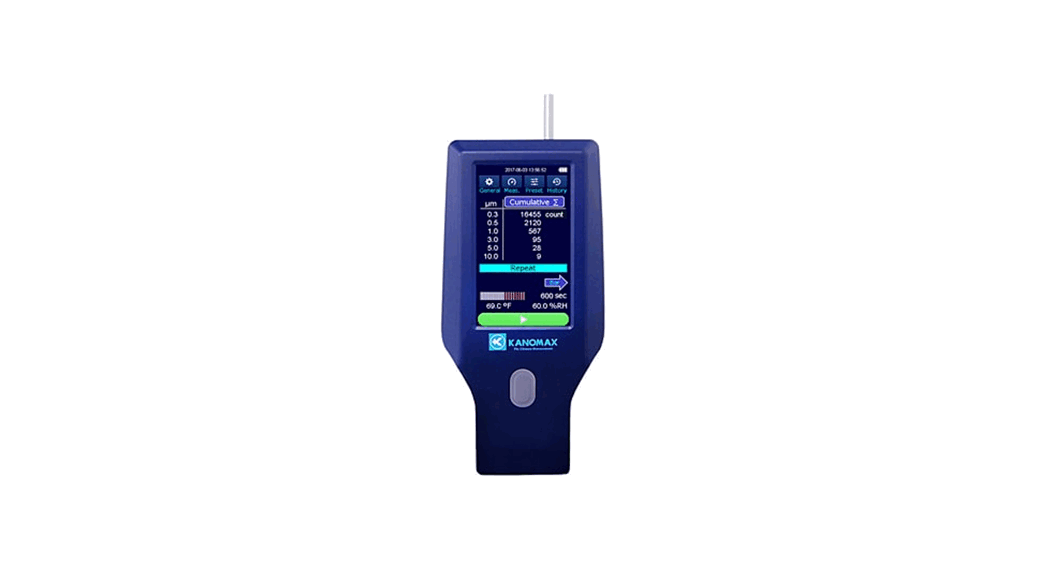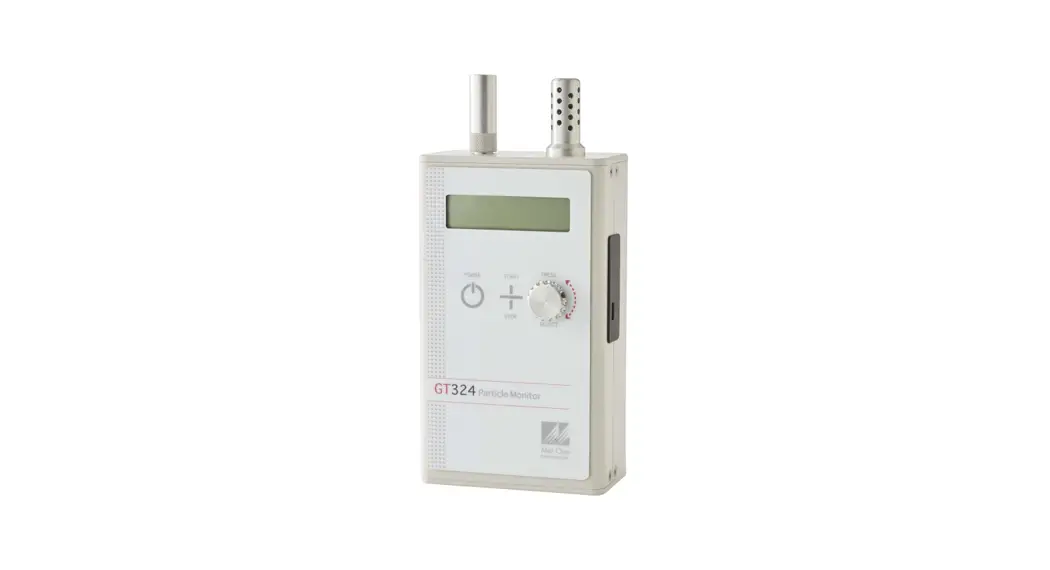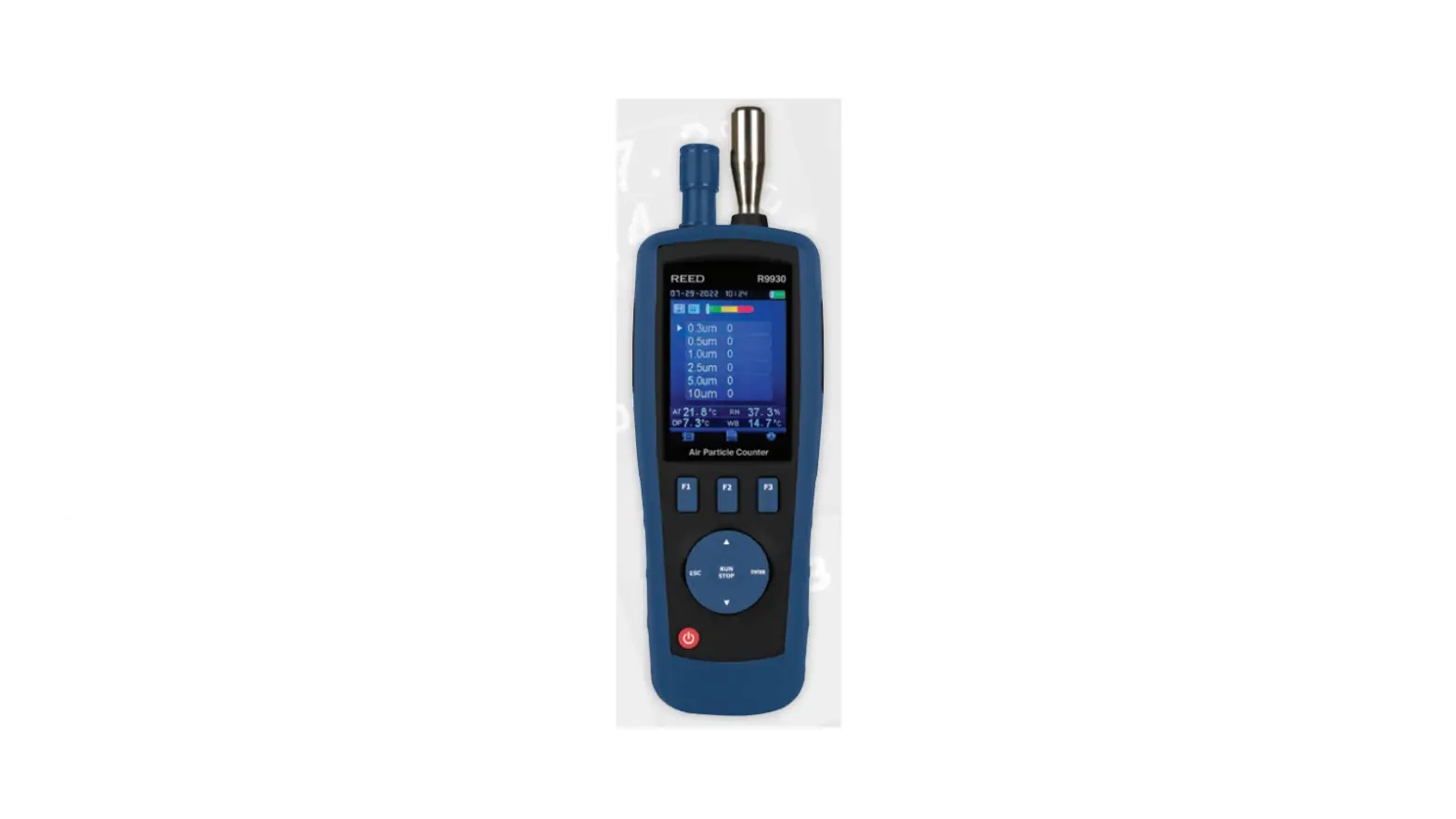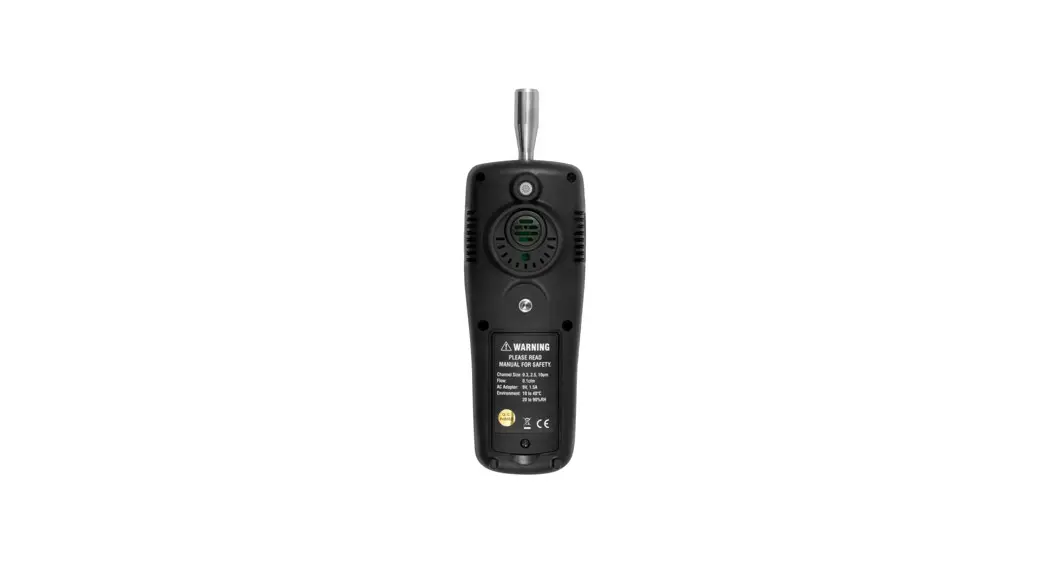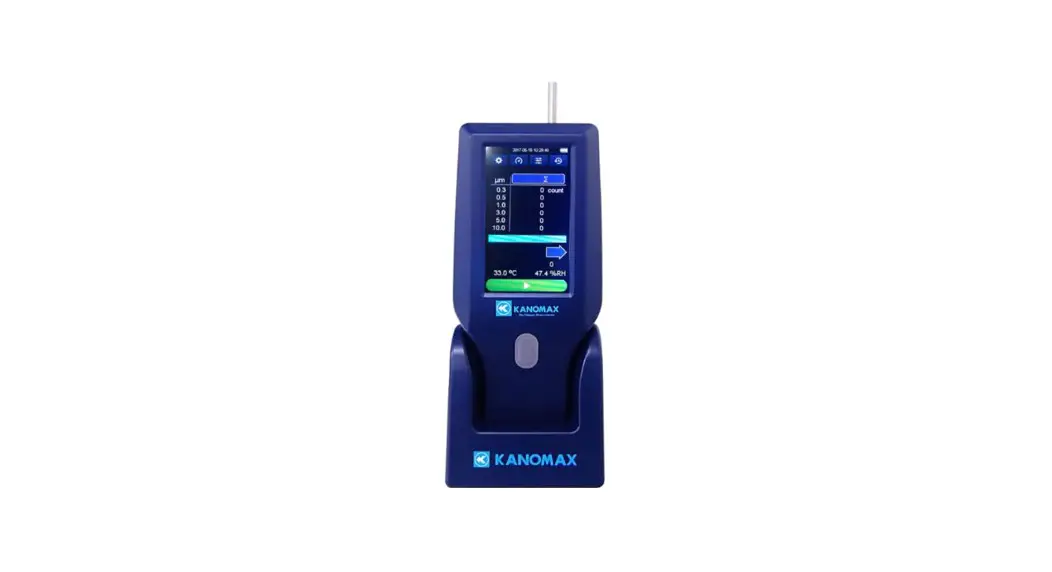
 3889-01 KIT Handheld Particle Counter Kit
User Manual
MODEL 3888/3889
List of Components
■ Standard
| Items | MODEL | Functions |
| Body | 3888 | Body (or 3889) |
| AC Adaptor | 3888-10 | Operates the instrument with AC power and charge the internal rechargeable battery |
| USB Cable | 3888-20 | Communicates with PC or Printer |
| Zero Count Filter with tubing | 3888-60 | Cleans the air flow path inside the instrument with clean air |
| Inlet Protective Cap | 3888-61 | Keeps out dust and contaminants from the instrument when not in use |
| 18650 Lithium ion battery | – | Supplies power to the instrument Nominal voltage:3.7V Rated capacity:2600mAh min. Outline size:18mm Length:69mm With a protection function |
| Quick Start Guide | – | |
| Measurement Software | 3888-40 |
■ Optional Accessories
Items | MODEL | Functions |
| Temperature/Humidity Probe | 0842 | Measures temperature and humidity |
| Cradle | 3888-70 | Stands the instrument and perform Ethernet/Wi-Fi/RS485 communications |
| Isokinetic Suction Nozzle | 3887-04 | To be connected to the inlet to match the measurement condition with the sampling air |
| Carrying Case | 3888-71 | Stores the instrument |
| Tripod | EX-344Q | |
| Printer | DPU-S245- 00B | Prints the measured data directly from the instrument |
| Printer Cable | 3888-21 | Connects the instrument with a printer |
| Printer Roll Paper | TP-202L | A 10-roll package |
Important Safety Information
The symbols for the warnings used in this manual are defined below:
Classifications Warning
Warnings in this classification indicate risks that may result in serious injury or death if not observed. Caution
Warnings in this classification indicate risks that may result in injury or damage to the surrounding objects if not observed.
Notice
Warnings in this classification indicate risks of damage to the product that may void the product warranty if not observed. Description of Symbols
This symbol indicates a condition that requires caution (including warning). The subject of each caution is illustrated inside the triangle (e.g. the high temperature caution symbol is shown on the left). This symbol indicates a prohibition. Do not take the prohibited action shown inside or near this symbol (e.g. the disassembly prohibition symbol is shown on the left).
 This symbol indicates a mandatory action. A specific action is given near the symbol.
 This symbol indicates a warning of possible laser radiation. Warning
 (Forbidden)Do not use the AC adaptor other than the provided one with the instrument.
Using an inappropriate adaptor may damage the instrument.
It may generate heat and cause fire. (Do not remodel/disassemble) Never disassemble, modify, or repair.
This instrument uses a Class 3B laser diode as the light source.
Exposure to the laser may cause loss of eyesight and other injury.
Never open the instrument other than the battery compartment. (Handle properly) Handle the instrument properly in accordance with the instructions provided in this manual.
Failure to do so may cause electric shock, fire, or sensor damage. (Caution) If abnormal noise, smell, or smoke is observed, or if liquid has entered the instrument, turn off the power immediately, remove the batteries or pull out the plug.
Failure to observe the above may cause electric shock, fire hazard, or damage.
Please contact your local distributor or Kanomax service center for repair. Caution (Handle properly) Pull out the plug when the instrument is not in use.
Failure to do so may cause electric shock, fire hazard, and circuit damage.
Notice (Forbidden) Do not use or keep the instrument in hot, humid, or dusty environment. Do not expose the instrument to direct sunlight for a prolonged period of time.
The instrument may not function properly out of the specified operational temperature range. (Forbidden) Do not subject the instrument to strong impact.
Dropping or hitting the instrument may cause damage and malfunction. (Forbidden) Do not wipe the instrument with volatile solvent.
The body may deform or deteriorate. Use soft dry cloth to remove stains.
If stains persist, soak the cloth in neutral detergent and wipe the instrument with the cloth. (Forbidden) Do not touch the LCD screen with a sharp-pointed object or with excessive pressure.
It may cause distortion of the screen or a malfunction.
A rapid temperature change may cause a malfunction of the screen. (Handle properly) When storing the instrument, put the instrument in the carrying bag and keep it in a place with an ambient temperature of -10 to 50℃ and no condensation. (Forbidden) Do not dispose of the instrument as household waste.
Please note that the disposal of the instrument and batteries should be in line with your local or national legislations. For details, please consult with your local distributor.
Part Names and Functions
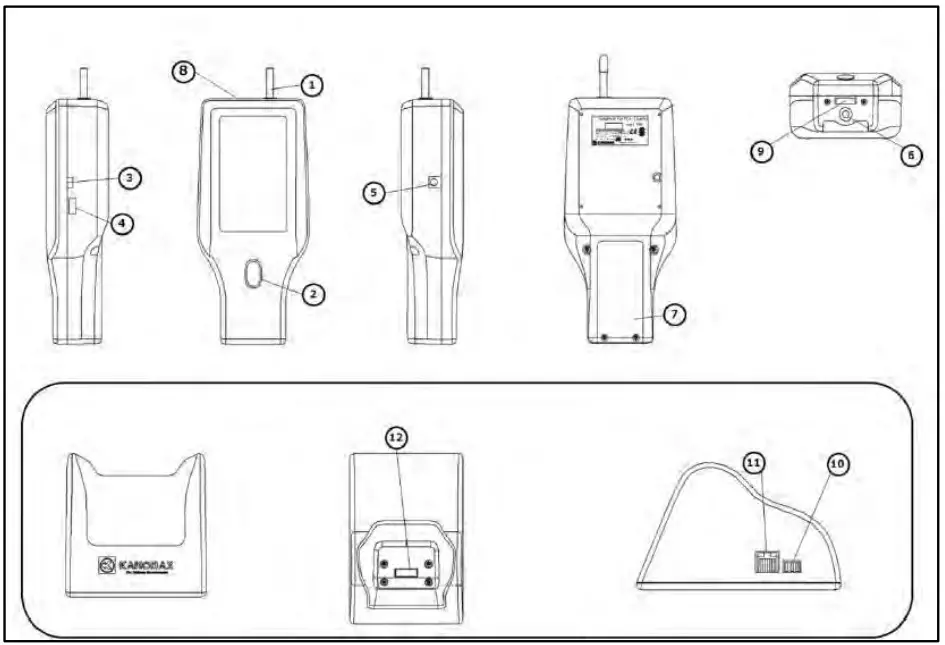 The cradle is an optional accessary.
Names | Functions |
| 1. Inlet | 2.83L/min suction volume Outer diameter 6.4mm |
| 2. Power/Home button | Turns the power ON/OFF To return to the Main screen in operation |
| 3. USB port (for PC) | Connects with your PC by using the USB cable |
| 4. USB port (for Printer, for USB flash memory) | Connects with the printer by using the USB cable Allows you to copy the measurement results to the USB flash drive |
| 5. DC jack | Supplies power with the provided AC adaptor |
| 6. Threaded tripod mount | Attaches instrument to the tripod |
| 7. Battery compartment | The battery is replaceable |
| 8. Temperature/Humidity probe terminal (only for 3889) | Connects the temperature/humidity probe |
| 9. Communication port with cradle | Communicates with the cradle |
| 10. Communication port | RS-485 port |
| 11. Communication port | Communicates with the Ethernet |
| 12. Communication port with the Main body | Communicates with the main body |
Getting Started
Charging Batteries
- This instrument operates on the internal rechargeable battery or the provided AC adaptor.
Connect the provided AC adaptor to start charging. It takes approximately 5 hours to charge the battery completely. - If the battery’s run-time becomes shorter, the battery is replaceable. Open the compartment to replace the batteries with new 18650 Lithium-ion rechargeable batteries with protection circuit. (69mm length).
Caution
- Rapid temperature changes may cause measurement errors. When moving the instrument from one location to another with different ambient temperature allow a sufficient time for the instrument to return to room temperature. (more than ten minutes )
Checking the Temperature/Humidity Probe (Optional accessory for the MODEL 3889)
- Prolonged measurement under high temperature conditions or measurement under rapid temperature change may result in abnormally high humidity readings due to condensation.
If condensation occurs, leave the probe in atmosphere of 40%RH or less for 24 hours to dry the probe.
Turning the Power ON/OFF
- Press and hold the Home button to turn the power on. A logo appears and then it turns to the startup screen. When the pump and other parts are ready to perform a measurement, the Main screen for ready to measure will be displayed.
- To turn the power OFF, press and hold the Home button (3 second or more) from any screens.
Measurement Procedures
Turning the Power ON
- Press and hold the Home button to turn the power on. A logo appears and then it turns to the startup screen. Touch the startup screen to display the Main screen ready to measure.
Internal Cleaning
- Prior to use, purge the instrument (for internal cleaning) with the provided zero filter.
- Remove the Inlet protective cap, and attach the provided zero count filter to the inlet.
- Turn the power on and press the Start button. Perform a continuous measurement for 10 to 15 minutes until the measuring count value is suitable for 10 sec. or more.
- After measurement, remove the zero count filter from the inlet.
Measurement
- Use the General setup and Measurement setup sub-menus to configure the necessary settings.
- Set the measurement conditions from the Measurement mode. You can also select the measurement conditions from the Preset.
- Return to the Main screen. Press the Start button to perform a measurement.
- The measurement will complete automatically or by pressing the Stop button.
- The previous measurement results can be viewed from the History sub-menu.
Turning the Power OFF
- Press and hold the Home button from any screens to turn the power OFF.
Errors
- The following table explains possible errors due to self-diagnosis function. Even if an error occurs, the measurement and other processes will be continued.
| Laser power failure | Failure or end-of-life of the laser diode |
| Flow rate | The pump current has increased or decreased. Remove the inlet cap and filter from the instrument. If the error persists, the possible cause is failure or the end-of-life of the pump. |
| Maximum measurable concentration exceeded | The concentration exceeds the maximum measurable range. Perform the measurement at a cleaner location or with the Zero count filter |
User Interface
Main Screen
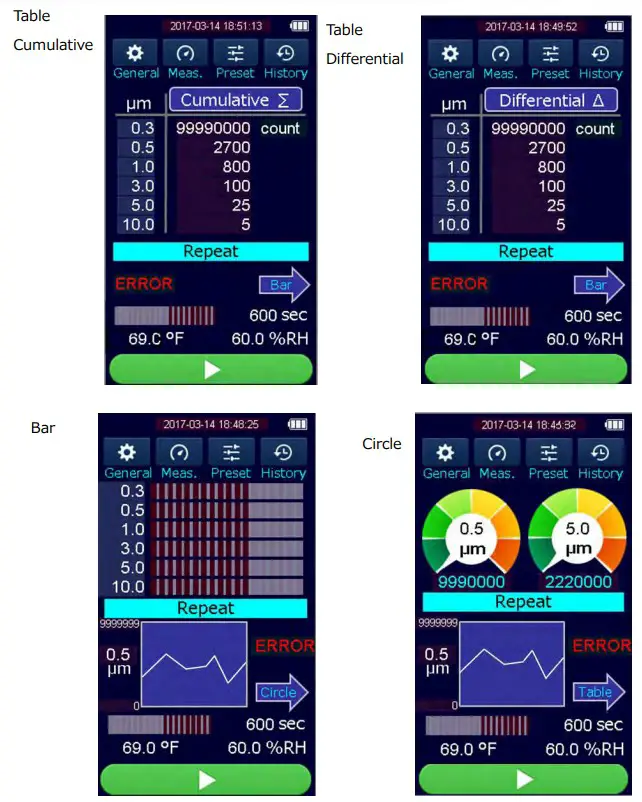
- There are four configurations for the main screen that can be selected to best suit your purposes. (The figures below show the user interfaces of 6 channel Model 3889.) From each Main screen, you can move to sub-menu screens.
| Icons | Names | Functions |
 | General setting | Opens the menus to set the unit, calendar, data, sound, language and to display instrument information |
 | Measurement setting | Opens the menu to set the mode, alarm, save, remote and temperature/humidity |
 | Preset | Opens the menu to set or select up to 18 Presets |
 | History | Views the historical data or measurements |
 | Change chart types | Switches the chart types: Bar → Circle → Table ∑ |
 | ∑Δ Display Switching | Switches between Cumulative ∑ and Differential Δ |
 | ∑Δ Display Switching | Switches between Cumulative ∑ and Differential Δ |
 | Start | Starts a measurement |
 | Stop | Stops a measurement |
 | Particle Size Setup | Tap the chart window to set the required particle size |
 | Particle Size Setup | Tap the circle chart to set the required particle size |
 | Error | Tap the Error to display an error description |
 | Battery Level | Icons show how much battery is remaining. AC adapter |
Icons | Names | Functions | |||||||||||||||||||||||||||||
|
Repat | Mode Display | Displays the selected measurement modes
| |||||||||||||||||||||||||||||
Displays the selected preset modes
| |||||||||||||||||||||||||||||||
General setting
- Select the [General setting] icon on the Main screen to set the unit, calendar, data, language, and sound. This menu indicates the instrument information.


Icons | Names | Functions |
 | Unit | Select one of the following 3 options of units to reflect to the readings displayed on the Main screen and Measurement results. • count: Measured particle count • /m3: Particle count per cubic meter • /ft3: Particle count per cubic foot |
 | Calendar | Set the date and time • Touch the setup button to display the numeric keypad. Enter 2 digits in blanks for year, month, day, hour, and minute. |
Icons | Names | Functions | ||||
 | Data | Confirms the information and perform operation on the entire measured data • Memory remaining: Displays the ratio of the free space to the whole memory capacity. • Number of Records: Displays the number of the stored records. • Copy: Copies all files to the USB flash memory. • Delete: Deletes all files. It is therefore recommended to copy the files prior to use this function. Note that copying the measured data to the USB flash memory and deleting from the internal memory are not partial but batch processing. Follow the following procedure. | ||||
Step 1 | Step 2 | Step 3 | ||||
| Select [Data] in the General setting | 【Copy the measured data to the USB Flash Memory】 Copy all Copy allInsert the USB flash memory into the main body and tap the [Copy all] button. |  YES NO YES NOTap [YES] to execute. Tap [NO] to return without running the command. | ||||
| 【Delete the measured Data】 Delete all  Tap the [Delete all] button. Tap the [Delete all] button. | ||||||
 | Language | Selects a language English, Japanese, Chinese, Spanish | ||||
 | Sound | Sets the operation sound ON/OFF | ||||
 | Information | Displays the instrument information Latest calibration date: Depending on the usage and condition, it is normally recommended to calibrate at least once a year. Version: To show firmware version of the instrument. | ||||
Measurement setting
- Select [Measurement Setup] in the Main screen to set the mode, alarm, save, remote, and temperature/humidity.


Icons | Names | Functions | ||||||
|
|
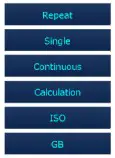
Mode | Selects 6 options of the measurement modes. Measurements will be performed under the latest mode setting. • Repeat mode: Repeats the measurement of configured sampling time and cycle. • Single mode: Performs a measurement of set sampling time only once. • Continuous mode: Continues a measurement until pressing the Stop button • Calculation mode: Repeats the measurement under the same condition of the Repeat mode and then calculate the average, standard deviation, maximum, and minimum • ISO mode: Performs measurements in accordance with ISO 1464 • GB mode: Performs measurements in accordance with Chinese National Standard | ||||||
| Set the required conditions for 6 options of measurement modes. | ||||||||
| location | Sampling time | Repeat count | Interval time | |||||
| Repeat | ✔ | ✔ | ✔ | ✔ | ||||
| Single | ✔ | ✔ | ― | ― | ||||
| Continuous | ✔ | ― | ― | ― | ||||
| Calculation | ✔ | ✔ | ✔ | ✔ | ||||
| ISO | ✔ | ✔ | ✔ | ✔ | ||||
| GB | ✔ | ✔ | ✔ | ✔ | ||||
Tap indication 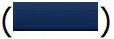 to display a Ten keyboard. to display a Ten keyboard.Set the measurement conditions by entering numbers. 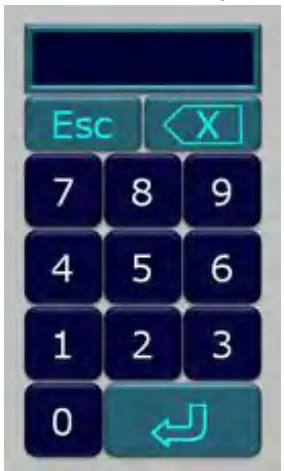 | ||||||||
| Items | Description | Range | ||
| Location | Sets measurement locations by number. | From 1 to 99 | ||
| Sampling time | Sets the sampling time of 1 cycle. | From 6 sec. to 99 min. 59 sec. | ||
| Repeat count | Sets the number of repeat. | From 2 to 999 | ||
| Interval time | Sets the interval between the starting time of a measurement and the starting time of the next measurement. The repeat interval must be longer than sampling time. Difference between interval time and sampling time is suspension time. | From 6 sec. to 99 min. 59 sec. |
Icons | Names | Functions |
 | Alarm | Configures the alarm setting for the measured values in the Cumulative value. Tap indication |
 | Save | Toggles between saving or not saving the measurements |
 | Remote | Use this setting to perform measurements according to commands from a remote computer • Setting: sets the communication method for the “RS485”, “Ethernet”, “Wi-Fi” and each connection method’s parameters. ID is the identification number of the device. • Connection: starts to connect outer PC |
 | Temperature/ Humidity | Sets measurement with the temperature/humidity probe ON/OFF and set the temperature unit (°C or °F) (Only for 6-channel model 3889) |
Preset
- Select [Preset] in the Main screen to set and select measurement conditions.

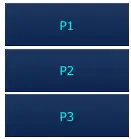
- Three options of Preset number provide 6 measurement modes each; therefore 18 measurement conditions in total can be preset.
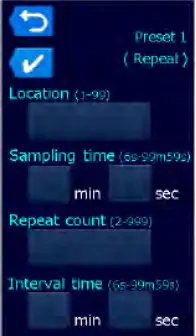
- When setting the Preset, select one of the 18 measurement modes in the Step 3, then set the measurement conditions in the Step 4 as shown below:

Step 1 | Step 2 | Step 3 | Step 4 |
| Select | Select one Preset number. | Select the Mode. | Set or confirm the |
| [Preset] in | No measurement | Measurement | measurement |
| the Main | conditions have been | conditions have been | conditions. Tap ✔ to |
| Screen. | selected yet. | selected here. | select mode. |
|  |  |  |
History
- Select [History] in the Main screen to confirm the previous measurement results.


Step 1 | Step 2 | Step 3 | |
Select [History] in the Main screen. | Select one of the measurement modes.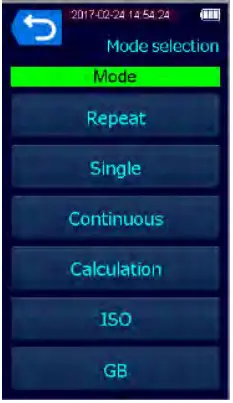 | The measurement results is displayed.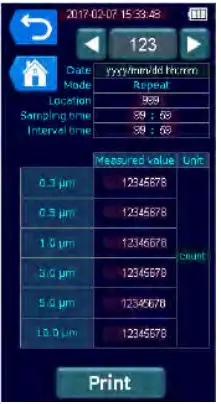 |  Displays the history of the previous number. Displays the history of the previous number. Displays the history of the next number. Displays the history of the next number. Selects and display the history of the arbitral number. Selects and display the history of the arbitral number.Selects the unit. Prints the result. |
Print Example
The following figures show print examples of 6 channel model.
(1) Repeat mode
| 2017/3/30 11: 02 | E= – – – | |
| Repeat | Number | 1 |
| Location | 1 | |
| S-Time | 00:21 | |
| I -Time | 00:21 | |
| 0.3um | 16 | CNT |
| 0.5um | 14 | CNT |
| 1.0um | 12 | CNT |
| 3.0um | 2 | CNT |
| 5.0um | 1 | CNT |
(2) Single, Continuous mode
| 2017/3/30 11: 02 | E= – – – | |
| Single | Number | 1 |
| Location | 1 | |
| S-Time | 00:21 | |
| 0.3um | 16 | CNT |
| 0.5um | 14 | CNT |
| 1.0um | 12 | CNT |
| 3.0um | 2 | CNT |
| 5.0um | 1 | CNT |
| 10.0um | 1 | CNT |
(3) Calculation mode
| 2017/3/30 11: 02 | E= – – – | |
| Calculation | Number | 7 |
| Location | 1 | |
| S-Time | 00:21 |
| 0.3um | AVE | 87CNT |
| SD | 128CNT | |
| MAX | 235CNT | |
| MIN | 0CNT | |
| 0.5um | AVE | 39CNT |
| SD | 66CNT | |
| MAX | 116CNT | |
| MIN | 0CNT | |
| 1.0um | AVE | 12CNT |
| SD | 19CNT | |
| MAX | 35CNT | |
| MIN | 0CNT | |
| 3.0um | AVE | 0CNT |
| SD | 0CNT | |
| MAX | 1CNT | |
| MIN | 0CNT | |
| 5.0um | AVE | 0CNT |
| SD | 0CNT | |
| MAX | 0CNT | |
| MIN | 0CNT | |
| 10.0um
| AVE | 0CNT |
| SD | 0CNT | |
| MAX | 0CNT | |
| MIN | 0CNT |
(4) ISO mode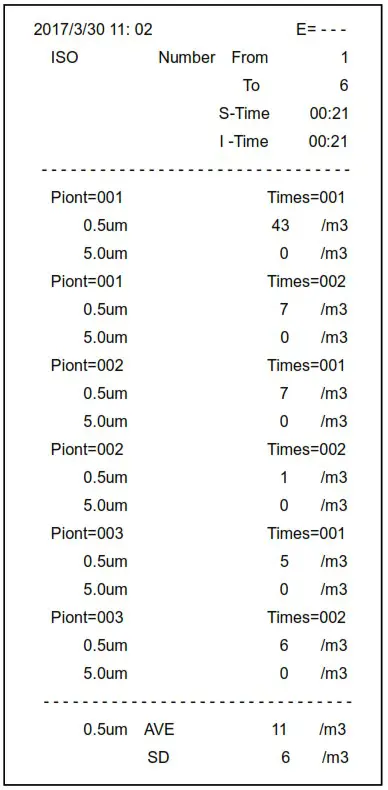 (5) GB mode
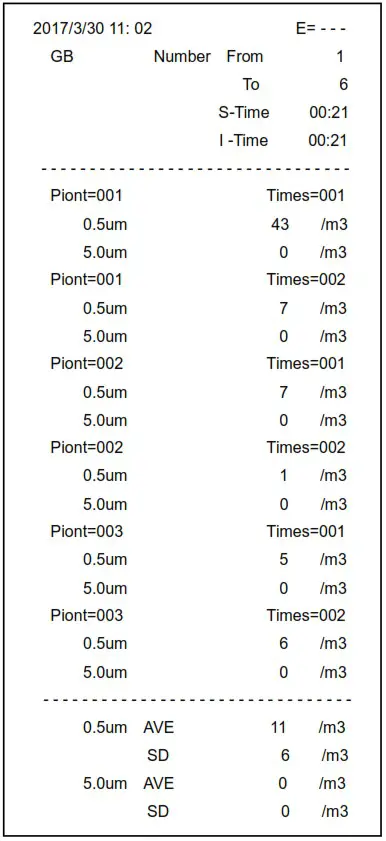 Screen Transition
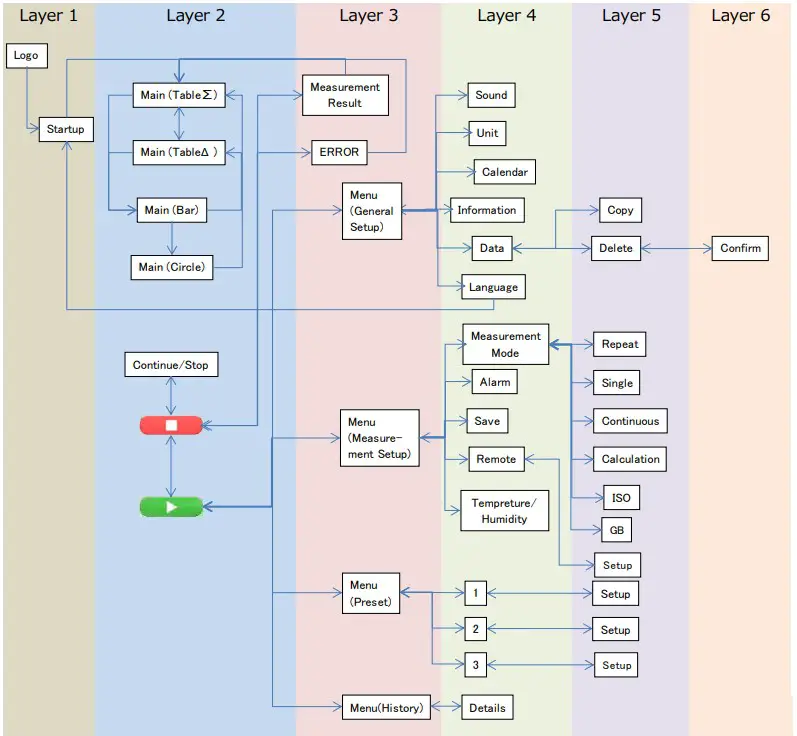
- The screens are structured by 6 layers and the operations are mainly performed from the Layer 2 and higher.
- The Main screen for ready to measure is displayed when the instrument is not in the measuring process. The Main screen for measurement is displayed when performing
measurements. - From the Main screen before measurement, you can move to the 4 menu screens: General setting, Measurement setting, Preset, and History.
- Pressing the Home button on the main body will jump from a screen of any layers to the Table∑ on the Main screen.
Specifications
| Product | Handheld Particle Counter | |
| Model | 3888 (3-channel model) 3889 (6-channel model) | |
| Particle Measurement | Measuring method | Light scattering |
| Size distribution | 6 channels (0.3, 0.5, 1.0, 3.0, 5.0, 10.0µm) 3 channels (0.3, 0.5, 5.0µm0 | |
| Flow rate | 0.1CFM (2.83L/min) Accuracy: ±5% (Compliant with JIS B9921 and ISO21501-4) | |
| Sampling time | From 6 seconds to 99 minutes and 59 seconds (for 1 measurement cycle) | |
| Interval time | From 6 seconds to 99 minutes 59 seconds (Interval between the start and the next start of the repeat measurements) | |
| Sampling cycle | From 1 to 999 cycles or continuous measurements | |
| Location classification | 99 locations | |
| Calibration | NIST traceable | |
| Measuring mode | Repeat, Single, Continuous, Calculation, ISO, GB | |
| Display time of measured value | From 1 to 10 seconds | |
| Display of measured value | Differential Δ and Cumulative∑ | |
| Maximum measurable Concentration | 2,000,000 particles/CF at 10% coincidence loss (compliant with JIS B9921 and ISO21501-40 | |
| Counting efficiency | 50±20%(for PSL particles near the minimum measurable size) 100±10%(for PSL particles of 1.5 to 2 times as large as the minimum measurable size) (Compliant with JIS B9921 and ISO21501-4) | |
| False count | ≦1 particle/5 minutes (Compliant with JIS B9921 and ISO21501-4) | |
| Size resolution | ≦15% (for PSL particles near 0.3µm) (Compliant with JIS B9921 and ISO21501-4) | |
| Pump | Internal pump (Vane) | |
| Exhaust | With filter | |
| Display | 4.3 inch color LCD, Resistive touch panel | |
| Communication | Standard | USB (Host: for printer and USB flash memory, Device: for PC) |
| Cradle (Option) | Ethernet, Wi-Fi, and RS485 (9600, 19200, 38400 baud) | |
| Recording media | Media | Internal memory |
| Number and format | Up to 10,000 records in CSV format | |
| Language | English, Japanese, Chinese, and Spanish | |
| Power | Internal supply | Li-ion rechargeable battery (Replaceable) |
| External supply | AC adaptor Input 100 to 240 V | |
| Continuous operation time | Up to 5 hours(Single measurement) | |
| Operating environment | Main body | From 10 to 40 ℃, from 0 to 85%RH (With no condensation) |
| Probe | From 0 to 50 ℃, from 2 to 98%RH (With no condensation) | |
| Dimension | W100 X H213 X D55 mm | |
| Weight | 650g | |
| Hydrothermal measurement (Option) (6 channel) | Probe | Model 0842 |
| Measurement range | (Temperature) From 0 to 50℃ (Humidity) From 2.0 to 98.0%RH | |
| Display resolution | (Temperature) 0.1℃ (Humidity) 0.1% | |
| Humidity accuracy | ±3.0% (30 to 85%RH), ±5% (other range of humidity) | |
| Temperature accuracy | ±0.5℃ | |
| Response time | Approximately 60 seconds or less(90% response) | |
Wi-Fi is a trademark or a registered trademark of Wi-Fi Alliance.
Troubleshooting
Symptoms | Possible causes(s) → Solution(s) | Reference |
| The display does not appear when the power is turned ON. | The AC adapter is not connected properly. * Confirm the AC adapter and power cable. Low battery * Replace the batteries. * Recharge the batteries. | 6 |
| The battery drains fast. | The battery is deteriorated. * Replace the battery | 6 |
| Particle count or concentration is too high. | The actual concentration is high or the instrument may malfunction. * Attach the provided Zero count filter and confirm that the reading drops to zero. If the reading remains high, the instrument may malfunction. Please contact Kanomax USA. | 7 |
| Particle count or concentration is too low. | Laser power failure or flow error * The instrument may malfunction. Please contact Kanomax USA. | – |
| The printer does not operate. | Incorrect baud rate setting * Confirm the printer setting. | – |
| Data can not be stored. | Saving data function is OFF →Confirm the save setting. | 12 |
| The number of recorded data may exceed 10,000. | 10 | |
| The measured value of the | If Wi-Fi remote connection is used above a metal conductor, the Wi-Fi radio wave may be reflected and affect the measured result. * When using Wi-Fi connection above any metal conductor, please use a non – metallic spacer of 3 cm or more. | |
| particles maybe higher in | – | |
| Wi-Fi remote mode. |
Warranty and After Service
The limited warranty set below is given by KANOMAX USA, Inc. (hereafter referred to as “KUI”) with respect to this instrument, its attachment parts including standard accessories (hereafter referred to as “PRODUCT”) that you have purchased. PRODUCT you have purchased shall be the only one that the limited warranty stated herein applies to.
Your PRODUCT, when delivered to you in new condition in its original container, is warranted against defects in materials or workmanship as follows: for a period of two (2) years from the date of original purchase, defective parts or a defective PRODUCT returned to KUI, as applicable, and proven to be defective upon inspection, will be exchanged for a new or comparable rebuilt parts, or a refurbished PRODUCT as determined by KUI. Warranty for such replacements shall not extend the original warranty period of the defective PRODUCT.
To obtain service under this warranty, you must notify Kanomax USA, Inc. on or before the expiration of the warranty period to obtain directions for returning the defective product. You are responsible for all return shipping charges to the authorized Kanomax service center.
This limited warranty covers all defects encountered in normal use of the PRODUCT, and does not apply to the following cases:
- Use of parts or supplies other than the PRODUCT sold by KUI, which cause damage to the PRODUCT or cause abnormally frequent service calls or service problems.
- If any PRODUCT has its serial number or date altered or removed.
- Loss or damage to the PRODUCT due to abuse, mishandling, improper packaging by the owner, alteration, accident, electrical current fluctuations, failure to follow operating, maintenance or environmental instructions prescribed in the PRODUCT’s instruction manual provided by KUI, or service performed by other than KUI.
NO IMPLIED WARRANTY, INCLUDING ANY IMPLIED WARRANTY OF MERCHANTABILITY OR FITNESS FOR A PARTICULAR PURPOSE, APPLIES TO THE PRODUCT AFTER THE APPLICABLE PERIOD OF THE EXPRESS LIMITED WARRANTY STATED ABOVE, AND NO OTHER EXPRESS WARRANTY OR GUARANTY, EXCEPT AS MENTIONED ABOVE, GIVEN BY ANY PERSON OR ENTITY WITH RESPECT TO THE PRODUCT SHALL BIND KUI. KUI SHALL NOT BE LIABLE FOR LOSS OF STORAGE CHARGES, LOSS OR CORRUPTION OF DATA, OR ANY OTHER SPECIAL, INCIDENTAL OR CONSEQUENTIAL DAMAGES CAUSED BY THE USE OR MISUSE OF, OR INABILITY TO USE, THE PRODUCT, REGARDLESS OF THE LEGAL THEORY ON WHICH THE CLAIM IS BASED, AND EVEN IF KUI HAS BEEN ADVISED OF THE POSSIBILITY OF SUCH DAMAGES. IN NO EVENT SHALL RECOVERY OF ANY KIND AGAINST KUI BE GREATER IN AMOUNT THAN THE PURCHASE PRICE OF THE PRODUCT SOLD BY KUI AND CAUSING THE ALLEGED DAMAGE. WITHOUT LIMITING THE FOREGOING, THE OWNER ASSUMES ALL RISK AND LIABILITY FOR LOSS, DAMAGE OF, OR INJURY TO THE OWNER AND THE OWNER’S PROPERTY AND TO OTHERS AND THEIR PROPERTY ARISING OUT OF USE OR MISUSE OF, OR INABILITY TO USE, THE PRODUCT NOT CAUSED DIRECTLY BY THE NEGLIGENCE OF KUI. THIS LIMITED WARRANTY SHALL NOT EXTEND TO ANYONE OTHER THAN THE ORIGINAL PURCHASER OF THE PRODUCT, OR THE PERSON FOR WHOM IT WAS PURCHASED AS A GIFT, AND STATES THE PURCHASER’S EXCLUSIVE REMEDY.
1.888.610.7664 www.calcert.com
[email protected]
 Calcert