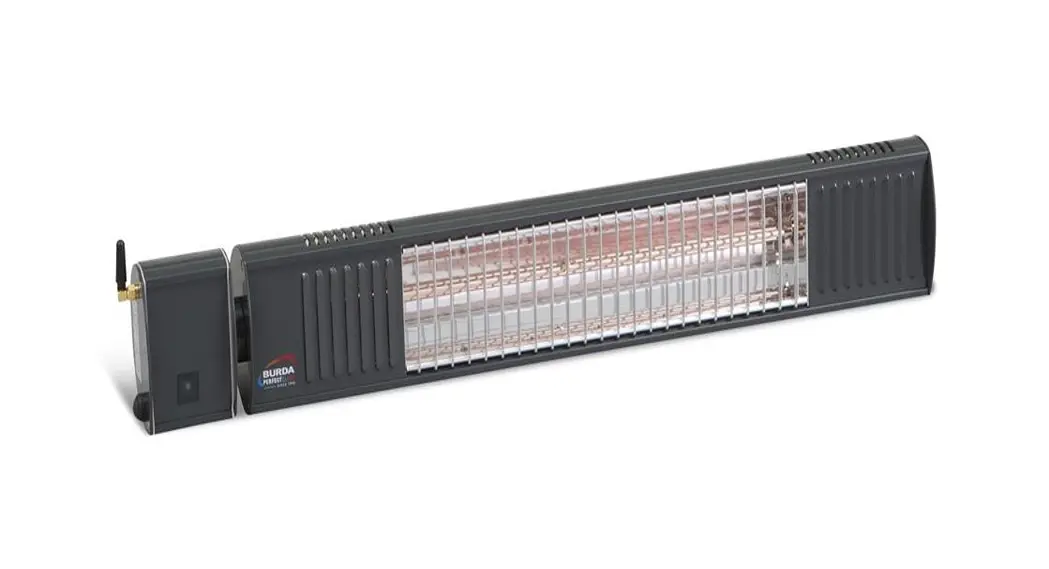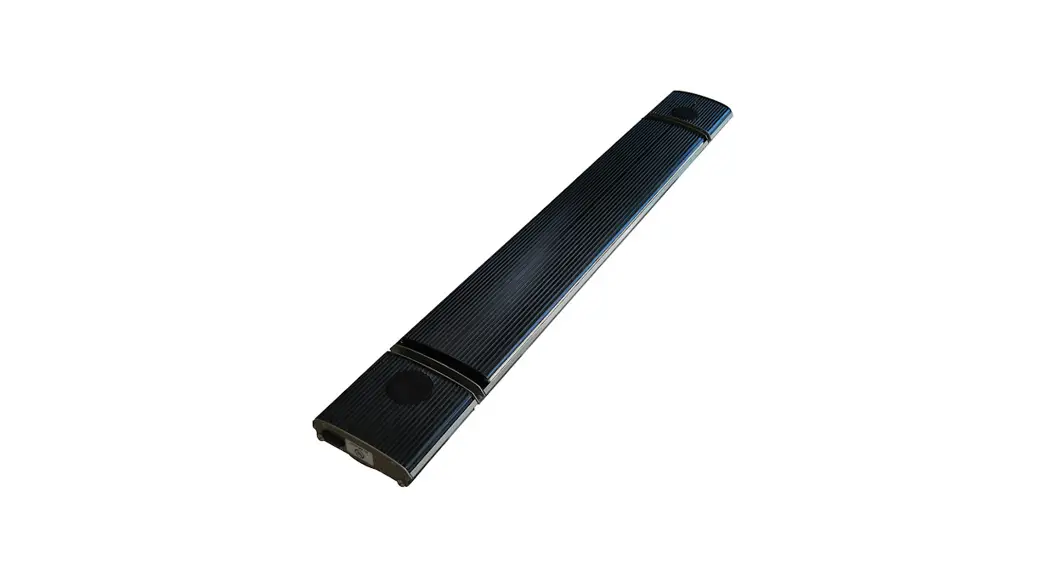

BLACK HEATER PRO 1000W
WITH BLUETOOTH AND SOUND
Read instructions carefully before setting up and operating the unit
This manual is designed to provide you with important information needed to set up, operate, maintain,
Due to continuous research and development, the specifications herein are subject to change without notice. 1. FOREWORD
Thank you for your trust and support in choosing the Radiant Heater, please read the instructions carefully before operating the product.
2. PRINCIPLE OF WORK
A far-infrared radiant heater is produced by unique design and manufacturing techniques.
Adopted special aluminum alloy radiation panel, the surface of panel process with special coating, inside of panel embed with the heating element, the heating element generates and transfers heat to people and objects after power.
The heat is spread in the form of radiation, emitted from radiant panel surface, transferred to people, wall, floor, ceiling, furniture, etc, like sunshine.
Radiant heating, will not lead to air convection, air is fresh and clean, to maintain indoor relative humidity and heat distribution, makes sense of natural, fresh, comfortable, like the warmth of sunshine bathing.
PERFORMANCE FEATURES
Comfortable:
No wind, light or odor will be caused during the running of this product, so the indoor air is clean without floating dust.
Energy-saving:
High heat generation efficiency and good heat radiation effect, controlling the temperature intelligently and saves power and energy.
Reliable:
The indoor temperature can be adjusted freely, free of the limitation of the heating season.
Physical therapy:
The heat radiant can change body microcirculation, cell organization under skin producing resonance, clearing the barrier of microcirculation, adjusting and balancing the nervous system, promoting metabolism, increasing body physical power. It is very good for people’s health.
4. WORKING CONDITION
Ambient temperature: -30 ℃ ~ +30 ℃
Rated Voltage: 220-240V~
Rated frequency: 50Hz/60Hz
Relative humidity: less than 95%
INSTALLATION REQUIREMENTS
1. Qualified installer:
Electrical installation certificate shall be held by professional installation personnel, the installation process should meet the national electrical safety standards.
2. Installation conditions:
- The supply voltage fluctuation range should be within ± 10%, if do not meet, must be revised before installation.
- If there is a serious security risk in users’ electricity environment, the installation should be refused, until eliminate the security risks.
- Electricity lines should be equipped with earth leakage protection devices and master switches.
- The ground wire should be connected to the grounding device on the building, if not, please consult to the professional installer, please do not put the ground wire to gas pipe, water pipe, lightning rod, or telephone grounding wire.
Electrical Parameters
| Model No. | Power(W) | Rated | Voltage(V) | Cable |
| NR10-1000W | 1000 | Current(A) | 220-240 | length(mm) |
INSTALLATION INSTRUCTION 
| Model No. | Dimension A(mm) | Dimension B(mm) |
| NR10-1000W | 975 | 200 |
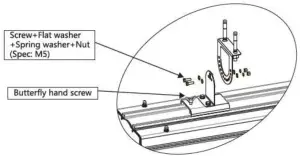
Step 1: Installation of adjusting bracket & sliding bracket. 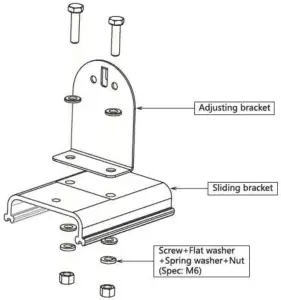
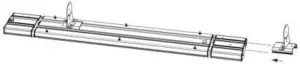
Step 2: Installation of sliding bracket & heater, as arrow points.
Step 3: Fix adjusting bracket into the wall by expansion screws. 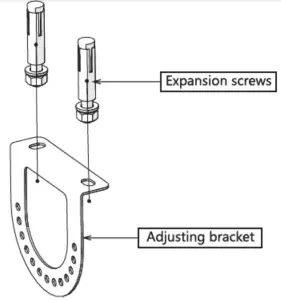
Step 4: Installation of two adjusting brackets; make sure lock brackets tight by butterfly hand screw.
INSTALLATION DIAGRAM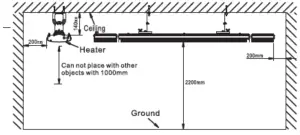
calling installation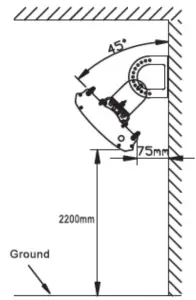
Install vertically in font
MANUAL FOR REMOTE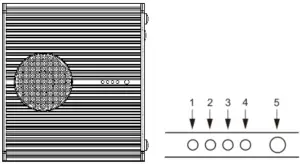
Heater LED indicate manual
AS above pic shows: There are 4 indicate lights in the temperature controller parts, these 4 indicate lights are used to indicate the machine’s running level. No.5 is far-infrared receiver; Attention: No. 1 indicates light has two color states, red and green.
1. After connecting with electrical, but keep turning off the heater. You will see all indicate lights not shines, like, please press (ON&OFF BUTTON ) to turn on the heater. Please noted:
Heater default setting runs in 100% power.
2. Press (POWER BUTTON) to adjust heater running power.
3. Press (CLOCK BUTTON) to control the heater turn off on setting hours.
Power levels
No. 1 indicates light has two color states, red and green.
Shines red: No.2 to No 4 lights shows in power setting;
Shines green: No.2 to No.4 lights shows in clock setting (time setting).
  | power level 25% |
| power level 50% |
| power level 75% |
| power level 100% |
light closed red light shines  green light shines green light shines |
| No in clock function(without time setting) |
| the heater will auto-close after 2 hours |
| the heater will auto-close after 4 hours |
| the heater will auto-close after 8 hours |
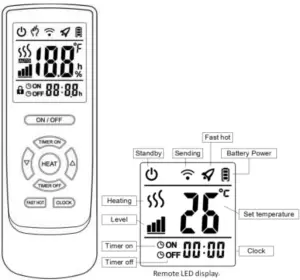
1. ON/OFF button
Press the ON/OFF button to turn
2. Clock button
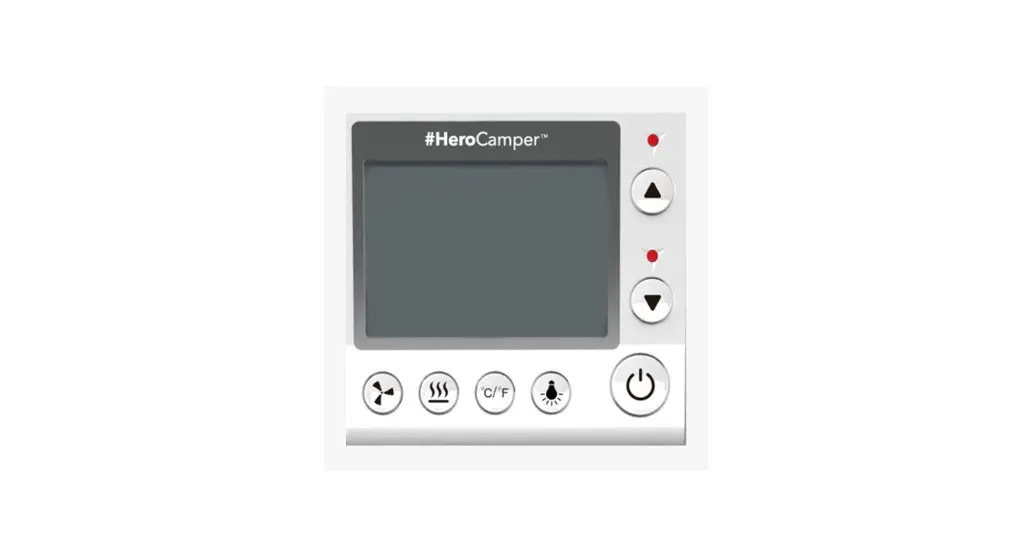
Remote is powered on(as shown in picture 2-1), the present time is 00:00, time setting as follows.
1)Press the clock button, the hour will flash(as shown in pictures 2-2), press the up or down button to change the hour setting.
2)Press the clock button, the minute will flash(as shown in pictures 2-3), press up or down button to change the hour setting
3)Press the clock button, the second will flash(as shown in pictures 2-4), press the up or down button to change the hour setting
4)Press the clock button again, the second stop flashing and the setting is finis finished.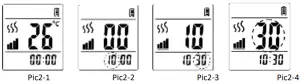
3. Heat button Press the level button to adjust the power when the heater is on(as shown in p in picture 3-1).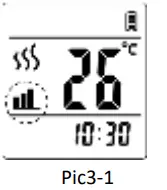
4. Fast hot button
Press the fast hot button to turn o Fast hot function is to let urn on/off fast hot function.
The fast hot function is to let the heater run at full power for a certain time, to achieve the purpose of rapid heating.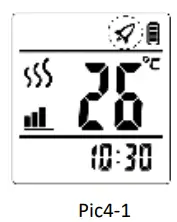
5. Timer on button
1)Press the timer on the button, it will show ON–:–(as shown in picture 5-1). 2)Press up or down to change
2. Press up and down to change hours(as shown in pictures 5 -2)
3. Press time on button again, hour stop shipping and minutes begin to shine press up or down to change minute ( as shown in picture 5-2)
4. press the time-on button again timer on function finished. It will show the present time 16;30 and on setting finished. (as shown in pictures 5-4).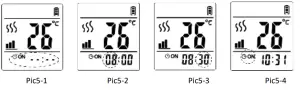 6. Timer off
1)Press the timer off button, it will show off–:–(as shown in picture 6-1).
2)Press up or down to change hour(as shown in pictures 6-2).
3)Press the time off button again hour stop shining and minute begin to shine press up or down to change minute as shown in picture 6-3).
4)Press the time off button again timer off function is finished. It will show the present time
16;30 and off. Timer off setting finished(as shown in pictures 6-4).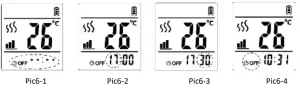 Bluetooth Speaker
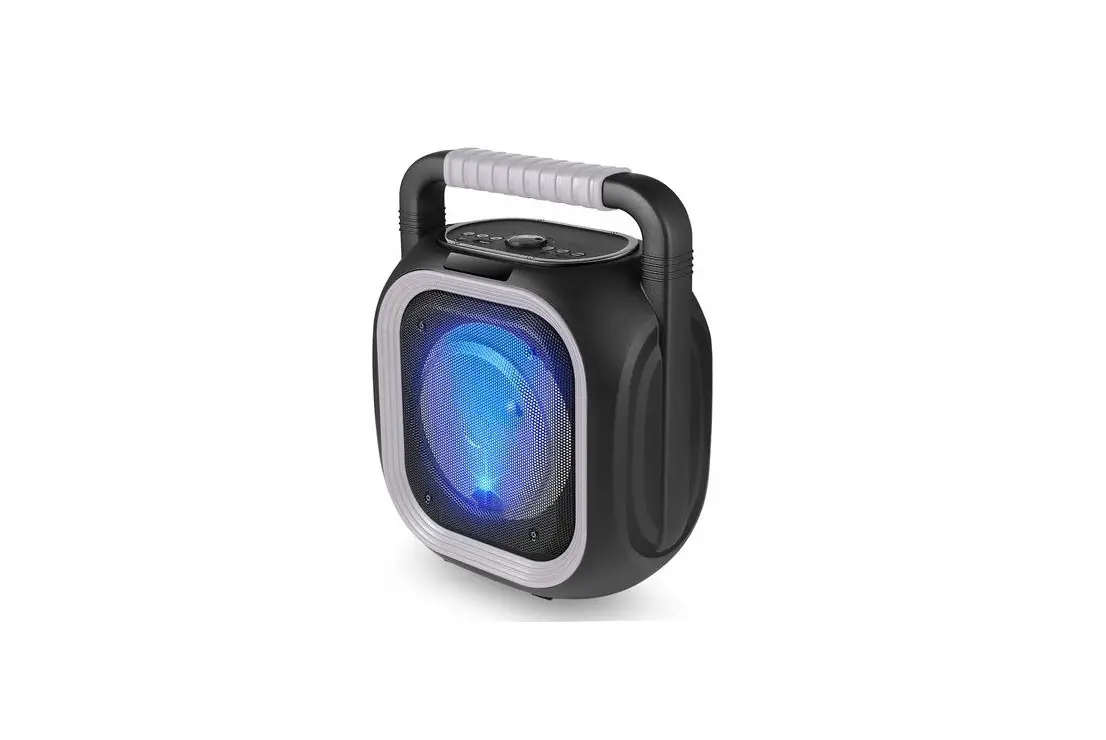
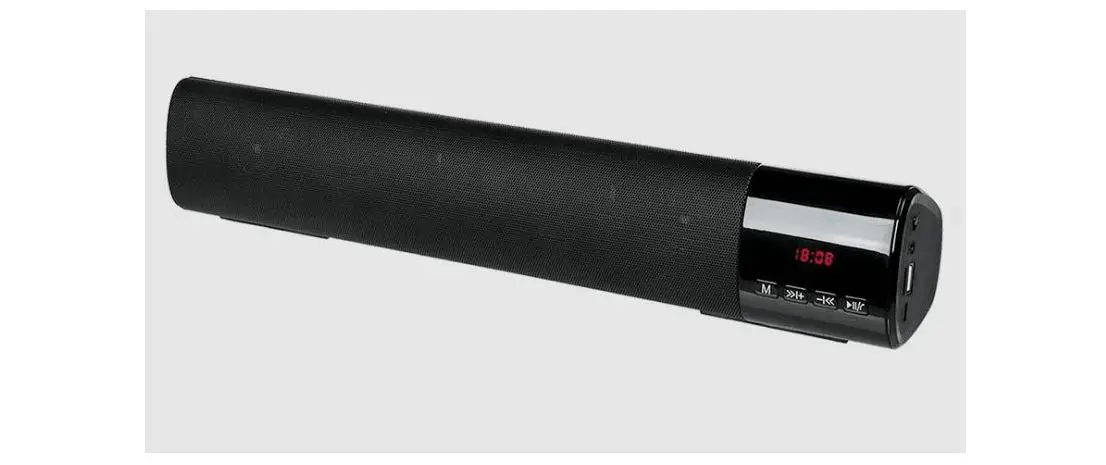
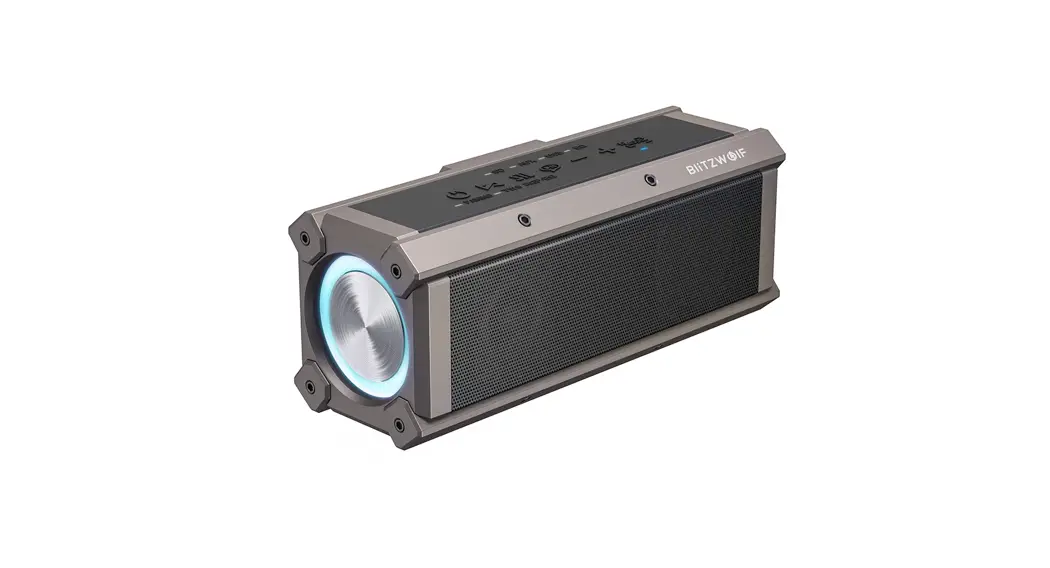
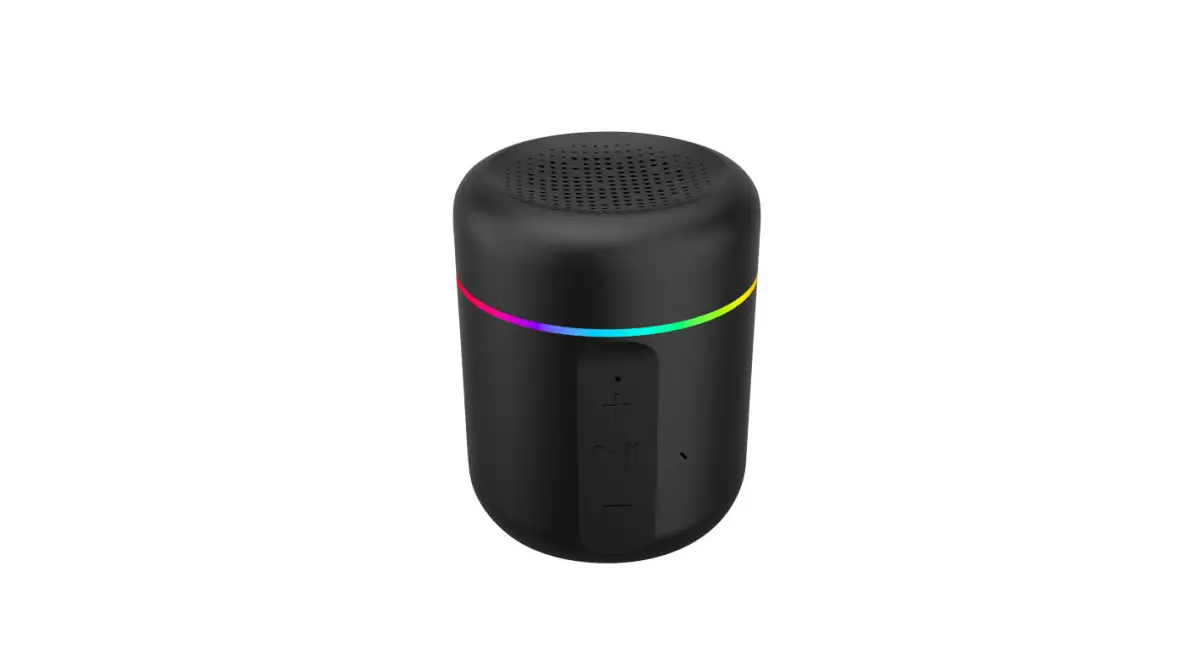
The Bluetooth speaker is turned on when the heater is powered on, speaker will enter pairing mode, then access the Bluetooth functionality on your device(such as mobile phone, laptop, PDA, etc.); Search for the device JH-HEATER-SPEAKER; When found, select and pair your device. When the phone (or another device) is connected to Bluetooth, you can use the Bluetooth sneaker to play music.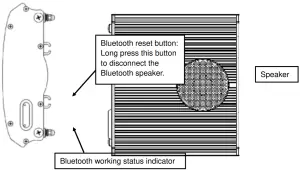 Bluetooth working status indicator: The green light is flashing: Bluetooth speaker is connected. Red-Green light is flashing: Bluetooth speaker waiting for a connection.
Note: 1. The speaker does not support the phone’s hands-free function 2. Due to the 2.4G radio interference, if the speaker does not match or play the music well, turn off the heater and re-power the heater.
INSPECTION ITEMS AFTER INSTALLATION
| Items to be checked | The situation caused by improper installation |
| Is installation stable? | The equipment may fall off or shake. |
| Is heat insulation adequate? | Damage objects close to the equipment. |
| Does power voltage the same as voltage shown on the product nameplate? | Equipment failure. |
| Does the wire connection correct? | Equipment failure. |
| Does electricity ground connect safely? | There is an electricity leakage risk. |
| Does wiring conform to the standard? | Equipment failure or circuit damage. |
10. ATTENTION
Due to thermal expansion and contraction, the heater would make noise when turning on or off. It’s a normal phenomenon, and won’t make bad affection.
11. INSPECTION ITEMS FOR COMMISSIONING
1. Cannot turn on the power before finishing all installation works.
2. All wire connections are correct and firm.
3. All scattered objects must be removed from the radiant heater’s body.
4. Connect with power to observe radiant heater working status.
12. SAFETY PRECAUTIONS
This appliance is not intended for use by persons (including children) with reduced physical, sensory or mental capabilities, or lack of experience and knowledge unless they have been given supervision or instruction concerning the use of the appliance by a person responsible for their safety. Children should be supervised to ensure that they do not play with the appliance.
WARNING: In order to avoid overheating, do not cover the heater.
- If the supply cord is damaged, it must be replaced by the manufacturer, its service agent, or similarly qualified persons in order to avoid a hazard.
- The heater must not be located immediately below a socket outlet.
- Do not use the same socket together with other appliances, in case of current overload. Make sure the plug and socket good contact.
- Please pull plugs out when power is off. We are careful, do not to pull wires by hand.
- Please stop power immediately once heaters fail or wires are broken. Users can not repair heaters by themselves. Please contact an authorized servicer for maintenance if heaters fail.
- The radiant heater can not be placed directly below the power outlet.
- Radiant heater surface temperature is high, must be installed higher than 2.2 meters above the ground.
- Radiant heater surface can not be covered and can not hang objects on equipment.
- The distance between the back of the radiant heater and roof should be larger than 150mm, can not objects within 1000mm distance in front of the heater, the side should
be kept at least 200mm away from the surrounding space. - Must cut off power and wait till equipment surface cool before cleaning, flushed by water is prohibited.
- Users can not repair the radiant heater, if equipment failure and need maintenance, please contact an authorized servicer.
- Do not install and use radiant heaters on areas that occur with flammable, explosive, easy to shock.
- Please do not insert any metal or foreign objects inside of the radiant heater, to avoid accident or personal injury.
- Radiant heater panel surface with high temperature, touch is forbidden, prohibit touch, beware of a scalding accident.
13. PACKING LIST
| No. | Name | QTY |
| 1 | Heater | 1pc |
| 2 | Adjusting bracket | 4pc |
| 3 | Sliding bracket | 2pc |
| 4 | Fastener | 1set |
| 5 | Owner manual | 1copy |
| 6 | Certification | 1pc |
14. SPECIFICATIONS
| Model No. | Dimension(mm | Packagesize(mm) | N.W.(kg) | G.W. (kg) |
| NR10-1000W | 975*189*67 | 1070*250*150 | 9 | 7.2 |
Bluetooth Speaker Technical Parameter:
| Technical | Frequency | 80Hz-18kHz |
| SNR | ≥90dB | |
| Sensitivity Rate | 80dB | |
| THD | 0.10% | |
| Bluetooth standard | V4.1+EDR(A2DP) | |
| Speaker | 4 Ω 5W ×2 | |
| Working range | ≤10m | |
| Output power | 10W | |
CORRECT DISPOSAL OF THIS PRODUCT This marking indicates that this product should not be disposed of with other household wastes.
To prevent possible harm to the environment or human health from uncontrolled waste disposal. recycle it responsibly to promote the sustainable reuse of material resources. To return your used device. please use the return and collection systems or contact the retailer where the product was purchased. They can take this product for environmentally safe recycling.
The product has applied for the patent, anyone who copies will be investigated into law responsibility! All rights reserved. Due to continuous research and development, the specifications herein are subject to change without notice.