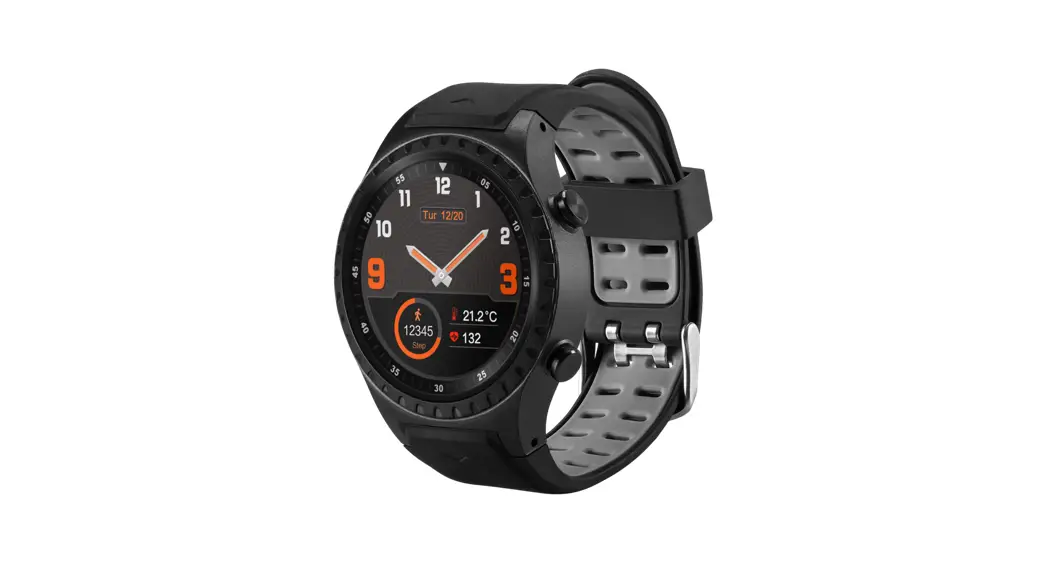

SW302
GPS
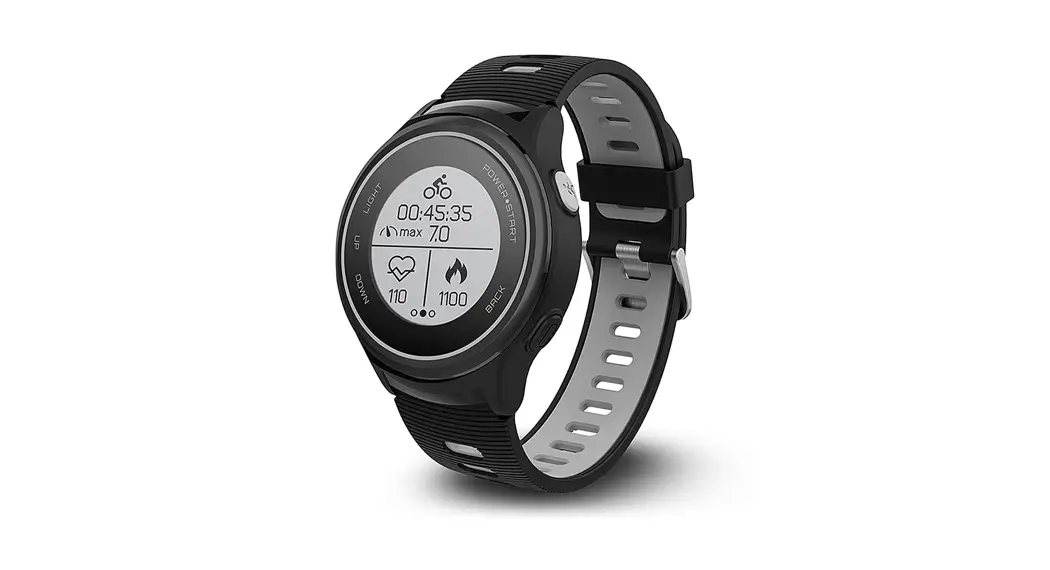
Smart watch
User’s manual
Technical specifications
Connection: Bluetooth v4.0 BLE + v3.0
Frequency range: 2.4–2.48 GHz
Maximal output radio frequency power: -4.59 dBm / 0.35 mW
Screen: IPS 1.30”
Control: touch screen and two buttons
Location tracking: integrated GPS module
Heart rate: automatic and manual
Call functionality: calls with an integrated microphone and speaker via Bluetooth connection
Battery: Li-ion
Charging: via charging clip
Battery life: up to 2 days
Battery life with active GPS: up to 8 hours
Battery life with power-saving mode: up to 5 d
Application: SMarT-TIME
Compatibility: Android 4.4 and above, iOS 8.0 and above, Bluetooth v4.0 and above
Ingress protection: IP65, protection from water jets
Strap: removable
Strap material: silicone
Sensors: accelerometer, optical heart rate monitor, altimeter, barometer
Wrist size: 16–23 cm
Weight: unit + strap 57 g
 | This device is designed to provide you with the data of your movements by tracking your daily activities and heart rate. It is not intended to be a medical device, thus, small oversights may occur (in the provided data). Driving, cycling and other physical activities involving movements of hands also may be counted as steps. |
| Factors that affect heart rate test results non-standard way of wearing (such as display toward wrist inner side) would affect heart rate signal measuring, such as:• the green light not fully covering your skin • arm swing and the slight movement of the device on the wrist • too tight wearing • raising the arm high and clenching the fist would affect blood circulation and affect the heart rate signal as wellas with all heart-rate tracking technology, whether a chest heart rate belt or a wrist-based sensor, the accuracy is affected by personal physiology, location of wear, and type of movement. |
 | The data of the heart rate meter should not be considered as medical accuracy results and it cannot be used as an accurate indication of your health condition. |
Product overview
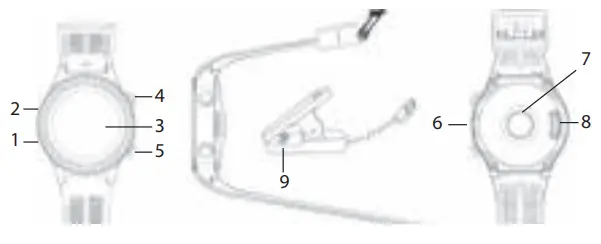
- Microphone
- Barometer sensor
- Touch screen
- Power button
- Heart rate button
- Speaker
- Heart rate sensor
- Charging contact
- Charging pins
Power button (4) – when pressed longer, this button performs a power on/off function, then pressed shortly gets back to the main smartwatch interface.
Heart rate button (5) – this button is for fast entering the heart rate measurements menu.
Charging
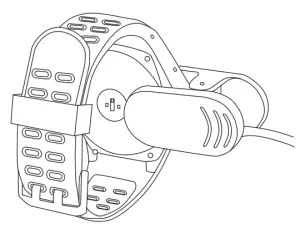
- Turn the watch over and put the charging clip on the watch. Make sure the charging pins of the adapter are touching the charging contacts of the smartwatch.
- Connect the charging clip‘s USB cable to a powered USB port – USB charger, power bank.
- It takes up to 3 hours to fully charge the smartwatch.
Pairing with a smartphone
| This device is designed to work with smartphones, supporting Bluetooth 4.0 or higher versions. Be sure that your smartphone’s Bluetooth hardware and software is working properly; otherwise, it may not be able to pair with the smartwatch or the connection may be unstable. |
- Download the SMarT-TIME application from App Store or Google Play to your smartphone. (accept all security requests of the application.)
- Enable Bluetooth on your smartphone. (Be sure that Bluetooth is also enabled on the smartwatch.)
- Open the application and allow all security requests of the application.
- Go to the settings section of the application and create your personal profile.

- Tap „add a new device“ in the device settings section, follow on-screen instructions and select the name of the smartwatch in the list of found devices. now your data and notifications can be synced. In case the smartwatch is not found – restart the application and the smartwatch by turning it off and on.

- an iPhone user has to open the Bluetooth menu of the phone and perform pairing with the smartwatch to enable full functionality of the smartwatch.


If you want to receive or make calls with a smartwatch, connect to SW302 in your phone’s Bluetooth settings and allow access to all requests.
| Some functionality may not work properly or work differently depending on the smartphone model and software. Such issues do not necessarily mean the malfunctioning of the smartwatch. |
| Time in the smartwatch will be set automatically after synchronization with a smartphone. |
Device controls
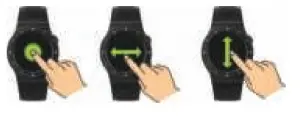
Turn on/off: Hold and press the power (4) button for 3 seconds.
Enter main menu: Swipe from right to left when on the watch interface. Switch the submenus: Swipe up/down.
Sport mode: Swipe from left to right when on the watch interface.
View quick settings menu, weather information, and calendar: swipe down.
View motion records, heart rate mode, atmospheric pressure, altitude, compass: Swipe up when on the watch interface.
Select menu function: Tap the icon.
Exit menu function: Swipe from left to right.
Return to watch interface: Press the power button.
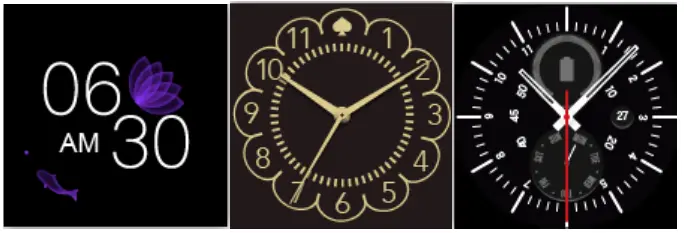
Change watch interface: long-press the watch display, then swipe left or right to choose the watch interface you like – confirm it by tapping the screen.
Overview of functions
 | First menu
|
 | Second menu
|
Functions in the main menu
 Contacts – make phone calls and check your phone contacts. Contacts – make phone calls and check your phone contacts. |  Dialler – dial number to call with your phone. Dialler – dial number to call with your phone. |
 Call logs – view call logs of your phone. Call logs – view call logs of your phone. |  Messages – view messages received on your phone. Messages – view messages received on your phone. |
 Notifications – view notification messages received to your phone Notifications – view notification messages received to your phone |  Pedometer – check your daily steps, burnt calories, distance traveled, heart rate data, and set your steps goal. Pedometer – check your daily steps, burnt calories, distance traveled, heart rate data, and set your steps goal. |
 Sport mode – select the type of sports activity and start tracking your sports activity session. (Tracking of outdoor activities requires the GPS location function to be turned on.) Sport mode – select the type of sports activity and start tracking your sports activity session. (Tracking of outdoor activities requires the GPS location function to be turned on.) |  Heart rate – test your heart rate – beats per minute (BPM) value. Heart rate – test your heart rate – beats per minute (BPM) value. |
 sedentary alarm – set the time limit for the alerts of physical inactivity. sedentary alarm – set the time limit for the alerts of physical inactivity. |  Alarm – create reminder alarms. Alarm – create reminder alarms. |
 Music player – control music playback on your smartphone. Music player – control music playback on your smartphone. |  Find phone – the phone will start vibrating and beeping if it‘s connected via Bluetooth. Find phone – the phone will start vibrating and beeping if it‘s connected via Bluetooth. |
 Remote capture – tap the screen of the smartwatch to take a photo with the camera of your smartphone Remote capture – tap the screen of the smartwatch to take a photo with the camera of your smartphone |  Bluetooth – check the list of devices that can be Bluetooth – check the list of devices that can beconnected to the smartwatch |
 Calculator – use the calculator in the smartwatch Calculator – use the calculator in the smartwatch |  Timer – set the timer on your smartwatch Timer – set the timer on your smartwatch |
 Stopwatch – set the stopwatch on your smartwatch. Stopwatch – set the stopwatch on your smartwatch. |  Motion – set the motion settings of the smartwatch Motion – set the motion settings of the smartwatch |
 Theme – change the theme of the main menu Theme – change the theme of the main menu |  App QR code – fast scan Qr to download application for the smartphone App QR code – fast scan Qr to download application for the smartphone |
 Settings – you can view and edit the following settings: International – change watch language, BT settings, set the clock settings, sound, volume, display brightness and change screen time out time, factory reset settings, information about the watch Settings – you can view and edit the following settings: International – change watch language, BT settings, set the clock settings, sound, volume, display brightness and change screen time out time, factory reset settings, information about the watch | |
| Some functions will only work when a Bluetooth connection with the smartphone is active. |
| If you find that the values of temperature, altitude, and pressure are wrong, you can adjust them through the sensor calibration option in the settings menu. |
Troubleshooting
Li-Ion/Li-Po batteries exhibit a gradual decrease in performance over their service life, so a reduction in the initial battery capacity is not an indication of a faulty battery or device.
| PROBLEMS | SOLUTIONS |
| The smartwatch shuts down automatically |
|
| The smartwatch cannot be turned on |
|
| Short battery performance |
|
| Connectivity problems |
|
| GPS location problems |
|
Care and maintenance
- regularly clean your band and smartwatch – especially after working out or sweating. Make sure your device is completely dry after cleaning.
- Be sure your skin is dry before you put your smartwatch on.
- Do not use abrasive solvents to clean the smart
- Do not expose the smartwatch to extremely high or low temperatures because this will shorten the life of electronic devices, destroy the battery or distort certain plastic parts.
- Do not dispose of the smartwatch using fire because this will result in an explosion.
- Do not expose the smartwatch to contact with sharp objects because this will cause scratches and damage.
- Do not attempt to disassemble the Smartwatch because this may damage it if you are not professionally skilled in this area.
Waste Electrical and Electronic Equipment (WEEE) Symbol
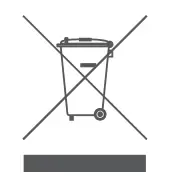 The use of the WEEE symbol indicates that this product may not be treated as household waste. By ensuring this product is disposed f correctly, you will help protect the environment. For more detailed information about the recycling of this product, please contact your local authority, your household waste disposal service provider, or the shop where you purchased the product.
Warranty card
| Product | Product model |
| Product purchase date | Seller name, address |
| Failures (date, description, position of the person who accepts the product, first name, last name and signature) | |
Warranty period
Warranty enters into force starting with the day when the buyer acquires the product from the seller. The warranty period is indicated on the package of the product.
Warranty conditions
The warranty is valid only by providing an original document of the product acquisition and this warranty sheet, which includes the name of the product model, product purchase date, name, and address of the seller.
If it is noticed during the warranty period that the product has faults and these faults were not caused by any of the reasons when the warranty is not applied as indicated in the paragraphs below, the manufacturer undertakes to replace the product.
The warranty is not applied to regular testing, maintenance, and repair or replacement of the parts which are worn out naturally. The warranty is not applied if damage or failures occurred due to the following reasons:
- Inappropriate installation of the product, inappropriate usage and/or operating the product without following the manual, technical requirements, and safety standards as provided by the manufacturer, and additionally, inappropriate warehousing, falling from heights as well as hard strikes.
- Corrosion, mud, water, and sand
- Repair works, modifications or cleaning, were performed by a service not authorized by the manufacturer.
- Usage of the spare parts, software, or consumptive materials which do not apply to the product.
- Accidents or events or any other reasons which do not depend on the manufacturer, which include lightning, water, fire, magnetic field, and inappropriate ventilation.
- If the product does not meet the standards and specifications of a particular country, in which it was not bought. any attempt to adjust the product in order to meet technical and safety requirements such as those in the other countries withdraws all the rights to the warranty service.
If no failures are detected in the product, all the expenses in relation to the service are covered by the buyer.
Designed in EU by ACME Europe USB,
raudondvario pl. 131B, LT-47191, Kaunas, Lithuania
E-mail: [email protected]
rev. 1.0 Printed in China