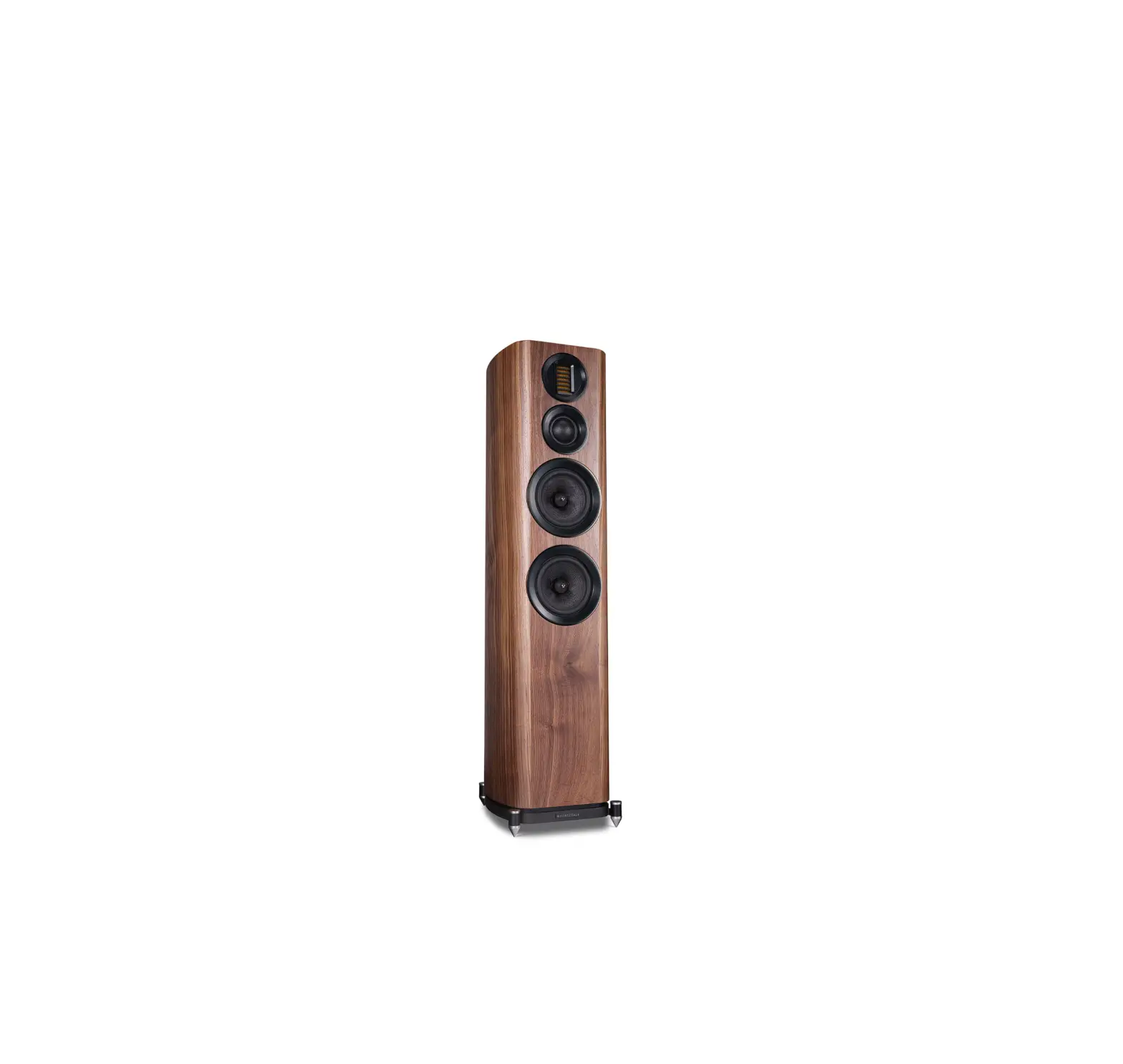
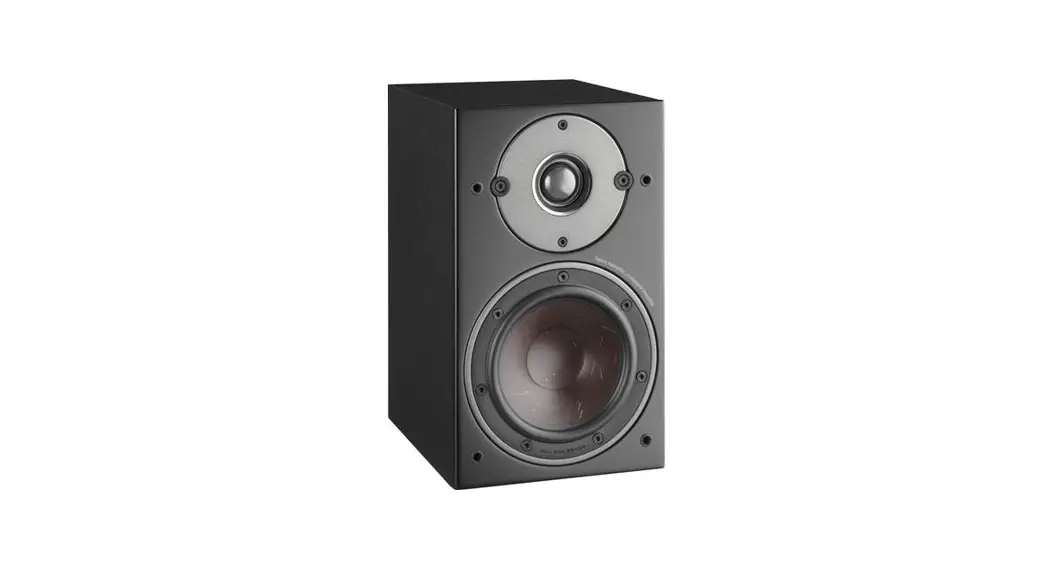
EVO4.2 Series Bookshelf Speakers
Product Information
The product is a loudspeaker system manufactured by Wharfedale,
a renowned brand in Britain known for their high-quality
loudspeakers.
Important Safety Information
Before installing the product, it is crucial to read and follow
all the instructions provided in the user manual for safe
usage.
Unpacking Your Loudspeaker
To unpack the loudspeaker, follow these steps:
- Remove the packaging materials and take out the
loudspeaker.
Attaching the Spikes
When attaching the spikes to the loudspeaker, take note of the
following:
- Be cautious as the spikes are sharp. Ensure there are no wires
or obstacles that could be damaged by the spikes in the operational
area of the speakers. - Do not drag the loudspeaker on its spikes; always lift it.
- If the loudspeaker is heavy, seek assistance.
- A mounting hole is located at each corner of the plinth. Thread
a spike through each hole and tighten the collar securely but not
locked in place.
Positioning the Centre Loudspeaker
To position the centre channel loudspeaker, follow these
guidelines:
- Place the loudspeaker centrally between the other
loudspeakers. - Position it close to the television and mount it above or below
the screen. - Ensure the loudspeaker is on a stable flat surface to avoid
cabinet movement at high sound levels. - If mounted above the television, move it forward so that the
front grille slightly overlaps the screen and the top of the
cabinet. - A custom stand is available for optimal dispersion when
positioning the loudspeaker under a wall-mounted monitor.
Positioning Surround Loudspeakers
To position the surround loudspeakers, follow these
guidelines:
- For EV04.S Surround Loudspeakers, place them according to the
recommended distance from other speakers.
Connecting the Front Loudspeakers
There are two connection options for the front loudspeakers:
Standard Connection
To connect using standard wiring:
- Choose a suitable length of twin-core speaker cable for each
channel and prepare the ends. - Unscrew each terminal a few turns.
- Connect the red, positive (+) terminal of the left loudspeaker
to the corresponding red, positive (+) amplifier terminal. - Connect the black, negative (-) terminals in a similar
manner. - Tighten all terminals securely.
- Repeat the procedure for the right channel.
Bi-Wiring
To connect using bi-wiring:
- Unscrew each terminal a few turns and remove the metal
straps. - Connect the cables between the amplifier and the loudspeakers
as indicated. - Re-tighten all terminals securely.
Connecting Centre Loudspeaker
The centre channel speaker can be connected as shown or
bi-wired.
Setting Up a Home Theatre System
For a 6.1 or 7.1 system placement, follow the instructions
provided by Dolby Labs, DTS, and THX. However, some general
observations are:
- The listening seat should not be too close to the rear
wall. - Optimize the time delay to ensure coherent information from all
speakers reaches the listening seat for maximum benefits.
For specific placement recommendations, refer to the user manual
provided by Dolby Labs for multichannel home theater systems.
EV 4.1 EV 4.2 EV 4.3 EV 4.4 EV 4.5 EV 4.C
(illWHARFEDALE
BRITAIN’S MOST FAMOUS LOUDSPEAKERS
User Manual
Important Safety Information
Before installing this product read all these instructions!
I.. This symbol indicates that there are important operating and maintenance instructions in the literature
L..!..i accompanying this unit.
Read these instructions. Keep these instructions. Heed all warn ings. Follow all instructions. Before making any connections, switch all the units in your system off at the mains. Set the volume control at minimum when you switch on your system or change sources. and turn the level up gradually. DO NOT use your amplifier at full volume. Ensure that all loudspeakers in the system are correctly wired. DO NOT subject your loudspeakers to excessive cold, heat. humidity or sunlight. Loudspeakers should not be placed directly facing other hi-fi units, or share the same shelf or cabinet. DO NOT place heavy objects on top of loudspeakers. Some manufacturers forbid the placing of objects on top of their TV sets. Check your TV handbook before installing the speaker directly on your TV set. Consult your TV dealer if you are in any doubt. DO NOT connect speaker terminals to the mains supply. DO NOT dismantle the loudspeaker. There are no user serviceable parts inside it and you will void the warranty by doing so. Refer all servicing to qualified service personnel. Servicing is required when the apparatus has been damaged in any way, the apparatus has been exposed to rain or moisture, does not operate normally, or has been dropped. Caution: Changes or modifications not expressly approved by the manufacturer could void the user’s authority to operate this device.
Unpacking Your Loudspeaker
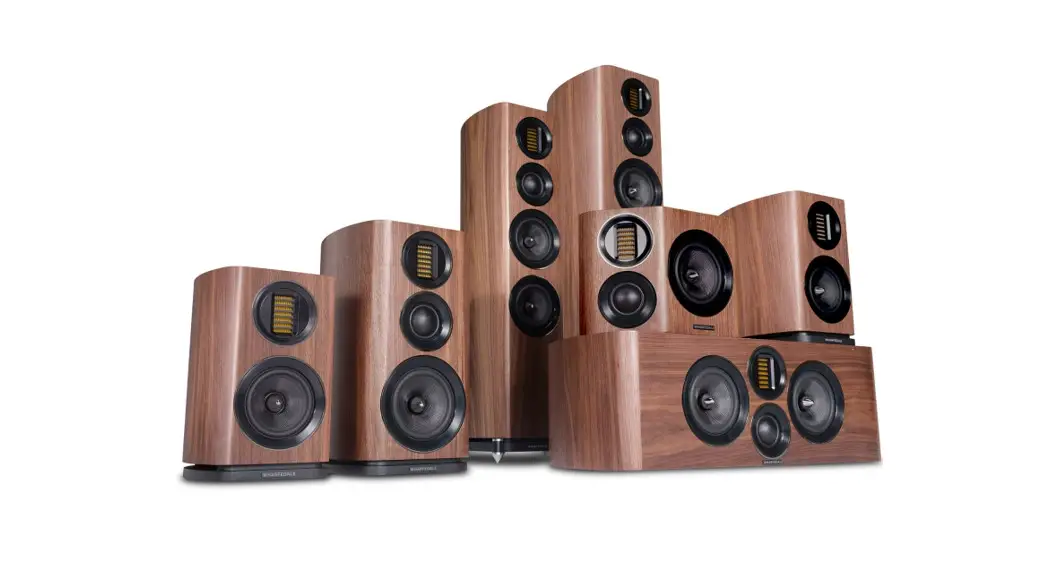
EVO4 loudspeakers come in different shapes and sizes. If you are unpacking a floor stander, please remember that these units are heavy. We suggest that you have someone to assist you. Lift the loudspeaker carefully out of the packing. DO NOT try and lift the loudspeaker using the protective bag. Unpack the accessories carefully. If there is any sign of damage or if the contents are incomplete, report this to your dealer as soon as possible. Retain the packing for future safe transport of the product. If you dispose of the packing, do so with respect to any recycling provisions in your area.
ATTACHING THE SPIKES
CAUTION: SPIKES ARE SHARP. Make sure that there are no wires or hidden obstacles that could be damaged by the spikes in the immediate operational area of the speakers. NEVER drag a loudspeaker on its spikes. always lift it. lf the item is heavy get assistance. A mounting hole is located at each corner of the plinth.Thread a spike through each hole. Tighten the collar finger tight so that the spike is secure but not locked inplace. After all the spil<es are attached, invert the loudspeaker and place it carefully on the floor.
Spike Seats A set of spike seats is provide to provided to protect sensitive floors from possible damage. The loudspeaker should be mounted on the wide spikes and the spike seats should be placed under each spike as shown. Level the loudspeakers with the spiker seats in place.
Preparing the EV04 Loudspeakers
Stands and Brackets
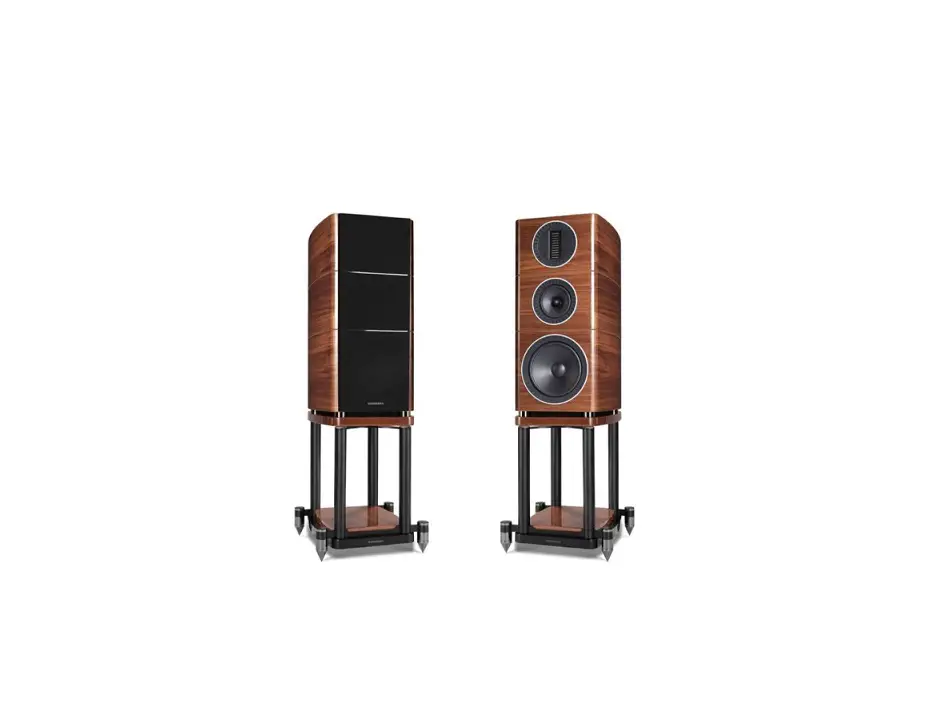
The bookshelf loudspeakers are intended primarily for stand mounting, though they can be mounted on wall brackets or even on sturdy shelves. The quality of loudspeaker stands greatly influences the performance of your loudspeakers, please do not use flimsy products.
Centre Channel Loudspeakers
Each centre channel loudspeaker is supplied with one set of mounting feet. By using combination of large and small feet the loudspeaker may be angled to point directly at the listening position. This will be found useful when the centre speaker is positioned under the TV screen.
Cables and Connectors
Choosing Loudspeaker Cable
Specialist audio cable usually offers better performance than general purpose ‘bell’ or ‘zip’ wire. Choose a cable of suitable diameter – cable that is too thin will limit the dynamics of the sound and may impair the bass response. Audio cable is polarised, with two cores of different colours, or often a raised rib or coloured tracer in the case of twin cable. Before you purchase your cable, give careful thought to the positioning of your loudspeakers. This is especially the case if you are bi-wiring your loudspeakers. Cable lengths to loudspeaker pairs should be the same for left and right channels in order to equalise the signal transmission. Allow some slack in your speaker cables so you can alter their position to best advantage.
Preparing Loudspeaker Cable
Split the twin cores to a depth of about 40mm. Carefully strip the insulation from each end, leaving about 10mm of bare wire. If the cable is stranded, lightly twist to gather any loose strands.
Connecting Screw Terminals
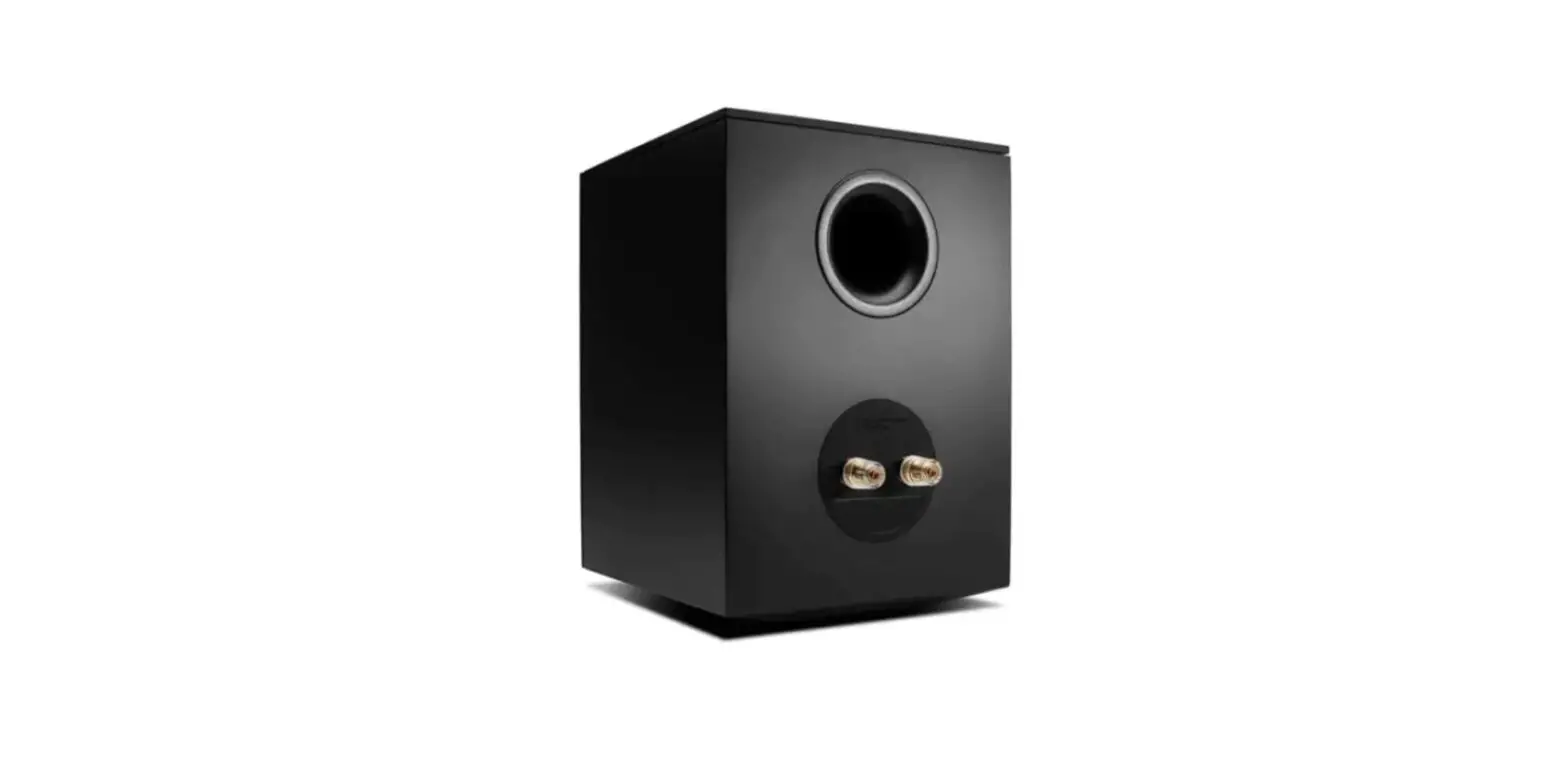
All loudspeakers use screw terminals. Unscrew the terminal. Insert the bare end of the cable into the hole in the base of the terminal. Tighten securely. When connecting terminals make sure you leave no strands of bare wire that can short across to adjacent terminals. As an alternative to bare wire you can use specialist spade connectors. Your Wharfedale dealer will be pleased to advise you on this issue.
Crossover Networks
Bi-Wireable Networks
If your speakers use a special bi-wireable crossover panel with four terminal binding posts. Please follow the drawing carefully to see the correct orientation of the loudspeaker terminals. The upper terminals connect to the treble unit. the lower pair to the bass unit. As supplied, the treble terminal pair is connected to the bass terminal pair via removable metal straps. These should be left in place for standard installations.
Single Wire Networks
1
Positioning the Front Loudspeakers
The EVO4.3, EVO4,4 models are designed to be floor standing. We suggest that they are positioned at least 200mm from the rear walls and 700mm from the side walls , facing slightly inwards. The EVO4.1 and EVO4.2 models should be stand or wall mounted though they may be placed on a rigid shelf. The bass extension will improve if the small speakers are operated closer to the rear wall.
If the loudspeakers are placed too close to the walls the bass will increase but may be boomy and indistinct. If the loudspeakers are placed away from the walls, the inward angle may be increased by up to 40%, although this may restrict the width of the optimum listening position.
A useful rule of thumb is that the listener should be as for from the loudspeakers as they are from each other. The speakers should ideally be positioned so that the treble units are roughly at ear level to a seated listener. As personal taste plays a large role , experiment with different configurations and play a wide range of programmes before finalising the position of your speakers.
2 -4 metres
EV043 – 4.4 >200 mm
Positioning the Centre Loudspeaker
The centre channel loudspeaker should be positioned centrally between the loudspeakers, close to the television and mounted above or below the screen.
The loudspeaker should be located on a stable flat surface to avoid any cabinet movement at high sound levels. If you mount the unit above the television , move it forward so that the front grille sits slightly in front of the screen and the top of the cabinet.
A custom stand is available for the model which allows the loudspeaker to be positioned under a wall mounted monitor and has an adjustable vertical tilt for optimal dispersion.
Positioning Surround Loudspeakers
EV04.S Surround Loudspeakers
The speakers should ideally be sited 600 mm-1,5 metres above the listening position and 2,5-3.5 metres apart. central to the listener and behind the listening position. preferably on a rear wall. If the listening position is some distance from a rear wall, the speakers may be mounted on opposite side walls but always behind the listening position. Ensure that the wall is sound and can support the product. Drill two 5mm holes in the wall 200mm apart. Fix a suitable No 8 round head screw firmly into each hole using appropriate wall plugs. Leave a stub of smm protruding from the wall. Connect the loudspeakers. Align the holes in the mounting brackets over the screw and carefully lower the unit onto the screws.The speaker should now be securely attached with the spacers resting against the wall. Now connect the speakers to the amplifier.
2
200 mm 0 0
Connecting the Front Loudspeakers
Standard Connection
Choose a suitable length of twin core speaker cable for each channel. and prepare the ends. Unscrew each terminal a few turns. Connect the red, positive (+) terminal of the Left loudspeaker to the corresponding red, positive (+) amplifier terminal. Connect the black, negative (-) terminals similarly. Tighten the terminals securely. Repeat this procedure for the Right channel.
AMPLIFIER
R.SPKR
e+
L.SPKR
+
Bi-Wiring
Unscrew each terminal a few turns and remove the metal straps. Connect the cables between the amplifier and the loudspeakers as indicated above and re-tighten all the terminals securely.
Bl-WIRED CONNECTION
RIGHT SPEAKER
Connecting Centre Loudspeaker
The Centre channel speaker may be connected as shown, or bi-wired.
LEFT SPEAKER
RI HT L T
REAR
CENTRE
0
· · RIGHT LEFT FRONT
@
SUB WOOFER
3
Setting Up a Home Theatre System
Placement
Front and Effects Channels: The front loudspeakers are placed on either side of the television screen , 2 to 3 metres apart. The speakers should be angled slightly so they car aimed towards the listeners. We recommend placing the rear effects speakers in a high position, behind the listener’s head. If the rear or side walls are a long way from the listening seat. consider stand mounting the loudspeakers. If the centre loudspeaker is very high or low, angle it towards the listener’s ear level. The front faces of the centre and surround loudspeakers should also be in line as far as possible. Subwoofer: As the ear is unable to detect the direction from which deep bass originates, you have freedom to position the unit. Varying the distance from the wall alters the bass. Placing the subwoofer across a corner boosts the bass but may impair clarity. The performance of a home theatre system can be enhanced by using two subwoofers.
6.1 and 7.1 System Placement
Dolby Labs, DTS and THX offer 6 .1 and 7.1 format. Although the precise configuration of these systems will depend on the capabilities of your processor and you should be guided by those instructions, we would make some observation.
For 6.1 and 7.1 formats the listening seat should not be too close to the rear wall.
Optimising the time delay so that information from all speakers arrives the listening seat coherently is critical of the benefits of these systems are to be fully realised.
Dolby Labs Recommended Placement for Multichannel Home Theater Systems
Left Front
Centre
~
i I
ILFEI Right Front
22° 30°
I
I
I
I I
I
I
-Left Surround
[g]-Right Surround 90°
I
/
110°
/
/
I
/
;
<
I
I/
Left Back
135°
150°
I Right Back
(Single Back channel for 6.1)
4
Setting Loudspeaker Sizes and Levels
If you are not using a subwoofer: Set the Front speakers to ‘Large’. Set the ‘Subwoofer’ option on the processor to ‘Off’ or ‘No’. The Front channels will now receive all the system bass.
If you are using a subwoofer: When set to ‘Small’ all the system bass will go into the subwoofer. If you choose ‘Large’ the Front channel bass will be reproduced from the Front speakers. Follow the instructions on this page for suitable size and crossover settings.
Once the loudspeaker settings have been finalised, put the A/V amplifier into its ‘Test’ mode (see instructions supplied with your processor}.Adjust the level of each channel until all channels are reproduced at equal loudness.
On some programme material the surround channel may seem lower in level than the front. Do not readjust this level. You may, however, need ta adjust the subwoofer output level. Avoid setting too high a level or you will swamp the sound with bass. This can be tiring to listen to, and may limit the subwoofer’s ability to respond to large bass transients. You should also set a sensible level going into the subwoofer from the A/V processor. Start with the subwoofer volume control set to between 12 o’clock and 3 o’clock.
Delay and LFE Settings
Many A/ V processors feature delay settings. The purpose of delay is to enable surround and dialogue information to arrive at the listener’s ears at the same time as the front channels, even when the listening seat is in a non-ideal position. On some processors, this can be achieved by setting the distance from the listening position to each speaker, but other systems allow only a time delay setting.
Rear Delay: If the listening position is equidistant from the front and rear speakers, set a low delay setting. The closer the listener is to the rear speakers this higher the delay setting used should be.
Centre Delay: If the centre speaker is level with (or slightly behind} the front speakers, set the delay to zero. If the centre speaker is forward of the front speakers, increase the delay.
LFE: In the cinema the low frequency effects channel is an extra bass channel with its own subwoofer. In domestic systems the LFE channel typically feeds into the subwoofer. Where no subwoofer is used, the LFE signal is combined with the front channels and sent to the front speakers. When you set the LFE level at your A/V processor, use care as powerful low frequencies can overload domestic loudspeakers. If you hear popping or thumping noises coming from the front loudspeakers or subwoofer, immediately turn the A/V processor’s volume level down and then lower the LFE level. This should cure the problem. If it does not, lower the volume level at the subwoofer (if you are using one} until the problem disappears.
Phase: Please read the relevant sections of your A/V amplifier manual and familiarise yourself with the various issues. If you are unsure, consult your dealer for help. A home theatre system should have a precise front stage, a diffuse rear stage and good localization of dialogue. If the colours on the loudspeaker terminals do not correspond with those on the amplifier, the sound will appear poorly focused or ‘out of phase’. For this reason it is essential that the speakers are connected according to the wiring diagrams in this manual.
Connecting loudspeakers correctly (in phase} is essential whether the system is stereo or multichannel. This is especially important if you are bi-wiring – if only one element in a bi-wired system is incorrectly connected (out of phase}, the effects can be very noticeable yet hard to pinpoint.
Troubleshooting
Before investigating a problem, always switch off the system at mains. If your system is not w orking properly please work through this checklist before returning the unit to your dealer.
Symptom
Possible Cause
No Sound
System not switched on; Speaker cables shorting terminals out; Wrong source selected
Sound lacks bass content
Subwoofer not switched on
Lack of bass reproduction
Subwoofer phase incorrect: Subwoofer crossover control too low
Excessive bass distortion at low volumes Subwoofer set to high; LFE level set too high: Subwoofer incorrectly wired
Excessive or distorted bass at high levels System level set too high: Bass control set too high; Subwoofer too close to room corners
Distorted I rattling sound at high levels System level set too high: Objects too close to subwoofer
Popping or thumping from the subwoofer System level set too high: Subwoofer level set too high: LFE level set too high
5
Looking After Your Loudspeaker
Your loudspeakers use a special hardwearing sealed finish . They should not be waxed or treated with spray polishes which will smear and dim the finish . Occasionally polish them with a dry or barely moist cloth to remove dust and finger marks, etc. If you play the speakers with the grilles off exercise great care. NEVER operate speakers with the grilles off if there are children or pets in the house. Occasionally, remove the loudspeaker grilles and brush them gently with a soft brush before replacing them carefully. NEVER use a vacuum cleaner to clean loudspeaker grilles. NEVER stand objects on your loudspeakers. In particular do not stand flowers etc. on them – they are notjardinieres! Avoid getting any liquid behind the grille. If you spill liquid on your loudspeakers. take them to your dealer for attention before using them again. DO NOT open the speakers, there are no user serviceable parts inside. NEVER touch the drive units either with an object or your hands.
Quality Assurance
Your loudspeakers have been constructed to the highest standards. From top grade furniture construction and finish to carefully designed and selected acoustic components, Wharfedale speakers are built to provide a lifetime of sonic pleasure. We hope you will derive many years of good service from our products.
Servicing
In the unlikely event that your unit develops a fault you should return it to your Wharfedale dealer using the original packing to ensure safe shipping. The terms of your guarantee may vary in different countries. However, in all cases the guarantee excludes: Liability for damage or loss occurring in transit to or from the purchaser. All damage caused through accident. misuse, wear and tear, neglect. incorrect installation, adjustment or repair by unauthorised personnel. Wharfedale will not be liable for any consequential damage, loss or injury, arising from or in conjunction with this equipment.
Service Centre Address
For technical support, servicing or product queries and information please contact either your local retailer or the office below.
UK
IAG Service Dept. 13/14 Glebe Road Huntingdon Cambridgeshire PE29 7DL UK
Tel: ·44(0)1480 452561 Eml: [email protected]
For information on other authorised service centres worldwide contact Wharfedale International, UK. A world wide distributors list is available on the Wharfedale website: www.wt’]arfedale.co.uk
6
Specificatio·ns
11 1
Model
EV04.1
EV04.2
EV04.3
General description
2-way bookshelf speaker
3-way bookshelf speaker
3-way floorstanding speaker
— — — — — —- — —- — – — — — — — — – – —
— — — – – *· — – – ·– — – — – – – – — – – – – – – – — – — – – – – – – — – – – – – – – – – – – – – – – — – – – — — — — – – – — –
— — -Design philosophy and..c..o.r.e..t.e..c.h..n..o.l.o.g.y …… – – – – – — —- – —– — — — — — — – — —- —- — —- — — —- — — — — — —
— — — — —– — — — -E-nc-lo-s-u-r-e -ty-p-e— — — — — — —- — — b–as-s-r-e-fl-ex
– — ..
. — – bass reflex
bass reflex
Transducer complement
2-way
3-way
3-way
— – – –
ABR
Bass driver
5′(13omm) Black Woven Kevlar Cone
6.5′(15omm) Black Woven Kevlar Cone
5′(13omm) Black Woven Kevlar Cone x2
– — – Midrange driver
– — — -“‘~ ~
-.
–.
—–.. –
Treble driver
30·6ommAMT
2′(5omm) Soft Dome 30·6ommAMT
2″(5omm) Soft Dome 30·6ommAMT
Full-range driver
AV shield
No
No
No
Sensitivity 12.83V@ 1m)
87dB
88dB
89dB
Recommended amplifier power
25-100W
25-120W
25-150W
Peak power handling
PeakSPL
104dB
106dB
107dB
Nominal impedance
40 (Compatible 80)
40 (Compatible 80 )
60 (Compatible 80 )
Minimum impedance
3.40
3.80
4.40
Frequency response (+/-3dB)
58Hz – 22kHz
48Hz – 22kHz
42Hz – 22kHz
Bass extension (-6dB)
52Hz
42Hz
34Hz
Crossover frequency
2.9kHz
1.7kHz,3.9kHz
1.3kHz,4.3kHz
Cabinet Volume (in litres)
9.9L
21.6L
Dimensions (mm)
Height Ion plinth)
335mm
455mm
Width
210mm
250mm
210mm
Depth lwith terminals)
l285·1o)mm
(340+10)mm
(285+1o)mm
Carton size
570·410·46omm
420·345·995mm
Net weight
8.2kg/pcs
13.3kg/pcs
17.6kg/pcs
Gross weight
18.8kg/ctn
29.8kg/ctn
20.6kg/ctn
7
Model
EV04-4
E V 0 4 .C
EV04.S
— — — — — — G- -e-ner-a-l d-e–sc-r-iptio-n—- — —— — –3—w-a-y–ft-o-o-r-st-a-n-d-in-g–spe-a-k-e-r—– – – – – — – – -3—w- a-y- -c-e-n-tr-e–s-p-e-ak-e-r– — – – – – – – – – – — – – – – – — – – -3–w- a-y – su-r-ro-u-n-d s-p-e-a-k-e-r- – – – – – – – – – —
— — — -Design–p-hilo-s-o-p-h-y-a-n-d–c-o-re- — — -t-ec-h-nol-o-gy ——- —- ——- —- —- — —– ——— — —- —- — — —- —- — —— —- — — – —– — —– —- — —– — —
Enclosure type
bass reflex
bass reflex
closed box
— — — — -T-r-an-s-d-u–ce-r-c–om- -p-l-e-m-e-n–t – – – — — – —3—w–ay- — – – – – – – – – – – —- — – – — – – – – —-3–w-a-y– – – — —- – – —– – – – – – – – – – – – – – – – – – – – – – – -3–w- -a-y- – – – —- —
ABR
Bass driver
6.5″(15omm) Black Woven Kevlar Cone x2 6.5″(15omm) Black Woven Kevlar Cone x2
6.5″(15omm) Black Woven Kevlar Cone
Midrange driver
2″(5omm) Soft Dome
2″(5omm) Soft Dome
2·<5omm) Soft Dome x2
Treble driver
30·6ommAMT
30·6ommAMT
30°60mm AMT X2
Full-range driver
AV shield
No
No
No
Sensitivity (2.83V@ 1m)
89dB
godB
88dB
Recommended amplifier power
30-200W
25-150W
25-120W
Peak power handling
PeakSPL
107dB
108dB
106dB
— Nominal impedance
—– – — — – —-
–
–
–
—
—
—
—
—
—
–
—
60 (Compatible
— —- —– —
80 )
— —
—
—
—
——
–
–
–
–
— –6-0-(-C-o-m- -p-a-ti-ble
-8-0-)-
—
——
———
–
–
—
–
–
–
–
–
–
–
-6-0-
— — (-C-o-m–pati-ble
-8-0–l
—
-· —- —-
Minimum impedance
4.30
4.30
3.90
Frequency response (·/-3dBl
40Hz – 22kHz
48Hz – 22kHz
70Hz – 22kHz
Bass extension (-6dBl
33Hz
42Hz
65Hz
Crossover frequency
1.4kHz,4.7kHz
1.5kHz,3.9kHz
1.skHz,4.4kHz
Gabinet Volume (in Litres)
52.6L
42-4L
Dimensions (mm)
Height (on pLinth)
1060mm
245mm
Width
250mm
750mm
400mm
Depth (with terminals)
(340·1olmm
(340·1olmm
(145·1o)mm
Carton size
Net weight
28.5kg/pcs
20.7kg/pcs
7.8kg/pcs
Gross weight
30 .2 k g / c t n
23.6kg/ctn
18.2kg/ctn
8
[illWHARFEDALEIAG House, 13/14 Glebe Road, Huntingdon, Cambridgeshire, PEzg ?DL, UK Te l: +44(0)1480 452561 Fax: +44(0)1480 413403 http://www.wharfedale.co.uk IAG reserves the right to alter the design and specifications without notice. All rights reserved © IAG Group Ltd. Wharfedale is a member of the International Audio Group.
CD 8 x self-adhesive feets
@ 6 x top plate countersunk securing screws
Q) 2 x top plates @ 2 x main columns (5) 4 x assistant columns
@ 2 x base plates (i) 8 x spike nuts
® 8xspikes ® 6 x base plate countersunk securing screws
BRITAIN’S MOST FAMOUS LOUDSPEAKERS
IAG House, 13/14 Glebe Road, Huntingdon, Cambridgeshire, PE29 ?DL, UK Tel : +44(0)1480 452561 Fax: +44(0)1480 413403 http://www.wharfedale.co.uk IAG reserves the right to alter the design and specifications without notice. All rights reserved© IAG Group Ltd.
Wharfedale is a member of the International Audio Group.
 WHARFEDALE