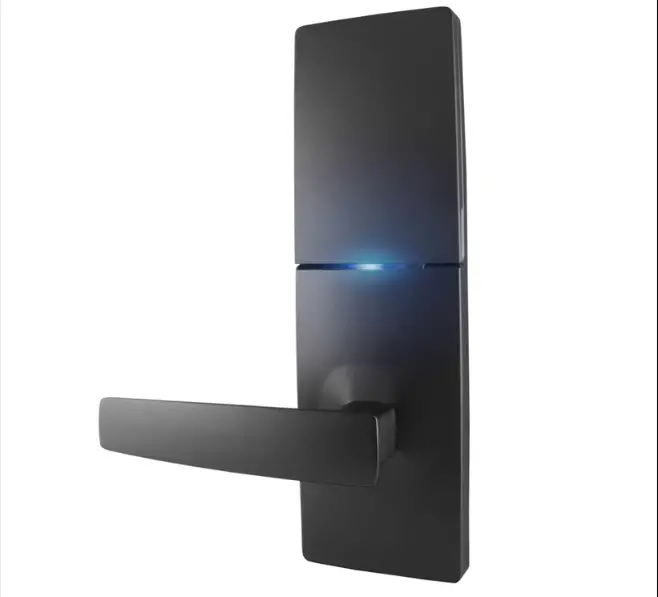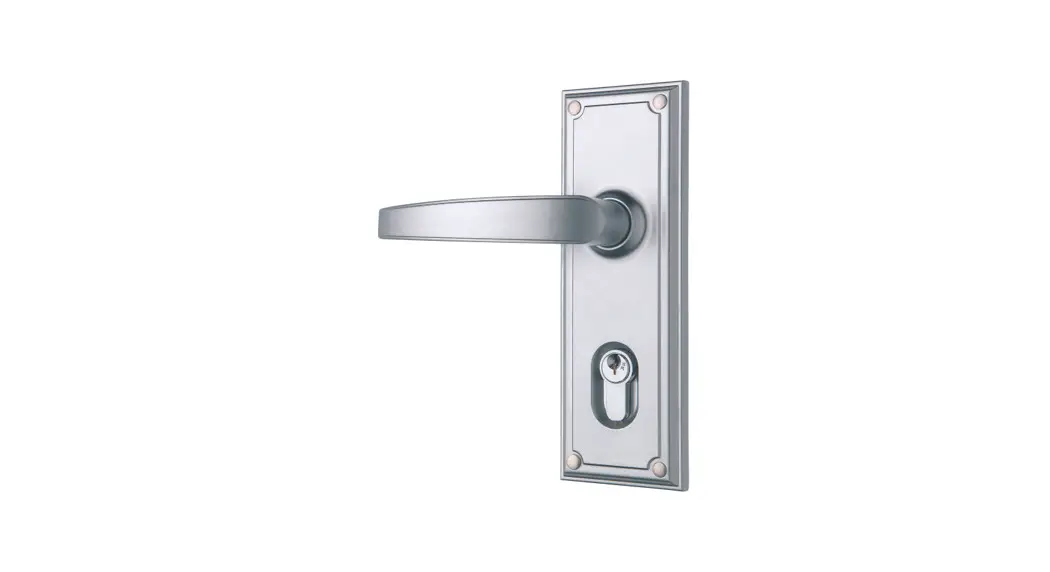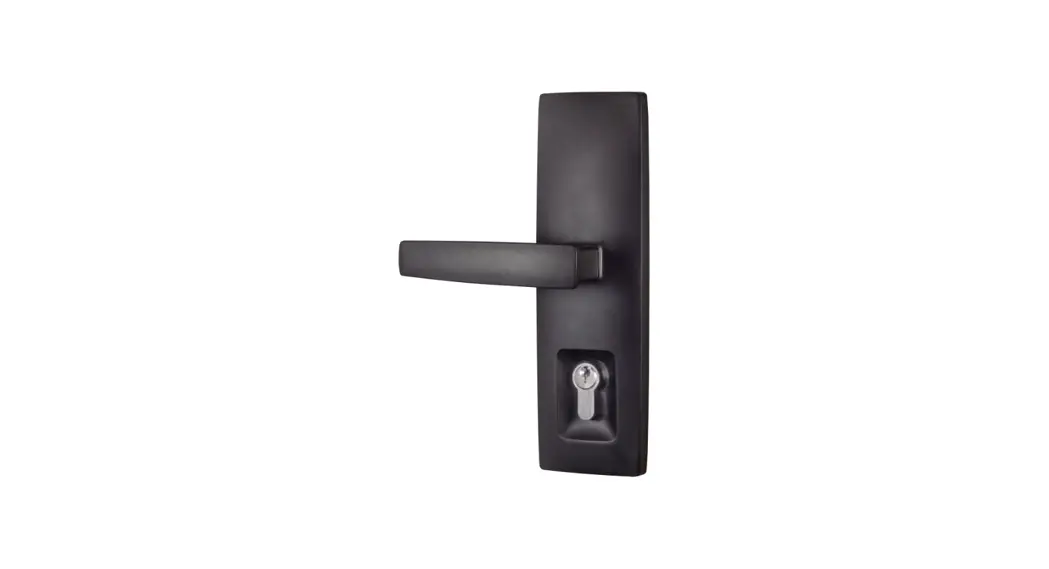
 Installation Instructions Trilock Urban
– Double Cylinder
Suits 35mm to 45mm Door Thickness
Trilock Urban Aurora Entry Set
Step 1.
Prepare the door.
a. Fold template where indicated.
b. Position template on door edge at desired lock / latch height.
c. latch height, and hole centres on both sides of the door (Reverse the template fold for the opposite side).
d. Measure door thickness and mark centre on ‘latch height’ marking.
e. Drill pilot holes using the Ø3mm drill.
f. Drill Ø10mm holes and Ø54mm hole from both sides of the door.
g. Drill Ø22mm latch hole.
Note: it is important to drill this hole squarely.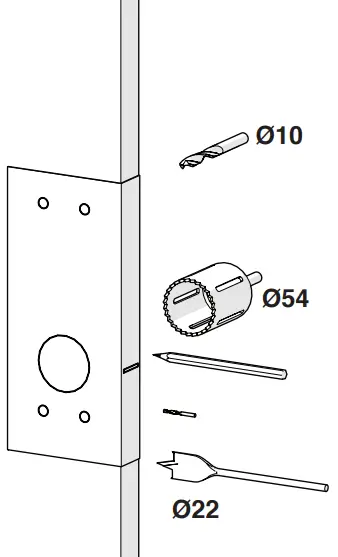 Step 2.
Disassemble the Lockbody.
a. Ensure the bolt is in the fully extended position by rotating the key towards the latch carrier.
b. Remove the 2 screws from the lockbody and pull the latch carrier out of the lockbody.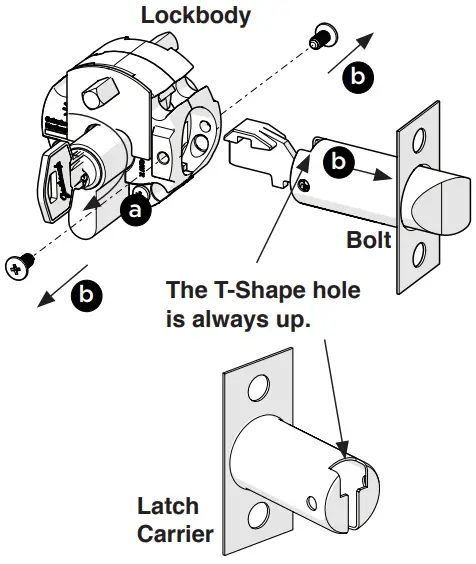 Step 3
Install Lockbody
a. Mark and chisel latch faceplate to a recess of 3.5mm.
Use latch carrier as a template.
b. Insert lock body into 54mm hole.
c. Insert latch carrier through 22mm hole and into lockbody.
d. Install 2 lockbody screws to secure.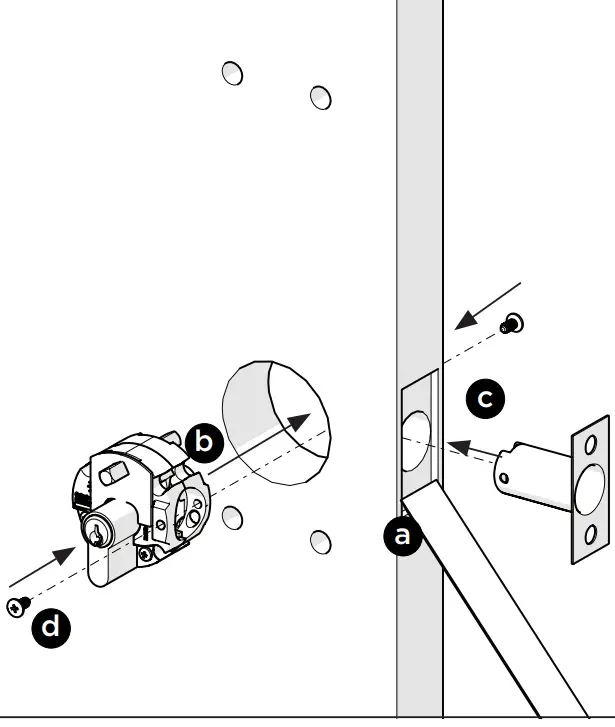 Step 4
Bolt Handing
a. Check the tapered side of the latchbolt faces towards the door jamb, (when the arm is orientated as shown).
b. Refer to next step for bolt rehanding procedure if required.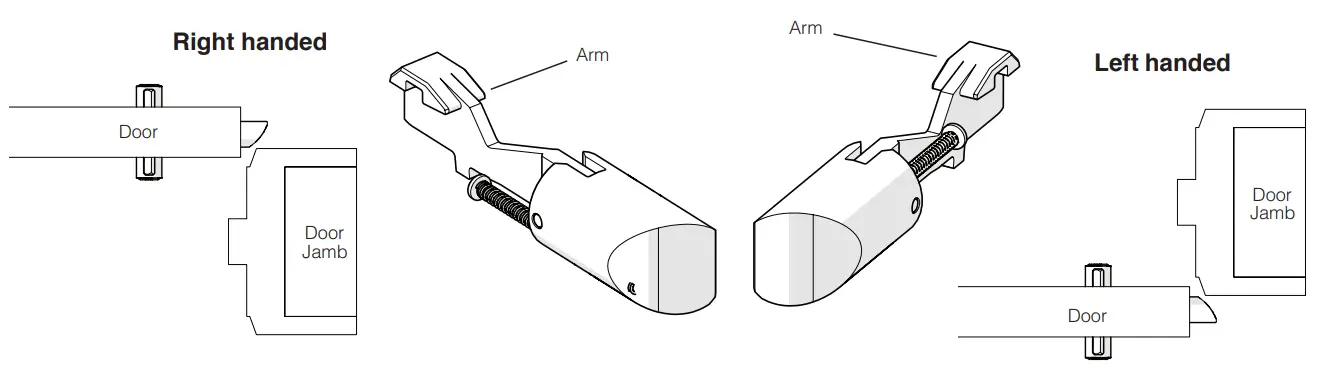
Step 4 (continued)
Re-hand bolt if needed; (Right Hand to Left Hand shown)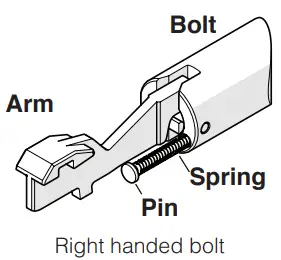 a. Rotate arm downwards.
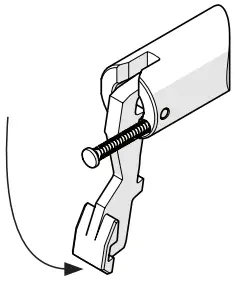 b. Unclip from the bolt.
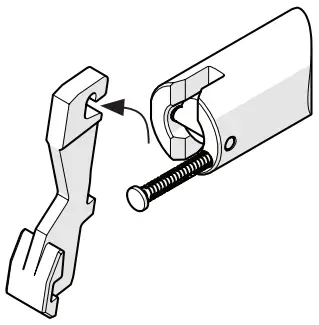 c. Rotate the bolt 180 degrees.
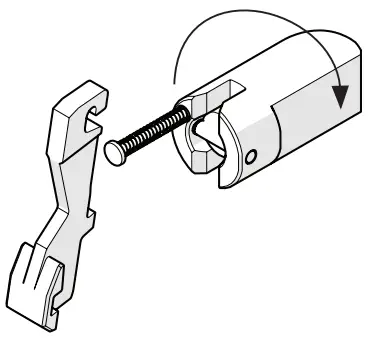 d. Re-attach the arm to the bolt and rotate arm upwards.
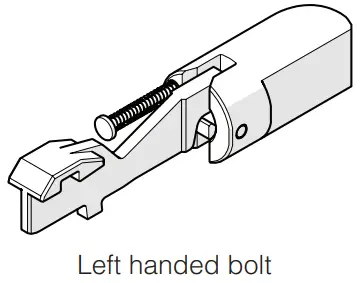 Note: Ensure the spring and pin remain in the bolt.
Step 5
Install the bolt
a. Insert the bolt assembly into the latch carrier until it stops and a click is heard.
NOTE: the hook end of the arm must be orientated as shown.
b. Rotate the key away from the edge of the door and the bolt should retract.
If the bolt does not retract, rotate the key towards the edge of the door and repeat steps a. and b. above.
c. Predrill the faceplate screws holes.
d. Install the faceplate and faceplate screws.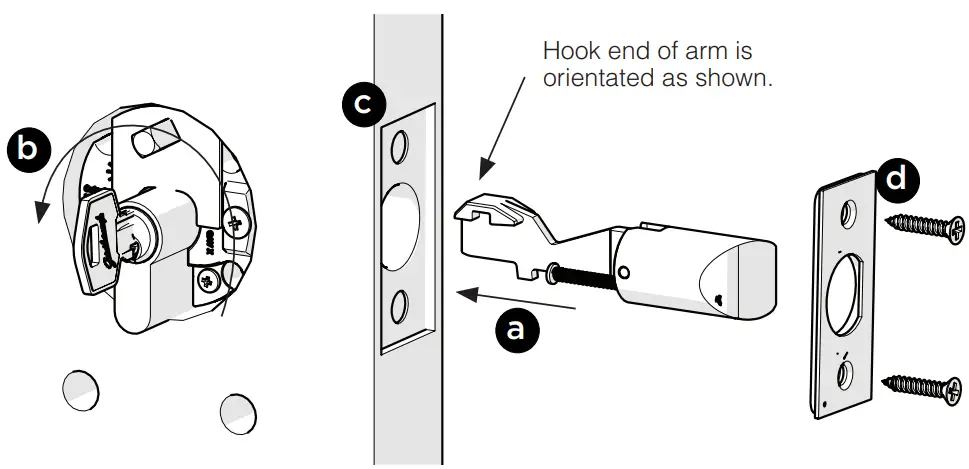 Step 6a
Rehand the Interior Lever (If necessary)
a. Push a screwdriver firmly into the handing hole adjacent to the lever.
b. While pushing the screwdriver in, rotate the lever upwards and to the other side until a click is heard.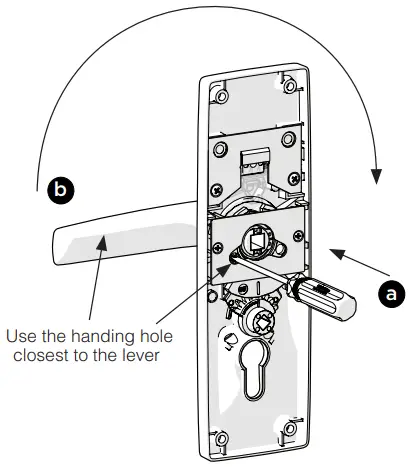 Step 6b
Rehand the Exterior Lever (If necessary)
a. Push the handing plate adjacent to the lever as shown.
(This can be done with a finger or screwdriver).
b. Rotate the lever upwards and over to the other side until a click is heard.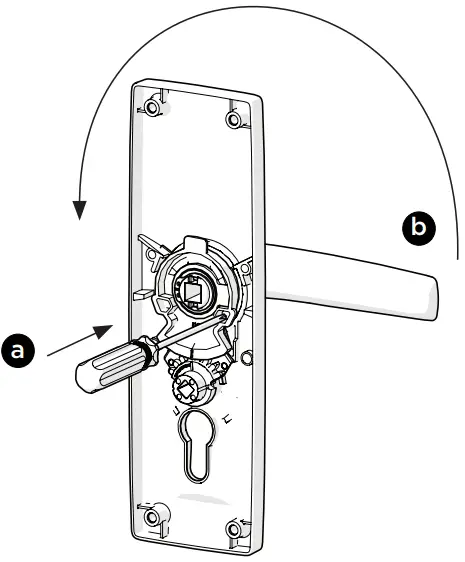 Step 7
Post installation
a. Install posts to external furniture plate, ensuring they are firmly screwed in against the plate.
(This is the furniture plate without the rectangular snib push-button.) 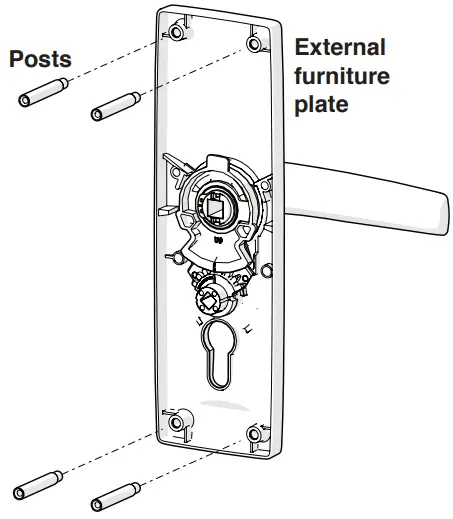
Step 8.
Assemble the furniture to the door.
a. Mount external furniture plate to the outside of door
b. Now mount the internal furniture plate to the inside of door.
c. Ensure the furniture is straight on both sides of the door.
d. Fit mounting screws from inside & tighten into threaded posts
e. Test all lock functions for smooth operation 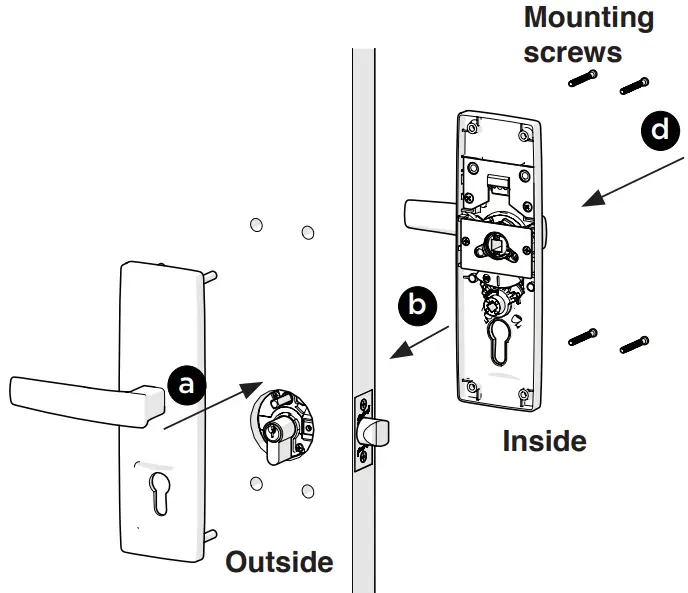 Step 9
Fit the strike plate.
All door seals must be fitted prior to fitting strike plate.
a. Position the door so that the centrepoint of the bolt can be marked on door frame 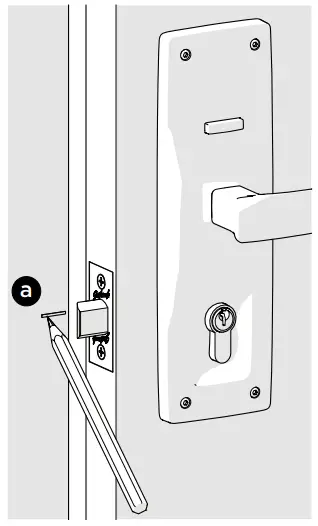 b. Mark and drill a 25mm hole to a depth of 25mm, at a corresponding height to the bolt
c. Mark and chisel recesses for the strike plate.
d. Screw the strike plate into position using the 2 wood screws supplied 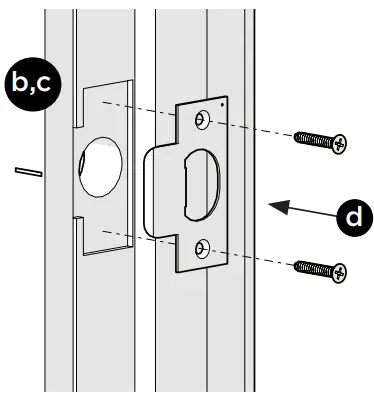
Door Adjustment
When door is closed using finger pressure, ensure bolt is latching into strike plate.
e. If door is rattling when in latched position. Open door, remove strike plate & adjust anti-rattle tab & refit strike plate to door frame. Check if the door is rattling and adjust again if necessary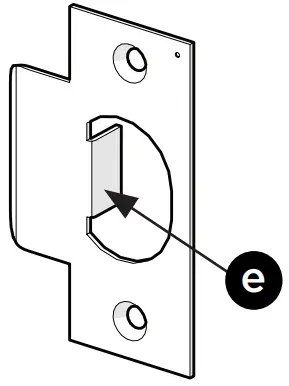 NOTES:
- Carefully follow these instructions when installing.
- Do not overtighten screws.
- Use of power driver is not recommended for screw installation.
- Fully remove the Trilock prior to painting the door to avoid damaging the product’s finish
- Suitable door thickness is between 35 and 45mm
Exploded Diagram
Double Cylinder version 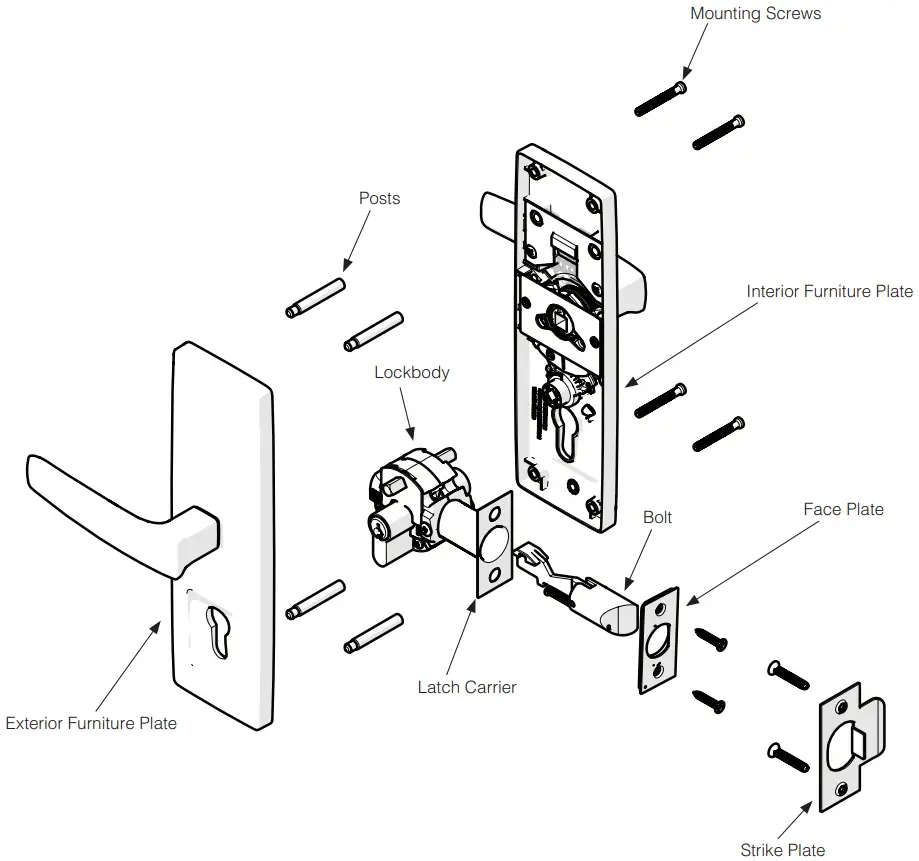

 Designed in Australia by Gainsborough Hardware Industries Limited, Melbourne, Australia. AB.N 25 004 792 269
www.gainsboroughhardware.com.au
TEV’DOC02UM1
Oct ′17 lssue 2
Patent Pending
 Gainsborough Hardware Home