Digen
Car Smart Audio System
OWNER’S MANUAL Smart Audio
User Manual
- Please read this manual carefully before operating your set and retain it for future reference.
- Designs and specifications are subject to change without prior notice.
- Please visit the Ssangyong Motor online Webpage for detailed information about the Smart Audio system.
– Smart Audio manual download website address: http://www.smotor.com
Safety Precautions
Safety Cautions
Caution! – To reduce the risk of fire or electric shock, do not expose this product to rain or moisture.
– To reduce the risk of fire, electric shock, and unnecessary interference, use only included components and accessories.
Safety Warnings
Warning! – Users should not directly disassemble the device for repair purposes.
Cautions upon Use
When Driving – When you must operate the device while the vehicle is in motion, pay close attention to upcoming road conditions and practice safe driving.
– Excessively high volume levels can interfere with driving. Maintain the volume level low enough to be aware of road and traffic conditions.
– When requiring complicated operations, please operate only when the vehicle is in a parked state.
– Do not expose the product, including speakers and amps, to water or excessive moisture. Such exposure may cause electrical shocks or fires.
When Parked
– Parking under direct sunlight for prolonged periods of time can produce high temperatures inside your car. In such instances, open the windows to lower the temperature prior to product use.
Power Supply
– This product is designed to operate using a DC 14V, negative-ground battery system.
■ The product is designed for DC 14V negative-ground vehicle use only. Do not use a non-standard power supply.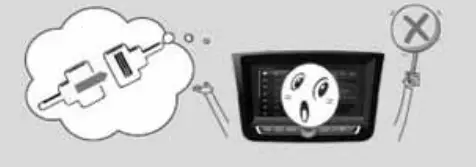 ■ Do not use gasoline, thinner, benzene, organic solvent, etc., to clean the unit.
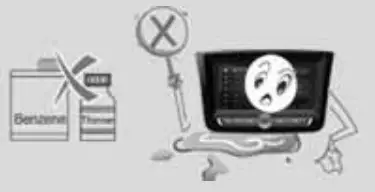 ■ Be cautious not to spill water or introduce foreign objects into the device.
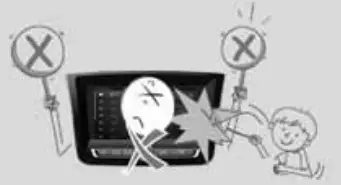 Information
The preset memory is cleared to the default factory state when the power connector or battery is disconnected.
Key Product Information
- iPod is the registered trademark of Apple Inc.
- Apple CarPlay Apple CarPlay is the registered trademark of Apple Inc.
- Bluetooth The Bluetooth word mark and logos are registered trademarks owned by Bluetooth SIG, Inc., and any use of such marks is under license. A Bluetooth-enabled mobile phone is required to use Bluetooth wireless technology.
- DivX This product is a DivX-certified product that has passed stringent DivX video playtests. As a DivX-certified product, this product can play premium HD DivX videos. DivX, DivX Certified, and associated logos are trademarks of DivX and LLC and are used under license. They are protected by at least one of the following U.S. patents: 7,295,673; 7,460,668; 7,515,710; 7,519,274
- Dolby is Manufactured under license from Dolby Laboratories. Dolby and the double-D symbol are trademarks of Dolby Laboratories.
Key Product Features
| Feature | Description |
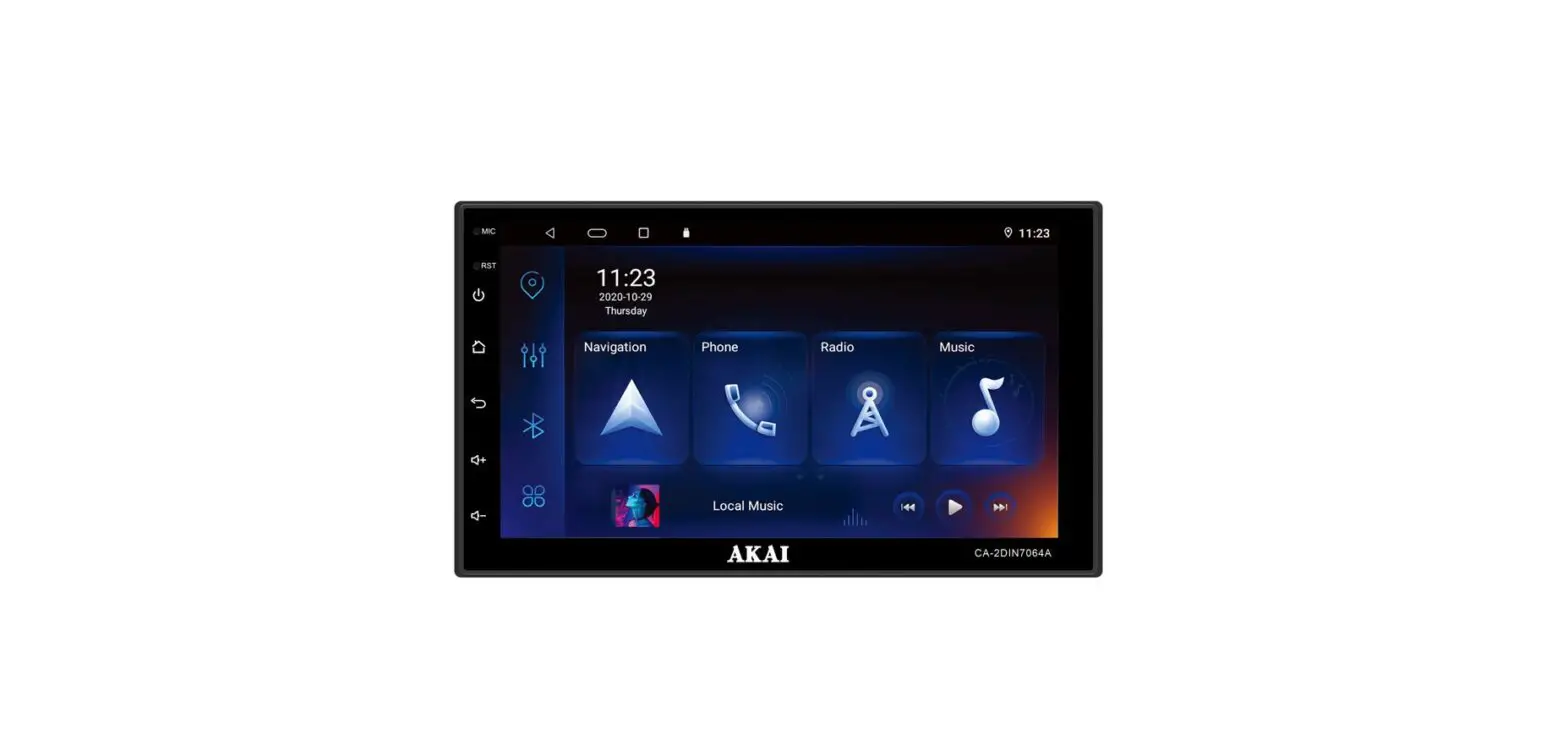
| Display | Wide LCD Display Provides high-quality video and music simultaneously through the 8-inch widescreen display with added convenience through the touchscreen display |
| Radio | Digital Tuner Feature Digital Tuner supports the memory of 12 broadcast stations for each FM1, FM2, AM, and DAB(EU only) mode. RDS Services Provides AF, REG, TA/TP, and PTY features among RDS Services. |
| Media | Media Auto-Search Feature Automatically identifies media files, including video, audio, and photos, saved in the USB and SD card and displays as lists for convenience. |
| Bluetooth | Bluetooth Connection Feature Provides a Hands-Free feature that enables drivers to make wireless calls while driving as well as music enjoyment through Audio Streaming. |
| Apple CarPlay | With Apple CarPlay, you can make phone calls, exchange text messages, use the map, listen to music, and use Siri features. |
| Android Auto | With Android Auto, you can use Google map, phone, voice recognition, and music features. |
| Miscellaneous | Digital Screen Control Features Easy control of screen brightness through the touch screen for convenient viewing. The rear Detection Camera Shows the vehicle’s rear side when positioning the gear in reverse. Around View Monitor – Optional Allows you to see the front, rear, left, and right sides through the four cameras installed within the vehicle. |
Component Names and Functions
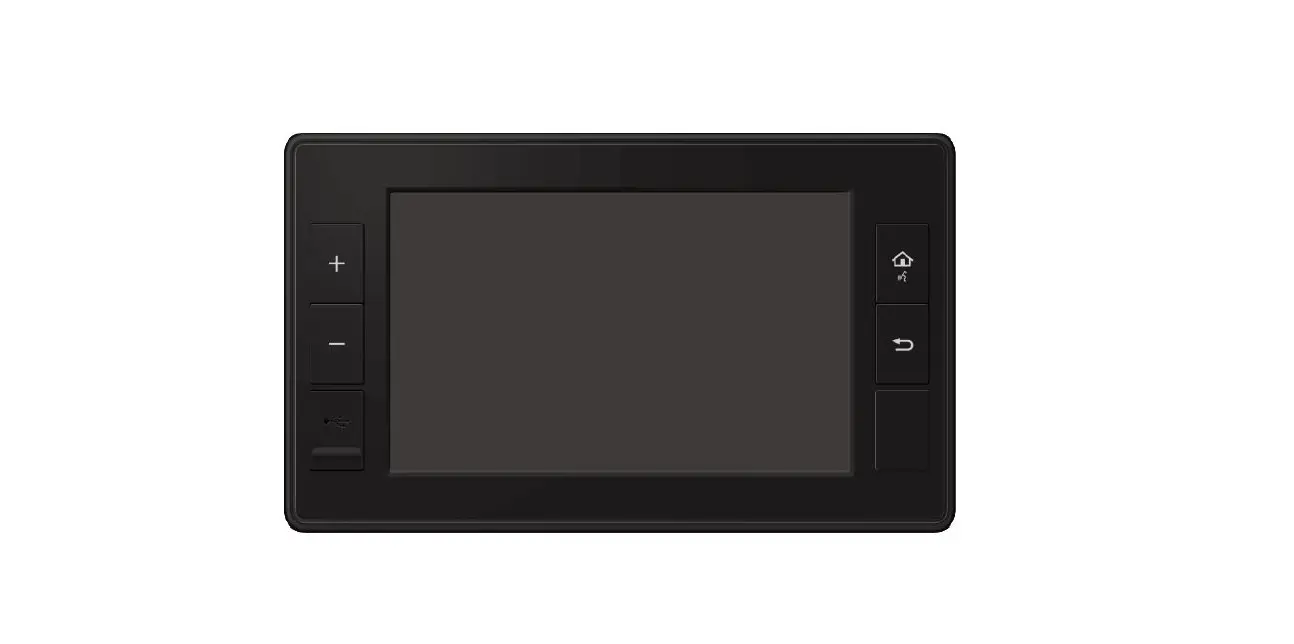
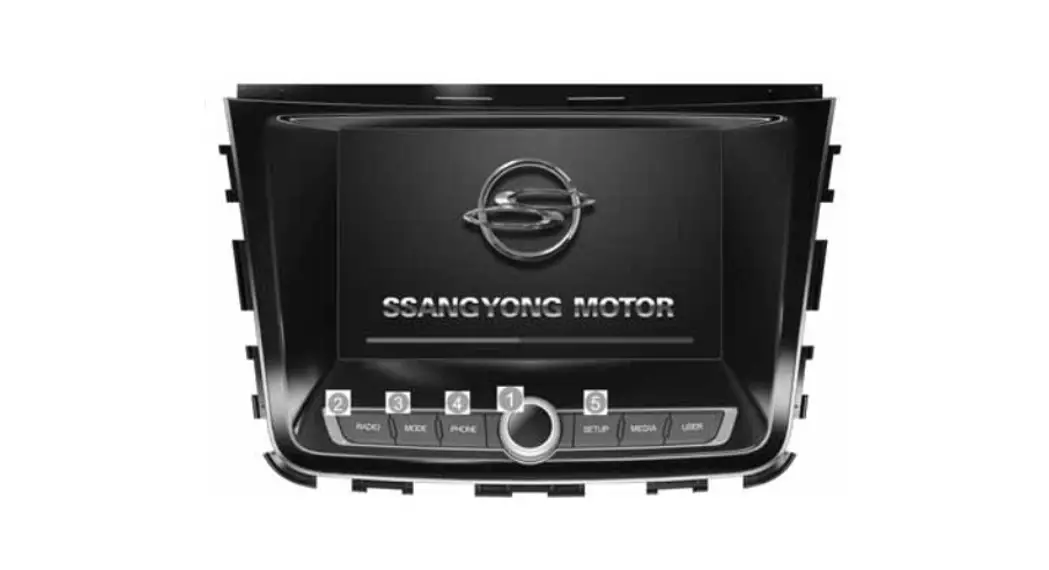
Front View
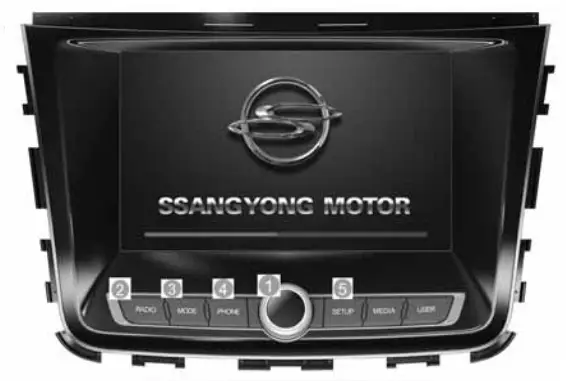
| Button | Description |
 | POWERFUL 1. Used to turn the power ON/OFF or control the volume. 2. Press and hold (over 1.5 seconds) to turn the power OFF. 3. Press shortly to turn the AV ON/OFF. 4. Turn left/right to control volume. (volume control range 0-45) |
 | RADIO 1. Operates Radio mode. 2. Each press of the key will change the mode in order of FM1—)- FM2—>AM—>DAB(EU only) mode. |
 | MODE 1. Moves to main mode screen. 2. In main mode screen, press and hold(over 1.5 seconds) to operate the most recent AV mode. |
 | PHONE 1. It is possible to enter Bluetooth mode from any mode. 2. In Bluetooth Phone Mode, shortly press to display the Call History. Press again to call the most recently dialed number. 3. While on a call, short press to convert between Handsfree and Private. 4. Press and hold to call the most recently dialed number. 5. While receiving an incoming call, press and hold to reject the call. During a call, press and hold to end the call. |
 | SETUP 1. In any mode, press and hold to display the Settings screen. 2. In the Radio/Audio/Video/Bluetooth Phone mode, press to display the corresponding settings screen. |
Rear View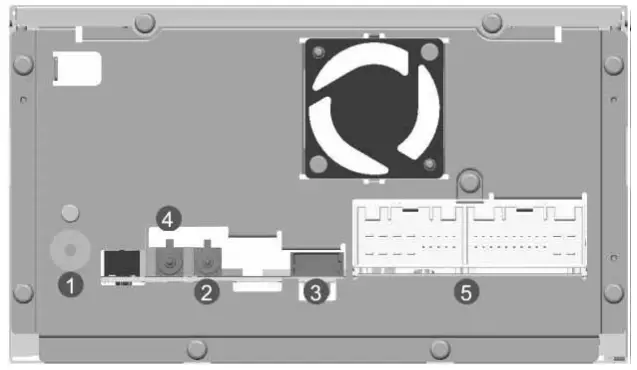
- Radio Antenna Jack – To plug the radio antenna cable
- GPS Antenna Jack – To plug the GPS antenna cable
- USB Port – To connect a USB connector for USB function
- DAB Connector (EU Only) – To connect a DAB antenna cable 5) I/O Connector (42 pin)
Smart Audio 42P CONNECTOR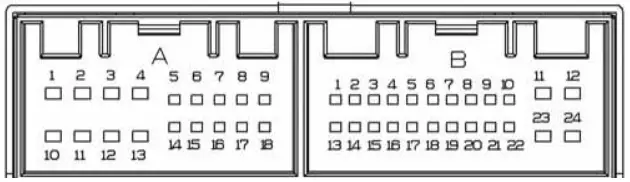
Smart Audio
| PIN NO. | SPEC | PIN NO. | SPEC |
| Al | REAR L CH+ OUT | B1 | NC MM CAN H |
| A2 | FRONT L CH+ OUT | B2 | LOW CAN H(CLUSTER) |
| A3 | FRONT R CH+ OUT | B3 | AVM ON / OFF SW |
| A4 | REAR R CH+ OUT | B4 | ST REMOCON IN |
| A5 | REAR OUT GND | B5 | NC SPDIF OUT – |
| A6 | REAR CAM POWER | B6 | NC SPDIF OUT + |
| A7 | ALT IN | B7 | NC AUX CVBS IN |
| A8 | ILL-F IN | B8 | AUX R IN |
| A9 | REVERSE IN | B9 | AUX GND |
| Al0 | REAR L CHOUT | B10 | MIC+ |
| All | FRONT L CHOUT | B11 | ACC B+ IN |
| Al2 | FRONT R CHOUT | B12 | BATT B+ IN |
| A13 | REAR R CHOUT | B13 | NC MM CAN L |
| A14 | REAR OUT VIDEO GND | B14 | LOW CAN L(CLUSTER) |
| A15 | REAR OUT VIDEO OUT | B15 | AVM ON / OFF SW GND |
| A16 | DOOR UNLOCK | B16 | SPEED |
| A17 | ILL- IN | B17 | ST AND |
| A18 | ANT POWER | B18 | SPDIF GND |
| B19 | NC AUX VGND | ||
| B20 | E-CALL MUTE | ||
| B21 | AUX L IN | ||
| B22 | MIC- | ||
| B23 | MIC GND | ||
| B24 | PGND |
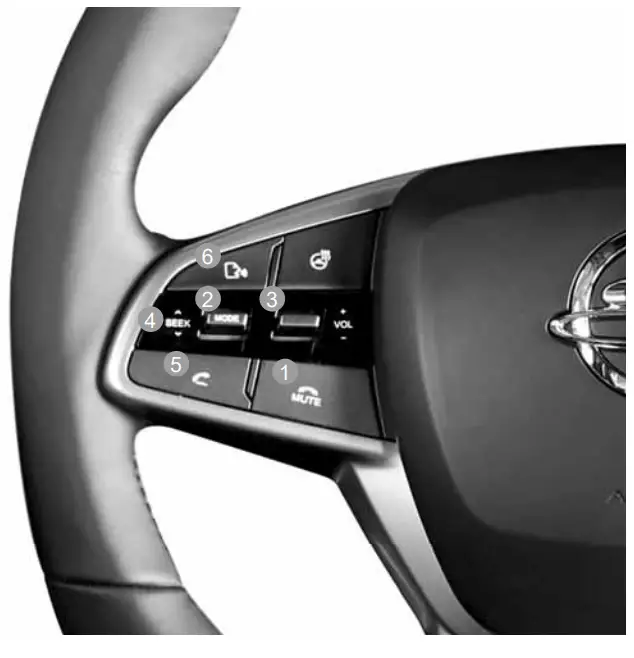
Steering Wheel Controller
Steering Wheel Controller
| Button | Description |
 | During a Bluetooth Handsfree call, press and hold to end the call. When not on a call, press to turn Mute ON/OFF. |
 | In any mode Each the key the in Radio – press of will change mode order of →* Media, Bluetooth Music -* iPod →* My Music mode. In Radio mode – Press and hold to change the radio mode in order of FM1→FM2 DAB(EU →AM →only) mode. In Media, mode Press hold to the in Music – and change mode order of →Video→Image mode. |
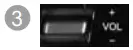 | Adjusts the volume. |
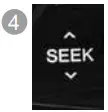 | While playing – press up/down to move the previous/next file. In Radio mode – press up/down to move the previous/next preset – press and hold up/down to move the previous/next broadcast frequency. |
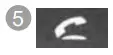 | Operates Bluetooth Handsfree mode |
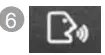 | In Apply CarPlay mode – operates Siri. In Android Auto mode – operates Google Voice. |
Basic Operation
Starting the System
 | ||
| 1.Set the ignition key to ON or ACC. | 2. The Ssangyong Motors logo is the boot. | 3. Once booting is complete, the most recent mode will operate. (Default mode is Radio FM1) |
Turning the System Off
1. Press and hold (over 1.5 seconds) the POWERNOL button to turn the power off. When the system power is turned off, the final operating mode is saved. When the ignition is turned on again, the system will automatically turn on the most recently operated mode. However, if the final mode was Bluetooth audio, then the mode prior to Bluetooth will operate.
| Resetting the System | Settings |
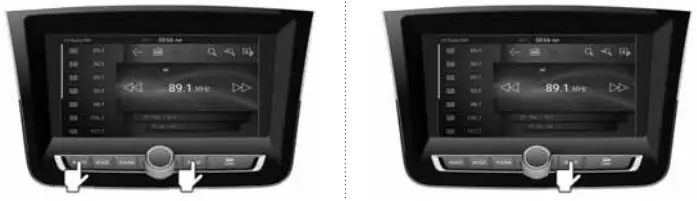 | |
| 1. Press the RADIO and SETUP button simultaneously. 2. The system will turn off and reboot. | 1. Press and hold (over 1.5 seconds) the SETUP button to convert to Smart Audio Settings screen. |
NOTICE – Resetting the system will restore all existing settings and configurations back to their default states. This is to ensure device stability.
System Settings
| System Settings | Radio Settings | Clock Settings | Sound Settings |
 | |||
| 1. Used to set region, RDS, and PTY Seek settings. | 1. Used to set the time. Press the  button at the upper right side to initialize the settings. button at the upper right side to initialize the settings. | 1. Used to set sound fader/balance, EQ, and other sound settings. Press the button on the upper right side to initialize the settings. |
| Language Settings | Screen Settings | System Settings | |
 | |||
| 2. In the Settings screen, select the desired settings mode. | 1. Used to set language. After selecting the desired language, press the button at the upper right side. The system will auto-matically restart. | 1. Used to set the illumination, ratio, screen off, and other display settings. Press the button at the upper right side to initialize the settings. | 1. Used to check system information and Reset/Upgrade the system. |
Selecting Mode
| Main Mode | Media Mode | Bluetooth Phone Mode | Bluetooth Music Mode |
 | |||
| 1. From the system hard keys, shortly press the MODE button. | 1. Through Media mode, music, video, image files in the USB device and SD card can be played. 2. The feature will not operate unless there is at least one music, video or image file in the USB device or SD card. | 1. This feature allows the user to conveniently make phone calls with Bluetooth phones. 2. Before you use the Bluetooth feature, you must first pair/ connect your mobile phone to your car. | 1.This feature allows users to play music saved in the mobile phone in the car through Bluetooth audio streaming. 2. Music may not automatically play depen-ding on the music player program within the connected device. If Auto Play does not work, re-press the play button. |
| Radio Mode | DAB Mode (EU only) | My Music Mode | |
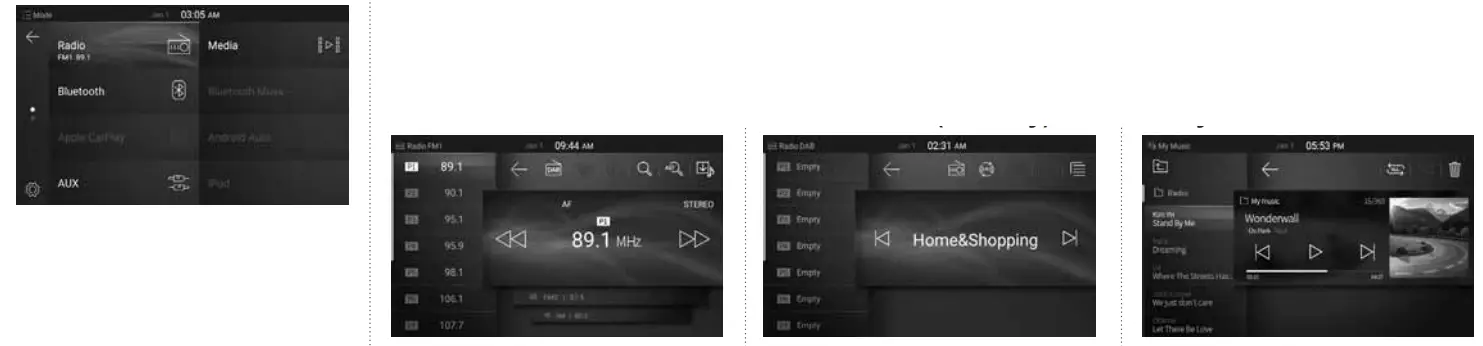 | |||
| 2. In the Mode screen, select the desired mode. | 1. Plays radio broadcasting from FM1/FM2/AM/DAB(EU only). | 1. In Radio Mode, press the S button to enter the DAB mode to listen to Digital Audio Broad-casting. | 1.Radio broadcasts can be played by saving them through the Radio Recording feature. 2.Music files within Media mode that you listen to frequently can be saved to Smart Audio to create your unique Music Lists. Caution -Up to 100 lists can be saved. |
| AUX Mode | Android Auto Mode | Apple CarPlay Mode | iPod Mode |
 | |||
| 1. Music can be played by connecting an external device through AUX. | 1. Android Auto can be used by connecting an Android Smart Phone with Smart Audio. | 1. By connecting your iPhone with Smart Audio, you can conveniently use various features, including Phone, Navigation, Messages, Music, and Siri. | 1. You can enjoy music by connecting your iPod device with Smart Audio. ■ Caution – When using iPod mode through an iPhone, the Use CarPlay setting in iPhone Settings must be disabled. |
| ■ Caution – | Connecting Android Auto | Connecting Apple CarPlay and iPod | e-Manual mode |
| When connecting an external device, the use of a 3-pole AUX cable is recommended. – Connecting an AUX connector jack without connecting an external device will convert the system to AUX mode, but only output noise. When AUX mode is not in use, make sure to also remove the connector jack. | 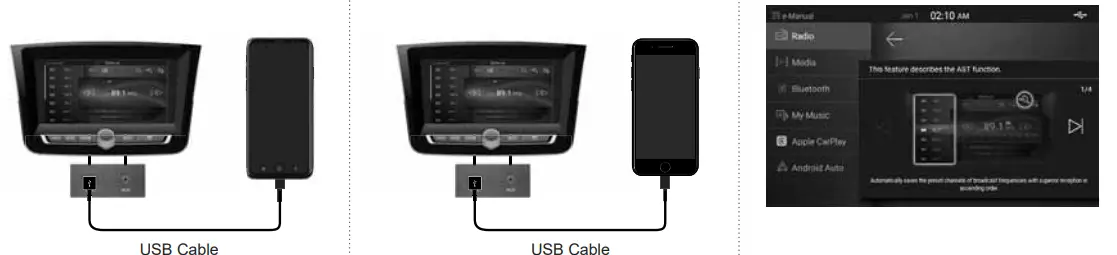 | ||
| 1.Method of using the key features of this device can be conveniently checked through Smart Audio. | |||
■ Caution
– When connecting the USB cable, use only an authentic connection cable.
Restrictions on Features for Safety Measures
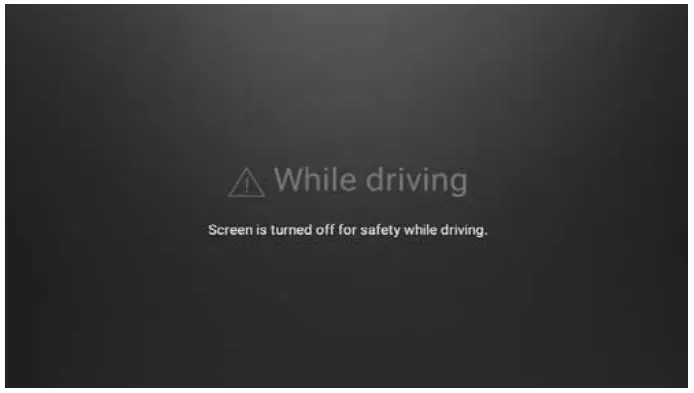
- If you try to use features such as video mode that may distract you when you are driving, the system will turn the screen off or the function will be disabled – Video is not available while driving. The audio player is not affected when the video is off. – The slideshow is not available while driving.
- The restriction screen will disappear when changing gear to P or putting the parking brake on.

AVM (Around View Monitor) – Optional
This device also supports the Around View Monitor (AVM) for added safety.
- AVM is an optional feature.
- Pressing the AVM switch or shifting to R will switch the monitor into AVM mode regardless of your current mode.
- Pressing the AVM switch again or shifting out of R to another gear will automatically turn off AVM mode and restore your previous mode.
- When AVM is operating, it is possible to use the volume and mute features.
- To change between 2D and 3D View modes, use the View Mode features within AVM Settings.
2D View 3D View 
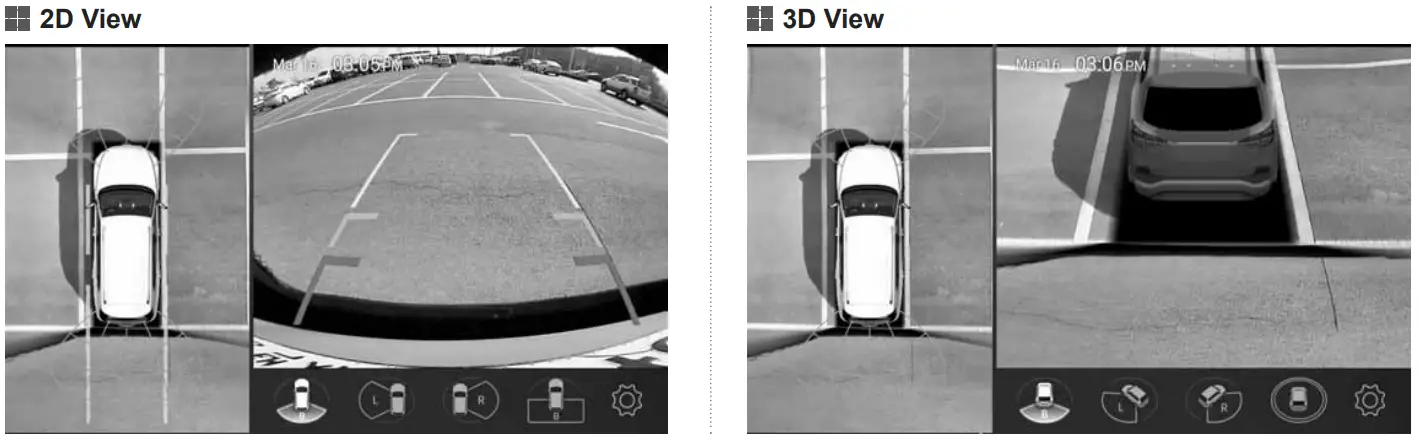
■ Caution – AVM screen may appear different from the actual distance. For your safety, always use caution and directly check the rear and left/right sides. – When AVM is operating, only the volume and incoming call features are supported.
Rear Detection Camera
This system has been equipped with a rear view camera for a wider range of vision for your safety.
- The rear camera will operate automatically when the ignition key is turned ON and the transmission lever is shifted to R.
- The rear camera will automatically stop operating when shifted to a different position.
- When the rear camera is operating, it is possible to use the volume and mute features.
 Position the ignition key in ACC or ON.
- Position the transmission lever to R.
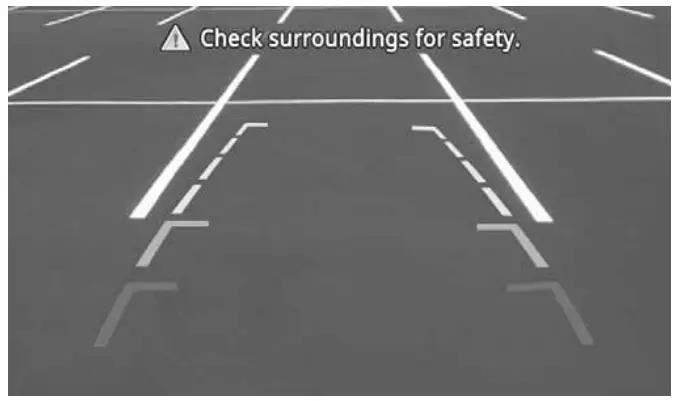 Position the ignition key in ACC or ON.
■ Caution – Rear detection camera screen may appear different from the actual distance. For your safety, always use caution and directly check the rear and left/ right sides. – When the rear camera is operating, only the volume and incoming call features are supported.
Product Specifications
| Common | Name | Car TFT LCD Display Smart Audio UNIT | Storage Device | SD | 1 slot |
| Power Supply | DC 14.4V | ||||
| USB | 1 port, USB2.0 HOST | ||||
| Operating Power | DC 9V – DC 16V | ||||
| Format | FAT 16/32 | ||||
| Current Consumption | 2A | ||||
| Video | Supported Files | MP4, MOV, 3GP, AV!, ASF, MKV, FLV, MPG, MPEG, TS, WMV | |||
| Sleep Current | l 3mA(Head Unit Only) | ||||
| Codec | MPEG2, MPEG4, Xvid, H.264, MJPEG, VC-1, VP8, WMV7/8 | ||||
| Operating Temperature | _30t _ +75t | ||||
| Supported Subtitle Formats/Resolutions | SMI / D1 720X480(729X690), HD 1280X720P(1289X729) | ||||
| Storage Temperature | -40°C – +85°C | Audio | Supported Files | MP3, M4A, APE, OGG, WMA, FLAG, WAV | |
| Sampling Frequency | 32KHz, 44.1KHz, 48KHz | ||||
| Dimensions | 278.4(W) x 175.5(H) x 191.5(D) | ||||
| Bit Rate | 32Kbps – 320Kbps | ||||
| Weight | 2.2 Kg | ||||
| Bluetooth | Compatibility | BLUETOOTH V4.1 | |||
| Display | Screen Size | 176.4 mm (W) x 99.36 (H) mm x 203.2 mm(D) | |||
| Frequency Band | 2402 – 2480MHz | ||||
| Resolution | 384,000 pixel | Supported Profiles | A2DP, AVCP, HFP, PBAP | ||
| Operating Method | TFT Active Matrix Method | Transmission Output Power | 3.0 dBm | ||
| Backlight | LED Method | ||||
| Modulation Type | FHSS(GFSK) | ||||
| Radio | Frequency Range | 1.GENERAL REGION FM : 87.5 – 108.0MHz (Step : 100kHz) AM : 531 – 1602 kHz (Step:9kHz) 2.EUROPE REGION FM : 87.5-108.0MHz (Step : 100kHz) AM : 522-1620 kHz (Step:9kHz) 3. LATIN AMERICA REGION FM : 87.5-108.0MHz (Step : 100kHz) AM : 530 -1710 kHz (Step:lOkHz) | |||
| Channel | 79 | ||||
| Certified- non |  Hereby, Digen Co., Ltd. Declares that the radio equipment type [SmartAudio DGU-8745-Y400SA] is in compliance with Directive 2014/53/EU. The full text of the EU declaration of conformity is available at the following internet address: http://www.digen.co.kr A copy of the DoC in the original language is enclosed with the equipment. | ||||
| Sensitivity | FM: 10dBuV, AM: 40dBuV EMF | ||||
FCC Information to User
This equipment has been tested and found to comply with the limits for a Class B digital device, pursuant to Part 15 of the FCC Rules. These limits are designed to provide reasonable protection against harmful interference in a residential installation. This equipment generates, uses and can radiate radio frequency energy and, if not installed and used n accordance with the instructions, may cause harmful interference to radio communications. However, there is no guarantee that interference will not occur in a particular installation. If this equipment does cause harmful interference to radio or television reception, which can be determined by turning the equipment off and on, the user is encouraged to try to correct the interference by one of the following measures:
- Reorient or relocate the receiving antenna.
- Increase the separation between the equipment and receiver.
- Connect the equipment into an outlet on a circuit different from that to which the receiver is connected.
- Consult the dealer or an experienced radio/TV technician for help.
Caution the responsible for compliance could void the user’s authority to operate the equipment.
FCC Compliance Information: This device complies with Part 15 of the FCC Rules. Operation is subject to the following two conditions:
(1) This device may not cause harmful interference, and
(2) this device must accept any interference received, including interference that may cause undesired operation.
IMPORTANT NOTE:
FCC RF Radiation Exposure Statement:
This equipment complies with the FCC RF radiation environment. This equipment should be installed and operated with a minimum distance of 20centimeters between the radiator and your body. This transmitter must not be co-located or operating in conjunction with any other antenna or transmitter.
This device complies with Industry Canada’s license-exempt RSS. Operation is subject to the following two conditions:
- This device may not cause interference; and
- This device must accept any interference, including interference that may cause undesired operation of the device.