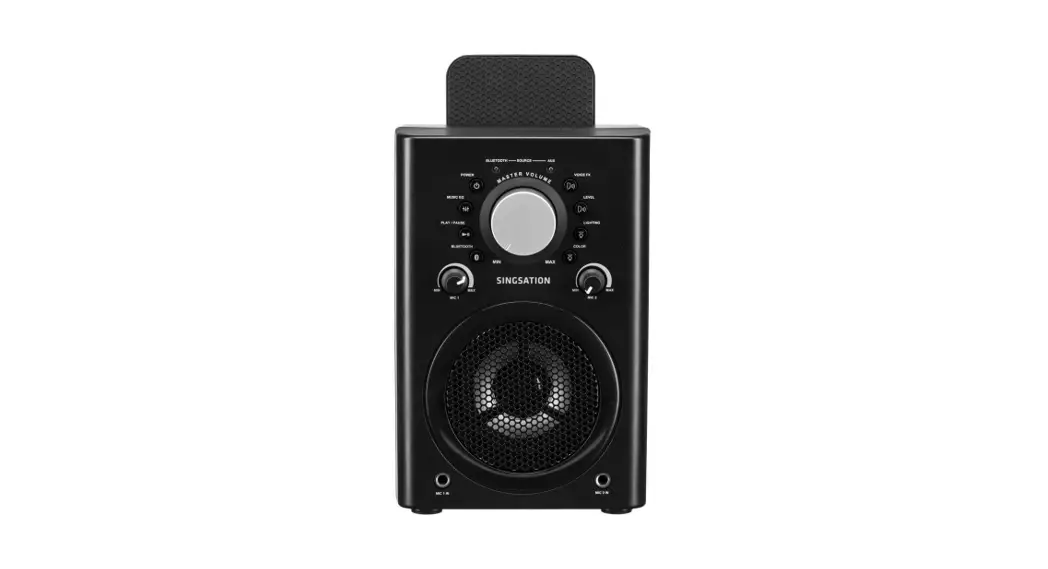
TOUR All-In-One Karaoke System
Product Information
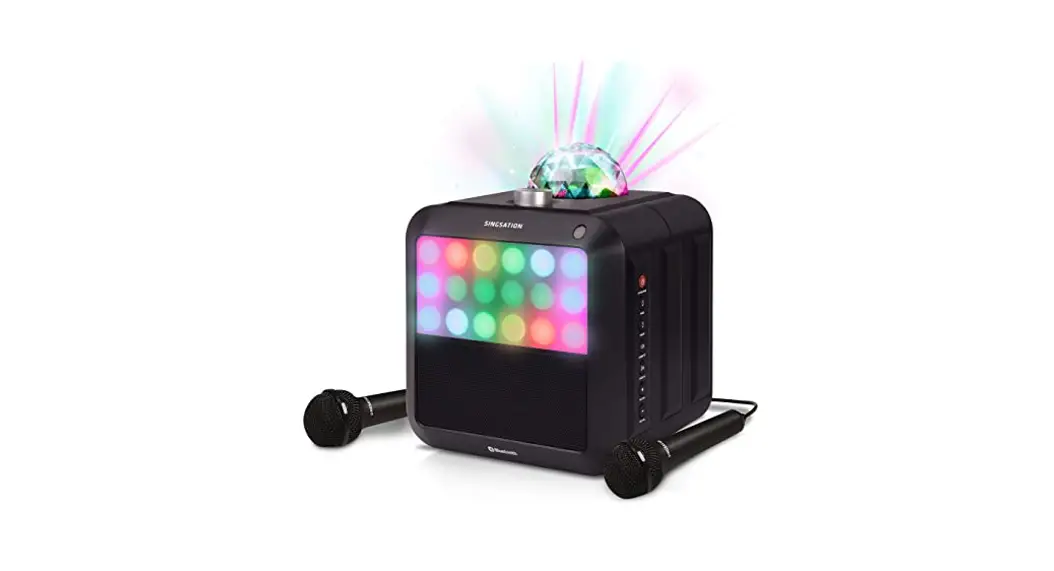
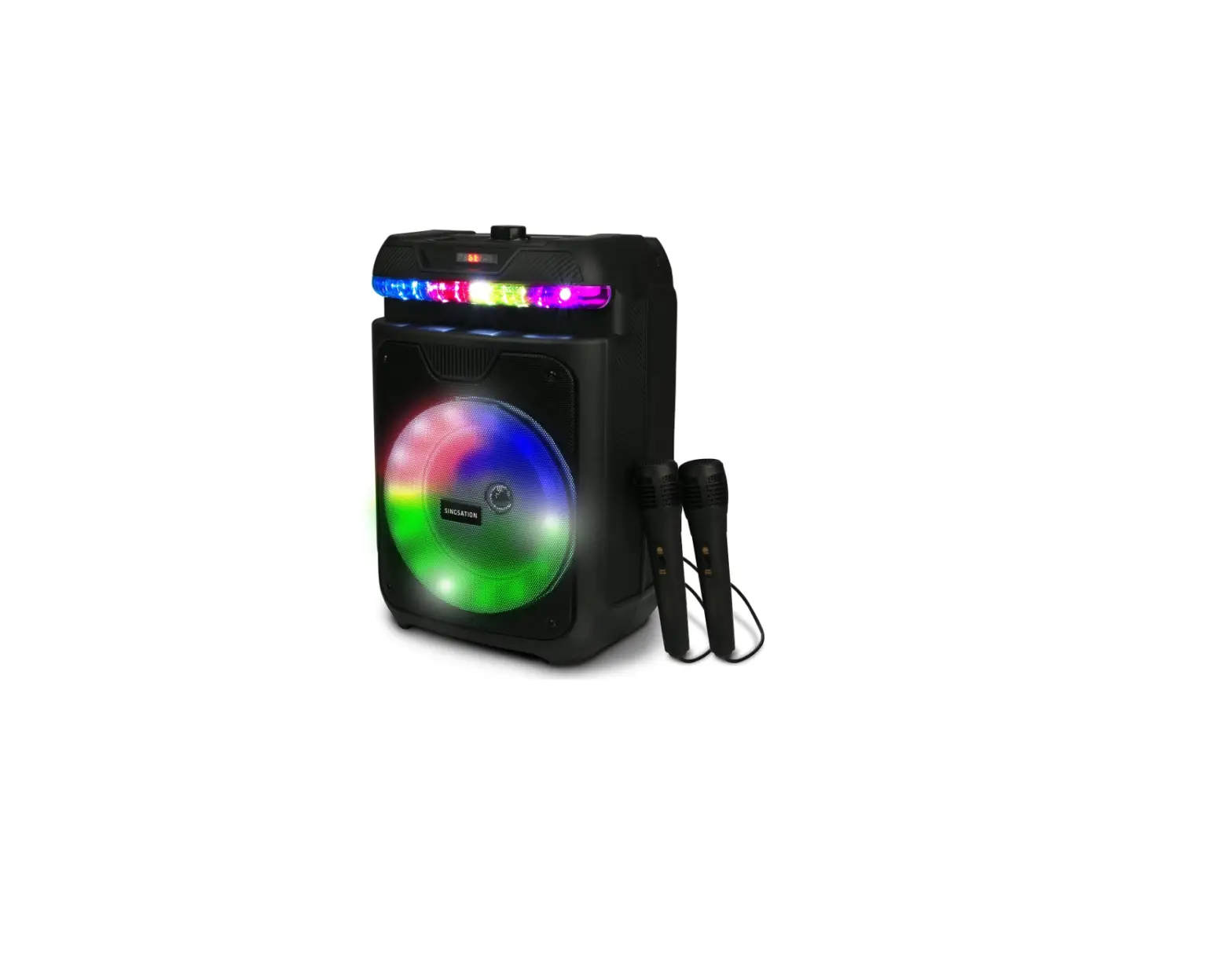
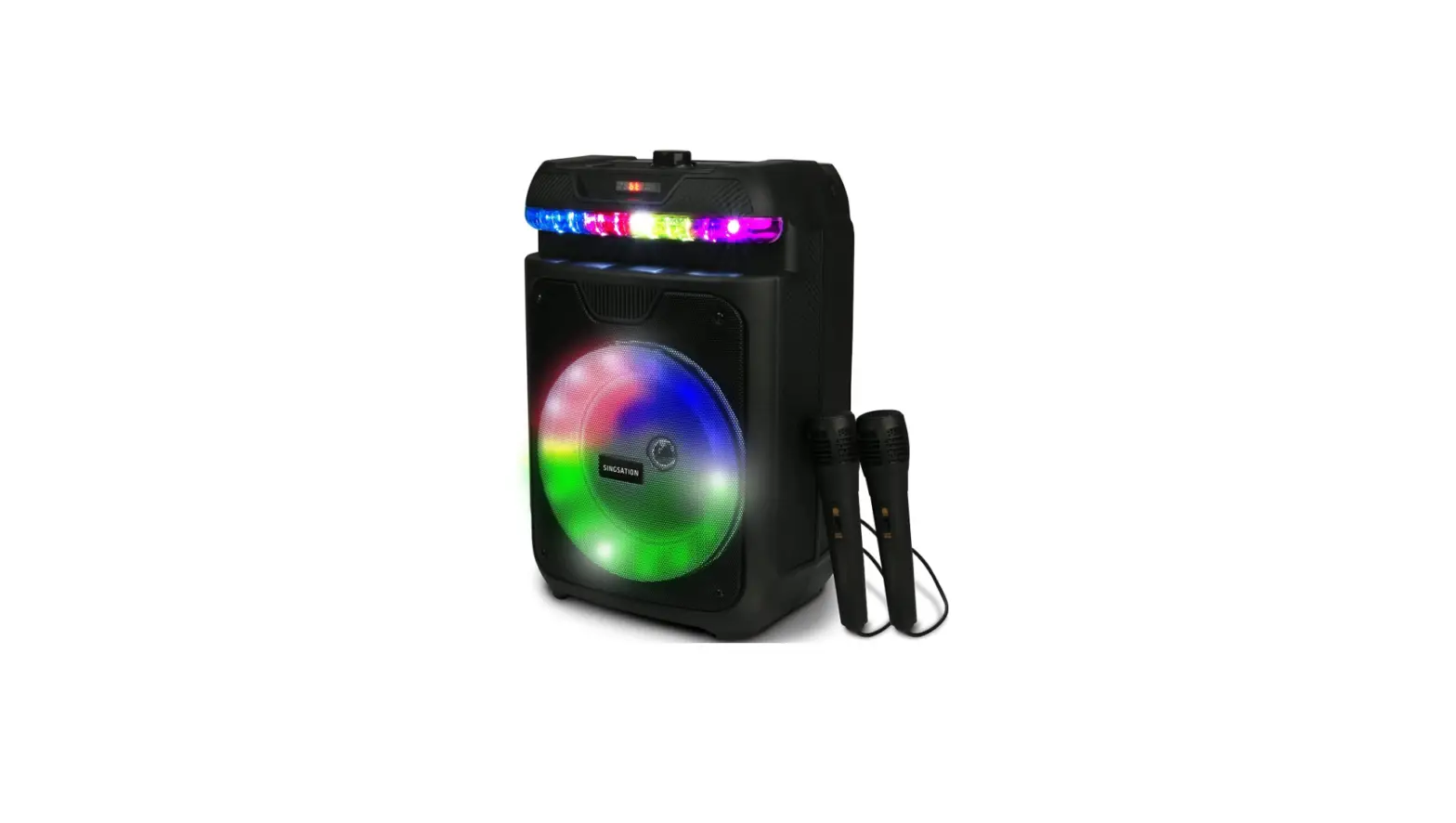
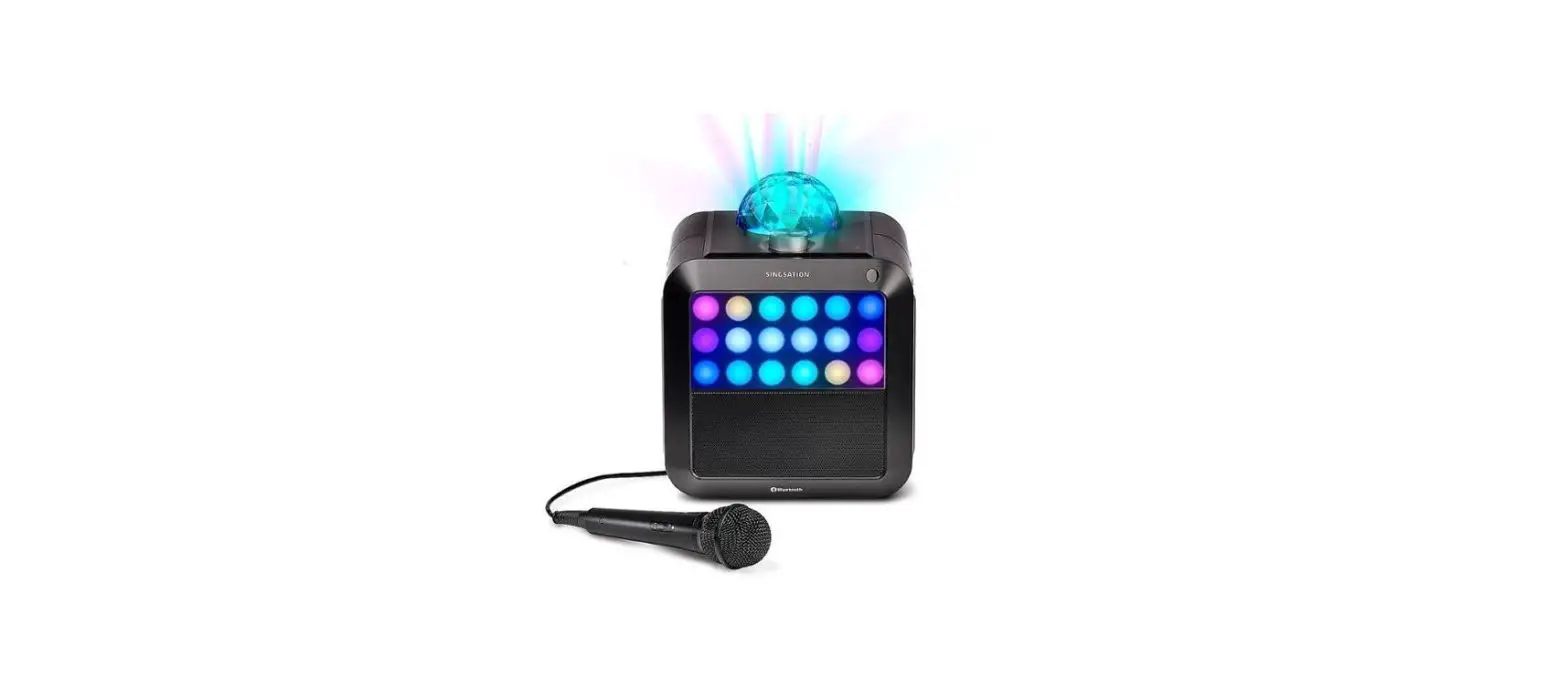
The Singsation Tour is an all-in-one karaoke system that allows
you to sing along to your favorite music. It comes with a speaker,
microphone, and remote control. The speaker has a built-in
rechargeable battery and Bluetooth connectivity, allowing you to
connect it to your phone or other Bluetooth devices. The speaker
also features a light show mode that adds visual effects to your
karaoke experience.
Product Usage Instructions
- Step 1: Unpack
Make sure all the necessary items are included in the
package. - Step 2: Charge the Speaker
Connect one end of the charging cable to the DC5V jack on the
top of the speaker and the other end to a USB charging adapter.
Make sure the speaker is fully charged before use. - Step 3: Plug In the Mic
Connect the microphone cable to the MIC jack on the top of the
speaker. - Step 4: Remove the Remote Battery Tab
Pull out the battery tab from the bottom of the remote control
to activate it. - Step 5: Turn On the Speaker
Switch the ON-OFF switch on the top of the speaker to the ON
position. The speaker will announce Pairing. - Step 6: Pair With the Speaker
Enable Bluetooth on your phone and select “Singsation SPKA26”
from the available devices to pair with the speaker. The speaker
will announce “Device connected” when successfully paired. - Step 7: Start Playing Music
Turn up the volume on your phone to 75% and start playing
music. - Step 8: Turn On the Mic and Sing Along!
Switch the microphone’s ON/OFF switch to the ON position and
start singing.
Additional Usage Instructions
- To adjust the music volume: Use the volume controls on your
phone. - To adjust the volume of music and voice: Turn the VOL dial on
the top of the speaker. - To play/pause the music: Press the button on the top of the
speaker or on the remote control. - To skip to the next/previous track: Press the respective
buttons on the top of the speaker or on the remote control.
Using Two Singsation Tour Speakers Together (TWS Mode)
If you have two Singsation Tour speakers, you can set them up to
play together in True Wireless Stereo (TWS) mode. Follow these
steps:
- Make sure both speakers are turned on.
- Double press the button on one of the Singsation Tours. The
speaker will play a sound to indicate it’s ready for TWS
pairing. - Press and hold the button on the same speaker until you hear a
second sound. The speakers are now in TWS mode.
To return to single-speaker mode, turn off one of the speakers
or press and hold the button on that speaker. The speakers will
enter TWS mode again when turned on.
Using the Light Show
The Singsation Tour has various light show modes that are
enabled by default when the speaker is turned on. To cycle through
the light show modes, press the button on the top of the speaker.
The final press will turn off the light show.
TOUR
ALL-IN -ON E KARAOKE SYSTEM
QUICK START GUIDE
Instructions en français………………………………… 7 Instrucciones en español ………………………………13
SPKA26 QSG 01
Step 1: Unpack
Make sure the following items came in this package:
· Singsation Tour All-In-One Karaoke System · Microphone with Cable · Charging Cable · Remote Control
Step 2: Charge the Speaker
Plug one end of the charging cable into the
Top
DC5V jack on the top of the speaker. Plug the
other end into a USB charging adapter (not
included).
Step 3: Plug In the Mic
Top
Plug the microphone cable into the MIC jack on the top of the speaker.
Step 4: Remove the Remote Battery Tab
Pull the battery tab out of the bottom of the remote. The battery will start powering the remote so you can use it.
2
Step 5: Turn On the Speaker
Move the ON-OFF switch on the top of the
Top
speaker into the ON position. The speaker
announces “Pairing.”
Note: When the speaker’s ON-OFF switch is in the ON position, you can use the remote’s button to turn the speaker on and off.
Step 6: Pair With the Speaker
Make sure your phone’s Bluetooth is turned on. Select Singsation SPKA26 from the available devices to pair to the speaker.
The speaker announces “Device connected” when it’s finished pairing and connecting to your Bluetooth device.
Note: The process of enabling Bluetooth and connecting varies from device to device. See your device’s owners manual for more information and specific instructions.
Bluetooth
Bluetooth Devices Singsation SPKA26
If you’ve previously paired your phone or other Bluetooth device with the Singsation Tour, it will automatically attempt to reconnect to that device when you switch it on. If you want to pair to a new device, turn off Bluetooth on the device that’s already paired to the speaker. The speaker announces “Pairing.”
Bluetooth Wireless Connection Tips
· Make sure the Bluetooth capability of your device is turned on.
· Make sure there’s nothing plugged into the Singsation Tour’s AUX jack when you’re trying to use Bluetooth.
· The Bluetooth wireless connection works up to a range of roughly 33 feet (10 meters). This range may vary, however, based on other factors, such as room layout, wall material, obstacles, your device’s Bluetooth performance, etc. If you’re having problems connecting to the speaker, move closer to it.
· If your device asks you for a password to connect, use “0000”.
3
Step 7: Start Playing Music
Turn your phone’s volume up to 75%. Then start playing music on your phone.
Step 8: Turn On the Mic and Sing Along!
Move the microphone’s ON/OFF switch to the ON position and start singing!
Microphone
ON
OFF
DYNAMIC
To adjust the music volume: Use the volume
controls on your phone.
To adjust the volume of music AND voice:
Top
Turn the VOL dial on the top of the speaker or
the VOL and VOL+ buttons on the remote.
To play/pause the music: Press the button on the top of the speaker or on the remote.
To skip to the next/previous track: Press the or button on the top of the speaker or on the remote.
Using Two Singsation Tour Speakers Together (TWS Mode)
If you have two Singsation Tour speakers, you can set them up to play together in True Wireless Stereo. To set up True Wireless Stereo: 1. Make sure both speakers are on. 2. Give a quick double press to the button on one of the Singsation Tours. The speaker
plays a sound to indicate it’s ready for TWS pairing. 3 Press and hold the button on the same speaker until you hear the speaker play a
second sound. The speakers are now in TWS mode. To return to single-speaker mode: Turn one of the speakers off (or press and hold the button on that speaker). Speakers return to TWS mode when they’re turned on again.
4
Using the Light Show
Top
The Singsation Tour has several light show modes that turn on by default when the speaker is on.
To cycle through the speaker’s light show modes: Press the button on the top of the speaker. The final press turns the light show off.
Note: The light show does not support FM radio mode.
Using Other Audio Sources
In addition to Bluetooth audio, the Singsation Tour has four other audio sources you can use: FM radio, USB memory, SD card, and an auxiliary input.
To use FM radio: Press and hold the
Top
button on the top of the speaker. The first
time you use the FM radio, press the
button on the top of the speaker to scan
available stations (this takes a few minutes
to complete). Then use the or buttons
to go to different radio stations.
To use a USB memory stick or SD card: Plug the memory stick or SD card into the USB or TF slots on the top of the speaker. If there are MP3 music files in the top directory of the memory stick or SD card, the speaker will automatically start playing them.
Note: The speaker offers additional functions for music playback from an SD card or USB memory stick. Press the EQ button on the remote to go through the different EQ settings (the name of each is shown on the display). Press the RPT button to repeat a track. These functions work for the USB memory stick or SD card only.
To use an auxiliary audio source: Plug your auxiliary audio source into the AUX input on the top of the speaker using a 3.5mm audio cable (not included). The speaker automatically switches to the auxiliary input.
To return to Bluetooth audio: Press and hold the button repeatedly until the display says “BT.”
5
Tour of the Singsation Tour
Remote Control
turns the speaker on and off if the speaker’s ON-OFF switch is in the ON position. Mode cycles through the speaker’s light show modes. Press and hold repeatedly to cycle through the speaker’s audio inputs.
mutes the audio.
, , and play/pause, skip back, and skip forward for audio on the current input (except for AUX). EQ switches through the EQ presets for the SD card and USB inputs. The name of each preset is shown on the speaker’s display. VOL and VOL+ adjust the volume of the speaker. Number keys select a song directly on the TF and USB inputs. RPT repeats the current song on the TF and USB inputs. U/SD switches between the TF and USB inputs.
Speaker Top Panel
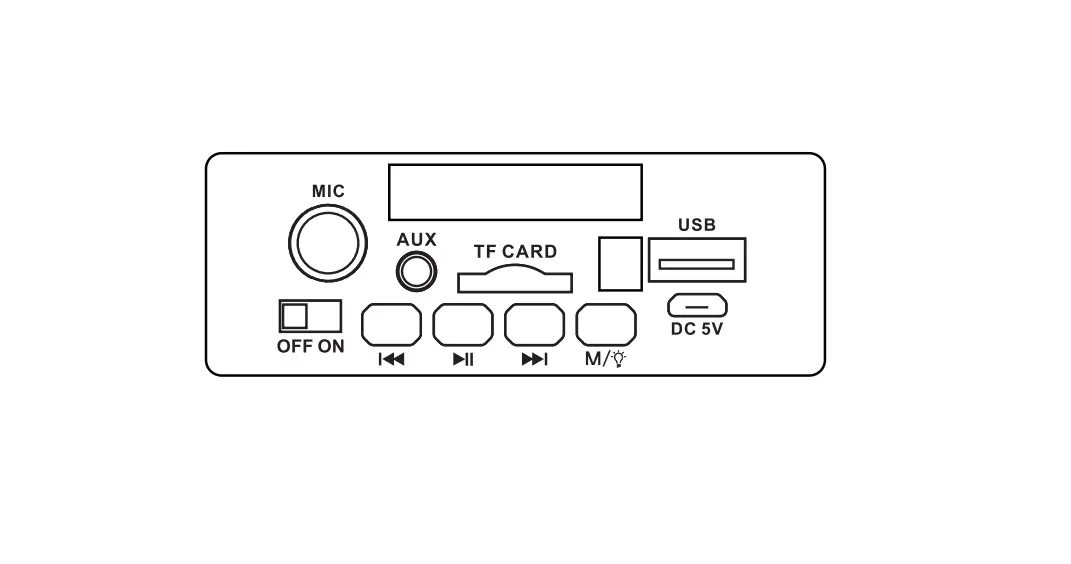
MIC jack Plug the included mic into this jack for karaoke! AUX input Plug an auxiliary audio source into this jack via 3.5mm cable (not provided). Display shows the current source and other information depending on the source (station for FM radio, EQ setting for USB and SD card, etc.). TF slot and USB port Insert an SD card or USB memory stick into this slot or port to listen to the music on those media. DC 5V jack Plug the included micro-USB charging cable into this jack. Then plug the other end into a USB power source to charge the speaker. OFF-ON turns the speaker on and off. Leave this switch in the ON position to turn the speaker on and off using the remote.
, , and play/pause, skip back, and skip forward for audio on the current input (except for AUX).
cycles through the speaker’s light show modes. Press and hold repeatedly to cycle through the speaker’s audio inputs.
6
TOUR
SYSTÈME DE KARAOKÉ T O U T – E N – U N
GUIDE DE DÉMARRAGE RAPIDE
English instructions……………………………………….1 Instrucciones en español ………………………………13
7
Étape 1 : Déballage
S’assurer que les articles suivants sont inclus dans l’emballage :
· Système de karaoké tout-en-un Singsation Tour · Microphone avec câble · Câble de chargement · Télécommande
Étape 2 : Charger le haut-parleur
Brancher une extrémité du câble de chargement inclus sur la prise DC5V située sur le dessus du haut-parleur. Brancher l’autre extrémité dans un adaptateur de chargement USB (non inclus).
Dessus
Étape 3 : Branchement du microphone
Brancher le câble du microphone dans la prise MIC située sur le dessus du haut-parleur.
Dessus
Étape 4 : Retirer la languette du compartiment à piles de la télécommande
Tirer sur la languette du compartiment à piles de la télécommande pour la retirer. La pile commencera à alimenter la télécommande, qui pourra ainsi être utilisée.
8
Étape 5 : Activer le haut-parleur
Faire basculer l’interrupteur ON-OFF (AlluméÉteint) situé sur le dessus du haut-parleur sur la position ON (Allumé). Le haut-parleur annonce « Pairing » (Appariement).
Remarque : Lorsque l’interrupteur ON-OFF (Allumé-Éteint) est sur la position ON (Allumé), le bouton de la télécommande peut être utilisé pour allumer et éteindre le haut-parleur.
Dessus
Étape 6 : Appariement avec le haut-parleur
Vérifier que la fonction Bluetooth du téléphone est activée. Sélectionner Singsation SPKA26 dans les périphériques disponibles à apparier avec le haut-parleur.
Le haut-parleur annonce « Device Connected » (Appareil connecté) lorsque l’appariement et la connexion à l’appareil Bluetooth sont terminés.
Bluetooth
Bluetooth Devices Singsation SPKA26
Remarque : Le processus d’activation Bluetooth et de connexion varie d’un appareil à l’autre. Se reporter au manuel du propriétaire de l’appareil pour obtenir des informations supplémentaires et des instructions spécifiques.
Si un téléphone ou tout autre appareil Bluetooth a été apparié antérieurement à la Singsation Tour, elle essaie automatiquement de se reconnecter à cet appareil lorsqu’il est activé. Pour l’apparier à un nouvel appareil, désactiver la fonction Bluetooth sur l’appareil apparié avec le haut-parleur. Le haut-parleur annonce « Pairing » (Appariement).
Conseils pour la connexion sans fil Bluetooth
· Vérifier que la fonction Bluetooth de l’appareil est activée.
· Vérifier que rien n’est branché sur la prise AUX (Entrée aux.) de la Singsation Tour lors de la tentative d’utilisation de Bluetooth.
· La connexion sans fil Bluetooth dispose d’une portée d’environ 10 m (33 pi). Cependant, cette portée peut varier en fonction d’autres facteurs, tels que l’agencement de la pièce, le matériau des murs, les obstacles, la performance Bluetooth de l’appareil, etc. En cas de problème de connexion avec le haut-parleur, se rapprocher du haut-parleur.
· Si l’appareil demande un mot de passe pour se connecter, utiliser « 0000 ».
9
Étape 7 : Écouter de la musique
Monter le volume du téléphone à 75 % maximum. Puis démarrer la lecture de musique sur le téléphone.
Étape 8 : Activer le micro et chanter !
Faire basculer l’interrupteur ON/OFF (Allumé/ Éteint) du microphone sur la position ON (Allumé) et commencer à chanter !
Réglage du volume de la musique : Utiliser les commandes du volume du téléphone.
Réglage du volume de la musique ET de la voix : Tourner le bouton rotatif VOL, situé sur le dessus du haut-parleur, ou appuyer sur les boutons VOL et VOL+ de la télécommande.
Lecture/pause de musique : Appuyer sur le bouton situé sur le dessus du haut-parleur ou sur la télécommande.
Pour passer au morceau suivant/précédent : Appuyer sur le bouton ou situé sur le dessus du haut-parleur ou sur la télécommande.
Microphone
ON OFF
DYNAMIC
Dessus
Utilisation de deux haut-parleurs Singsation Tour ensemble (Mode TWS)
Si vous possédez deux haut-parleurs Singsation Tour, il est possible de les régler pour une lecture simultanée de la musique grâce au mode True Wireless Stereo (TWS). Configuration du mode True Wireless Stereo :
1. Vérifier que les deux haut-parleurs sont en marche.
2. Appuyer deux fois rapidement sur le bouton sur l’une des Singsations Tour. Le hautparleur émet un son pour indiquer qu’il est prêt pour l’appariement TWS.
3. Appuyer sur le bouton sur le même haut-parleur et le maintenir enfoncé jusqu’à ce que le haut-parleur émette un deuxième son. Les haut-parleurs sont maintenant en mode TWS.
Pour revenir au mode avec haut-parleur unique : Éteindre l’un des haut-parleurs (ou appuyer sur le bouton du haut-parleur à éteindre et le maintenir enfoncé). Les hautparleurs reviendront au mode TWS lorsqu’ils seront de nouveau allumés.
10
Utilisation du spectacle de lumière
La Singsation Tour comprend plusieurs modes de spectacle de lumière qui se déclenchent par défaut lorsque le haut-parleur est allumé.
Pour faire défiler les modes de spectacle de lumière : Appuyer sur le bouton situé sur le dessus du hautparleur. La dernière pression désactive le spectacle de lumière.
Remarque : Le spectacle de lumière ne prend pas en charge le mode Radio FM.
Dessus
Utilisation d’autres sources audio
Outre l’audio Bluetooth, la Singsation Tour dispose de quatre autres sources audio : radio FM, mémoire USB, carte SD et une entrée auxiliaire.
Utilisation de la radio FM : Appuyer sur le bouton situé sur le dessus du haut-parleur
Dessus
et le maintenir enfoncé. Lors de la première
utilisation de la radio FM, appuyer sur le bouton
situé sur le dessus du haut-parleur pour
balayer les stations radio disponibles (cette
opération prend quelques minutes). Puis utiliser
les boutons ou pour passer d’une station
radio à une autre.
Utilisation d’une clé USB ou d’une carte SD : Insérer la clé USB ou la carte SD dans l’encoche USB ou TF à l’arrière du haut-parleur. Si des fichiers
musicaux MP3 se trouvent dans le répertoire supérieur de la clé USB ou
carte SD, le haut-parleur en fera automatiquement la lecture.
Remarque : Le haut-parleur offre des fonctionnalités supplémentaires pour reprendre la lecture de la musique depuis une carte SD ou une clé USB. Appuyer que le bouton EQ de la télécommande pour faire défiler les différents réglages EQ (le nom de chacun s’affiche sur l’écran). Appuyer sur le bouton RPT (Répéter) pour relire un morceau. Ces fonctionnalités ne sont disponibles que pour une clé USB ou une carte SD.
Utilisation d’une source audio auxiliaire : Brancher la source audio auxiliaire dans la prise AUX située sur le haut du haut-parleur à l’aide d’un câble audio de 3,5 mm (non inclus). Le haut-parleur bascule automatiquement sur l’entrée audio.
Pour revenir à l’audio Bluetooth : Appuyer sur le bouton et le maintenir enfoncé jusqu’à ce que « BT » s’affiche à l’écran.
11
Présentation de la Singsation Tour
Télécommande
permet d’allumer et d’éteindre le haut-parleur si l’interrupteur ON/OFF (Allumé/Éteint) est sur la position ON (Allumé).
Mode permet de faire défiler les modes de spectacle de lumière du haut-parleur. Appuyer et maintenir enfoncé de manière répétitive pour faire défiler les entrées audio du haut-parleur.
met l’audio en sourdine.
, , et permettent de mettre la musique en lecture/pause et de passer au morceau précédent/suivant pour l’audio de la source en cours d’utilisation (sauf pour AUX).
EQ bascule d’un préréglage EQ à l’autre pour les entrées de carte SD et USB. Le nom de chaque préréglage s’affiche sur l’écran du hautparleur.
VOL et VOL+ permettent de régler le volume du haut-parleur.
Les touches numérotées permettent de sélectionner une chanson directement sur les entrées TF et USB.
RPT permet de répéter la chanson en cours des entrées TF et USB.
U/SD bascule entre les entrées TF et USB.
Panneau supérieur du haut-parleur
MIC (Prise du microphone) Brancher le micro inclus dans cette prise pour le karaoké !
AUX (Entrée auxiliaire) Brancher une source audio auxiliaire dans cette prise avec un câble de 3,5 mm (non inclus).
L’écran affiche la source actuelle et autres informations connexes (numéro de station pour la radio FM, réglage EQ pour USB/carte SD, etc.).
TF (carte TF) et USB Insérer une carte SD dans l’encoche TF CARD ou une clé USB dans le port USB pour écouter la musique de ces supports.
DC 5V (Prise 5 V c.c.) Brancher le câble de chargement micro-USB inclus sur cette prise. Brancher ensuite l’autre extrémité dans une source d’alimentation USB pour charger le haut-parleur.
L’interrupteur OFF-ON (Allumé/Éteint) allume ou éteint le haut-parleur. Laisser cet interrupteur sur la position ON (Allumé) pour allumer et éteindre le hautparleur avec la télécommande.
, , et permettent de mettre la musique en lecture/pause et de passer au morceau précédent/suivant pour l’audio de la source en cours d’utilisation (sauf pour AUX).
permet de faire défiler les modes de spectacle de lumière du haut-parleur. Appuyer et maintenir enfoncé de manière répétitive pour faire défiler les entrées audio du haut-parleur.
12
TOUR
SISTEMA DE KARAOKE “TODO EN UNO”
GUÍA DE INICIO RÁPIDO
English instructions……………………………………….1 Instructions en français………………………………… 7
13
Paso 1: Desembale el producto
Asegúrese de que se incluyan los siguientes elementos en el embalaje:
· Sistema de karaoke “todo en uno” Singsation Tour · Micrófono con cable · Cable de carga · Control remoto
Paso 2: Cargue el altavoz
Conecte un extremo del cable de carga al conector DC5V (CC de 5 V) ubicado en la parte superior del altavoz. Conecte el otro extremo a un adaptador de carga USB (no incluido).
Parte superior
Paso 3: Conecte el micrófono
Conecte el cable del micrófono al conector MIC ubicado en la parte superior del altavoz.
Parte superior
Paso 4: Extraiga el saliente de la batería del control remoto
Tire del saliente de la batería ubicado en la parte inferior del control remoto. La batería comenzará a alimentar el control remoto para que pueda utilizarlo.
14
Paso 5: Encienda el altavoz
Mueva el interruptor ON-OFF (ENCENDIDO/ APAGADO) ubicado en la parte superior del altavoz a la posición ON (ENCENDIDO). El altavoz emite el mensaje “Pairing” (Vinculando).
Nota: Cuando el interruptor ON-OFF (ENCENDIDO/APAGADO) esté en la posición ON (ENCENDIDO), puede utilizar el botón del control remoto para encender y apagar el altavoz.
Parte superior
Paso 6: Realice la vinculación con el altavoz
Asegúrese de que la función Bluetooth de su teléfono esté activada. Seleccione Singsation SPKA26 en los dispositivos disponibles para realizar la vinculación con el altavoz.
El altavoz emitirá el mensaje “Device connected” (Dispositivo conectado) cuando finalice la vinculación y la conexión con el dispositivo Bluetooth.
Bluetooth
Bluetooth Devices Singsation SPKA26
Nota: El proceso de activación y conexión de Bluetooth varía según el dispositivo. Consulte el manual del propietario del dispositivo para obtener más información e instrucciones específicas.
Si vinculó previamente un teléfono u otro dispositivo Bluetooth con el Singsation Tour, este intentará volver a conectarse automáticamente con ese dispositivo cuando lo encienda. Si quiere vincular con un dispositivo nuevo, desactive Bluetooth en el dispositivo que ya está vinculado con el altavoz. El altavoz emite el mensaje “Pairing” (Vinculando).
Consejos para la conexión inalámbrica Bluetooth
· Asegúrese de que la funcionalidad Bluetooth del dispositivo esté activada. · Asegúrese de que no exista ningún dispositivo conectado al conector AUX del
Singsation Tour cuando intente utilizar el modo Bluetooth. · La conexión inalámbrica Bluetooth funciona con un alcance de hasta aproximadamente
33 pies (10 metros). Sin embargo, este alcance puede variar en función de otros factores, como la disposición de la salida, el material de las paredes, los obstáculos, el rendimiento del dispositivo Bluetooth, etc. Si tiene problemas para conectarse con el altavoz, acérquese. · Si el dispositivo le solicita una contraseña para conectarse, utilice “0000”.
15
Paso 7: Comience a reproducir música
Coloque el volumen de teléfono en un nivel de hasta 75 %. A continuación, comience a reproducir música en el teléfono.
Paso 8: ¡Active el micrófono y comience a cantar!
Coloque el interruptor ON/OFF (ENCENDIDO/ APAGADO) del micrófono en la posición ON (ENCENDIDO) y comience a cantar.
Para ajustar el volumen de la música: utilice los controles de volumen del teléfono.
Para ajustar el volumen de la música y la voz: gire el selector VOL ubicado en la parte superior del altavoz o los botones VOL y VOL+ del control remoto.
Para reproducir/pausar la música: oprima el botón ubicado en la parte superior del altavoz o el control remoto.
Para ir a la pista anterior/siguiente: oprima el botón o ubicado en la parte superior del altavoz o el control remoto.
Micrófono
ON OFF
DYNAMIC
Parte superior
Cómo usar juntos dos altavoces Singsation Tour (modo TWS)
Si tiene dos altavoces Singsation Tour, puede configurarlos para que funcionen juntos en el modo “True Wireless Stereo”. Para configurar “True Wireless Stereo”:
1. Asegúrese de que ambos altavoces estén encendidos.
2. Oprima dos veces rápidamente el botón en uno de los altavoces Singsation Tour. El altavoz reproduce un sonido para indicar que está listo para la vinculación TWS.
3. Mantenga oprimido el botón en el mismo altavoz hasta que escuche que el altavoz reproduce un segundo sonido. Los altavoces están ahora en el modo TWS.
Para regresar al modo de un solo altavoz: apague uno de los altavoces (o mantenga oprimido el botón en ese altavoz). Los altavoces regresan al modo TWS cuando se los vuelve a encender.
16
Uso del show de luces
El Singsation Tour incluye varios modos de show de luces que se activan de forma predeterminada cuando el altavoz está encendido.
Para cambiar entre los modos de show de luces del altavoz: oprima el botón ubicado en la parte superior del altavoz. ubicado en la parte superior del altavoz. Una última pulsación apaga el show de luces.
Nota: El show de luces no es compatible con el modo de radio FM.
Uso de otras fuente de audio
Parte superior
Además de audio Bluetooth, el Singsation Tour incluye otras 4 fuentes de audio que puede usar: radio FM, memoria USB, tarjeta SD y entrada auxiliar.
Para utilizar la radio FM: mantenga oprimido el botón ubicado en la parte superior del altavoz. La primera vez que utilice la radio FM, oprima el botón ubicado en la parte superior del altavoz para buscar las estaciones disponibles (este proceso demora algunas minutos en completarse). A continuación, utilice los botones o para cambiar entre las diferentes estaciones.
Parte superior
Para utilizar un dispositivo de memoria USB o tarjeta SD: conecte el dispositivo de memoria USB o la tarjeta SD en las ranuras USB o TF (TARJETA TF) ubicadas en la parte superior del altavoz. Si existen archivos de música MP3 en el directorio superior del dispositivo de memoria USB o tarjeta SD, el altavoz comenzará a reproducirlos de forma automática.
Nota: El altavoz incluye funciones adicionales para la reproducción de música desde una tarjeta SD o dispositivo de memoria USB. Oprima el botón EQ en el control remoto para desplazarse por los diferentes ajustes del ecualizador (el nombre de cada uno aparece en la pantalla). Oprima el botón RPT para repetir una pista. Estas funciones solo se pueden utilizar en los modos de dispositivo de memoria USB o tarjeta SD.
Para utilizar una fuente de audio auxiliar: conecte la fuente de audio auxiliar a la entrada AUX ubicada en la parte superior del altavoz con un cable de audio de 3.5 mm (no incluido). El altavoz cambiará automáticamente a la entrada auxiliar.
Para regresar al audio Bluetooth: mantenga oprimido varias veces hasta que la pantalla muestre “BT”.
17
Recorrido por el Singsation Tour
Control remoto
permite encender y apagar el altavoz si el interruptor ON-OFF (ENCENDIDO/APAGADO) está en la posición ON (ENCENDIDO). Mode (Modo) permite cambiar entre los modos de show de luces del altavoz. Mantenga oprimido varias veces para cambiar entre las fuentes de entrada del altavoz.
permite silenciar el audio.
, , y permiten reproducir/pausar, retroceder y avanzar para el audio en la entrada actual (excepto para AUX). EQ permite cambiar entre los valores preestablecidos de ecualizador para las entradas de tarjeta SD y USB. El nombre de cada valor preestablecido aparece en la pantalla del altavoz.
VOL y VOL+ permiten ajustar el volumen del altavoz. Los botones numéricos permiten seleccionar una canción en las entradas TF y USB. RPT permite repetir la canción actual en las entradas TF y USB.
U/SD cambia entre las entradas TF y USB.
Panel superior del altavoz
El conector MIC permite conectar el micrófono incluido para la función de karaoke.
La entrada AUX permite conectar una fuente de audio auxiliar a este conector a través de un cable de 3.5 mm (no incluido).
La pantalla muestra la fuente actual y otra información según la fuente (estación para radio RF, configuración de ecualizador para USD y tarjeta SD, etc.).
Ranura para tarjeta TF y ranura USB: inserte una tarjeta SD o dispositivo de memoria USB en esta ranura o puerto para escuchar la música almacenada en estos medios.
Conector de CC de 5 V: conecte el cable de carga micro USB incluido en este conector. A continuación, conecte el otro extremo a una fuente de alimentación USB para cargar el altavoz.
OFF-ON (ENCENDIDO/APAGADO): permite encender y apagar el altavoz. Deje este interruptor en la posición ON (ENCENDIDO) para encender y apagar el altavoz con el control remoto.
, , y permiten reproducir/pausar, retroceder y avanzar para el audio en la entrada actual (excepto para AUX).
permite cambiar entre los modos de show de luces del altavoz. Mantenga oprimido varias veces para cambiar entre las fuentes de entrada del altavoz.
18