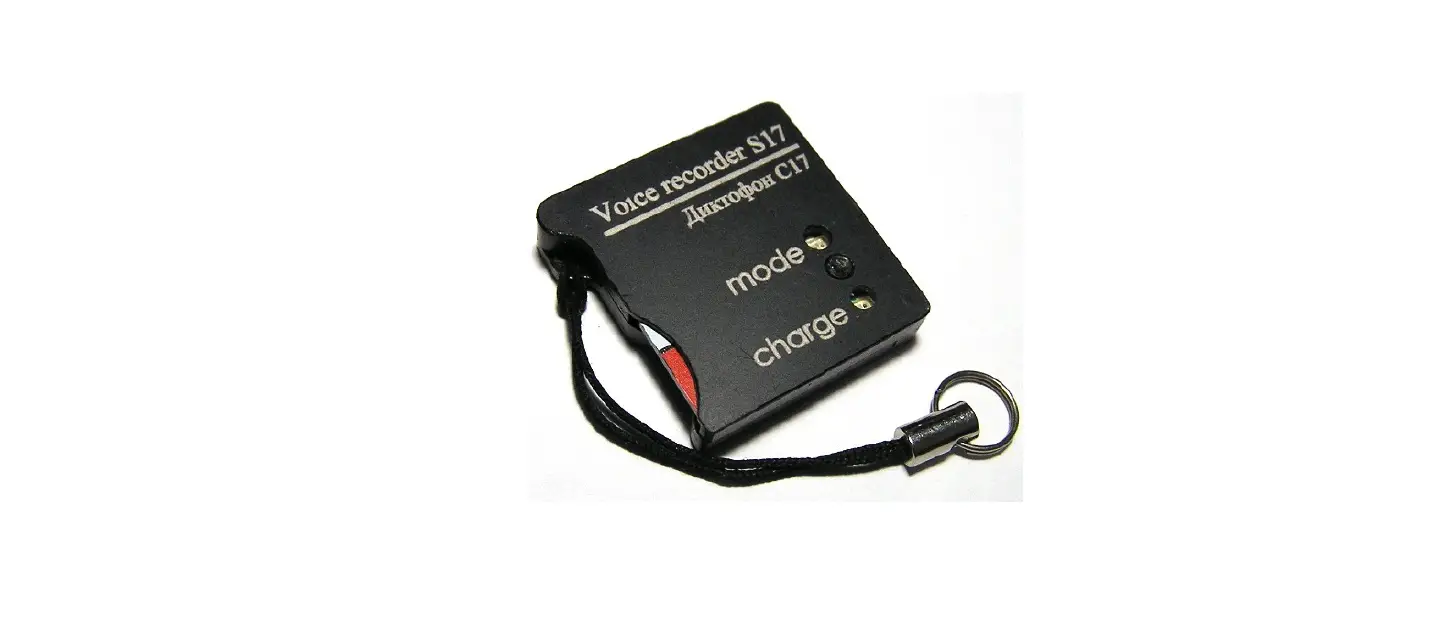
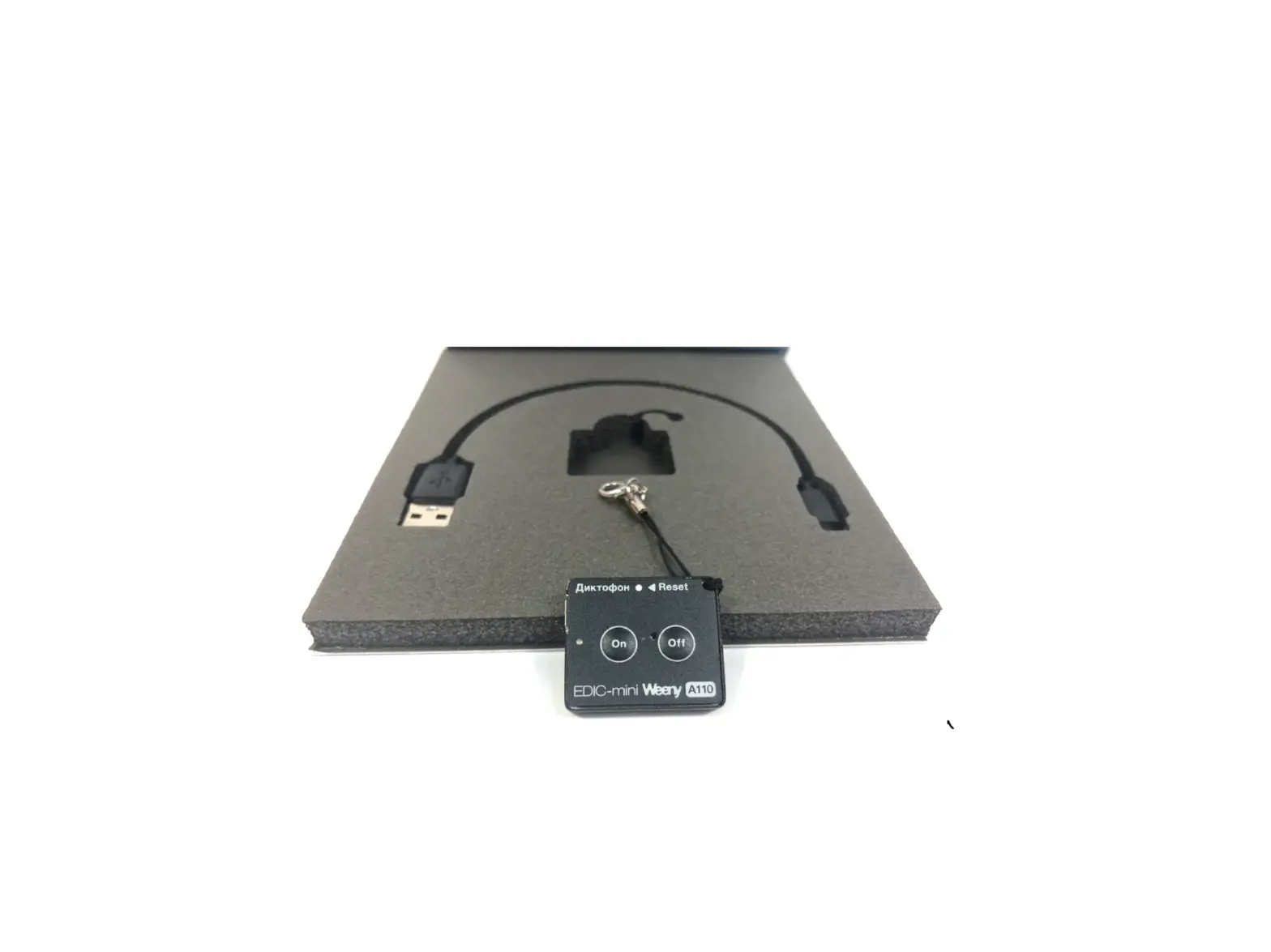
MINIGADGETS OmniVRHairT Voice Recorder

THANK YOU FOR PURCHASING THE OMNIVRHAIRT
Please read this manual before operating the device and keep it handy. This new addition to our Omni line makes audio recording so covert you must have it! Secretly, this Hair Tie conceals a hidden microphone. Wear it in your hair, on your wrist or put it in your pocket to covertly record audio.
Your purchase should include:
- 1 x OmniVRHairT (8GB)
- 1 x AC Wall Charger
- 1 x Manual
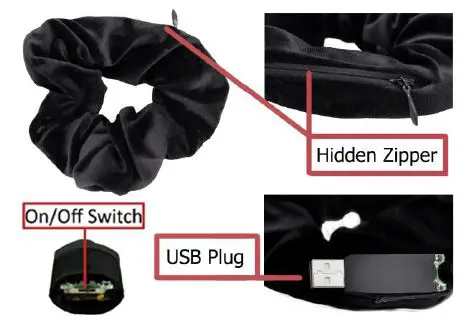
GET FAMILIAR WITH YOUR OMNIVRHAIRT 

OPERATING THE OMNIVRHAIRT
IMPORTANT NOTICE: Allow the device to charge 4-6 hours before using it.
HOW TO CHARGE THE VOICE RECORDER
- Remove the USB Cover from the top of the device (see page 3).
- Plug the USB stick into your PC’s USB jack.
- The red indicator light will be solid while charging.
- The red indicator light will blink when fully charged.
- Alternatively, you can plug the USB stick into the provided AC Wall Charger’s USB jack.
HOW TO CHECK THE REMAINING BATTERY LIFE
- Eject the device from your PC or AC wall charger.
- The indicator light will display one of three ways.
- a. 0%-30% light off
- b. 30%-70% light blink
- c. 70%-100% light on
HOW TO RECORD
- Remove the removable cover from the device, and take off the bottom cover (see page 3).
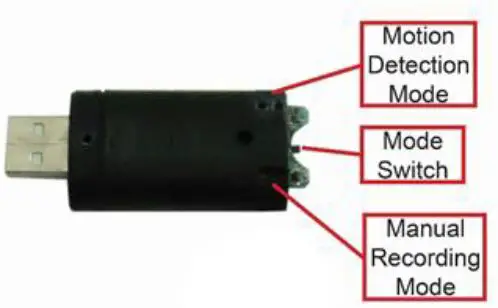
- a. Turn the On/Off/Mode switch to the manual recording position (see page 4 – where the dash is cut out of the bottom).
- b. The device is now recording.
- To stop recording, turn the On/Off/Mode switch to the stop position (see page 4 – middle position).
- a. The device has stopped recording and saved the file.
HOW TO RECORD USING VOICE ACTIVATION MODE
- With the bottom cover removed, turn the On/Off/Mode switch to the voice activation recording position (see page 4– where the two dots are cut out of the bottom).
- a. After about 3 seconds, the red indicator light will blink.
- b. The device is now recording.
- To stop voice-activated mode, turn the On/Off/Mode switch into the stop position (see page 4 – middle position).
- a. The device has exited voice-activated mode, and has saved the audio file.
HOW TO USE LONG RECORDING
Long play is used while the device is plugged into your PC, allowing you to record for a long time.
- Turn the Recording Switch into the voice operated recording position (see page 4).
- After approx. 3 seconds, the red indicator light will blink.
- The device is now recording.
- Plug the USB stick into your PC’s USB jack.
- Turn the Recording Switch into the stop position (see page 4).
- The device has stopped recording and saved the file.
IMPORTANT NOTICE
This device is not equipped to have its time stamp adjusted. We have attempted extensive testing, but unfortunately, none of our known methods have worked. We apologize for any inconvenience this might cause.
RETRIEVE THE FILES TO YOUR PC
- Remove the USB port cover (see page 3) and plug the device’s USB port into the USB port on your computer.
- Locate “Removable Disk” inside the (My) Computer folder
- AutoPlay Removable Disk > Open folder to view files
 Go to Start > Computer > Removable Disk
- AutoPlay Removable Disk > Open folder to view files
- Open the Removable Disk drive.
- Open the [folder name] folder.
- Double click the file you want to view.
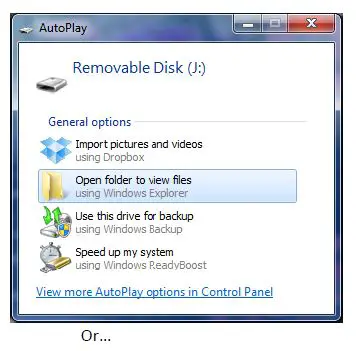 Go to Start > Computer > Removable Disk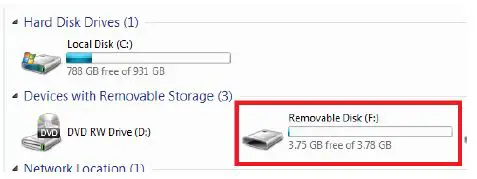
TROUBLESHOOTING
THE DEVICE WON’T TURN ON
- Charge the device for at least 4 hours before the first use.
- Make sure the charging cable is securely inserted into the device and into the power source.
MY COMPUTER DOESN’T RECOGNIZE THE DEVICE
- Unplug the device from your PC and reboot the device.
- Unplug the device from your PC and reboot your PC.
- Try using a different USB slot on your PC.
THE SOUND OR VIDEO IS UNCLEAR
- The device needs charging.
OTHER PROBLEMS - Call our technical support at 770–694–6923
SPECIFICATIONS
| Recording Time | 15 Hours |
| Voice Detection | Yes |
| Audio Quality | 64 Kbps |
| Audio Format | MP3 |
| Water Resistant | No |
| Battery Life | 15 Hours Continuous Recording 25 Days Standby/Voice Activated Recording |
| Type of Memory | Internal Storage |
| Memory Capacity | 4GB |
| Recording Capacity | 144 Hours |
| USB Interface | 2.0 USB |
| Player Software | VLC recommended |
| Operating Systems | Windows 2000 Windows Me Windows XP Windows Vista Windows 7 Mac OSX Linux |
QUALITY CONTROL CHECKLIST
- OmniVRHairT
- Instruction Booklet
- AC Wall Adapter