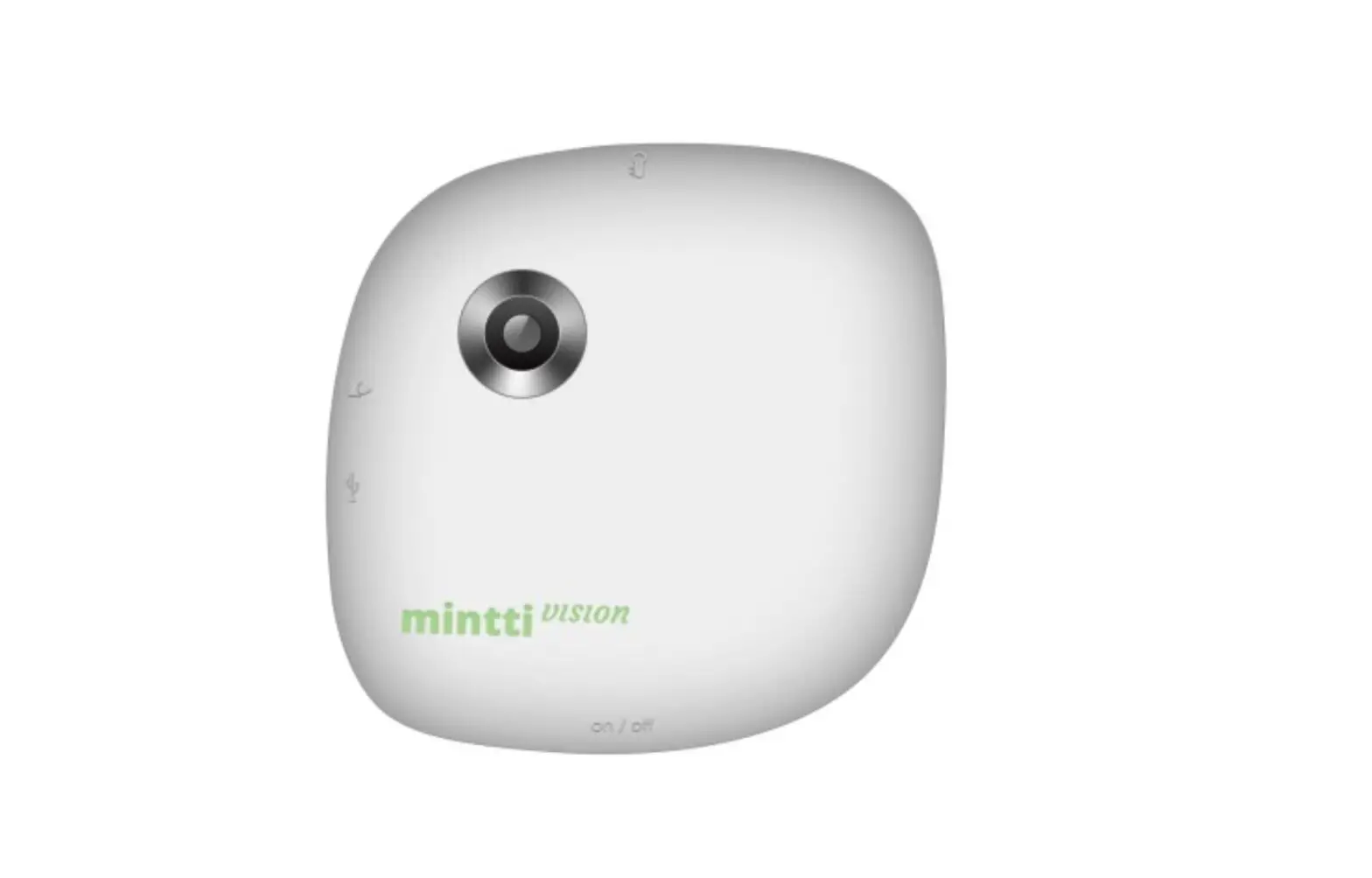
Download App
1. Search “MinttiVision” on APPLE Store.
2. Search “MinttiVision” on Google Play.
Device Connect
4. Turn on Bluetooth icon of your smartphones. (Bluetooth 4.0)
5. Long press the ” Power Button” for 3s to turn on the device. The blue light of the LED indicator will flash. ( Fig. C below)
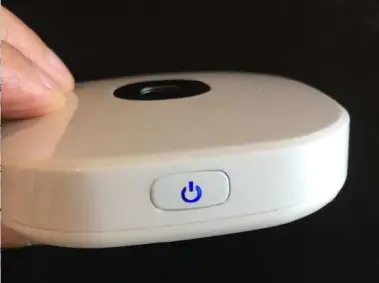
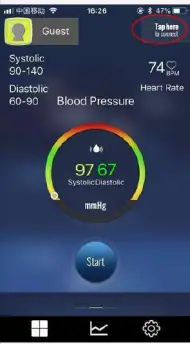
Fig. C Fig. D
6. Find “Tap here to connect” in the upper right corner at the home page of the application(Fig. D)
About App
7. The Home Page of the App is as below( Fig. D below)
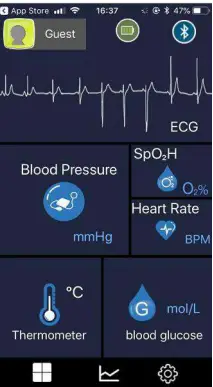
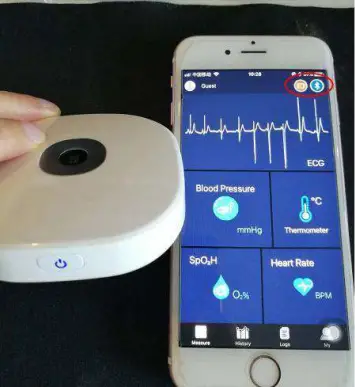
Fig. D Fig. E
8. All in one Cuff connect with App successfully. (Fig. E above)
Note: Please pay attention to the upper right corner. If it shows like this, it means the device has been connected with app successfully. Also you can check the device battery status at the upper corner.
7. Click one of the features, you will enter into a measuring page, for example, if we choose “Temperature” first. Fig. F). Click “Start” to measure the temperature.
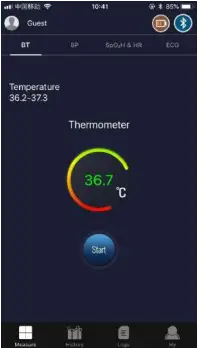
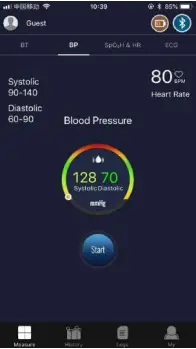
Fig. F Fig. G
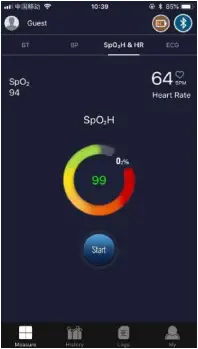
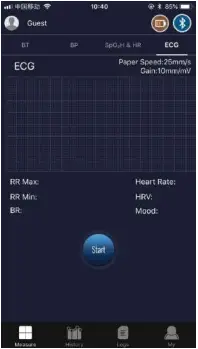
Fig. H Fig. I
8. Click each function to start measuring and you will get the result like the above pics (Fig. F : Fig. G: Fig. H: Fig. I )
9. Click ” Blood Glucose” on the Home Page Fig. 1). Click “Start” to measure the blood glucose.
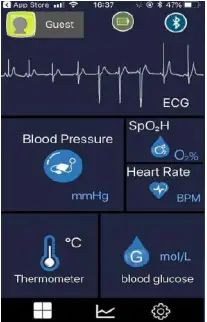
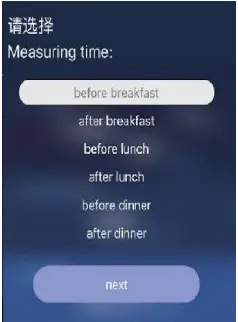
Fig. 1 Fig. 2
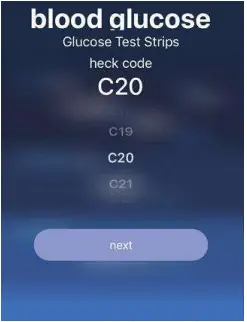
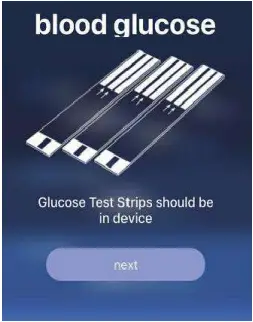
Fig. 3 Fig. 4
10. Choose “Measuring Time” (Fig.2); Choose Heck Code “C20” (Fig.3); Drop the blood on the test strip and insert the strip to the device, then click “next” on Fig.4 to measure the blood glucose.
9. Check the “History” on the App (Fig. J below)
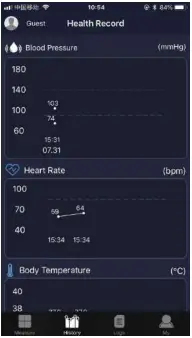
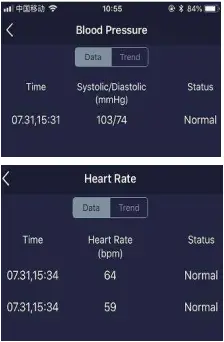
Fig. J Fig. L & M
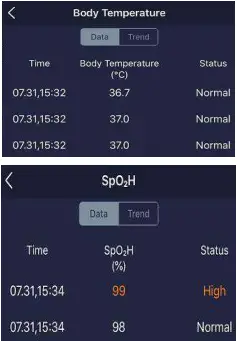
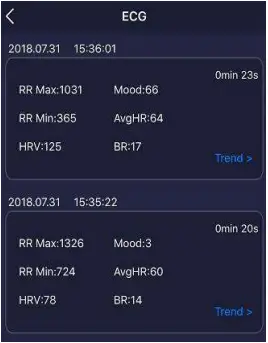
Fig. N & O Fig. P
10. You can get the detailed data and trend for each feature (Like Fig. L & M Fig. N & O Fig. P) once you click each feature on the page in Fig .J
Note: The capacity of the history data storage depends on your smartphone memory card.
11. Logs: It will record your latest measuring date. (Fig. Q below)
12. My You can manage settings here. (Fig. R below)
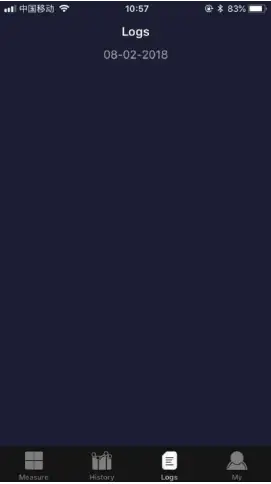
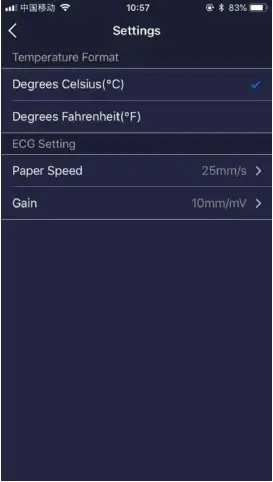
Fig. Q Fig. R
ECG Measuring
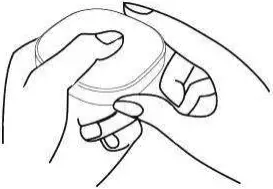
A) Hold the device by left hand, and the thumb touches the metal part on the top of blood oxygen sensor, other fingers touch the metal label at the back of device. The power button aims to palm.
B) Right hand touches the body temperature sensor. Two hands do not touch each other.
C) Press “start” button on the APP to start measurement. The results includes ECG diagram, heart rate, HRV and Breathing rate.
Note: DO NOT measure with wet hands; ECG signal is extremely weak, so please sit still during the measurement; In the process of measuring, keep steady. DO NOT shake.
Temperature Measuring
Sensor of temperature aim to forehead
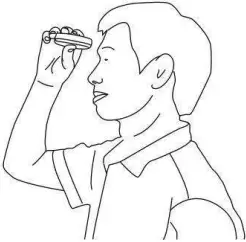
A) Align the monitor probe on the middle of forehead and above eyebrows, with the monitor on hand, the distance between monitor probe and forehead should be 1 to 2 cm.
B) Select “TEMPERATURE” on the APP then click “START” to measure.
C) Read the measuring value when the measurement is complete.
Note: The measuring environment temperature should be > 16ºC(60.8 ºF); Maintain the forehead dry and clean.
Blood Pressure & Heart Rate Measuring
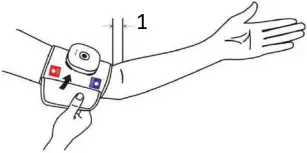
- 1/2″ (1~2cm)
Please do not judge the measurement result by your personal experience, you’re advised to consult the professional doctor.
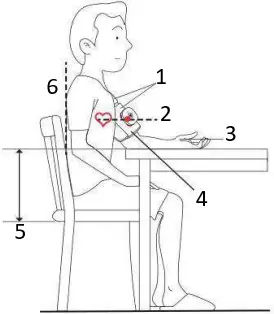
- Remove clothing on the upper arm or wear thin clothe
- Cuff center and heart be at the same height
- Rest your hand, plam-up, on a table
- The bottom of cuff approximate/1y 1-2cm above the elbow
- the difference in heights between the table and chair should be 25cm to 30cm
- Relax and sitting up straight
A) Stay calm and rest for at least 5 minutes before blood pressure measurement. Remove cloth from your arm or wear thin cloth to test.
B) Put the multifunctional health monitor to the cuff in a correct position, making sure that the bottom edge of the cuff is approximately 1 to 2 cm above the elbow, loose or tighten it as long as it’s comfortable.
C) Stay still and place the measuring arm on a table, palm-side up and relax so that the middle of the cuff is at the same level as your heart.
D) Select blood measurement on the APP and you can enter the page of blood measurement, press `’Start” to start measure; please keep calm when taking measurement.
E) Take off the cuff when completing the measurement.
Blood Oxygen Measuring
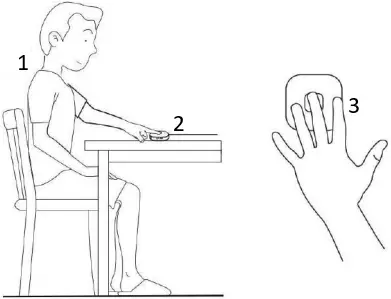
- Adjust sitting position and keep quite
- Keep the monitor flat on the table
- Put fingertip of index finger on the oxygen detector
A) Place the multifunctional health monitor on the desk, stay still and calm, put the finger on the probe.
B) Select “Oximetry” on the APP and click “Start” to measure.
Note: The measured blood-oxygen value may be incorrect if the tester’s finger skin is too thick or has pigment deposition.