
USER MANUAL v 2.0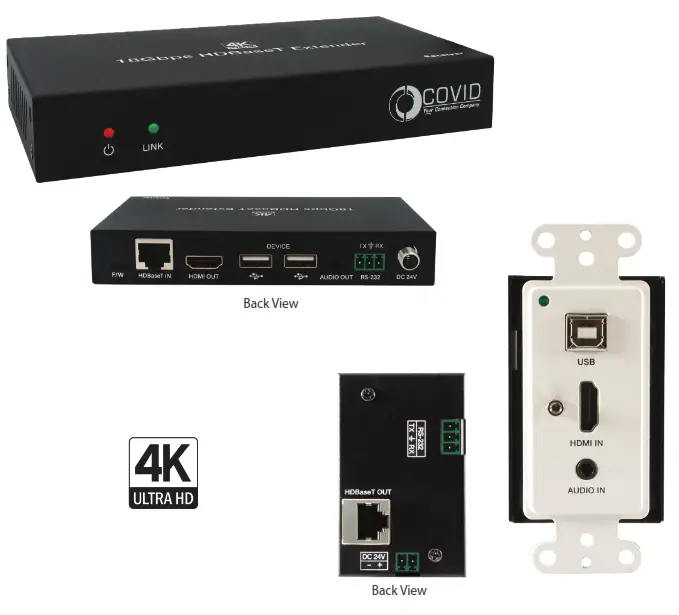
EHB-250-W
Introduction
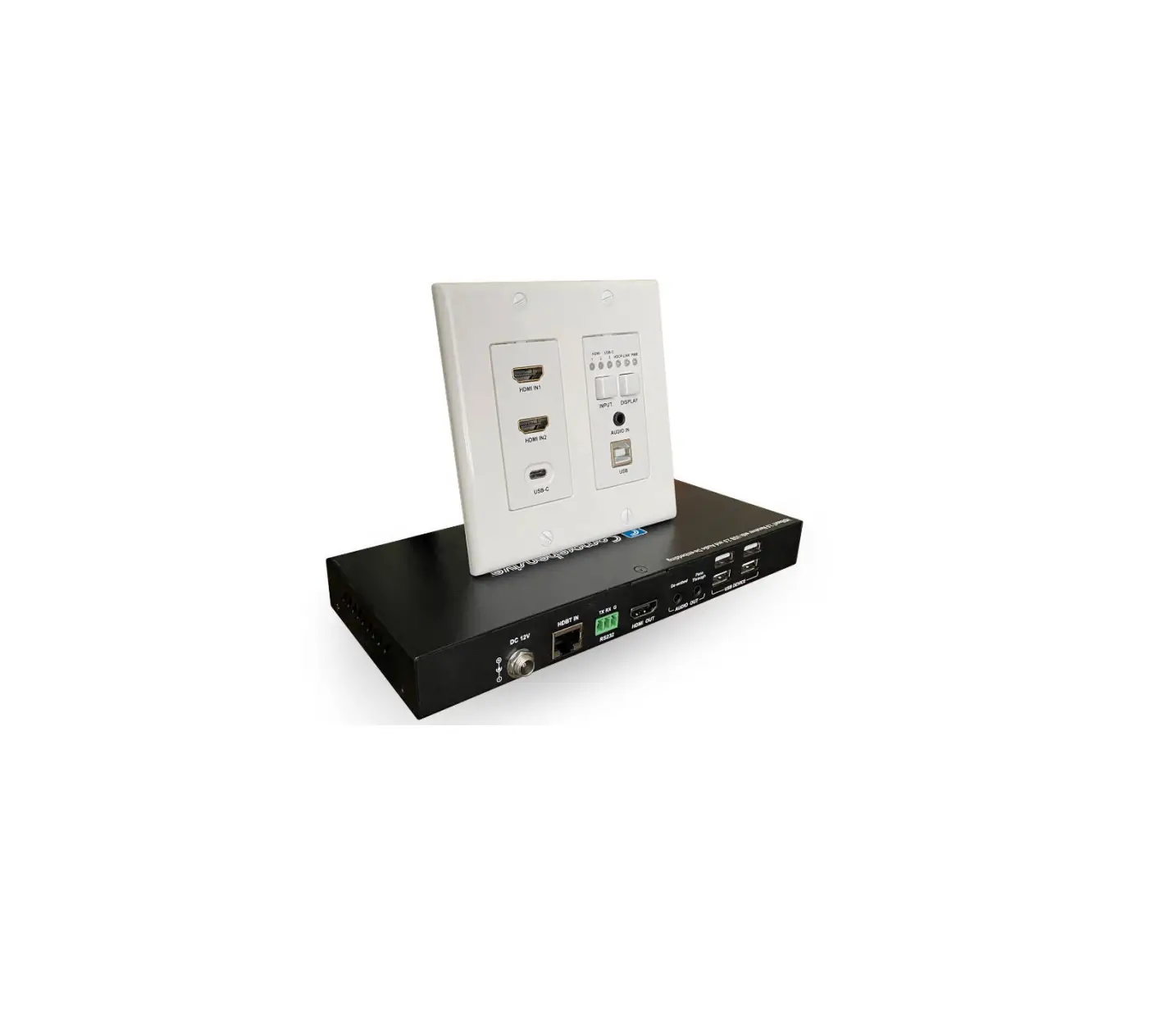
This HDBaseT transmitter extends HDMI over a single CAT5e/6/6A cable transmitting 18Gbps 4K2K@50/60Hz (4:4:4) up to 132ft/40m and 4K2K@50/60Hz (4:2:0) and 4K30Hz (4:4:4), or 1080P up to 230ft/70m. This product offers support for one independent analog audio, one-way RS232 signal passthrough with HDMI and USB unidirectional signal transmission. This powerful product combo is perfect for classroom and meeting room applications.
Features
- HDMI 1.4b, HDCP 2.2 / HDCP 1.4
- Resolutions up to 2160p@60Hz (4K-18G)
- HDBaseT over a single CAT 6/6A cable up to 230ft/70m distance at 1080p or 132/40m distance at 4K60
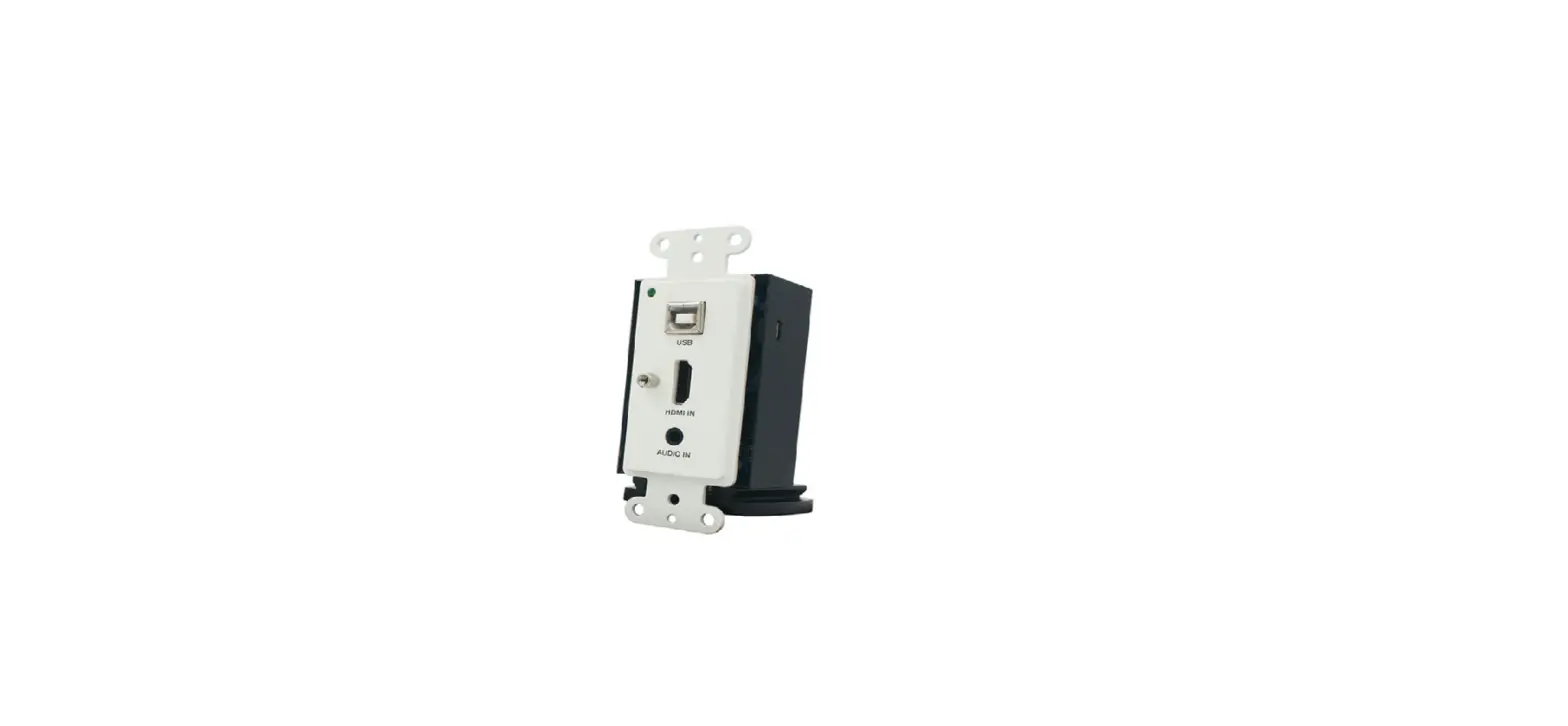
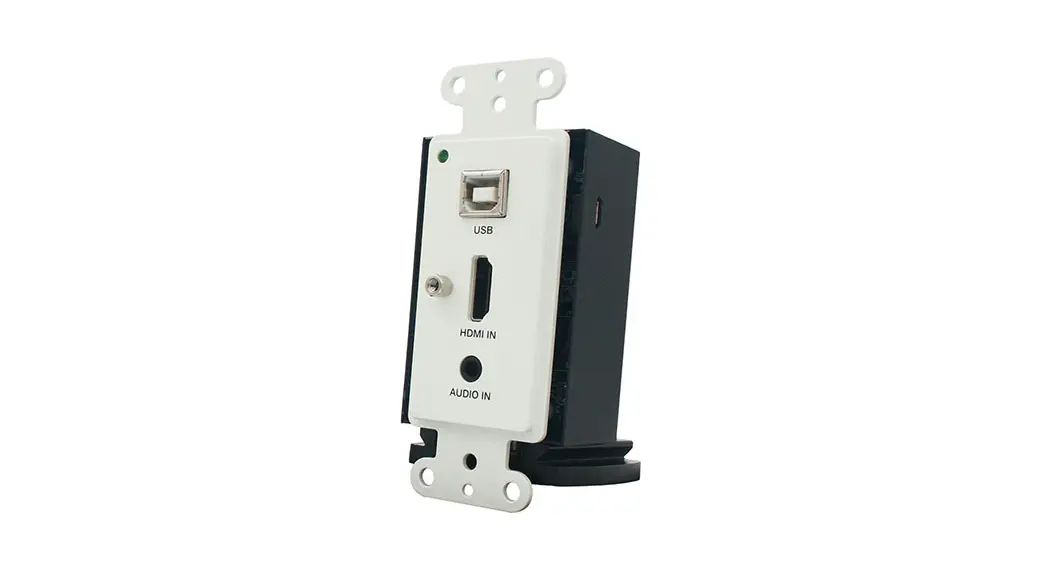
- One HDMI input, 1 Gang US Decora Wall Plate
- Supports USB 2.0
- Supports HDR, CEC pass-through
See description 1 on page 6
- 24V POC (Power Over Cable) function is supported, either TX or RX is powered by 24V1A power sup- ply, the other does not need a power supply from the DC jack. POC Power consumption is less than 12W.
See description 2 on page 6
- Transfer the Bidirectional RS-232 control signal together with the HDMI signal.
Package Contents
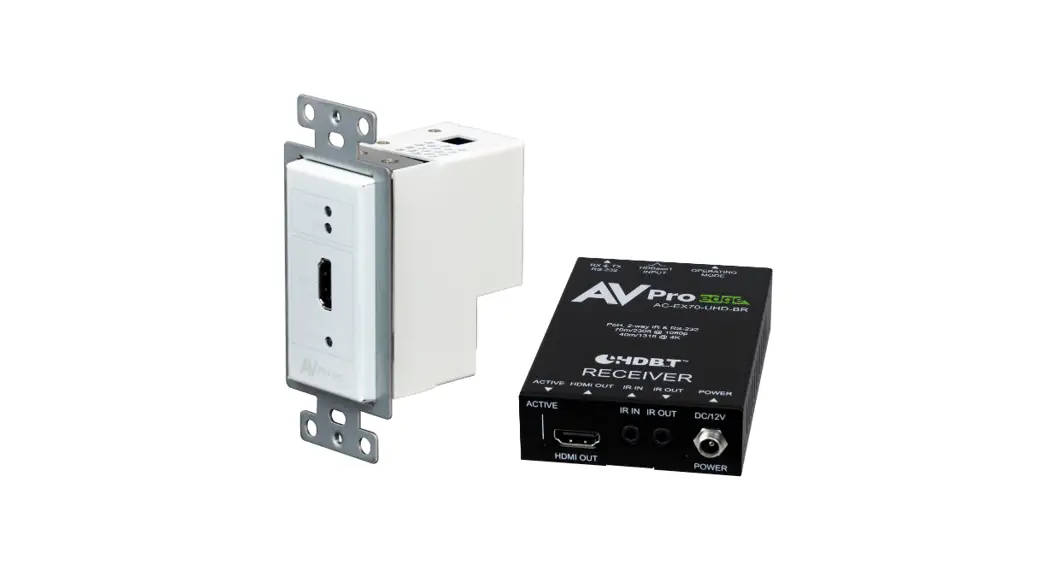
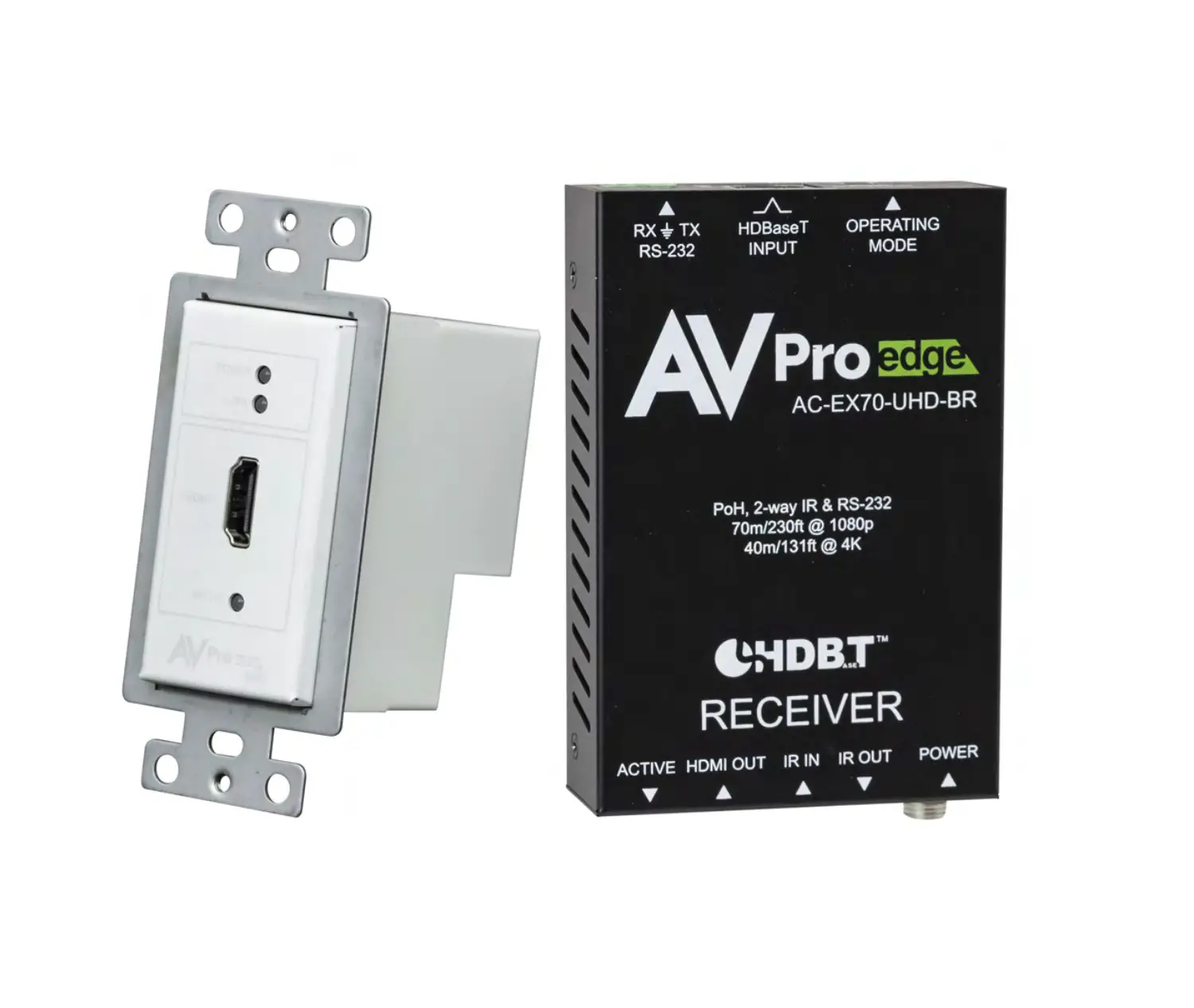
- HDMI Wall Plate Transmitter – 1PC
- HDBaseT Receiver – 1PC
- Phoenix connector (3 pins) – 1PCS
- Phoenix connector (2 pins) – 1PCS
- 24V/1A power adapter – 1PCS
- Cover plate – 1PCS
- Rack ears – 2PCS
- User Manual – 1PC
Technical Specifications
| Technical | |
| HDMI Compliance | HDMI 2.0 |
| HDCP Compliance | HDCP 2.2 |
| Video Bandwidth | 18Gbps |
| Video Resolutions | 4K2K@50/60Hz 4:4:4, 4K2K@30Hz 4:4:4 1080P@120Hz, and 1080P 3D@60Hz |
| Color Space | RGB, YCbCr 4:4:4, YCbCr 4:2:2 |
| Color Depth | 8-bit, 10-bit, 12-bit |
| HDMI Audio Formats | LPCM, Dolby Digital/Plus/EX, Dolby True HD, DTS, DTS-EX, DTS-96/24, DTS High Res, DTS-HD Master Audio, DSD |
| Analog Audio Formats | LPCM 2CH, LPCM 5.1, Dolby Digital 2/5.1CH, DTS 2/5.1CH |
| ESD Protection | Human body model – +/- 8kV (air-gap discharge) & +/-4kV (contact discharge) |
| Connections | ||
| Transmitter | Inputs: | lx HDMI Type A [19-pin female] lx RS-232 [3-pin phoenix ] lx AUDIO IN [3.5mm earphone] lx DC 24V/GND [2-pin phoenix ] 1 x USB [USB-B] Output: lx HDBaseT OUT [RJ45] |
| Receiver | Inputs: | lx HDBaseT IN [RJ45] Outputs: lx HDMI Type A [19-pin female] lx DC 24V [locking power] lx AUDIO OUT [3.5mm earphone] lx RS-232 [3-pin phoenix] 2x USB [USB-A] |
| Mechanical | |
| Housing | Metal Enclosure |
| Color | TX: White-Front Panel, Black-Rear Case, RX: Black |
| Dimensions | TX: 103.5mm [W] x 46mm [D] x 30mm [H] RX: 140mm [W] x 75mm [D] x 23mm [H] |
| Weight | TX: 163g, RX: 200g |
| Power Supply | Input: AC100 – 240V 50/60Hz, Output: DC 24V/1A (US/EU standards, CE/FCC/UL certified) |
| Power Consumption | 12W (Max) |
| Operation Temperature | 32 – 104 °F / 0 – 40 °C |
| Storage Temperature | -4 – 140°F / -20 – 60°C |
| Relative Humidity | 20 – 90% RH (no condensation) |
Operation Controls and Functions
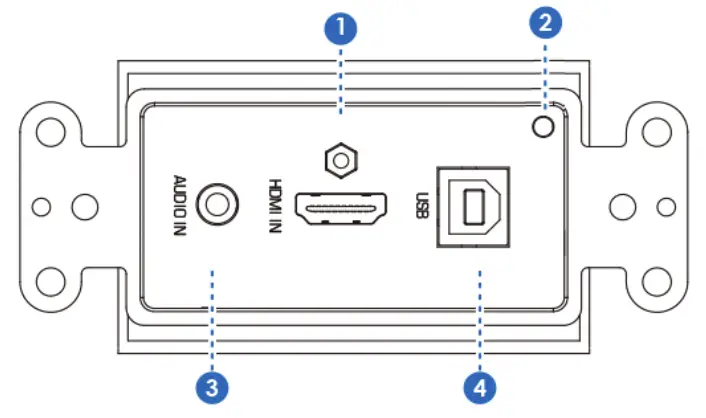
Front Panel Transmitter
- HDMI IN: Connect to HDMI source devices such as Blu-ray or PS4 player.
- ACTIVE: Green LED input signal indicator. When the HDMI port has a signal input, the light is on. Otherwise, the light is off.
- AUDIO IN: Analog audio input port.
- USB: Connect to PC or other USB hosts.
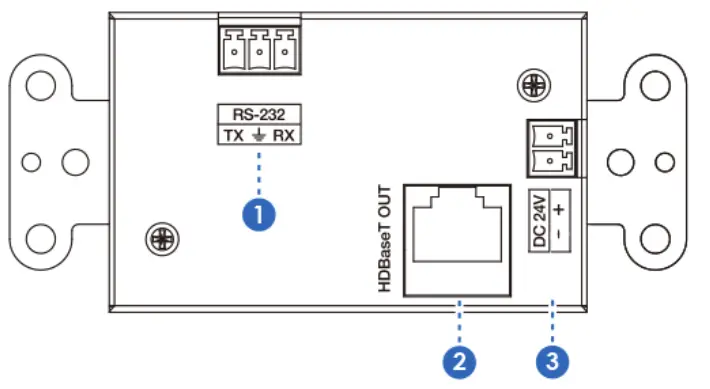 Back Panel Transmitter
- RS-232: Use the phoenix jack for connecting the PC or control system to transmit RS-232 commands.
- HDBaseT OUT: HDBaseT output port. Connect the HDBaseT receiver with a UTP cable.
- DC 24V: Use the phoenix jack to connect the power supply. (Reserved power supply).

Receiver Panel
- Power LED: When the power supply is normal, the indicator LED is on.
- LINK LED: LINK LED indicator light.
- F/W: Firmware update use.
- HDBaseT IN: HDBaseT input port. Connect the HDBaseT transmitter with a UTP cable.
- HDMI OUT: HDMI output port. Connect to the display device such as a TV or projector.
- USB: Connect to a USB devices such as a USB mouse or keyboard.
- AUDIO OUT: Analog audio port.
- RS-232: Use the phoenix jack to connect the PC or control system to transmit RS-232 commands.
- DC 24V: Connect 24V/1A adapter to AC wall outlet for power supply.
Description 1
POC (Power Over Cable) Application Example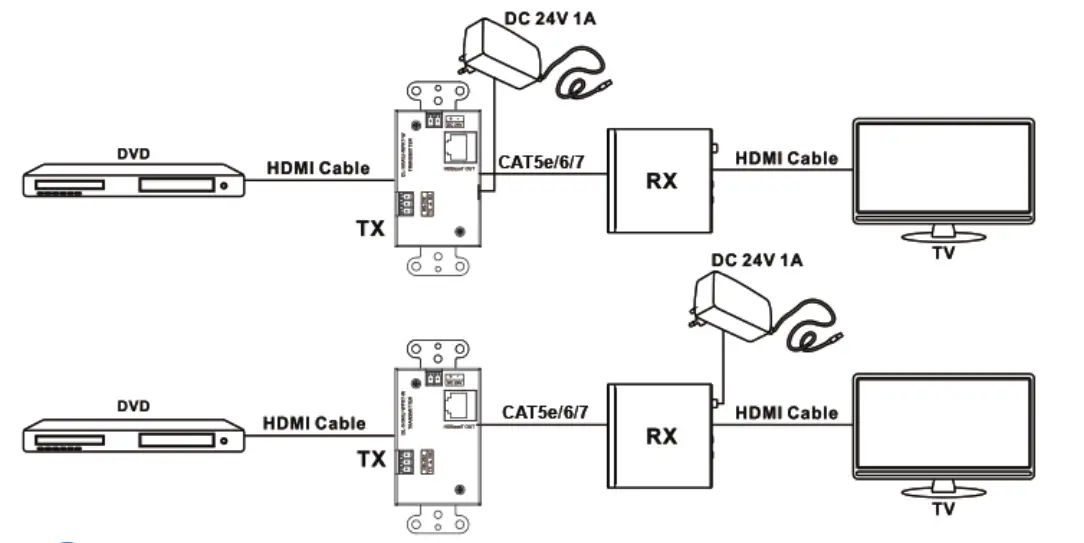
Description 2
Bidirectional RS-232 Control Application Example 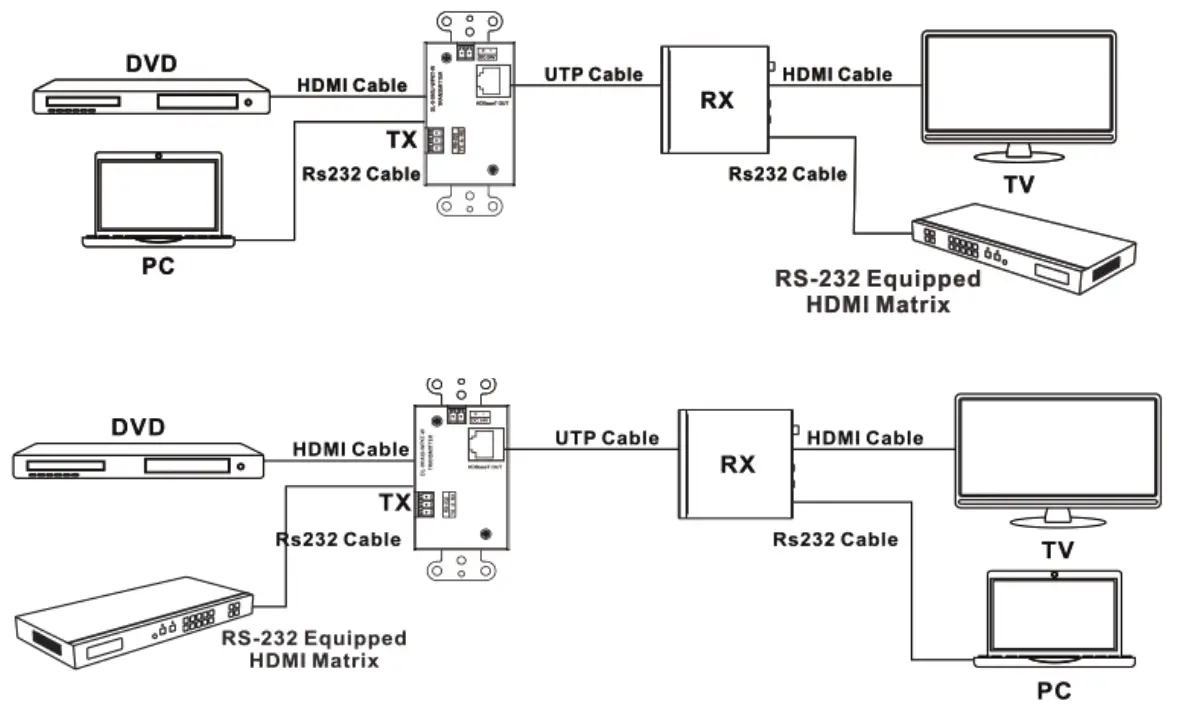
Application Example
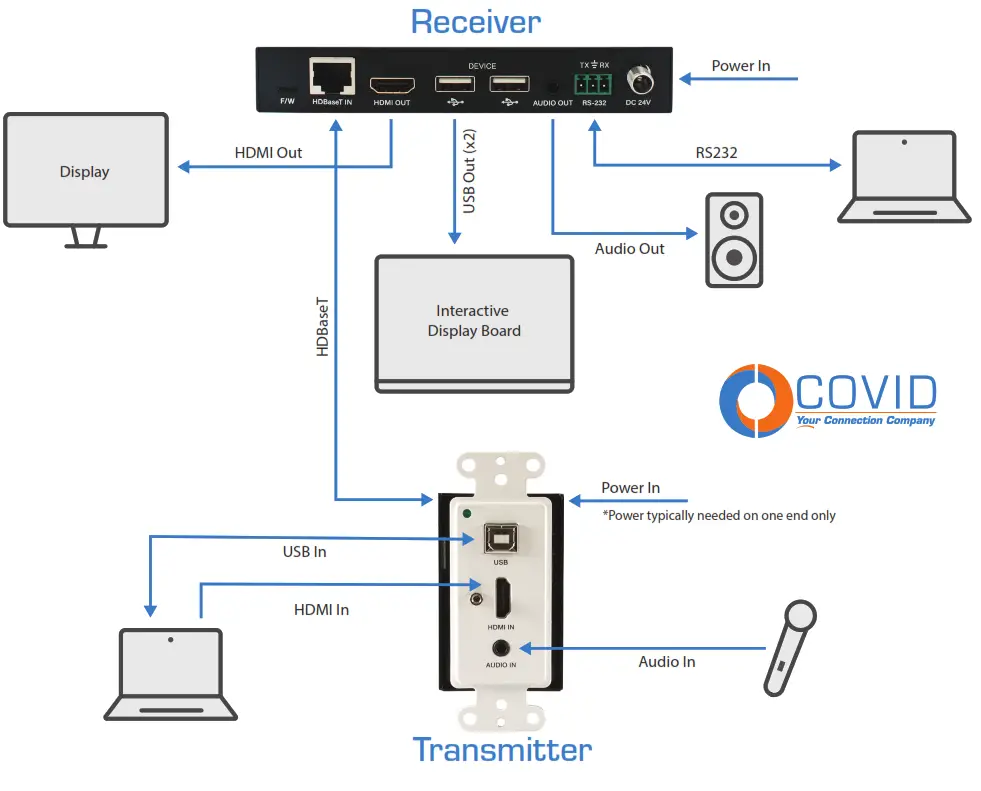
Warranty
Parts and labor warranty time is three years from the date of original shipment. This warranty shall be void if a serial number has been removed from the product.
Upon determination of a legitimate defect covered by this warranty and at COVID’s sole discretion, the user should bear the transport cost during the warranty.
If the product is out of warranty then a repair charge is required. Out-of-warranty repairs will only be made after the cost has been approved by Customers and proper financial arrangements are made. Customers must cover round-trip shipment expenses.
Safety Information
 | To reduce the risk of electric shock, do not expose this product to rain or moisture. |
 | Do not modify the wall plug. Doing so will void the warranty and safety features. |
 | If the wall plug does not fit into your local power socket, hire an electrician to replace your obsolete socket. |
 | This equipment should be installed near the socket outlet and the device should be easily accessible in the case it requires disconnection. |
1723 W. 4th Street Tempe Arizona 85281
P: 800.638.6104 | F: 480.966.6728 | E: [email protected] | www.covid.com