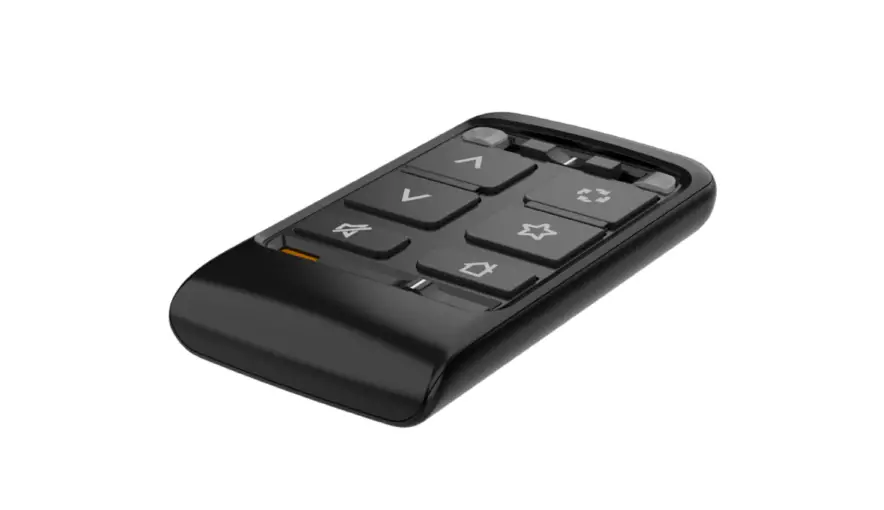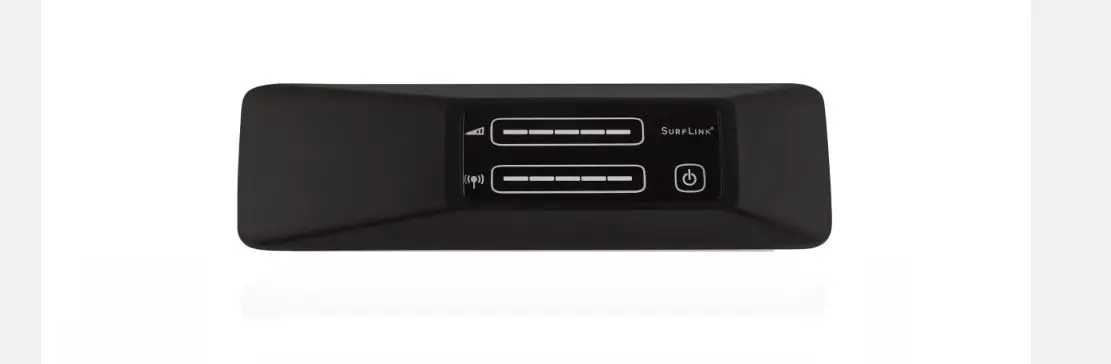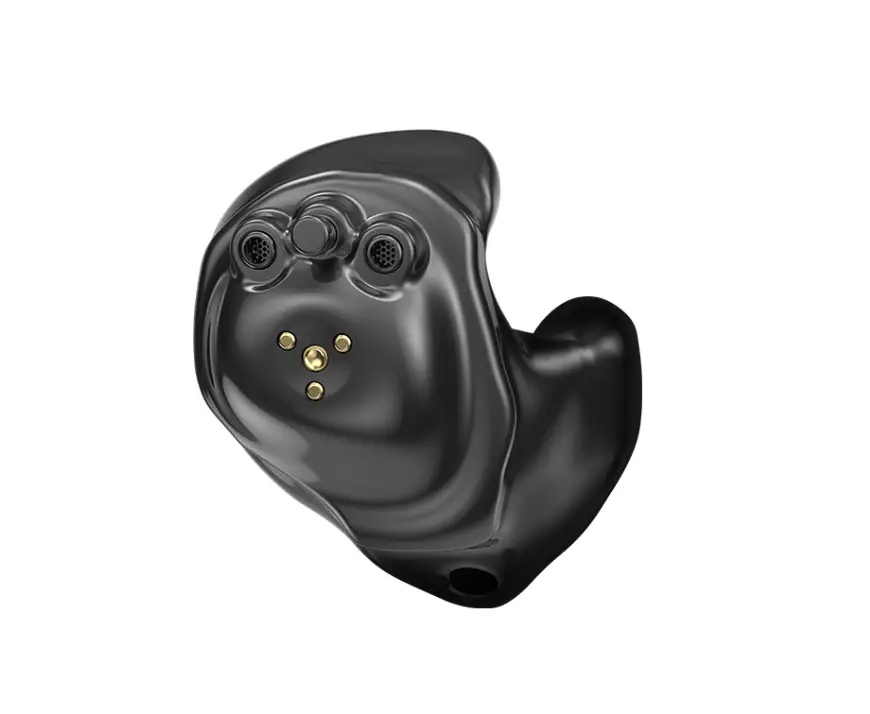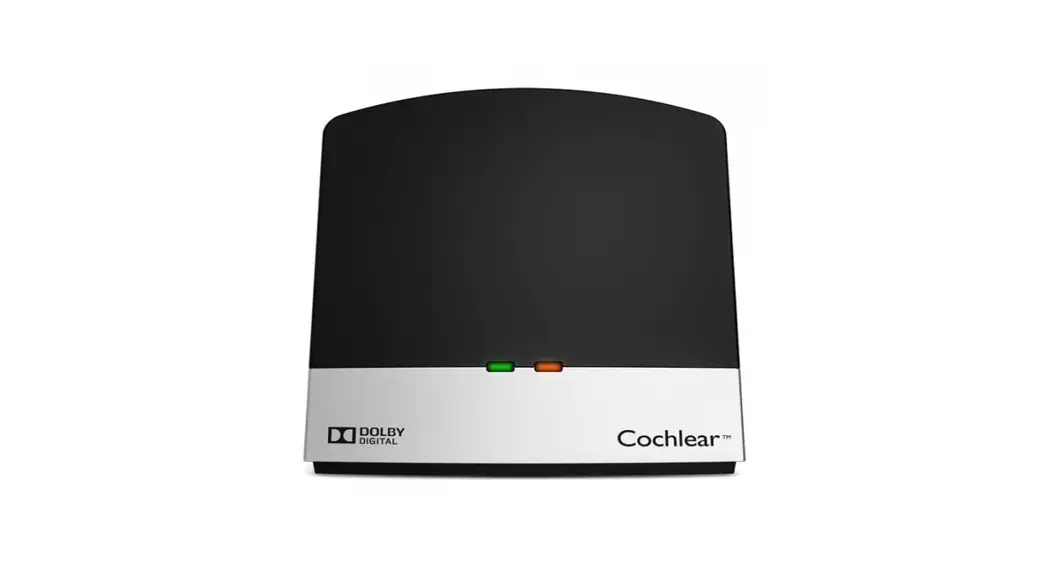
Your StarLink
TV Streamer
User Manual
Accessory for:
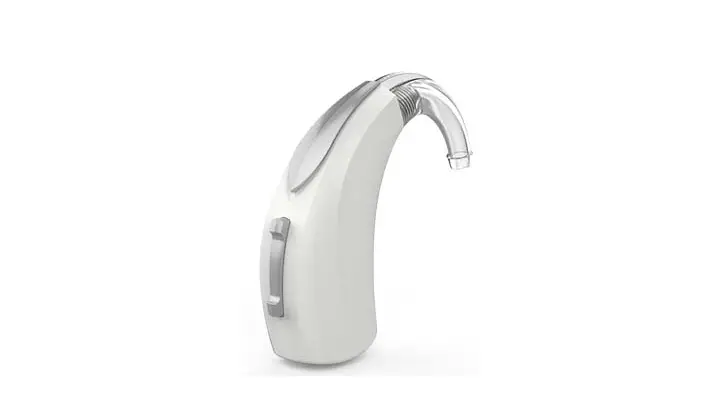
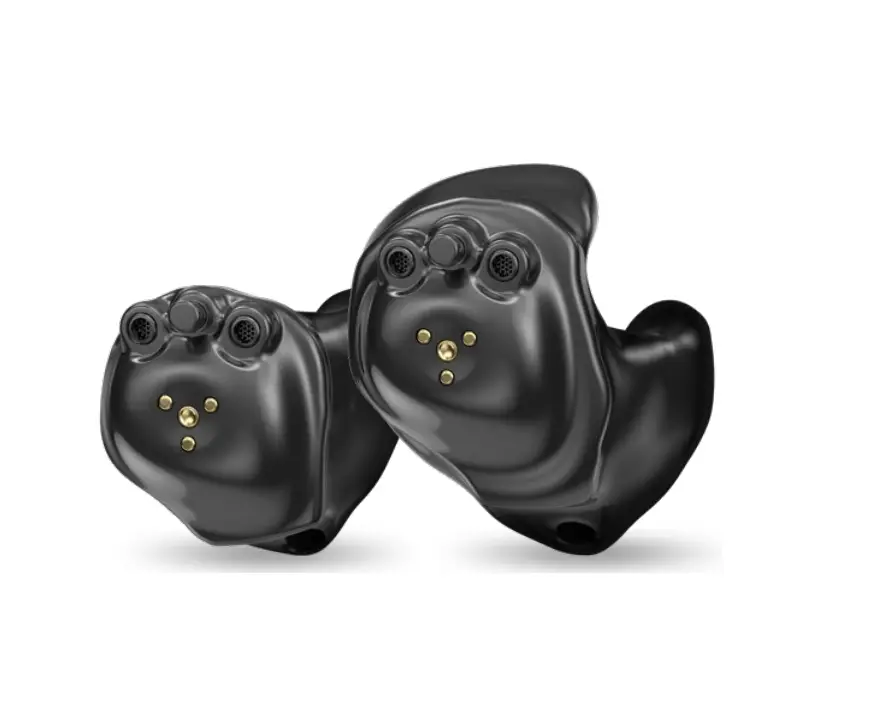
Wireless hearing aids
Congrats!
________
You’re about to enhance your hearing experience.
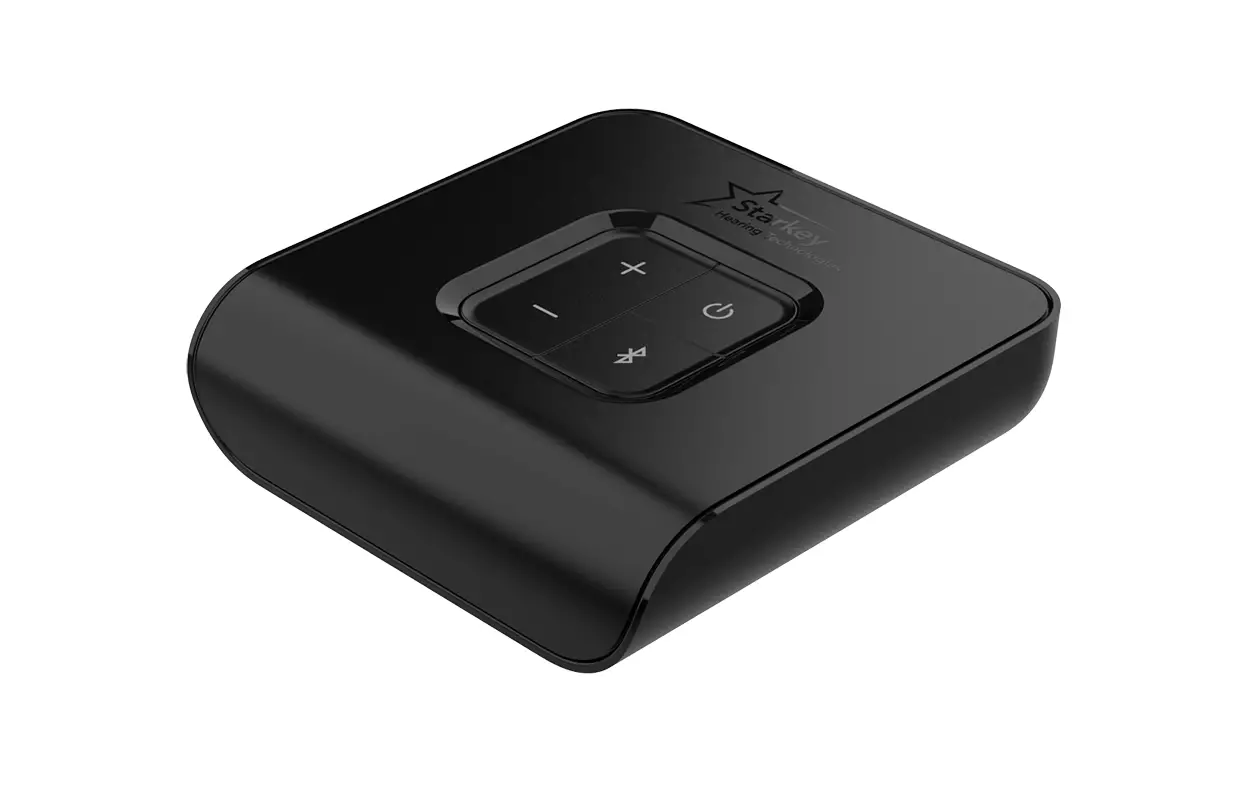
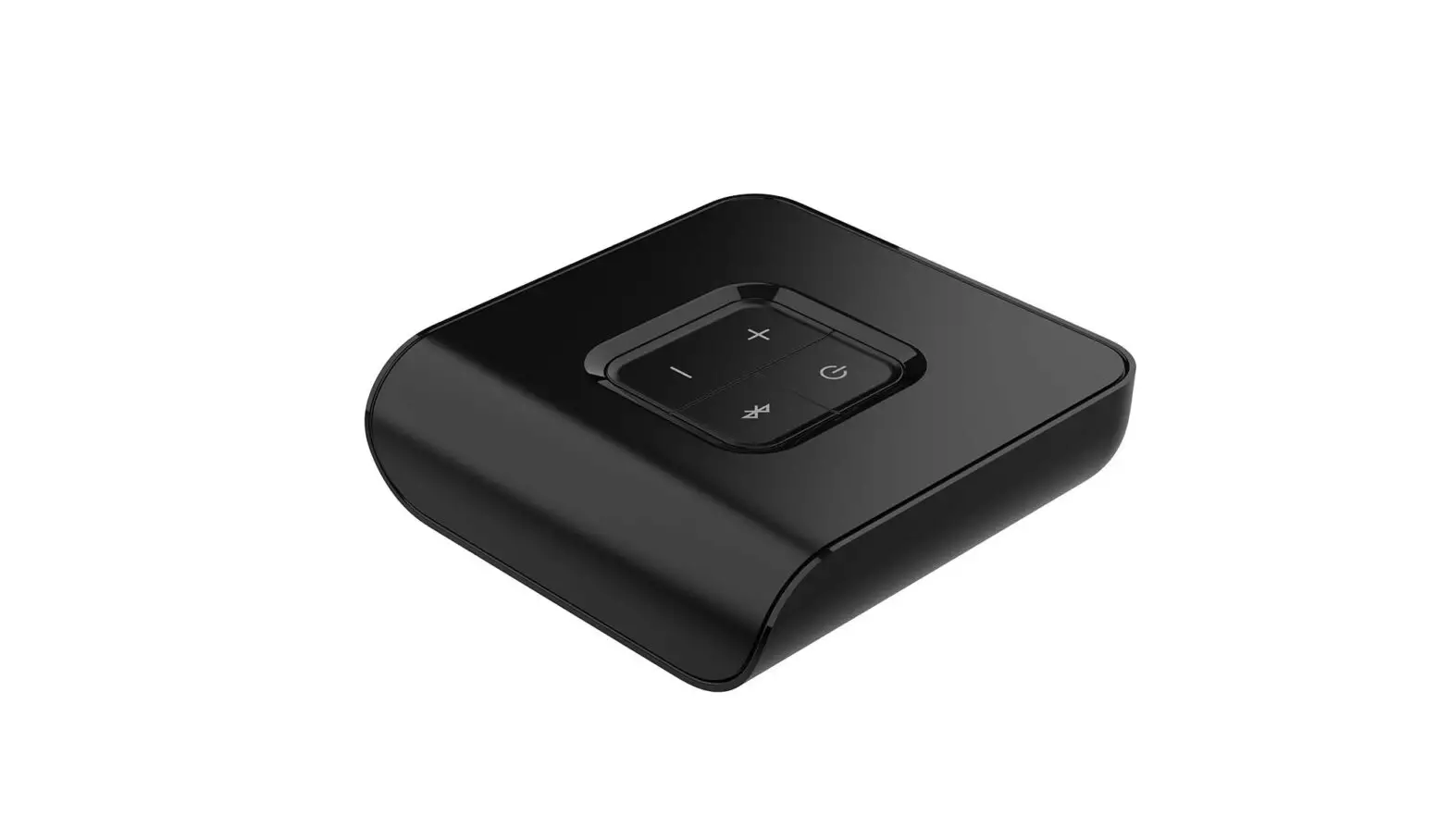
You’ve got a TV Streamer.
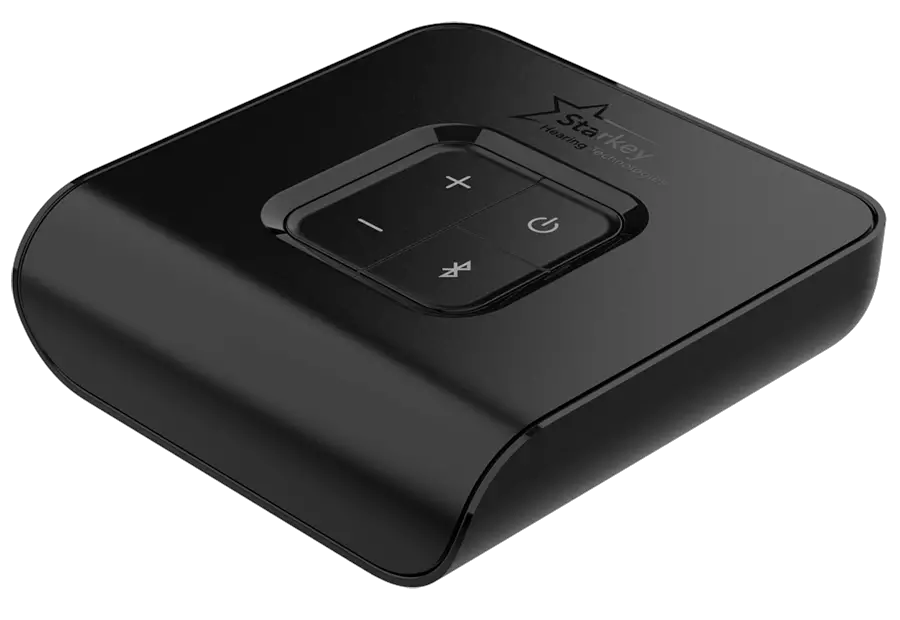
Your TV Streamer is designed to stream audio from various electronic audio sources — like televisions, computers, MP3 players, DVD players, and cable boxes — directly to your wireless hearing aids. It can simultaneously stream audio to an unlimited number of users, allowing them to share the same listening experience.
Use this simple manual to get started.
Get to know your TV Streamer
________________________
- Meet your TV Streamer
- Set up your TV Streamer
- Use your TV Streamer
Meet your TV Streamer
__________________
Overview
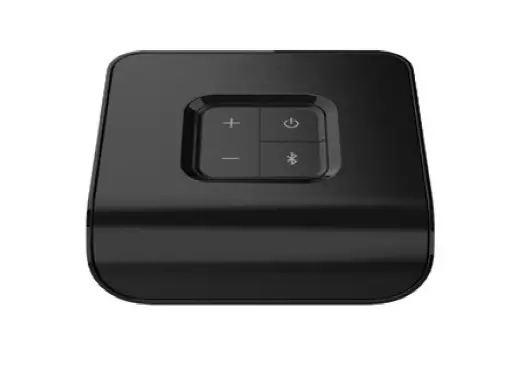
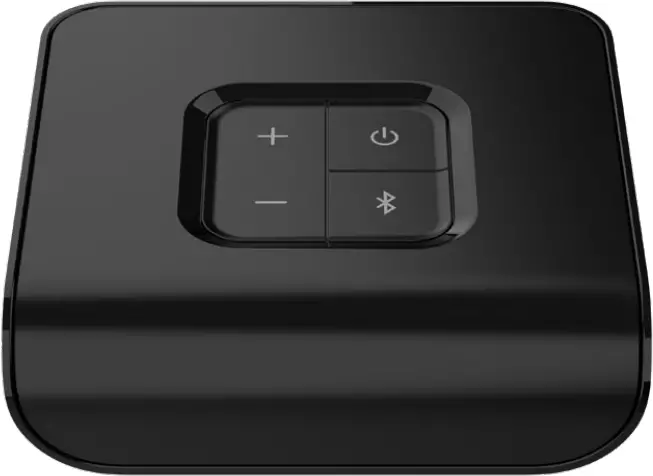
- Power button
Turns the TV Streamer OFF/ON. - Volume up (+)
To increase the audio stream volume. - Volume down (-)
To decrease the audio stream volume. - Pair button
To pair your hearing aids. - Indicator light
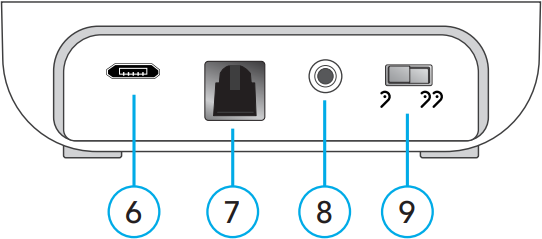
Provides operational status of the TV Streamer. - Power supply jack (microUSB)
For the power adapter. - Optical TOSLINK jack
For the Optical TOSLINK cable. - Analog jack
For the 3.5mm-to-RCA cable. - Mono/Stereo switch
 Mono
Mono
To use with one hearing aid. Stereo
To use with two hearing aids.
 Mono
Mono Stereo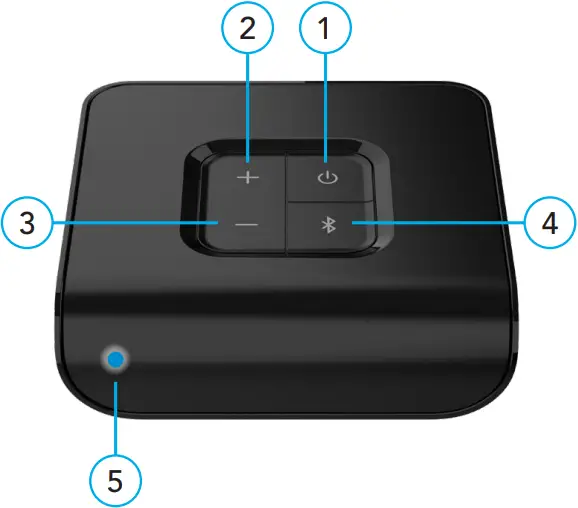
Back of TV Streamer
Set up your TV Streamer
___________________
Power ON/OFF
Use the power button to turn your TV Streamer ON or OFF:
- ON – press the power button. Release when the indicator light glows green.
- OFF – press the power button. Release when the indicator light no longer appears.
To pair with hearing aids
Before using your TV Streamer for the first time, you’ll need to pair it with your hearing aid(s). This allows your accessory to recognize your hearing aids so they can work together.
STEP 1: Turn ON your TV Streamer
STEP 2: Turn your hearing aids OFF and ON.
- For CROS hearing aid systems:
Turn OFF your hearing aids and CROS transmitter. Next, turn ON your hearing aids but leave the CROS transmitter OFF.
STEP 3: Pair your TV Streamer with your hearing aid(s):
1. Ensure your hearing aids are not connected to nearby Bluetooth® devices:
- Turn OFF Bluetooth on your mobile phone.
- Turn OFF any wireless accessories already paired to your hearing aids.
2. Place your hearing aids within 6 inches (15 cm) of your TV Streamer.
3. Press the Pair button on the TV Streamer. The indicator light will begin to blink blue.
- NOTE: Audio streaming will be temporarily stopped during this step.
4. For a set of hearing aids:
| 1st indicator light blink | 2nd indicator light blink | Pairing result | Next step |
 |  | Both hearing aids paired | Complete |
|  | Only one hearing aid paired | Repeat 1 – 4 within STEP 3 |
 | N/A | No hearing aids paired | Repeat 1 – 4 within STEP 3 |
5. For a single hearing aid:
| Indicator light blink | Pairing result | Next step |
| Hearing aid paired | Complete |
| Hearing aid not paired | Repeat 1-3 and 5 within STEP 3 |
To connect your TV Streamer to an electronic audio source
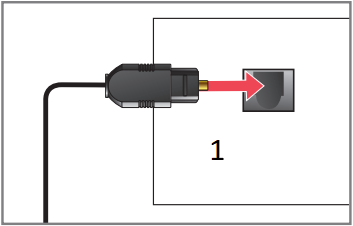
There are several ways to attach an audio source to your TV Streamer. Carefully look at your electronic audio source (e.g., a television, computer, MP3 player, DVD player, or cable box) to determine which AUDIO OUT options it has.
| Insert cable into the AUDIO OUT jack on your electronic audio source | Attach the other end of cable to the rear of the TV device | |
| Optical TOSLINK
| 
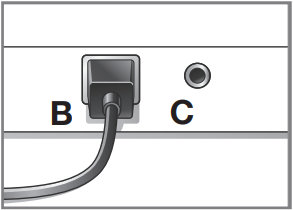
| Use jack B
|
| Analog RCA-to-3.5mm
| 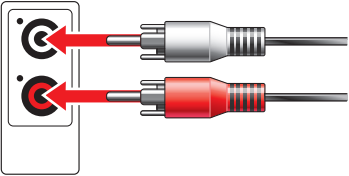 Note: Connect the red-to-red and white-to-white. | Use jack C
|
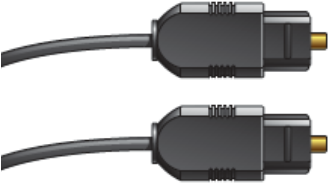
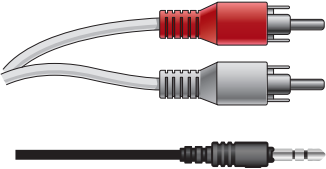
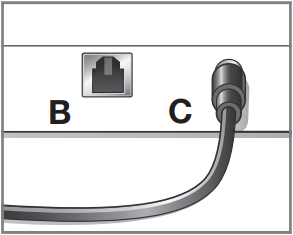
1. Remove the plastic caps from both ends of the optical TOSLINK cable.
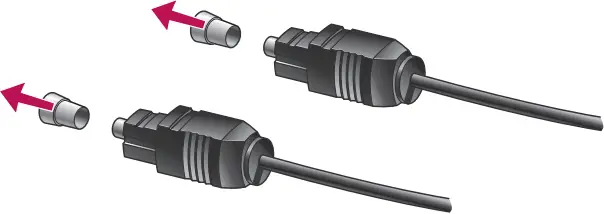
2. Attach the optical TOSLINK cable into the audio OUT jack on your electronic audio source. Power on your electronic audio source.
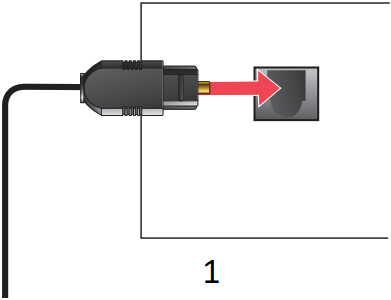
- Audio Out
- NOTE: If there is no TOSLINK audio OUT jack on your electronic audio source, try a different electronic audio source or try the 3.5mm-to-RCA cable.
3. Attach the other end of the optical TOSLINK cable into the optical TOSLINK jack on the back of the TV Streamer.
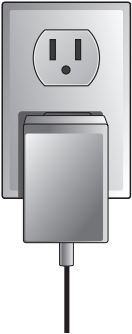
4. Plug the power adapter into the wall.
5. Insert the power adapter into the power supply jack on the back of the TV Streamer.
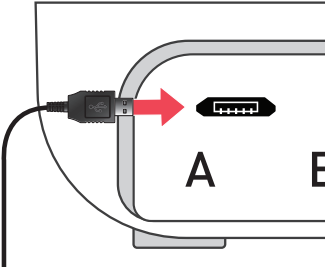
6. The indicator light on your TV Streamer will glow blue for a successful setup. It has detected audio and is now streaming.
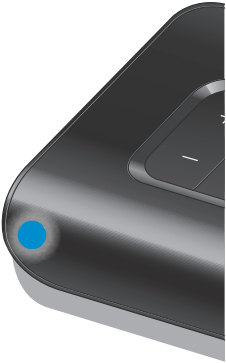
- NOTE: If the indicator light remains solid green, repeat 1-6 or see Troubleshooting guide on p. 20.
Typical setup
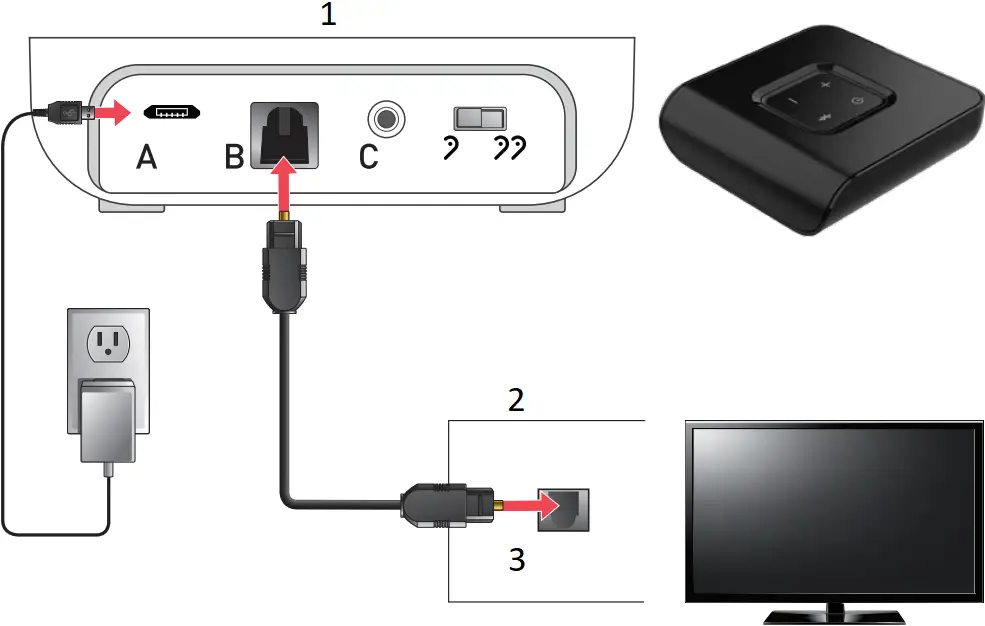
- TV Streamer
- Television
- Audio Out
Done! Head to the next page to start using your TV Streamer.
Use your TV Streamer
__________________
To use your TV Streamer
STEP 1: Check that your hearing aids are ON.
Before streaming audio for the first time, ensure your hearing aids are paired to your TV Streamer. See p. 10.
STEP 2: Start/stop streaming audio (from an electronic audio source).
Do one of the following:
- Hearing aid mobile app: Open the app on your mobile phone or tablet. Select the option to start/stop streaming from Accessories screen.
 Wireless Remote:
If configured by your hearing care professional, press the Favorite button.- Hearing aid user control:
If configured by your hearing care professional, a specific gesture (e.g., a long press on a user control) can start/stop streaming.
 Wireless Remote:
Reminder – Audio streaming will also stop when an incoming audio signal is not detected or if the TV Streamer is turned off.
STEP 3: Adjust the streaming volume.
- Press the volume up (+) or volume down (-) buttons on your TV Streamer.
Indicator light
The indicator light identifies how your TV Streamer is currently operating:
| Indicator light status | Operational status |
| Solid green | ON and not streaming audio |
| Solid blue | ON and streaming audio |
| No indicator light appears | OFF |
| Blinking blue | Hearing aid pairing mode |
| Solid red | Malfunction or electrical issue |
Troubleshooting guide
__________________
Problems with your TV Streamer?
Try these tips. If issues continue, contact your hearing care professional.
Symptom | Possible causes | Solutions |
| One (or both) hearing aids unexpectedly drops out of audio streaming. | Hearing aids may be on the edge of wireless range. | Move closer to the TV Streamer. |
| Battery level in hearing aid can no longer support audio streaming. | Replace hearing aid battery with new one. | |
| The TV Streamer may not be positioned for optimal streaming. | Re-orient the TV Streamer spatially by turning a few degrees to right or left. | |
| Large object, such as furniture or a wall, may be degrading signal. | For best performance, your hearing aids should be within line-of-sight of the TV Streamer. | |
| Indicator light is solid blue, but no streamed sounds are heard in the hearing aids. | Hearing aids are not within wireless range. | Move closer to the TV Streamer. |
| Audio stream needs to be manually started to be heard in hearing aids. | Manually start the audio stream via your hearing aid mobile app, wireless Remote, or hearing aid user control. | |
| Hearing aids are not paired with the TV Streamer. | See Pair with hearing aids on p. 10. | |
| I expect to hear audio streaming, but my indicator light is solid green. | Audio cable may be connected to “audio IN” on electronic audio source. | Ensure the cable is plugged into “audio OUT” jack on the electronic audio source. |
| No incoming audio signal is available. | Turn on the electronic audio source. | |
| Electronic audio source output is not correct format. | Set the digital output on your electronic audio source to PCM or Dolby Audio. | |
| Indicator light is solid red. | Possible error condition. | Remove power adapter from jack A, wait 5 seconds and re-insert power adapter. |
| Streamed audio is not synchronized with the television picture. | Many new televisions (such as HDTVs) take a long time to process the video signal, so they may delay the audio to maintain synchronization. |
|
Additional guidance
________________
- Intended use
- FCC information
- Regulatory information
Intended use
__________
The TV Streamer is an accessory to a 2.4 GHz wireless air conduction hearing aid. It is intended as a wireless transmitter of sound from a television or other electronic audio source directly to an air conduction hearing aid.
The TV Streamer is designed to comply with the most stringent Standards of International Electromagnetic Compatibility. However, it is still possible that you may experience interference caused by power line disturbances, airport metal detectors, electromagnetic fields from other medical devices, radio signals and electrostatic discharges.
The TV Streamer is designed to be cleaned with a damp cloth moistened with soapy water.
If you use other medical devices or wear implantable medical devices such as defibrillators or pacemakers and are concerned that your TV Streamer might cause interference with your medical device, please contact your physician or the manufacturer of your medical device for information about the risk of disturbance.
Your TV Streamer should not be used during an MRI procedure or in a hyperbaric chamber or other oxygen-rich environments.
Your TV Streamer is not formally certified to operate in explosive atmospheres such as may be found in coal mines or certain chemical factories.
Use on Aircraft
Your TV Streamer should not be used on aircraft unless specifically permitted by the flight personnel.
International Use
Your TV Streamer is approved to operate at a radio frequency that is specific to your country or region and might not be approved for use outside your country or region. Be aware that operation during international travel may cause interference to other electronic instruments, or other electronic instruments may cause interference to your TV Streamer.
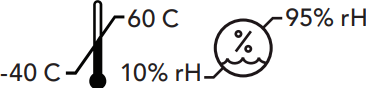
The TV device should be stored and transported within the temperature and humidity ranges of -40°C (-40°F) to +60°C (140°F) and 10%- 95% relative humidity, and altitude limits 70 kPa – 106 kPa (equivalent to altitudes from 1,200 ft (380 m) below sea level to 10,000 ft (3,000 m).
The TV device is designed to operate indoors in the range of temperatures from 0°C (32°F) to 40°C (104°F).
Clinical benefit
The accessory itself does not provide a direct clinical benefit. An indirect clinical benefit is provided by enabling the parent device (wireless hearing aids) to achieve their intended purpose.
We are required by regulations to provide the following warnings:
 WARNING: Use of the TV Streamer directly next to other electronic equipment should be avoided because it could result in improper performance. If such use is necessary, note as to whether your hearing aids and the other equipment are operating normally.
WARNING: Use of accessories, components or replacement parts other than those provided by the manufacturer of the TV Streamer could result in increased electromagnetic emissions and decreased electromagnetic immunity and could result in degradation of performance.
WARNING: If Portable Radio Frequency communications equipment is used closer than 30 cm (12 inches) from your TV Streamer, degradation of the performance of your hearing aid could result. If this occurs, move away from the communications equipment.
Although the TV Streamer is not formally certified (IP rated) for protection against dust or water ingress, per IEC 60529, it has been tested to the IP 5X level. This means that the TV Streamer is protected from dust.
The TV Streamer does not contain any user-serviceable parts. Do not open or modify it.
Do not connect the TV Streamer to any devices not described in this manual.
The expected service life of the TV Streamer is 5 years.
Wireless Technical Description
Starkey Laboratories, Inc. TV Streamer operates in the 2.4- 2.4835 GHz band with a maximum effective radiated power of 21 dBm (North America), 10 dBm (rest of world) with transmission modulation type of GFSK and 2 MHz bandwidth. The receiver section of the radio has a bandwidth of 2 MHz.
The TV Streamer has been tested to, and has passed, the following emissions and immunity tests:
- IEC 60601-1-2 radiated and conducted emissions requirements for a Group 1 Class B device as stated in CISPR 11.
- Harmonic distortion and voltage fluctuations affecting the power input source as stated in Table 2 of IEC 60601-1-2.
- RF radiated immunity at a field level of 10 V/m between 80 MHz and 2.7 GHz as well as higher field levels from communications devices as stated in Table 9 of IEC 60601-1-2.
- Immunity to power frequency magnetic fields at a field level of 30 A/m and to proximity magnetic fields as stated in Table 11 of IEC 60601-1-2.
- Immunity to ESD levels of +/- 8 kV conducted discharge and +/- 15 kV air discharge.
- Immunity to electrical fast transients on the power input at a level of +/- 2 kV at a 100 Hz repetition rate.
- Immunity to surges on the power input of +/- 1 kV line to line.
- Immunity to conducted disturbances induced by RF fields on the power input as stated in Table 6 of IEC 60601-1-2.
- Immunity to voltage dips and interruptions on the power input as stated in Table 6 of IEC 60601-1-2.
EU ADVERSE EVENT REPORTING
Any serious incident that has occurred in relation to your devices hould be reported to your local Starkey representative and the Competent Authority of the Member State in which you are established. A serious incident is defined as any malfunction, deterioration in the characteristics and/or performance of the device, or inadequacy in the device user manual/labeling which could lead to the death or serious deterioration in the state of health of the user, OR could do so upon recurrence.
FCC information
______________
WIRELESS NOTICES
FCC ID: EOA-24TV
IC: 6903A-24TV (Models 800 and 801)
This device complies with part 15 of the FCC rules and with ISED Canada license-exempt RSS standard(s). Operation is subject to the following two conditions: (1) This device may not cause harmful interference, and (2) this device must accept any interference received, including interference that may cause undesired operation of the device. FCC and ISED Canada require that this device be kept at least 8 inches (20 cm) from a person’s body.
NOTE: The manufacturer is not responsible for any radio or TV interference caused by unauthorized modifications to this equipment. Such modifications could void the user’s authority to operate the equipment.
Hereby, Starkey Laboratories, Inc declares that Starkey Laboratories, Inc. TV Streamer is in compliance with the essential requirements and other relevant provisions of Directive 2014/53/EU. A copy of the Declaration of Conformity can be obtained from the following addresses and from docs.starkeyhearingtechnologies.com.
Hereby, Starkey Laboratories, Inc. declares that the TV Streamer is in compliance with the UK Radio Equipment Regulations SI 2017 as amended. A copy of the UK Declaration of Conformity can be obtained from the following addresses and from docs.starkeyhearingtechnologies.com.
Regulatory information
__________________
 Starkey Laboratories, Inc.
6700 Washington Ave. South
Eden Prairie, MN 55344 USA
www.starkey.com

Starkey Laboratories (Germany) GmbH
Weg beim Jäger 218-222
22335 Hamburg
Germany
UK Authorised Person:
Starkey UK
William F. Austin House
Pepper Rd, Hazel Grove
Stockport SK7 5BX, UK
www.starkey.co.uk
 Waste from electronic equipment must be handled according to local regulations
 Consult user manual
 Keep dry
Instructions for Disposal of Old Electronics
Starkey Laboratories, Inc. encourages, the EU requires, and your local community laws may require, that your TV Streamer be disposed of via your local electronics recycling/disposal process.
Please include this user manual when disposing of your TV Streamer.
| Symbol | Symbol Meaning | Applicable Standard | Symbol Number |
 | Manufacturer | BS EN ISO 15223-1:2021 | 5.1.1 |
 | Authorized representative in the European Community | BS EN ISO 15223-1:2021 | 5.1.2 |
 | Date of Manufacture | BS EN ISO 15223-1:2021 | 5.1.3 |
 | Catalogue Number | BS EN ISO 15223-1:2021 | 5.1.6 |
 | Serial Number | BS EN ISO 15223-1:2021 | 5.1.7 |
 | Medical Device | BS EN ISO 15223-1:2021 | 5.7.7 |
 | Keep Dry | BS EN ISO 15223-1:2021 | 5.3.4 |
 | Temperature Limit | BS EN ISO 15223-1:2021 | 5.3.7 |
 | Humidity Limitation | BS EN ISO 15223-1:2021 | 5.3.8 |
 | Caution | BS EN ISO 15223-1:2021 | 5.4.4 |
| General warning sign | EC 60601-1, Reference no. Table D.2, Safety sign 2 | ISO 7010-W001 |
 | Refer to instruction manual/booklet | EC 60601-1, Reference no. Table D.2, Safety sign 10 | ISO 7010-M002 |
 | Collect Separately | DIRECTIVE 201 2/19/EU (WEEE) | Annex IX |
 | Class II equipment | IEC 60417 Reference no. Table D.1 | Symbol 9 (IEC 60417-5172) |
 | Regulatory Compliance Mark (RCM) | AS/NZS 4417.1:2012 | N/A |
 | Giteki Mark | Japanese Radio Law | N/A |
 | Direct current | IEC 60601-1 Reference no. Table D.1 | IEC 60417-5031 |
 | Recycling Symbol | European Parliament and Council Directive 94/62/EC | Annex I-VII |
Notes
_____

StarLink and Starkey are trademarks of Starkey Laboratories, Inc.
The Bluetooth® word mark and logos are registered trademarks owned by Bluetooth SIG, Inc. and any use of such marks by Starkey is under license.
©2023 Starkey Laboratories, Inc. All Rights Reserved. P00000366 2/23 BKLT3172-01-EN-XX
Patent: www.starkey.com/patents
 Declarations of Conformity
 starkeyhearingtechnologies.com
 Hearing Aids for Hearing Loss - Starkey Hearing Aids
 Find the Best Hearing Aids for You | Starkey