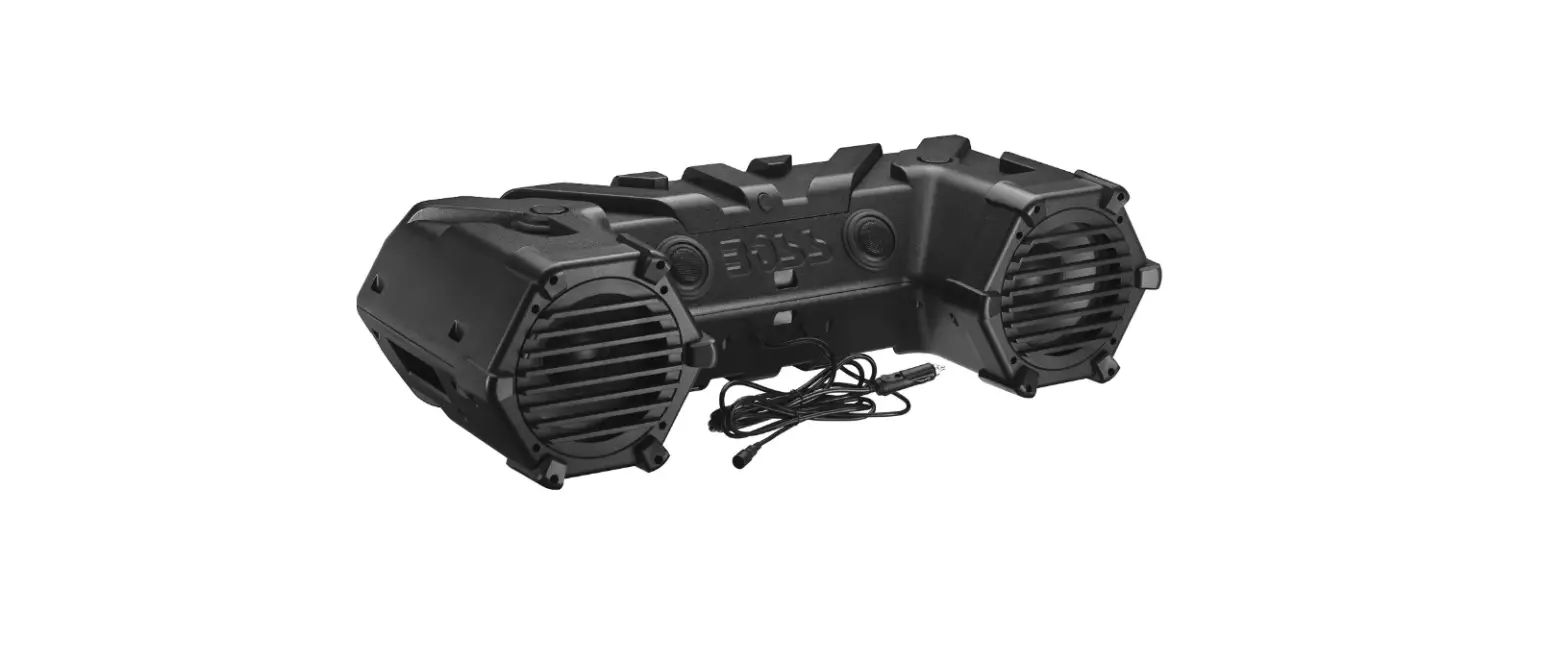
 BOSS ATVB95-LED Audio Systems Speakers USER MANUAL
 BOSS ATVB95-LED Audio Systems Speakers USER MANUAL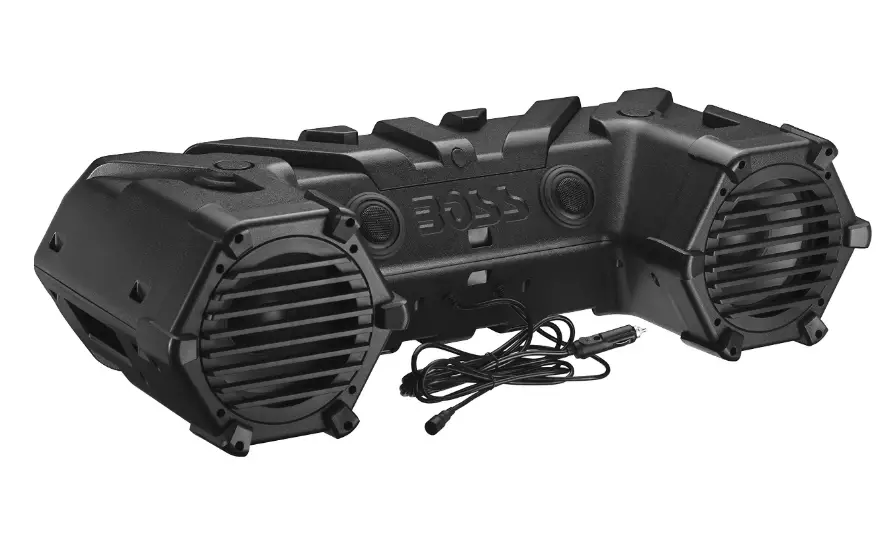
Thank you for purchasing this Please read through these instructions carefully so you will know how to operate your model properly. After you ha finished reading the instructions keep this document in a safe place for future reference.
THIS PACKAGE CONTAINS
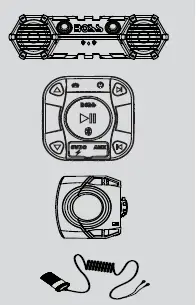
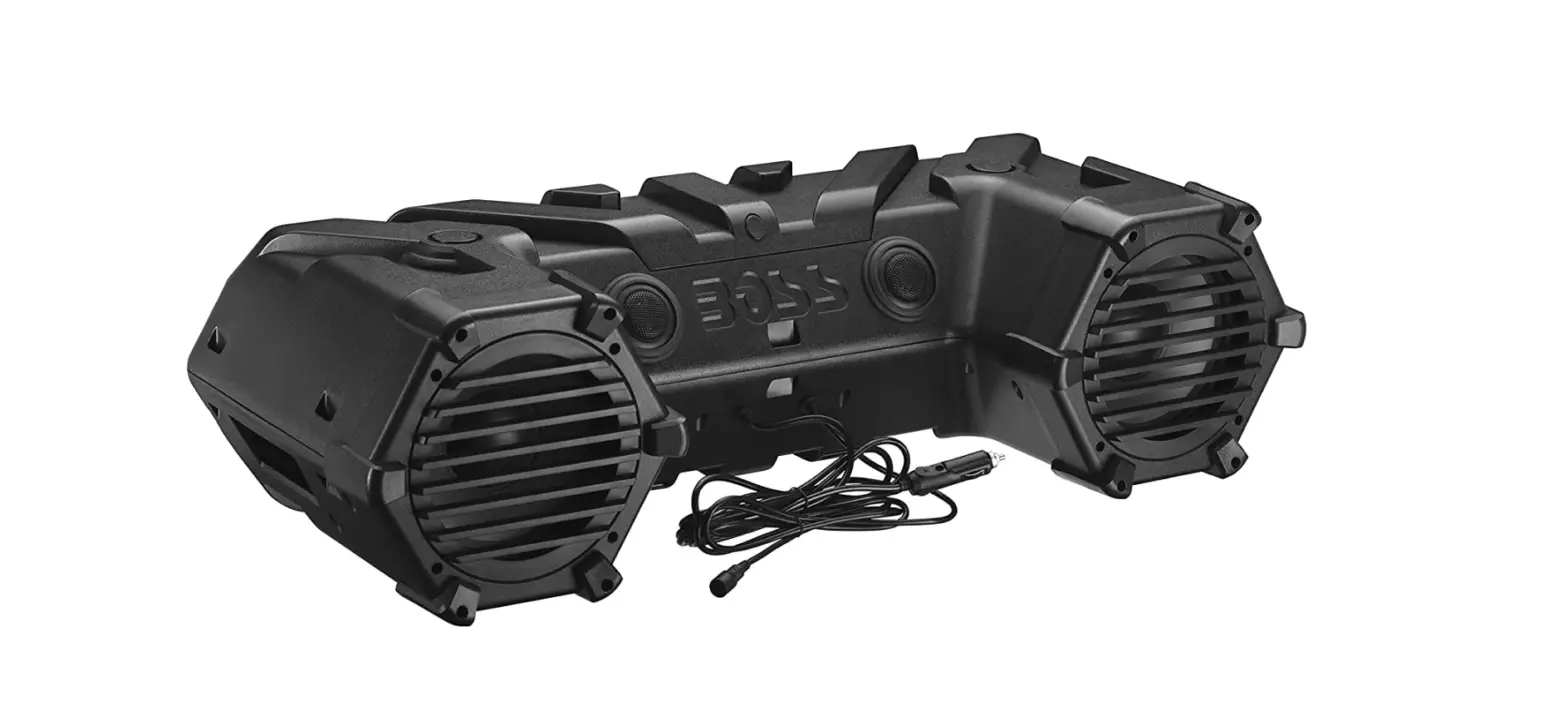
- All-Terrain Speaker System
- Bluetooth Multi-Function Controlle
- Handlebar Mounting Kit
- Quick Connect Power Extension Adaptor

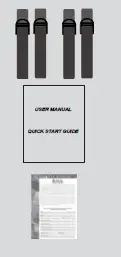
- Hi-strength Nylon Mounting Straps
- User Manual Quick Start Guide / Poster
- Warranty Card
INFORMATION TO THE USER FCC COMPLIANCE STATEMENT
This device complies with part 15 of the FCC Rules. Operation is subject to the following two conditions:
- this device may not cause interference, and
- this device must accept any interference, including interference that may cause undesired operation of this device.
This transmitter must not be co-located or operated in conjunction with any other antenna or transmitter. The Bluetooth antenna cannot be removed (or replaced) by the user. This equipment complies with FCC/ IC radiation exposure limits set forth for an uncontrolled environment and meets the FCC radio frequency (RF) Exposure Guidelines and RSS-102 of the IC radio frequency (RF) Exposure rules. This equipment has very low levels of RF energy that it deemed to comply without maximum permissive exposure evaluation (MPE). But it is desirable that it should be installed and operated keeping the radiator at least 20 cm or more away from the person’s body (excluding extremities: hands, wrists, feet, and ankles). Alteration or modifications carried out without appropriate authorization may invalidate the user’s right to operate the equipment.
NOTE: This equipment has been tested and found to comply with the limits for a Class B digital device, pursuant to Part 15 of the FCC Rules. These limits are designed to provide reasonable protection against harmful interference in a residential installation. This equipment generates, uses, and can radiate radio frequency energy and, if not installed and used in accordance with the instructions, may cause harmful interference to radio communications. However, there is no guarantee that interference will not occur in a particular installation. If this equipment does cause harmful interference to radio or television reception, which can be determined by turning the equipment and on, the user is encouraged to try to correct the interference by one or more of the following measures:
- Relocate or reorient the receiving antenna.
- Increase the separation between the equipment and the receiver.
- Connect the equipment to an outlet on a circuit dierent from that to which the receiver is connected.
- Consult the dealer or an experienced radio/T technician for help.
BEFORE YOU START
IMPORTANT SAFETY PRECAUTIONS
Do not operate mobile equipment while driving a motored vehicle safe driving and safety consideration of others should always be your highest priority. In the event, you should notice smoke, strange noises, or odor from this product, or any other abnormal signs, immediately turn the power off and consult your dealer or the nearest authorized BOSS AUDIO Service Center. Using this product in this condition may result in permanent damage to the system. Set your volume control at a low setting, then slowly increase the sound until you can hear it comfortably without distortion, or ear discomfort.
BE SURE TO OBSERVE THE FOLLOWING GUIDELINES
- do not turn up the volume so high that you can’t hear what’s around you.
- Use caution or temporarily discontinue use in potentially hazardous situations.
INSTALLATION PRECAUTIONS
- WARNING – Always consult a professional installer
- Do not attempt to install or service this product by yourself. Installation or servicing of this product by persons without professional training and experience in electronic equipment and motorized vehicle accessories may be dangerous and could expose you to the risk of electric shock, injury, or other hazards
- Refer any repairs to a qualied BOSS AUDIO SYSTEMS Service Center
- The ATVB95LED can be powered from a vehicle’s cigarette lighter / auxiliary power port, or hard-wired directly to the battery through an optional relay/accessory switch
- When wiring directly to the vehicle’s battery, be sure to disconnect the battery negative terminal wire before starting any wiring procedures, it is suggested that an optional fuse and fuse holder (not included) with a minimum rating of 20 Amps be in line with the positive battery terminal
- The ground cable length should not exceed 18-inches (See wiring diagram)
- The ATVB95LED has a weather-resistant design, it should not be submerged under water under any circumstances
- Use only the installation parts provided with the ATVB95LED
- Ensure the MFC is not mounted behind metal
- not install the MFC next to the vehicle’s electronics
- Never install this product in a heated location
CAUTION!! Using other mounting methods may void this warranty
GETTING STARTED GETTING TO KNOW YOUR
ATVB95LED MULTIFUNCTION CONTROLLER (MFC)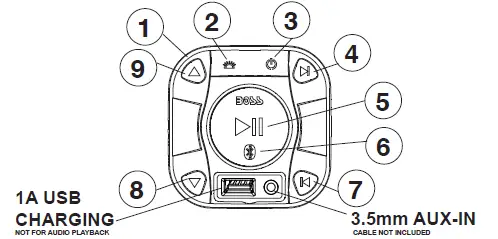
- MFC – MULTIFUNCTION CONTROLLER
- LED LIGHTBAR ON/OFF
- POWER ON/OFF – Press and hold for 3 seconds
- NEXT TRACK
- PLAY/PAUSE
- BLUETOOTH PAIRING INDICATOR – BLUE COLOR
- PREVIOUS TRACK
- VOL DOWN
- VOL UP
INFORMATION TO THE USER
The Bluetooth® word mark and logos are registered trademarks owned by Bluetooth SIG, Inc., and any use of such marks is under license. Other trademarks and trade names are those of their respective owners.
BLUETOOTH OPERATION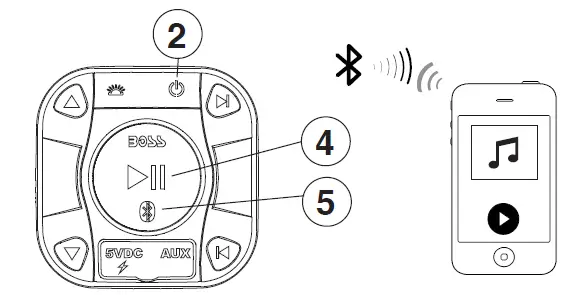
PAIRING & DISCOVERING A NEW BLUETOOTH CONNECTION
- Power on the MFC by pressing and holding down the 2 Power buttons for 3 seconds
- Press the PLAY/PAUSE 4 button for 3 seconds, and the 5 BLUE LED will quickly ash, signaling that the MFC is now ready for Bluetooth pairing.
- Now that the MFC is in pairing mode:
- ANDROID users:
- Go into the Settings Menu of your device
- . Enter the Bluetooth Menu
- TURN ON Bluetooth and press SCAN
- “BOSS AUDIO ATV” will now be displayed under AVAILABLE DEVICES
- If prompted, enter passcode: “0000”
- iOS users:
- Go into the Settings Menu of your iOS device
- Enter the Bluetooth Menu
- TURN ON Bluetooth
- “BOSS AUDIO ATV” will now be displayed
- If prompted, enter passcode: “0000”
- ANDROID users:
- If BOSS AUDIO ATV is not seen, repeat the above steps and refresh the “Device List”
- You will hear a tone when the connection is successful, you are now ready to stream music from your favorite media player to the ATVB95LED
NOTE: You have 2 minutes before you must restart this procedure again.
BLUETOOTH OPERATION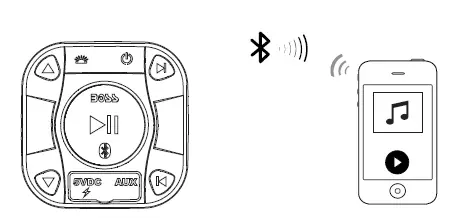
RECONNECTION
- Power on the MFC and your last paired device Bluetooth.
- The unit will now automatically reconnect
- If your device was previously paired with the MFC, but it wasn’t the last paired device:
- Ensure no other devices are currently paired
- Enter the Bluetooth Menu on your device being paired
- “BOSS AUDIO ATV” will display under AVAILABLE DEVICES
- Choose the “BOSS AUDIO ATV” to reconnect
- If the device is out of range from the ATVB95LED, it will disconnect automatically:
- If your device does not reconnect automatically once it is back in range, press BOSS AUDIO ATV in your device’s Bluetooth settings
- The MFC will now reconnect to the device
- If you turn BLUETOOTH on your device, then you must manually press “BOSS AUDIO ATV” from your BLUETOOTH list to reconnect to the MFC
NOTE: The MFC can remember up to 8 devices, to clear all previously paired devices, Press and hold 2 POWER buttons for 10 seconds To avoid battery exhaustion, be sure to occasionally run the vehicle’s engine while using this product. Using this product without running the engine can drain the battery.
STREAMING MUSIC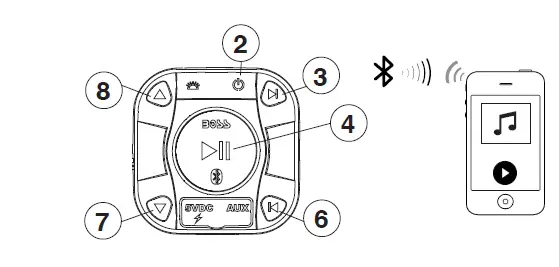
MULTIFUNCTION CONTROLLER BLUETOOTH OPERATION
- Press the 4 PLAY/PAUSE once to start playing music or press the PLAY button from your devices touch screen
- To skip songs or advance, press the 3 NEXT TRACK button
- To select the previous song, press the 6 PREVIOUS TRACK button
- To raise the volume press the 8 VOL UP button
- To lower the volume press the 7 VOL DOWN button
- Make sure your device’s Bluetooth volume is set at 100% level before stowing
AUX-INPUT
MULTIFUNCTION CONTROLLER AUX-IN OPERATION
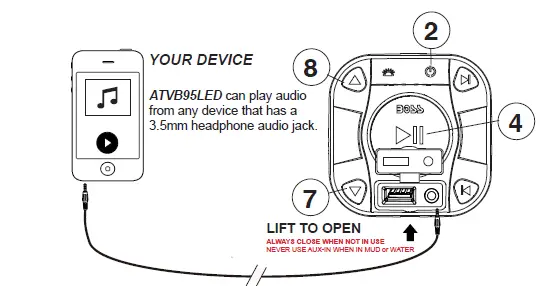
- Power on the ATVB95LED by pressing and holding down the 2 POWER buttons for 3 seconds
- disconnect any paired Bluetooth device by turning Bluetooth in your devices Settings Menu
- Connect your 3.5mm AUX-IN cable located on the front of the MFC to your devices headphone jack, the will illuminate RED color when in AUX-IN mode
- Route the wire back to the MFC, secure your device in a safe position
- To raise the volume press the 8 VOL UP button
- To lower the volume press the 7 VOL DOWN button
- To MUTE the volume press the 4 PLAY/PAUSE button
BEFORE INSTALLING THIS PRODUCT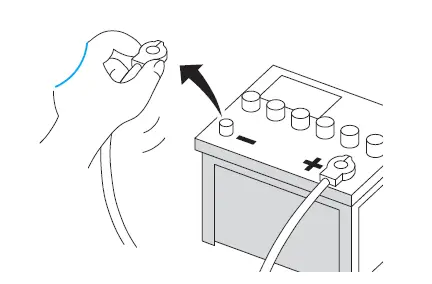
To avoid potential shorts in the electrical system, be sure to disconnect the battery cable before installation. Use this unit with a 12-volt battery and negative grounding only. Failure to do so may result in a malfunction. When replacing the fuse, be sure to only use a fuse of the rating specified on this product. To avoid short-circuiting, cover any disconnected leads with insulating tape. It is especially important to insulate any unused wires, which if left uncovered may cause a short circuit. When connecting other devices to this product, refer to the manual for the product to be connected. The black cable is ground, make sure to connect the ground wire first. Ensure that the ground wire is properly connected to metal parts of the vehicles body frame or directly to the battery if your vehicle does not have a grounded chassis frame The ground wire of this units power amp and a second powered system must be connected to the frame separately with dierent screws. If the screw for the ground wire loosens or falls out, it could result in re or malfunction.
SPEAKER MOUNTING SUGGESTIONS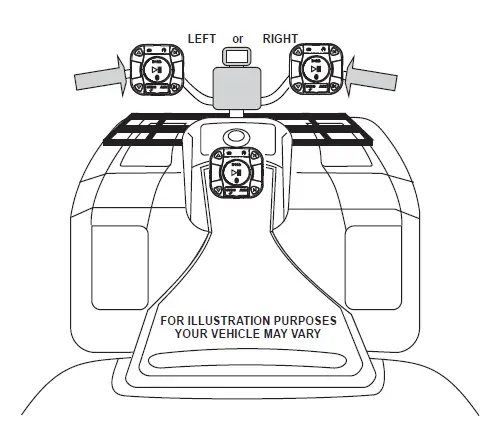
CAUTION!!
Mounting straps should be double-checked to be sure they are pulled tight and secure before each use of the vehicle.
WIRE DIAGRAM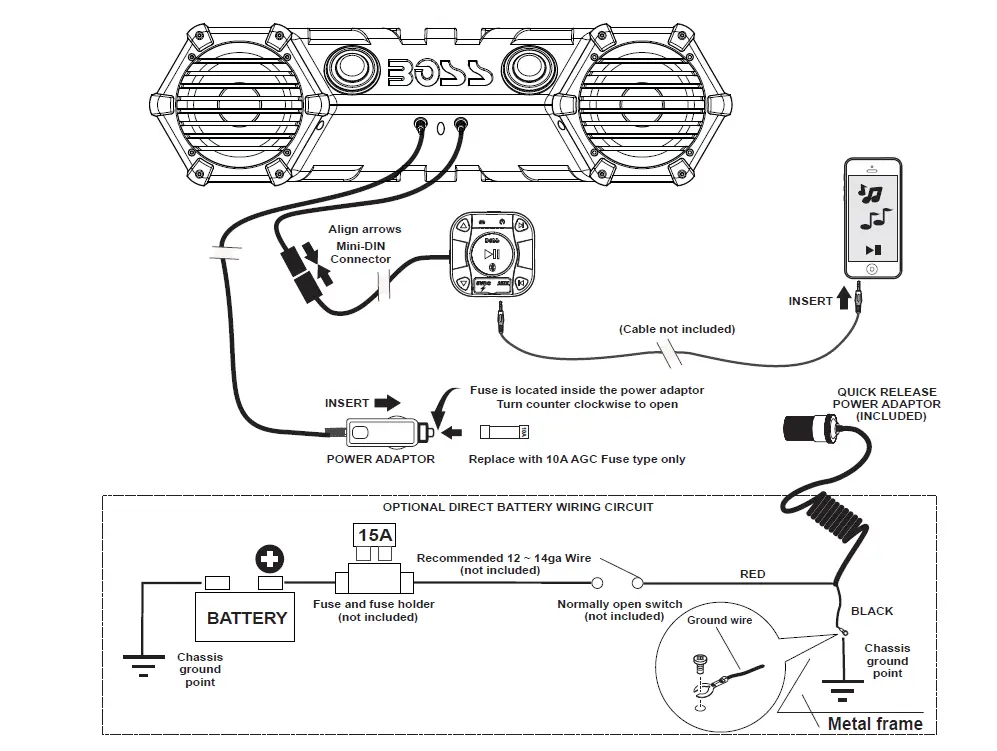
SPECIFICATIONS
BLUETOOTH
- version: 3.0 w/ ER
- A2P / ARCP
- Range: 33ft (10m) Class 2
- dimensions: 8”
- Impedance: 4 4
- Cone Type: PP CARBON RESIN COTH
- Tweeter Sie: 1” PEI SOFT OME
- Maximum Output Power: 700 Watts
- Class: AB
- Input impedance: 10k
- Frequency Response: 45H-25kH
- Operational Power: 14.4C (10-16 allowable)
- MA Current raw: 13.7A
- USB Charging: 1A 5C /- 5%
- Replacement Fuse: 10A AGC TYPE
- Color: Black
- Unit Weight: 22.2lbs / 10Kg
SPECIFICATIONS SUBJECT TO CHANGE WITHOUT NOTICE
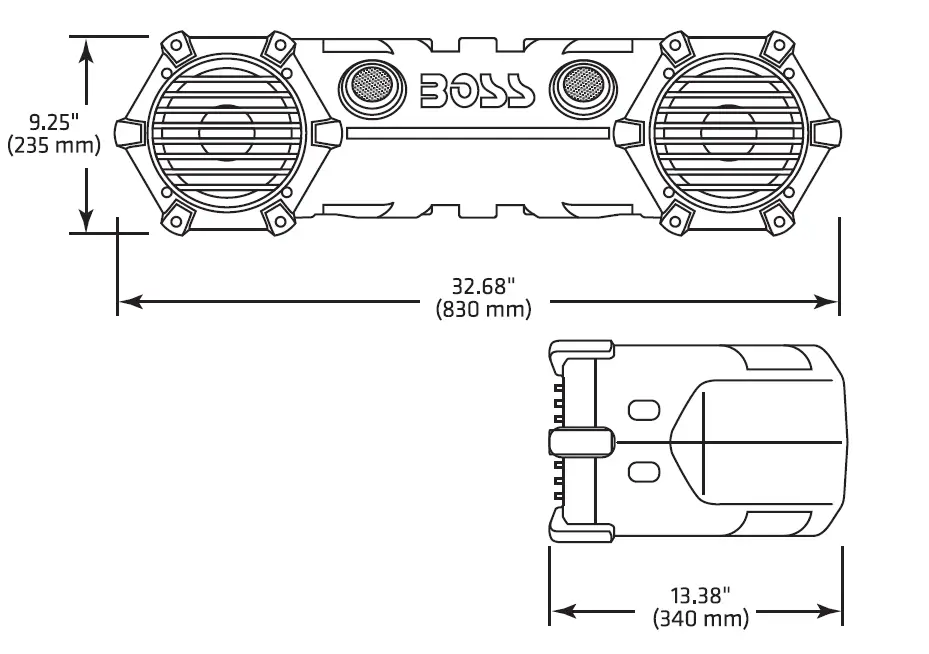
- Dimensions cm WxHx: 83.00 x 23.50 x 34.00
- Dimensions Inches WxHx: 32.68 x .25 x 13.38
- Storage Temperature: 5oF to 113oF / -15oC to 45oC
- Operation Temperature: 14oF to 140oF / -10oC to 60oC