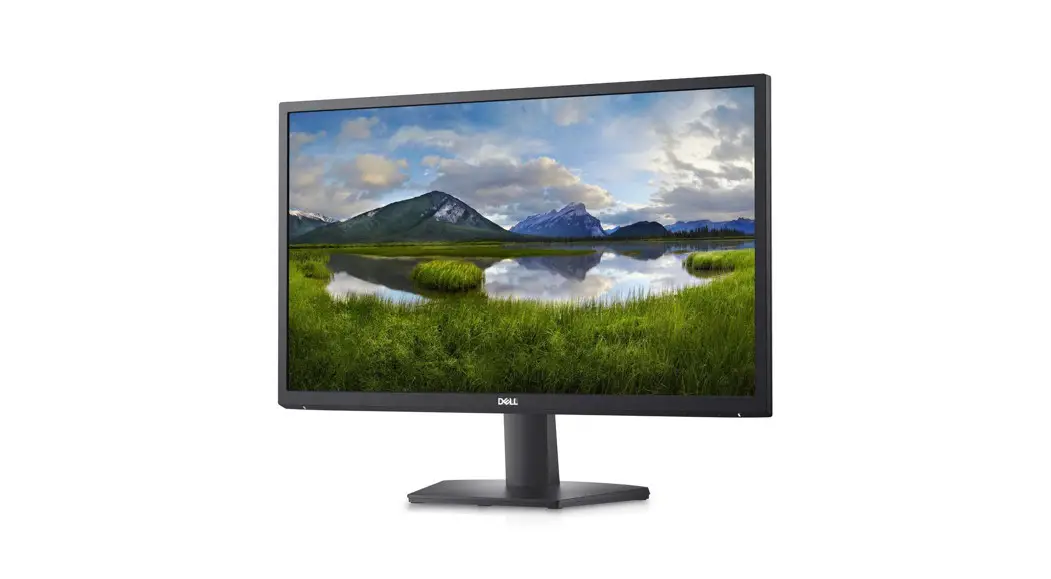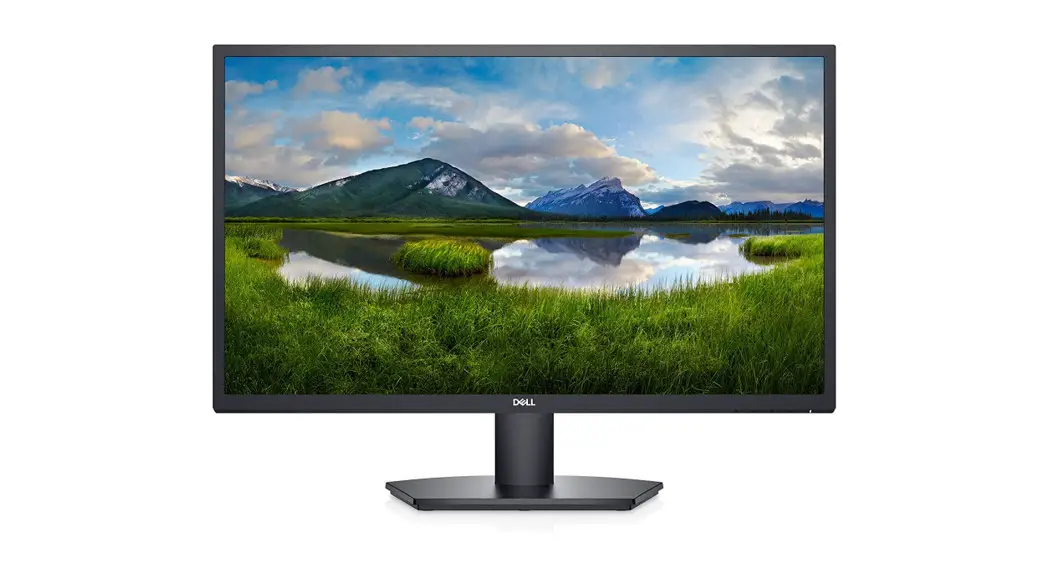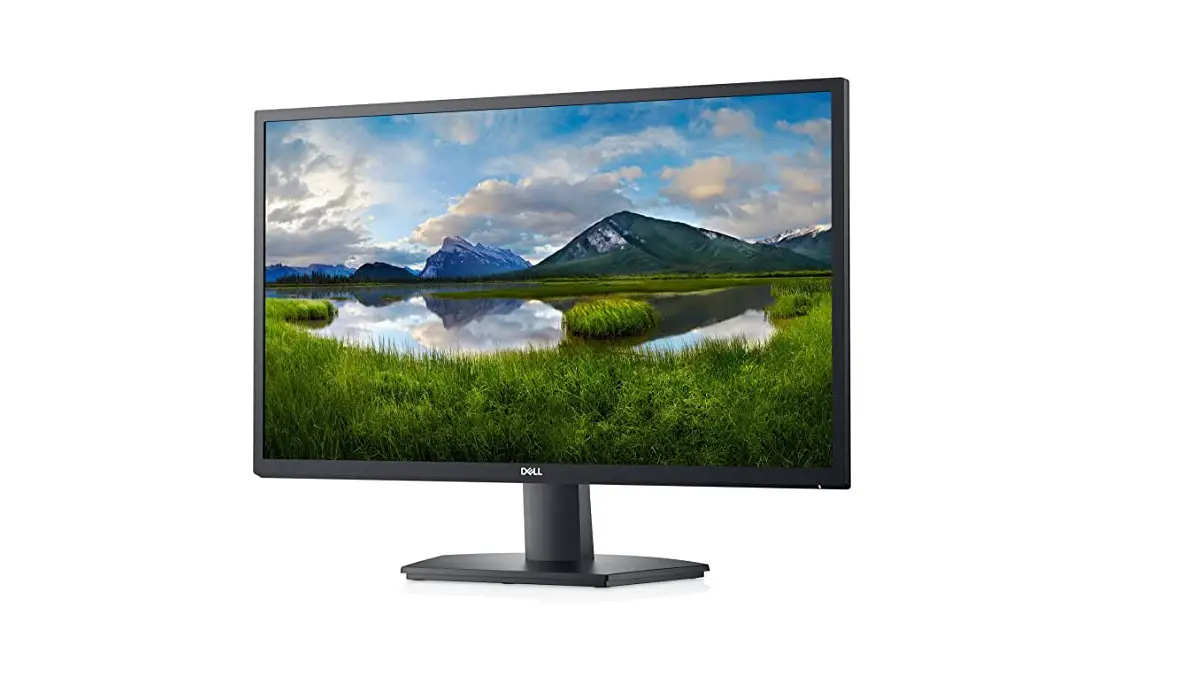
DELL SE2422HX 23.8 Inch FHD 16:9 Monitor Instructions

1. Disassembly Procedures
(S1) Turn off the monitor.
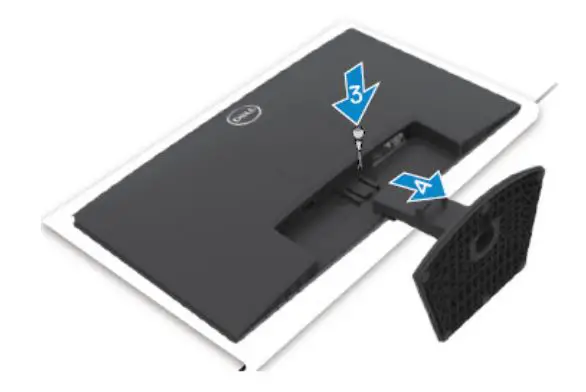
(S2) To remove the stand:
Place a flat cushion or a sitting mat near the edge of a table and place the monitor on it with the display facing down.
Press the stand down to access to the Stand release button.
Use a long screwdriver to press the release latch.
While pressing the release latch, slide out the stand assembly from the monitor
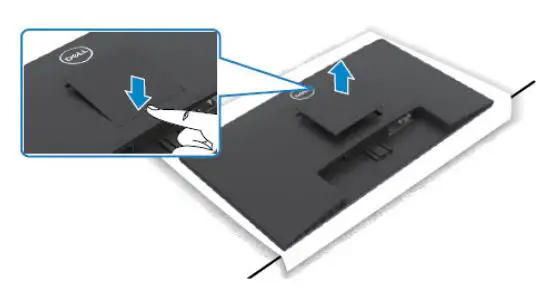
(S3) To remove the VESA cover
Press the dimple on the VESA cover to release it from the back of the display
(S4) Unlock 4 RC screws
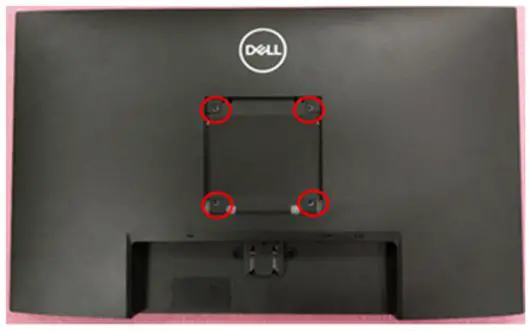
(Screw Torque: 8.5±1.0kgf)
(S5) Unlock 2 Bracket screws
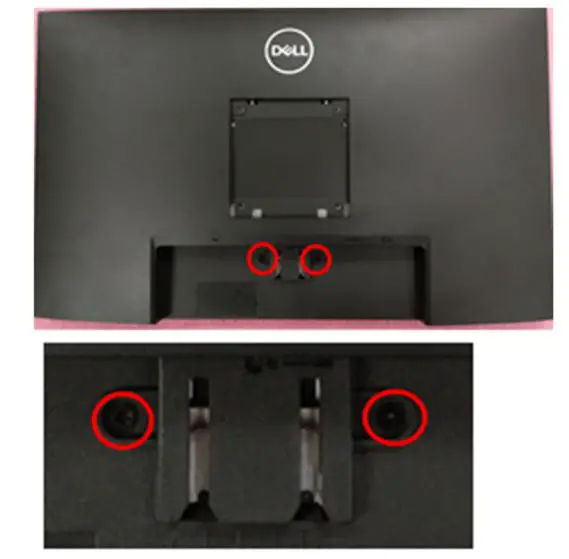
(Screw Torque: 5.0±1.0kgf)
DELL SE2422HXB 2
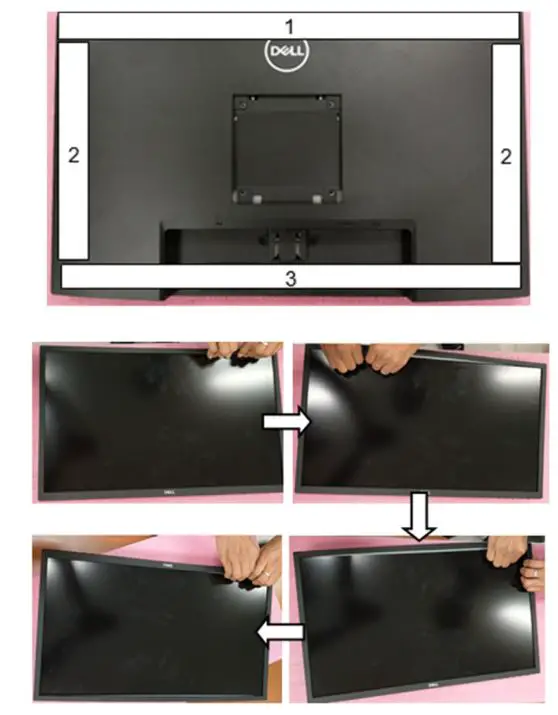
(S6) Disassemble Rear Cover from Bezel Notice the disassembly order:
- Disassemble the Top part
- Disassemble the Left / Right part
- Disassemble the Bottom part
- Remove Rear Cover from Bezel
(S7) Disassemble CTRL BD FFC from I/F BD and tear off CTRL BD FFC from Main
Disassemble LVDS cable from panel
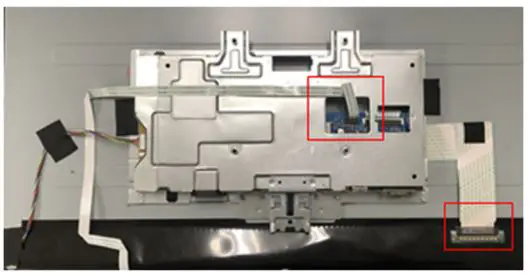
(S8) Remove 1 tape from Backlight Wire
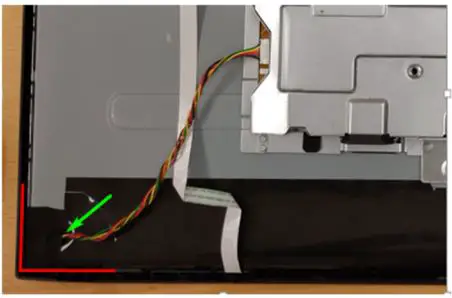
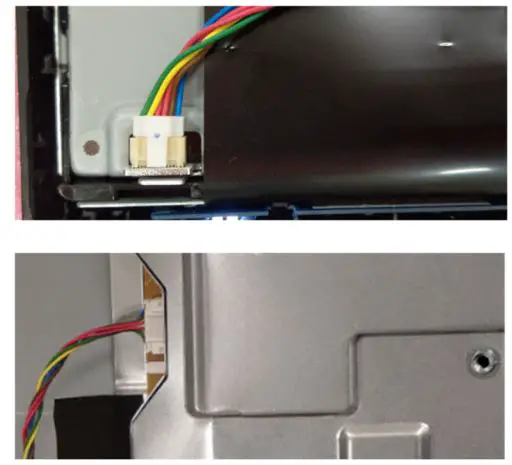
(S9) Disassemble Backlight Wire from panel and SPS BD
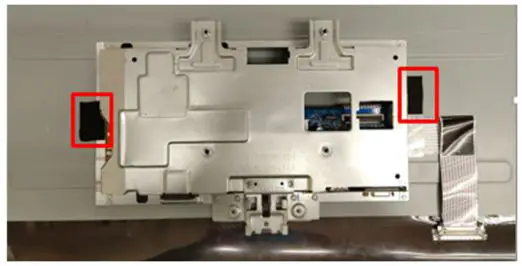
(S10) Remove 2 tapes from Main SHD to take off Main SHD from Panel
DELL SE2422HXB 3
(S11) Disassemble Bezel from panel
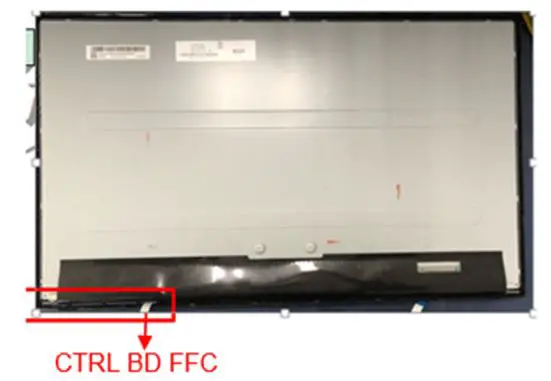
(S12) Disassemble CTRL BD from Bezel
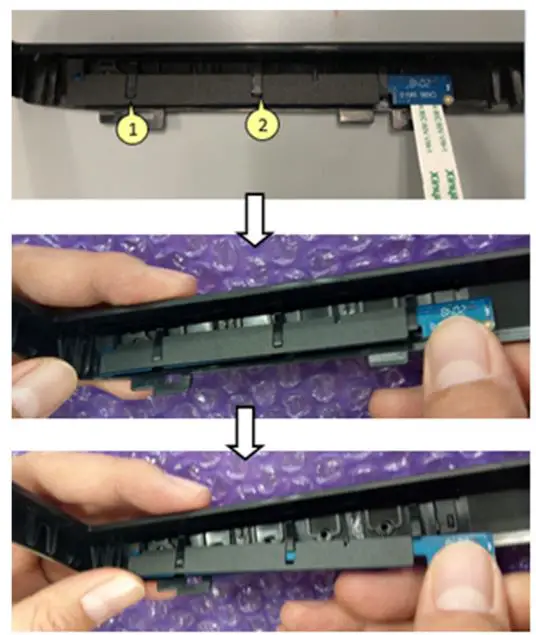
(S13) Disassemble Mylar from Main SHD
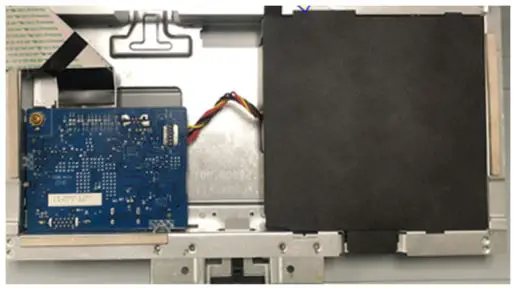
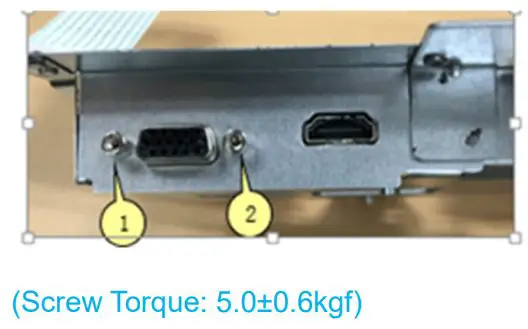
(S14) Unlock 2 hex screws
(S15) Unlock 5 PCBA screws
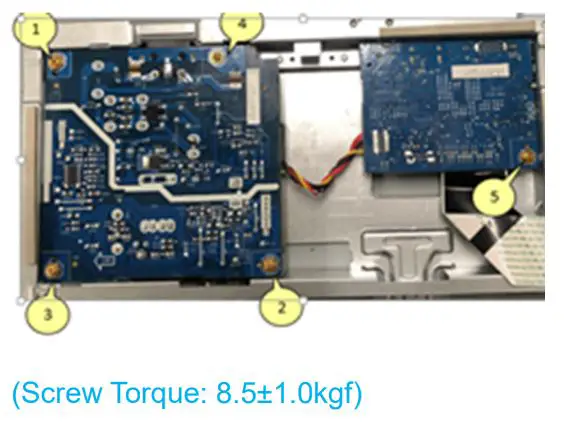
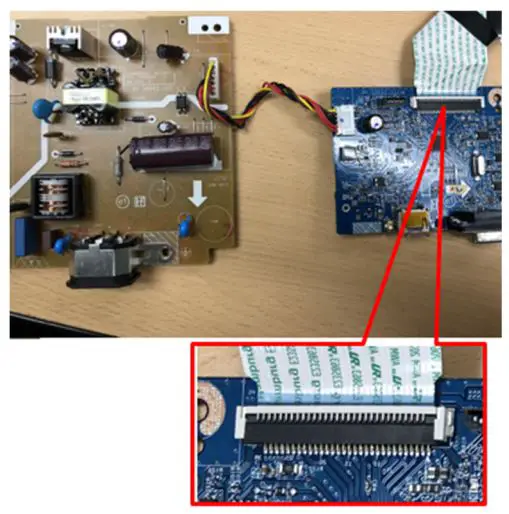
(S16) Disassemble SPS BD and I/F BD from Main SHD
Remove SPS wire from I/F BD
Remove LVDS cable from I/F BD
DELL SE2422HXB 4
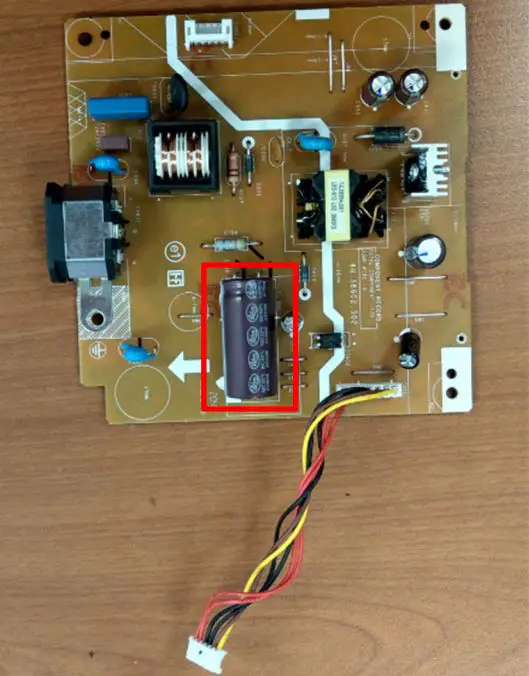
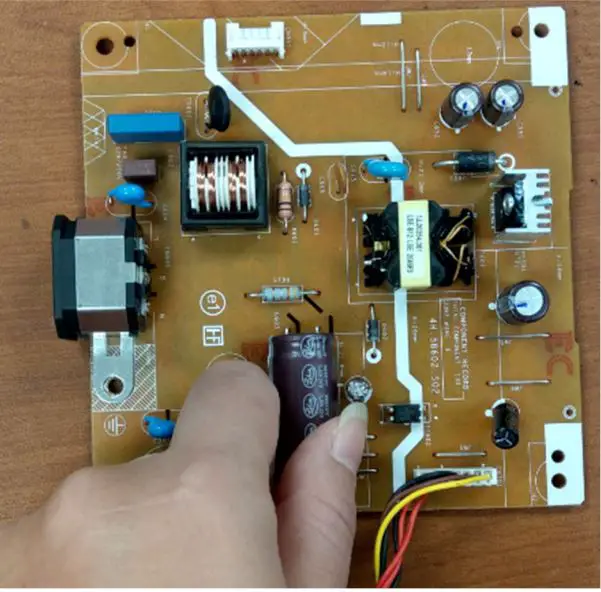
(S17) Remove electrolyte capacitors (red mark) from printed circuit boards
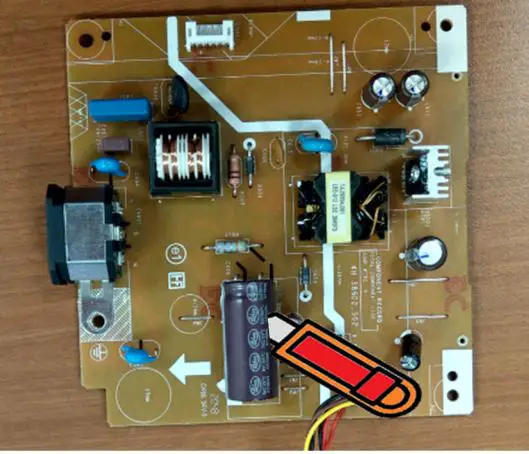
S17-1 Cut the glue between bulk cap. and PCB with a knife

S17-2 Ensure cutting path within the glue, don’t touch bulk cap. or PCB
DELL SE2422HXB 5
S17-3 Take out bulk cap. pin solder with soldering iron and absorber
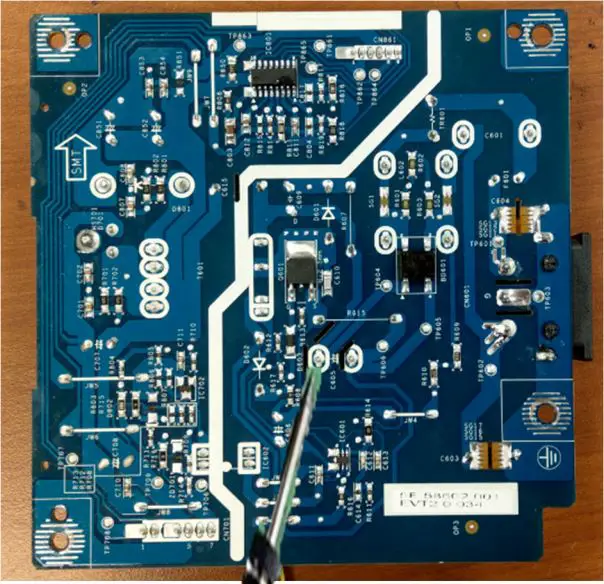
S18-4 Lift the bulk cap. up and away from the PCB
DELL SE2422HXB 6
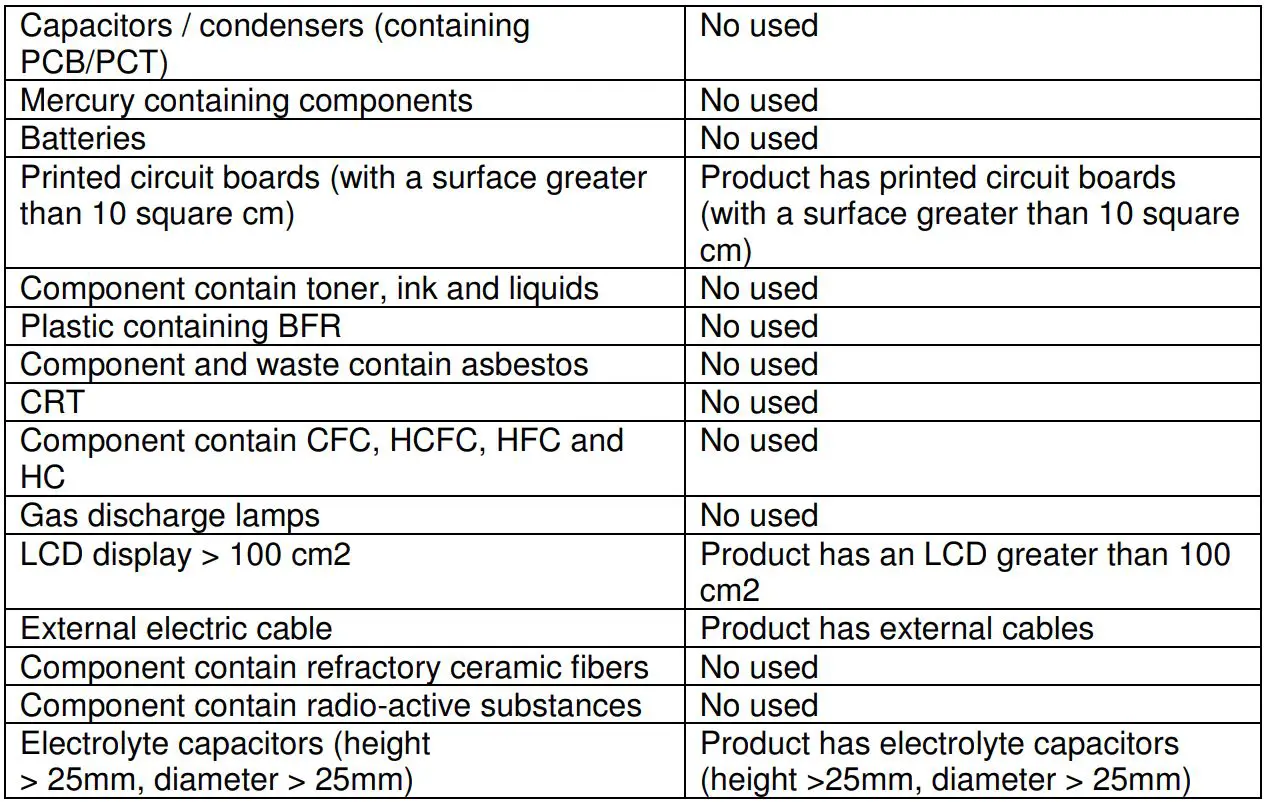
2. Product material information
The following substances, preparations, or components should be disposed of or recovered separately from other WEEE in compliance with Article 4 of EU Council Directive 75/442/EEC.

3. Tools Required
List the type and size of the tools that would typically can be used to disassemble the product to a point where components and materials requiring selective treatment can be removed. Tool Description:
– Screwdriver
– Scraper Bar
– Penknife
– Soldering iron and absorber