A-1272 12 Volt Converter
Product Information
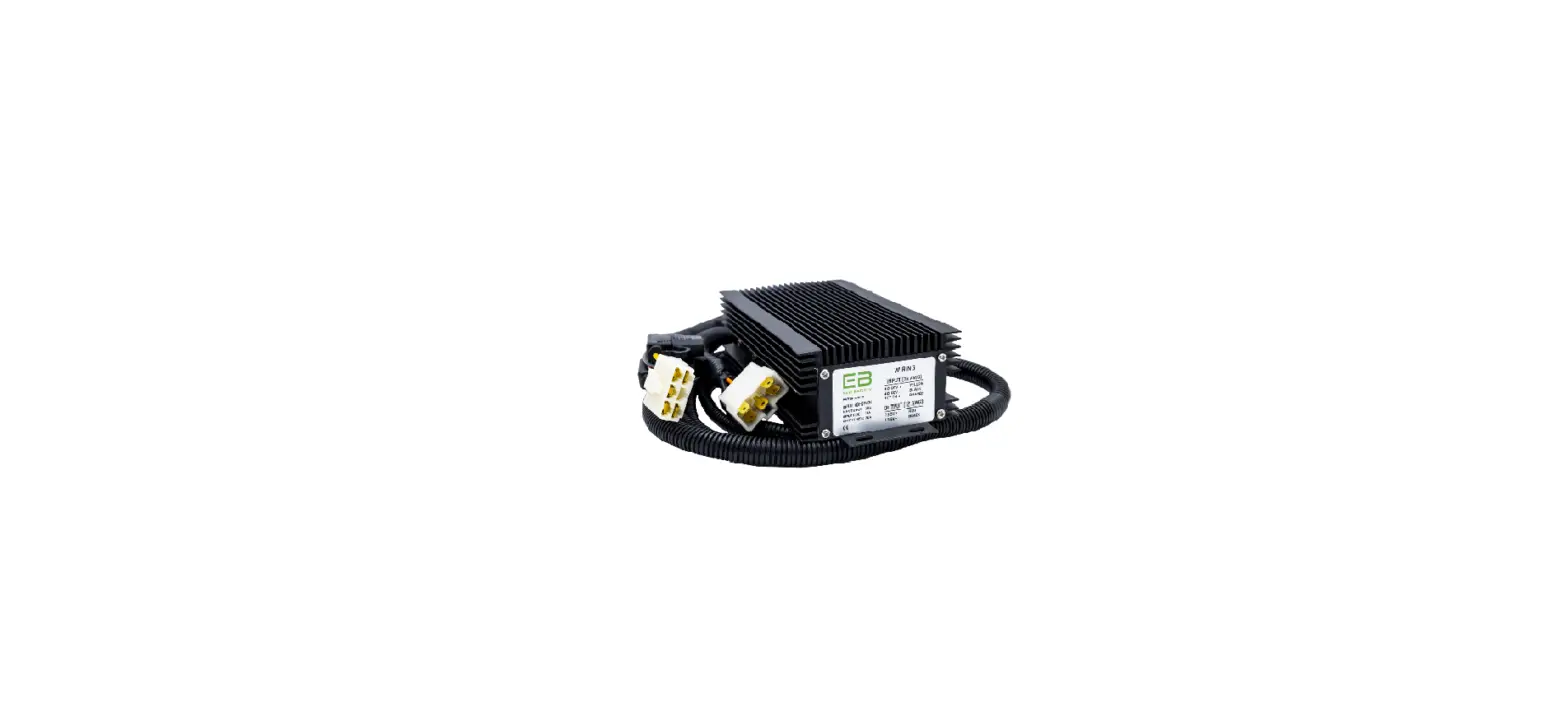
The product is a 12 Volt Converter designed for use with Eco
Battery. It allows for the conversion of power to support various
12V devices such as lights, stereo, and fuse box input. The
converter comes with a wiring harness and is suitable for use with
lithium batteries.
Important Safety Note: Working with lithium batteries can be
dangerous. Safety gear such as protective eyewear, insulated
gloves, and insulated tools are required for safe installation. If
you are not trained to work with lithium batteries or electric
vehicle systems, it is recommended to seek professional
installation.
Product Usage Instructions
- Locate the Eco Battery 12 volt converter and wiring
harness. - Connect the harness to the converter using the white
connector. - Mount the Eco Battery 12 Volt Converter in a safe, dry location
in the battery compartment. - Determine where each wire in the harness needs to connect
(refer to the diagram). - Loosely route the harness in the direction of the connections.
If necessary, branch out wires from the main harness and secure
them with electrical tape. - Secure the harness using zip ties or your preferred method,
starting from the converter and working towards the final
connection. - Connect the positive 12 volt output wire (large, red wire in
the harness) to the positive input wire of the 12 volt
accessory. - Connect the negative 12 volt output wire (large, black wire in
the harness) to the negative input wire of the 12 volt
accessory. - Connect the Orange wire in the 12 volt converter harness to a
switched B+ power source (such as the ON side of the key switch).
Alternatively, if constant 12V power is required, connect the
Orange wire directly to the positive terminal on the battery. - Connect the main positive cable, positive charger cable, and
positive 12 volt converter input wire (small, yellow wire in the 12
volt harness) to the positive terminal on the battery. - Connect the main negative cable, negative charger cable, and
negative 12 volt converter input wire (small, black wire in the 12
volt harness) to the negative terminal on the battery. - Double-check all wiring connections to ensure they are
correct.
Note: Improper installation, short circuiting, or reverse
polarity connections can cause damage to the battery, system
components, or property. Such damage is not covered by the
warranty.
QuickStart
38 | 51 | 70
®
Guide
12 Volt Converter
Rev-1.0-08/26/22
Connect the orange wire to a switched B+ power source (such as the ON side of key switch).
Alternatively, if constant 12V power is required, connect the orange wire directly to positive terminal on battery).
+Positive Off On Key On
ORANGE 16AWG
12v Converter
RED 12 AWG
12V+
YELLOW 16AWG
BLACK 12 AWG
12V-
12V Devices
(Lights, Stereo, Fuse Box Input)
BLACK 16AWG
NEGATIVE POSITIVE
b- b+
Motor Controller
Solenoid
Warning
Battery Charger
Bolt
Charger
Converter Controller
120V Wall
Battery
Ring terminals should be stacked largest to smallest, with the largest cable (highest draw) nearest the battery.
Working with lithium batteries can be dangerous. Safety gear such as protective eyewear, insulated gloves, and insulated tools are required for safe installation.
If you do not fully understand this guide and are not trained to work with Lithium batteries, please stop and seek professional installation.
This guide is not meant to give an untrained person enough knowledge to competently work with lithium batteries or electric vehicle systems.
Damage to the battery, system components, or property due to incorrect or improper installation is not covered by the warranty. Do not short circuit or connect with reverse polarity, damage from improper connections is not covered by warranty.
Important: Inspect your new battery for any damage that may have occurred during shipping. If there are any visible signs of damage, DO NOT CONTINUE and contact your dealer or Eco Battery.
1
QuickStart
38 | 51 | 70
®
Guide
12 Volt Converter
1 – Locate your Eco Battery 12 volt converter and wiring harness. Connect the harness to the
converter using the white connector.
2 – Mount the Eco Battery 12 Volt Converter in a safe, dry location in the battery compartment.
3 -Determine where each wire in the harness needs to connect (see diagram) and loosely route the harness in that
direction. If you discover that one or more wires would be better routed by branching o the main harness, you can pull that wire(s) from the main harness sheathing at the point best suited. Use a piece of electrical tape to secure any wires where they exit the main harness.
4 – With the harness loosely routed in the proper direction, begin securing it using zip ties, or your preferred method,
starting at the converter and working your way towards the nal connection.
5 – Connect the positive 12 volt output wire (large, red wire in the harness) to the 12 volt accessory positive input
wire. Connect the negative 12 volt output wire (large, black wire in the harness) to the 12 volt accessory negative input wire.
6 – Connect the Orange wire in the 12 volt converter harness to key on power.
7 – Connect the main positive cable, positive charger cable and positive 12 volt converter input wire (small, Yellow
wire in the 12 volt harness) to the positive terminal on the battery.
8 – Connect the main negative cable, negative charger cable and negative 12 volt converter input wire (small, black
wire in the 12 volt harness) to the negative terminal on the battery.
9 – Double check that all wiring is correct prior to turning on the battery. If you do not feel comfortable with the
wiring or have any questions, DO NOT turn on the battery and call your dealer for assistance.
10 – Once you are condent in the installation, turn on the power button by pressing it once. The power button will
immediately illuminate green, indicating the battery is now on and there is power at the terminals.
11 – Function check the various systems of the cart including the drive and 12 volt system operations.
Note: The power button must be turned on for discharge and charge to work properly. For longterm storage(10+ days), turn battery on/o switch to o position.
2