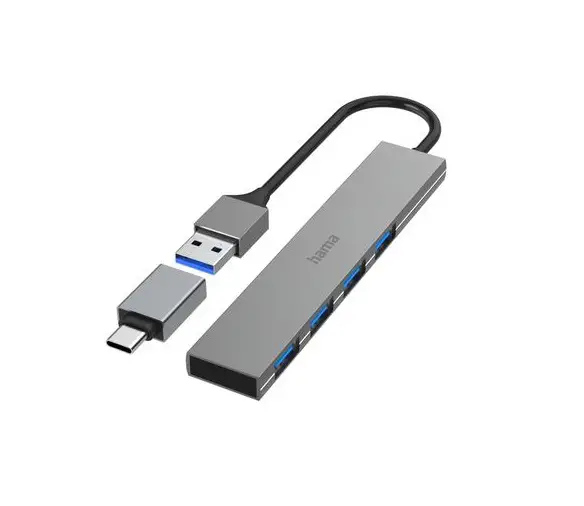
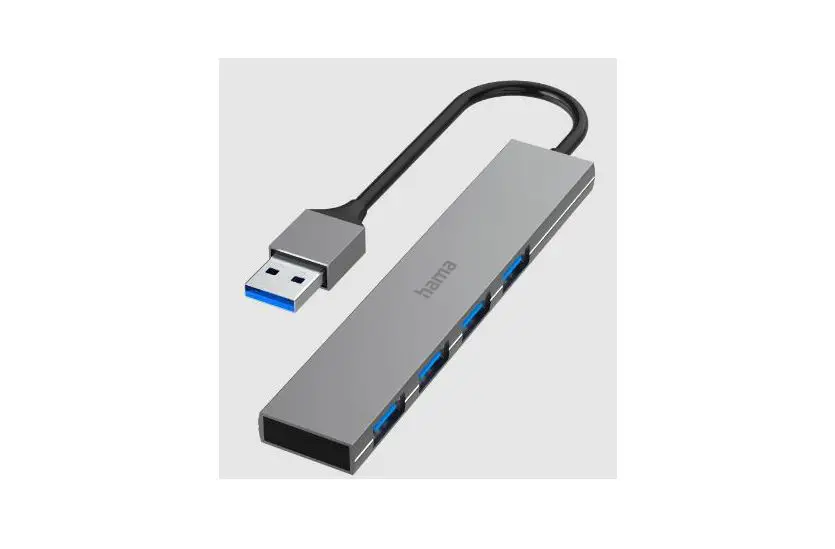
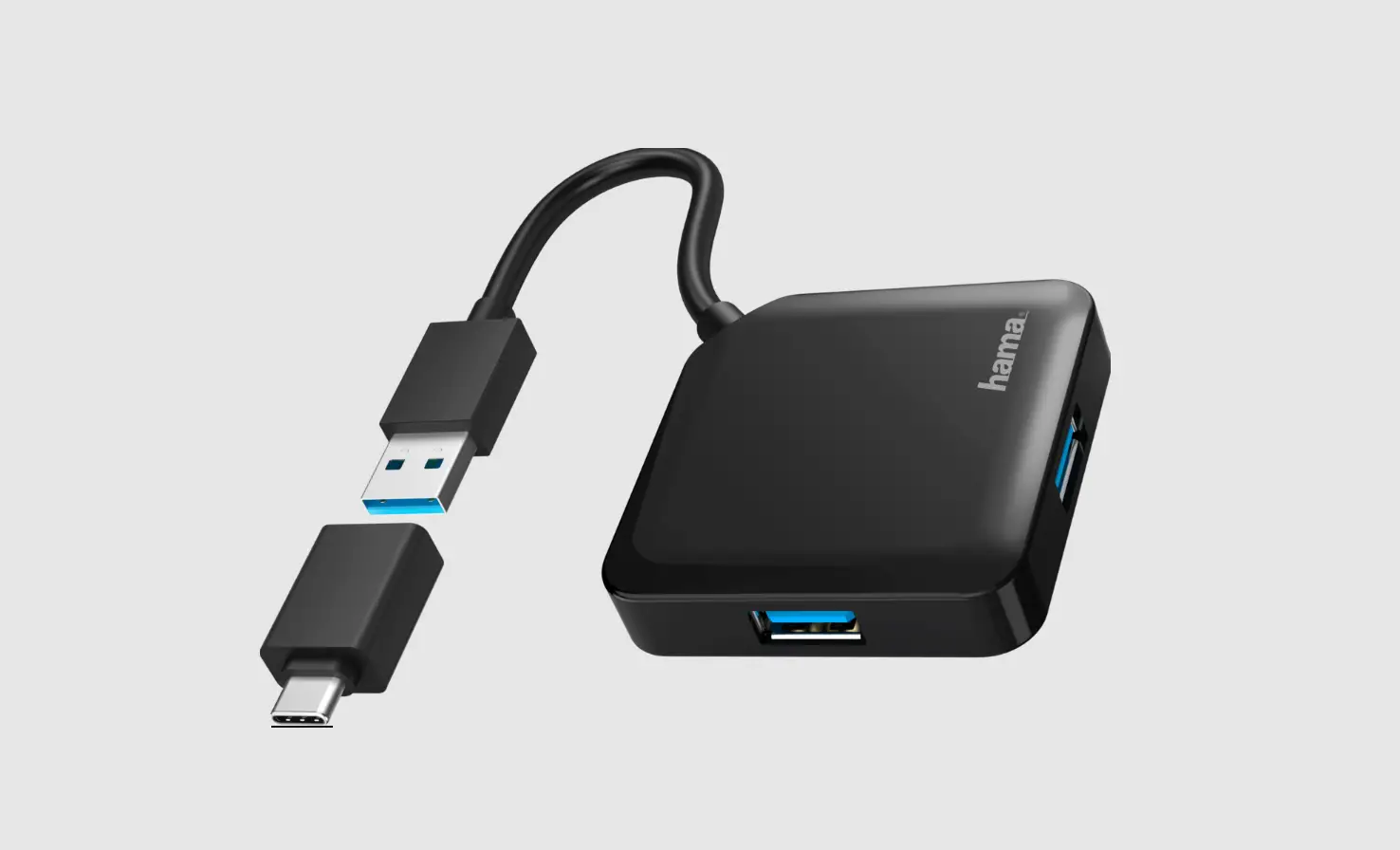
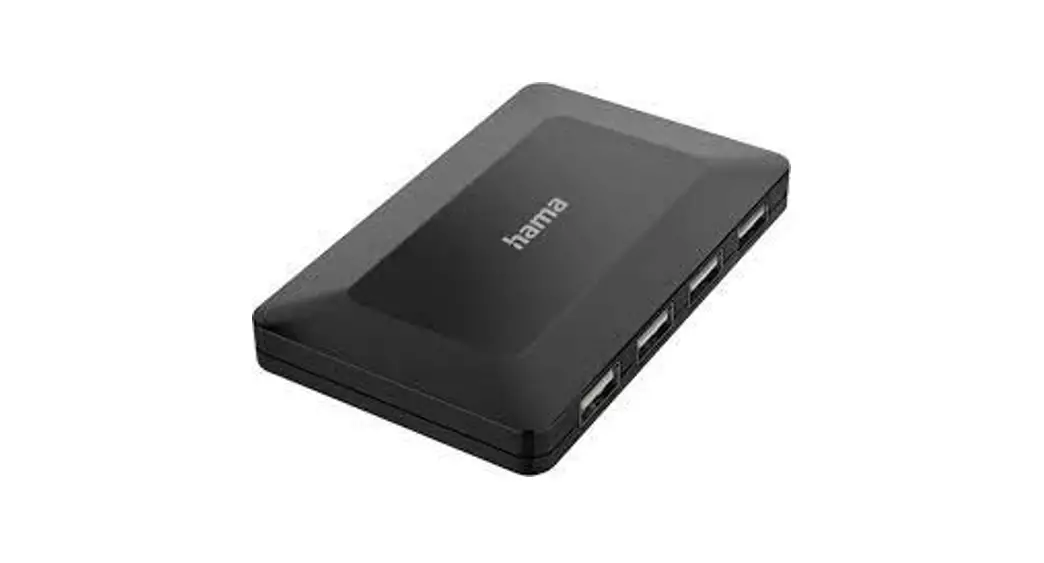
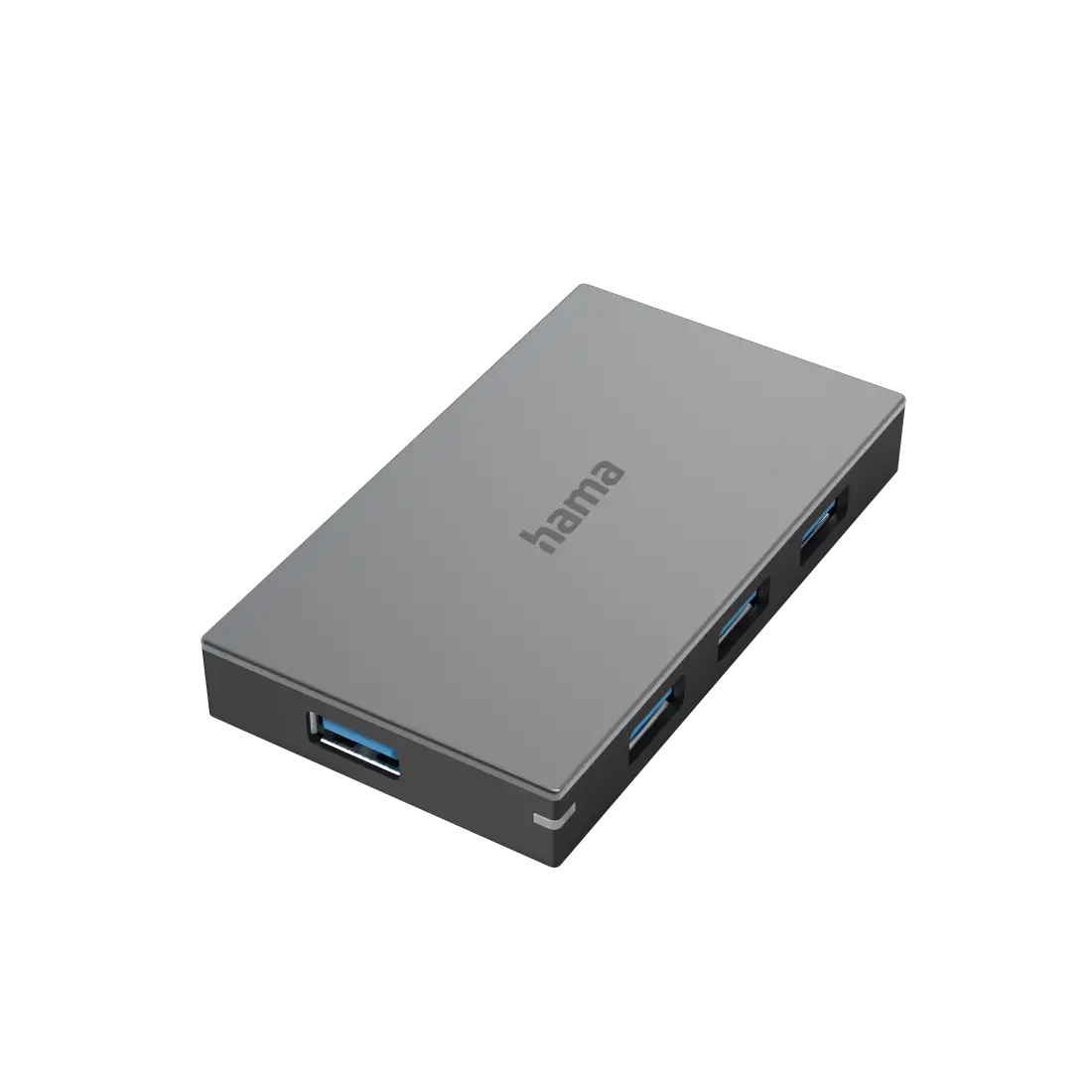
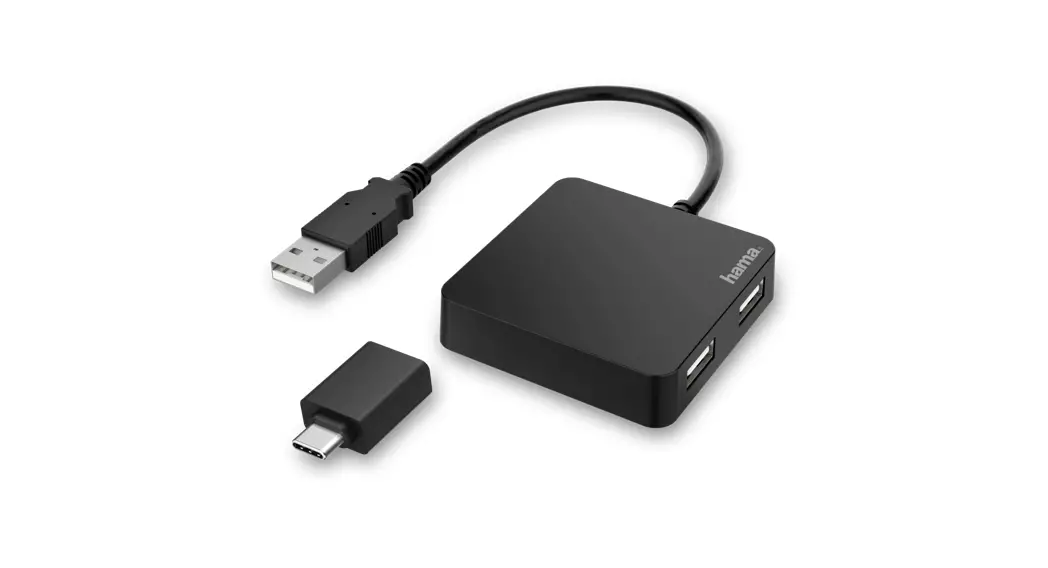
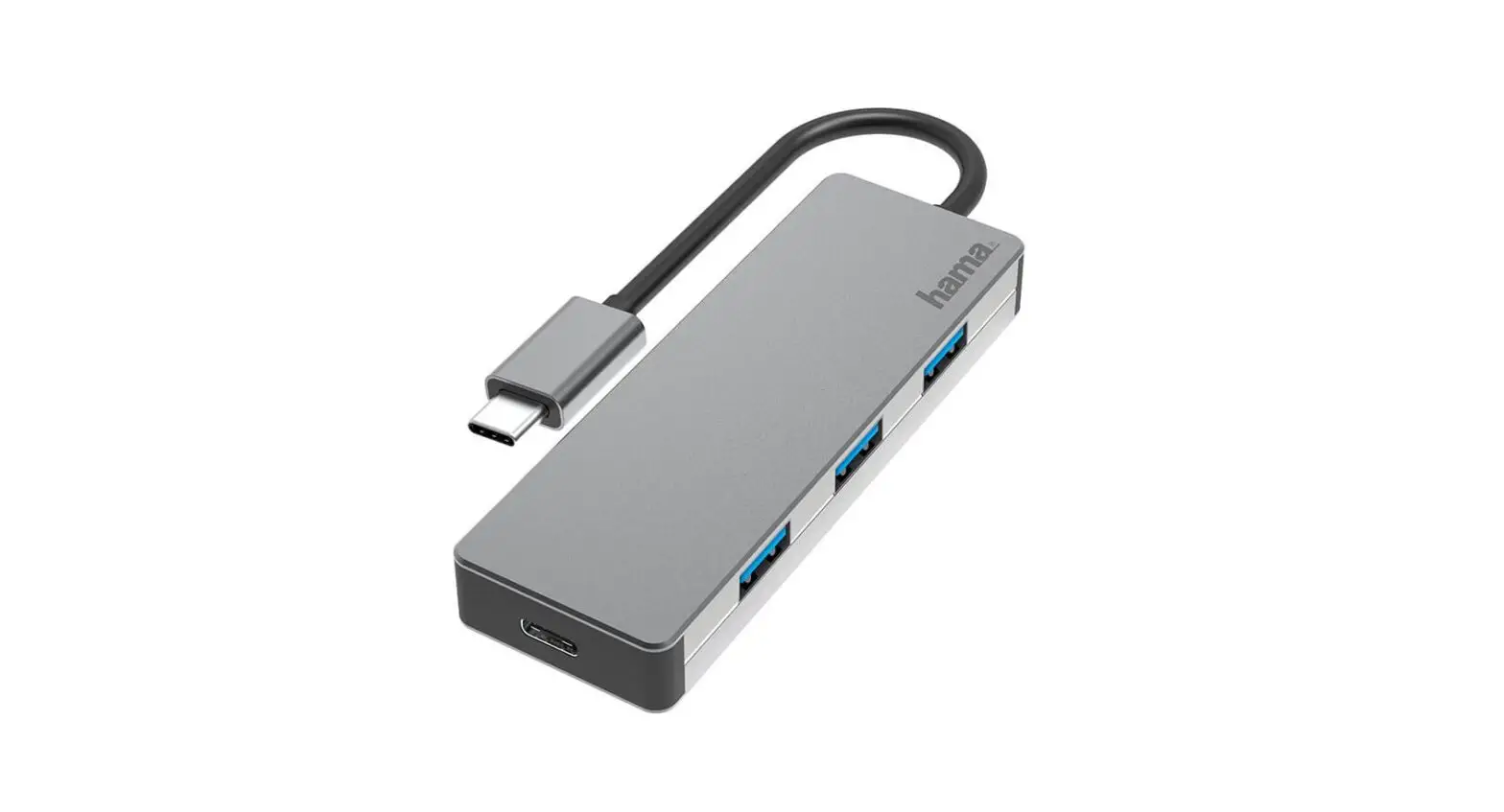
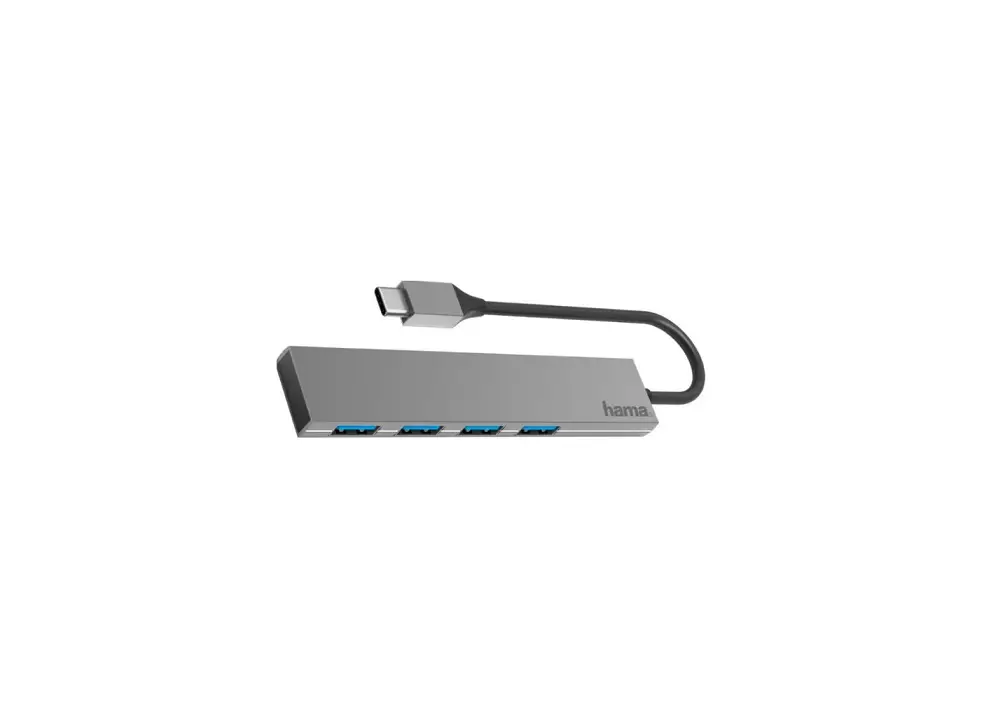
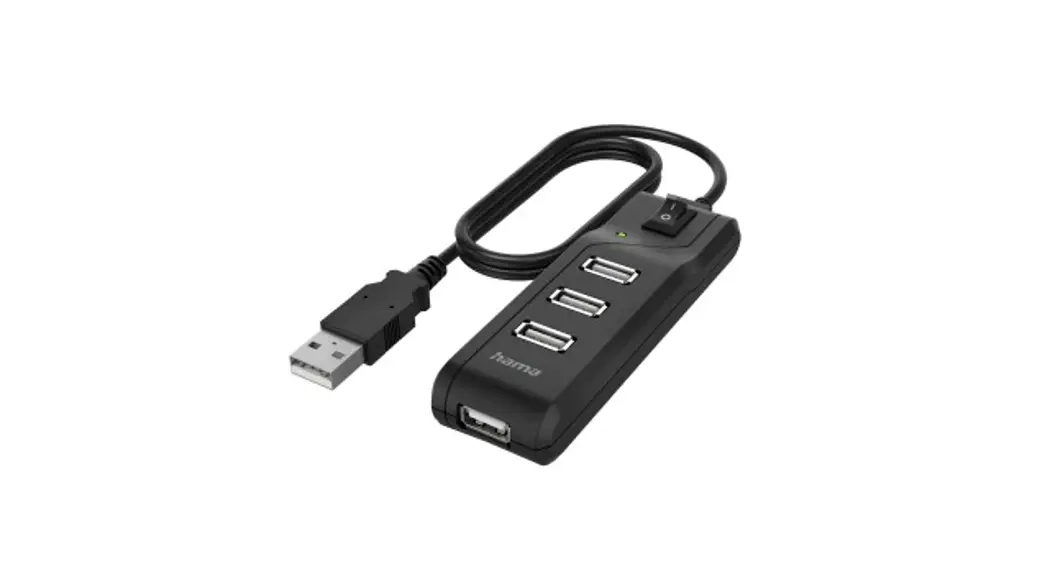
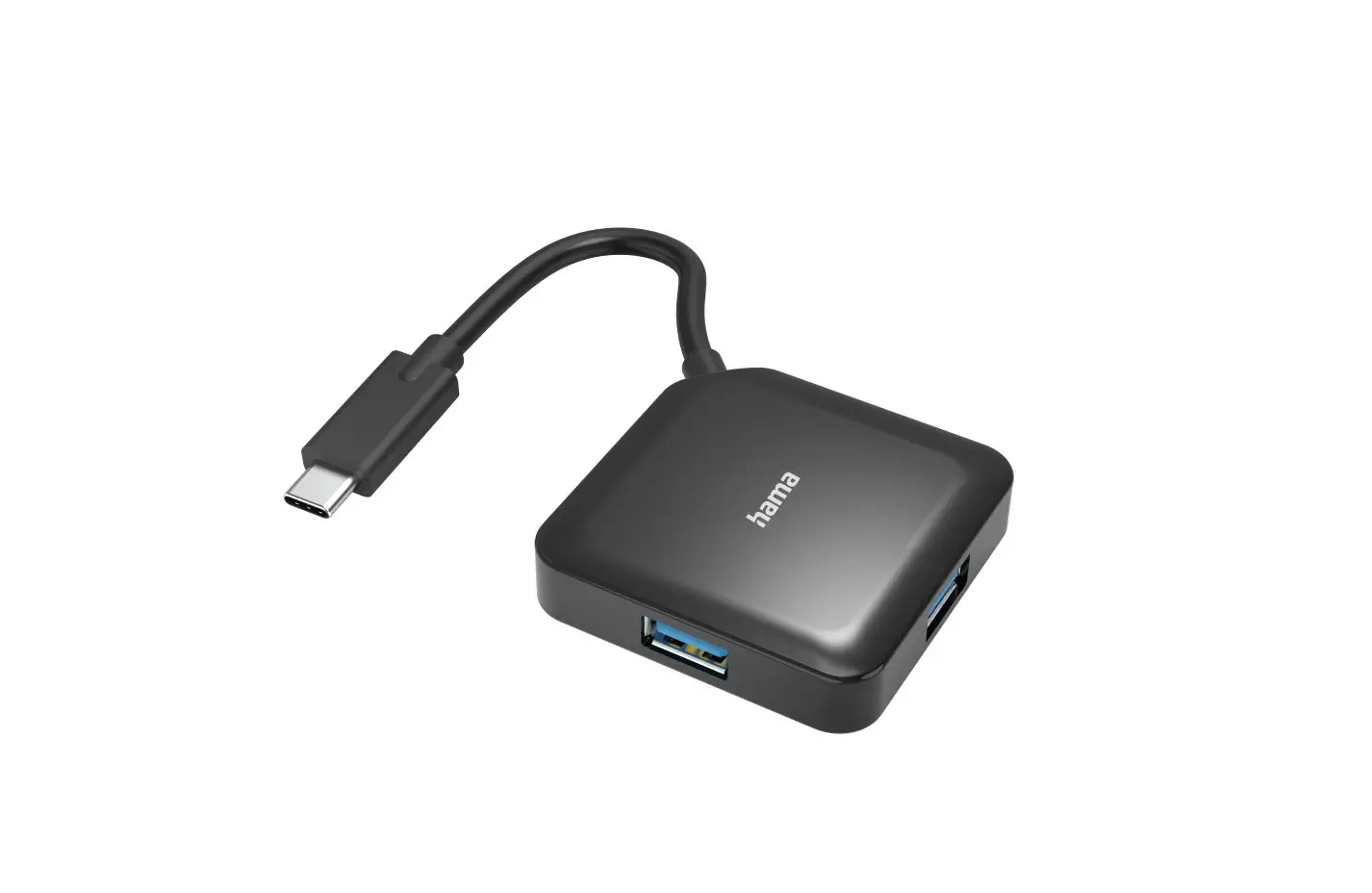
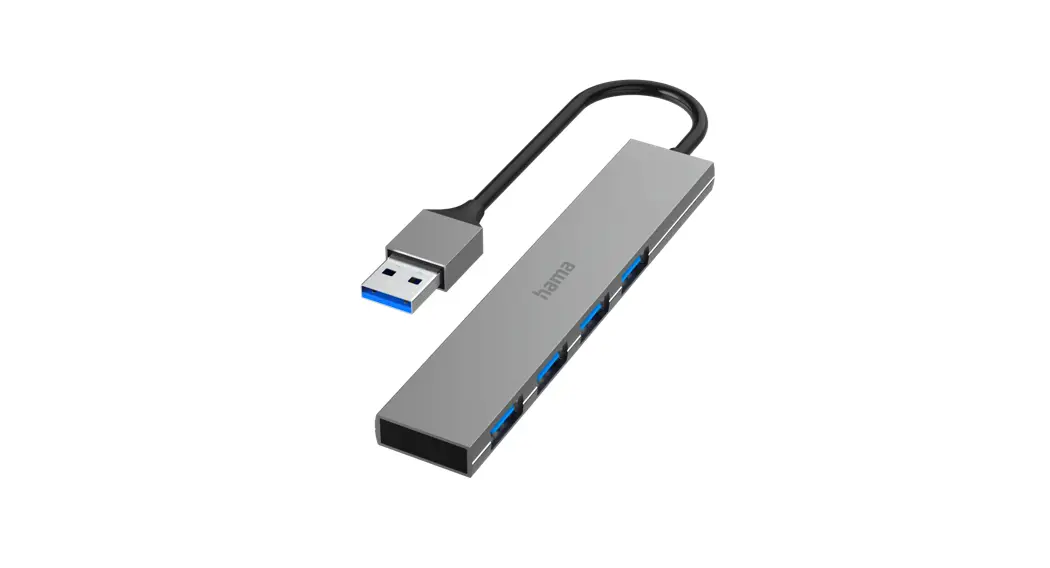
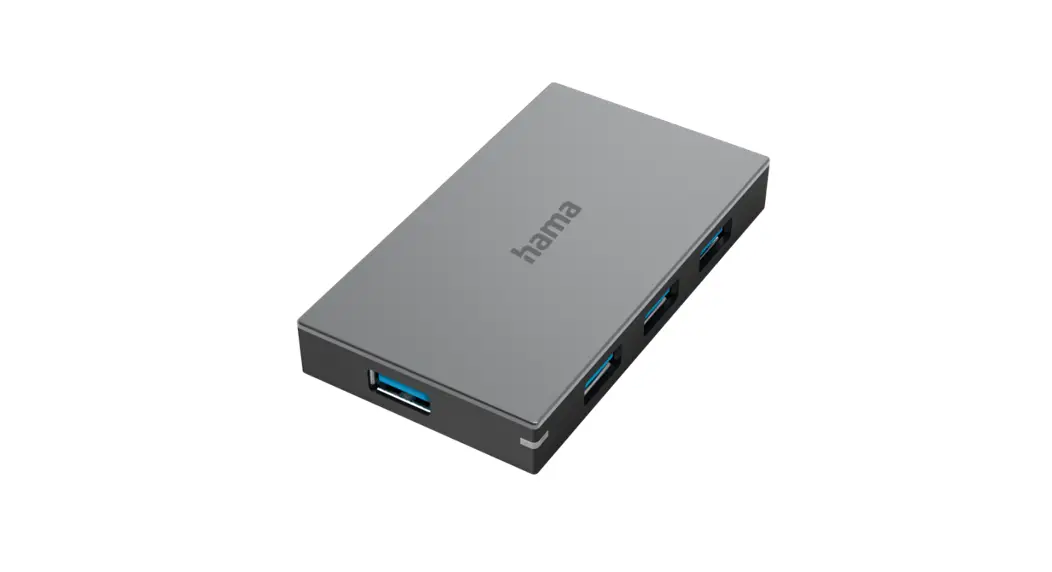
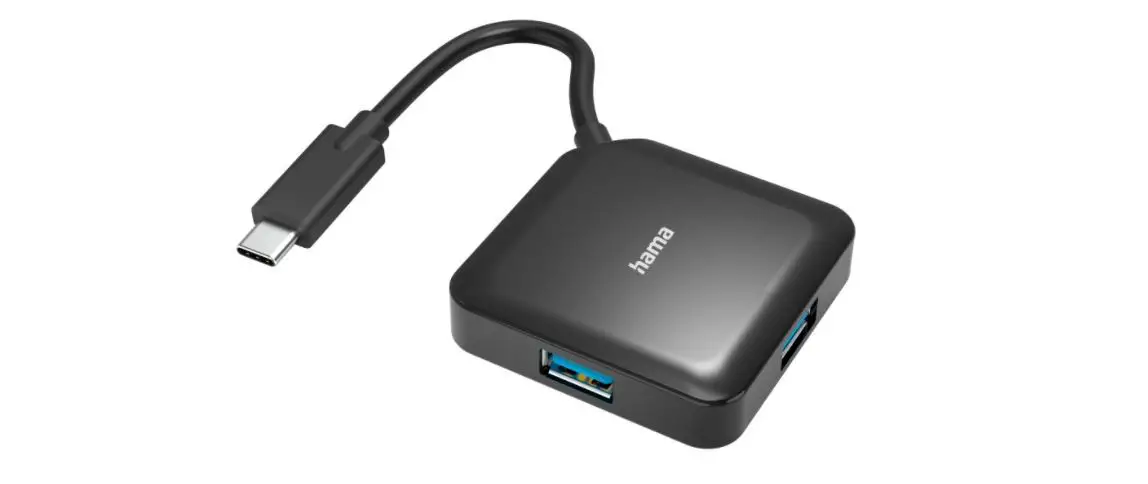
00200137 USB Hub
Product Information:
The USB Hub is a device manufactured by Hama GmbH & Co KG. It
is designed to expand the number of available USB ports on a
computer or other devices. The USB Hub is compatible with both
USB-A and USB-C ports and supports USB 3.0 and USB 3.2 Gen1
specifications. It can be used with Windows 11, 10, 8, 7, and Mac
OS 10.8 operating systems. The USB Hub has an input voltage of 5.0
V DC and an output current of 2.4 A, providing a power output of
12.0 W. It has an average active efficiency of 79.9% and an
efficiency of 76.2% at low load (10%). The USB Hub has a no-load
power consumption of 0.10 W. Product Usage
Instructions:
- Package Contents:
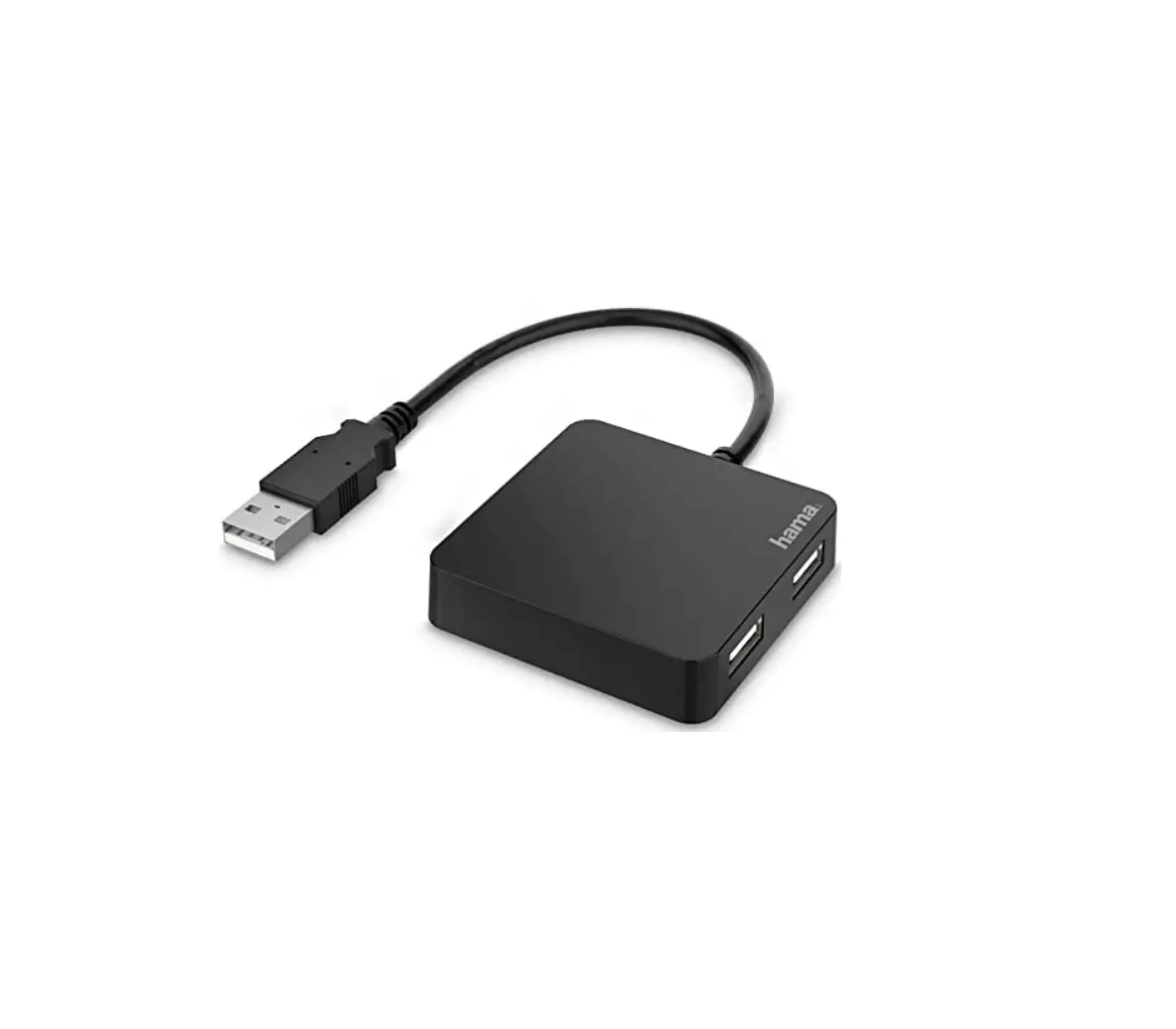
- USB Hub
- Power supply
- User manual
- Read and understand the user manual before using the USB
Hub. - Follow all safety instructions provided in the user
manual. - Avoid exposing the USB Hub to moisture or extreme
temperatures. - Unplug the USB Hub from the power source before cleaning
it.
- Connect the USB Hub to a power source using the provided power
supply. - Connect the USB Hub to your computer or other devices using the
USB-A or USB-C ports. - The USB Hub will automatically detect and connect to the
devices. - You can now use the additional USB ports provided by the USB
Hub to connect peripherals such as keyboards, mice, printers, and
storage devices.
- Hama GmbH & Co KG does not provide any warranty for damage
resulting from improper installation/mounting, improper use of the
product, or failure to observe the operating instructions and
safety notes.
00200137/11.22
Hama GmbH & Co KG 86652 Monheim / Germany
Service & Support www.hama.com +49 9091 502-0 DG
22 PAP Raccolta Carta All listed brands are trademarks of the corresponding companies. Errors and omissions excepted, and subject to technical changes. Our general terms of delivery and payment are applied.
USB Hub
USB-Hub
GB Operating Instructions D Bedienungsanleitung F Mode d`emploi E Instrucciones de uso NL Gebruiksaanwijzing I Istruzioni per l`uso PL Instrukcja obslugi H Használati útmutató RO Manual de utilizare CZ Návod k pouzití SK Návod na pouzitie P Manual de instruções S Bruksanvisning RUS BG GR TR Kullanma kilavuzu FIN Käyttöohje
00 200137
G Operating instruction
1. Package Contents
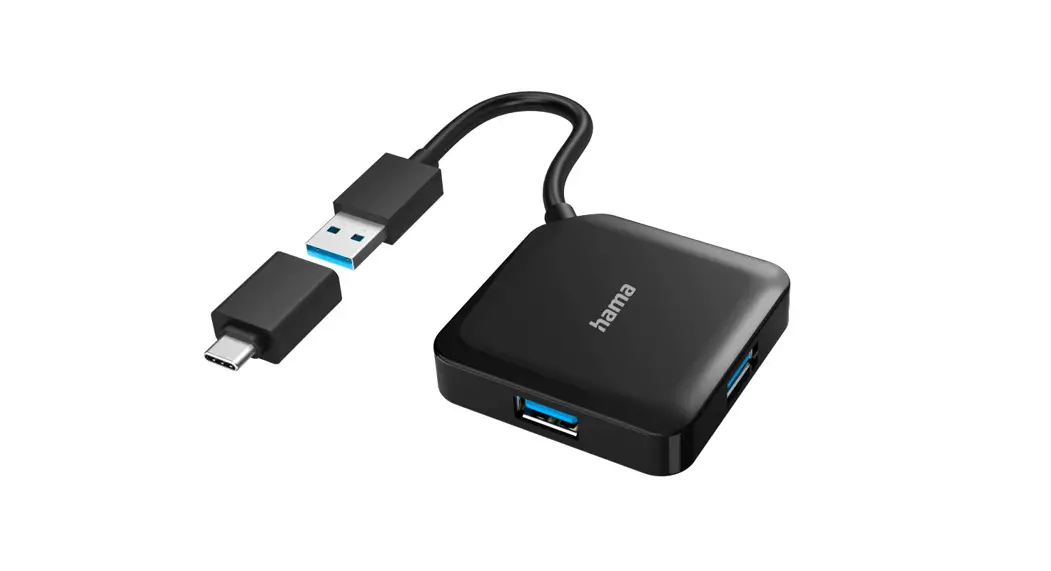
· USB-A Hub · USB-C Power supply unit
· USB-C Adapter · These operating instructions
2. Safety Notes
· Do not operate the product outside the power limits given in the specifications. · Do not modify the product in any way. Doing so voids the warranty. · Keep this product, as all electrical products, out of the reach of children! · Use the product for its intended purpose only. · Protect the product from dirt, moisture and overheating, and only use it in a dry
environment. · The product is intended for indoor use only. · Do not use the product in the immediate vicinity of heaters or other heat sources
or in direct sunlight. · Do not use the product in moist environments and avoid splashes. · Do not use the product in areas where the use of electronic devices is not permitted. · Do not drop the product and do not expose it to any major shocks. · Dispose of packaging material immediately according to locally applicable
regulations.
Risk of electric shock
· Do not open the device or continue to operate it if it becomes damaged. · Do not use the product if the AC adapter, adapter cable or power cable is
damaged. · Do not attempt to service or repair the product yourself. Leave any and all service
work to qualified experts. · Ensure that the total power consumption of all connected terminal devices does
not exceed 2,4 A. · Bus-powered operation (without power supply unit) USB 2.0 max. 500 mA /
USB 3.0 max. 900 mA / USB-C max. 3000 mA · Consult the operating instructions or the technical specifications of the
connected devices and your computer. · It is essential that you observe these specifications and the safety instructions
regarding the power supply of your devices.
3. Startup and Operation
Warning
· Only operate the product from a socket that has been approved for the device. The socket must be installed close to the product and must be easily accessible.
· Disconnect the product from the power supply using the On/Off switch if this is not available, unplug the power cord from the socket.
· If using a multi-socket power strip, make sure that the total power consumption of all connected devices does not exceed the power strip’s maximum throughput rating.
· If you will not be using the product for a prolonged period, disconnect it from mains power.
Note
· Run USB receivers (radio / 2.4 GHz wireless) if possible directly on the computer / notebook.
· Switch on your computer and boot the system. · First connect the enclosed power supply unit to a socket and then to the hub.
(USB-C power supply unit can alternatively also be used to charge a smartphone / tablet) · Connect the product to a free USB port on your computer. · You do not have to install drivers; the computer will automatically recognise the product. · If necessary, follow the instructions for your operating system. · In order to use your devices, plug them into the product one after the other.
4. Warranty Disclaimer
Hama GmbH & Co KG assumes no liability and provides no warranty for damage resulting from improper installation/mounting, improper use of the product or from failure to observe the operating instructions and/or safety notes.
5. Technical Data
Compatibility System requirements USB specification
USB-A port USB-C port
Windows 11 / 10 / 8 / 7 Mac OS 10.8
USB 3.0 USB 3.2 Gen1
Specifications in accordance with Regulation (EU) 2019/1782
Manufacturer’s name or trade mark, com- Hama, HRA12159, mercial registration number and address Dresdner Str. 9, 86653 Monheim
Model identifier
00183242, 00201618
Input voltage
100 240 V
Input AC frequency
Output voltage / Output current / Output power
Average active efficiency
50 / 60 Hz 5.0 V DC / 2.4 A / 12.0 W 79.9 %
Efficiency at low load (10 %)
76.2 %
No-load power consumption
0.10 W
Note
· If there is interference or the product no longer responds, unplug the product, wait a few seconds and then plug it in again.
D Bedienungsanleitung
1. Packungsinhalt
· USB-A Hub · USB-C Netzteil
· USB-C Adapter · Diese Bedienungsanleitung
2. Sicherheitshinweise
· Betreiben Sie das Produkt nicht außerhalb seiner in den technischen Daten angegebenen Leistungsgrenzen.
· Nehmen Sie keine Veränderungen am Gerät vor. Dadurch verlieren sie jegliche Gewährleistungsansprüche.
· Dieses Produkt gehört, wie alle elektrischen Produkte, nicht in Kinderhände! · Verwenden Sie das Produkt ausschließlich für den dazu vorgesehenen Zweck. · Schützen Sie das Produkt vor Schmutz, Feuchtigkeit und Überhitzung und
verwenden Sie es nur in trockenen Räumen. · Das Produkt ist nur für den Gebrauch innerhalb von Gebäuden vorgesehen. · Betreiben Sie das Produkt nicht in unmittelbarer Nähe der Heizung, anderer
Hitzequellen oder in direkter Sonneneinstrahlung. · Verwenden Sie das Produkt nicht in einer feuchten Umgebung und vermeiden Sie
Spritzwasser. · Benutzen Sie das Produkt nicht in Bereichen, in denen elektronische Produkte nicht
erlaubt sind. · Lassen Sie das Produkt nicht fallen und setzen Sie es keinen heftigen
Erschütterungen aus. · Entsorgen Sie das Verpackungsmaterial sofort gemäß den örtlich gültigen
Entsorgungsvorschriften.
Gefahr eines elektrischen Schlages
· Öffnen Sie das Produkt nicht und betreiben Sie es bei Beschädigungen nicht weiter.
· Verwenden Sie das Produkt nicht, wenn der AC-Adapter, das Adapterkabel oder die Netzleitung beschädigt sind.
· Versuchen Sie nicht, das Produkt selbst zu warten oder zu reparieren. Überlassen Sie jegliche Wartungs arbeit dem zuständigen Fachpersonal.
· Stellen Sie sicher, dass die gesamte Stromaufnahme aller angeschlossenen Endgeräte 2,4 A nicht überschreiten.
· Betrieb ohne Netzteil (bus-powered): USB 2.0 max. 500mA / USB 3.0 max. 900mA / USB-C max. 3000 mA
· Ziehen Sie dazu die Bedienungsanleitungen oder technischen Angaben der angeschlossenen Geräte und Ihres Computers zu Rate.
· Beachten Sie unbedingt die dort aufgeführten Angaben und Sicherheitshinweise zur Stromversorgung Ihrer Geräte.
3. Inbetriebnahme und Betrieb
Warnung
· Betreiben Sie das Produkt nur an einer dafür zugelassenen Steckdose. Die Steckdose muss in der Nähe des Produktes angebracht und leicht zugänglich sein.
· Trennen Sie das Produkt mittels des Ein-/Ausschalters vom Netz wenn dieser nicht vorhanden ist, ziehen Sie die Netzleitung aus der Steckdose.
· Achten Sie bei Mehrfachsteckdosen darauf, dass die angeschlossenen Verbraucher die zulässige Gesamtleistungsaufnahme nicht überschreiten.
· Trennen Sie das Produkt vom Netz, wenn Sie es längere Zeit nicht benutzen.
Hinweis
· Betreiben Sie USB-Empfänger (Funk/Wireless 2,4 Ghz) wenn möglich direkt am Computer/Notebook.
· Starten Sie ihren Computer und fahren Sie ihn komplett hoch. · Netzteil anschließen. Erst in die Steckdose, dann in den Hub.
(USB-C Netzteil alternativ auch zum Laden von Smartphone/Tablet einsetzbar) · Schließen Sie das Produkt an einer freien USB-Buchse Ihres Computers an. · Das Produkt wird automatisch erkannt, eine Treiberinstallation ist nicht nötig. · Folgen Sie ggf. den Anweisungen Ihres Betriebsystems. · Stecken Sie nacheinander die Geräte am Produkt an, um diese nutzen zu können.
4. Haftungsausschluss
Die Hama GmbH & Co KG übernimmt keinerlei Haftung oder Gewährleistung für Schäden, die aus unsachgemäßer Installation, Montage und unsachgemäßem Gebrauch des Produktes oder einer Nichtbeachtung der Bedienungsanleitung und/ oder der Sicherheitshinweise resultieren.
5. Technische Daten
Kompatibilität Systemvoraussetzung USB-Spezifikation
USB-A Anschluss USB-C Anschluss
Windows 11 / 10 / 8 / 7 Mac OS 10.8
USB 3.0 USB 3.2 Gen1
Angaben nach Verordnung (EU) 2019/1782
Handelsmarke, Handelsregisternummer, Anschrift
Modellkennung
Hama, HRA12159, Dresdner Str. 9, 86653 Monheim
00183242, 00201618
Eingangsspannung
100 240 V
Eingangswechselstromfrequenz
50 / 60 Hz
Ausgangsspannung / Ausgangsstrom / Ausgangsleistung
5.0 V DC / 2.4 A / 12.0 W
Durchschnittliche Effizienz im Betrieb 79.9 %
Effizienz bei geringer Last (10 %)
76.2 %
Leistungsaufnahme bei Nulllast
0.10 W
Hinweis
· Stecken Sie das Produkt ab, warten Sie einige Sekunden und stecken Sie das Produkt wieder ein, wenn eine Störung vorliegt oder das Produkt nicht mehr reagiert.
F Mode d`emploi
1. Contenu de l`emballage
· Hub USB-A · USB-C Bloc secteur
· Adaptateur USB-C · Mode d`emploi
2. Consignes de sécurité
· N`utilisez pas le produit en dehors des limites de puissance indiquées dans les caractéristiques techniques.
· N’apportez aucune modification à l’appareil. Des modifications vous feraient perdre vos droits de garantie.
· Cet appareil, comme tout appareil électrique, doit être gardé hors de portée des enfants !
· Utilisez le produit exclusivement conformément à sa destination. · Protégez le produit de toute saleté, humidité, surchauffe et utilisez-le uniquement
dans des locaux secs. · Ce produit est destiné à une utilisation exclusivement à l`intérieur d`un bâtiment. · N’utilisez pas le produit à proximité immédiate d`un chauffage, d’autres sources de
chaleur ou exposé aux rayons directs du soleil. · N`utilisez pas le produit dans un environnement humide et évitez toute projection
d`eau. · N`utilisez pas le produit dans les zones dans lesquelles l`utilisation d`appareils
électroniques est interdite. · Protégez le produit des secousses violentes et évitez tout choc ou toute chute. · Recyclez les matériaux d’emballage conformément aux prescriptions locales en
vigueur.
Risque d’électrocution
· Ne tentez pas d’ouvrir le produit en cas de détérioration et cessez de l’utiliser. · N’utilisez pas le produit lorsque l’adaptateur, le câble de connexion ou le câble
d’alimentation sont endommagés. · Ne tentez pas de réparer l’appareil vous-même ni d’effectuer des travaux
d’entretien. Déléguez les travaux d’entretien à des techniciens qualifiés. · Assurez-vous que la consommation totale de courant de tous les appareils
branchés ne dépasse pas 2,4 A. · Fonctionnement sans bloc secteur (bus powered) : USB 2.0 500 mA maxi. /
USB 3.0 900 mA maxi / USB-C max. 3000 mA · Veuillez consulter le mode d`emploi ou les indications techniques des appareils
branchés ou de votre ordinateur. · Veuillez impérativement respecter les indications et les consignes de sécurité
mentionnées concernant l`alimentation en électricité de vos appareils.
3. Mise en service et fonctionnement
Avertissement
· Branchez l’appareil uniquement à une prise de courant appropriée. La prise de courant doit être située à proximité de l’appareil et doit être facilement accessible.
· Coupez l’appareil du secteur à l’aide de l’interrupteur – débranchez la prise de courant en cas d’absence d’interrupteur.
· En cas de prises multiples, veillez à ce que les appareils consommateurs branchés ne dépassent pas la puissance absorbée totale admissible.
· Débranchez l’appareil si vous ne l’utilisez pas sur une période prolongée.
Remarque
· Utilisez si possible les récepteurs USB (radio/sans fil 2,4 Ghz) directement sur l’ordinateur fixe/l’ordinateur portable.
· Mettez votre ordinateur sous tension et démarrez le système d’exploitation. · Branchez premièrement le bloc secteur à une prise de courant, puis au
concentrateur. (Bloc secteur USB-C pouvant également être utilisé pour charger un smartphone/ une tablette) · Connectez le produit à un port USB libre de votre ordinateur. · Votre système reconnaît automatiquement le produit ; aucun pilote ne doit être installé. · Le cas échéant, suivez les indications de votre système d’exploitation. · Branchez vos appareils au produit l’un après l’autre afin de les utiliser.
4. Exclusion de garantie
La société Hama GmbH & Co KG décline toute responsabilité en cas de dommages provoqués par une installation, un montage ou une utilisation non conformes du produit ou encore provoqués par un non respect des consignes du mode d`emploi et/ ou des consignes de sécurité.
5. Caractéristiques techniques
Compatibilité Confi guration requise Spécification USB
Connexion USB-A Connexion USB-C
Windows 11 / 10 / 8 / 7 Mac OS 10.8
USB 3.0 USB 3.2 Gen1
Indications prévues par le règlement (CE) 2019/1782
Raison sociale ou marque dé posée, numéro d’enregistre ment au registre du commerce et adresse du fabricant
Hama, HRA12159, Dresdner Str. 9, 86653 Monheim
Référence du modèle
00183242, 00201618
Tension d’entrée
100 240 V
Fréquence du CA d’entrée
Tension de sortie / Courant de sortie / Puissance de sortie
Rendement moyen en mode actif
50 / 60 Hz 5.0 V DC / 2.4 A / 12.0 W 79.9 %
Rendement à faible charge (10 %)
76.2 %
Consommation électrique hors charge
0.10 W
Remarque
· Débranchez le produit, patientez quelques secondes, puis rebranchez-le en cas de problème ou dans le cas où le produit ne réagit plus.
E Instrucciones de uso
1. Contenido del paquete
· Hub USB-A · USB-C Fuente de alimentación
· Adaptador USB-C · Estas instrucciones de manejo
2. Instrucciones de seguridad
· No opere el producto fuera de los límites de potencia indicados en los datos técnicos.
· No realice cambios en el aparato. Esto conllevaría la pérdida de todos los derechos de la garantía.
· Este aparato, como todos los aparatos eléctricos, no debe estar en manos de los niños.
· Emplee el producto exclusivamente para la función para la que fue diseñado. · Proteja el producto de la suciedad, la humedad y el sobrecalentamiento y utilícelo
sólo en recintos secos. · El producto está diseñado sólo para el uso dentro de edificios. · No opere el producto en las inmediaciones de la calefacción, de otras fuentes de
calor o bajo la radiación directa del sol. · No utilice el producto en entornos húmedos y evite el contacto con las salpicaduras
de agua. · No utilice el producto en áreas donde no se permitan aparatos electrónicos. · No deje caer el producto ni lo someta a sacudidas fuertes. · Deseche el material de embalaje en conformidad con las disposiciones locales sobre
el desecho vigentes.
Peligro de sufrir una descarga eléctrica
· No abra el producto ni siga utilizándolo en caso de presentar daños. · No utilice el producto si el adaptador de corriente alterna, el cable adaptador o
el cable de alimentación están dañados. · No intente mantener ni reparar el producto por cuenta propia. Encomiende
cualquier trabajo de mantenimiento al personal especializado competente en la materia. · Asegúrese de que el consumo de corriente total de todos los terminales conectados no supera los 2,4 A. · Funcionamiento sin fuente de alimentación (bus powered): USB 2.0 máx. 500 mA / USB 3.0 máx. 900 mA / USB-C max. 3000 mA · Para ello, consulte las instrucciones o los datos técnicos de los dispositivos conectados y de su ordenador. · Observe siempre los datos y las indicaciones de seguridad relativos a la alimentación de corriente de sus dispositivos contenidos en los mismos.
3. Puesta en marcha y funcionamiento
Aviso
· Utilice el producto solo conectado a una toma de corriente autorizada. La toma de corriente debe estar colocada cerca del producto; asimismo, debe ser fácilmente accesible.
· Desconecte el producto de la red eléctrica mediante el interruptor de encendido y apagado (de no existir este, desenchufe el cable de alimentación de la toma de corriente).
· Si dispone de tomas de corriente múltiples, asegúrese de que los aparatos eléctricos conectados no sobrepasen el consumo total de potencia admisible.
· Desconecte el producto de la red si no va a utilizarlo durante un tiempo prolongado.
Nota
· Siempre que sea posible, utilice los receptores USB (radio/inalámbricos de 2,4 Ghz) directamente en el ordenador/portátil.
· Encienda su ordenador y espere a que arranque completamente. · Enchufe primero la fuente de alimentación a la toma de corriente y luego el hub.
(La fuente de alimentación USB-C también se puede utilizar alternativamente para cargar el smartphone/tableta) · Conecte el producto a un puerto USB libre de su ordenador. · El producto se reconoce automáticamente, sin necesidad de instalar ningún controlador. · En caso necesario, siga las instrucciones de su sistema operativo. · Enchufe los dispositivos USB al producto de forma consecutiva para poder utilizarlos.
4. Exclusión de responsabilidad
Hama GmbH & Co KG no se responsabiliza ni concede garantía por los daños que surjan por una instalación, montaje o manejo incorrectos del producto o por la no observación de las instrucciones de manejo y/o de las instrucciones de seguridad.
5. Datos técnicos
Compatibilidad Requisitos del sistema Especificación USB
Puerto USB-A Puerto USB-C
Windows 11 / 10 / 8 / 7 Mac OS 10.8
USB 3.0 USB 3.2 Gen1
Datos según el Reglamento (UE) 2019/1782
Nombre o marca, número del registro mercantil y dirección del fabricante
Identificador del modelo
Hama, HRA12159, Dresdner Str. 9, 86653 Monheim
00183242, 00201618
Tensión de entrada
100 240 V
Frecuencia de la CA de entrada
Tensión de salida / Intensidad de salida / Potencia de salida
Eficiencia media en activo
50 / 60 Hz 5.0 V DC / 2.4 A / 12.0 W 79.9 %
Eficiencia a baja carga (10 %)
76.2 %
Consumo eléctrico en vacío
0.10 W
Nota
· En caso de fallo o de que el producto deje de reaccionar, desenchufe el producto, espere algunos segundos y vuelva a enchufarlo.
N Gebruiksaanwijzing
1. Inhoud van de verpakking
· USB-A-hub · Voedingsadapter
· USB-C adapter · Deze bedieningsinstructies
2. Veiligheidsinstructies
· Gebruik het product niet buiten de in de technische gegevens vermelde vermogensgrenzen.
· Verander niets aan het toestel. Daardoor vervalt elke aanspraak op garantie. · Elektrische apparaten dienen buiten het bereik van kinderen gehouden te worden! · Gebruik het product uitsluitend voor het doel waarvoor het gemaakt is. · Bescherm het product tegen vuil, vocht en oververhitting en gebruik het alleen in
droge omgevingen. · Het product is uitsluitend bedoeld voor gebruik binnen gebouwen. · Gebruik het product niet in de onmiddellijke nabijheid van een verwarming of
andere warmtebronnen en stel het niet bloot aan directe zonnestralen. · Gebruik het product niet in een vochtige omgeving en voorkom spat- en spuitwater. · Gebruik het product niet binnen omgevingen, waarin elektronische apparatuur niet
is toegestaan. · Laat het product niet vallen en stel het niet bloot aan zware schokken of stoten. · Het verpakkingsmateriaal direct en overeenkomstig de lokaal geldende
afvoervoorschriften afvoeren.
Gevaar voor een elektrische schok
· Open het product niet en gebruik het niet meer bij beschadigingen. · Gebruik het product niet indien de adapter, de adapterkabel of de voedingskabel
is beschadigd. · Probeer het product niet zelf te onderhouden of te repareren. Laat
onderhoudswerkzaamheden door vakpersoneel uitvoeren. · Vergewis u ervan dat het totale stroomverbruik van alle aangesloten
eindapparatuur niet meer dan 2,4 A bedraagt. · Gebruik zonder voedingsadapter (bus-powered): USB 2.0 max. 500 mA / USB 3.0 max. 900 mA / USB-C max. 3000 mA · Leest u daarvoor de bedieningsinstructies of technische gegevens van de aangesloten apparatuur en uw computer. · Neemt u absoluut de aldaar vermelde informatie en veiligheidsinstructies met betrekking tot de stroomvoorziening van uw apparatuur in acht.
3. Ingebruikneming en werking
Waarschuwing
· Sluit het product alleen aan op een daarvoor geschikt en intact stopcontact. Het stopcontact moet in de buurt van het product zijn aangebracht en goed bereikbaar zijn.
· Het product met behulp van de schakelaar in/uit van het net scheiden – indien er geen schakelaar is, trekt u de voedingskabel aan de stekker uit het stopcontact.
· Let erop dat bij meervoudige stopcontacten de aangesloten verbruikers niet het toegestane totale opgenomen vermogen overschrijden.
· Als u het product gedurende langere tijd niet gebruikt, haal dan de stekker uit het stopcontact.
Aanwijzing
· Gebruik de USB-ontvanger (draadloos/wireless 2,4 Ghz) indien mogelijk rechtstreeks op de computer/notebook.
· Start uw computer helemaal op. · Eerst de voedingsadapter op het stopcontact aansluiten, vervolgens op de hub.
(USB-C-netadapter ook voor het opladen van smartphones/tablets te gebruiken) · Sluit het product op een vrije USB-poort van uw computer aan. · Het product wordt automatisch herkend, het installeren van een driver is niet nodig. · Volg evt. de aanwijzingen van uw besturingssysteem op. · Sluit achtereenvolgens de toestellen op het product aan om deze te kunnen
gebruiken.
4. Uitsluiting van garantie en aansprakelijkheid
Hama GmbH & Co KG aanvaardt geen enkele aansprakelijkheid of garantieclaims voor schade of gevolgschade, welke door ondeskundige installatie, montage en ondeskundig gebruik van het product ontstaan of het resultaat zijn van het niet in acht nemen van de bedieningsinstructies en/of veiligheidsinstructies.
5. Technische specificaties
Compatibiliteit Systeemvereisten USB-Spezifikation
USB-A aansluiting USB-C aansluiting
Windows 11 / 10 / 8 / 7 Mac OS 10.8
USB 3.0 USB 3.2 Gen1
Gegevens overeenkomstig verordening (EU) 2019/1782
Naam of handelsmerk van de fabrikant, handelsregister nummer en adres
Typeaanduiding
Hama, HRA12159, Dresdner Str. 9, 86653 Monheim
00183242, 00201618
Voedingsspanning
100 240 V
Voedingsfrequentie
Uitgangsspanning / Uitgangsstroom / Uitgangsvermogen
Gemiddelde actieve efficiëntie
50 / 60 Hz 5.0 V DC / 2.4 A / 12.0 W 79.9 %
Efficiëntie bij lage belasting (10 %)
76.2 %
Energieverbruik in niet-belaste toestand 0.10 W
Aanwijzing
· Koppel het product los, wacht u enige seconden en sluit u het product weer aan, indien er zich een storing voordoet of het product niet meer reageert.
I Istruzioni per l`uso
1. Contenuto della confezione
· Hub USB-A · USB-C Alimentatore
· Adattatore USB-C · Queste istruzioni per l’uso
2. Indicazioni di sicurezza:
· Non mettere in esercizio il prodotto al di fuori dei suoi limiti di rendimento indicati nei dati tecnici.
· Non apportare modifiche all’apparecchio per evitare di perdere i diritti di garanzia. · Tenere questo apparecchio, come tutte le apparecchiature elettriche, fuori dalla
portata dei bambini! · Utilizzare il prodotto esclusivamente per lo scopo previsto. · Proteggere il prodotto da sporcizia, umidità e surriscaldamento e utilizzarlo solo in
ambienti asciutti. · Il prodotto è stato concepito solo per l`utilizzo all`interno degli edifici. · Evitare di mettere in esercizio il prodotto in prossimità di riscaldamento, altre fonti
di calore o la luce diretta del sole. · Non usare il prodotto in ambienti umidi ed evitare il contatto con gli spruzzi. · Non utilizzare il prodotto in zone in cui non sono ammesse le apparecchiature
elettroniche. · Non fare cadere il prodotto e non sottoporlo a forti scossoni! · Smaltire immediatamente il materiale d`imballaggio attenendosi alle prescrizioni
locali vigenti.
Pericolo di scarica elettrica
· Non aprire il prodotto e cessarne l’utilizzo se presenta danneggiamenti. · Non utilizzare il prodotto qualora l’adattatore AC, il cavo adattatore o quello di
alimentazione siano danneggiati. · Non effettuare interventi di manutenzione e riparazione sul prodotto di propria
iniziativa. Fare eseguire qualsiasi intervento di manutenzione e riparazione al personale specializzato competente. · Assicurarsi che il consumo energetico totale di tutti i dispositivi collegati non sia superiore a 2,4 A. · Funziona senza alimentatore (bus powered): USB 2.0 max. 500 mA / USB 3.0 max. 900 mA / USB-C max. 3000 mA · Per fare questo, tirare le istruzioni per l`uso o dei dati tecnici dei dispositivi collegati e velocità del proprio computer. · Osservare le specifiche e le istruzioni di sicurezza per l`alimentazione dei dispositivi elencati qui.
3. Messa in esercizio e funzionamento
Attenzione
· Utilizzare il prodotto collegandolo a una presa elettrica conforme. La presa elettrica deve trovarsi nelle vicinanze del prodotto ed essere facilmente accessibile.
· Scollegare il prodotto dalla rete elettrica tramite il pulsante di accensione/ spegnimento. Se non è disponibile, disconnettere il cavo di alimentazione dalla presa elettrica.
· Se si utilizzano prese multiple, prestare attenzione che le utenze collegate non superino l’assorbimento di potenza totale consentito.
· Scollegare il prodotto dalla rete elettrica in caso di inutilizzo prolungato.
Avvertenza
· Se possibile, collegare il ricevitore USB (wireless 2,4 Ghz) direttamente al computer/notebook.
· Accendere il computer e avviarlo. · Prima collegare l`alimentatore con la presa di corrente dopo con l`hub.
(l’alimentatore USB-C può anche essere utilizzato per caricare smartphone/tablet) · Collegare il prodotto a una porta USB libera del computer. · Il dispositivo viene riconosciuto automaticamente, non è necessario installare
alcun driver. · Attenersi, se necessario, alle istruzioni del proprio sistema operativo. · Per poter utilizzare i dispositivi, collegarli in sequenza.
4. Esclusione di garanzia
Hama GmbH & Co.KG non si assume alcuna responsabilità per i danni derivati dal montaggio o l`utilizzo scorretto del prodotto, nonché dalla mancata osservanza delle istruzioni per l`uso e/o delle indicazioni di sicurezza.
5. Dati tecnici
Compatibilità Requisiti minimi di sistema Specifica USB
Attacco USB-A Attacco USB-C
Windows 11 / 10 / 8 / 7 Mac OS 10.8
USB 3.0 USB 3.2 Gen1
Indicazioni secondo il regolamento (UE) 2019/1782
Nome o marchio del fabbri cante, numero di iscrizione nel registro delle imprese e indi rizzo del fabbricante
Identificativo del modello
Tensione di ingresso
Hama, HRA12159, Dresdner Str. 9, 86653 Monheim
00183242, 00201618 100 240 V
Frequenza di ingresso CA
50 / 60 Hz
Tensione di uscita / Corrente di uscita / Potenza di uscita
Rendimento medio in modo attivo
5.0 V DC / 2.4 A / 12.0 W 79.9 %
Rendimento a basso carico (10 %)
76.2 %
Potenza assorbita nella condi zione a vuoto 0.10 W
Avvertenza
· In presenza di un guasto o se il prodotto non reagisce più, scollegare il prodotto, attendere alcuni secondi e collegarlo nuovamente.
P Instrukcja obslugi
1. Zawarto opakowania
· Koncentrator USB-A · USB-C Zasilacz sieciowy
· Adapter USB-C · Niniejsza instrukcja obslugi
2. Wskazówki bezpieczestwa
· Nie stosowa produktu poza zakresem mocy podanym w danych technicznych. · Nie modyfikowa urzdzenia. Prowadzi to do utraty wszelkich roszcze z tytulu
gwarancji. · Trzyma urzdzenie, jak wszystkie urzdzenia elektryczne, z dala od dzieci! · Stosowa produkt wylcznie zgodnie z przewidzianym przeznaczeniem. · Chroni produkt przed zanieczyszczeniem, wilgoci i przegrzaniem oraz stosowa go
tylko w suchym otoczeniu. · Produkt jest przeznaczony wylcznie do uytku wewntrz budynków. · Nie uywa produktu w bezporedniej bliskoci ogrzewania, innych ródel ciepla ani
nie wystawia go na bezporednie promieniowanie sloneczne. · Nie stosowa produktu w wilgotnym otoczeniu i chroni go przed bryzgami wody. · Nie uywa produktu w miejscach, gdzie nie jest dozwolone stosowanie urzdze
elektronicznych. · Chroni produkt przed upadkiem i silnymi wstrzsami. · Materialy opakowaniowe naley natychmiast podda utylizacji zgodnie z
obowizujcymi przepisami miejscowymi.
Ryzyko poraenia prdem
· Nie otwiera produktu i nie kontynuowa jego obslugi, jeeli jest uszkodzony. · Nie uywa produktu, jeeli zasilacz AC, przewód zasilacza lub przewód zasilania
sieciowego s uszkodzone. · Nie próbowa samodzielnie dokonywa konserwacji lub naprawia urzdzenia.
Wszelkie prace konserwacyjne naley powierzy odpowiedniemu personelowi specjalistycznemu. · Zadba, aby pobór prdu wszystkich podlczonych urzdze kocowych nie przekroczyl 2,4 A. · Praca bez zasilacza sieciowego (zasilanie z magistrali): USB 2.0 maks. 500 mA / USB 3.0 maks. 900 mA / USB-C max. 3000 mA · W tym celu uwzgldni instrukcje obslugi bd dane techniczne podlczonych urzdze i komputera. · Koniecznie przestrzega te podanych w nich informacji i wskazówek bezpieczestwa dotyczcych zasilania prdem stosowanych urzdze.
3. Uruchamianie i obsluga
Ostrzeenie
· Podlcza produkt tylko do odpowiedniego gniazda wtykowego. Gniazdo wtykowe musi znajdowa si w pobliu produktu i by latwo dostpne.
· Odlcza produkt od sieci za pomoc wylcznika zasilania — jeeli nie jest on na wyposaeniu, wycign przewód sieciowy z gniazda wtykowego.
· W przypadku wielu gniazd upewni si, e podlczone odbiorniki nie przekraczaj dopuszczalnego calkowitego zuycia energii.
· Odlczy produkt od zasilania sieciowego, jeeli nie jest uywany przez dluszy czas.
Wskazówki
· W miar moliwoci odbiornik USB (radiowy/bezprzewodowy 2,4 Ghz) podlcza bezporednio do komputera/notebooka.
· Uruchomi komputer i odczeka do momentu calkowitego zaladowania systemu. · Zasilacz podlczy do sieci, nastpnie do huba.
(Zasilacz USB-C alternatywnie dajcy moliwo ladowania smartfonu/tabletu) · Podlczy produkt do wolnego portu USB komputera. · Produkt jest automatycznie rozpoznawany, nie jest konieczna instalacja
sterowników. · Ewentualnie postpowa zgodnie z instrukcjami systemu operacyjnego. · W celu korzystania z urzdze podlczy je kolejno do produktu.
4. Wylczenie odpowiedzialnoci
Hama GmbH & Co KG nie udziela gwarancji ani nie odpowiada za szkody wskutek niewlaciwej instalacji, montau oraz nieprawidlowego stosowania produktu lub nieprzestrzegania instrukcji obslugi i/lub wskazówek bezpieczestwa.
5. Dane techniczne
Kompatybilno Wymagania systemowe Specyfikacja USB
Port USB-A Port USB-C
Windows 11 / 10 / 8 / 7 Mac OS 10.8
USB 3.0 USB 3.2 Gen1
Dane zgodnie z rozporzdzeniem (UE) 2019/1782
Nazwa lub znak towarowy producenta, numer rejestru handlowego i adres
Identyfikator modelu
Hama, HRA12159, Dresdner Str. 9, 86653 Monheim
00183242, 00201618
Napicie wejciowe
Wejciowa czstotliwo pr du przemiennego
Napicie wyjciowe / Prd wyjciowy / Moc wyjciowa
rednia sprawno podczas pracy
100 240 V 50 / 60 Hz 5.0 V DC / 2.4 A / 12.0 W 79.9 %
Sprawno przy niskim obci eniu (10 %) 76.2 %
Zuycie energii w stanie bez obcienia
0.10 W
Wskazówki
· Jeeli wystpi usterka lub produkt przestanie reagowa, naley odlczy produkt, odczeka kilka sekund i podlczy go ponownie.
H Használati útmutató
1. A csomag tartalma
· USB-A hub · USB-C Hálózati tápegység
· USB-C adapter · Ez a használati útmutató
2. Biztonsági elírások
· Ne üzemeltesse a terméket a mszaki adatokban megadott teljesítményhatárain túl. · Ne végezzen módosítást a készüléken. Ebben az esetben minden garanciaigény
megsznik. · Ez a készülék, mint minden elektromos készülék, nem gyermekek kezébe való! · A terméket kizárólag az elírt célra használja. · Óvja meg a terméket szennyezdéstl, nedvességtl és túlmelegedéstl, és
kizárólag zárt környezetben használja. · A termék csak épületen belüli használatra készül. · A terméket ne használja a ftés és egyéb hforrások közelében, vagy közvetlen
napsütésnek kitéve. · Ne használja a terméket párás környezetben, és kerülje az érintkezést fröccsen
vízzel. · Ne használja a terméket olyan helyen, ahol elektronikus készülékek nincsenek
megengedve. · Ne ejtse le a terméket és ne tegye ki heves rázkódásnak. · Azonnal ártalmatlanítsa a csomagolóanyagot a helyileg érvényes ártalmatlanítási
elírások szerint.
Áramütés veszélye
· Ne nyissa ki a terméket, és sérülés esetén ne üzemeltesse tovább. · Ne használja a terméket, ha az AC-adapter, a csatlakozókábel vagy a hálózati
vezeték megsérült. · Ne kísérelje meg a készüléket saját kezleg karbantartani vagy megjavítani.
Minden karbantartási munkát bízzon illetékes szakemberre. · Bizonyosodjon meg róla, hogy valamennyi csatlakoztatott végberendezés össz-
áramfogyasztása nem haladja meg a 2,4 A-t. · Hálózati tápegység nélküli üzemelés (bus-powered): USB 2.0 max. 500 mA /
USB 3.0 max. 900 mA / USB-C max. 3000 mA · Ehhez a csatlakoztatott készülékek és számítógépének használati útmutatói vagy
mszaki adatai szolgáljanak alapul. · Feltétlenül tartsa be a készüléke áramellátására vonatkozó ott feltüntetett
adatokat és biztonsági utasításokat.
3. Üzembevétel és üzemeltetés
Figyelmeztetés
· A terméket csak erre engedélyezett csatlakozóaljzatról mködtesse. A termék közelében, könnyen hozzáférhet helyen lev csatlakozóaljzatot kell használni.
· A fkapcsolóval válassza le a terméket a hálózatról ha nincs rajta fkapcsoló, akkor húzza ki a hálózati kábelt a csatlakozóaljzatból.
· Elosztó használata esetén ügyeljen rá, hogy a csatlakoztatott fogyasztók ne lépjék túl a megengedett összesített teljesítményfelvételt.
· Ha hosszabb ideig nem használja a terméket, válassza le a hálózatról.
Hivatkozás
· Lehetség szerint használja az USB-vevt (rádió/vezeték nélküli 2,4 Ghz) közvetlenül a számítógépen/laptopon.
· Kapcsolja be számítógépét és várja meg az operációs rendszer teljes betöltdését. · Elször a tápegységet csatlakoztassa a fali konnektorba, majd ezután a Hub-hoz.
(USB-C tápegység, alternatív megoldásként okostelefon / táblagép töltésére is használható) · Csatlakoztassa a terméket a számítógépe egyik szabad USB portjára. · A termék felismerése automatikus, meghajtóprogram telepítése nem szükséges. · Adott esetben kövesse operációs rendszerének utasításait. · Dugaszolja az készülékeket egymás után a termékbe, hogy ezeket használhassa.
4. Szavatosság kizárása
A Hama GmbH & Co KG semmilyen felelsséget vagy szavatosságot nem vállal a termék szakszertlen telepítésébl, szerelésébl és szakszertlen használatából, vagy a kezelési útmutató és/vagy a biztonsági elírások be nem tartásából ered károkért.
5. Mszaki adatok
Kompatibilitás Rendszerkövetelmény USB-Spezifikation
USB-A csatlakozó USB-C csatlakozó
Windows 11 / 10 / 8 / 7 Mac OS 10.8
USB 3.0 USB 3.2 Gen1
Adatok az (EU) 2019/1782 rendelet szerint
A gyártó neve vagy védjegye, cégjegyzékszá- Hama, HRA12159,
ma és címe
Dresdner Str. 9, 86653 Monheim
Modellazonosító
00183242, 00201618
Bemen feszültség
100 240 V
Bemen váltóáram frekvenci ája
Kimen feszültség / Kimen áramersség / Kimen teljesítmény
Aktív üzemmódban mért át lagos hatásfok
50 / 60 Hz 5.0 V DC / 2.4 A / 12.0 W 79.9 %
Hatásfok alacsony (10 %-os) terhelésnél
Üresjárási üzemmódban mért energiafogyasztás
76.2 % 0.10 W
Hivatkozás
· Húzza ki a terméket, várjon pár másodpercet és csatlakoztassa ismét a terméket, ha zavar áll fenn, vagy a termék nem reagál többé.
M Manual de utilizare
1. Coninutul pachetului
· Hub USB-A · USB-C Element de reea
· Adaptor USB-C · Acest manual de utilizare
2. Instruciuni de siguran
· Nu exploatai produsul în afara limitelor de putere indicate în datele tehnice. · Nu executai modificri la aparat. În acest fel pierdei orice drept la garanie. · Acest aparat, ca de altfel toat aparatura electronic, nu are ce cuta în mâinile
copiilor! · Folosii produsul numai în scopul pentru care a fost conceput. · Protejai produsul de impuriti, umiditate, supraînclzire i utilizai-l numai în
mediu uscat. · Produsul este conceput numai pentru utilizarea în interiorul cldirilor. · Evitai folosirea produsului în imediata apropiere a sistemului de înclzire, a altor
surse de cldur sau în radiaia solar direct. · Nu folosii produsul în mediu umed i evitai stropirea cu ap. · Nu folosii produsul în zone unde nu sunt admise aparate electronice. · Nu lsai produsul s cad i nu îl supunei trepidaiilor puternice. · Reciclarea materialului pachetului se execut comform normelor locale de
salubrizare în vigoare.
Pericol de electrocutare
· Nu deschidei produsul i nu continuai s îl operai, dac prezint deteriorri. · Nu utilizai produsul, dac adaptorul CA, cablul adaptorului sau cablul de
alimentare sunt deteriorate. · Nu încercai s reparai sau s întreinei produsul în regie proprie. Solicitai
personalului de specialitate efectuarea oricror lucrri de întreinere. · Asigurai-v ca întregul consum de curent al tuturor aparatelor finale conectate
s nu depeasc 2,4 A. · Exploatare fr element de reea (bus-powered): USB 2.0 max. 500 mA /
USB 3.0 max. 900 mA / USB-C max. 3000 mA · Pentru aceasta informai-v în manualele de deservire sau în indicaiile tehnice
ale aparatelor conectate la calculator. · V rugm s respectai întocmai specificaiile tehnice de acolo i indicaiile de
siguran în alimentarea cu curent a aparatelor.
3. Punere în funciune i exploatare
Avertizare
· Operai produsul numai conectat la o priz validat pentru acesta. Priza trebuie s se afle în apropierea produsului i s fie uor accesibil.
· Deconectai produsul prin intermediul butonului de conectare/deconectare de la reea dac acesta lipsete, deconectai cablul de alimentare de la priz.
· În cazul prizelor multiple, trebuie s avei în vedere ca puterea total a prizei s nu fie depit de consumatorii conectai.
· Deconectai produsul de la reea, dac nu îl utilizai o perioad mai lung de timp.
Instruciune
· Dac este posibil, utilizai receptorul USB (radio/wireless 2,4 GHz) direct pe computer/notebook.
· Pornii calculatorul i startai complet programele iniiale. · Bagai alimentatorul întâi în priz i pe urm în Hub.
(Alimentator USB-C, poate fi utilizat alternativ i pentru încrcarea smartphone-ului/ tabletei) · Conectai produsul la un port USB liber al calculatorului. · Produsul este recunoscut automat, instalare de drivere nu este necesar. · Dac este cazul urmai instruciunile sistemului de funcionare. · Pentru folosirea aparatelor, conectai-le consecutiv la produs.
4. Excludere de garanie
Hama GmbH & Co KG nu îi asum nici o rspundere sau garanie pentru pagube cauzate de montarea, instalarea sau folosirea necorespunztoare a produsului sau nerespectarea instruciunilor de folosire sau/i a instruciunilor de siguran.
5. Date tehnice
Compatibilitate Cerine de sistem Specificaie USB
Port USB-A Port USB-C
Windows 11 / 10 / 8 / 7 Mac OS 10.8
USB 3.0 USB 3.2 Gen1
Informaii conform regulamentului (UE) 2019/1782
Denumirea productorului sau marca comercial, numrul de înregistrare la Registrul Co merului i adresa
Identificator de model
Tensiune de intrare
Hama, HRA12159, Dresdner Str. 9, 86653 Monheim
00183242, 00201618 100 240 V
Frecvena c.a. de intrare
Tensiune de ieire / Curent de ieire / Putere de ieire
Randament mediu în mod activ
50 / 60 Hz 5.0 V DC / 2.4 A / 12.0 W 79.9 %
Randamentul la sarcin redus (10 %)
76.2 %
Puterea absorbit în regim fr sarcin
0.10 W
Instruciune
· Dac observai o defeciune sau produsul nu mai reacioneaz, deconectai-l, ateptai câteva secunde i conectai-l din nou.
C Návod k pouzití
1. Obsah balení
· USB-A hub · USB-C Napájecí zdroj
· USB-C adaptér · Acest manual de utilizare
2. Bezpecnostní pokyny
· Pístroj neprovozujte mimo meze výkonu uvedené v technických údajích. · Na výrobku neprovádjte zádné zmny.Tím zanikají veskeré závazky ze záruky. · Tento produkt, stejn jako vsechny ostatní elektrické produkty, nepatí do rukou
dtí! · Výrobek pouzívejte výhradn ke stanovenému úcelu. · Výrobek chrate ped znecistním. Nepouzívejte ve vlhkém prostedí a zabrate
styku s vodou. Pouzívejte pouze v suchých prostorách. · Výrobek je urcen pouze pro pouzití v interiéru. · Výrobek nepouzívejte v blízkosti zdroj tepla, ani nevystavujte psobení pímého
slunecního záení. · Výrobek nepouzívejte ve vlhkém prostedí a zabrate styku s vodou. · Výrobek nepouzívejte na místech, kde je pouzívání elektronických zaízení zakázáno. · Výrobek chrate ped pádem a velkými otesy. · Vybité baterie bez odkladu vymte a zlikvidujte dle platných pedpis.
Nebezpecí poranní elektrickým proudem
· Výrobek neotvírejte a v pípad poskození jiz dále nepouzívejte. · Výrobek nepouzívejte, pokud jsou adaptér AC, kabel adaptéru nebo síová sra
poskozeny. · Nepokousejte se do výrobku sami zasahovat nebo ho opravovat. Veskeré úkony
údrzby penechejte píslusnému odbornému personálu. · Ujistte se, ze celkový píkon vsech pipojených koncových pístroj nepekracuje
2,4 A. · provoz bez napájecího zdroje (bus-powered): USB 2.0 max. 500 mA /
USB 3.0 max. 900 mA / USB-C max. 3000 mA · Dbejte návodu k pouzití nebo technických údaj pipojených pístroj a vaseho
pocítace. · Bezpodmínecn také respektujte zde uvedené údaje a bezpecnostní pokyny
týkající se napájení Vasich pístroj.
3. Uvedení do provozu a provoz
Upozornní
· Výrobek provozujte pouze pipojený ke schválené zásuvce. Zásuvka se musí nacházet v blízkosti výrobku a musí být snadno pístupná.
· Výrobek odpojte ze sít pomocí vypínace pokud není k dispozici, vytáhnte síové vedení ze zásuvky.
· U vícenásobných zásuvek dbejte na to, aby pipojené spotebice nepekrocily pípustnou celkovou spotebu energie.
· Vypojte produkt ze sít, pokud ho delsí dobu nepouzíváte.
Poznámka
· Pouzívejte USB pijímac (rádiový/bezdrátový 2,4 Ghz) pímo na svém pocítaci/ notebooku.
· Spuste pocítac a nechte ho zcela nabhnout. · Propojte síový zdroj se zásuvkou, potom s Hubem.
(USB-C napájecí díl lze alternativn pouzít i pro nabíjení smartphonu/tabletu) · Pipojte produkt k volné zdíce USB svého pocítace. · Produkt bude rozpoznán automaticky, instalace ovladace není nutná. · Pop. postupujte podle pokyn svého operacního systému. · Postupn pipojte pístroje k produktu, aby je bylo mozné pouzívat.
4. Vyloucení záruky
Hama GmbH & Co KG nepebírá zádnou odpovdnost nebo záruku za skody vzniklé neodbornou instalací, montází nebo neodborným pouzitím výrobku nebo nedodrzováním návodu k pouzití a/nebo bezpecnostních pokyn.
5. Technické údaje
Kompatibilita Pozadavky na systém USB-specifikace
Pípojka USB-A Pípojka USB-C
Windows 11 / 10 / 8 / 7 Mac OS 10.8
USB 3.0 USB 3.2 Gen1
Údaje podle naízení (EU) 2019/1782
Název výrobce nebo ochranná známka, obchodní registracní císlo a adresa
Identifikacní znacka modelu
Vstupní naptí
Hama, HRA12159, Dresdner Str. 9, 86653 Monheim
00183242, 00201618
100 240 V
Vstupní frekvence
Výstupní naptí / Výstupní proud / Výstupní výkon
Prmrná úcinnost v aktivním rezimu
50 / 60 Hz 5.0 V DC / 2.4 A / 12.0 W 79.9 %
Úcinnost pi malém zatízení (10 %)
76.2 %
Spoteba energie ve stavu bez zátze
0.10 W
Poznámka
· V pípad poruchy nebo pokud výrobek nereaguje, výrobek odpojte od sít, vyckejte nkolik sekund a opt pipojte.
Q Návod na pouzitie
1. Obsah balenia
· USB-A hub · USB-C Napájací zdroj
· USB-C adaptér · Tento návod na pouzívanie
2. Bezpecnostné upozornenia
· Výrobok neprevádzkujte mimo svojich výkonových medzí uvedených uvedených v technických údajoch.
· Na zariadení/prístroji nerobte ziadne zmeny. Má to za následok stratu akýchkovek nárokov na plnenie zo záruky.
· Tento prístroj, rovnako ako vsetky elektrické zariadenia, nepatrí do detských rúk! · Výrobok pouzívajte výhradne na stanovený úcel. · Výrobok chráte pred znecistením. Nepouzívajte vo vlhkom prostredí a zabráte
styku s vodou. Pouzívajte iba v suchých priestoroch. · Výrobok je urcený iba pre pouzitie v interiéri. · Výrobok nepouzívajte v blízkosti zdrojov tepla, ani nevystavujte pôsobeniu priameho
slnecného ziarenia. · Výrobok nepouzívajte vo vlhkom prostredí a zabráte styku s vodou. · Výrobok nepouzívajte na miestach, kde je pouzívanie elektronických zariadení
zakázané. · Výrobok chráte pred pádmi a vekými otrasmi. · Obalový materiál zlikvidujte poda platných predpisov o likvidácii.
Nebezpecenstvo zásahu elektrickým prúdom
· Výrobok neotvárajte a v prípade poskodenia ho alej nepouzívajte. · Výrobok nepouzívajte, ak je poskodený AC adaptér, kábel adaptéra alebo sieové
vedenie. · Nesnazte sa robi na výrobku údrzbu alebo opravy. Akékovek práce na údrzbe
prenechajte príslusnému odbornému personálu. · Postarajte sa o to, aby celkový odber prúdu vsetkých pripojených koncových
zariadení neprekrocil 2,4 A · Prevádzka bez napájacieho zdroja (bus-powered): USB 2.0 max. 500 mA/
USB 3.0 max. 900 mA / USB-C max. 3000 mA · Informujte sa o tom v návodoch na pouzívanie alebo v technických údajoch
pripojených zariadení a vásho pocítaca. · Venujte bezpodmienecne pozornos tam uvedeným údajom a bezpecnostným
pokynom týkajúcim sa napájania vasich zariadení.
3. Uvedenie do prevádzky a prevádzka
Upozornenie
· Výrobok pripájajte iba do povolených zásuviek. Zásuvka musí by v blízkosti výrobku a musí by ahko prístupná.
· Výrobok odpojte od siete vypínacom zapnuté/vypnuté ak takýto vypínac nie je, vytiahnite sieové vedenie zo zásuvky.
· V prípade viacnásobných zásuviek dávajte pozor na to, aby pripojené spotrebice neprekrocili celkový dovolený príkon.
· Ak výrobok dlhsiu dobu nepouzívate, odpojte ho z elektrickej siete.
Poznámka
· Ak je to mozné, pouzívajte USB prijímac (rádiový/wireless 2,4 Ghz) priamo na pocítaci/notebooku.
· Spustite pocítac a bootujte ho kompletne. · Prepojte sieový zdroj so zásuvkou, potom s Hubom.
(USB-C sieový zdroj sa môze alternatívne pouzi aj na nabíjanie smartfónu/tabletu) · Pripojte výrobok k vonej USB zdierke vásho pocítaca. · Výrobok bude automaticky rozpoznaný, instalácia ovládaca nie je potrebná. · V prípade potreby postupujte poda pokynov vásho operacného systému. · Zasute zariadenia postupne do výrobku, aby ste ich mohli pouzíva.
4. Vylúcenie záruky
Firma Hama GmbH & Co KG nerucí/nezodpovedá za skody vyplývajúce z neodbornej instalácie, montáze alebo neodborného pouzívania výrobku alebo z nerespektovania návodu na pouzívanie a/alebo bezpecnostných pokynov.
5. Technické údaje
Kompatibilita Systémové poziadavky USB specifikácia
USB-A port USB-C port
Windows 11 / 10 / 8 / 7 Mac OS 10.8
USB 3.0 USB 3.2 Gen1
Údaje poda nariadenia (EÚ) 2019/1782
Názov alebo ochranná známka výrobcu, identifikacné císlo podniku a adresa
Identifikacný kód modelu
Vstupné napätie
Hama, HRA12159, Dresdner Str. 9, 86653 Monheim
00183242, 00201618
100 240 V
Frekvencia vstupného strieda vého prúdu
Výstupné napätie / Výstupný prúd / Výstupný výkon
Priemerná úcinnos v aktív nom rezime
50 / 60 Hz 5.0 V DC / 2.4 A / 12.0 W 79.9 %
Úcinnos pri nízkej záazi (10 %)
76.2 %
Spotreba energie v stave bez záaze
0.10 W
Poznámka
· Odpojte výrobok, cakajte niekoko sekúnd a výrobok opä pripojte, ak ide o poruchu alebo ak výrobok uz nereaguje.
O Manual de instruções
1. Conteúdo da embalagem
· Hub USB-A · USB-C Fonte de alimentação
· Adaptador USB-C · Este manual de instruções
2. Indicações de segurança
· Não utilize o produto fora dos limites de desempenho indicados nas especificações técnicas.
· Não efectue modificações no aparelho. Perda dos direitos de garantia. · Este aparelho não pode ser manuseado por crianças, tal como qualquer aparelho
eléctrico! · Utilize o produto apenas para a finalidade prevista. · Proteja o produto contra sujidade, humidade e sobreaquecimento e utilize-o
somente em ambientes secos. · O produto é adequado apenas para instalação em interiores. · Não utilize o produto perto de aquecedores, outras fontes de calor ou directamente
exposto à luz solar. · Não utilize o produto em ambientes húmidos e evite jactos de água. · Não utilize o produto em áreas nas quais não são permitidos aparelhos
electrónicos. · Não deixe cair o produto nem o submeta a choques fortes. · Elimine imediatamente o material da embalagem em conformidade com as normas
locais aplicáveis.
Perigo de choque elétrico
· Nunca abra o produto, nem o utilize caso esteja danificado. · Nunca utilize o produto se o adaptador de CA, o cabo de adaptação ou o cabo
de alimentação estiverem danificados. · Nunca tente manter ou reparar o aparelho. Qualquer trabalho de manutenção
deve ser executado por técnicos especializados. · Certifique-se de que o consumo de corrente total de todos os aparelhos ligados
não excede 2,4 A. · Funcionamento sem fonte de alimentação (alimentação por bus): USB 2.0 máx. 500 mA/
USB 3.0 máx. 900 mA / USB-C máx. 3000 mA · Para tal, consulte os manuais de instruções ou as indicações técnicas dos
dispositivos ligados e do seu computador. · É importante que respeite as informações e indicações de segurança fornecidas
nos mesmos relativamente à alimentação dos dispositivos.
3. Colocação em funcionamento e operação
Aviso
· Ligue o produto exclusivamente a uma tomada elétrica adequada. A tomada elétrica deve estar localizada perto do produto e deve ser facilmente acessível.
· Desligue o produto da rede elétrica com o botão de ligar/desligar se o produto não tiver esse botão, retire a ficha da tomada elétrica.
· No caso de tomadas múltiplas, certifique-se de que os aparelhos ligados não excedem o consumo total de energia permitido.
· Desligue o produto da rede elétrica quando não o utilizar durante um período prolongado.
Nota
· Opere o recetor USB (por rádio/sem fio 2,4 Ghz) diretamente no computador/ notebook, se possível.
· Ligue o seu computador e aguarde até que o arranque esteja concluído. · Ligue primeiro a fonte de alimentação à tomada e, de seguida, ao hub.
(Em alternativa, a fonte de alimentação USB-C pode ser também utilizada para carregar smartphones/tablets) · Ligue o produto a uma entrada USB livre do seu computador. · O produto é detetado automaticamente, não sendo necessária a instalação de um controlador. · Se aplicável, siga as instruções apresentadas pelo seu sistema operativo. · Insira os dispositivos um após o outro no produto para os poder utilizar.
4. Exclusão de garantia
A Hama GmbH & Co KG não assume qualquer responsabilidade ou garantia por danos provocados pela instalação, montagem ou manuseamento incorrectos do produto e não observação do das instruções de utilização e/ou das informações de segurança.
5. Especificações técnicas
Compatibilidade Requisitos do sistema Especificação USB
Ligação USB-A Ligação USB-C
Windows 11 / 10 / 8 / 7 Mac OS 10.8
USB 3.0 USB 3.2 Gen1
Indicações conforme o regulamento (UE) 2019/1782
Marca comercial ou nome, número de registo comercial e endereço do fabricante
Identificador do modelo
Tensão de entrada
Hama, HRA12159, Dresdner Str. 9, 86653 Monheim
00183242, 00201618
100 240 V
Frequência da alimentação de CA
Tensão de saída / Corrente de saída / Potência de saída
Eficiência média no modo ativo
50 / 60 Hz 5.0 V DC / 2.4 A / 12.0 W 79.9 %
Eficiência a carga baixa (10%)
76.2 %
Consumo energético em vazio
0.10 W
Nota
· Desligue o produto da tomada, aguarde alguns segundos e volte a ligá-lo à tomada se ocorrer uma falha ou se o produto deixar de responder.
S Bruksanvisning
1. Förpackningsinnehåll
· USB-A-nav · USB-C Nätdel
· USB-C adapter · Den här bruksanvisningen
2. Säkerhetsanvisningar
· Använd inte produkten utöver de effektgränser som anges i den tekniska datan. · Förändra ingenting på produkten. Då förlorar du alla garantianspråk. · Precis som alla elektriska apparater ska även denna förvaras utom räckhåll för barn! · Använd bara produkten till det som den är avsedd för. · Skydda produkten mot smuts, fukt och överhettning och använd den bara i
inomhusmiljöer. · Produkten är bara avsedd för inomhusanvändning. · Använd inte produkten alldeles intill elementet, andra värmekällor eller i direkt
solsken. · Använd inte produkten i en fuktig omgivning och undvik stänkvatten. · Använd inte produkten inom områden där elektroniska apparater inte är tillåtna. · Tappa inte produkten och utsätt den inte för kraftiga vibrationer. · Kassera förpackningsmaterialet direkt enligt lokalt gällande kasseringsregler.
Fara för elektrisk stöt
· Öppna inte produkten och fortsätt inte att använda den om den är skadad. · Använd inte produkten när AC-adaptern, adapterkabeln eller nätkabeln är
skadade. · Försök inte serva eller reparera produkten själv. Överlåt allt servicearbete till
ansvarig fackpersonal. · Se till att den totala strömförbrukningen för alla anslutna enheter inte
överskrider 2,4 A. · Drift utan nätadapter (via USB-utgång): USB 2.0 max. 500 mA /
USB 3.0 max. 900 mA / USB-C max. 3000 mA · Se bruksanvisningarna eller tekniska data till de anslutna enheterna och till
din datorn. · Det är mycket viktigt att du beaktar uppgifterna och säkerhetsanvisningarna som
finns där beträffande strömförsörjningen till dina enheter.
3. Komma igång och använda
Varning
· Anslut bara produkten till ett godkänt eluttag. Eluttaget ska sitta i närheten av produkten och vara lätt att nå.
· Koppla bort produkten från elnätet med hjälp av strömbrytaren om den saknas drar du ut nätkabeln ur eluttaget.
· Om grenuttag används får de anslutna förbrukarna inte överskrida tillåten total effektförbrukning.
· Koppla bort produkten från elnätet om den inte ska användas under en längre tid.
Hänvisning
· använd om möjligt USB-mottagare (trådlös 2,4 Ghz) direkt på datorn/ notebooken.
· Starta upp datorn helt. · Sätt först adaptern i ett eluttag och förbind den sedan med hubben.
(USB-C nätdel som också kan användas för att ladda smarttelefoner och surfplattor) · Anslut produkten till en ledig USB-port på datorn. · Produkten registreras automatiskt, ingen drivrutin behövs. · Följ vid behov anvisningarna från operativsystemet. · Anslut enheterna en i taget till produkten för att använda dem.
4. Garantifriskrivning
Hama GmbH & Co KG övertar ingen form av ansvar eller garanti för skador som beror på olämplig installation, montering och olämplig produktanvändning eller på att bruksanvisningen och/eller säkerhetshänvisningarna inte följs.
5. Tekniska data
Kompatibilitet Systemförutsättning USB-specifikation
USB-A anslutning USB-C anslutning
Windows 11 / 10 / 8 / 7 Mac OS 10.8
USB 3.0 USB 3.2 Gen1
Uppgifter enligt förordning (EU) 2019/1782
Tillverkarens namn eller varumärke, organisationsnummer och adress
Modellbeteckning
Hama, HRA12159, Dresdner Str. 9, 86653 Monheim
00183242, 00201618
Ingående spänning
100 240 V
Ingående frekvens (växelström)
Utgående spänning / Utgående ström / Utgående effekt
Genomsnittlig verkningsgrad i aktivt läge
50 / 60 Hz 5.0 V DC / 2.4 A / 12.0 W 79.9 %
Verkningsgrad vid låg last (10 %)
76.2 %
Elförbrukning vid noll-last
0.10 W
Hänvisning
· Koppla från produkten, vänta några sekunder och anslut produkten igen när det finns en störning eller när produkten inte reagerar längre.
R
1.
· USB-A · USB-C
· USB-C ·
2.
· . · .
. · ! · . · , .
. · . ·
, . · . · . · . . · .
· . · ,
. ·
. . · 2,4 A. · ( USB): USB 2.0 . 500 / USB 3.0 . 900 / USB-C . 3000 · . · .
3.
· , . .
· , .
· , .
· , .
· USB- (/ 2,4 ) /.
· .
· , . ( USB-C /)
· USB- . · , . · . · ..
4.
Hama GmbH & Co KG , , , .
5.
USB
USB-A USB-C
Windows 11 / 10 / 8 / 7 Mac OS 10.8
USB 3.0 USB 3.2 Gen1
2019/1782
, ,
Hama, HRA12159, Dresdner Str. 9, 86653 Monheim
00183242, 00201618
100 240 V
50 / 60 Hz
/ /
(10%)
5.0 V DC / 2.4 A / 12.0 W 79.9 % 76.2 % 0.10 W
· , .
B
1.
· USB-A · USB-C
· USB-C ·
2.
· , .
· . .
· !
· . · ,
. · . · ,
. · . · ,
. · . ·
.
· . · , AC-,
. · .
. · ,
2,4 A. · (bus-powered): USB 2.0 . 500 mA/
USB 3.0 . 900 mA / USB-C . 3000 mA ·
. ·
.
3.
· Betreiben Sie das Produkt nur an einer dafür zugelassenen Steckdose. Die Steckdose muss in der Nähe des Produktes angebracht und leicht zugänglich sein.
· Trennen Sie das Produkt mittels des Ein-/Ausschalters vom Netz wenn dieser nicht vorhanden ist, ziehen Sie die Netzleitung aus der Steckdose.
· Achten Sie bei Mehrfachsteckdosen darauf, dass die angeschlossenen Verbraucher die zulässige Gesamtleistungsaufnahme nicht überschreiten.
· Trennen Sie das Produkt vom Netz, wenn Sie es längere Zeit nicht benutzen.
· USB (/ 2,4 Ghz) /.
· . · . , .
(USB-C , /) · USB . · , . · . · , .
4.
& . , / .
5.
USB
USB-A USB-C
Windows 11 / 10 / 8 / 7 Mac OS 10.8
USB 3.0 USB 3.2 Gen1
() 2019/1782
, ;
Hama, HRA12159, Dresdner Str. 9, 86653 Monheim
00183242, 00201618
100 240 V
/ /
50 / 60 Hz 5.0 V DC / 2.4 A / 12.0 W 79.9 %
(10 %)
76.2 %
0.10 W
· , , .
J
1.
· Hub USB-A · USB-C
· USB-C ·
2.
· .
· . ` .
· . · . · ,
. · . · ,
. ·
. ·
. · , . ·
.
· , .
· , AC, .
· . .
· 2,4 A.
· ( ): USB 2.0 max. 500 mA / USB 3.0 max. 900 mA / USB-C max. 3000 mA
· .
· .
3.
· . .
· , on/off. , .
· , , .
· , .
· , USB (/ 2,4 Ghz) / .
· . · , , .
(O USB-C smartphone/tablet) · USB . · . · , . · , .
4.
Hama GmbH & Co KG , / .
5.
USB
USB-A USB-C
Windows 11 / 10 / 8 / 7 Mac OS 10.8
USB 3.0 USB 3.2 Gen1
() 2019/1782
, ·
Hama, HRA12159, Dresdner Str. 9, 86653 Monheim
:
00183242, 00201618
/ /
100 240 V 50 / 60 Hz 5.0 V DC / 2.4 A / 12.0 W 79.9 %
(10 %)
76.2 % 0.10 W
· , .
T Kullanma kilavuzu
1. Paketin içindekiler
· USB-A stroku · USB-C ebeke adaptörü
· USB-C adaptörü · Bu kullanim kilavuzu
2. Güvenlik uyarilari
· Bu ürünü teknik bilgilerde verilen kapasite sinirlari diinda kullanmayin. · Cihazda herhangi bir deiiklik yapmayiniz. Aksi takdirde her türlü garanti hakki
kaybolur. · Bu cihaz, dier elektrikli cihazlar gibi çocuklar tarafindan kullanilmamalidir! · Bu ürünü sadece amacina uygun olarak kullaniniz. · Cihazi pisliklere, neme ve airi isinmaya kari koruyunuz ve sadece kuru ortamlarda
kullaniniz. · Bu ürün sadece bina içinde kullanmak için tasarlanmitir. · Ürünü kalorifer veya dier isi kaynaklari yakininda kullanmayin veya dorudan
güne iinlarina maruz birakmayin. · Ürünü sicak, islak veya çok nemli bir ortamda kullanmayin ve üzerine su
püskürtmemeye dikkat edin. · Bu ürünü elektronik cihazlarin kullanilmasina izin verilmeyen alanlarda
kullanmayiniz. · Ürünü yere düürmeyin ve çok airi sarsintilara maruz birakmayin. · Ambalaj malzemelerini yerel olarak geçerli talimatlara uygun olarak atik toplamaya
veriniz.
Elektrik çarpmasi tehlikesi
· Ürünü açmayin ve hasar görmesi durumunda çalitirmaya devam etmeyin. · AC adaptörü, adaptör kablosu veya elektrik kablosu hasarliysa ürünü
kullanmayin. · Ürünün bakimini veya onarimini kendiniz yapmaya çalimayin. Her türlü bakim
ilerini uygun uzman personele birakin. · Bali olan tüm cihazlarin toplam akim tüketimlerinin en fazla 2,4 A olmasina
dikkat edin. · ebeke adaptörsüz iletim (bus-powered): USB 2.0 maks. 500 mA/
USB 3.0 maks. 900 mA / USB-C max. 3000 mA · Bunun için bali olan cihazlarin ve bilgisayarinizin kullanma kilavuzlarina veya
teknik bilgilerine bakin. · Bu kilavuzlarda ve teknik bilgilerde cihazinizin elektrik beslemesi için verilen
güvenlik uyarilarina uyun.
3. Devreye alma ve çalitirma
Uyari
· Ürünü, sadece onun için onaylanmi bir prize takin. Elektrik prizi ürünün yakininda ve kolay eriilebilir olmalidir.
· Ürünü, açma/kapama alteriyle elektrik ebekesinden ayirin. Bu mümkün deilse, elektrik kablosunu prizden çekin.
· Çoklu priz kullanirken, bali tüketicilerin izin verilen toplam güç tüketimini amadiindan emin olun.
· Ürünü uzun süre kullanmadiinizda elektrik ebekesinden ayirin.
Uyari
· USB alicisini (telsiz/kablosuz 2,4 Ghz) mümkünse dorudan bilgisayarda/dizüstü bilgisayarda çalitirin.
· Bilgisayarinizi çalitirin ve tamamen çalimaya hazir olmasini bekleyin. · ebeke adaptörünü önce prize sonra da hub`a takin.
(USB-C adaptör alternatif olarak akilli telefonlarin/tabletlerin arj edilmesi için de kullanilabilir) · Ürünü bilgisayarinizdaki bo bir USB yuvasina takin. · Ürün otomatik olarak tanindiindan sürücü kurulmasina gerek yoktur. · Gerektiinde iletim sisteminiz tarafindan verilen yönergeleri takip edin. · Kullanmak istediiniz cihazlari sirasiyla ürüne balayin.
4. Garanti reddi
Hama GmbH & Co KG irketi yanli kurulum, montaj ve ürünün amacina uygun olarak kullanilmamasi durumunda veya kullanim kilavuzu ve/veya güvenlik uyarilarina uyulmamasi sonucu oluan hasarlardan sorumluluk kabul etmez ve bu durumda garanti hakki kaybolur.
5. Teknik bilgiler
Uyumluluk Sistem gereksinimleri USB spesifikasyonu
USB-A balantisi USB-C balantisi
Windows 11 / 10 / 8 / 7 Mac OS 10.8
USB 3.0 USB 3.2 Gen1
(EU) 2019/1782 Yönetmelii Gereince Bilgilendirme
Ticari Marka, Kayit Numarasi, Adres Model Tanitimi
Hama, HRA12159, Dresdner Str. 9, 86653 Monheim
00183242, 00201618
Giri Gerilimi
100 240 V
Giri Alternatif Akim Frekansi
50 / 60 Hz
Çiki Gerilimi / Çiki Akimi / Çiki Gücü
5.0 V DC / 2.4 A / 12.0 W
Ortalama Çalima Verimlilii
79.9 %
Düük Yükte (%10) Verimlilik
76.2 %
Sifir Yükte Güç Tüketimi
0.10 W
Uyari
· Bir parazit olduunda veya ürün artik yanit vermediinde, ürünün fiini çekin, birkaç saniye bekleyin ve tekrar takin.
L Käyttöohje
1. Pakkauksen sisältö
· USB-A-keskitin · USB-C Verkkolaite
· USB-C sovitin · Tämä käyttöohje
2. Turvaohjeet
· Älä käytä tuotetta sen teknisissä tiedoissa ilmoitettujen suorituskykyrajojen ulkopuolella.
· Älä tee muutoksia laitteeseen. Muutosten tekeminen aiheuttaa takuun raukeamisen.
· Tämä laite kuten muutkaan sähkölaitteet eivät kuulu lasten käsiin! · Käytä tuotetta ainoastaan ohjeiden mukaiseen tarkoitukseen. · Suojaa tuote lialta, kosteudelta ja ylikuumenemiselta ja käytä tuotetta vain kuivassa
ympäristössä. · Tuote on tarkoitettu ainoastaan sisäkäyttöön. · Älä käytä tuotetta lämmittimien tai muiden lämmönlähteiden välittömässä
läheisyydessä tai suorassa auringonpaisteessa. · Älä käytä tuotetta kosteassa ympäristössä, ja vältä roiskevesiä. · Älä käytä tuotetta alueilla, joilla elektroniikkalaitteet eivät ole sallittuja. · Älä päästä laitetta putoamaan, äläkä altista sitä voimakkaalle tärinälle. · Hävitä pakkausmateriaalit heti paikallisten jätehuoltomääräysten mukaisesti.
· . · ,
. ·
. . · Se till att den totala strömförbrukningen för alla anslutna enheter inte överskrider 2,4 A. · Drift utan nätadapter (via USB-utgång): USB 2.0 max. 500 mA / USB 3.0 max. 900 mA / USB-C max. 3000 mA · Se bruksanvisningarna eller tekniska data till de anslutna enheterna och till din datorn. · Det är mycket viktigt att du beaktar uppgifterna och säkerhetsanvisningarna som finns där beträffande strömförsörjningen till dina enheter.
3. Käyttöönotto ja käyttö
Varoitus
· Kytke tuote vain hyväksyttyyn pistorasiaan. Pistorasian täytyy sijaita tuotteen lähellä ja olla helposti saavutettavissa.
· Irrota tuote sähköverkosta virtakatkaisimen avulla. Jos katkaisinta ei ole, irrota verkkojohto pistorasiasta.
· Huomioi monipistorasioiden yhteydessä, että liitetyt laitteet eivät ylitä sallittua kokonaisottotehoa.
· Irrota tuote sähköverkosta, jos et käytä sitä pidempään aikaan.
Hänvisning
· Käytä USB-vastaanotinta (radio/johdoton 2,4 Ghz) mahdollisuuksien mukaan suoraan tietokoneessa/Notebookissa.
· Käynnistä tietokone ja odota käynnistysvaiheen päättymistä. · Kytke verkkolaite ensin pistorasiaan, sitten keskittimeen.
(USB-C-verkkolaitetta voidaan käyttää myös älypuhelimen/tabletin lataamiseen) · Liitä tuote tietokoneen vapaaseen USB-liitäntää. · Tietokone tunnistaa tuotteen automaattisesti. Ajurin asennus ei ole tarpeen. · Noudata tarvittaessa käyttöjärjestelmän ohjeita. · Liitä USB-laitteet peräkkäin tuotteeseen, jotta voit käyttää niitä.
4. Vastuun rajoitus
Hama GmbH & Co KG ei vastaa millään tavalla vahingoista, jotka johtuvat epäasianmukaisesta asennuksesta tai tuotteen käytöstä tai käyttöohjeen ja/tai turvaohjeiden vastaisesta toiminnasta.
5. Tekniset tiedot
Yhteensopivuus Järjestelmävaatimus USB-määritys
USB-A liitäntä USB-C liitäntä
Windows 11 / 10 / 8 / 7 Mac OS 10.8
USB 3.0 USB 3.2 Gen1
Asetuksen (EU) 2019/1782 mukaiset tiedot
Valmistajan nimi tai tavara merkki, kauppa- Hama, HRA12159,
rekisterinume ro ja osoite
Dresdner Str. 9, 86653 Monheim
Mallitunniste
00183242, 00201618
Ottojännite
100 240 V
Tuloverkkotaajuus
50 / 60 Hz
Antojännite / Antovirta / Antoteho
Aktiivitilan keskimääräinen hyötysuhde
Hyötysuhde alhaisella kuor mituksella (10 %)
Kuormittamattoman tilan te honkulutus
5.0 V DC / 2.4 A / 12.0 W 79.9 % 76.2 % 0.10 W
Ohje
· Irrota laitteen pistoke pistorasiasta, odota muutama sekunti ja kytke se takaisin, jos laitteessa on häiriö tai se ei enää reagoi.
 hama.com