Planning Center Church Center App
First time login


- Open App store and Find ‘Church Center App’
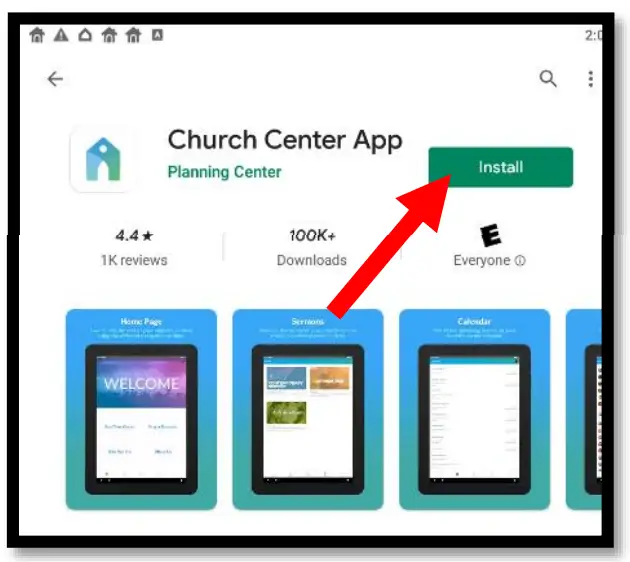
- Click Install
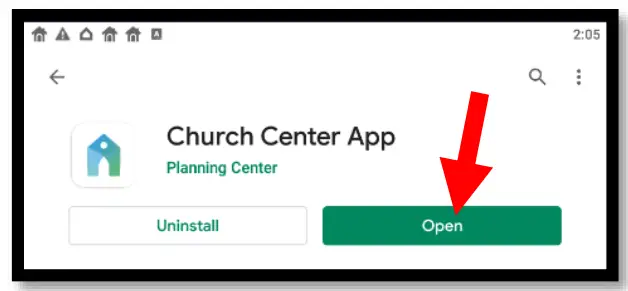
- . Click open
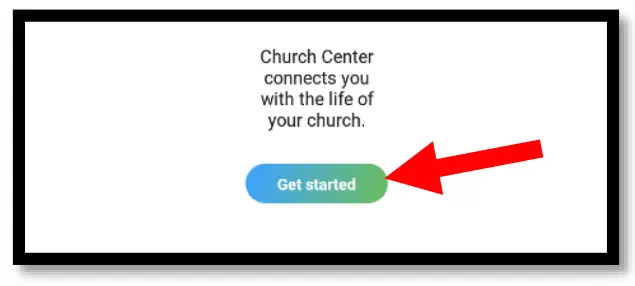
- Click “Get Started”
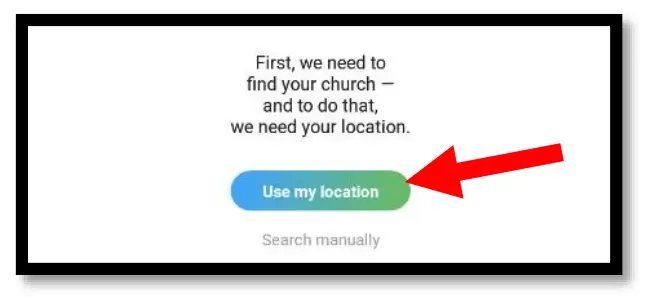
- Click “Use my Location” and grant access
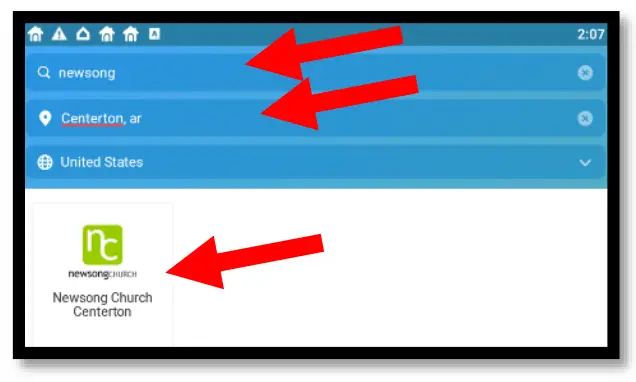
- Search for “Newsong” and “Centerton” Click on our church logo.
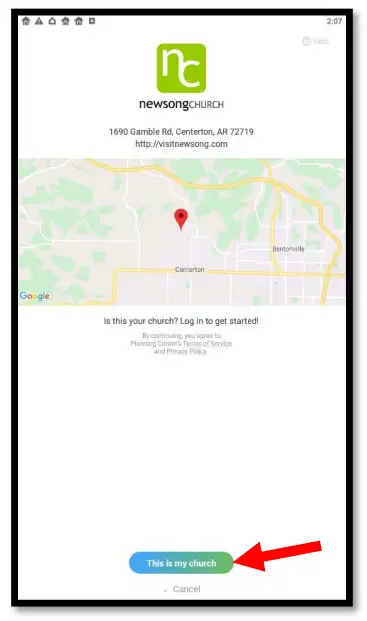
- Confirm you have the right church and click “This is my Church”
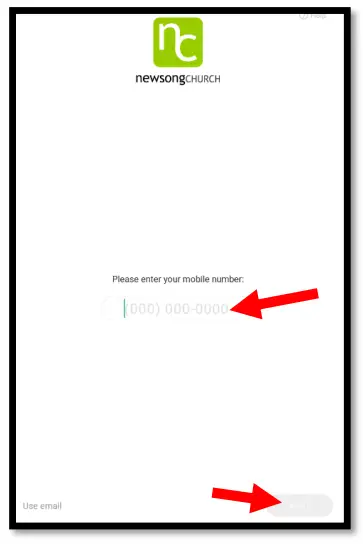
- Enter your phone number
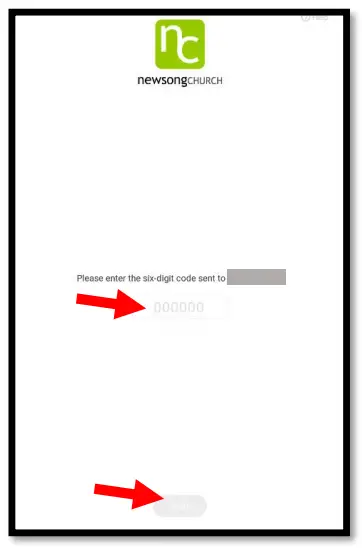
- Enter the token you get texted to you
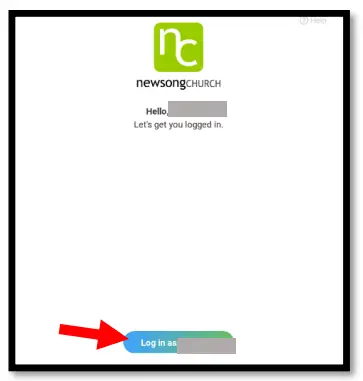
- Confirm you are logging in as you.
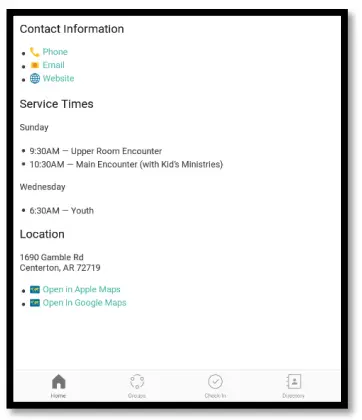
- Arrive on the landing page. You will come here automatically on subsequent logins
Adjust Notifications
- Open App and arrive on landing page
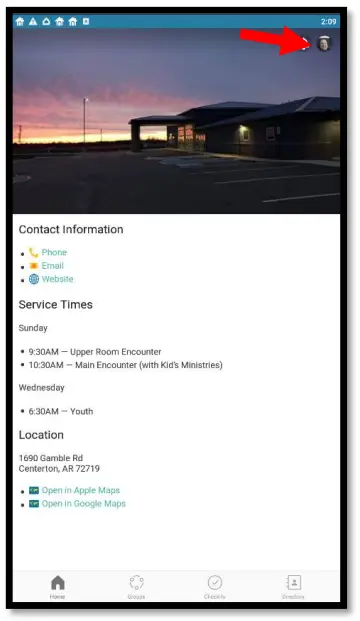
- Click on Profile Icon
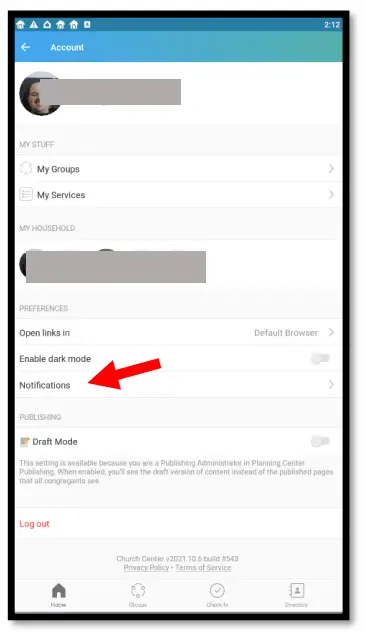
- Click on Notifications
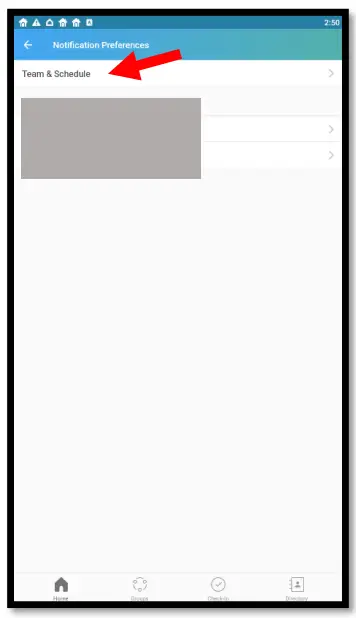
- Click on Team & Schedule
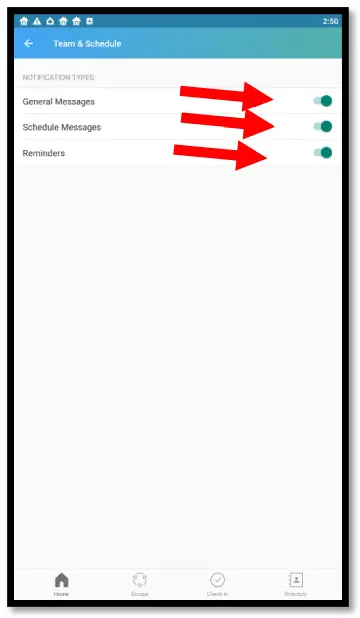
- Ensure they are all checked
Update your contact information
- Open App and arrive on landing page

- Click on Profile Icon
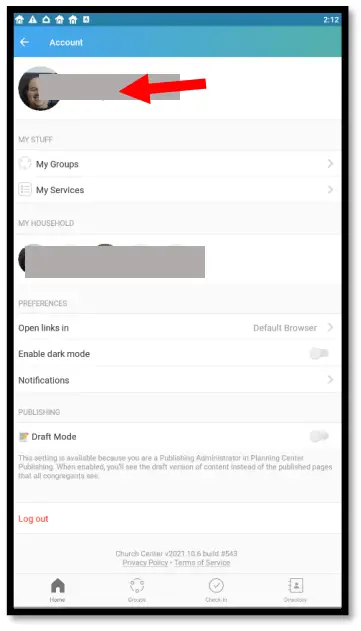
- Click on your profile image at the top
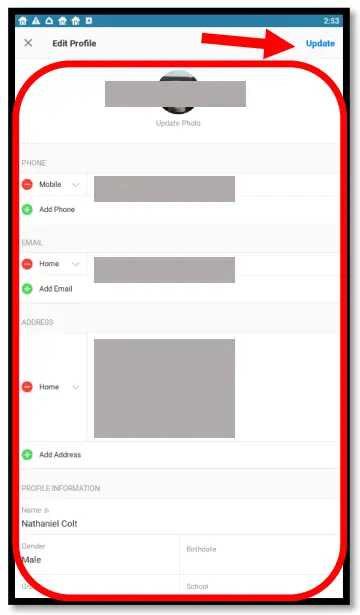
- Update info needed and click update in the upper right corner