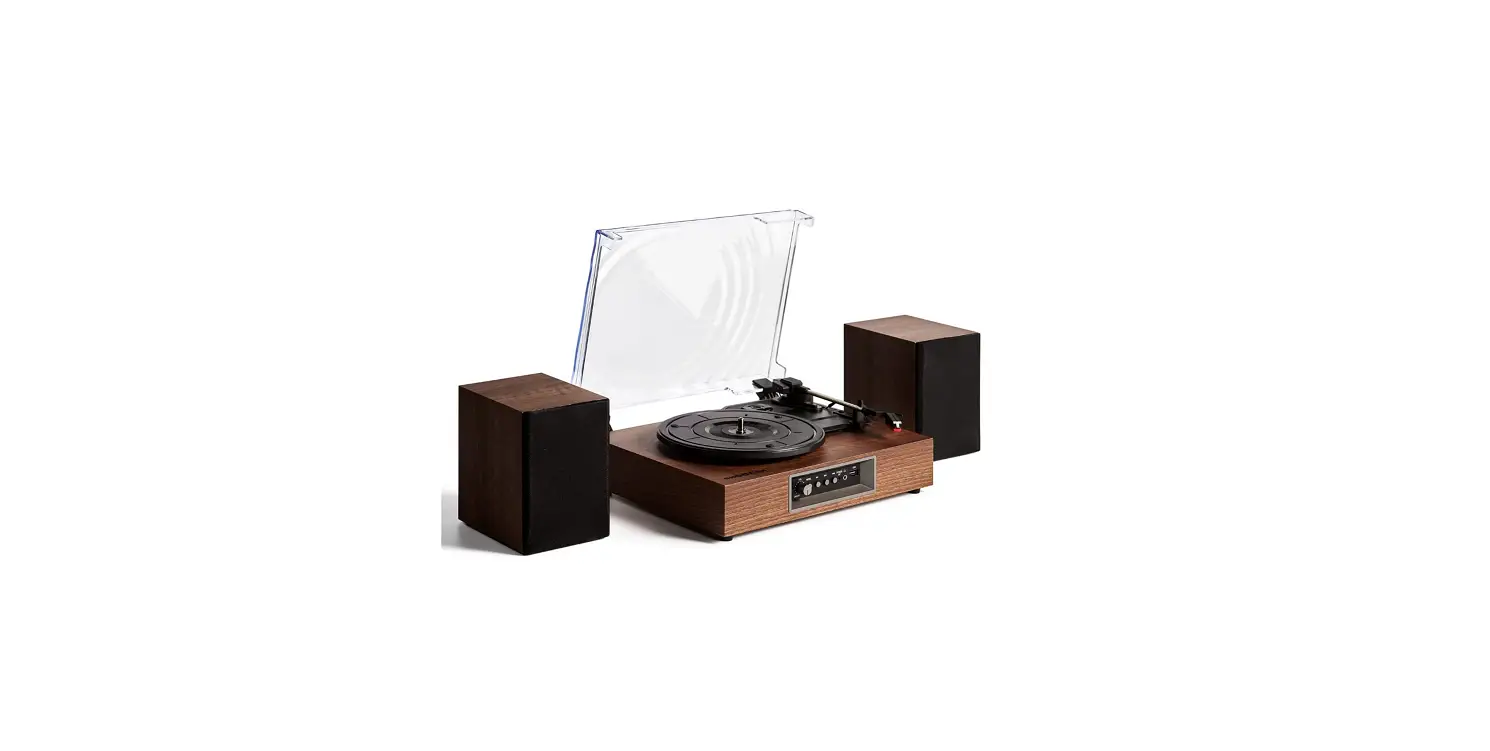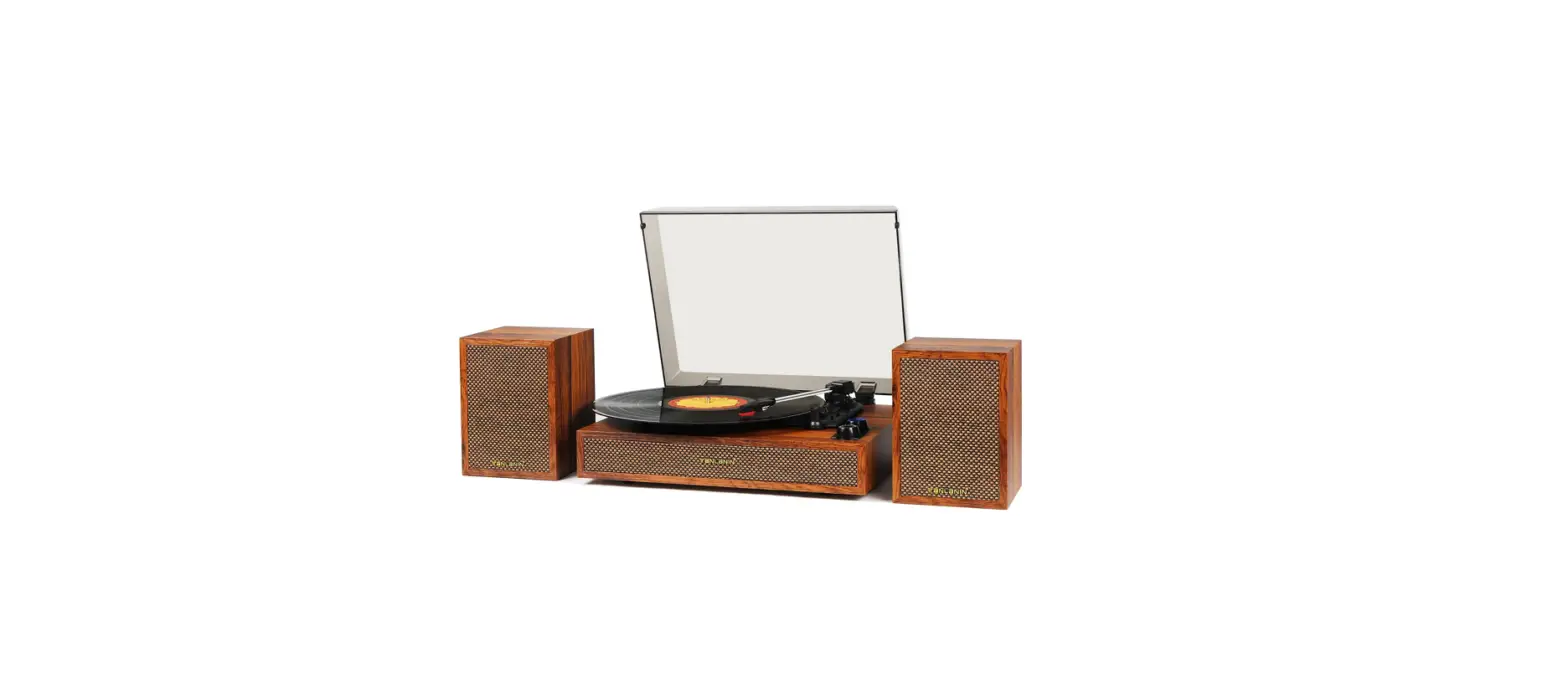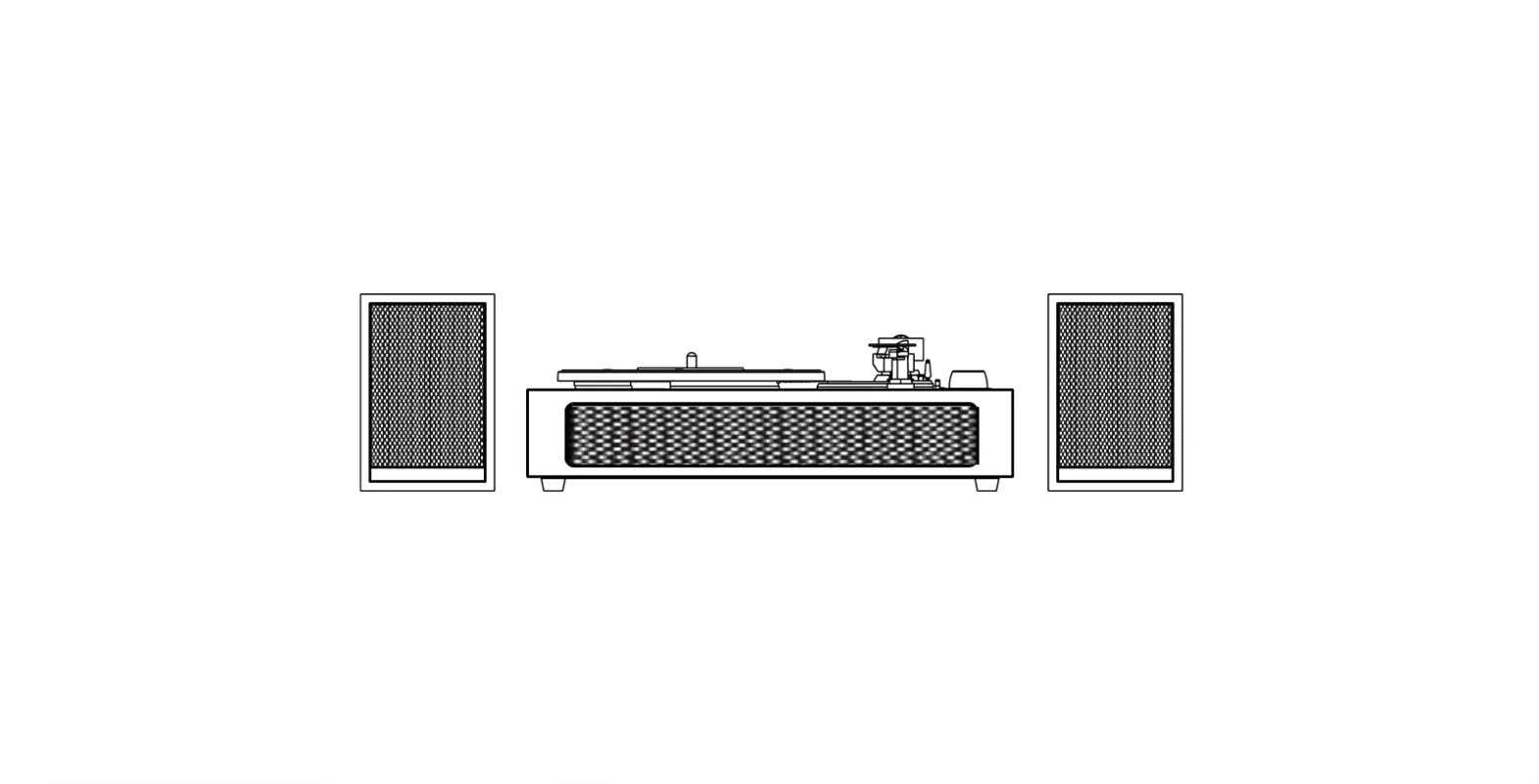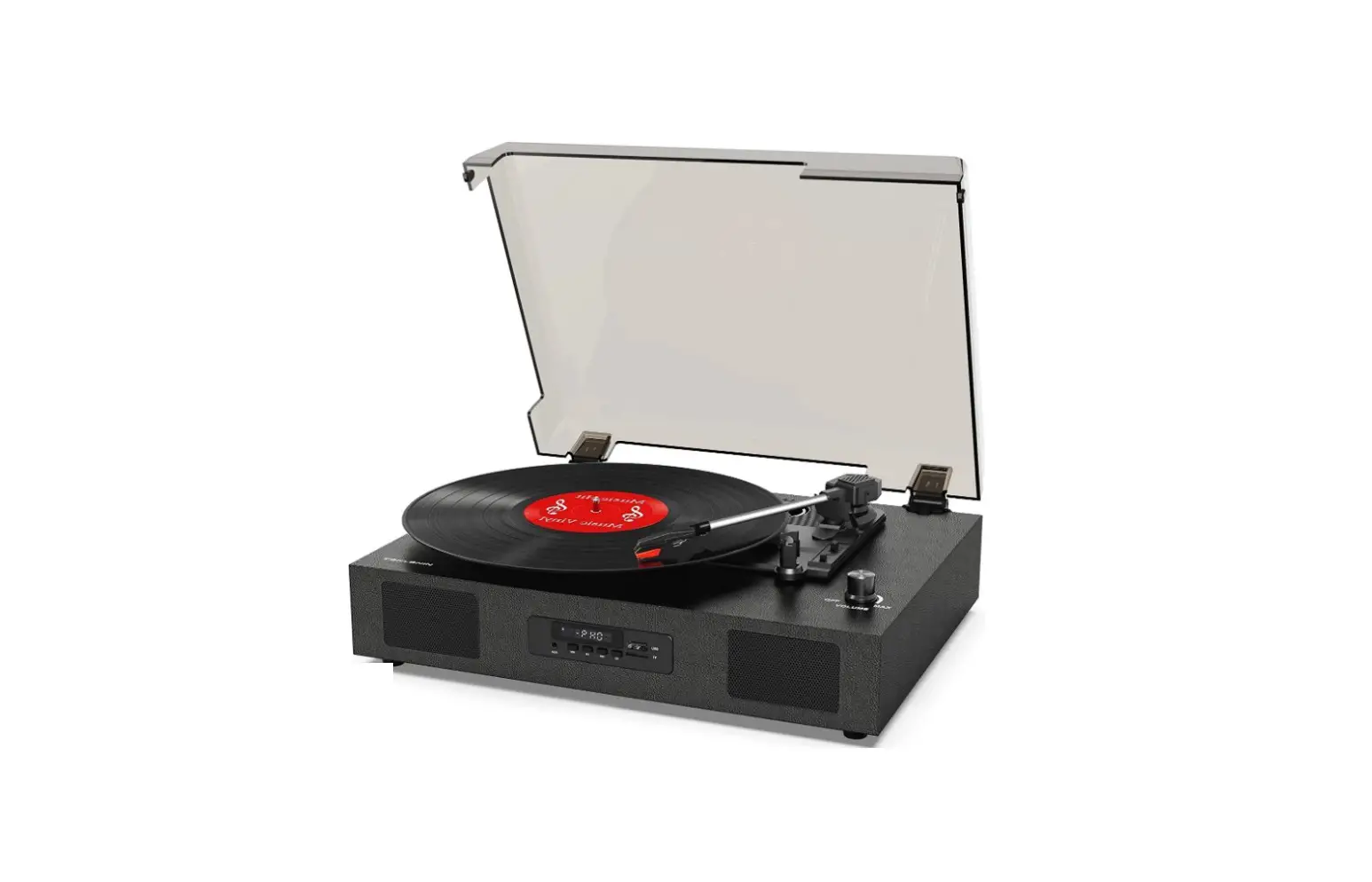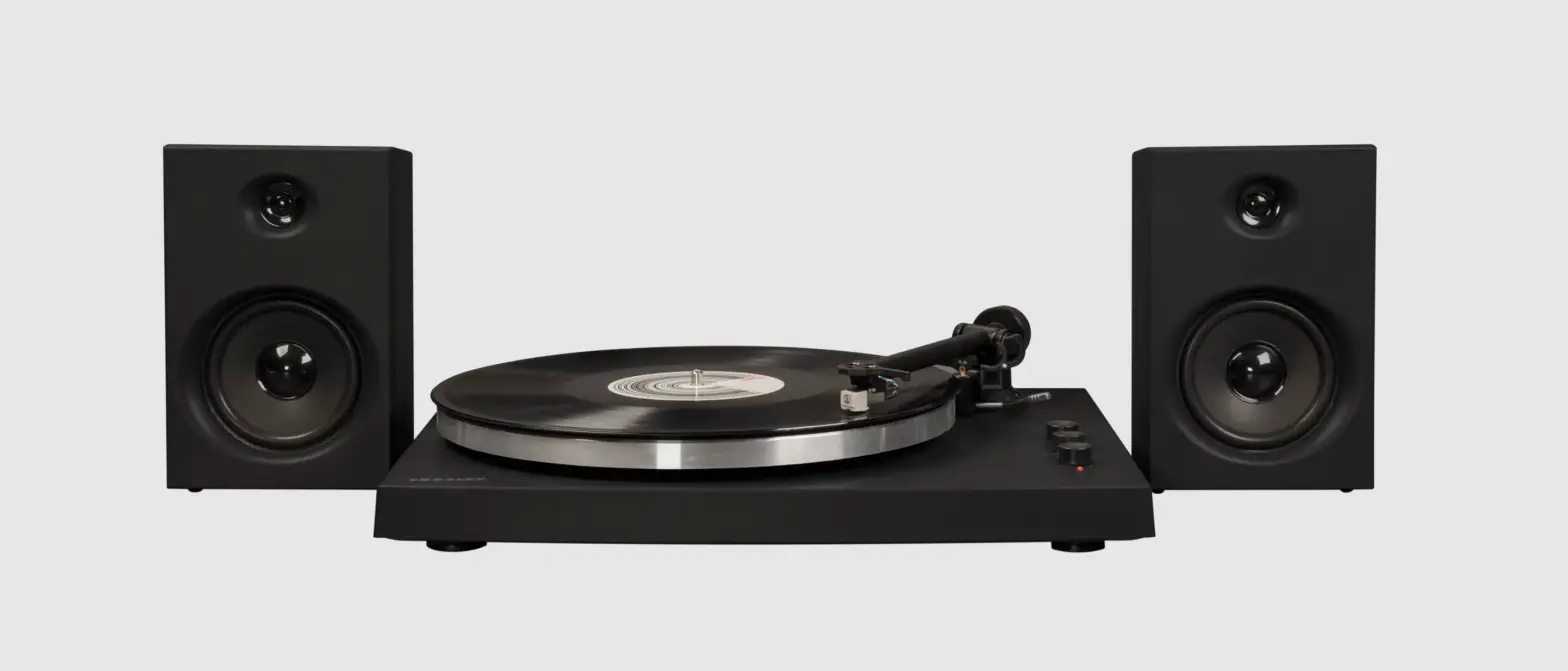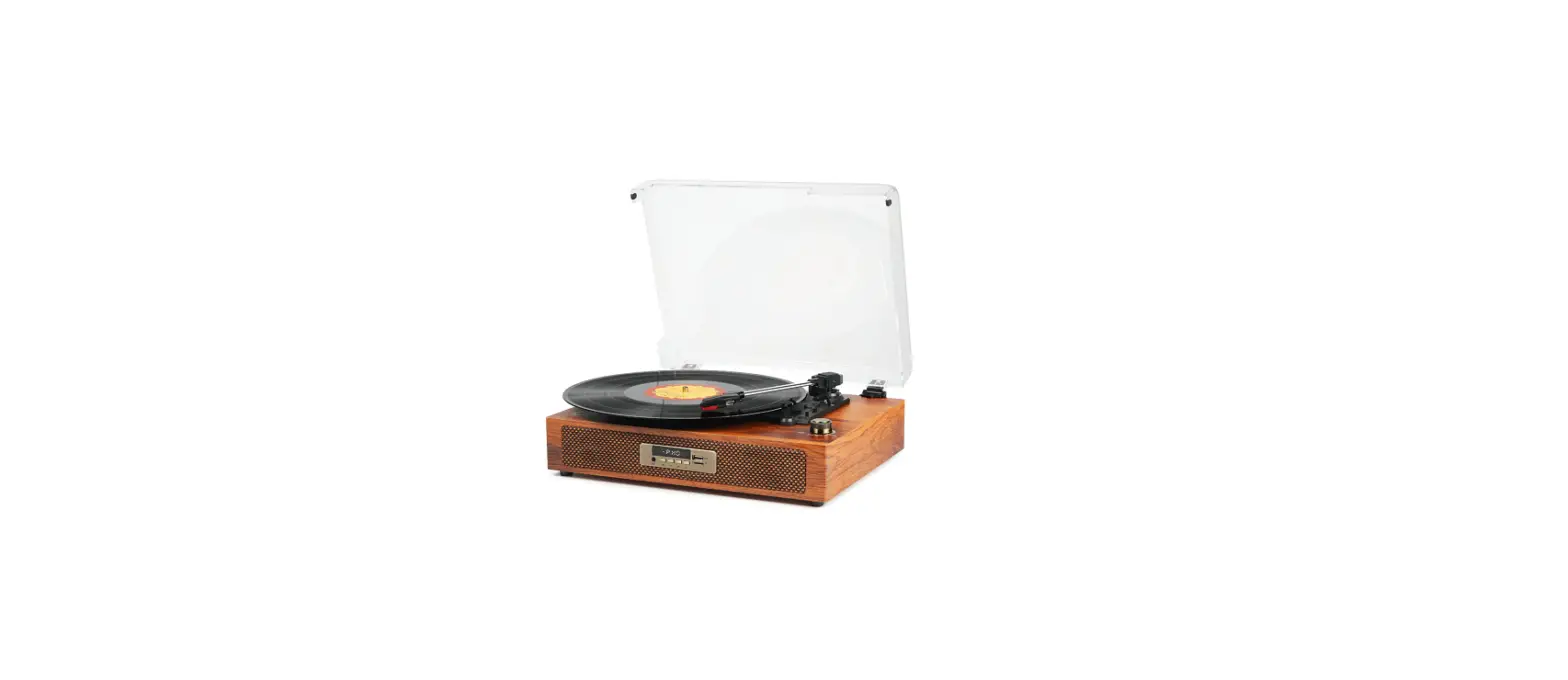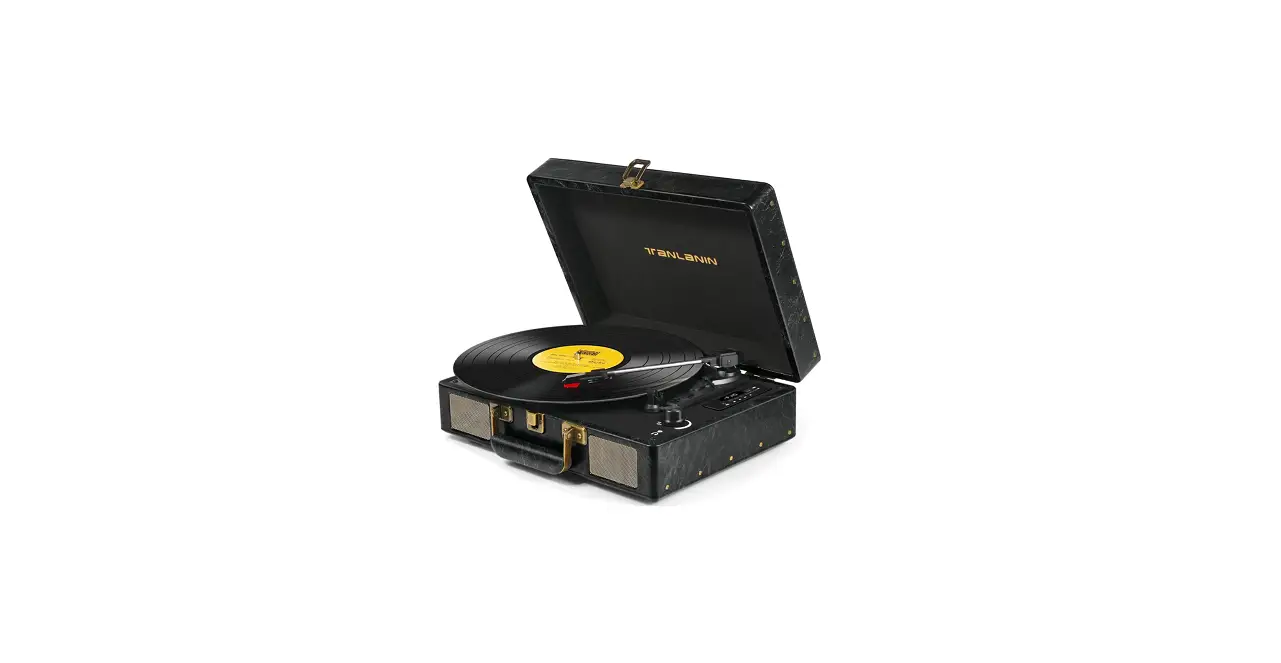

TANLANIN TE-2026BK Vintage Bluetooth Record Player Speakers

Instructions Before Start
Read the manual before using this product. Keep these instructions for future reference.
About Records
- Never use a record with cracks or warps.
- Never use a record that is cracked or warped, as this may cause extreme wear and destruction of the needle.
- Never use unusual play methods such as scratching. This unit is not designed for such playback.
- Do not expose the unit to direct sunlight, high temperature or high humidity. This may cause warping or deformation. When holding the record, hold only the label or the outer edge.
- Do not touch the record groove. Dust and fingerprints may cause distortion of the sound. Care of the record
- Use a special record cleaner and cleaner solution (sold separately). Wipe the record cleaner in a circular motion along the record groove.
About USB /TF cards that can be used with this unit
- The file format that can be played by this unit is WAV/MP3 format (extension: .wav/.mp3) only. USB in FAT/FAT32 format only.
- This product is not compatible with USB hubs.
- When a large capacity USB flash drive or TF card is connected, it may take some time to load the file.
- Press and hold the Pause/Play/DEL button on the unit to erase the files stored in the USB flash drive/TF card one by one.
- It is recommended that you make a backup of your files beforehand to prevent them from being erased unexpectedly by pressing the Pause/Play button on the panel.
About Bluetooth
- The Bluetooth devices used in this unit use the same frequency band (2.4GHz) as wireless LAN devices (IEEE802.11b/g/n), so if they are used near each other, they may interfere with each other, resulting in reduced communication speed or connection failure. In this case, please use it as far away as possible (about 10m).
- We do not guarantee the connection with all Bluetooth devices.
- Also, depending on the conditions, it may take some time to connect.
Introduction
Main features
- 3-speed turntable plays 33 1/3, 78, and 45 rpm records;
- Auto stop function
- Supports Bluetooth Input
- Aux In 3.5mm audio input
- All-in-one LED control panel
- Built-in stereo speakers
- USB/TF card recording
- USB/TF card playback
- RCA stereo audio outputs
Received a defective record player?
Notice:
The gap between the case and the spinning mechanism is for vibration-absorbing, it’s a commonly used design for starter turntables, which could be considered defective mistakenly.
Accessories Includes
- 45 rpm adapter
- 2x Stylus(one installed)
- AC/DC power adapter
- 7-inch Turntable mat
- User’s quick guide
- User’s manual
PARTS ILLUSTRATION
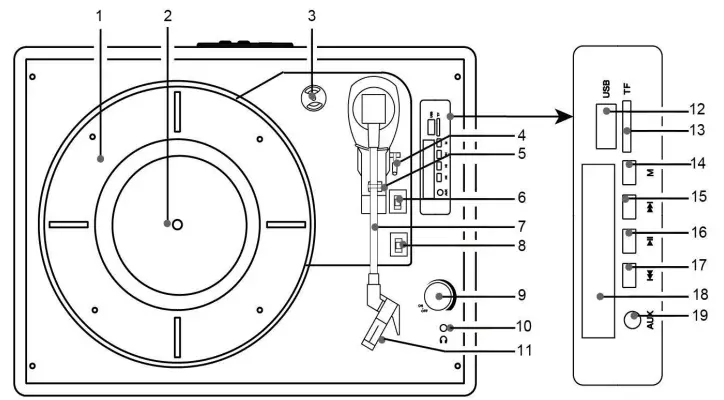
- Turntable Platter
- Turntable spindle
- 45 RPM adaptor
- Tone arm lift lever
- Tone arm holder
- Auto stop ON/OFF switch
- Tone arm
- Speed selection switch
- Power ON-OFF/Volumebutton
- Headphone jack
- Stylus
- USB connector
- TF connector
- Modes select key/Record button
- Next music track
- Pause and Play switch and DELbutton
- Previous music track
- LED Display
- Aux in jack
Rear Inputs

Connecting the main unit to the Power

- Plug the power cord into the DC Input on the back of the unit.
- Then plug the USB side into a the DC adapter included.
- Plug in the adapter into the Standard wall power outlet.
Priority for Bluetooth and AUX Connection
You can control the playback of music from an external device(via AUX) by pressing the ” Next Track”, ” Pause/Play”, and “Previous Track” buttons on the unit
Priority Note:
- The AUX-IN (audio input) and USB memory/TF card playback have priority. If the AUX-IN (audio input) terminal is used to connect an external device, the connection to the AUX-IN (audio input) takes priority over the connection to the USB memory stick/TF card.
- The connection to the external device (cable, USB memory stick, or TF card) takes priority over the connection to the DEFINED (Audio Input).
- If a cable, USB memory stick, or TF card is plugged into the AUX-IN (audio input), this connection will take priority and you will not hear the Bluetooth connection sound.
- If you are already connected to another external device, you cannot connect to the new external device. In this case, please disconnect the Bluetooth connection with other external devices. The Bluetooth connection distance is up to about 10 meters.
Operation—Playing a Record
It is recommended that you use extreme care when manipulating the tone arm, stylus, and other components of this turntable. These parts are very sensitive and can easily break or become damaged if they are carelessly handled.
- Turn the the Power ON/OFF volume button clockwise till the LED display lights up, if not, check the power and adapter.
- Remove the shroud that protects the stylus, and release the lock that holds the Tone Arm in it’s resting position.
- Before use, turn the turntable clockwise about 10 times by hand to make sure there is no belt shift or kinks from the pulleys.
- Select the correct turntable speed based on the type of record you wish to play, and place the record on the turntable. If you are playing a 45 rpm record, use the included adapter and place it between the turntable and the record.
- Use the Tone Arm Lift Switch to raise the Tone Arm from its catch.
- Using your hand, gently swing the Tone Arm into the desired location over the record. The turntable will start spinning as the Tone Arm is moved into position.
- Use the Tone Arm Lift Switch to safely lower the stylus onto the record.
- Using the Lift Switch instead of your hand will reduce the chance of accidentally damaging the record or the stylus.
- Slide the Auto Stop Switch to ON to enable the Auto Stop feature. When the record is finished playing, it will automatically stop the turntable. Use the Lift Switch to raise the stylus off of the record, and gently return the Tone Arm to the catch by hand.
Note:
Some records place their Auto Stop area outside of the range of this unit. In these cases, the record will stop playing before the last track is reached. Set the Auto Stop Switch to OFF and use the Tone Arm Lift Switch to safely raise the stylus off the record when the end of the record has been reached.
Bluetooth Input— pairing with Bluetooth
- Set the auto-stop to “ON” and short press “M” button on the control panel to switch mode to “bt” on the display.
- Using the controls on your Bluetooth device, search for and select “TE-2026″in your Bluetooth settings to pair. If your device requests a password, enter the default password “0 0 0 0 ” and press OK.
- When successfully paired and connected, an audible chime will sound. After initial pairing, the unit will stay paired unless unpaired manually by the user or erased due to a reset of the device. If your device should become unpaired or you find it is unable to connect, repeat the above steps.
- Play, pause or skip a selected track using the controls on the connected Bluetooth Device or the controls on the turntable.
On an iPhone
Go to SETTINGS > BLUETOOTH Search for devices (Make sure Bluetooth is turned ON) 12:12 PM
On an Android Phone
Go to SETTINGS > BLUETOOTH Search for devices (Make sure Bluetooth is turned ON)
USB Recording
NOTE:
- Recording ONLY support USB in FAT/FAT32 format, and save as WAV. files.
- MAKE A COPY and formating USB flash drive (if in exFAT or NTFS format ) into FAT/FAT32 format.
- Insert your USB/TF card into the USB/TF slot. Press and hold the “M” button for 3 seconds till the display shows ”rEC”, you will hear one time beep sound and it begins to recording meanwhile the display shows the time counting of the recording.
- Stop recording. Press and hold the “M” button for few seconds, the recording will stop(display will show “STOP”) and save the recorded audio automatically to USB or TF card as the last song, then you can plug out the USB device.
- Find below files on your computer for one recorded song, and repeat steps 1-2 above if you want the other recordings.


- Make sure that the USB memory / TF card you use has enough space.
- For recording, press “M” Mode switching/recording button at the start and end of each song.
- This unit does not have a function to automatically separate songs, the recording from the start to the end is recorded as one file. (Please note that it will not be individual data for each song)
- Never remove the USB memory / TF card while recording. If you remove it, the recorded data may be damaged.
RCA Connecting to External Systems
RCA Audio Output
Requires RCA audio cables (red/white, not included). Use to connect the turntable to an external stereo, television, or other source.
- Connect RCA audio cables to the RCA Audio Output on the back of the turntable, and to the audio input of an external stereo system.
- Adjust the external stereo system to accept input from the turntable.
- Audio played through the turntable will now be heard through the connected stereo system.


AUX IN Connecting to Audio Source
Requires 3.5 mm audio input cable (not included).
Note: When the Source selector is set to Aux In, When a 3.5mm audio cable is plugged into the unit, it will automatically detect the input and power ON in Aux In mode.
- Plug a 3.5 mm audio input cable into the Aux In on the unit and the audio output/headphone output on an MP3 Player or other audio source.
- Use the controls on your connected music player to select and play audio.
- Audio played through the connected device will now be heard through the speakers.


HOW TO REPLACE THE NEEDLE
The durability time of the recoil needle is about 200-250 hours. Replace the needle if necessary.
Remove the Needle
- Gently pull down the front edge of the needle.
- Pull needle forward.
- Pull out and remove.


Installing Needle
- Position the needle with its tip facing down.
- Line up the back of the needle with the cartridge.
- Insert the needle with its front end at a downward angle and gently lift the front of the needle upward until it snaps into place.


TROUBLESHOOTING
There is no power
- Power adaptor is not connected correctly.
- No power at the power outlet.
- Use the wrong adapter instead of he original one included.
- Power button is not turned on, turn the volume/ON/OFF button clockwise to turn on.
My record is skipping.
- Use the tone arm lift raise up and down the arm for 10 times before initial
- Change vinyl records or clean the vinyl records grooves properly.
- The needle is not in the middle of the stylus or broken, replace it.
- Put the record player on the flat surface with 4 legs/corners on the ground.
- The white stylus protector is till on.
Power is on, but the platter does not turn
- Turntable drive belt has slipped off.
- An aux in cable is plugged into the aux in jack, unplug it.
- Bluetooth is connected, disconnect it and reset the mode to “PHO”
Turntable is spinning, but no sound, or not loud enough
- Volume is too low, turn it clockwise to volume up.
- Stylus protector is still on.
- Tone arm is lift up by the lever.
- Volume is not loud enough or not good: connect to the external powered speakers.
USB Recording not working
- USB is not formatted in FAT/FAT32
- USB flash drive has little room for storage
- USB is pulled out when recording is going.
- User didn’t long press”M” till enter into recording mode.
Specifications

FCC Statements
This equipment has been tested and found to comply with the limits for a Class B digital device, pursuant to Part 15 of the FCC Rules. These limits are designed to provide reasonable protection against harmful interference in a residential installation. This equipment generates uses and can radiate radio frequency energy and, if not installed and used in accordance with the instructions, may cause harmful interference to radio communications. However, there is no guarantee that interference will not occur in a particular installation. If this equipment does cause harmful interference to radio or television reception, which can be determined by turning the equipment off and on, the user is encouraged to try to correct the interference by one or more of the following measures:
- Reorient or relocate the receiving antenna.
- Increase the separation between the equipment and receiver.
- Connect the equipment into an outlet on a circuit different from that to which the receiver is connected.
- Consult the dealer or an experienced radio/TV technician for help.
This device complies with part 15 of the FCC Rules. Operation is subject to the following two conditions:
- This device may not cause harmful interference, and
- this device must accept any interference received, including interference that may cause undesired operation. Changes or modifications not expressly approved by the party responsible for compliance could void the user’s authority to operate the equipment.
RF Exposure Statement
The distance between user and the products should be no less than 20cm.
FAQs
What are the advantages of a Bluetooth turntable like the TANLANIN TE-2026BK?
Put an end to dealing with filthy and unsightly wires. Also, stop trying to untangle everything! Another advantage of using Bluetooth speakers is that they require less power, which enables you to use battery-operated speakers.
Do suitcase turntables like the TANLANIN TE-2026BK harm records?
As the first and closest point of contact between the turntable and record, where sound is transported to and from the record, and your speakers, they provide this function. These all-in-one packages frequently include cheap needles that are prone to scratching and ruining your recordings permanently.
Does the TANLANIN TE-2026BK Bluetooth record player support vinyl?
Well-known audio firms like Sony and Audio-Technica have created Bluetooth turntables to enable you to connect your player to an additional speaker or device. They frequently still enable you customise your vinyl system with speakers and other equipment even when they have convenient Bluetooth connectivity.
How reliable are the TANLANIN TE-2026BK portable record players?
These $100 all-in-one turntables are undoubtedly fashionable and cute. They also have a bad reputation for using excessively high tracking pressures, which typically leads to poor tracking, poor sound, and undue wear and tear on your records.
A TANLANIN TE-2026BK record can be played how many times?
A well-kept record can be played over 100 times with just very minimal audible sound deterioration. With the right care, a disc might be played hundreds of times throughout the course of its existence. A record played once on equipment that isn’t set up properly can be totally damaged.
What is the TANLANIN TE-2026BK record player’s Bluetooth functionality?
A turntable with Bluetooth capabilities can connect wirelessly to powered speakers, a stereo, or headphones. It suggests that no cords are necessary to connect the turntable. Up to 30 feet away, cordless audio streaming is possible using Bluetooth.
How can I Bluetooth-enable my outdated TANLANIN TE-2026BK record player?
In order for audio equipment to understand LINE signals, preamps convert PHONO signals. Your turntable’s PHONO outputs should be connected to the preamp’s PHONO inputs. The preamp’s LINE output is where the Bluetooth transmitter is connected because it will be your speaker.
Are records scratched by TANLANIN TE-2026BK record players?
Additionally, wait until the turntable platter has stopped before removing the vinyl record. Records are designed to be brittle, so removing them while the platter is spinning puts them at risk for breaking.
Can a TANLANIN TE-2026BK record player be brought on an airplane?
The answer to that question intrigues many vinyl owners, and fortunately, this article is here to give you the most honest answer we can. The answer is yes, you can bring vinyl albums on an airplane.
How can I connect the speakers on my vintage TANLANIN TE-2026BK record player?
If your turntable has a built-in preamp, setting this up will be very easy. To connect your turntable to your home speakers, just plug the RCA input side of your cable into the turntable and the 3.5mm side of your cable into your Bluetooth speaker.
Why aren’t the speakers on my TANLANIN TE-2026BK record player working?
Check to see if your speakers and amplifier are on. Before playing, if the stylus protection (1) is still attached, remove it. Make sure the stylus doesn’t remove it. The stylus won’t track in the record grooves without the right tracking weight, so check your tonearm balance.
How can I tell if the record player I have, a TANLANIN TE-2026BK, has a preamp?
To determine whether the turntable has a built-in preamp, look for a LINE output. A turntable always has an integrated preamp with a LINE output. When there is only a PHONO output, the turntable does not have an internal preamp.
How is a TANLANIN TE-2026BK record player transported?
Each item should be wrapped with anti-static packaging paper or bubble wrap. Placing the heaviest parts at the bottom of a safe box, place the player and all of its parts inside. To fill any gaps in the box, use foam, bubble wrap, and other sturdy materials.
How can the volume be increased on the record player model TANLANIN TE-2026BK?
If at all possible, add a phono preamp. Replace the cartridge with one that has a higher output level. A greater gainy phono preamp should be used in its place. Consider updating your amplifier/receiver. Consider loudspeakers that are more sensitive.
How loud are TANLANIN TE-2026BK record players?
Players of records are usually silent. They produce an electrical signal, but it is so faint that it needs to be amplified twice. What is this? Using a preamp, it is first internally or externally amplified to the same line level as a CD player.
On a TANLANIN TE-2026BK record player, can the needle be replaced?
There are two ways to change the needle on your record player. The simplest approach is to replace the stylus. As an alternative to changing the needle, the cartridge—which acts as the retaining mechanism for the stylus—can also be changed. However, you shouldn’t have to do this unless the cartridge is broken.
Can you pause a TANLANIN TE-2026BK record player?
Despite technical limitations, the use of analog music formats, such as vinyl records, can be stopped. But the process isn’t exactly straightforward. To achieve it, you’ll need to manually elevate the cue.
Does a TANLANIN TE-2026BK record player require speakers?
Turntables don’t have built-in speakers. As a result, they need to be connected to speakers in order to play records. The speakers can be powered and have an amplifier. Additionally, passive speakers and a separate amplifier are options.