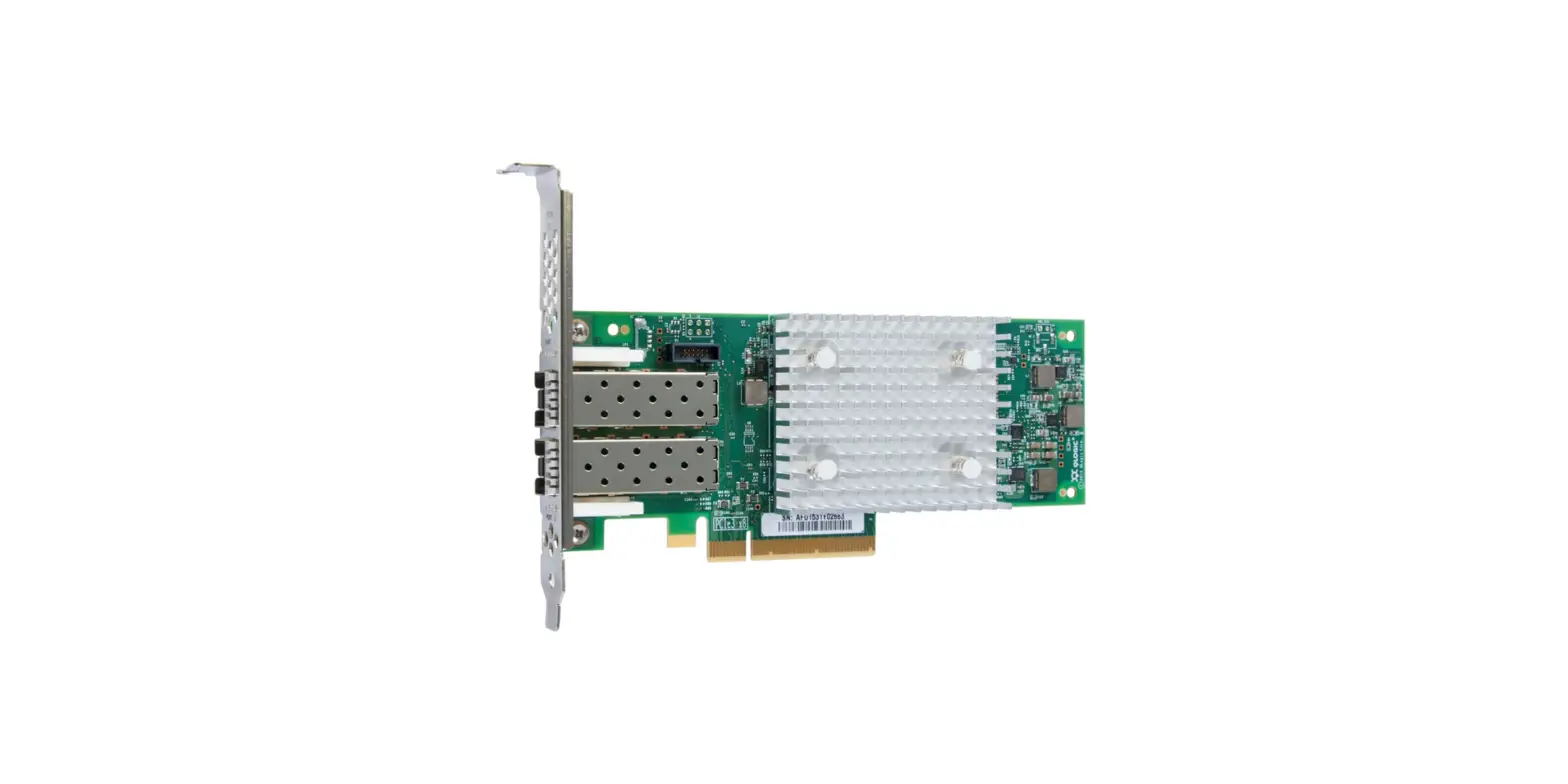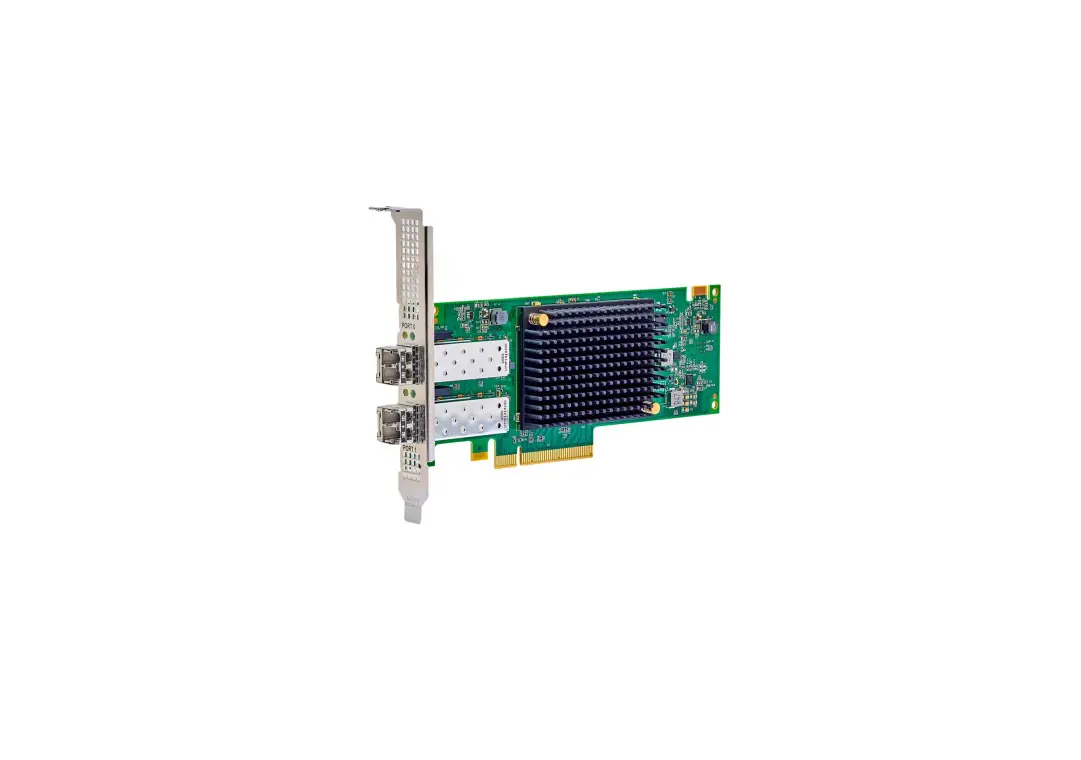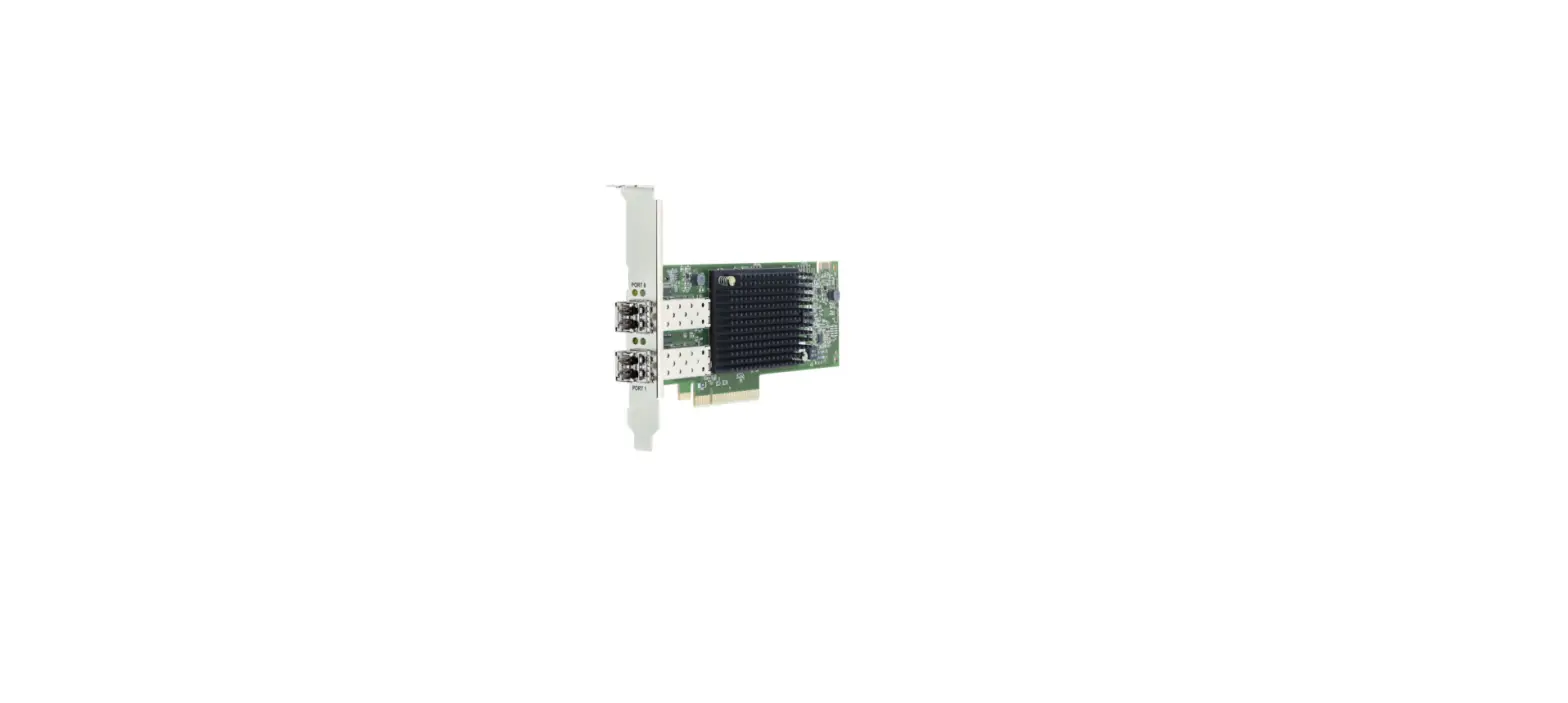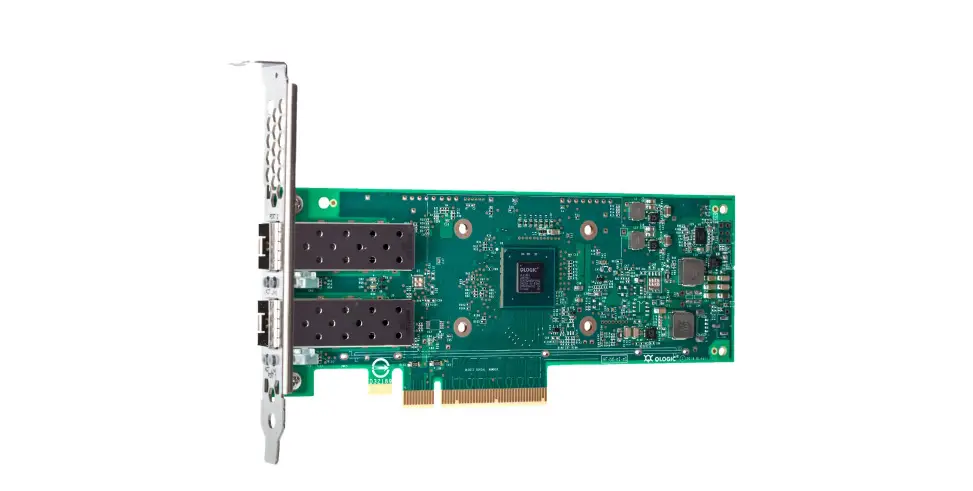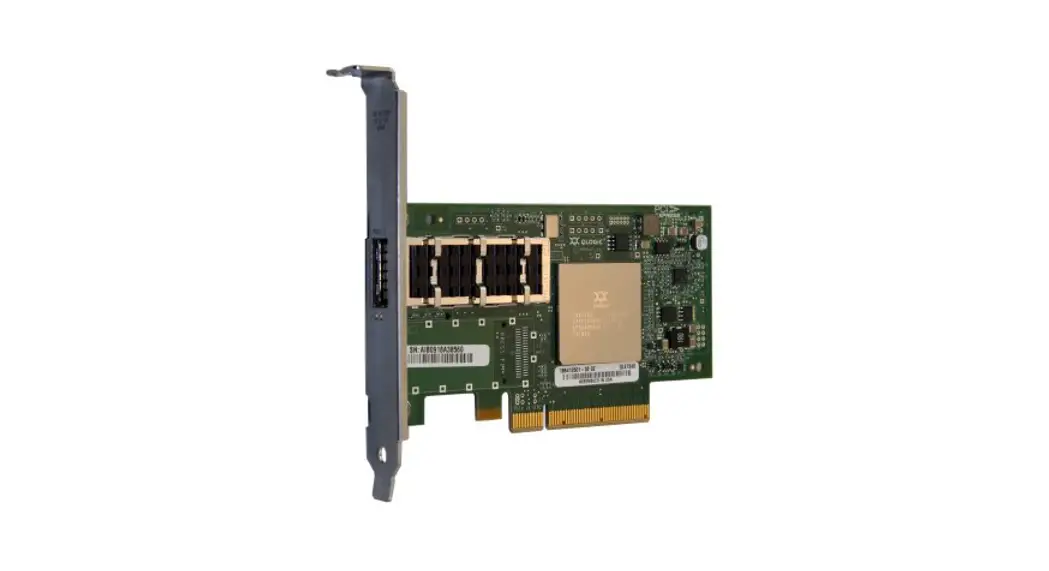

Lenovo ThinkSystem QLogic QML2692 16 Gb Enhanced Gen 5 Fibre Channel Adapter for Flex System
Product Guide
The ThinkSystem QLogic QML2692 Mezz 16Gb 2-Port Fibre Channel Adapter is an Enhanced Generation 5 (Gen 5) 16 Gb FC adapter for ThinkSystem blade servers. The adapter, based on Cavium technology, offers industry-leading native FC performance with extremely low CPU usage with full hardware offloads. Enhanced Gen 5 FC technology provides advanced storage networking features capable of supporting the most demanding virtualized and private cloud environments, while fully leveraging the capabilities of high-performance 16 Gb FC (16GFC) and all-flash arrays (AFAs).
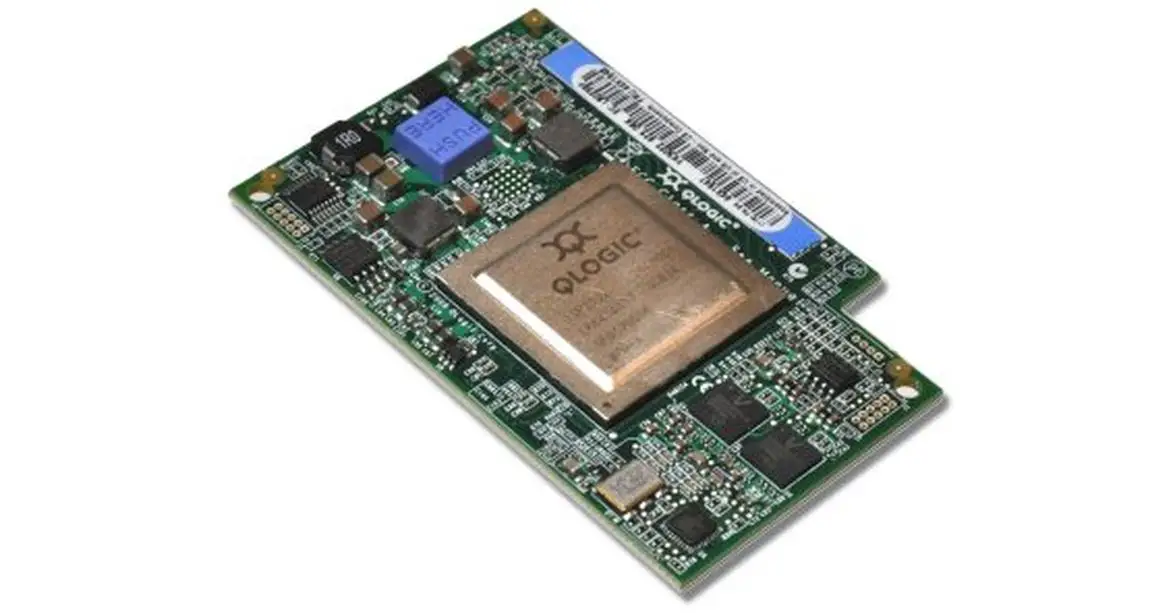
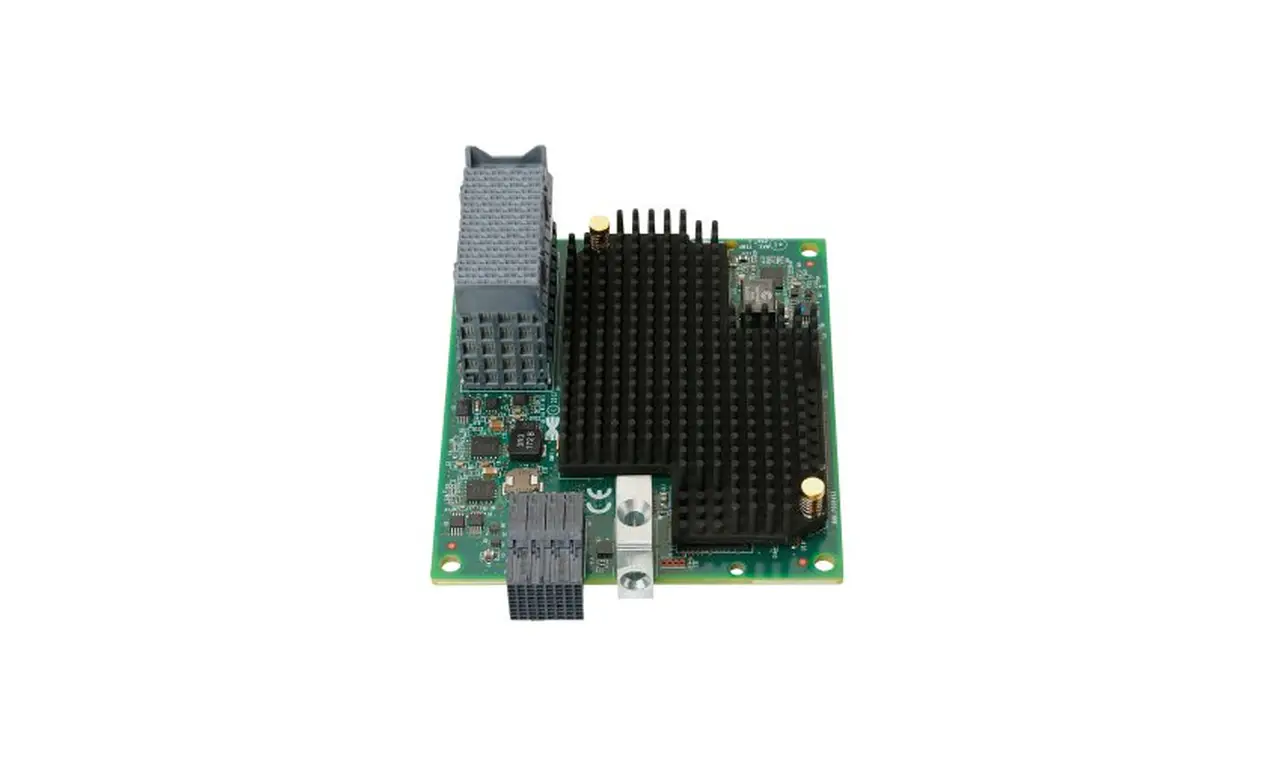
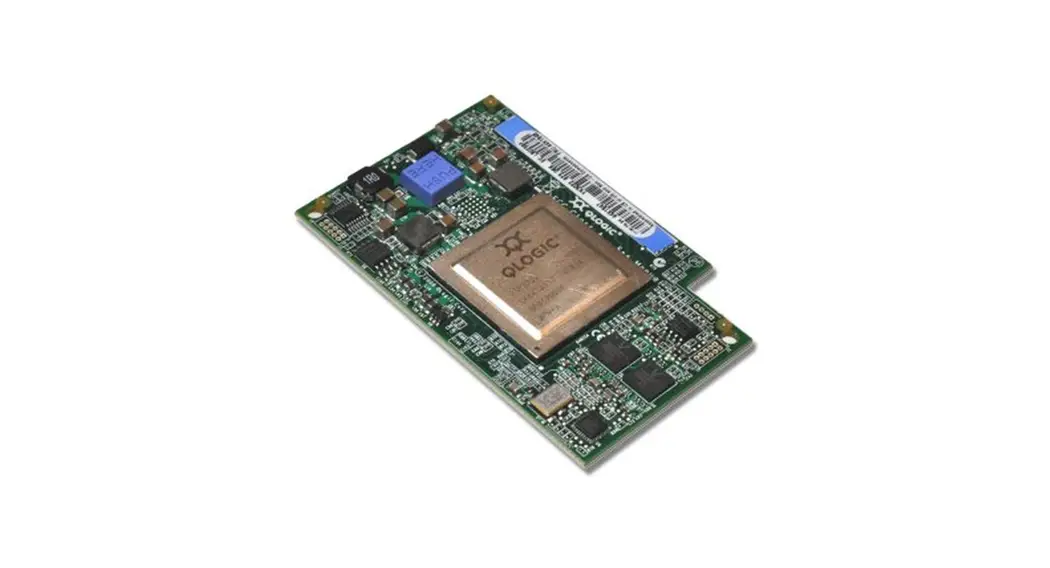
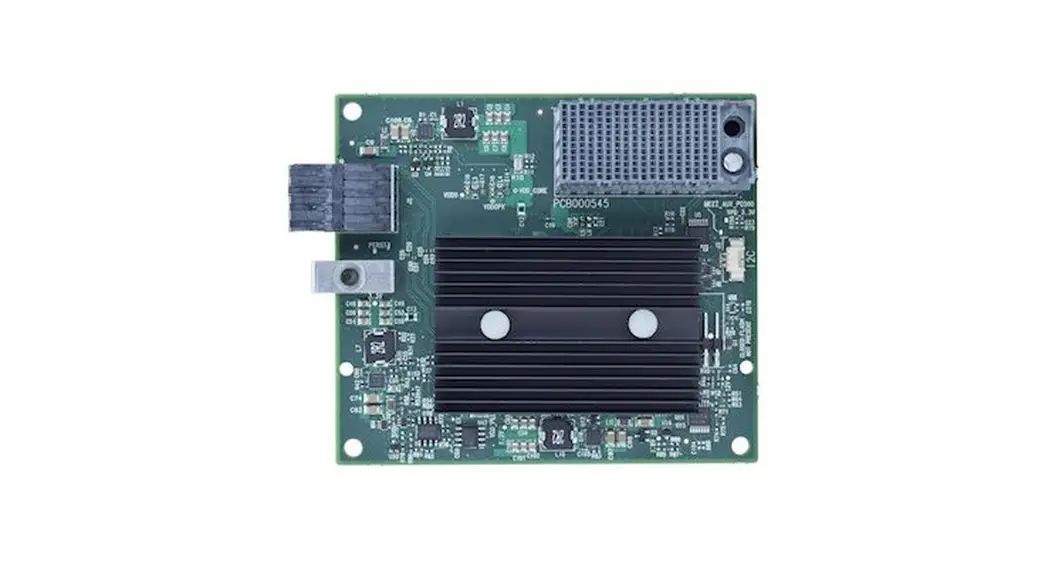
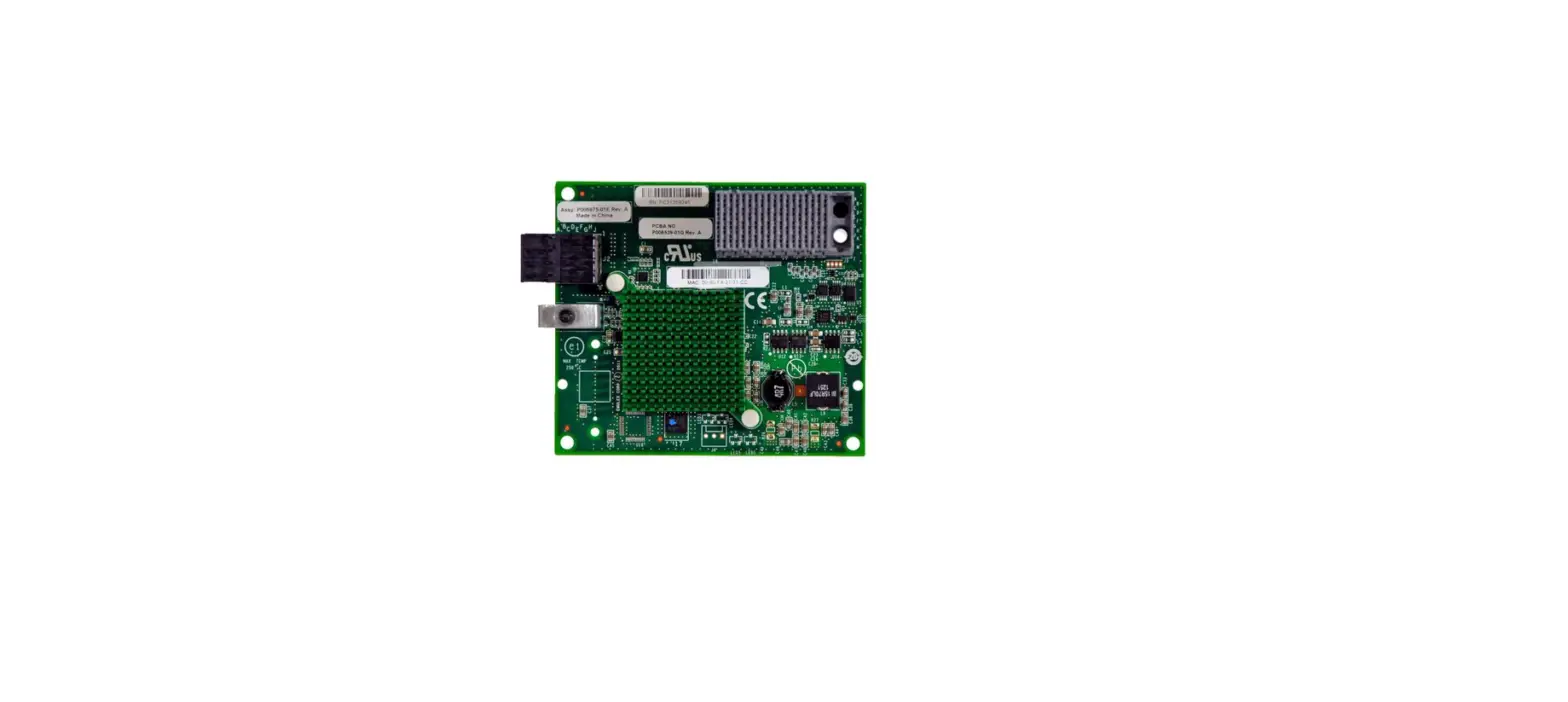
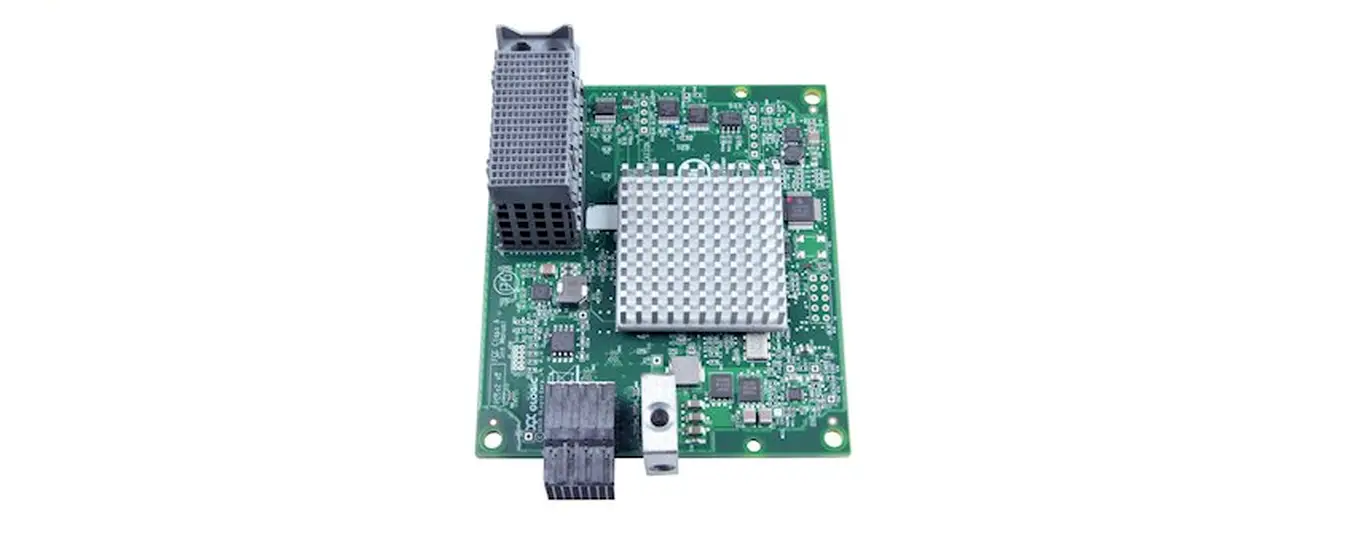
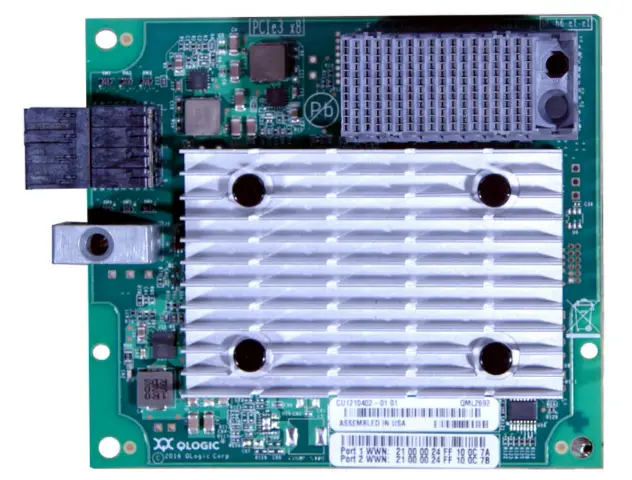
The following figure shows the ThinkSystem QLogic QML2692 Mezz 16Gb 2-Port Fibre Channel Adapter.
Figure 1. ThinkSystem QLogic QML2692 Mezz 16Gb 2-Port Fibre Channel Adapter
Did you know?
The Cavium StorFusion architecture delivers ultimate reliability to meet the needs of mission-critical enterprise applications with lower power and fewer CPU cycles, all while maintaining peak performance.
The QLogic 16Gb Enhanced Gen 5 mezz adapter is based on a 32 Gbps ASIC, which delivers higher IOPS and performance with lower power consumption compared to the previous generation.
QLogic QConvergeConsole provides unified, single-pane-of-glass management across generations of QLogic FC adapters.
Part number information
The following table shows the part number to order these adapters.
Table 1. Part number and feature code for ordering
| Part number | Feature code | Description |
| 7ZT7A00520 | AVCV | ThinkSystem QLogic QML2692 Mezz 16Gb 2-Port Fibre Channel Adapter |
The part number includes the following items:
- One Flex System mezz adapter
- Adapter documentation
Key features
The ThinkSystem QLogic QML2692 Mezz 16Gb 2-Port Fibre Channel Adapter has the following features:
- Maximum performance with up to 1.3 million input/output operations per second (IOPS) to support larger server virtualization deployments and scalable cloud initiatives, and performance to match new multicore processors, SSDs/flash storage, and faster server host bus architectures.
- Independent function, transmit and receive buffers, an on-chip CPU, DMA channels, and a firmware image for each port enable complete port-level isolation, prevent errors and firmware crash from propagating across all ports, and provide predictable and scalable performance across all ports.
- Support forward error correction (FEC) to enhance the reliability of transmission and thereby performance.
- Industry-standard class-specific control (CS_CTL)-based frame prioritization Quality of Service (QoS) helps alleviate network congestion by prioritizing traffic for time-sensitive mission critical workloads for optimized performance.
- T10-PI data integrity with high-performance offload provides end-to-end data corruption protection.
- Support for Message Signaled Interrupts eXtended (MSI-X) improves host utilization and enhances application performance.
- Fabric-assigned port worldwide name (FA-WWN) and fabric-based boot LUN discovery (F-BLD) pre-provisioning services allow servers to be quickly deployed, replaced, and moved across the SAN; the creation of zones, LUNs, and other services can be completed before the servers arrive on site.
- Using the Brocade ClearLink diagnostic port (D_Port) available on the Brocade Gen 5 switches, administrators can quickly run automated diagnostic tests to assess the health of links and fabric components.
- Read diagnostic parameters (RDP) feature provides detailed port, media, and optics diagnostics to easily discover and diagnose link-related errors and degrading conditions on any N_Port-to-F_Port link.
- Single-pane-of-glass management across generations of QLogic FC adapters with QLogic QConvergeConsole (QCC).
- Deployment flexibility and integration with third-party management tools, including the VMware vCenter and Brocade Network Advisor.
- Support for 16 Gb, 8 Gb, and 4 Gb FC devices.
- Ensure data availability and data integrity.
Boot from SAN capability reduces the system management costs and increases uptime.
Technical specifications
The adapter has the following specifications:
- Host interface: PCIe 3.0 x8
- Ports: Dual-port adapter
- Link speed: Support for 16 Gb, 8 Gb and 4 Gb FC link speeds, which are automatically negotiated
- Data rate: 14.025 Gbps (1600 MBps), 8.5 Gbps (800 MBps), and 4.25 Gbps (400 MBps) autosensing (per port), with full duplex
- Performance: Up to 1,300,000 IOPS (up to 650,000 IOPS per port)
- Fibre Channel standards: FC-PI-5, FC-GS-2, FC-GS-3, SCSI-FCP, FCP-2, FC-TAPE
- Topology: Point-to-point and switched fabric
- Management software:
- The QLogic unified management application, QLogic QConvergeConsole (QCC), provides single-pane-of-glass management across generations of QLogic FC adapters.
- QLogic supports all major APIs for deployment flexibility and integration with third-party management tools, including the VMware vCenter and Brocade Network Advisor.
Server support
The adapter is supported in the ThinkSystem compute nodes as indicated in the following table. Table 2. Supported servers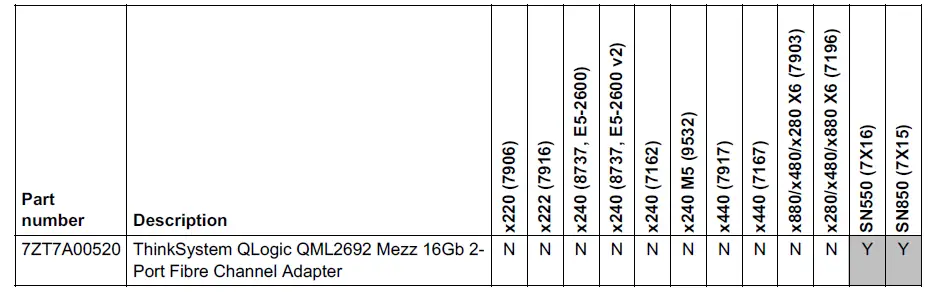
For the latest information about the expansion cards that are supported by each blade server type, see ServerProven at the following web address:
http://www.lenovo.com/us/en/serverproven/flexsystem.shtml
The following figure shows the location of the I/O expansion connectors.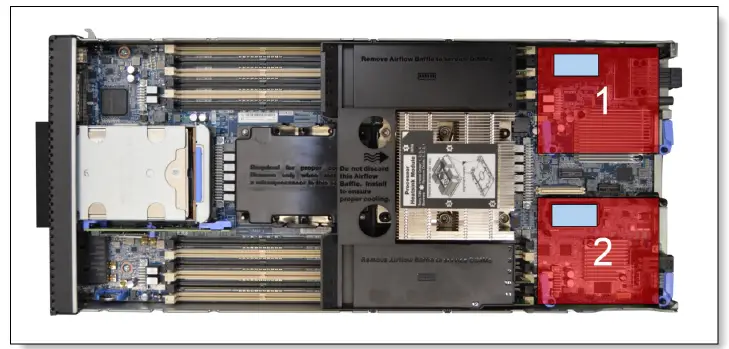
Figure 2. Location of the I/O adapter slots in the Flex System SN550 Compute Node
I/O Module support
The adapters support the I/O module that is listed in the following table. One or two compatible switches must be installed in the corresponding I/O bays in the chassis. Installing two switches means that both ports of the adapter are enabled and connected to switch ports.
Table 3. I/O modules that are supported by the adapter
| Part number | Description | Supports the QML2692 Mezz |
| 69Y1930 | Flex System FC3171 8Gb SAN Switch | Yes |
| 69Y1934 | Flex System FC3171 8Gb SAN Pass-thru | Yes |
| 88Y6374 | Flex System FC5022 16Gb SAN Scalable Switch | Yes |
| 00Y3324 | Flex System FC5022 24-port 16Gb SAN Scalable Switch | Yes |
| 90Y9356 | Flex System FC5022 24-port 16Gb ESB SAN Scalable Switch | Yes |
The following table shows the connections between adapters that are installed in the compute nodes to the switch bays in the chassis.
Table 4. Adapter to I/O bay correspondence
| I/O adapter slot in the server | Port on the adapter | Corresponding I/O module bay in the chassis |
| Slot 1 | Port 1 | Module bay 1 |
| Port 2 | Module bay 2 | |
| Slot 2 | Port 1 | Module bay 3 |
| Port 2 | Module bay 4 | |
| Slot 3 (x440 only) | Port 1 | Module bay 1 |
| Port 2 | Module bay 2 | |
| Slot 4 (x440 only) | Port 1 | Module bay 3 |
| Port 2 | Module bay 4 |
The connections between the adapters that are installed in the compute nodes to the switch bays in the chassis are shown in the following figure.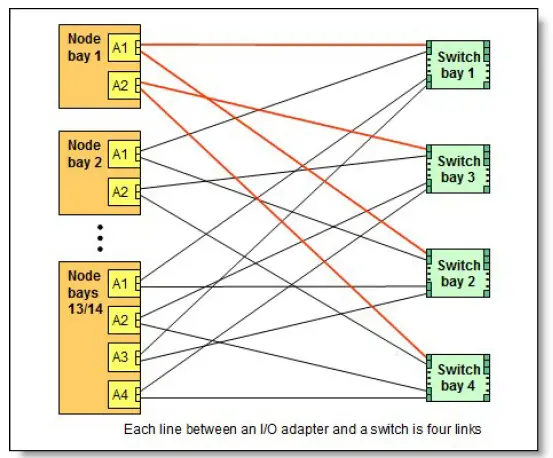
Figure 3. Logical layout of the interconnects between I/O adapters and I/O modules
Operating systems
The following table lists the supported operating systems.
Tip: This table is automatically generated based on data from Lenovo ServerProven.
Table 5. Operating system support for ThinkSystem QLogic QML2692 Mezz 16Gb 2-Port Fibre Channel Adapter, 7ZT7A00520
|
Operating systems | SN550 V2 | SN550 (Gen 2) | SN850 (Gen 2) | SN550 (Gen 1) | SN850 (Gen 1) |
| Microsoft Windows Server 2012 R2 | N | N | N | Y | Y |
| Microsoft Windows Server 2016 | Y | Y | Y | Y | Y |
| Microsoft Windows Server 2019 | Y | Y | Y | Y | Y |
| Microsoft Windows Server 2022 | Y | Y | Y | Y | Y |
| Microsoft Windows Server version 1709 | N | N | N | Y | Y |
| Microsoft Windows Server version 1803 | N | N | N | Y | N |
| Red Hat Enterprise Linux 6.10 | N | N | N | Y | Y |
| Red Hat Enterprise Linux 6.9 | N | N | N | Y | Y |
|
Operating systems | SN550 V2 | SN550 (Gen 2) | SN850 (Gen 2) | SN550 (Gen 1) | SN850 (Gen 1) |
| Red Hat Enterprise Linux 7.3 | N | N | N | Y | Y |
| Red Hat Enterprise Linux 7.4 | N | N | N | Y | Y |
| Red Hat Enterprise Linux 7.5 | N | N | N | Y | Y |
| Red Hat Enterprise Linux 7.6 | N | Y | Y | Y | Y |
| Red Hat Enterprise Linux 7.7 | N | Y | Y | Y | Y |
| Red Hat Enterprise Linux 7.8 | N | Y | Y | Y | Y |
| Red Hat Enterprise Linux 7.9 | Y | Y | Y | Y | Y |
| Red Hat Enterprise Linux 8.0 | N | Y | Y | Y | Y |
| Red Hat Enterprise Linux 8.1 | N | Y | Y | Y | Y |
| Red Hat Enterprise Linux 8.2 | Y | Y | Y | Y | Y |
| Red Hat Enterprise Linux 8.3 | Y | Y | Y | Y | Y |
| Red Hat Enterprise Linux 8.4 | Y | Y | Y | Y | Y |
| Red Hat Enterprise Linux 8.5 | Y | Y | Y | Y | Y |
| Red Hat Enterprise Linux 8.6 | Y | Y | Y | Y | Y |
| Red Hat Enterprise Linux 9.0 | Y | Y | Y | Y | Y |
| SUSE Linux Enterprise Server 11 SP4 | N | N | N | Y | Y |
| SUSE Linux Enterprise Server 12 SP2 | N | N | N | Y | Y |
| SUSE Linux Enterprise Server 12 SP2 with Xen | N | N | N | Y | Y |
| SUSE Linux Enterprise Server 12 SP3 | N | N | N | Y | Y |
| SUSE Linux Enterprise Server 12 SP3 with Xen | N | N | N | Y | Y |
| SUSE Linux Enterprise Server 12 SP4 | N | Y | Y | Y | Y |
| SUSE Linux Enterprise Server 12 SP4 with Xen | N | Y | Y | Y | Y |
| SUSE Linux Enterprise Server 12 SP5 | Y | Y | Y | Y | Y |
| SUSE Linux Enterprise Server 12 SP5 with Xen | Y | Y | Y | Y | Y |
| SUSE Linux Enterprise Server 15 | N | Y | Y | Y | Y |
| SUSE Linux Enterprise Server 15 SP1 | N | Y | Y | Y | Y |
| SUSE Linux Enterprise Server 15 SP1 with Xen | N | Y | Y | Y | Y |
| SUSE Linux Enterprise Server 15 SP2 | Y | Y | Y | Y | Y |
| SUSE Linux Enterprise Server 15 SP2 with Xen | Y | Y | Y | Y | Y |
| SUSE Linux Enterprise Server 15 SP3 | Y | Y | Y | Y | Y |
| SUSE Linux Enterprise Server 15 SP3 with Xen | Y | Y | Y | Y | Y |
| SUSE Linux Enterprise Server 15 SP4 | Y | Y | Y | Y | Y |
| SUSE Linux Enterprise Server 15 SP4 with Xen | Y | Y | Y | Y | Y |
| SUSE Linux Enterprise Server 15 with Xen | N | Y | Y | Y | Y |
| Ubuntu 18.04.5 LTS | Y | N | N | N | N |
| Ubuntu 22.04 LTS | Y | Y | N | Y | N |
| VMware vSphere Hypervisor (ESXi) 6.5 | N | N | N | Y | Y |
| VMware vSphere Hypervisor (ESXi) 6.5 U1 | N | N | N | Y | Y |
|
Operating systems | SN550 V2 | SN550 (Gen 2) | SN850 (Gen 2) | SN550 (Gen 1) | SN850 (Gen 1) |
| VMware vSphere Hypervisor (ESXi) 6.5 U2 | N | Y | Y | Y | Y |
| VMware vSphere Hypervisor (ESXi) 6.5 U3 | N | Y | Y | Y | Y |
| VMware vSphere Hypervisor (ESXi) 6.7 | N | N | N | Y | Y |
| VMware vSphere Hypervisor (ESXi) 6.7 U1 | N | Y | Y | Y | Y |
| VMware vSphere Hypervisor (ESXi) 6.7 U2 | N | Y | Y | Y | Y |
| VMware vSphere Hypervisor (ESXi) 6.7 U3 | Y | Y | Y | Y | Y |
| VMware vSphere Hypervisor (ESXi) 7.0 | N | Y 1 | Y | Y 1 | Y 1 |
| VMware vSphere Hypervisor (ESXi) 7.0 U1 | N | Y | Y | Y | Y |
| VMware vSphere Hypervisor (ESXi) 7.0 U2 | Y | Y | Y | Y | Y |
| VMware vSphere Hypervisor (ESXi) 7.0 U3 | Y | Y | Y | Y | Y |
| VMware vSphere Hypervisor (ESXi) 8.0 | Y | Y | Y | Y | Y |
Warranty
The adapter carries a one-year limited warranty. When installed in a supported server, the adapter assumes the server’s base warranty and any Lenovo Services warranty upgrade.
Physical specifications
The dimensions and weight of the adapters are as follows:
- Width: 100 mm (3.9 in.)
- Depth: 80 mm (3.1 in.)
- Weight: 13 g (0.3 lb)
Shipping dimensions and weight (approximate): - Height: 58 mm (2.3 in.)
- Width: 229 mm (9.0 in.)
- Depth: 208 mm (8.2 in.)
- Weight: 0.4 kg (0.89 lb)
Operating environment
The adapter is supported in the following environment:
- Temperature:
- Operating: 0 – 55 °C (32 – 131 °F) Storage: -20 – 70 °C (-4 – 185 °F)
- Relative humidity:
- Operating: 10 – 90% (non-condensing) Storage: 5 – 95% (non-condensing)
Agency approvals
The adapter conforms to the following regulations:
- AS/NZS CISPR22:2009+A1, Class A
- CSA 22.2, No. 60950-1-07 (2nd Edition) EN55022:2010, Class A
- EN55024:2010
- EU (CE Mark)
- FCC Rules, Part 15, Class A
- Industry Canada, ICES-003, Class A
- Japan VCCI, Class A
- Korea KC-RRA, Class A
- TUV EN60950-1:2006+A11+A1+A12 (2nd Edition) Taiwan BSMI, Class A
- UL60950-1 (2nd Edition)
Related publications and links
For more information, see the following resources:
- Flex System Information Center (User’s Guides for servers and options)
http://flexsystem.lenovofiles.com/help/index.jsp - Marvell home page for Lenovo products
https://www.marvell.com/lenovo - Flex System Interoperability Guide
http://lenovopress.com/fsig - Lenovo Flex System Products and Technology
http://lenovopress.com/sg248255 - ServerProven for Flex System
http://www.lenovo.com/us/en/serverproven/flexsystem.shtml
Related product families
Product families related to this document are the following:
- Blade Storage Adapters
Notices
Lenovo may not offer the products, services, or features discussed in this document in all countries. Consult your local Lenovo representative for information on the products and services currently available in your area. Any reference to a Lenovo product, program, or service is not intended to state or imply that only that Lenovo product, program, or service may be used. Any functionally equivalent product, program, or service that does not infringe any Lenovo intellectual property right may be used instead. However, it is the user’s responsibility to evaluate and verify the operation of any other product, program, or service. Lenovo may have patents or pending patent applications covering the subject matter described in this document. The furnishing of this document does not give you any license to these patents. You can send license inquiries, in writing, to:
Lenovo (United States), Inc.
8001 Development Drive
Morrisville, NC 27560
The U.S.A.
Attention: Lenovo Director of Licensing
LENOVO PROVIDES THIS PUBLICATION ”AS IS” WITHOUT WARRANTY OF ANY KIND, EITHER EXPRESS OR IMPLIED, INCLUDING, BUT NOT LIMITED TO, THE IMPLIED WARRANTIES OF NON-INFRINGEMENT, MERCHANTABILITY OR FITNESS FOR A PARTICULAR PURPOSE. Some jurisdictions do not allow disclaimers of express or implied warranties in certain transactions, therefore, this statement may not apply to you.
This information could include technical inaccuracies or typographical errors. Changes are periodically made to the information herein; these changes will be incorporated in new editions of the publication. Lenovo may make improvements and/or changes in the product(s) and/or the program(s) described in this publication at any time without notice.
The products described in this document are not intended for use in implantation or other life support applications where malfunction may result in injury or death to persons. The information contained in this document does not affect or change Lenovo product specifications or warranties. Nothing in this document shall operate as an express or implied license or indemnity under the intellectual property rights of Lenovo or third parties. All information contained in this document was obtained in specific environments and is presented as an illustration. The result obtained in other operating environments may vary. Lenovo may use or distribute any of the information you supply in any way it believes appropriate without incurring any obligation to you.
Any references in this publication to non-Lenovo Web sites are provided for convenience only and do not in any manner serve as an endorsement of those Web sites. The materials at those Web sites are not part of the materials for this Lenovo product, and use of those Web sites is at your own risk. Any performance data contained herein was determined in a controlled environment. Therefore, the result obtained in other operating environments may vary significantly. Some measurements may have been made on development-level systems and there is no guarantee that these measurements will be the same on generally available systems. Furthermore, some measurements may have been estimated through extrapolation. Actual results may vary. Users of this document should verify the applicable data for their specific environment.
© Copyright Lenovo 2022. All rights reserved.
This document, LP0707, was created or updated on October 9, 2019.
Send us your comments in one of the following ways:
- Use the online Contact us review form found at:
https://lenovopress.lenovo.com/LP0707 - Send your comments in an e-mail to:
[email protected]
This document is available online at https://lenovopress.lenovo.com/LP0707.
Trademarks
Lenovo and the Lenovo logo are trademarks or registered trademarks of Lenovo in the United States, other countries, or both. A current list of Lenovo trademarks is available on the Web at https://www.lenovo.com/us/en/legal/copytrade/.
The following terms are trademarks of Lenovo in the United States, other countries, or both:
Lenovo®
Flex System
Lenovo Services
ServerProven®
ThinkSystem®
The following terms are trademarks of other companies:
Linux® is the trademark of Linus Torvalds in the U.S. and other countries.
Microsoft®, Windows Server®, and Windows® are trademarks of Microsoft Corporation in the United States, other countries, or both.
Other company, product, or service names may be trademarks or service marks of others.
References
 Lenovo Flex System Documentation
-
Flex System Interoperability Guide > Lenovo Press
-
Lenovo Flex System Products and Technology > Lenovo Press
 Welcome | ServerProven
-
ThinkSystem QLogic QML2692 16 Gb Enhanced Gen 5 Fibre Channel Adapter for Flex System Product Guide > Lenovo Press
-
Blade Storage Adapters > Lenovo Press
-
Copyright and Trademark Information | Lenovo US | Lenovo US
-
Welcome | ServerProven
 Lenovo Partnership - Marvell
 Lenovo Flex System Documentation
 Flex System Interoperability Guide > Lenovo Press
 Welcome | ServerProven
 ThinkSystem QLogic QML2692 16 Gb Enhanced Gen 5 Fibre Channel Adapter for Flex System Product Guide > Lenovo Press
 Lenovo Partnership - Marvell