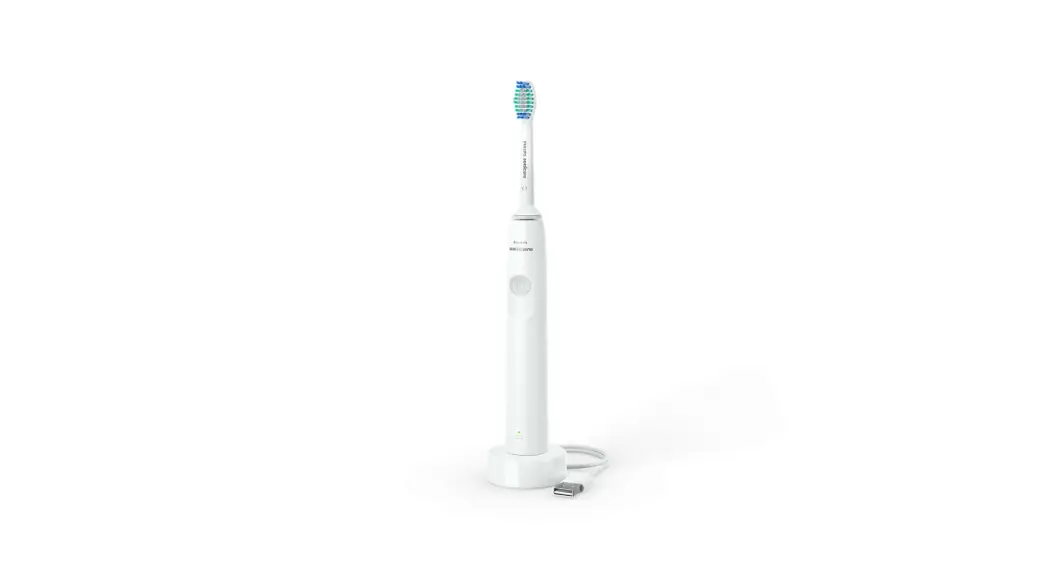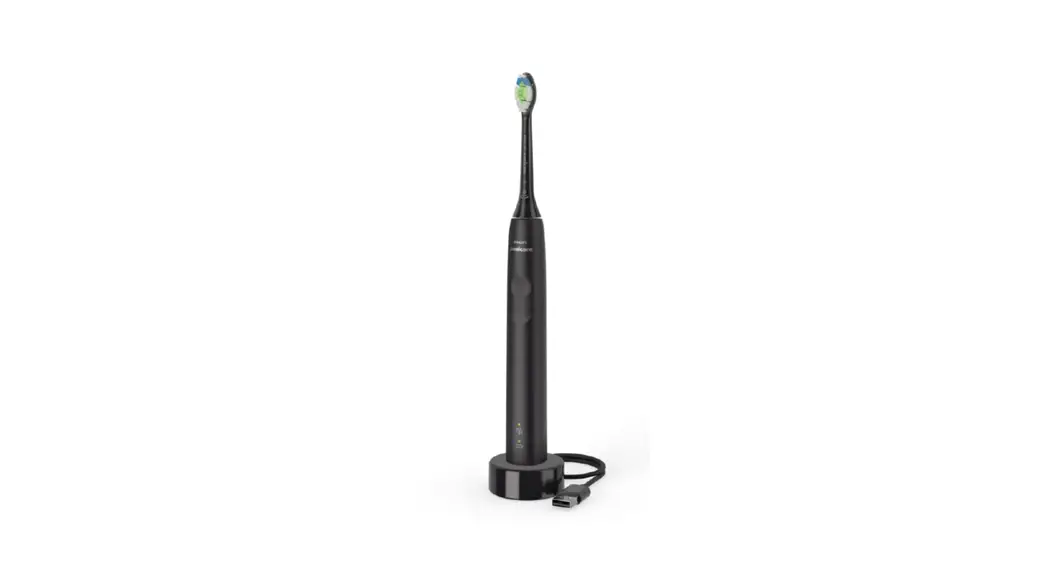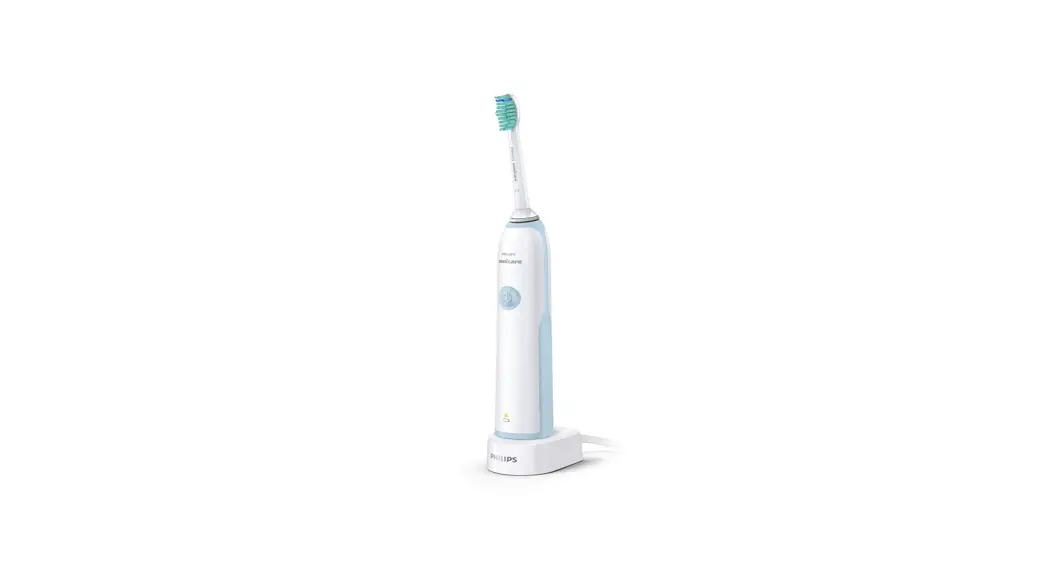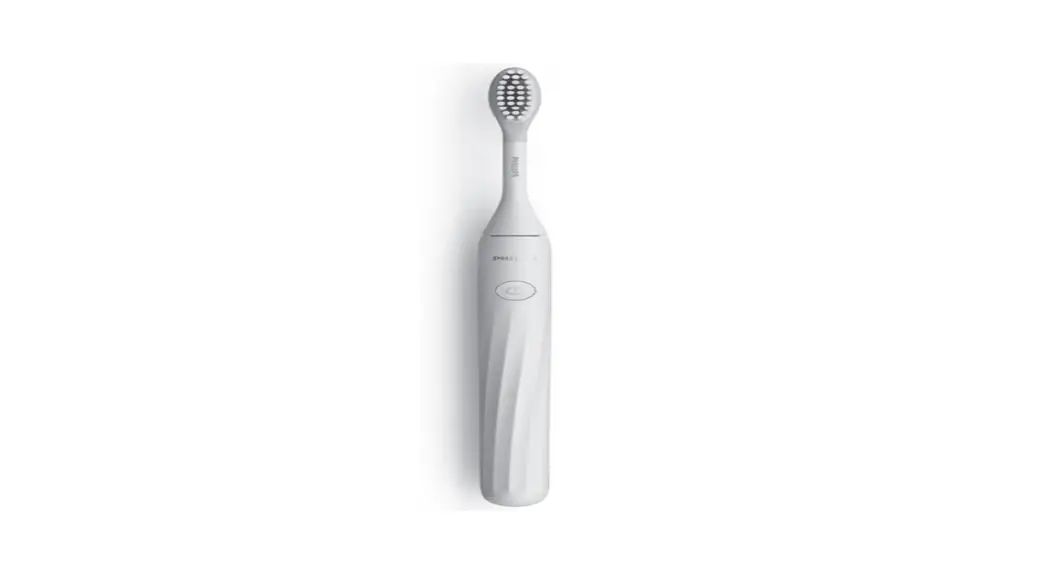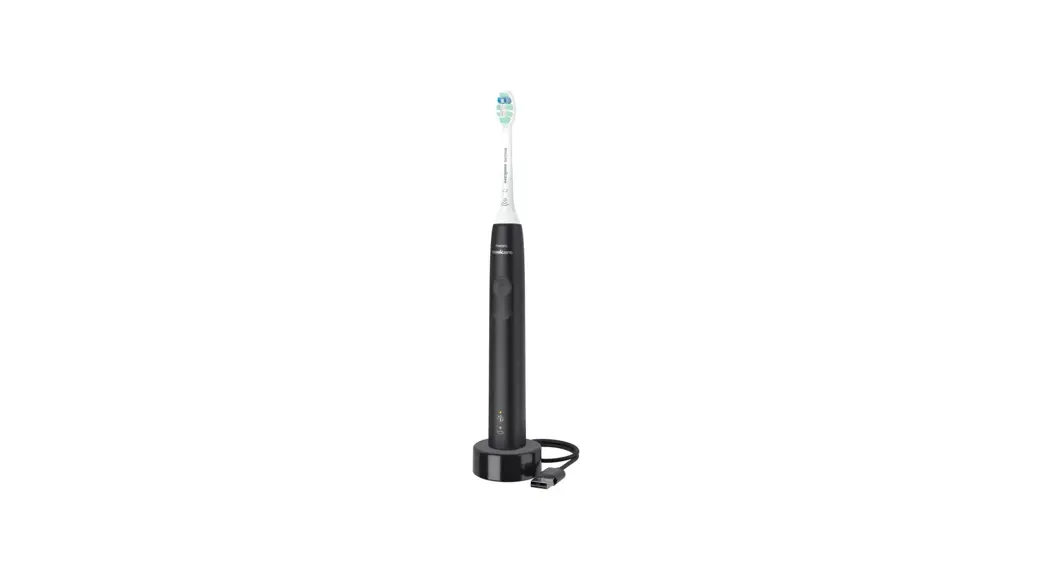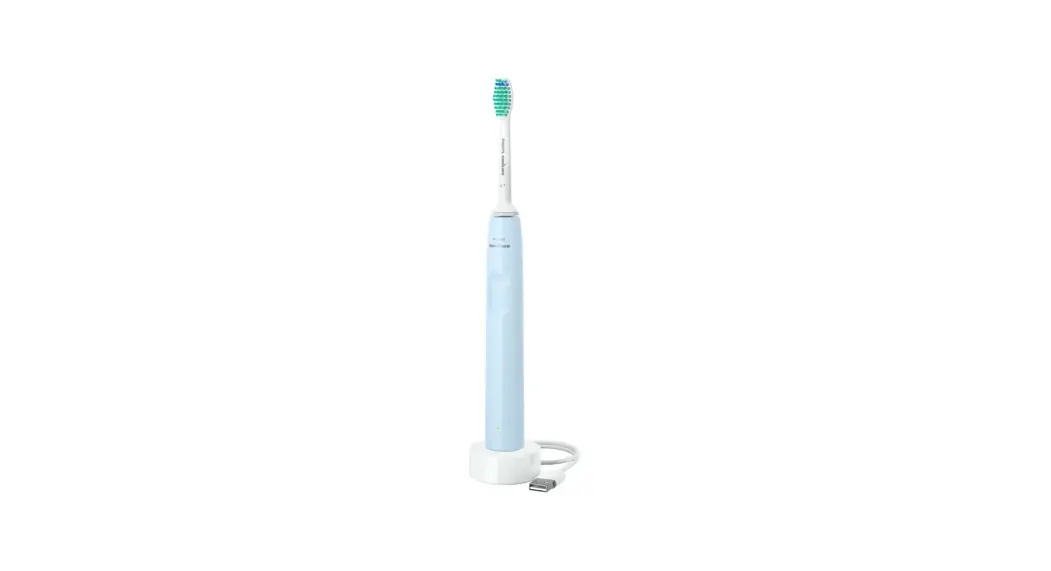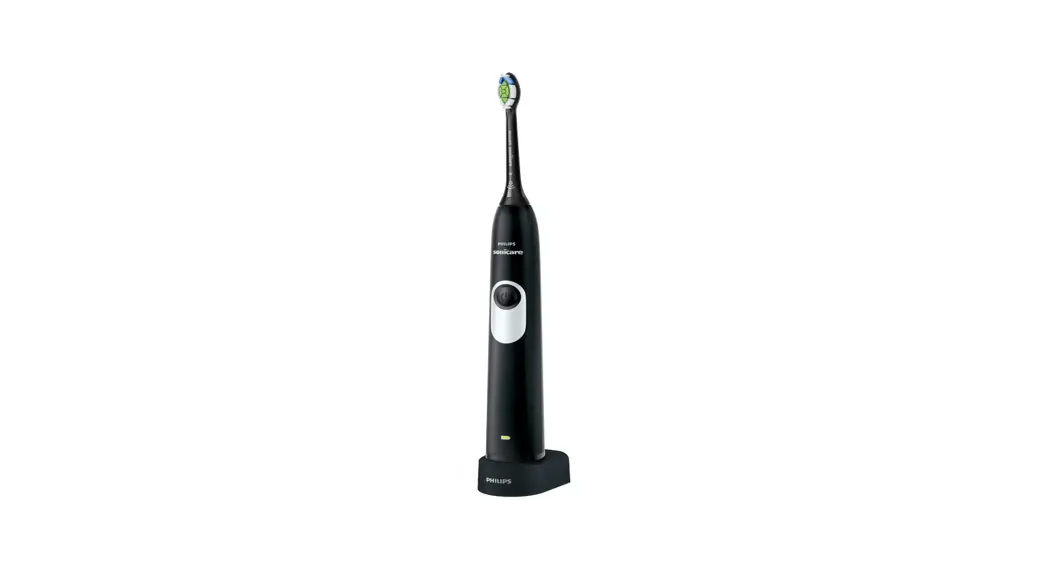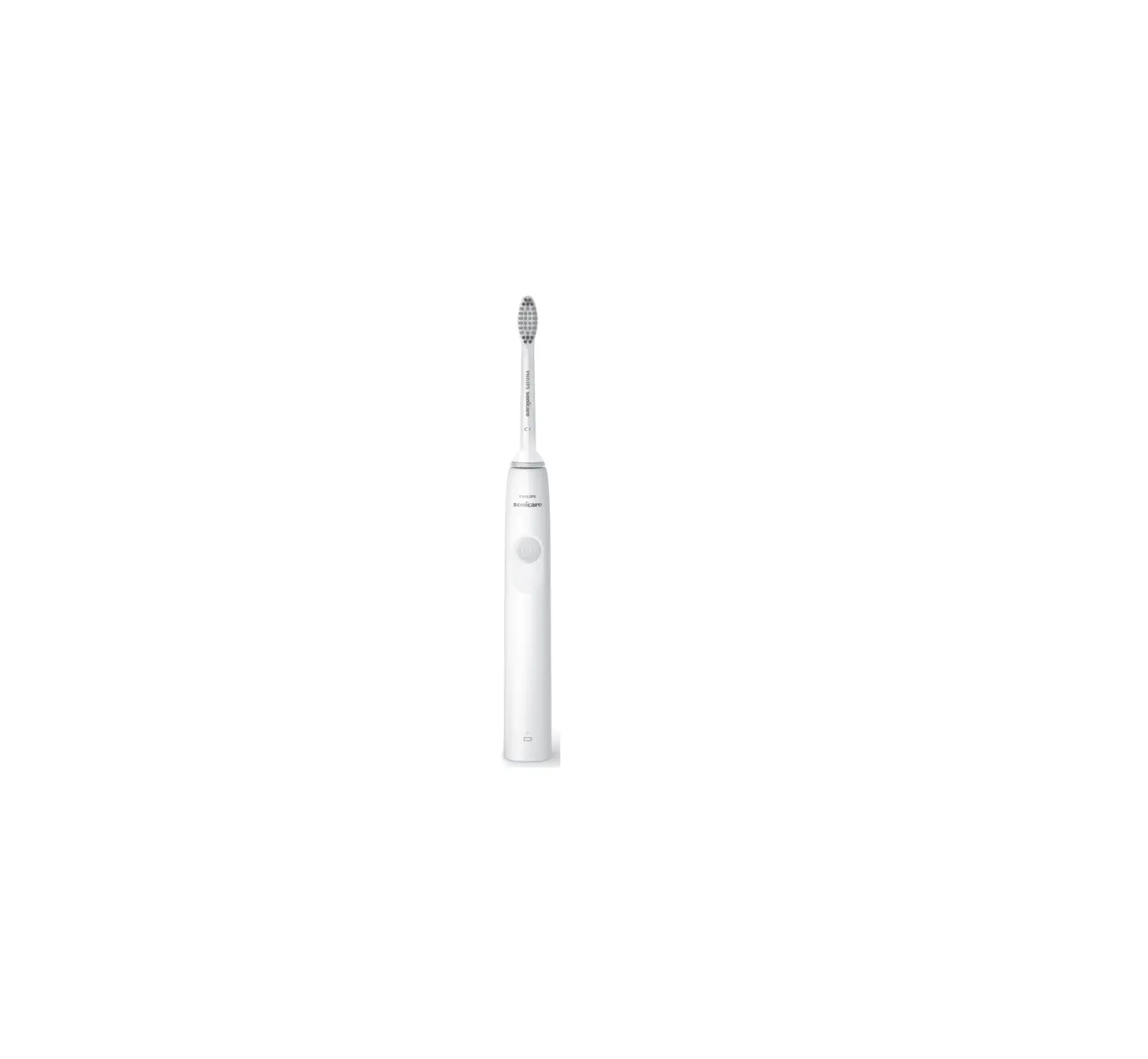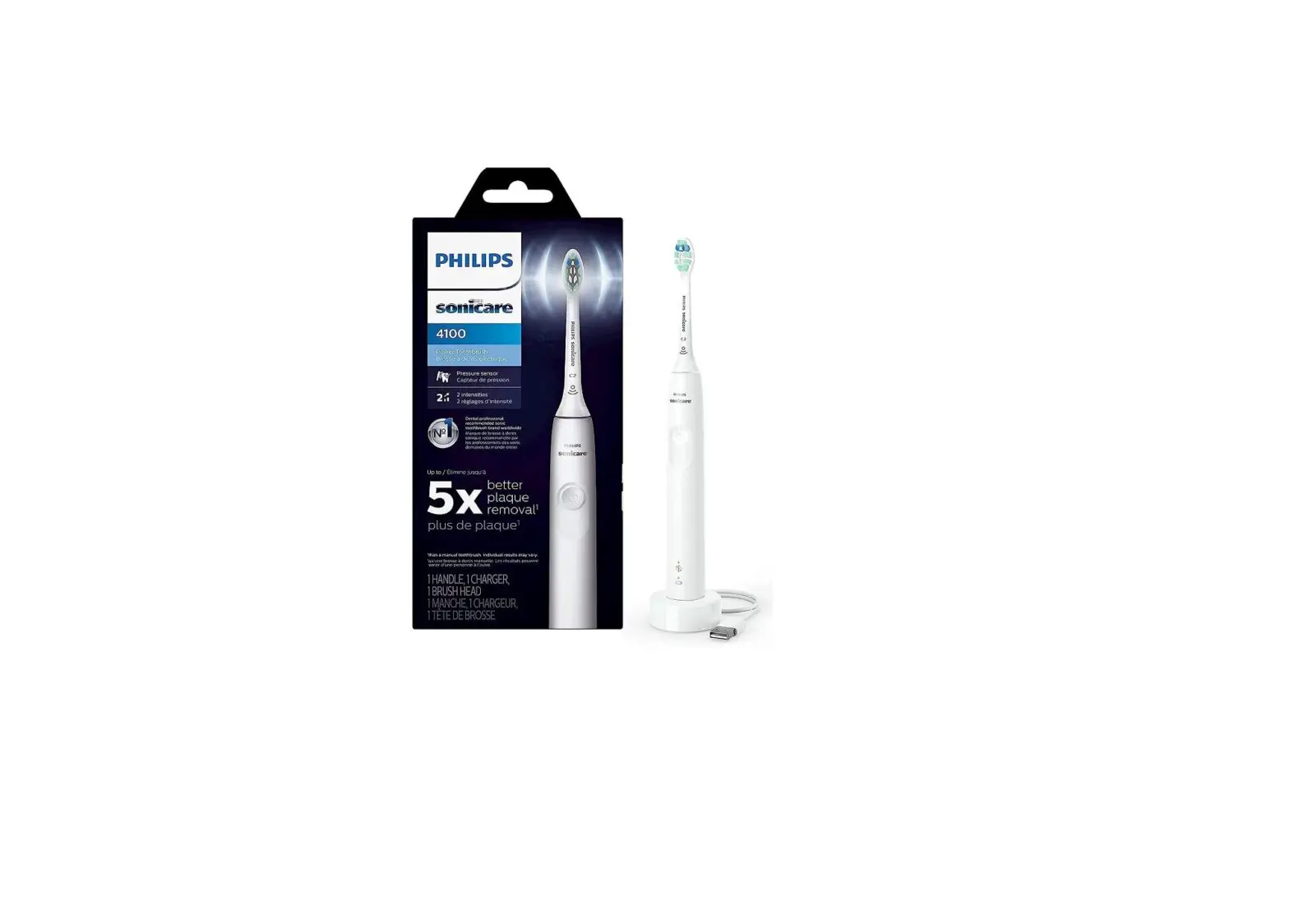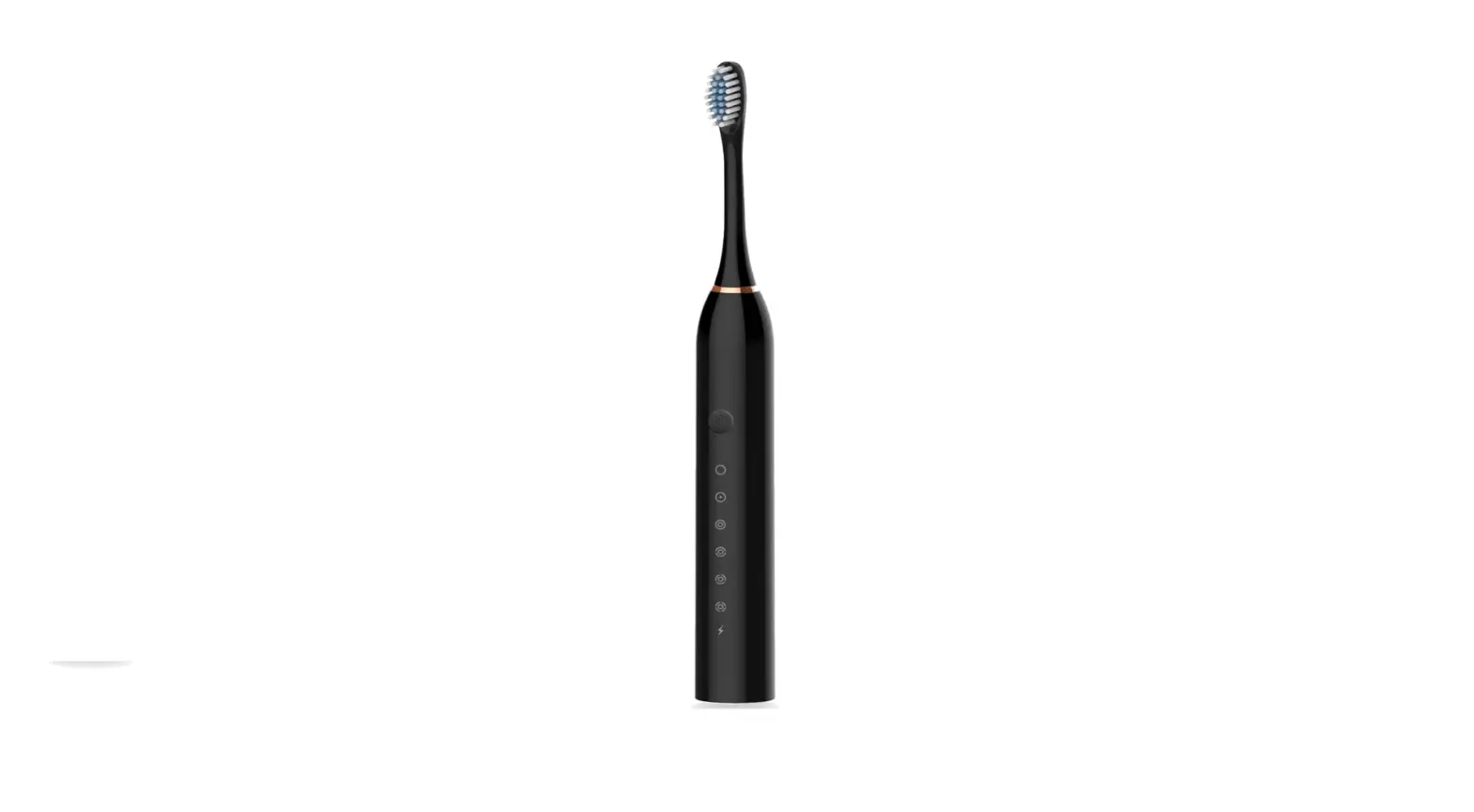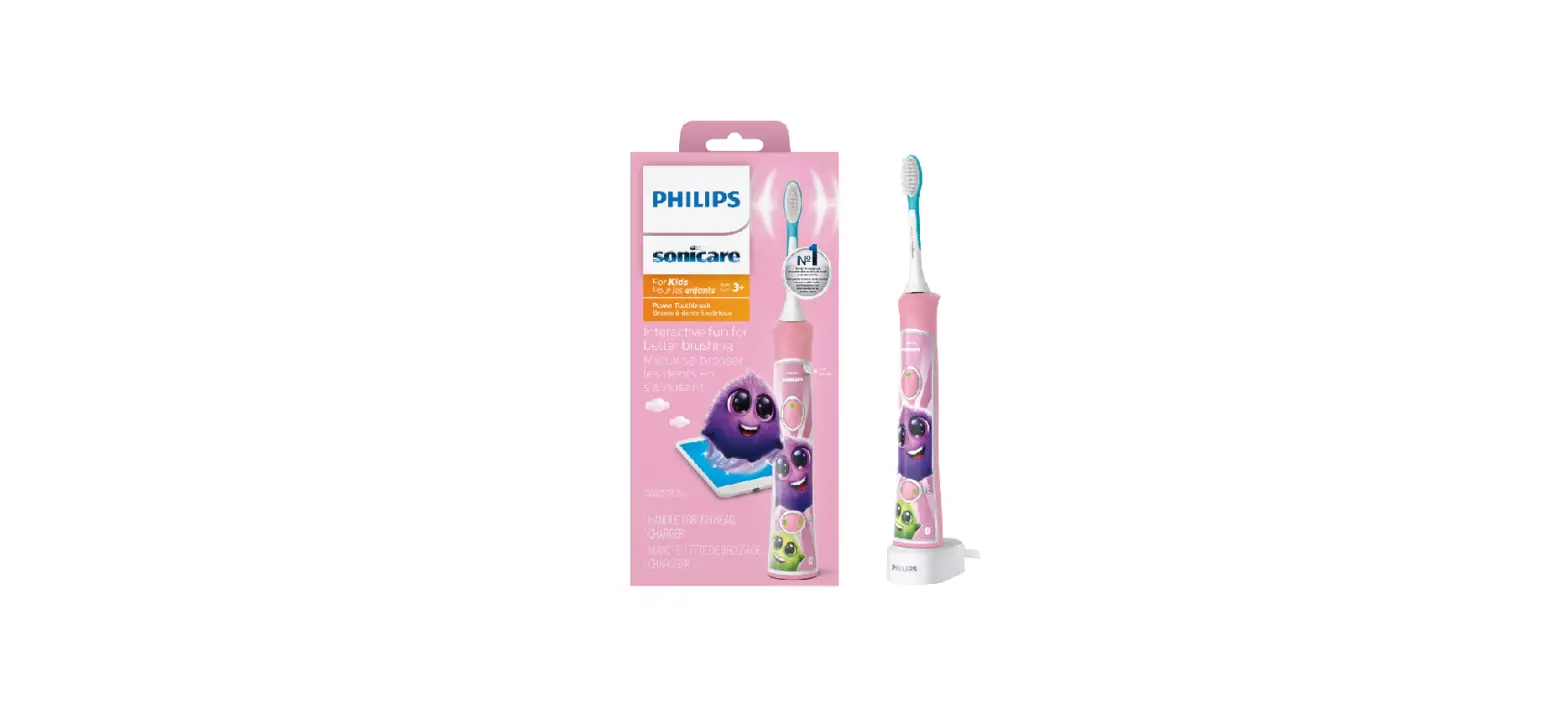

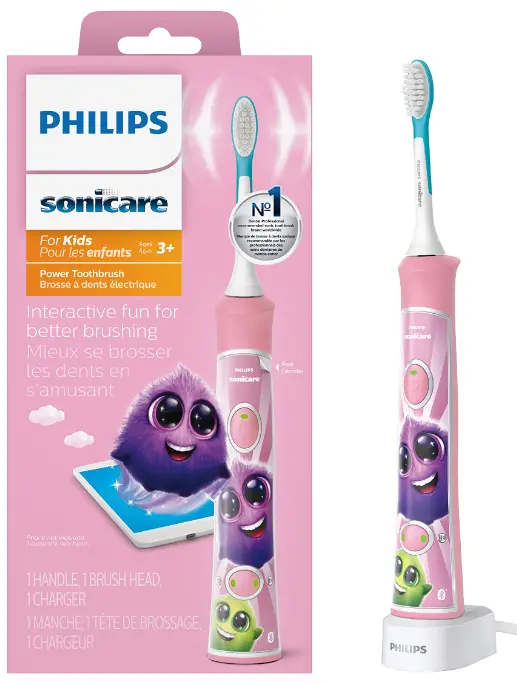
Philips HX6351-41 Bluetooth Rechargeable Electric Power Toothbrush
IMPORTANT INSTRUCTION
READ ALL INSTRUCTIONS BEFORE USE
When using electrical products, especially when children are present, basic safety precautions should always be followed, including the following:
DANGERS
- To reduce the risk of electrocution:
- Never use a charging pad with a damaged cord.
- Do not place or store product where it can fall or be pulled into a tub or sink
- Do not place in or drop into water or other liquid.
- Do not reach for a product that has fallen into water. Unplug immediately.
- Do not use while bathing.
- After cleaning, make sure the charger and/or sanitiser is completely dry before you connect it to the mains.
WARNINGS
- To reduce the risk of burns, electrocution, fire or physical injury:
- Do not clean the brush head, the handle or the charger in the dishwasher.
- Do not use attachments other than those recommended by the manufacturer.
- Discontinue use if the product appears damaged in any way (brush head, handle or charger, etc.).
- The power cord cannot be replaced. If the mains cord is damaged, discard the charger.
- Keep the power cord away from heated surfaces.
- Do not use the base charger outdoors
- This product contains no user-serviceable parts. Refer to
- ‘Warranty and support’ if the product no longer works properly or needs repair.
- Keep the Philips Sonicare out of direct sunlight.
- Use this product only for its intended use as described in this document or as recommended by your dental professional.
- This product is not intended for use by persons (including children) with reduced physical, sensory, or mental capabilities, or lack of experience and knowledge, unless they have been given supervision or instruction concerning use of the appliance by a person responsible for their safety.
- Children should be supervised to ensure that they do not play with the product.
- Philips Sonicare is a personal care device and is not intended for use on multiple patients in a dental office or institution.
- The product is not intended to be repaired by service personnel in case of failure or component defect (unit can be thrown away).
- This appliance has only been designed for cleaning teeth, gums and tongue. Do not use it for any other purpose. Stop using the appliance and contact your doctor if you experience any discomfort or pain.
- Avoid direct contact with products that contain essential oils or coconut oil. Contact may result in bristle tufts dislodging.
- Never use the charger if it has a damaged cord or plug.
- Do not use the charger if dropped into water.
- If your toothpaste includes peroxide, baking soda or other bicarbonate (common in whitening toothpastes), thoroughly clean your brush head and handle with soap and water after each use. Otherwise plastic cracking may occur.
MEDICAL WARNINGS
- Consult your dental professional before you use this product if you have had oral or gum surgery in the previous 2 months.
- Contact your dental professional if excessive bleeding occurs after using this product or bleeding continues to occur after 1 week of use.
- This product complies with the safety standards for electromagnetic devices. If you have a pacemaker or other implanted device, contact your physician or the device manufacturer prior to use.
- Consult your physician if you have other medical concerns.
- Sonicare has been tested and is complian
Electromagnetic fields (EMF)
This Philips appliance complies with all applicable standards and regulations regarding exposure to electromagnetic fields. Introduction Congratulations on your purchase and welcome to Philips! To fully benefit from the support that Philips offers, register your product at www.philips.com/welcome
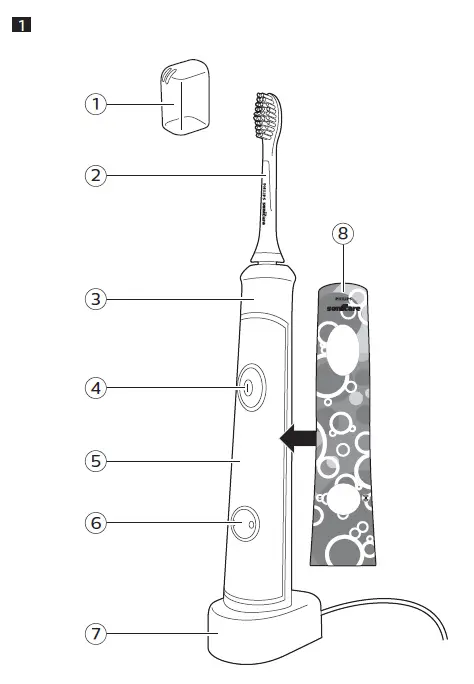
General description
- Hygienic travel cap
- Brush head
- Handle with soft grip
- Power on/off button with battery charge indicator
- Panel for your favorite sticker
- Brushing mode button with mode lights
- Charger
- Sticker

Preparing for use
Applying your favorite sticker
- The Sonicare For Kids comes with replaceable stickers.
- Apply your favorite sticker on the handle

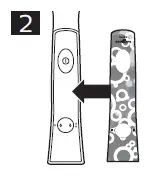
Note: Make sure you line up the cut-out areas on the sticker with the buttons on the front of the handle.
Attaching the brush head
- Align the brush head so the bristles point in the same direction as the front of the handle

- Firmly press the brush head down onto the metal shaft until it stops.
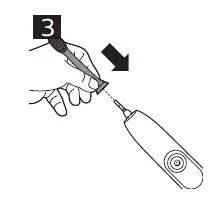
Note: There is a small gap between the brush head and the handle.
Charging your Sonicare
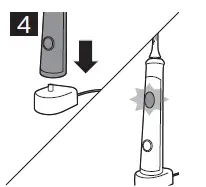
- Plug the charger into an electrical outlet.
- Place the handle on the charger

- The battery charge indicator in the power on/off button flashes and the handle beeps twice to indicate that the toothbrush is charging.
- When the Philips Sonicare is fully charged, the battery charge indicator stops flashing and remains on.
Note: If the battery charge of the Philips Sonicare is low, you hear
- beeps and the battery charge indicator flashes rapidly for 30 seconds after the brushing cycle.
Note: To keep the battery fully charged at all times, you may keep the Philips Sonicare on the charger when not in use. The charging indicator flashes until your toothbrush is fully charged.
Bluetooth connectivity
Before you start the connectivity procedure, make sure your mobile device runs on Bluetooth 4.0 or higher. Note: For the latest information on device compatibility, please visit the App Store or Google Play.
Connecting your toothbrush
- Download the Philips Sonicare For Kids app from the App Store or Google Play.
- Confirm Bluetooth is switched on on your mobile device before you open the app. Check the settings on your mobile device to turn on Bluetooth.
- Open the Philips Sonicare For Kids app and follow the app instructions displayed on your mobile device.
- To connect the toothbrush to the app, turn on the toothbrush by pressing either the power on/off button or the bushing mode button.
Note: Make sure the toothbrush is not on the charger when you turn it on.
- The app automatically connects with the toothbrush. If the toothbrush does not connect, follow the troubleshooting steps provided in the app.
Note: Keep your mobile device close to your toothbrush when you use your toothbrush. Make sure your mobile device is safe in a dry place. Using your Philips Sonicare Power Toothbrush For children under age 8, it is recommended that a parent or adult caregiver perform toothbrushing.
Brushing instructions
- Wet the bristles and apply a small amount of toothpaste.
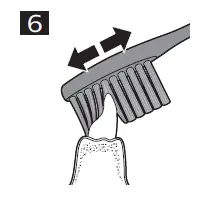
- Place the toothbrush bristles against the teeth at a slight angle (45 degrees), pressing firmly to make the bristles reach the gumline or slightly beneath the gumline.

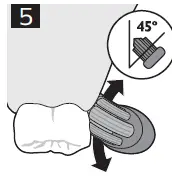
Note: Keep the center of the brush in contact with the teeth at all times.
- Press the power on/off button to turn on the Philips Sonicare.
- Apply light pressure to maximize Philips Sonicare’s effectiveness and let the Philips Sonicare toothbrush do thebrushing for you. Do not scrub.
- Gently move the brush head slowly across the teeth in a small back and forth motion so the longer bristles reach between your teeth. Continue this motion throughout the brushing cycle.
- To clean the inside surfaces of the front teeth, tilt the brush handle semi-upright and make several vertical overlapping brushing strokes on each tooth

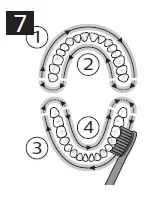
Note: To make sure you brush evenly throughout the mouth, divide your mouth into 4 sections using the Quadpacer feature.
- Begin brushing in section 1 (outside upper teeth) and brush for 30 seconds before you move to section 2 (inside upper teeth). Continue brushing in section 3 (outside lower teeth) and brush for 30 seconds before you move to section 4 (inside lower teeth)

- Philips HX6351-41 Bluetooth Rechargeable Electric Power Toothbrush – (7)
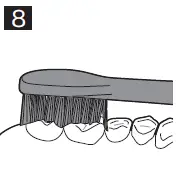
- After you have completed the brushing cycle, you can spend additional time brushing the chewing surfaces of your teeth and areas where staining occurs (Fig. 15). You can also brush your tongue, with the toothbrush turned on or off, as you prefer.
- Your Philips Sonicare is safe to use on:
- Braces (brush heads wear out sooner when used on braces).
- Dental restorations (fillings, crowns, veneers).

Note: When the Sonicare is used in clinical studies, the handle should be fully changed and the Easy-start feature deactivated
Brushing modes
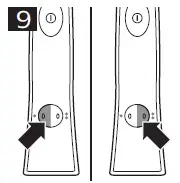
- The Philips Sonicare automatically starts in the default high mode.
- Press the brushing mode button to toggle between modes .

- The green mode light indicates the selected mode.
- High mode: Full-strength mode designed for older/independent brushers.
- Low mode: Reduced power mode used for training and introducing younger children to the sonic experience.
Features
KidTimer
- The KidTimer plays a congratulatory sound sequence at the end of the pre-determined brushing time.
- Additionally, the KidTimer automatically turns off the handle when the brushing cycle is complete.
- When in high mode, the KidTimer is set at 2 minutes.
- When in low mode the KidTimer is set at 1 minute and slowly increases over time.
- The progression of time helps young children reach the dentist-recommended 2 minutes of brushing.
Note: Instruct your child to brush until they hear the congratulatory tune and the toothbrush turns off.
KidPacer
The Sonicare For Kids uses a short series of tunes to alert the brusher to move to the next brushing quadrant of the mouth and concludes the brushing cycle with a congratulatory tune before it automatically turns off. This ensures that the child’s teeth get a thorough, overall clean (see “Brushing instructions”).
Note: Instruct your child to brush until they hear the congratulatory tune and the toothbrush turns off.
Easy-start
The Easy-start feature gently increases the power over the first 14 brushings to help you get used to the brushing with the Philips Sonicare. The Sonicare For Kids comes with the Easy-start feature activated.
Note: Each of the first 14 brushings must be at least 1 minute in length to properly advance through the Easy-start ramp-up cycle.
Activating or deactivating the Easy-start feature
- Place the handle on the charger.
- To activate Easy-start:Press and hold the power on/off button for
- seconds. You hear 2 beeps to indicate that the Easy-start feature has been activated.To deactivate Easy-start:Press and hold the power on/off button for 2 seconds. You hear 1 beep to indicate that the Easy-start feature has been deactivated.
Note: Using the Easy-start feature beyond the initial ramp-up period is not recommended and reduces Philips Sonicare effectiveness in removing plaque.
Cleaning
Warning: Do not clean brush heads, handle, charger in the dishwasher.
Toothbrush handle
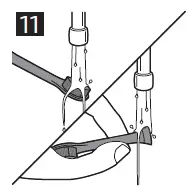
- Remove the brush head and rinse the metal shaft area with warm water. Make sure you remove any residual toothpaste

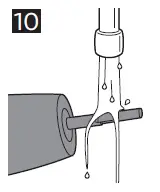
Caution: Do not push on the rubber seal on the metal shaft with sharp objects, as this may cause damage.
- Wipe the entire surface of the handle with a damp cloth.
Brush head
Rinse the brush head and bristles after each use.
Charger
- Unplug the charger before you clean it.
- Wipe the surface of the charger with a damp cloth. Make sure you remove any toothpaste or other residue from the charger surfaces.
Storage
If you are not going to use the Sonicare for an extended period of time, unplug the charger from the electrical outlet, clean it and store it in a cool and dry place away from direct sunlight.
Replacement
Brush head
- Replace Sonicare brush heads every 3 months to achieve optimal results.
- Use only Sonicare For Kids replacement brush heads.
Brush head can be thrown away with the normal household waste.
Recycling
- This symbol means that this product shall not be disposed of with normal household waste (2012/19/EU).
- This symbol means that this product contains a built-in
rechargeable battery which shall not be disposed of with normal household waste (2006/66/EC). Please take your product to an official collection point or a Philips service center to have a professional remove the rechargeable battery. - Follow your country’s rules for the separate collection of electrical and electronic products and rechargeable batteries.
- Correct disposal helps prevent negative consequences for the environment and human health.
Removing the rechargeable battery
Warning: Only remove the rechargeable battery when you discard the appliance. Make sure the battery is completely empty when you remove it. To remove the rechargeable battery, you need a flat-head (standard) screwdriver.Observe basic safety precautions when you follow the procedure outlined below. Be sure to protect your eyes, hands, fingers, and the surface on which you work.
- To deplete the rechargeable battery of any charge, remove the handle from the charger, turn on the Philips Sonicare and let it run until it stops. Repeat this step until you can no longer turn on the Philips Sonicare.
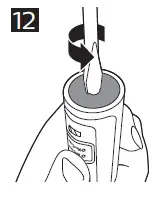
- Insert a screwdriver into the slot located in the bottom of the handle and turn counterclockwise until you see a gap between the bottom cap and the handle

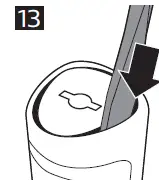
- Insert the screwdriver into the gap and pry the bottom cap out of the handle

- Hold the handle upside down and push down on the shaft to release the internal components of the handle

- Insert the screwdriver under the circuit board, next to the battery connections, and twist to break the connections. Remove the circuit board and pry the battery from the plastic carrier

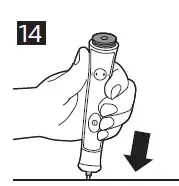
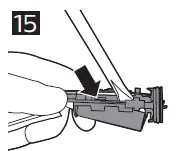
- The rechargeable battery can now be recycled or disposed of and the rest of the product discarded appropriately.
ISED Compliance
For Canada
This device contains license-exempt transmitter(s)/receiver(s) that comply with Innovation, Science and Economic Development Canada’s license-exempt RSS(s). Operation is subject to the following two conditions: 1.This device may not cause interference. 2. This device must accept any interference, including interference that may cause undesired operation of the device.
Warranty and support
If you need information or support, please visit www.philips.com/support or read the international warranty leaflet.
Warranty restrictions
The terms of the international warranty do not cover the following:
- Brush heads.
- Replaceable stickers.
- Damage caused by use of unauthorized replacement parts.
- Damage caused by misuse, abuse, neglect, alterations or unauthorized repair.
- Normal wear and tear, including chips, scratches, abrasions, discoloration or fading.
NEED HELP
Bothell, WA 98021
©2018 Koninklijke Philips N.V. (KPNV). All rights reserved. Philips and the Philips shield are trademarks of KPNV. Sonicare and the Sonicare logo are trademarks of Philips Oral Healthcare, LLC and/or KPNV.
- www.philips.com/Sonicare
- Philips Oral Healthcare, LLC.
- 22100 Bothell Everett Highway
FCC Compliance
Changes or modifications not expressly approved by Philips could void the user’s FCC authorization to operate the toothbrush This device complies with Part 15 of FCC Rules. Operation is subject to the following two conditions:
- this device may not cause harmful interference, and
- this device must accept any interference received, including interference that may cause undesired operation.
This equipment has been tested and found to comply with the limits for a Class B digital device, pursuant to part 15 of the FCC Rules. These limits are designed to provide reasonable protection against harmful interference in a residential installation. This equipment generates, uses and can radiate radio frequency energy and, if not installed and used in accordance with the instructions, may cause harmful interference to radio communications. However, there is no guarantee that interference will not occur in a particular installation. If this equipment does cause harmful interference to radio or television reception, which can be determined by turning the equipment (handle) off and on, the user is encouraged to try to correct the interference by one or more of the following measures:
- Reorient or relocate the receiving antenna (of the radio or television).
- Increase the separation between the equipment (handle) and receiver.
- Connect the equipment (charger) into an outlet on a circuit different from that to which the receiver is connected.
- Consult the dealer or an experienced radio/TV technician for help.
FAQS
An Oral-B SmartSeries or Genius electric toothbrush. Many of our Oral-B PRO electric toothbrushes also include the term ‘SmartSeries’ in their name, and this means they’re able to connect to our Oral-B App. All of our Oral-B Genius toothbrushes can connect to the Oral-B App. A compatible smartphone
The 2 components communicate with one another through a wireless data connection. This connection acts as in principle like a phone line might for humans, except the communication is between 2 pieces of technology. Continued innovation has in recent years brought Bluetooth to the electric toothbrush
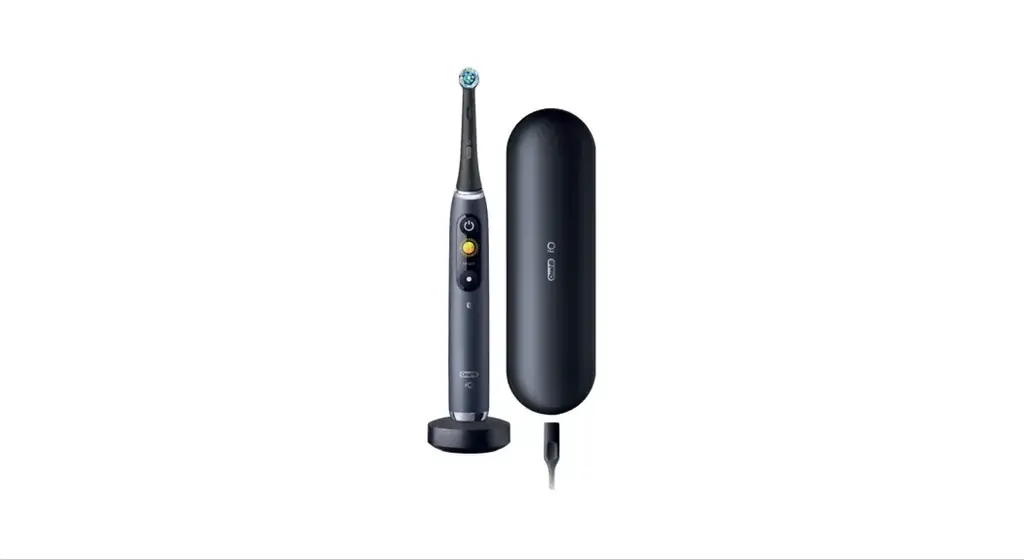
Best electric toothbrush overall: Philips Sonicare 4100. Best smart electric toothbrush: Oral-B iO Series 9. Best electric toothbrush for travel: Philips One by Sonicare. Best budget electric toothbrush: Brightline Sonic Rechargeable Toothbrush
A review of studies showed that, in general, electric toothbrushes do decrease more plaque and gingivitis than manual toothbrushes. After three months of use, plaque was reduced by 21 percent and gingivitis by 11 percent. Oscillating (rotating) toothbrushes seem to work better than just vibrating toothbrushes.
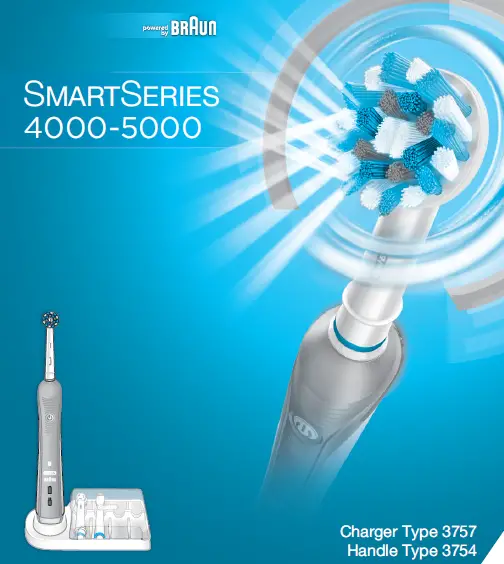
The Oral-B Pro 5000 SmartSeries Power Rechargeable Electric Toothbrush with Bluetooth Connectivity provides a floss-like clean* for healthier gums.
Often using Bluetooth and a system of sensors, smart toothbrushes track and collect data on your brushing habits and find out where you’re lacking in terms of how much pressure you’re applying, the length of time you brush, and whether you’re reaching every last tooth, among other features
Bluetooth communication provides real-time feedback on brushing habits. 3D Cleaning Action oscillates, rotates, and pulsates to break up and remove plaque. Visible Pressure Sensor lights up to alert you when you are brushing too hard.
No, for the vast majority of people a smart toothbrush is not worth buying. You do not need a ‘smart’ toothbrush to clean the teeth well. Even the smartest toothbrush still relies on you, the person holding the brush, to manually correct any errors. As a result, we don’t typically recommend them
Only the Philips Sonicare DiamondClean Smart and Philips Sonicare FlexCare Platinum Connected are able to connect to the Philips Sonicare app
To connect your Bluetooth Philips Sonicare toothbrush to the Sonicare app, ensure that your toothbrush and phone are paired via Bluetooth. If you are using the app for the first time, you will need to pair your toothbrush. Follow the instructions provided in the app.
Electric toothbrushes are generally considered safer for gums. In addition, soft bristles are recommended over hard bristles, regardless of toothbrush type. As aggressive brushing can lead to gum recession, an electric toothbrush with better, soft bristles can be superior
Oral-B Pro 3000 and 5000 electric toothbrushes are part of our innovative SmartSeries incorporating Bluetooth Connectivity. Having your toothbrush connected to your phone via our App means you can easily personalize your dental care routine and incorporate guidance adjusted by your dentist.
Tap “START” on the welcome screen. Press the power button on your electric toothbrush once to activate Bluetooth. The app will let you know when your electric toothbrush has been located. You can turn off your electric toothbrush after it has successfully connected to the app.
One of the main disadvantages of electric toothbrushes is the cost. They are more expensive compared to manual toothbrushes, making them less accessible to everyone. Electric toothbrushes are also fragile and require a lot of care to prevent damage
The Oral-B iO Gentle Care Brush Head is also a great go-to when it comes ensuring a gentler clean for teeth and gums. From Oral-B, the #1 dentist-recommended toothbrush brand.