Bluetooth Remote Control Unit
DSR-0828
User Manual
Overview
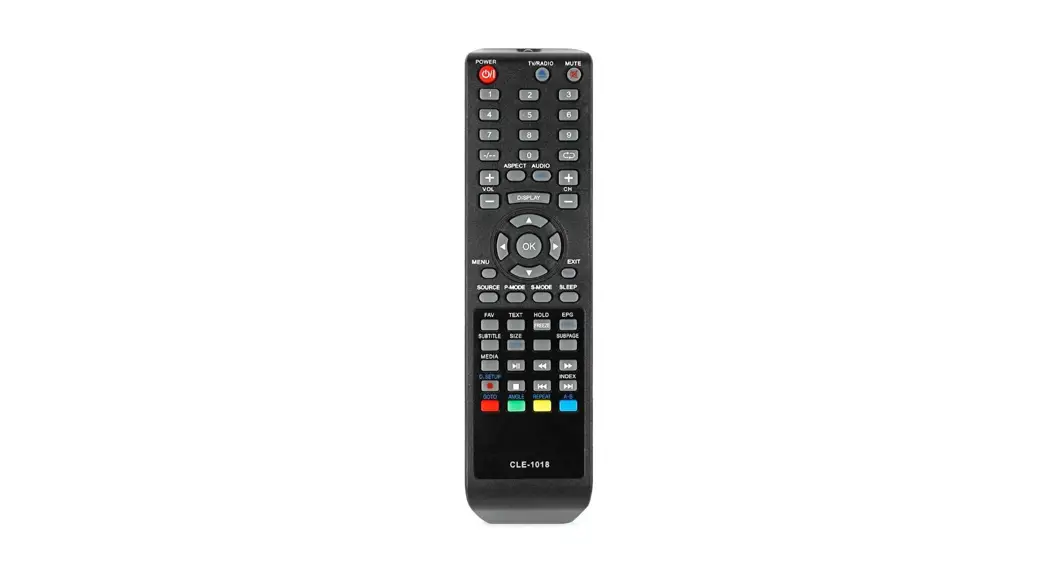
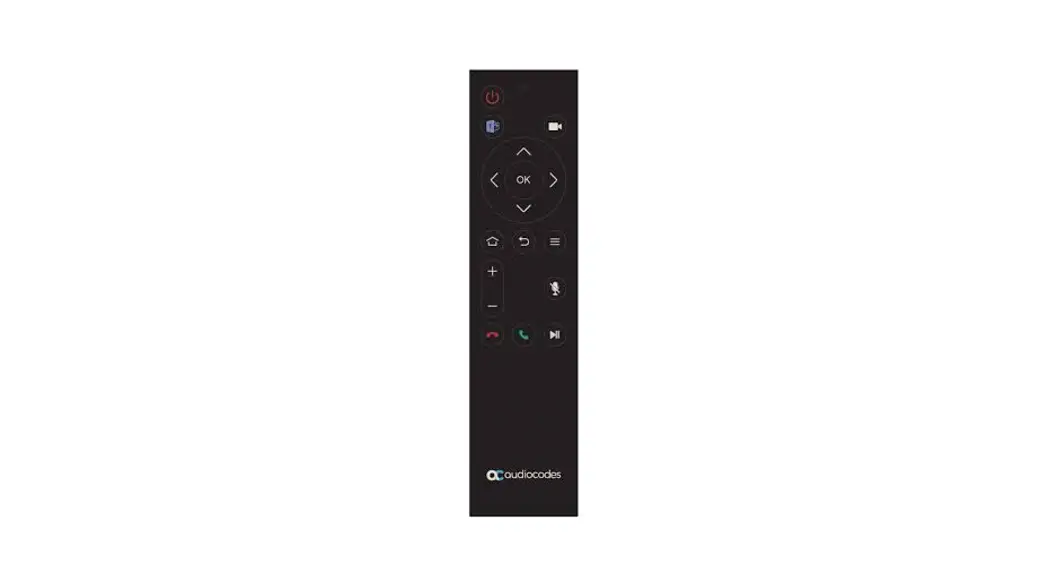
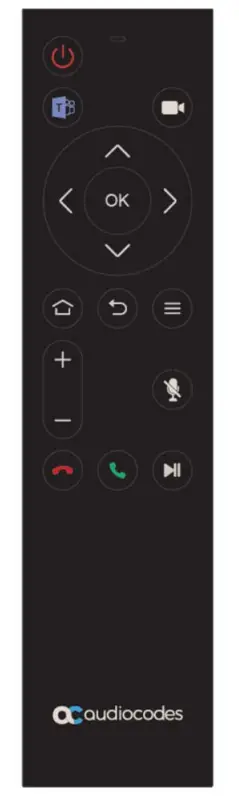
This product contains 17 function buttons. The plastic shell is used as the outer frame of the product, which improves the appearance and feel of the product. The buttons are designed with a metal dome so that the life of the keys can reach 1 million times. There are two LEDs (Blue & Red ) to show the RC modes.
Also, two are backlighted keys: the MUTE key is red, and the TEAMS key is blue(The button screen is transparent and the blue and red LED lights are below the button).
2*AAA battery as the power supply. The product supports the OTA function.
Parameter
- RF frequency:2402 ~ 2480 MHz
- Protocol: Bluetooth 4.2 (Bluetooth low energy)
- TX power:<0dBm
- maximum transmission rate:1 Mbps
- Operate distance:>10m
- Working voltage: 2.4V~3.6VDC
- Static current (connection):<60uA
- Sleep current (not paired):<25uA
- Working current(key press):<12mA
- RF protocol: BLE4.2
- Frequency carrier deviation:±30KHz
- Antenna: onboard antenna
- Certification:CE ,FCC ,etc
- Battery: 2*AAA battery
LED indicating status
| Press the button | The blue light flashes |
| Pairing mode | The blue light flashes |
| Pair successfully | The blue light stays on 1.5s and then goes off |
| Loss connection | The blue light flashes 5s and then off |
| Low voltage | The red light flashes 5s and then off |
OTA
To support OTA, install the apk “VoiceBLEOTA_1.2.1” on the android mobile phone and then pair the RCU with the mobile phone. Complete OTA upgrade according to instructions.
Otherwise, if the far unit integrates the OTA codes, the RCU can be upgraded via Bluetooth.
Low voltage indication
- When the battery voltage is lower than 2.4v, a low voltage indication code (OxAE) will be transmitted following each pressed key(RC should send the key code firstly). Also, the red LED indicator will flash for S times (f=1Hz, duty=0.1.
- Once the battery is OK (>2.4V), the RCU will stop sending the battery low code after each pressed key.
Key-value
Bluetooth code
VID=1D5A PID=C080
| Key | Description | HID Code | TYPE | Remarks | Icon |
| On/Off | Toggles On/Off the far unit | 0x66 | Keyboard | infrared code values are sent when losing pair or have no pairing information; Bluetooth code is sent when paired |  |
| Camera | Turn On/Off far camera | 0X86 | Keyboard |
The remote control will send the code value after pressing the button, and the code value of Ox00 will be sent after release. Far Unit is required to determine whether it is short press or long press according to the time it receives the key value of Ox00 |  |
| Mute | Mute/Unmute the far unit Microphone | Ox7F | Keyboard | Red LED: this illumination turns on or off only upon receiving the MUTE On or MUTE Off code from the far unit. |  |
| Call | Start or receive a call | OxB3 | Keyboard |  | |
| End Call | End a call | OxB2 | Keyboard |  | |
| Volume up | Increase speaker volume | 0x80 | Keyboard | Upon long-press it keeps transmitting the key code. | + |
| Volume down | Decrease speaker volume | 0X81 | Keyboard | Upon long-press it keeps transmitting the key code. | – |
| Up | Up direction navigation | 0x52 | Keyboard | Upon long-press it keeps transmitting the key code. | ∧ |
| Down | Down direction Navigation | Ox51 | Keyboard | Upon long-press it keeps transmitting the key code. | ∨ |
| left | left direction Navigation | Ox50 | Keyboard | Upon long-press it keeps transmitting the key code. | < |
| Right | Right direction Navigation | Ox4F | Keyboard | Upon long-press it keeps transmitting the key code. | > |
| OK | Enter/Accept key | 0x96 | Keyboard | OK | |
| Back | Back key | OxF1 | Keyboard |  | |
| TEAMS | TEAMS button | OX135 | Keyboard | Blue LED: this illumination turns on or off only upon receiving the TEAMS On or TEAMS Off code from the far unit. |  |
| Menu | Display the menu options | 0x76 | Keyboard |  | |
| Home | Back to the main home screen | 0x223 | Consumer Keyboard |  | |
| Hold/resume | Put an active call into a Hold state | OXE34 | Keyboard |  |
IR code
Only the power key should send the IR code. For this version of RCU, the IR LED is only hardware preparation for future SW support.
Keep-alive
2.6.1 After pairing is complete, the RCU will transmit every second a keep-alive signal (code) to the far unit.
2.6.2 when RC disconnected with the host(RC still have pairing information), RC should send reconnection ADV per 10 seconds, last for 500ms
Appearance
FCC Warning Statement
Changes or modifications not expressly approved by the party responsible for compliance could void the user’s authority to operate the equipment.
This equipment has been tested and found to comply with the limits for a Class B digital device, pursuant to Part 15 of the FCC Rules. These limits are designed to provide reasonable protection against harmful interference in a residential installation. This equipment generates uses and can radiate radio frequency energy and, if not installed and used in accordance with the instructions, may cause harmful interference to radio communications. However, there is no guarantee that interference will not occur in a particular installation. If this equipment does cause harmful interference to radio or television reception, which can be determined by turning the equipment off and on, the user is encouraged to try to correct the interference by one or more of the following measures:
– Reorient or relocate the receiving antenna.
-Increase the separation between the equipment and receiver.
– Connect the equipment into an outlet on a circuit different from that to which the receiver is connected.
– Consult the dealer or an experienced radio/TV technician for help.
This device complies with part 15 of the FCC rules. Operation is subject to the following two conditions (1) this device may not cause harmful interference, and (2) this device must accept any interference received, including interference that may cause undesired operation.