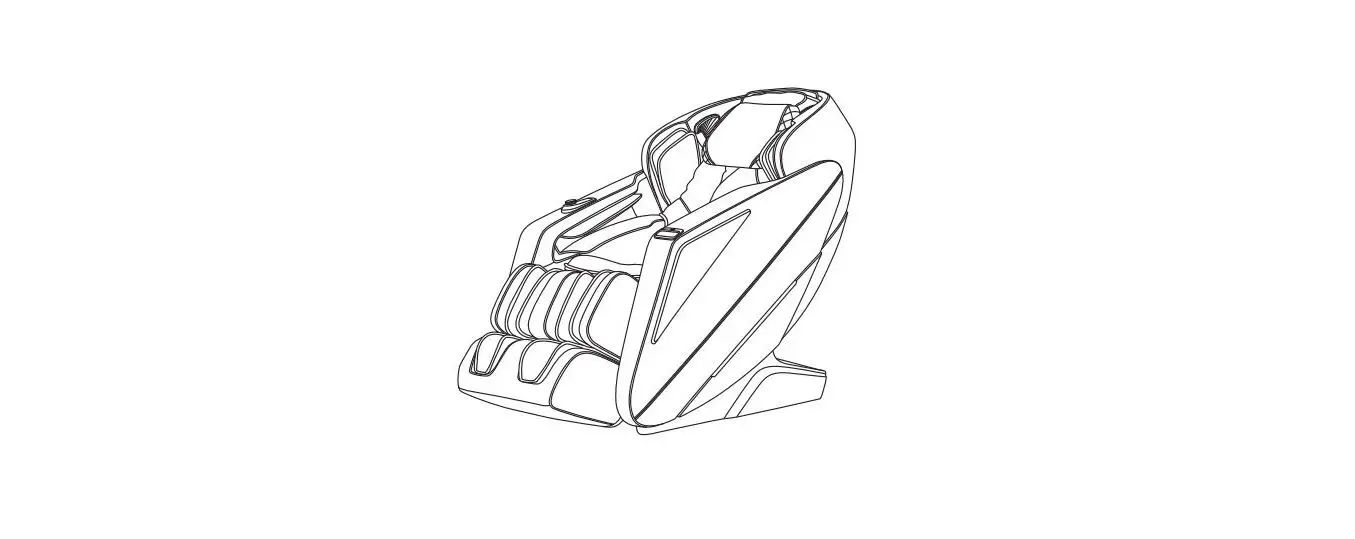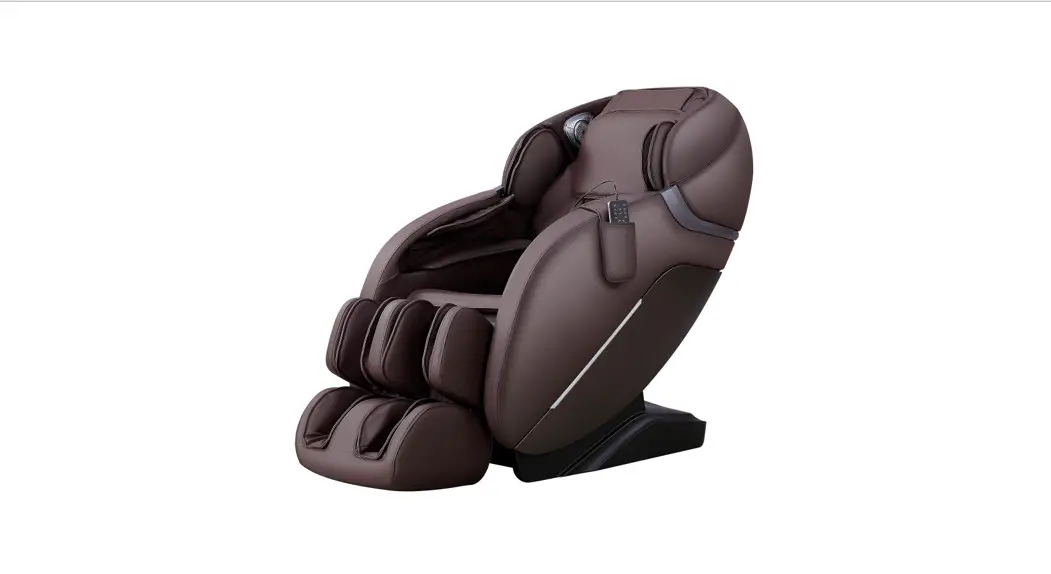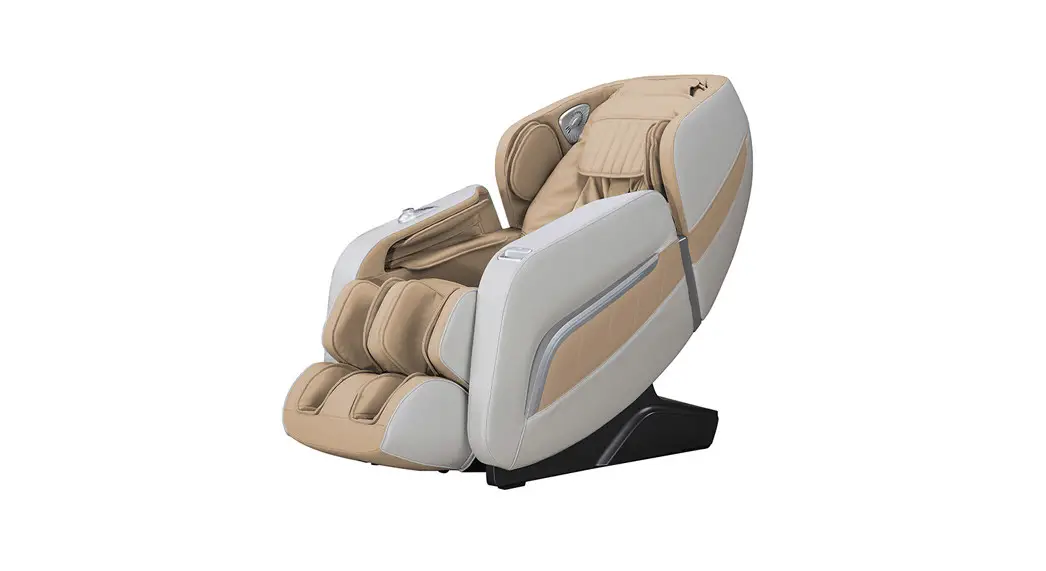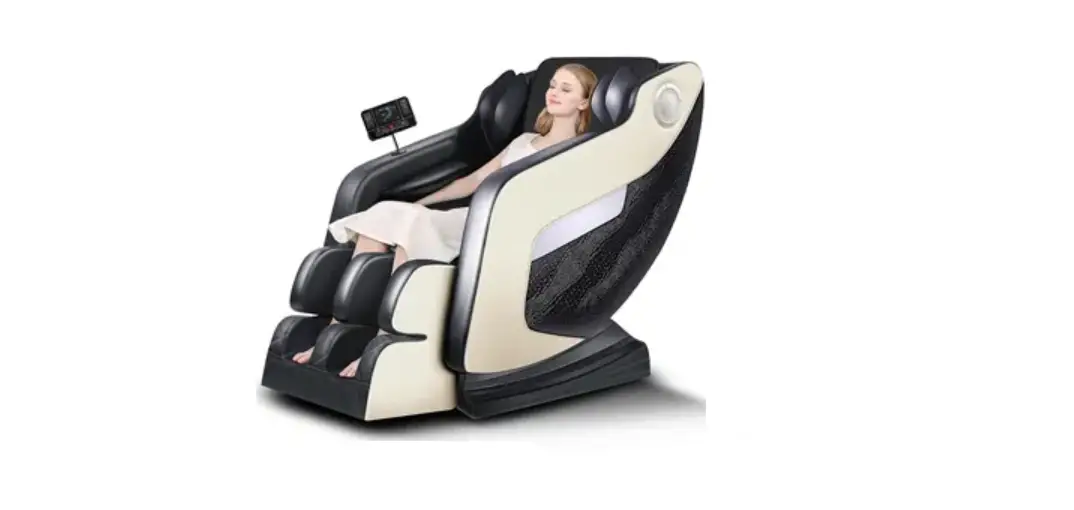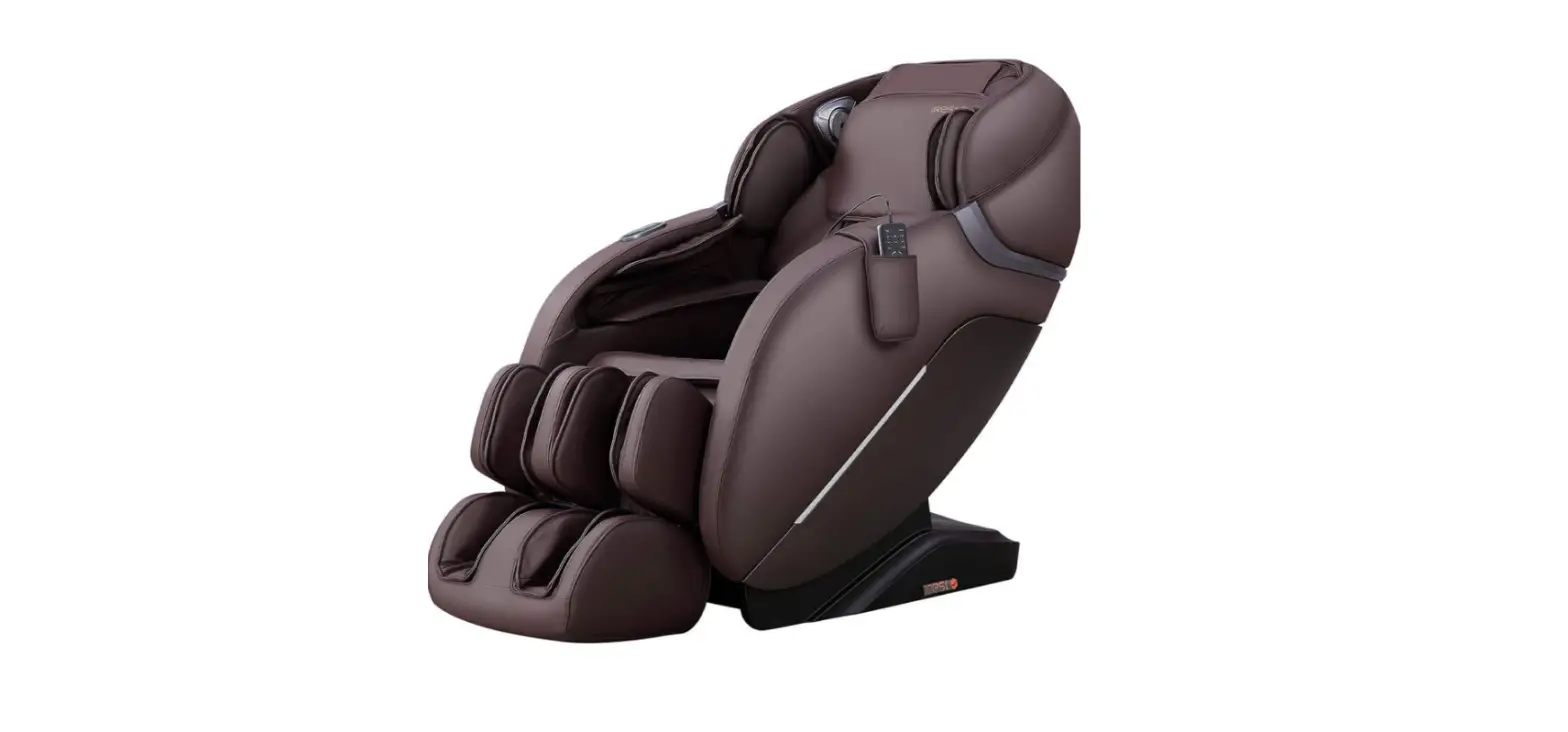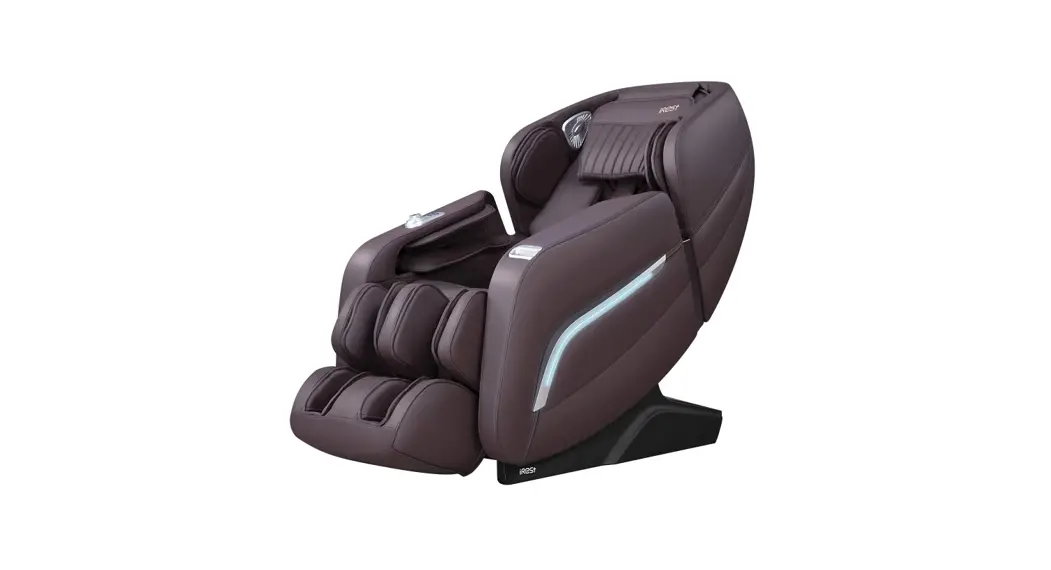

SL-A196-10 MASSAGE CHAIR
OPERATION INSTRUCTIONS
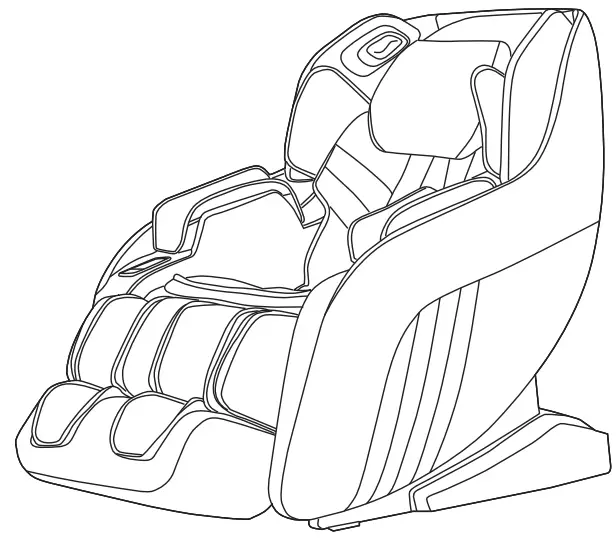
Thanks for purchasing this product. Please read this manual instruction carefully in order to know how to use this product correctly before operation. Please pay more attention to some important safety warnings and keep this manual book properly for future use.
Note: Our company reserves the right to change and explain the design of the product.
If there is some difference between the product function in market circulation and the description in the manual, it is a normal update of the product, and our company will not inform you otherwise. The specific product function and color shall prevail in kind.
Safety and Maintenance
1. Important Safety Warnings
- Do not allow children to touch any movable part of this product.
- Use the well-grounded power supply unit suitable for this product.
- Pull out the plug after use or before cleaning to avoid any physical injury or damage to the product.
- Operate this product as instructed in this manual.
- Do not use any parts or accessories which are not recommended.
- Do not use this product outdoors.
- Please read the Operation Instructions carefully before operation.
- Never use this product for any other purpose not listed herein.
- 20 minutes of usage each time is recommended.
- Do not use this product if the leather is broken or damaged.
- Do not use this product if the cover or leather is broken or damaged.
- Do not use this product if the radiator hole is covered or blocked.
- Do not drop anything into this product.
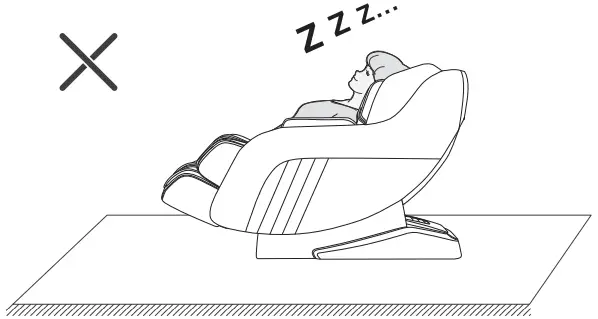
- Never fall asleep while using this product.
- Do not use this product if you are drunk or feel unwell.
- Do not use this product within one hour after a meal.
- Do not use this product with excessive force to avoid any injury.
- Do not carry any fragile, explosive, or combustible material in your pocket, such as a mobile phone and lighter when using the massage chair.
2. Operating Environment
- Do not use this product in a very moist environment such as the bathroom.
- Stop using this product immediately when the ambient temperature changes sharply.
- Do not use this product in any heavily-dusty or caustic environment.
- Do not use this product in a small space or a place without good ventilation.
- The normal room temperature ranges from 0 °C to 35 °C.
- Do not use this product in an excessively humid room such as a bathroom. Use it at a relative humidity between 20% and 80%.
- Do not use this product outdoors.
- Avoid direct sunlight.
- Keep this product away from any heat source such as a stove and air outlet of an air conditioner.
- Do not use this product during thunder or lightning weather.
- Do not use this product in dusty places.
3. The following populations should not use this product:
- Patients with osteoporosis.
- Patients with heart disease or wearing electronic medical devices such as a pacemaker.
- People who have a fever.
- Pregnant women or women on their menstrual period.
- Patients who are injured or have a skin disease.
- When unsupervised, any children are under the age of 14 and those unconscious are not allowed to use this product.
- People who are told by their physicians to have rest or who feel unwell.
- People whose bodies are wet are forbidden to use this product.
- This product has a hot surface. Persons insensitive to heat must pay attention when using this product.
4. Safety Precautions
- Check whether voltage is consistent with the specification of this product.
- Never insert or pull out the plug with a wet hand.
- Do not let water flow into this product to avoid electric shock or cause damage to this product.
- Do not pull the power cord when plugging or unplugging it. Rough handling is forbidden.
- Do not damage the wire or modify the circuit of this product.
- Do not clean live parts of this product with a wet cloth such as a power switch and plug.
- Be away from this product in case of power failure to avoid any injury if power is restored suddenly.
- Stop using this product at once while it works abnormal, and consult your local supplier.
- Stop using this product if you feel unwell, and consult your health care practitioner.
- This product is not intended for use by persons (including children) with reduced physical, sensory or mental capabilities, or lack of experience and knowledge, unless they have been given supervision or instruction concerning the use of this product by the personnel responsible for their safety. Children should be supervised to ensure that they do not play with this product.
- If the power cord is damaged, it must be replaced by the manufacturer, its service agent or similarly qualified staff in order to avoid hazards.
5. Product Service and Maintenance
- This product should be maintained by the service center designated by the manufacturer only. No user should disassemble or maintain it without permission.
- Do not forget to turn off the main power switch after usage.
- Do not use this product if the power socket becomes loose.
- If this product will be left unused for a long period of time, it is necessary to roll up the power cord of this product and store this product in a dry and dust-free environment.
- Do not store this product at a high temperature or near an open flame. Avoid prolonged] exposure to direct sunshine.
- Please clean this product with a dry cloth. Never use thinner, benzene, or alcohol.
- The mechanical components of this product are specially designed and manufactured, so no special maintenance is needed.
- Do not use a sharp object to stab at this product.
- Do not roll or pull this product on any uneven ground. Instead, it should be lifted before moving.
- Please use this product intermittently. Do not keep it working continuously for a long period of time.
6. Solutions to Ordinary Malfunctions
- If the motor sounds during the operation of this product, this is the normal operation sound.
- If the controller cannot work normally, check whether the plug and the power socket are connected reliably and whether the power switch is turned on.
- If the rated working time is over, this product will automatically activate the power-off button; If this product keeps operating for a long period of time, the temperature protector will stop this product automatically. The product can be used again after half an hour.
7. Storage Conditions
- Storage room temperature: -5 °C to 35 °C.
- Relative humidity (RH) between 20% and 80%; free of corrosive gases, and a well-ventilated room.
Safe Warning
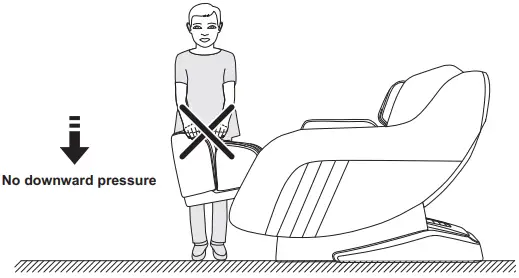
| Warning When the legrest of the massage chair is lifted, nobody should apply pressure on the legrest to prevent the massage chair from falling forward which will damage this product or result in personal injuries. | Warning Do not remove or pull out the remote controller cable or the power cord in the standby or power-on state to avoid any damage to this product or accidental electric shock of a body part. You are advised to unplug the remote controller cable and the power cord and put them away after you use the massage chair. |
 | 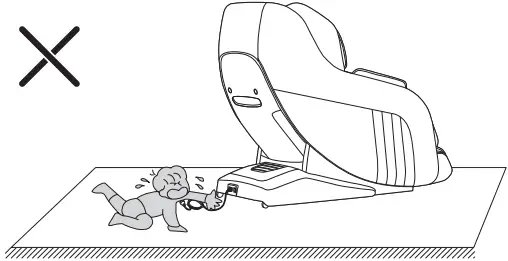 |
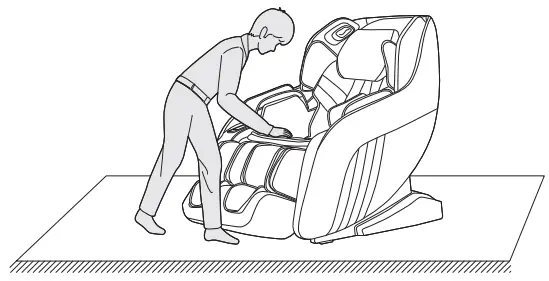
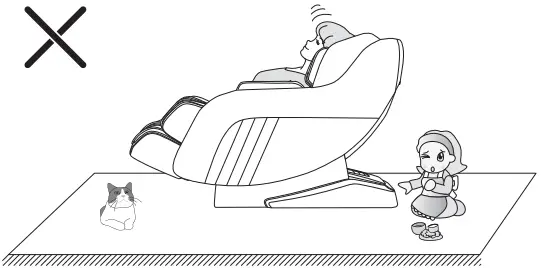
| Warning Before sitting on the massage chair, make sure that the massage chair manipulator does not stay in the seat cushion position to avoid discomfort to the buttocks during the body pressing down and any damage to the massage chair manipulator. | Warning When the zero-gravity lying function is enabled, be sure to check whether there is any child or pet staying or playing under the bottom of the legrest and backrest, in order to avoid any damage to this product or physical injury. |
 |  |
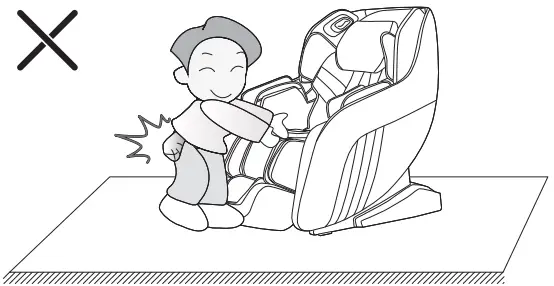
| Warning Before using the massage chair, remove any hard objects in your pocket(s) or any jewelry carried with you (e.g. key, watch, other similar portable hard objects) to avoid any damage to this product or physical injury during the massage. | Warning Please do not fall asleep on the massage chair while using to avoid personal injury caused by unconscious use. |
 |  |
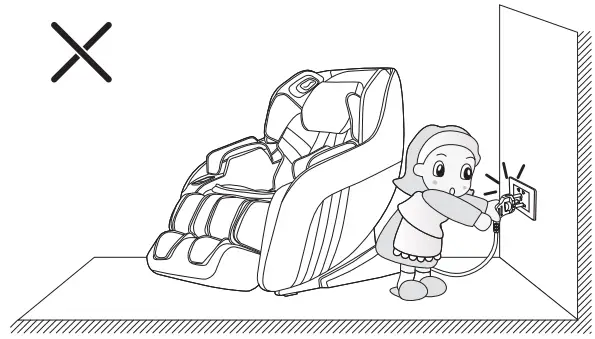
| Warning Do not unplug the power cord, or directly turn off the power switch on the back of the massage chair during a massage, in order to avoid any damage to this product or physical injury. | Warning The massage chair should not be used by more than two people at the same time to avoid product failure or personal injury. In addition, do not let children play on the massage chair or climb onto the lower leg, seat cushion, foot, backrest or armrest. Otherwise, accidents or injuries may be caused. |
 | 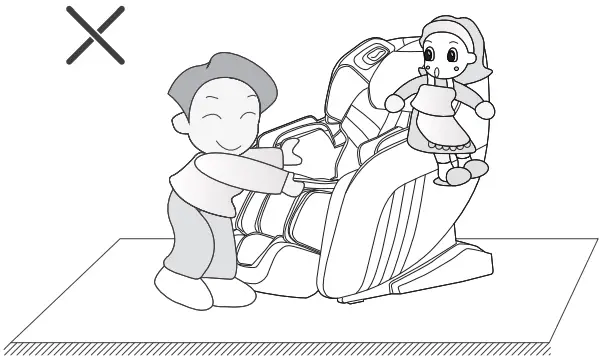 |
Name of Components
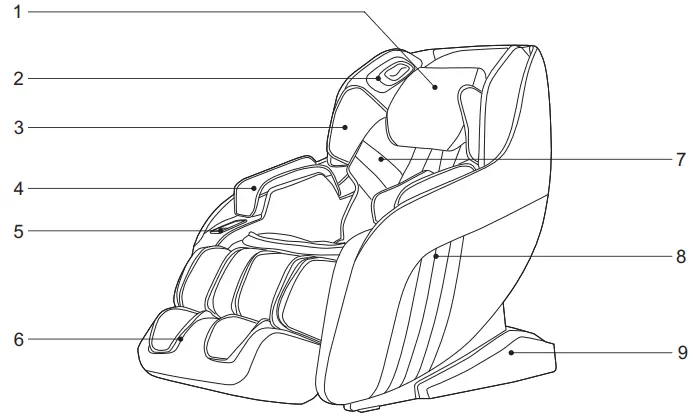 | 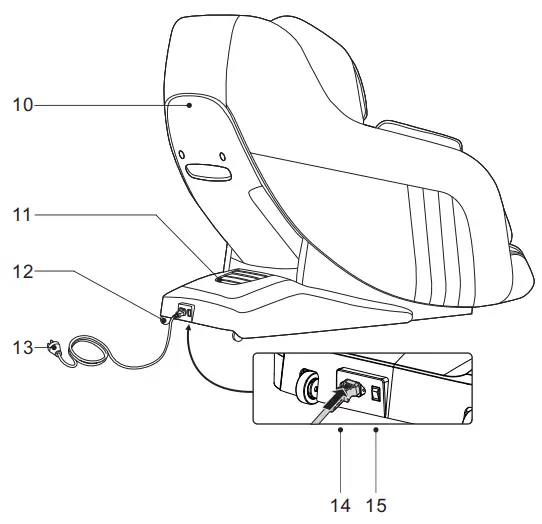 |
| 1. Head cushion 2. 3D digital audio (built-in voice control microphone) 3. Shoulder air pressure 4. Arm airbag component 5. Controller placement 6. Lower leg frame 7. Back cushion 8. Armrest | 9. Side cover 10. Backrest cover 11. Rear cover of power box 12. Movable pulley 13. Power cord and plug 14. Mains input 15. Switch |
Function
- This product is designed with a set of four-wheel-driven mechanical massage hands that walk up and down, stretch back and forth, and are silent in design.
- It is designed with the function of automatic detection and micro-adjustment of shoulder position and the automatic detection function of human body curve and massage finger pressing point to automatically adjust the stretch back and forth of the manipulator according to the detected human body curve and massage finger pressing point, making massage more humanized and scientific
- It has eight characteristic automatic massage functions, i.e. fast massage, comfort massage, relaxing massage, full body massage, neck, and shoulder massage, back, and waist massage, stretch massage, and exercise recovery.
- It is provided with five message scopes for manual selection, i.e. fixed point, upper back, lower back, the local, and whole body.
- It is provided with a manual massage function: including five massage methods such as kneading, tapping, kneading and tapping, shiatsu, and knocking. With three levels of speeds for adjustable.
- In the state of tapping, shiatsu, and knocking, the width between the two kneading balls is adjustable with three levels: wide, medium, and narrow.
- Equipped with airbag massage function: leg and arm pressure massage function, with two intensities.
- It is provided with an intelligent voice control recognition function.
- Music playing system, with built-in 3D digital audio in the left and right upper arms. The Bluetooth function of intelligent devices can be used for wireless connections to play music.
- It is provided with an upper-body air compression massage function: shoulder air compression massage function, arm air compression massage function, and 2gear air compression intensity adjustment.
- It is provided with a lower-body air compression massage function: lower leg air compression massage function, and 2-gear air compression intensity adjustment.
- The guide rail of the backrest frame adopts curved guide rail technology, which completely conforms to the back of the human body and makes people enjoy a massage from the head to the thigh.
- With back heating functions.
- Automatic sit-up function when the power is off and manipulator automatic reset function.
Introduction to the Remote Controller
Note: The specific displays refer to the actual object of this product!
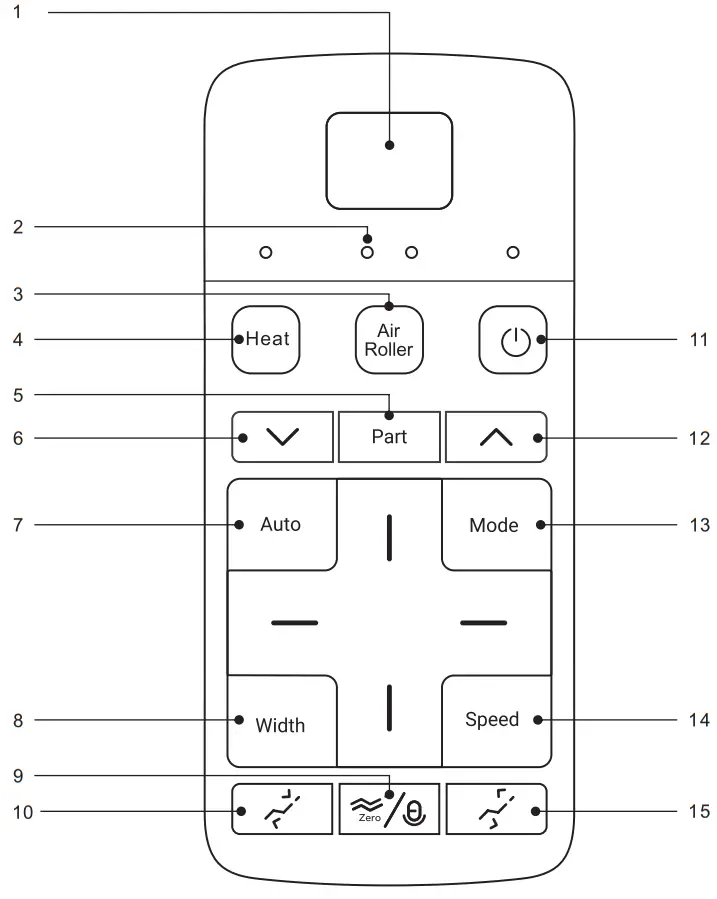
- LED:
• Display massage mode and timing etc functions. - The panel indicates light:
• Display all massage functions. - Air pressure intensity/ roller key:
• Turn on/off the air pressure function/Adjustable two air pressure intensity
• Long 3 seconds: Turn on/off roller function. - Heat key:
• Short press: Turn on/off the heating massage function.
• Long press 3 seconds to wake up the voice control function. - Massage position key:
• It is provided with five message scopes for manual selection, i.e. fixed point, upper body, lower body, the local and whole body. - Position downward key:
• Move the massage balls downward to a suitable position. - Auto mode:
• Automatic cycle switching massage function(for more detail, check page 12) - Massage position downward key:
• Move the massage balls downward to a suitable position. - Zero-gravity key:
• Adjust to the zero-gravity Angle of the massage chair. (three settings, Press one for gear I, press a second time for gear II, press a third time for gear III).
• Long press 3 seconds: on/off: voice control function(of the function, cannot indentify voice). - Linkage lying key:
• Linkage lying on the massage chair. - On/off key:
• Switch on/off massage chair. - Massage position upward key:
• Move the massage balls upward to a suitable position. - Massage method key:
• Please refer to page 13 of this manual for details. - Speed key:
• Manual adjustment of automatic massage speed. - Linkage sitting up key:
• Linkage up of the massage chair sitting button.
Method of Usage
I. Turn on the power supply of this product:
| 1. Plugging-in diagram | 2. Product connection diagram | 3. Power switch diagram of the product |
 | ||
Ⅱ. Start to massage
① Press the power button to start the massage and the massage chair will automatically lie.
② Automatically detect the body shape to keep the fitting between the body and the massage chair. (you can press the part key to skip the automatic detection and then enter the default message program automatically).
③ Make a fine adjustment of shoulder position. If the detected position deviates from the actual shoulder position, use the speed key and the width key to get to the appropriate position. (you can press the part key to skip the step).
④ Enter the massage status and experience the massage.
• Automatic massage:
| Function | Key | Description | Display |
| Automatic massage |  | Fast massage: experience all massage effects quickly. | A1 |
| Comfort massage: the most comfortable massage experience. | A2 | ||
| Relax massage: gentle and comfortable deep massage, which can relieve body fatigue and relax the body. | A3 | ||
| Full body massage: deep massage, which can revive body vitality. | A4 | ||
| Neck and shoulder massage: focus on the shoulder and neck. | A5 | ||
| Back and waist message: focus on the back and waist. | A6 | ||
| Stretch massage: the automatic mode is accompanied by the swing of the electric lever. | A7 | ||
| Exercise recovery: quick recovery from body fatigue after exercising. | A8 |
• Manual massage
| Function | Key | Massage ball adjustment | Display |
| Massage method |  | Stop: width. | S.0 |
| Kneading: speed. | S.1 | ||
| Tapping: speed and width. | S.2 | ||
| Kneading and Tapping: speed. | S.3 | ||
| Shiatsu: speed and width. | S.4 | ||
| Knocking: speed and width. | S.5 | ||
| Width key |  | Adjust the width to three levels. | d1 ~ d3 |
| Speed key |  | Adjust the speed to three levels. | P1 ~ P3 |
• Massage part adjustment
| Function | Key | Description | Display |
| Massage part |  | Fixed-point: fixed-point massage at a fixed position. | H0 |
| Local: small-scope local massage. | H1 | ||
| Upper body: upper body massage. | H2 | ||
| Lower body: lower body massage. | H3 | ||
| Whole-body: Full body massage back and forth. | H4 | ||
 | Massage position adjustment (In fixed point and local modes, the massage position can be adjusted). | The manipulator goes upward | |
 | The manipulator goes downward |
• Air compression massage
| Function | Key | Description | Display |
| Air pressure Mode |  | Short press: Turn on/off the air pressure function/Adjustable two air pressure intensity | Refer to indicators on the panel for display |
| Press 3 seconds: Turn on/off the roller function. | Foot roller Off: L0 Foot roller On: L1 |
• Massage while heating
| Function | Key | Description |
| Heat |  | Short press: Turn on/off the heating massage function. Long press 3 seconds to wake up the voice control function. |
• Zero-gravity key
| Function | Key | Description |
| Zero- gravity |  | Each time you press this key, the product will change to one automatic lying mode. There are three modes in total that can be cyclically switched. Long press 3 seconds: on/off: voice control function(of the function, cannot identify voice) |
• Rest frame adjustment
| Function | Key | Description |
| Sit-up key |  | Press and hold this key to slowly raise the backrest frame while slowly lowering the calf frame and releasing it to stop the rising or lowering. If you get up to the top, rising stops. |
| Lying key |  | Press and hold this key to slowly lower the backrest frame while slowly rising the calf frame and releasing it to stop the lowering or rising. If you get to the lowest, lowing stops. |
Ⅲ. Voice Control Mode
- When the massage chair is turned on or in standby mode, the sound “Hi Alice” or “Hey Alice”will be produced to enable the voice control function.
- After such function is enabled successfully, the massage chair will reply “I am here.”
At this moment, once a corresponding voice control entry to be implemented is given within six seconds, the corresponding voice control function can be performed after a reply is received from the massage chair; if no correct voice control entry is given within six seconds, the voice control function automatically will be off automatically and needs to be enabled again. - Note: When waking up the voice control function, please use English, the speech rate is moderate, Voice commands should follow up the Voice entry.
| Voice Control Entry | ||
| Entry: “Hi Alice” or “Hey Alice”. Answer: I am here. | ||
| No. | Voice control entry | Answer entry |
| 1 | Massage on | Answer: Ok, massage on |
| 2 | Massage close | Answer: Ok, massage close |
| 3 | Comfort massage | Answer: Ok, comfort massage |
| 4 | Relax massage | Answer: Ok, relax massage |
| 5 | Full body massage | Answer: Ok, full body massage |
| 6 | Neck and shoulder massage | Answer: Ok, neck and shoulder massage |
| 7 | Back and waist massage | Answer: Ok, back and waist massage |
| 8 | Stretch massage | Answer: Ok, stretch massage |
| 9 | Fixed massage | Answer: ok, fixed massage |
| 10 | Change the other mode | Answer: Ok, change the other mode |
| 11 | Go little down | Answer: Ok, go a little down |
| 12 | Go little up | Answer: Ok, go a little up |
| 13 | Open the air pressure | Answer: OK, Open the air pressure |
| 14 | Close the air pressure | Answer: OK, Close the air pressure |
| 15 | Up the seat position | Answer: Ok, Up the seat position |
| 16 | Down the seat position | Answer: Ok, Down the seat position |
| 17 | Stop adjustment | Answer: Ok, stop adjustment |
Ⅳ. Operation Instructions for Bluetooth Speaker Play
- Enter the smart device main menu. Open “Settings” and select the “Bluetooth” option. Open “Bluetooth”, and Bluetooth will automatically “Search for a New Bluetooth Device”.
- The smart device will search for the corresponding Bluetooth model (IMCMXXXX). Click the “Match” button. If you are asked whether to match with the device, you just select “Match” to complete matching.
- Turn on “Music Player” on the smart device and select the song to play.
V. End massage
- During the massage process, press the power on/off key to immediately turn off all massage functions, reset the backrest frame and the lower leg frame, or when the massage timing time arrives, all massage functions will be automatically turned off, with the backrest frame and the lower leg frame not reset.
- Shut off the power supply of this product, as shown in the attached figure (Power Shut-off Diagram of the Product).


- Power Shut-off Diagram of the Product
- Disconnection Diagram
- Unplugging Diagram
Ⅵ. Instructions for installation of the lower leg
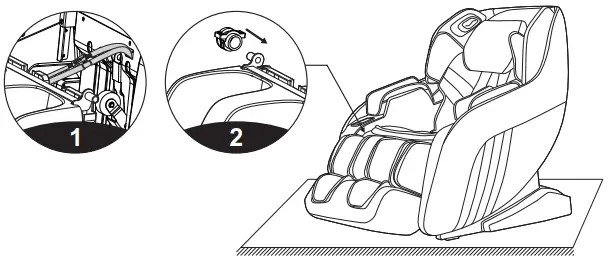
- After connecting the lower leg and the air tube on the massage chair with the wire harness, untie the fixed pipeline belt and insert the connecting part into the seat frame (Fig. 1).
- Sleeve the lower leg fixing block on the round tubes on the left and right sides of the lower leg (Fig. 2).

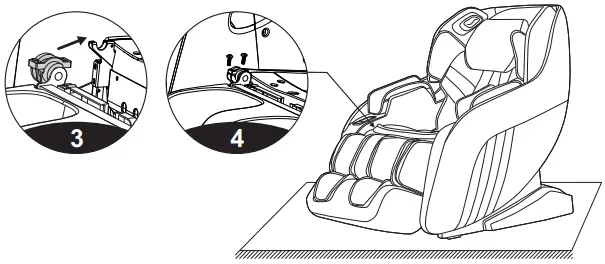
- Hang the lower leg sleeved with the fixing block on the hook of the massage chair seat frame (Fig. 3).
- Fasten the lower leg on the massage chair with 4 M4 screws (2 on the left and 2 on the right). Check whether there is any abnormality in the up-and-down turning and whether the pipeline is folded. Then the lower leg installation is completed (Fig. 4).

Ⅶ. Instructions for Removal and Use of Head Cushion and Backrest
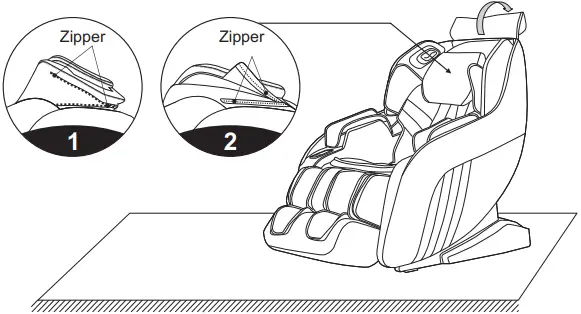
- The use of the head cushion can reduce the intensity of kneading massage on the neck and shoulders. You can decide whether to use the head cushion according to your own needs (the head cushion is recommended). The backrest and the back cushion are connected by a zipper (1). The head cushion and the backrest are connected by a Zipper (2).

Ⅷ. Floor Protection
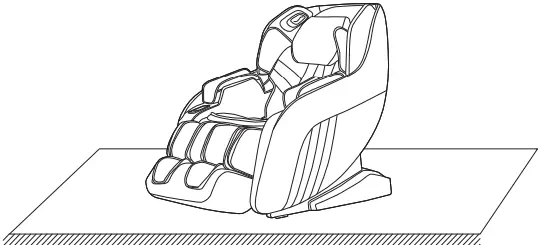
- The prolonged heavy pressure on the massage chair may cause scratches on the floor. Thus, put a carpet or cushion on the floor where the massage chair is placed to avoid this damage.

 Note
Note
Do not move the massage chair with its wheels on the rough ground or in a narrow space. At least two persons are required to lift it. During lifting, take the legrest sealing plate and backrest cover grooves as the acting points. (Do not lift the armrest directly.)
Ⅸ. Instruction for movement
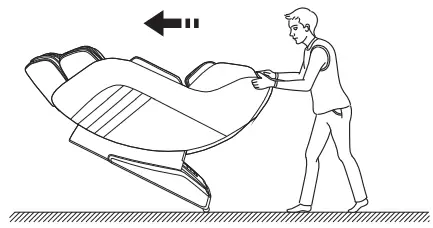
- Make sure that all the wires are pulled away from the massage chair surface; then press the backrest down to a certain angle (with the center of gravity resting on the wheels), you can push the massage chair forward with your hands, move it to a suitable position and gently restore it to the normal angle. (Note: During movement, you must turn off the power button first and then unplug the power cord and the remote controller connection wire.)

 Warning
The rear moving wheels of the massage chair are only suitable for short-distance and slow movement. For long-distance transportation, please use other auxiliary moving tools to move this massage chair!
Legal notices
FCC Information
- Any changes or modifications not expressly approved by the party responsible for compliance could void the user’s authority to operate the equipment.
- This device complies with Part 15 of the FCC Rules. Operation is subject to the following two conditions:
(1) this device may not cause harmful interference, and
(2) this device must accept any interference received, including interference that may cause undesired operation. - This equipment has been tested and found to comply with the limits for a Class B digital device, pursuant to Part 15 of the FCC Rules. These limits are designed to provide reasonable protection against harmful interference in a residential installation. This equipment generates, uses, and can radiate radio frequency energy, and if not installed and used in accordance with the instructions, may cause harmful interference to radio communications. However, there is no guarantee that interference will not occur in a particular installation. If this equipment does cause harmful interference to radio or television reception, which can be determined by turning the equipment off and on, the user is encouraged to try to correct the interference by one or more of the following measures:
– Reorient or relocate the receiving antenna.
– Increase the separation between the equipment and receiver.
– Connect the equipment into an outlet on a circuit different from that to which the receiver is connected.
– Consult the dealer or an experienced radio/TV technician for help.
Product Specification
Model: SL-A196-10
Name: Massage Chair
Rated voltage: 110-120V~ 60Hz
Rated power: 90W
Rated time: 20min
Safety structure: Class I
Material description: PVC, PE, steel parts, electric and electron components
| MATERIAL | PU | LEATHER | CLOTH | WOOD |