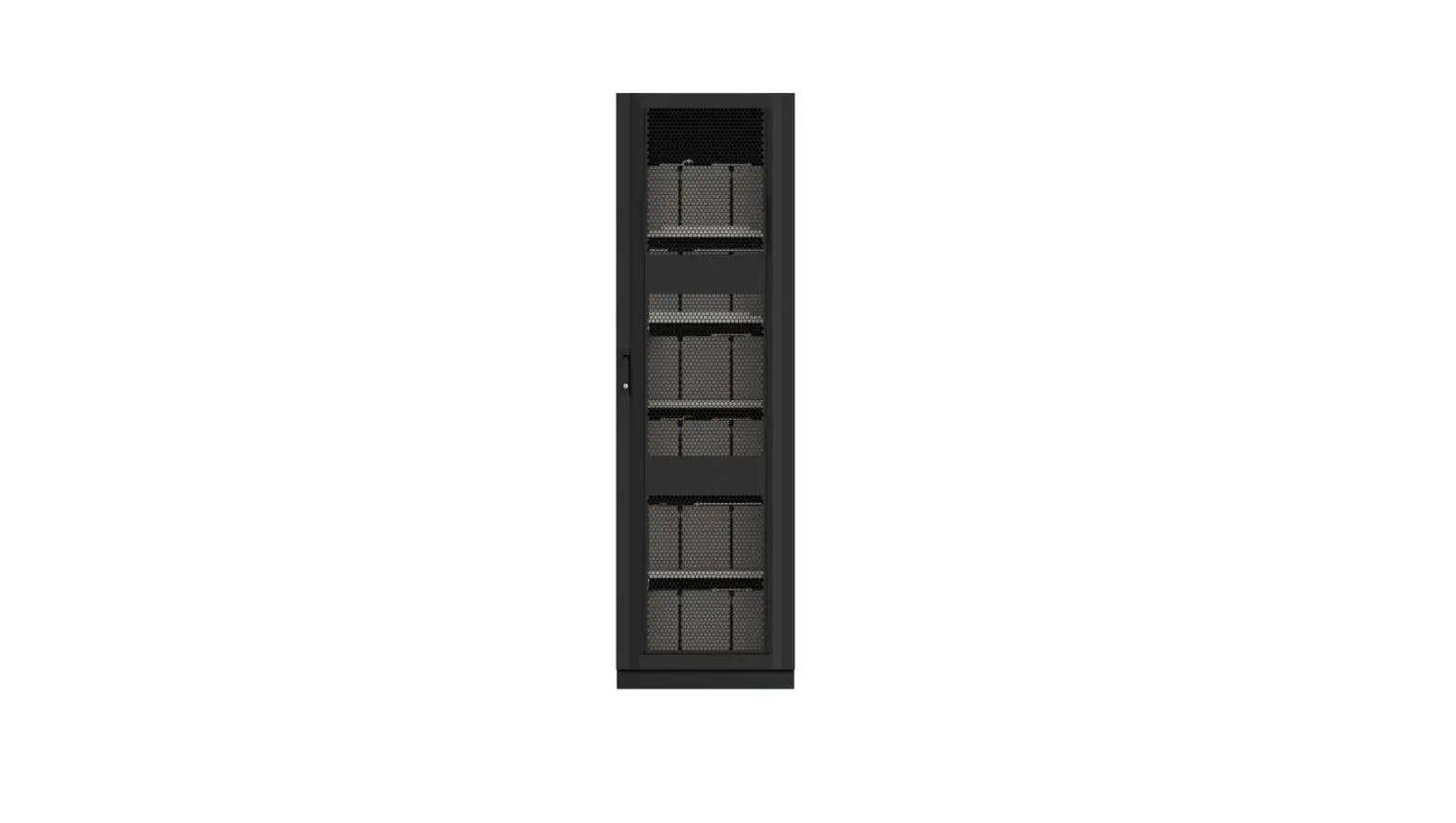

Dettaglio 42U-100Ah-12V Battery Cabinet
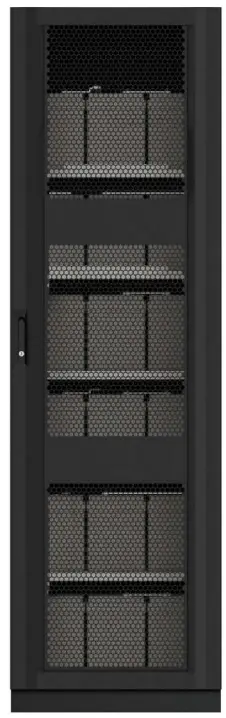
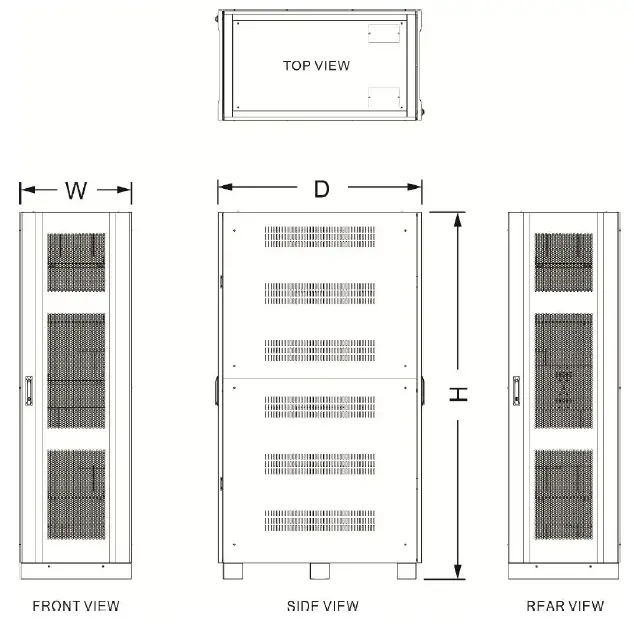
Mechanical Data
- Dimension : 1100 mm(D)*647 mm(W)*2010 mm(H)
- Empty Cabinet Weight : 221 Kgs


Battery Cabinet & Battery Requirement
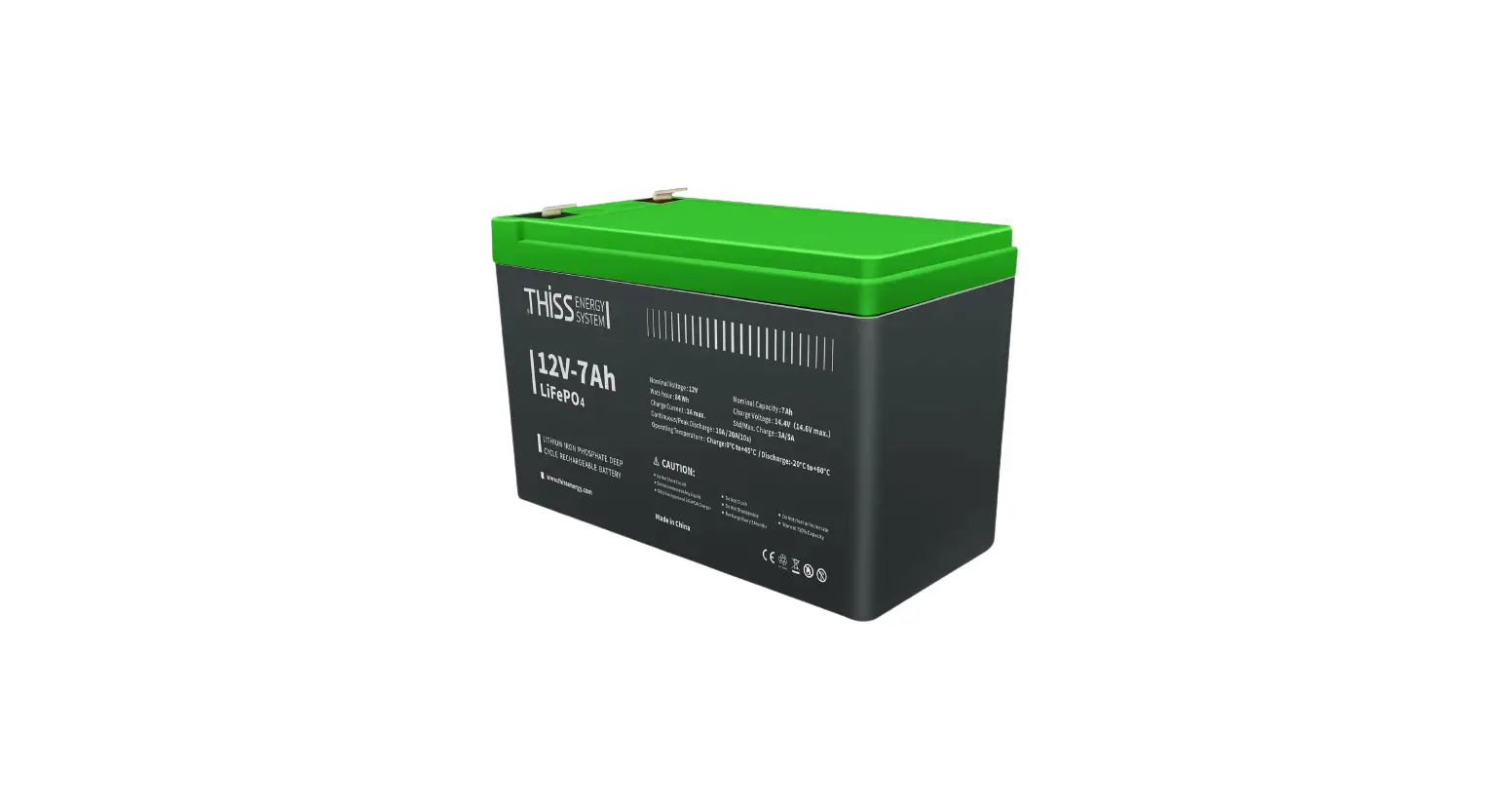
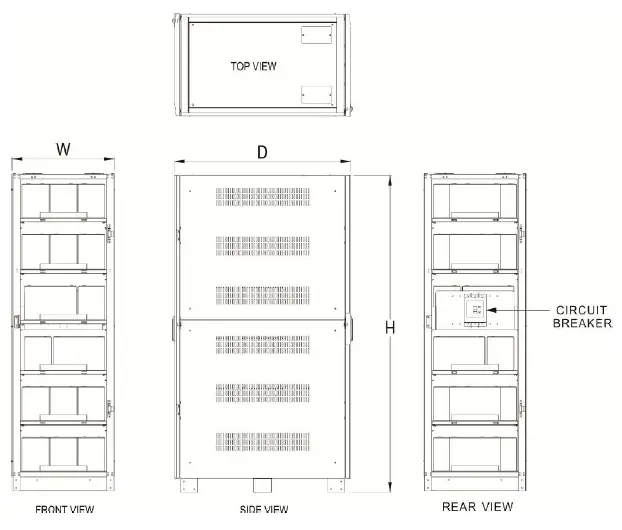
- Number of Lead-Acid Cells: 12V 100Ah x 32 Batteries
- Number of Lead-Acid Cells: 12V 100Ah x 36 Batteries
- Number of Lead-Acid Cells: 12V 100Ah x 40 Batteries
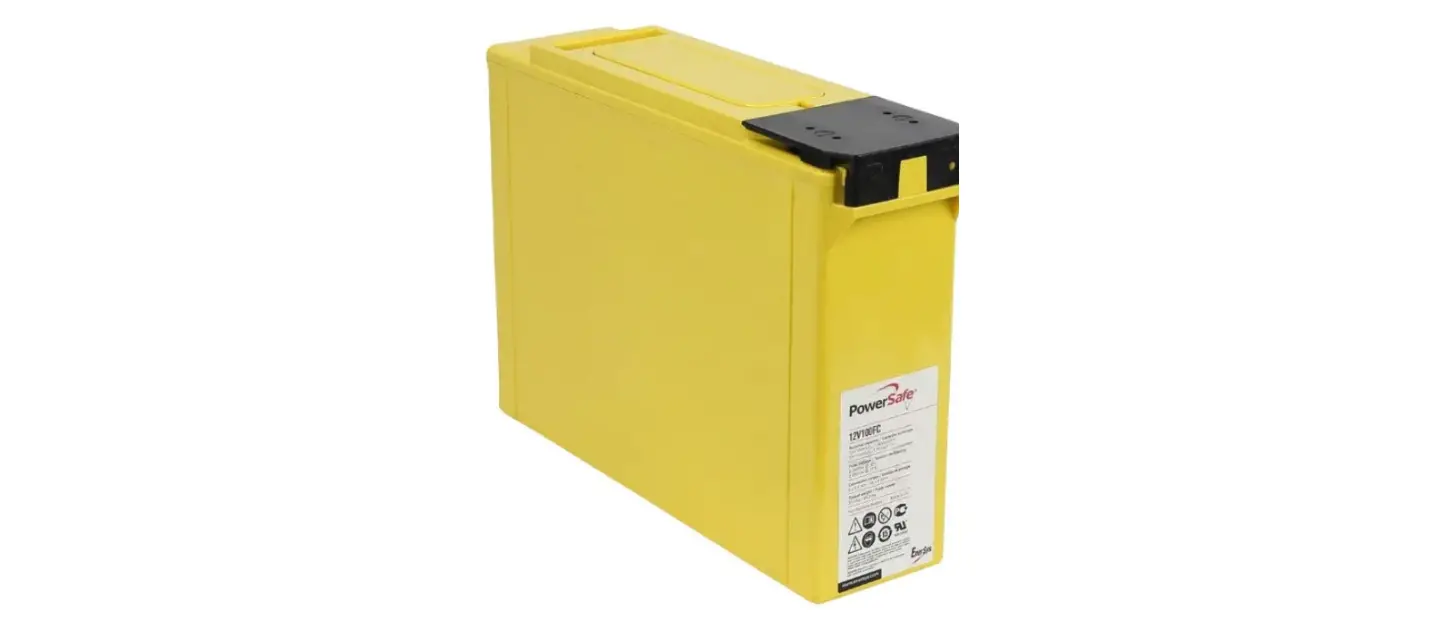
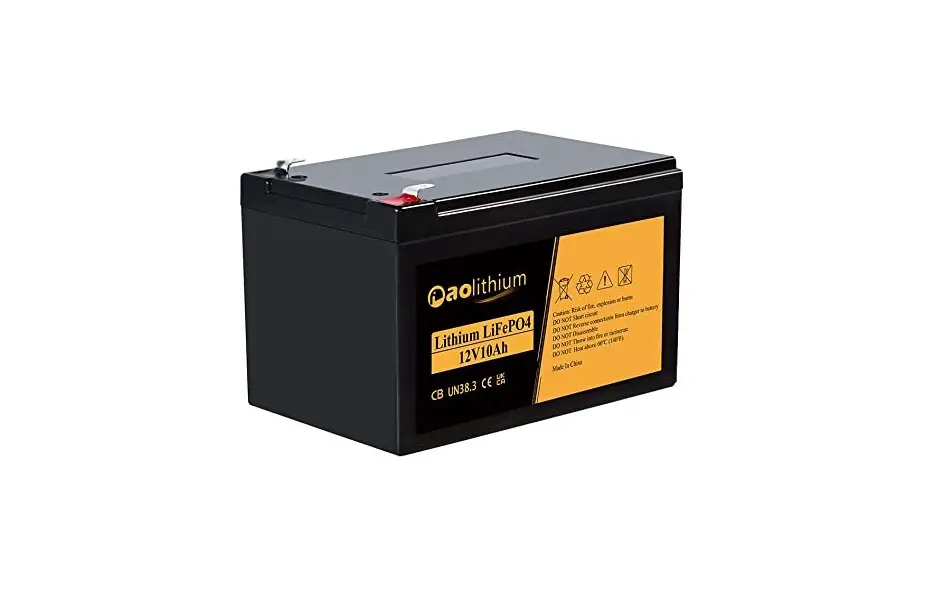
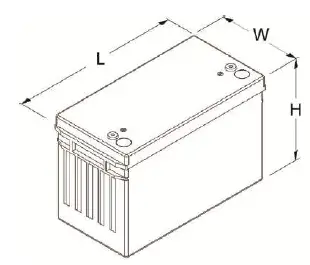
- Lead-Acid Battery maximum size(mm): L * W * H = 343 * 173 * 224

Pre-installation Description
- Battery cabinet:
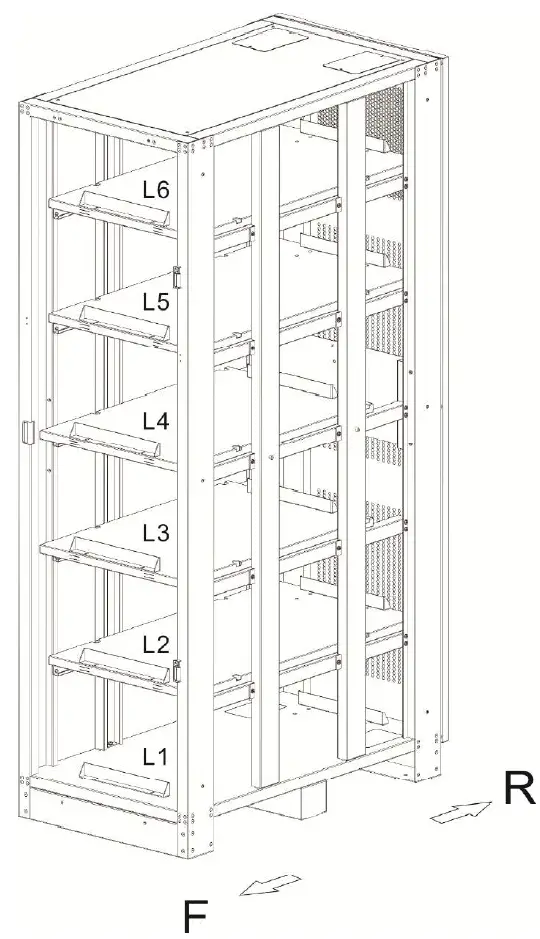
The marked “F” means front side of battery cabinet; the other marked “R” means rear side of battery cabinet. - Battery tray:
The cabinet include 6 layers totally of battery trays from L1 (bottom) to L6 (up).
How to link battery cabinet with UPS
Connection cable specification
- For 250A circuit breaker in 1/0 AWG wire

- For 400A circuit breaker in 1/0 AWG double wire

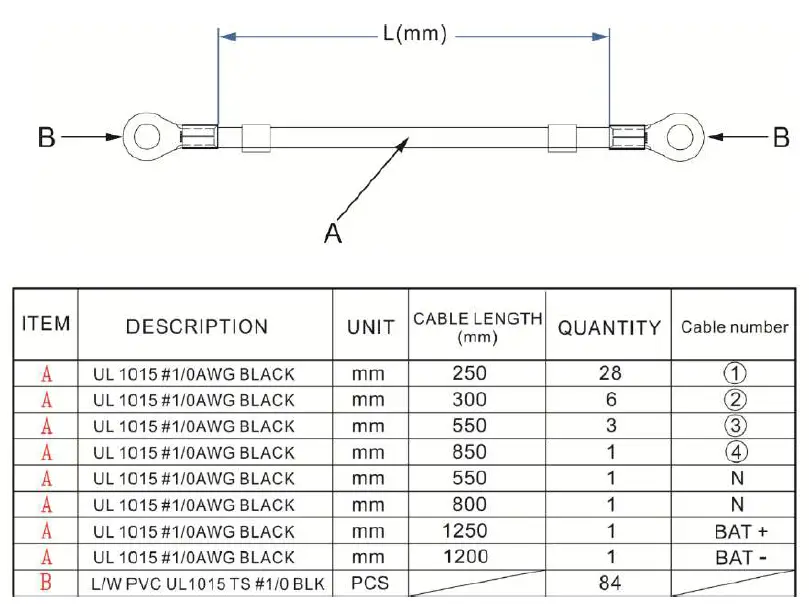
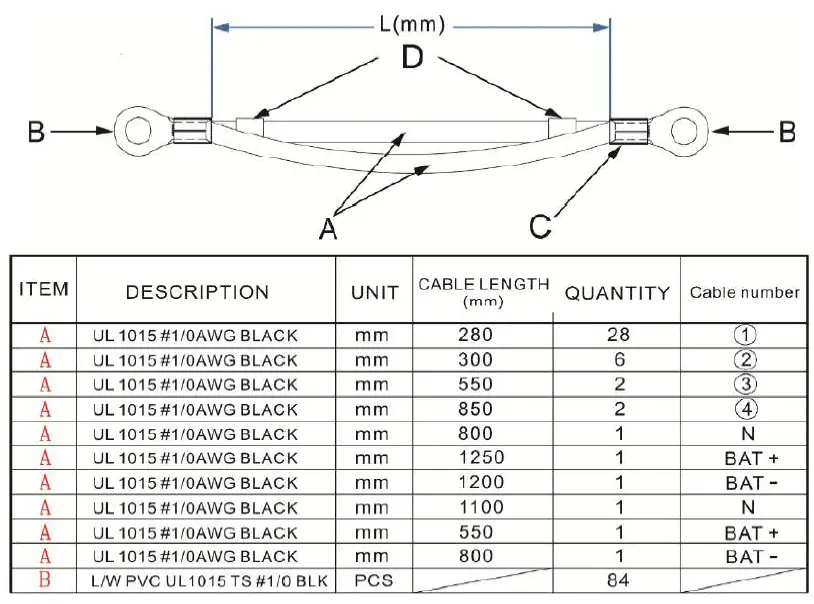
Battery Cabinet Link with UPS
Internal wiring
FOR 12V 100Ah x 40 Batteries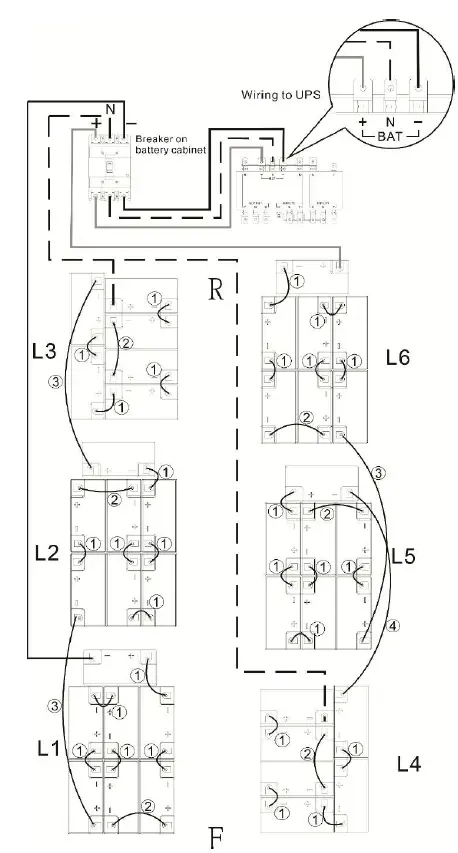
FOR 12V 100Ah x 36 Batteries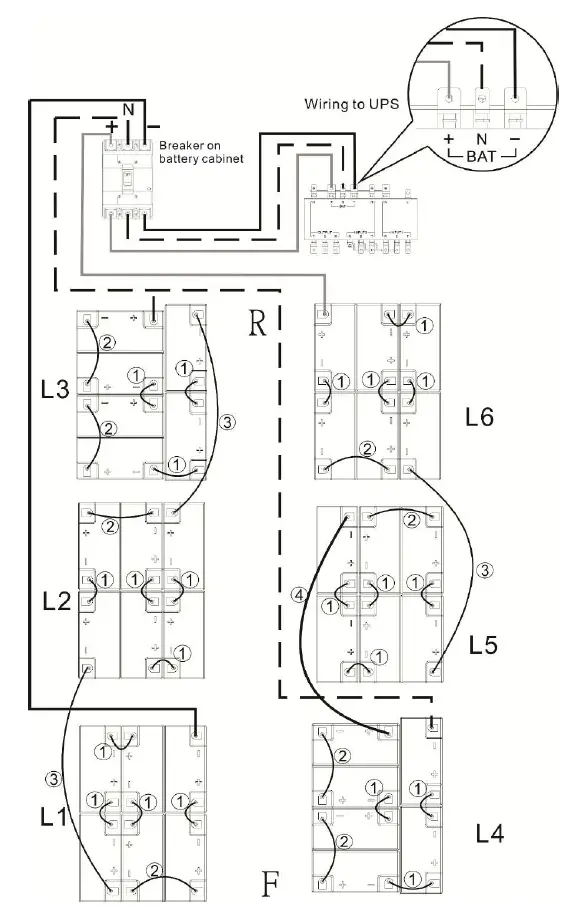
FOR 12V 100Ah x 32 Batteries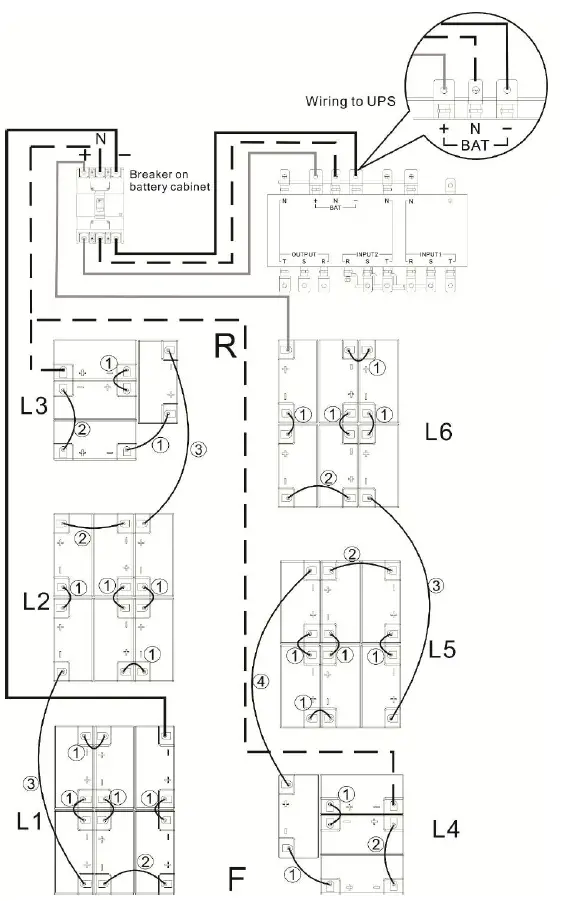
Installing battery cabinet
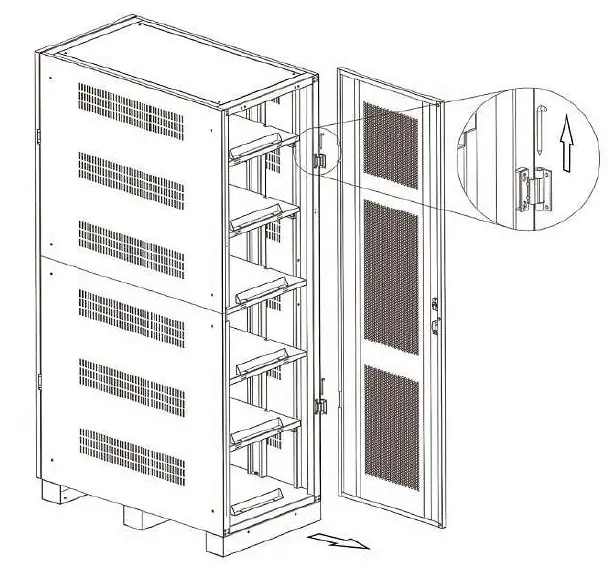
- Step1.
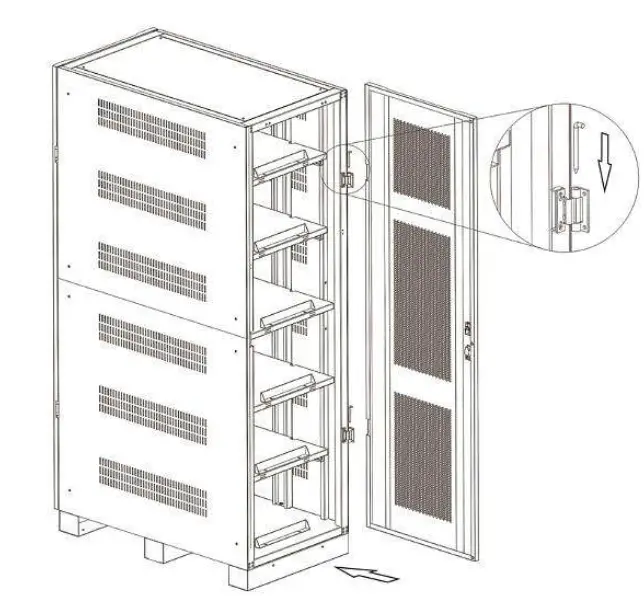
Pull out the latch from door hinge then remove the front door.
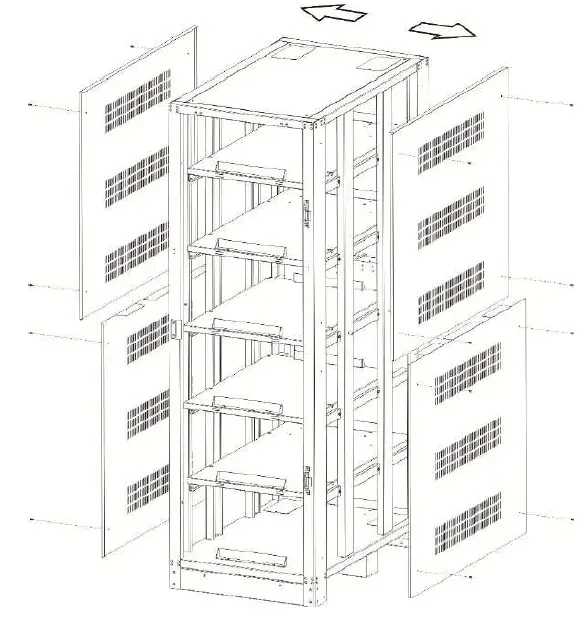
- Step 2.
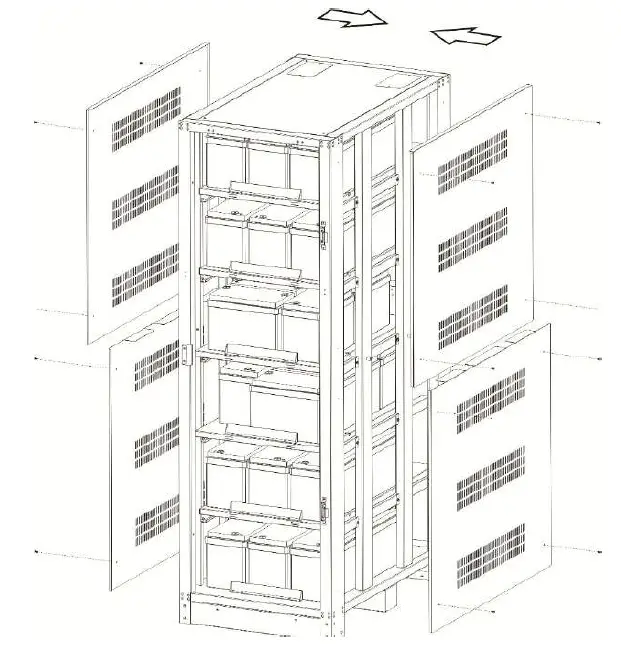
Unscrew the M4 screws (12 pcs) by cross screwdriver and then remove the side panels.
- Step 3.
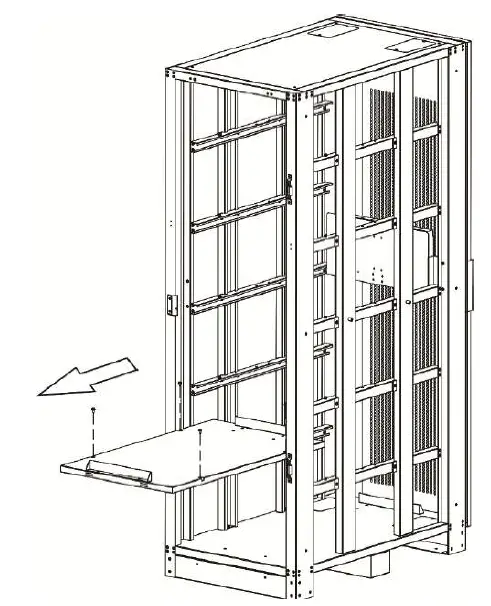
Unscrew the M6 screws (4 pcs) form each battery tray and remove all the battery trays from cabinet.
- Step 4.
Install the battery into the battery cabinet from L1 (bottom) and connect with battery. (See chapter 3.2.1 internal wiring “L1”)
FOR 12V 100Ah x 40 Batteries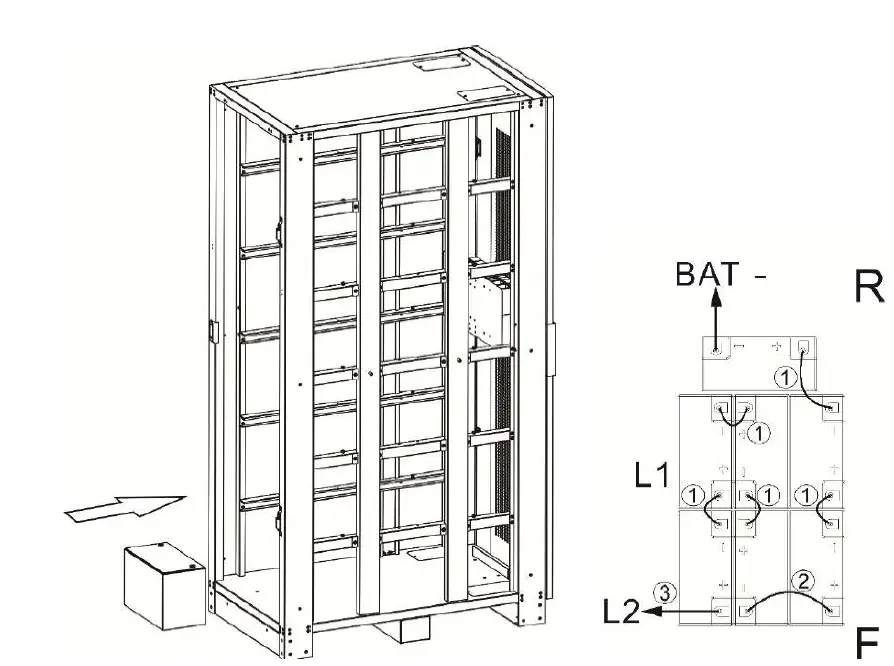
FOR 12V 100Ah x 36 Batteries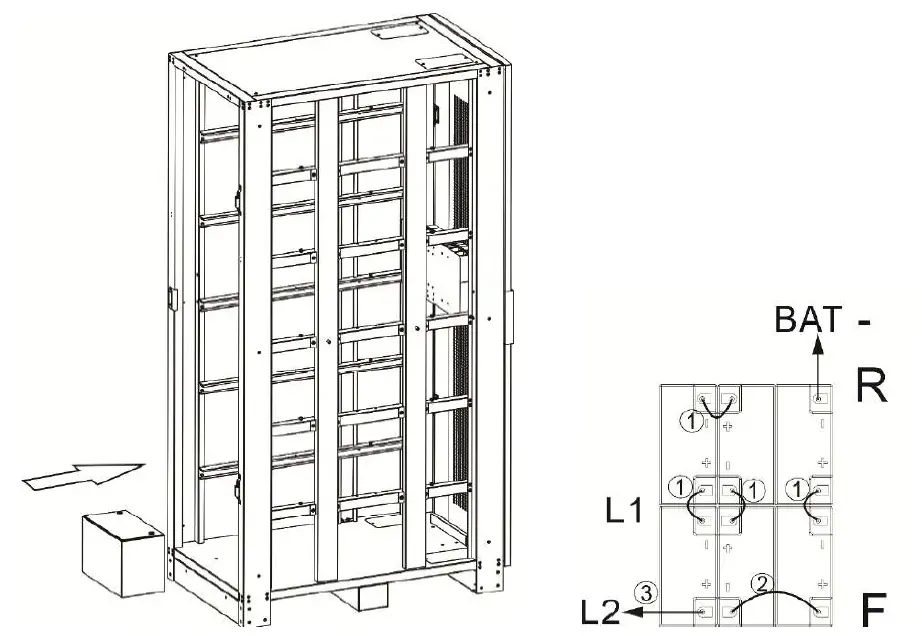
FOR 12V 100Ah x 32 Batteries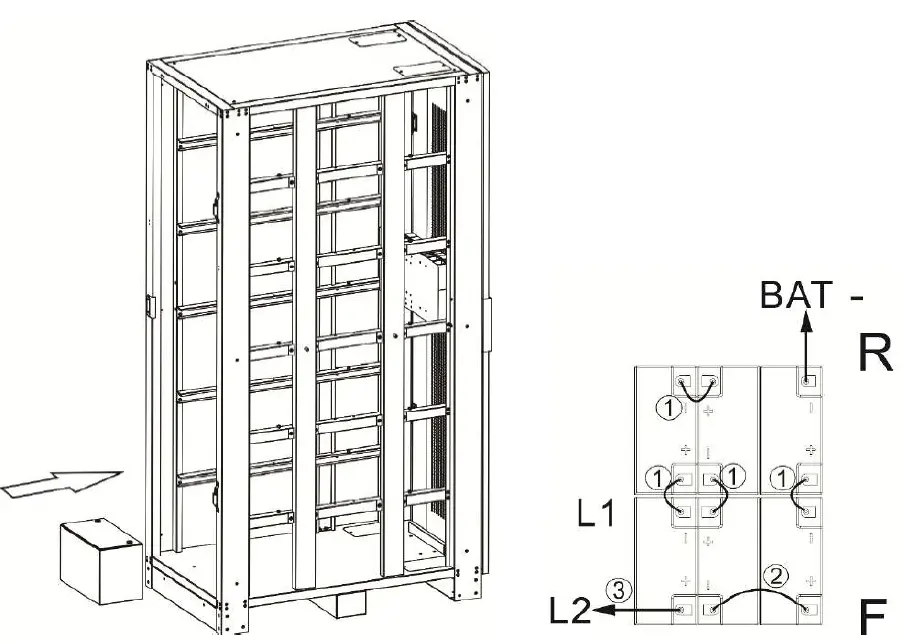
- Step 5.
Install the battery tray and using M6 screws to fix the battery tray.
- Step 6.
Install the battery into the battery cabinet and connect with battery. (See chapter 3.2.1 internal wiring “L2”)
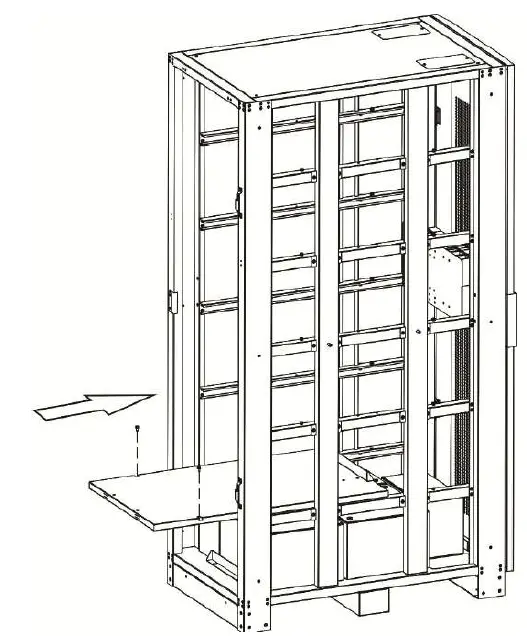
FOR 12V 100Ah x 40 Batteries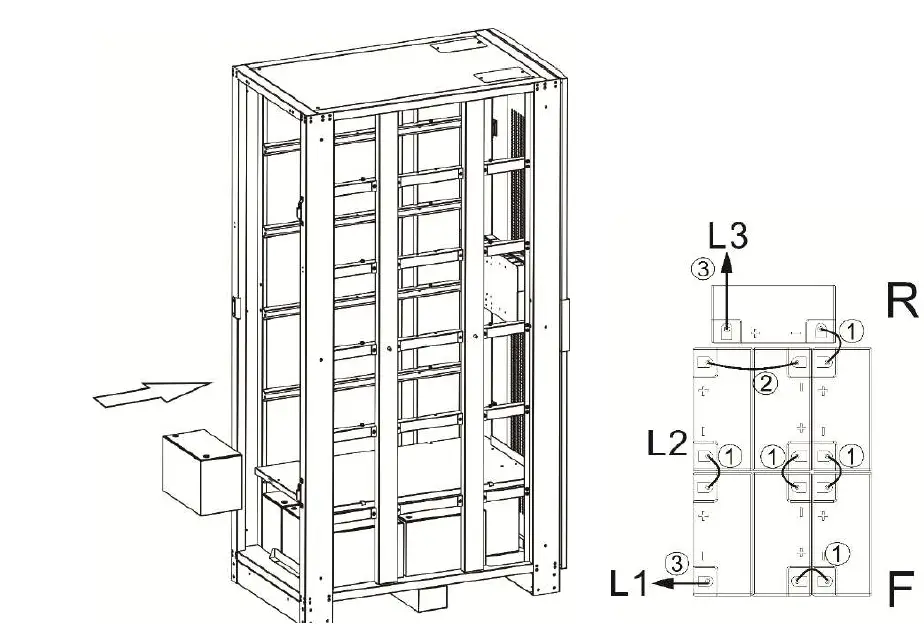
FOR 12V 100Ah x 36 Batteries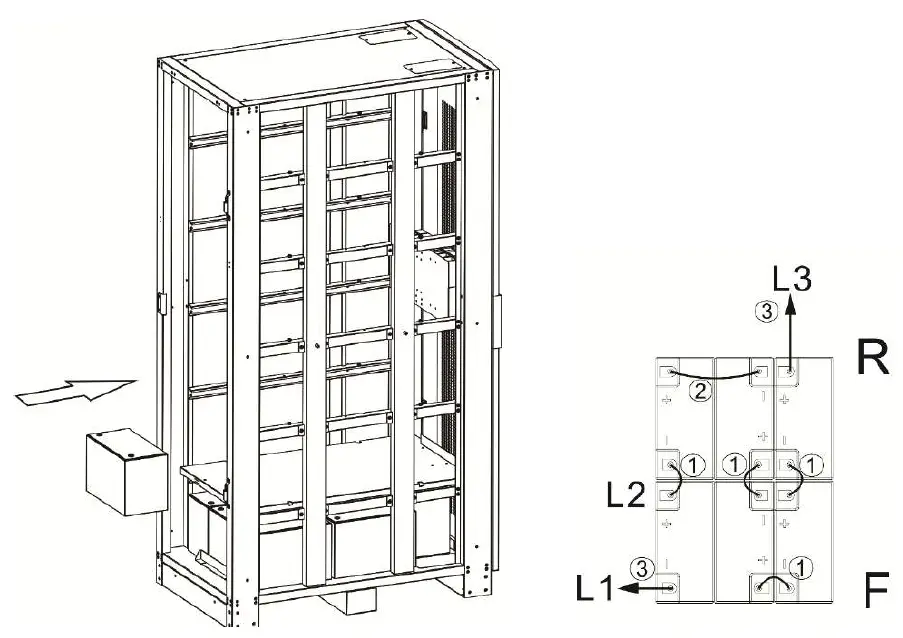
FOR 12V 100Ah x 32 Batteries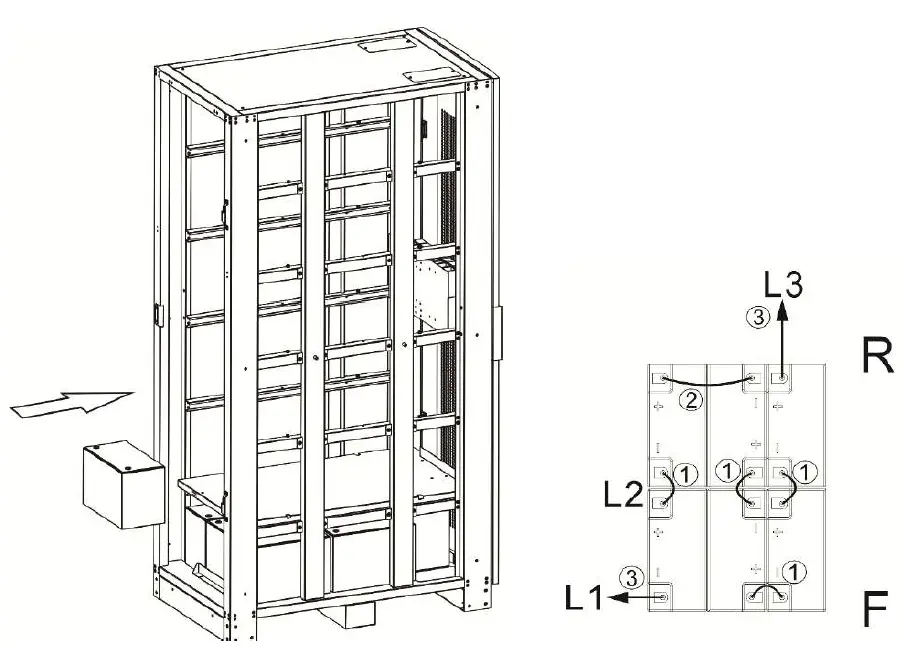
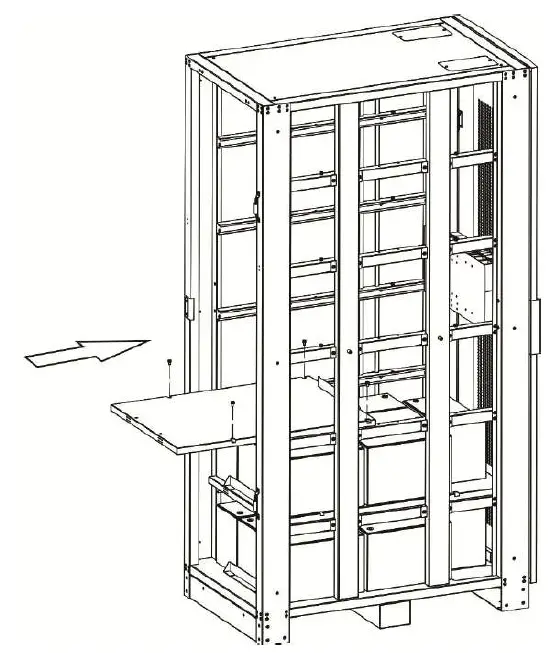
- Step 7.
Install the battery tray and using M6 screws to fix the battery tray.
- Step 8.
Install the battery into the battery cabinet and connect with battery. (See chapter 3.2.1 internal wiring “L3”)
FOR 12V 100Ah x 40 Batteries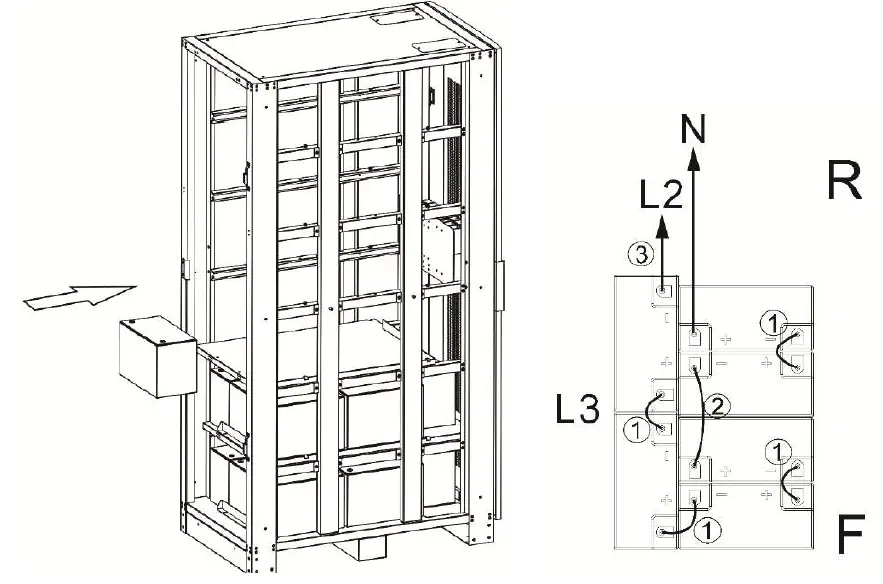
FOR 12V 100Ah x 36 Batteries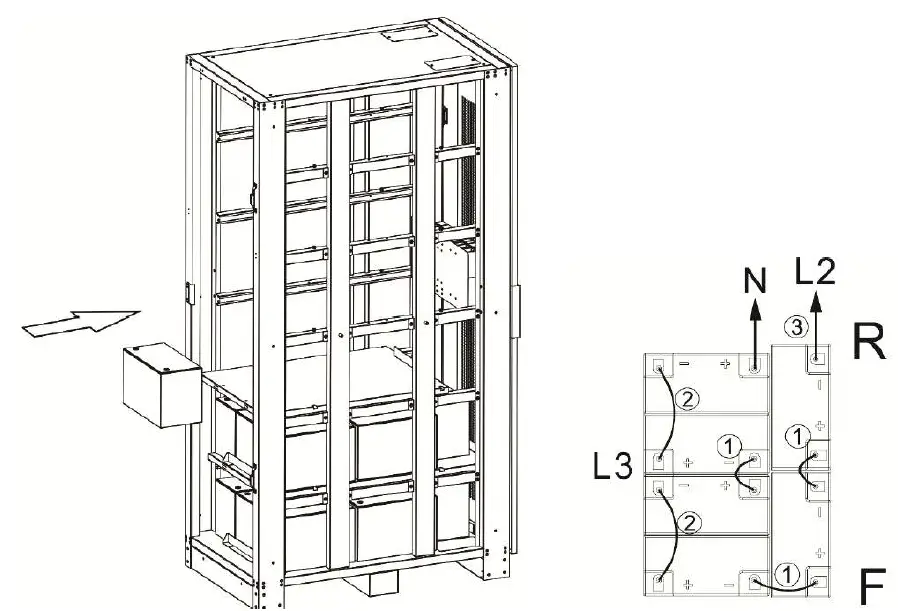
FOR 12V 100Ah x 32 Batteries
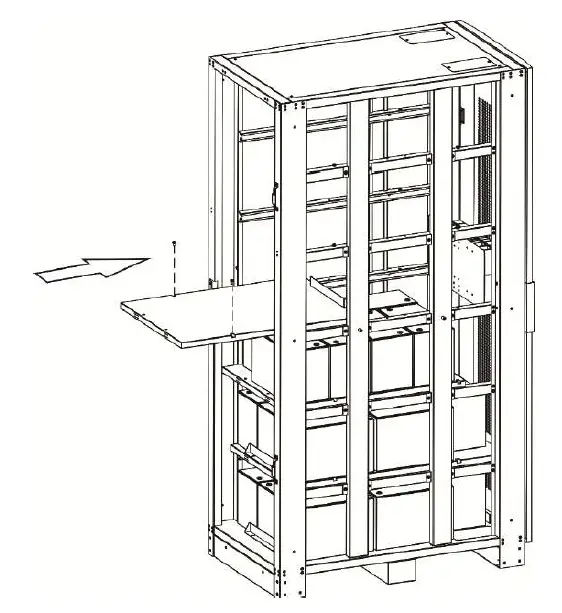
- Step 9.
Install the battery tray and using M6 screws to fix the battery tray.
- Step 10.
Install the battery into the battery cabinet and connect with battery. (See chapter 3.2.1 internal wiring “L4”)
FOR 12V 100Ah x 40 Batteries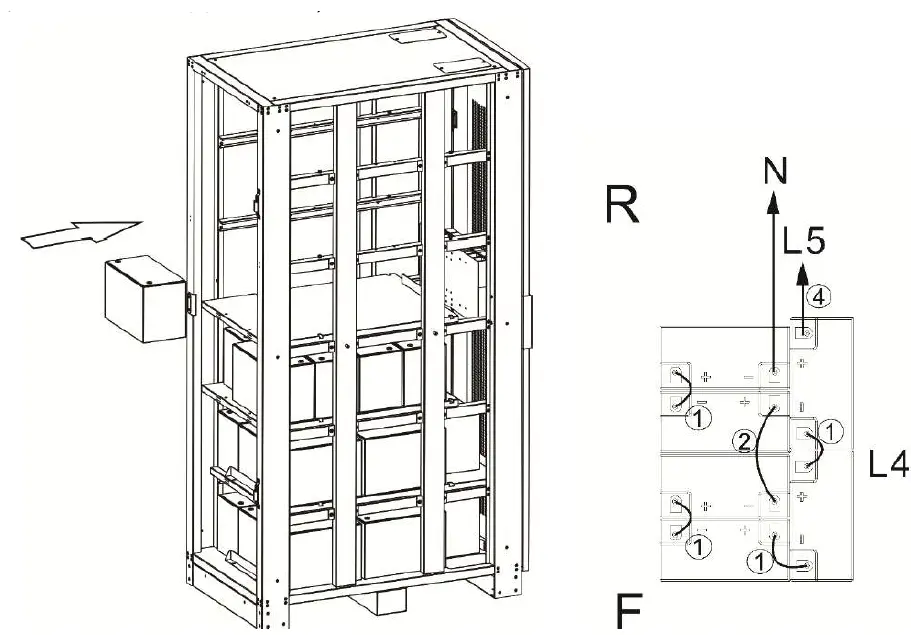
FOR 12V 100Ah x 36 Batteries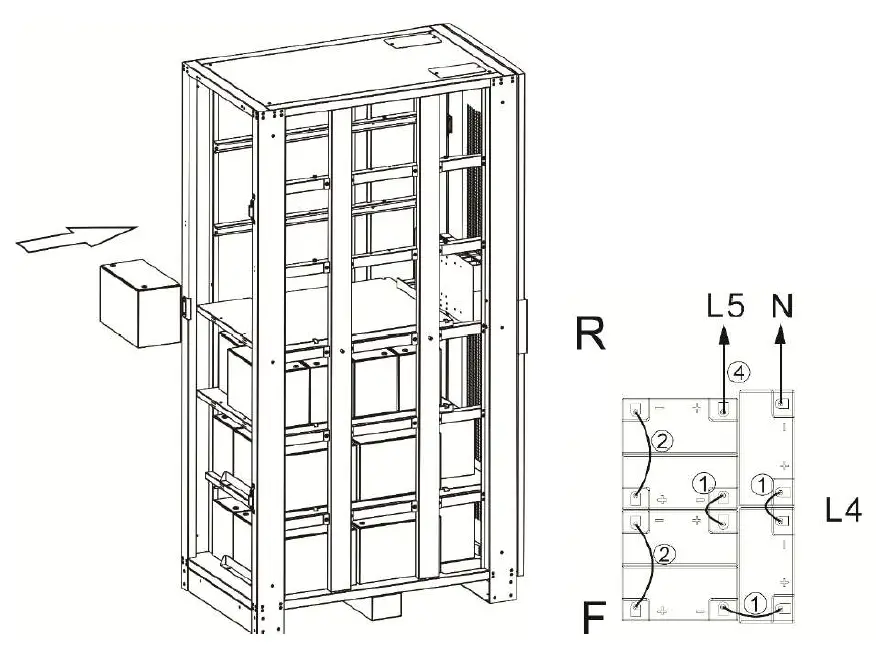
FOR 12V 100Ah x 32 Batteries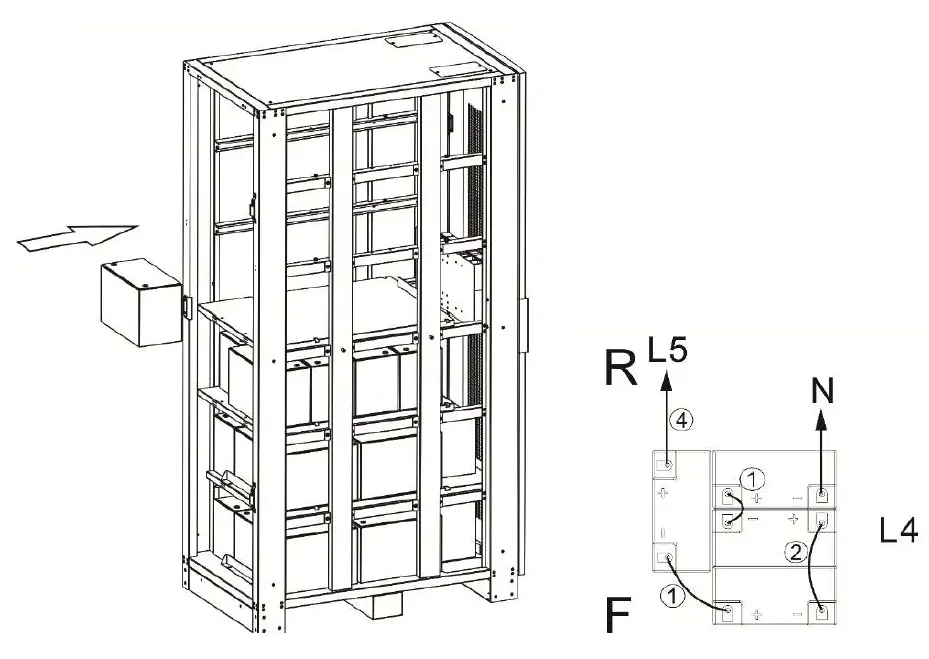
- Step 11.
Install the battery tray and using M6 screws to fix the battery tray.
- Step 12.
Install the battery into the battery cabinet and connect with battery. (See chapter 3.2.1 internal wiring “L5”)
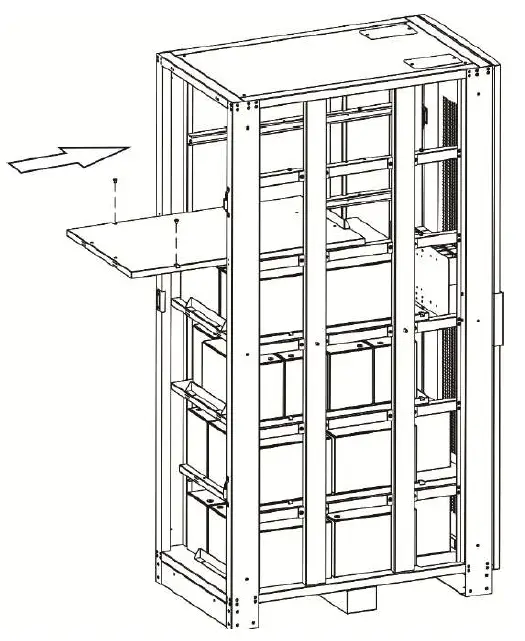
FOR 12V 100Ah x 40 Batteries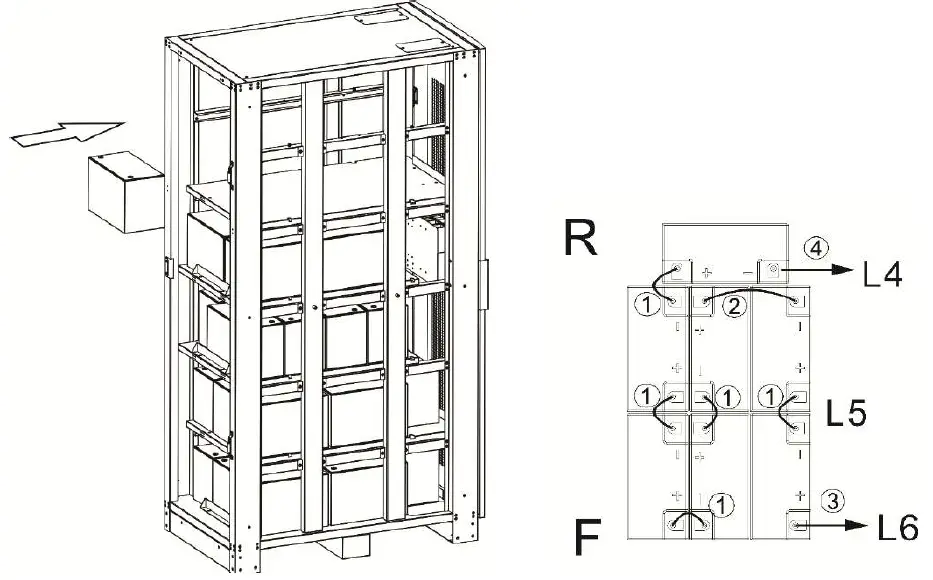 FOR 12V 100Ah x 36 Batteries
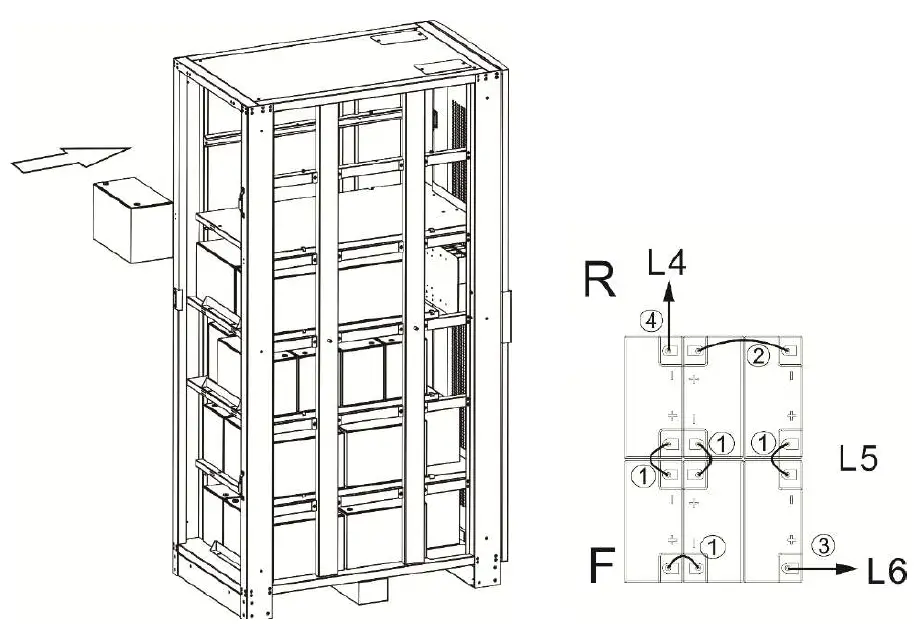 FOR 12V 100Ah x 32 Batteries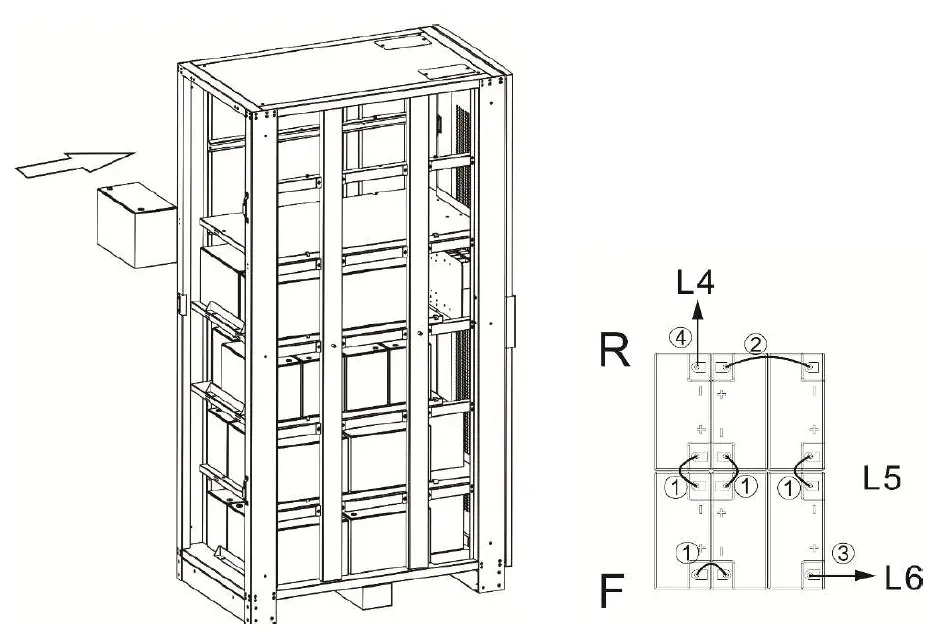
- Step 13.
Install the battery tray and using M6 screws to fix the battery tray.
- Step 14.
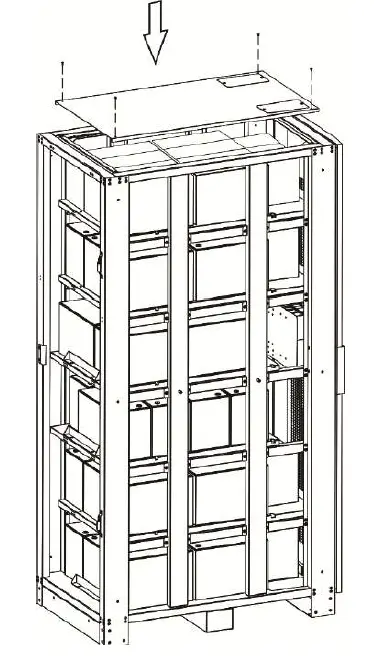
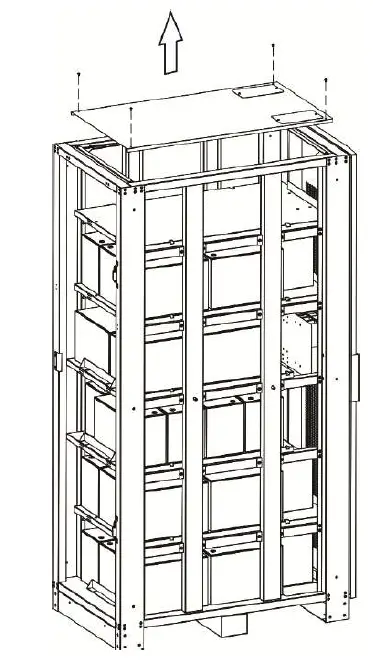
Unscrew the M4 screws (4 pcs) form cabinet top and remove the top cover.
- Step 15.
Install the battery into the battery cabinet and connect with battery. (See chapter 3.2.1 internal wiring “L6”)
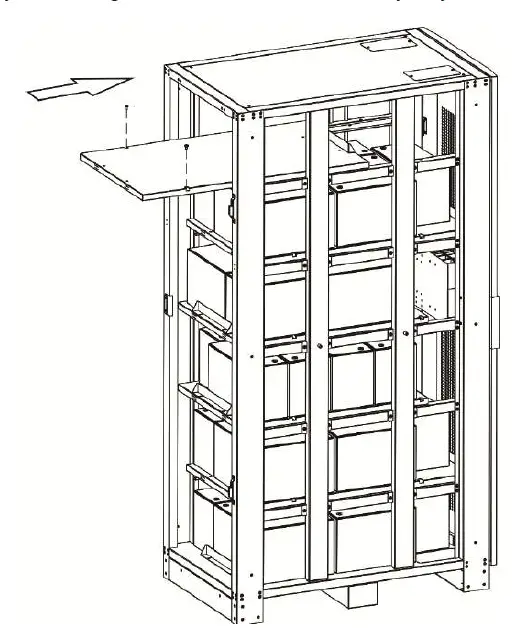
FOR 12V 100Ah x 40 Batteries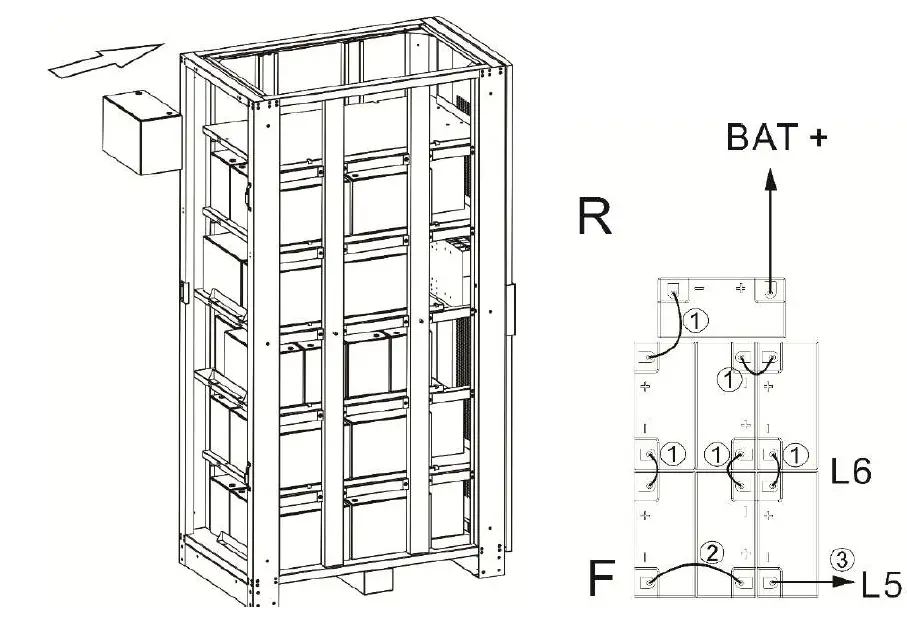
FOR 12V 100Ah x 36 Batteries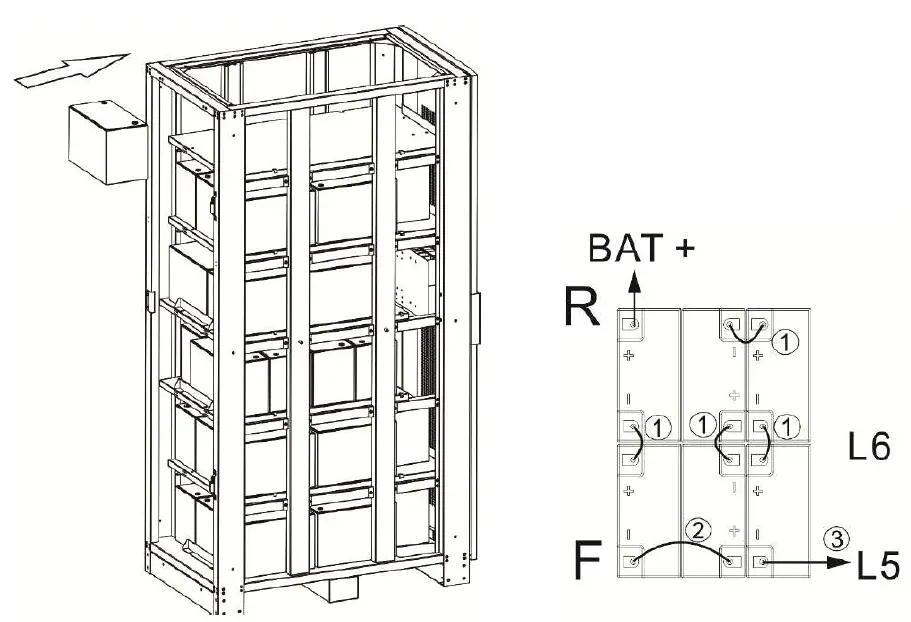
FOR 12V 100Ah x 32 Batteries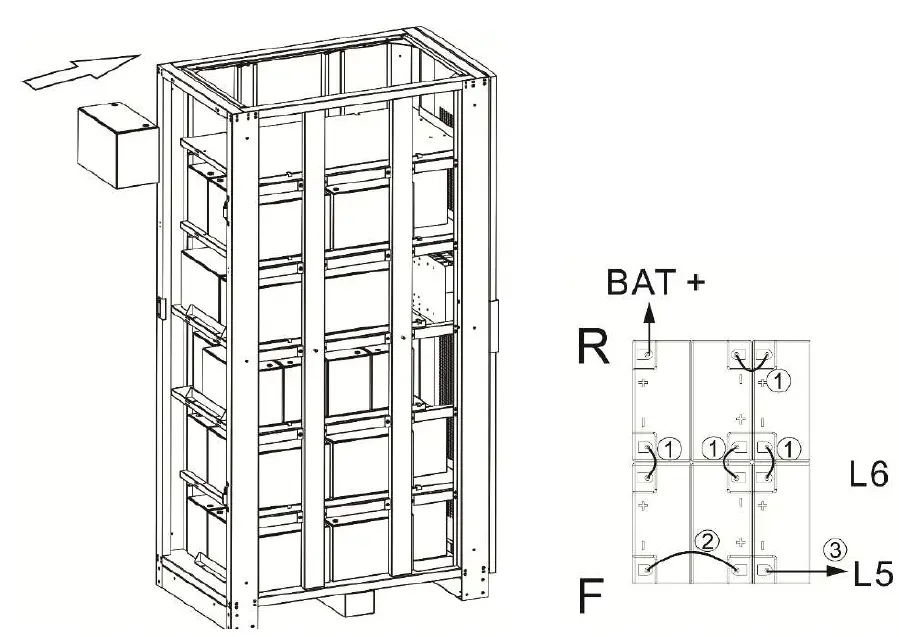
- Step 16.
Reinstall the top cover and using M4 screws to fix to the battery cabinet.
- Step 17.
Reinstall the side panels and using M4 screws to fix to the battery cabinet.
- Step 18.
Reinstall the front door and reinsert the latch to the door hinge.