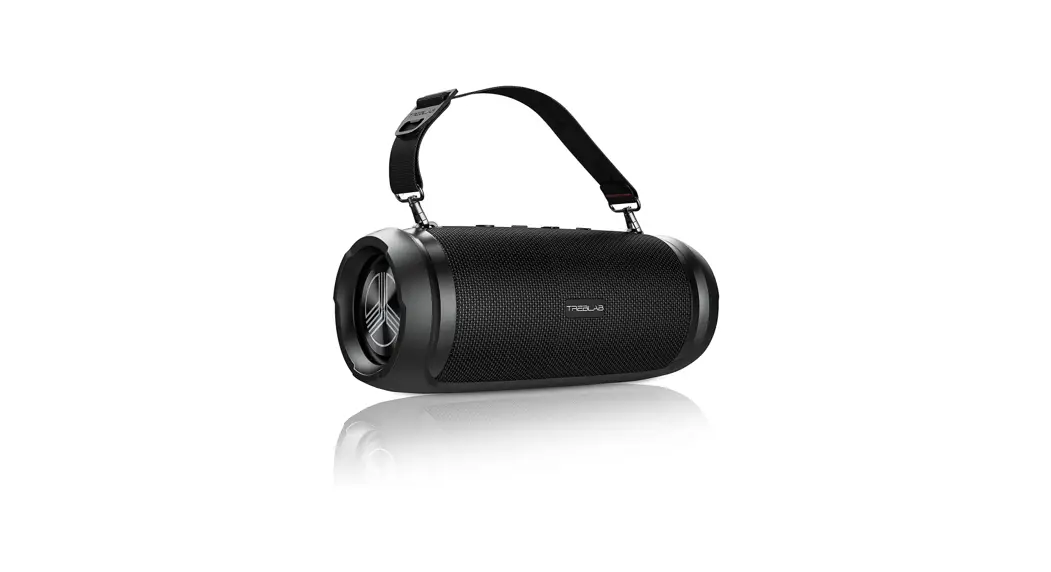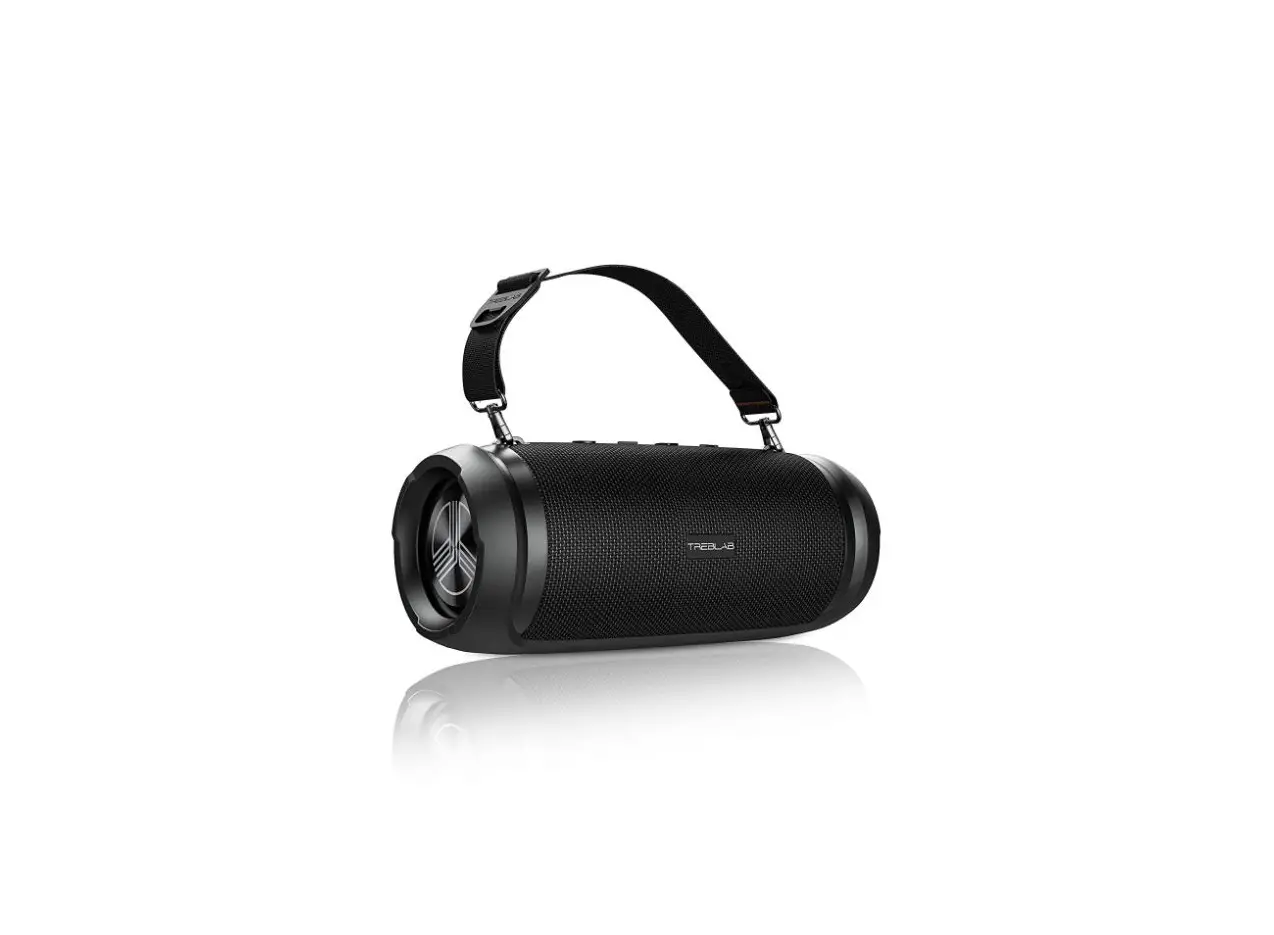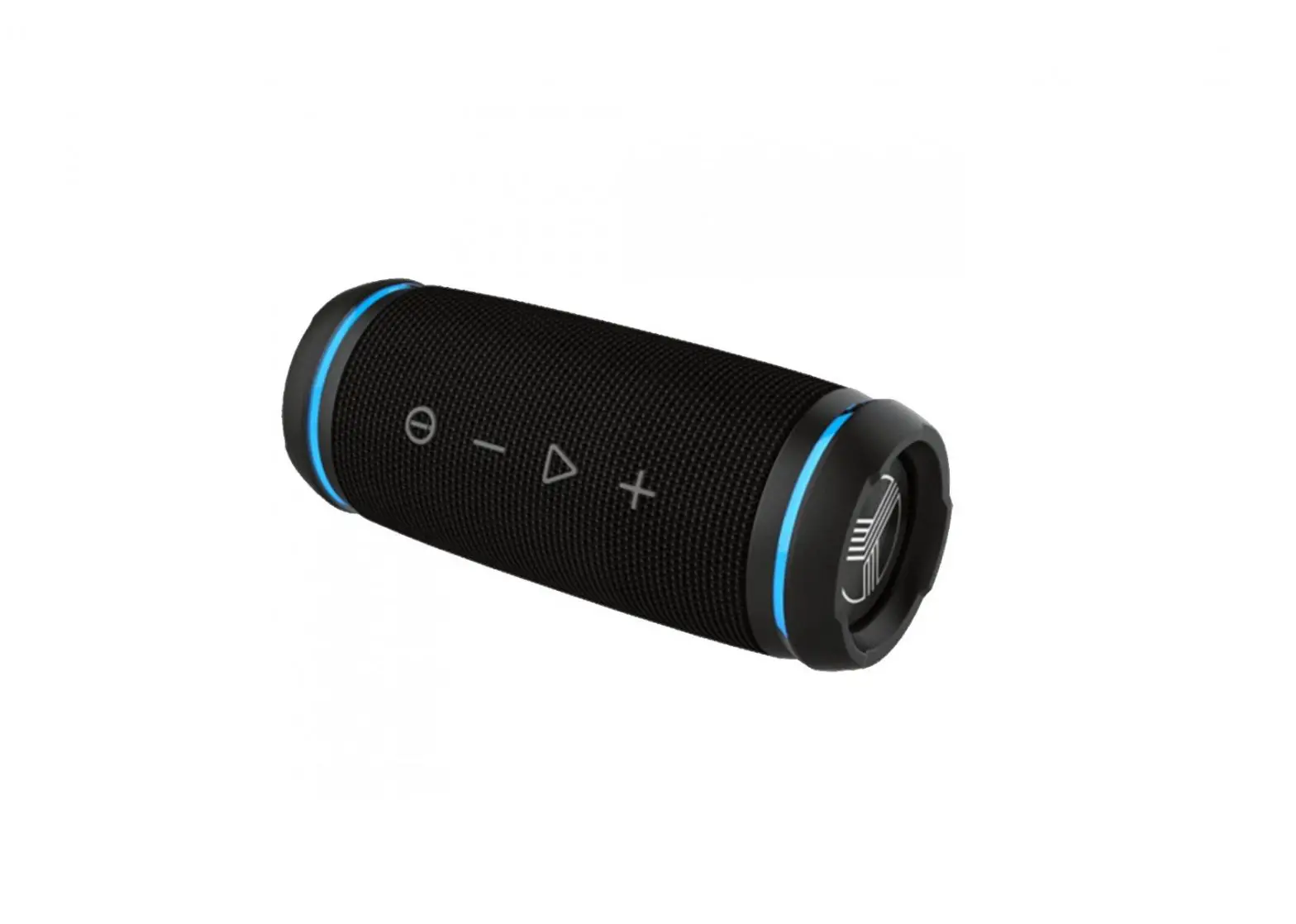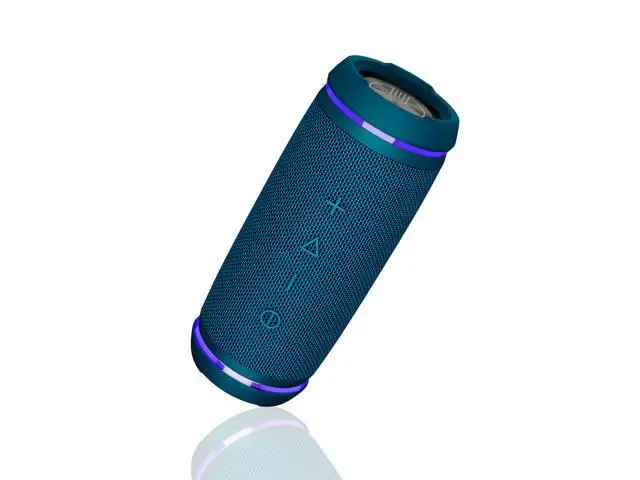

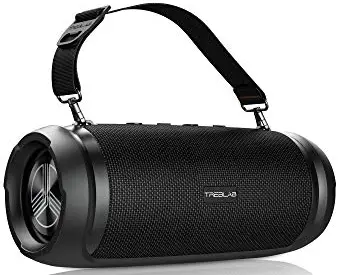
TREBLAB HD-Max – Big Loud Bluetooth Speaker
WHAT’S IN THE BOX

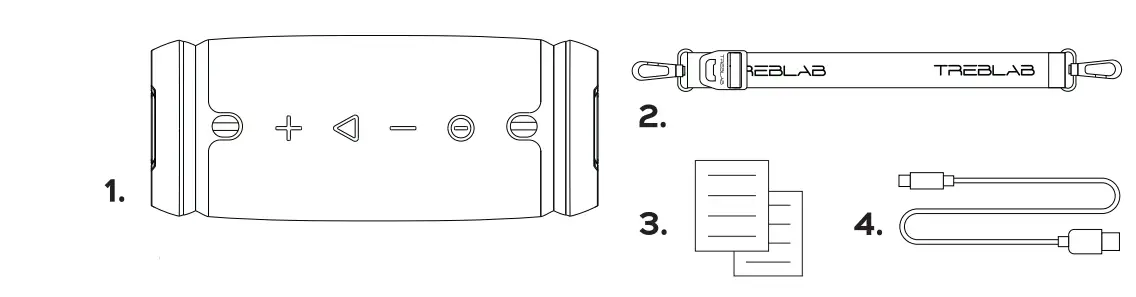
- TREBLAB HD Max speaker
- Carrying strap
- User’s manual
- Type-C charging cable
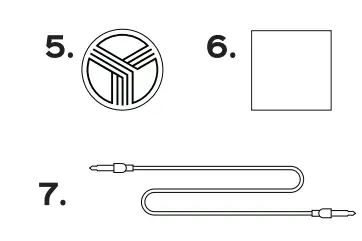
- Round TREBLAB logo sticker
- Insert card
- 3.5 mm audio cable
BUTTONS AND PARTS  SPEAKER FUNCTION
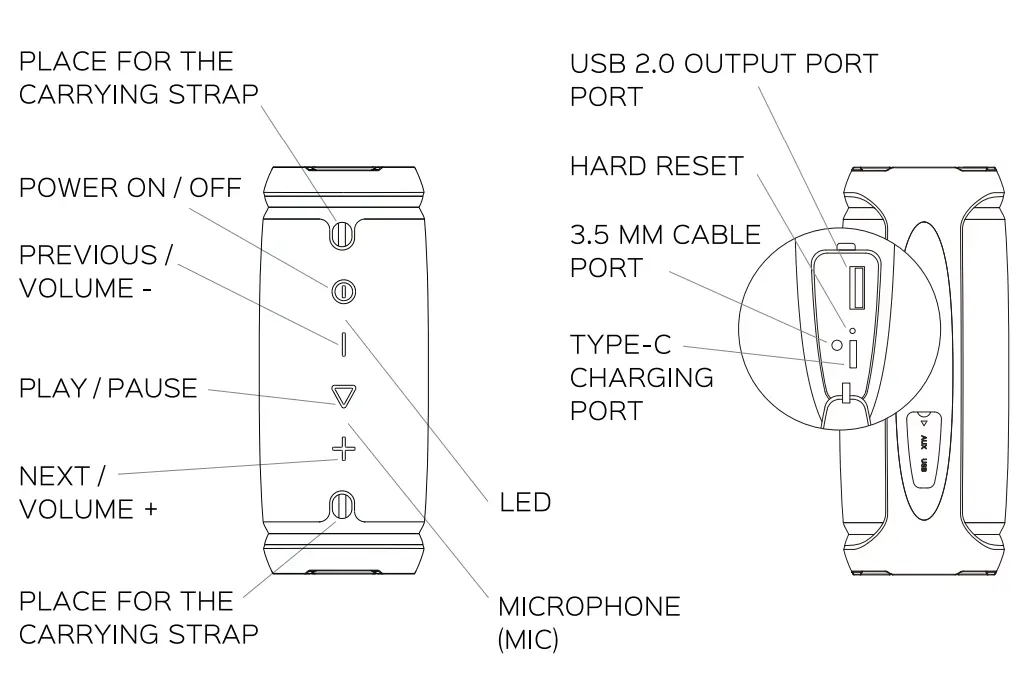 SPEAKER FUNCTION
| Function | Operation |
| Power ON | Press and hold the POWER button for 3 seconds. |
| Power OFF | Press and hold the POWER button for 3 seconds. |
| Play /Pause | Press the PLAY/ PAUSE button. |
| Volume+ | Press the VOLUME + button. |
| Volume- | Press the VOLUME – button. |
| Sound mode | Double-press the PLAY/ PAUSE button to change the Outdoor/Indoor/Bass Boost sound profile. |
| Answer a phone call | Press the PLAY/ PAUSE button. |
| Reject a phone call | Press and hold the PLAY/ PAUSE button for 2 seconds. |
| End a phone call (hang up) | Press the PLAY/ PAUSE button. |
| Redial | Press and hold the PLAY/ PAUSE button for 2 seconds. |
| Next track | Press and hold the VOLUME – button for 2 seconds. |
| Previous track | Press and hold the VOLUME + button for 2 seconds. |
| Switch between Wireless/ 3.5AUX mode | Press the POWER button. |
| Factory reset | Press and hold the VOLUME + and the VOLUME – buttons simultaneously for 5 seconds. |
| Hard reset | Press the HARD RESET button under the rubber cover. |
| Mute sound (in AUX mode only) | While connected via AUX cable, press the PLAY/ PAUSE button. |
SETTING UP YOUR HD Ma
Turn ON Press and hold the POWER button for 3 seconds. You will hear the sound cue, the battery level indicators will light up and the BLUE LED light will start flashing. Turn OFF Press and hold the POWER button for 3 seconds. You will hear the sound cue, and the RED LED will light up and go OFF. The battery level indicators will be ON for another 10 seconds and will go OFF as well.
WIRELESS PAIRING
Make sure TREBLAB HD Max is fully charged and that the 3.5 mm audio cable is not plugged in.
- Turn ON your speaker by pressing and holding the POWER button for 3 seconds. You will hear the sound cue, the battery level indicators will light up and the LED will start flashing BLUE, meaning that the speaker is in pairing mode.
- Activate the Bluetooth mode on your device (smartphone, tablet, laptop).
- Select TREBLAB HD Max from the Bluetooth devices list. Keep it within 3 feet/1 meter of the speaker while pairing.
- If necessary, enter passcode 0000.
- Once HD Max is successfully paired and connected, the LED will stop flashing and stay BLUE.
REPAIRING After the initial pairing, the speaker will automatically connect to the previously paired device when turned ON again. If reconnection does not happen automatically, the speaker will start looking for any other previously paired device within the effective distance range. TREBLAB HD Max can remember up to 8 recently paired devices.
TRUE WIRELESS STEREO (TWS)- PAIRING TWO SPEAKERS
The TWS technology allows you to use two speakers paired wirelessly to create a wireless dual-channel system, delivering a true stereo sound effect. While using this function, one speaker (Master, left channel) is paired with a smart device, the other (Slave, right channel) speaker is paired with the Master speaker.
- Select the Master speaker and pair it to the smart device following the steps from the WIRELESS PAIRING section. Then turn this speaker OFF.
- Turn OFF the Bluetooth on the smart device.
- Place the Master and Slave speakers near each other (the distance should not be over 3 feet /1 meter).
- Turn ON both speakers. You will hear the sound prompt, and the LED indicator will flash BLUE.
- Double-click the POWER button on the Master speaker. The LED indicator will start flashing BLUE and GREEN, indicating pairing with the Slave speaker.
- Once paired, you will hear the sound prompt, and one of the speakers’ LED indicators will slowly flash BLUE. The other speaker’s LED will turn BLUE.
- Turn ON the Bluetooth on the Wireless device. The speakers will connect automatically.
- Now you can use the speakers in stereo mode. Kindly note that the maximum distance between speakers should not exceed 33 feet 110 meter. To disable the TWS function and disconnect the Master and Slave speakers, press and hold the VOLUME + and VOLUME – buttons simultaneously on the Slave speaker for 5 seconds until the BLUE LED light flashes, indicating the connection is lost.
AUDIO PLAYBACK
To pause and resume playback when connected wirelessly, press the PLAY button. To adjust the volume, press the VOLUME + or the VOLUME – button while listening to music. To change the track on the HD Max, press and hold the VOLUME + or the VOLUME – button for 2 seconds.
3.5 MM AUDIO CABLE CONNECTION
You can connect TREBLAB HD Max to compatible devices using the supplied 3.5 mm audio cable. Turn the speaker ON. You will hear the sound cue and the LED light will start flashing BLUE. Plug one end of the 3.5 mm audio cable into the 3.5 mm cable port on the side of the speaker (under the rubber cover). Plug the other end into the 3.5mm jack on your device. The LED will turn GREEN. Now you can play music and audio. To mute the audio, press the PLAY/ PAUSE button. NOTE: On-device control is not supported for the NEXT, PREVIOUS and PAUSE functions when using the 3.5 mm audio cable. Phone calls management using the PLAY / PAUSE button is not supported as well. You will need to make adjustments using your smart device.
SOUND MODES
TREBLAB HD Max speaker supports three audio modes: Outdoor, Indoor and Bass Boost. In the Outdoor mode, treble is enhanced which ensures higher volume at open spaces. The indoor mode will be suitable for indoor application. In the Bass Boost mode, low frequencies are enhanced for better listening experience. To switch between the modes, double-press the PLAY/ PAUSE button when the speaker is ON. NOTE: The sound modes switching does not work when the speaker is connected using the 3.5 mm audio cable. To change the sound profiles in TWS mode double-press the PLAY/ PAUSE button on any speaker. The changes will apply for both speakers.
PHONE CALLS
TREBLAB HD Max can be used to make and receive phone calls when connected wirelessly. Audio playback will be paused during calls.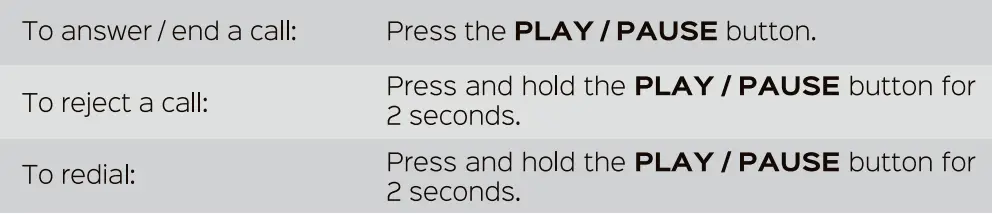 NOTE: For better call quality, face the microphone when you speak.
CHARGING
One full battery charge provides up to 5 hours of playing time at maximum volume, and up to 20 hours at 30% volume. When the battery is running low, you will hear a sound signal. TREBLAB HD Max may be used while charging in both Bluetooth and 3.5 mm audio cable modes. To charge the speaker, plug one end of the supplied cable into the TYPE-C charging port under the rubber cover at the side of the speaker. Plug the other end of the charging cable into a standard USB port. It takes up to 5.5 hours to fully charge. If the speaker is turned OFF, the LED light will turn on RED. If the speaker is turned ON and connected to the device, the PURPLE LED will light up. The RED light will turn OFF or the PURPLE light will go BLUE when the speaker is charged. Be sure to use a 5V DC, 0.5-2 A adaptor or charger. Using the power source with lower power will increase the overall charging time. Maximize the battery lifespan by charging your speaker through a computer’s USB port. Unplug HD Max from the charging cable and the cable itself from the power source when not in use. If the speaker is left unused, even the fully charged battery will lose its charge over time. We recommend fully charging the HD Max speaker at least twice a month to maintain sufficient battery life.
BATTERY LEVEL INDICATION
The HD Max speaker is equipped with battery level indicators – LEDs. The current charge level is displayed while charging, when the speaker is used as a power bank and after the POWER button is pressed in OFF state.
- The charge level is between 0% and 30%: one LED is ON (flashing during the speaker charging or in the power bank mode).
- The charge level is between 30% and 70%: two LEDs are ON (flashing during the speaker charging or in the power bank mode).
- The charge level is between 70% and 100%: three LEDs are ON (flashing during the speaker charging or in the power bank mode).
POWER BANK MODE
TREBLAB HD Max inbuilt battery can be used as a power bank to charge your smartphone or tablet.
- Connect your device to the speaker by plugging your device’s charging cable into the USB 2.0 output port under the rubber cover at the side of the speaker.
- If the speaker is in OFF state, press the POWER button to start charging. In case the speaker is ON, it will start charging instantly after you connect the device to the USB 2.0 output port.
- There is no LED indication signal when the smart device is fully charged. Please pay attention to your device’s battery charge indicator during the charging time.
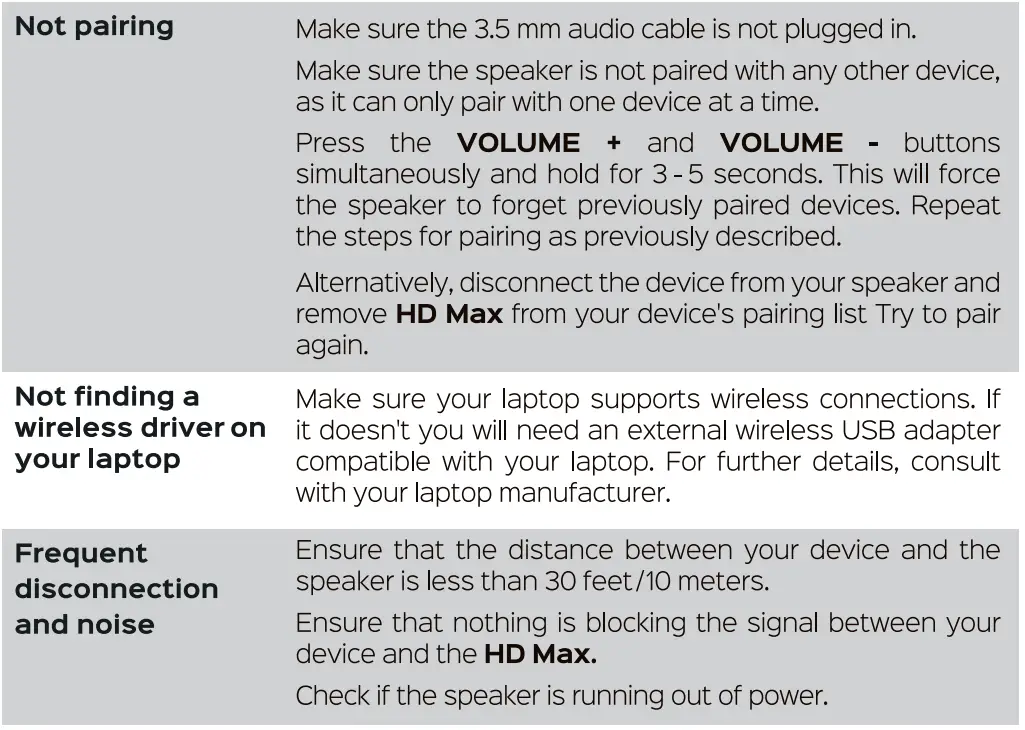
TROUBLESHOOTING 
 SAFETY RULES

 SAFETY RULES
- Don’t disassemble or modify your speaker for any reason. Doing this may cause the speaker to malfunction or become combustible. The damage to your device can void the manufacturer’s warranty.
- Do not let your device get wet – liquids can cause serious damage. Water damage to your device can void the manufacturer’s warranty.
- Make sure the speaker is completely dry before charging. Clean only with a dry doth.
- avoid exposing TREBLAB HD Max to extreme temperatures (below 37° F / 3°C or above 112° F / 45°C). Extreme temperatures can cause the deformation of the HD Max components and reduce the battery life and the lifespan of your new speaker.
- Don’t put the device’s LED lights close to humans’ or animals’ eyes.
- Do not use HD Max during a thunderstorm. Thunderstorms can cause serious malfunction and increase the risk of electric shock.
SPECIFICATIONS
- Battery:
- Up to 20 hours playtime (30% volume)
- Up to 5 hours (100% volume)
- 12000mAh 3.7V, rechargeable Li-Ion
- Input 5V/0.5A-2A
- Output 5V/2.1A
- Charging time:5.5 hours
- Bluetooth version:4.2
- Supported profiles:HFP, A2DP, AVRCP, GAVDP, AVDTP, SPP, AVCTP
- Frequency response:80 Hz-16 kHz
- Signal range: Speaker size:33 ft/10 m
- Output power50W
- Water resistance: IPX6
- Charging port: TYPE-C
- Audio port:3.5 mm jack
- Dimensions:4.72 x 4.72 x 12.4 inches/120 x 120 x 315 mm
- Weight:5.62 lbs/2550 g
RECYCLING
The speakers can be recycled, and they should be in order to keep our planet clean. Where should you bring them? In the US, there are a couple of options:
- Best Buy has a recycling program. Just take the broken speaker with you next time you visit a Best Buy store. This link will help you find the best location: https://hvww.bestbuy.com/site/store-locator/
- Check for other possible locations next to you on these websites Oust enter your ZIP to find a location): https://www.call2recycle.org https://search.earth911.com https://recyclenation.com/find https://www.cta. tech/Consumer Resources/Greener/Gadgets
1-YEAR WARRANTY Parts and Labor Warranty
Please visit www.treblab.com to register YOUR product.
Manufactured by Product Made in China RoHS CE Fe! 0 A\.
WARNING: Cancer and Reproductive Harm – www.P65Warnings.ca.gov TREBLAB HDMax WIRELESS SPEAKER
FAQS
The best
yes
Double press the “play” button on the speaker to change modes. But my music app has an EQ that allows fine-tuning of the sound.
Yes of course! You can plug in an aux chord cause there is one underneath it. Close to the power chord.
No, actually. It can connect to your devices via Bluetooth or AUX port.
Yes, two
Yes of course! You can plug in an aux chord cause there is one underneath it. Close to the power chord.
No, actually. It can connect to your devices via Bluetooth or AUX port.
Yes, two
it’s better to contact support, they might help with that
this doesn’t have an ac outlet only a USB power 3-5 amps
If in the 30-day period you decide you don’t like it return it, these are great have no worries
The Treblab speakers come with a strap for easy carrying. Not very heavy Don’t see why you couldn’t take it on a plane
Not at all,buy two for stereo effects
Yes, it turns OFF after 10 min of being left unused.
only via Bluetooth
yes
Yes, there is a USB port for your phone charging cord. Yes, you can listen and charge at the same time.